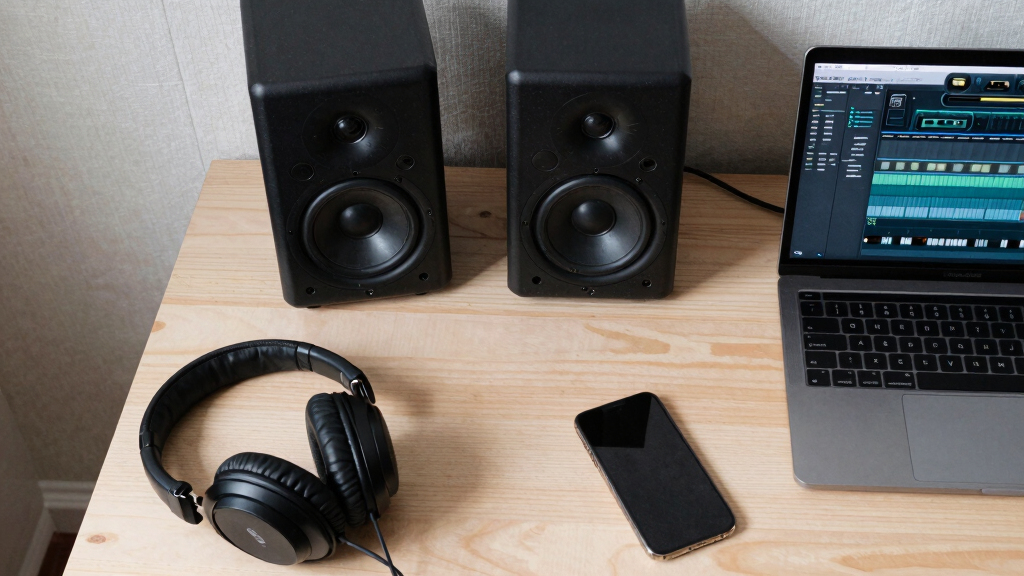

Choosing the best studio monitor speakers for podcast editing involves balancing accuracy, budget, and usability. The PreSonus Eris 3.5 stands out as the top overall pick thanks to its compact design and clear sound profile ideal for near-field listening. For those seeking high-res audio with versatile connectivity, the Edifier MR5 offers impressive power and room compensation features. Meanwhile, the M-AUDIO BX5BT provides a great blend of affordability and Bluetooth convenience for casual podcasters. The main tradeoffs involve choosing between size, sound fidelity, and connectivity options. Continue reading for a detailed breakdown of these options and which might be right for your setup.

Get smart everyday buys delivered free with Prime
- Fast, free delivery on millions of items
- Prime Video, Amazon Music and more included
- Member-only deals all year
Key Takeaways
- Size and space considerations are critical; smaller monitors like the Eris 3.5 work well in tight desktop setups.
- Connectivity versatility, especially Bluetooth and multiple input options, can simplify workflow but may compromise audio purity.
- Sound accuracy and flat frequency response are essential for true-to-life podcast editing, favoring models like Yamaha HS4 or Mackie CR3.5.
- Higher power and room compensation features matter in larger or acoustically challenging spaces, making models like Edifier MR5 appealing.
- Budget constraints often lead to tradeoffs in sound clarity and build quality — prioritize your most critical needs.



More Details on Our Top Picks
PreSonus Eris 3.5 Studio Monitors, Pair — Powered, Active Monitor Speakers for Near Field Music Production, Desktop Computer, Hi-Fi Audio
This pick stands out for its balance of size, power, and sound quality, making it ideal for those who need accurate audio in a small footprint. Compared to the Yamaha HS4, the Eris 3.5 offers a more expressive low end and versatile connectivity options, including the option to add a subwoofer for deeper bass. While its 50W Class AB amplification provides ample volume for near-field use, some users might find the smaller 3.5-inch woofer less capable of filling larger rooms or handling heavy bass without an additional sub. The high- and low-frequency tuning controls help tailor the sound, but the compact design limits maximum output compared to larger models. This monitor is perfect for desktop producers or multimedia enthusiasts who prioritize clarity in a limited space.
Pros:- Big, room-filling sound despite compact size
- Flexible connection options including front headphone jack
- Adjustable EQ for room tuning
Cons:- Limited low-end extension without a subwoofer
- Smaller woofer may struggle with heavy bass in larger spaces
Best for: Home studio users, multimedia creators, and gamers needing accurate sound on a desk
Not ideal for: Large room setups or those requiring high SPL levels for live monitoring, as its size limits bass extension and volume
- Power Output:50 Watts
- Frequency Response:70Hz – 20kHz
- Speaker Size:3.5 Inches
- Inputs:¼-inch TRS, RCA, front aux
- Enclosure Material:Composite
- Mounting Type:Desktop
- Connectivity:Wired, Bluetooth optional with subwoofer
- Dimensions:5.5″D x 6″W x 8.3″H
- Weight:6.4 Pounds
Bottom line: This monitor is ideal for users seeking precise, balanced sound in a small, desktop-friendly package.
Edifier MR5 2.0 Studio Monitor Bookshelf Speakers, 110W(RMS), Hi-Res Audio, Bluetooth 6.0, 3-Way Active Design, Room Compensation, XLR/TRS/RCA Inputs, Compact Size for Home Studio & Music – Black
This model makes the most sense for budget-conscious users who want high power and room-tuning features, outperforming many similarly priced options like the M-Audio BX5BT in raw volume and connectivity. The MR5’s 110W RMS amplifier and 3-way design deliver a more dynamic and detailed sound, with substantial bass and clear mids, making it suitable for mid-sized rooms or serious multimedia use. Unlike the smaller Edifier MR3, the MR5 provides a larger driver and better room compensation controls, but it’s also heavier and takes up more space. The Bluetooth 6.0 ensures stable wireless streaming, and its multiple wired inputs support a variety of devices, giving it strong flexibility. This speaker set suits home studios, music lovers, and content creators who need power and customization without breaking the bank.
Pros:- High power output with 110W RMS for loud, clear sound
- 3-way active crossover for detailed audio
- Room compensation and multiple input options
Cons:- Larger footprint may not suit cramped desks
- Lacks remote control, software control limited
Best for: Content creators, music enthusiasts, and producers seeking powerful, room-tunable monitors
Not ideal for: Users with very limited space or those needing ultra-portable setups, as its size and weight are more substantial
- Power:110W RMS
- Frequency Response:46Hz–40kHz
- Speaker Size:3-Way, 5 Inches
- Inputs:XLR, TRS, RCA, Bluetooth
- Enclosure Material:MDF
- Controls:Room EQ, High Trim
- Connectivity:Wireless and wired
- Dimensions:11″D x 6.3″W x 10.4″H
- Weight:10.38 kg
Bottom line: This monitor is best for users who want high volume, room tuning, and multiple connectivity options at an affordable price.
M-AUDIO BX5BT Pair 5″ Desktop Studio Monitor Speakers with DSP and Bluetooth with App Control, for Music Production, Video Edits, Content Creation, Podcasting
This pick excels for its DSP tuning, app-based EQ, and Bluetooth connectivity, making it a versatile option comparable to the Edifier MR5 but in a more compact package. The 240W bi-amplified system with a 5-inch Kevlar woofer and DSP-controlled crossover provides a detailed, flat response suitable for critical listening and podcast editing. Unlike the Yamaha HS4, the BX5BT offers more sophisticated app control for sound customization, but its maximum power and size are smaller, limiting its use in larger rooms or for high SPL applications. The included isolation pads and multiple wired inputs support flexible placement and device integration. This monitor is perfect for content creators and home studios looking for detailed sound with modern app control features.
Pros:- DSP tuning and app-based EQ for precise sound shaping
- Bluetooth 5.0 for wireless streaming
- Compact size with high power for its class
Cons:- Limited maximum SPL compared to larger models
- No dedicated remote or physical control for EQ adjustments
Best for: Podcast editors, multimedia creators, and home studio users valuing app control and space efficiency
Not ideal for: Large room setups or users needing maximum SPL, as its power limits are lower than larger monitors
- Power:240W bi-amplified
- Frequency Response:49Hz – 22kHz
- Speaker Size:5 Inches
- Inputs:XLR, TRS, RCA, Bluetooth
- Controls:App EQ, Presets
- Connectivity:Wireless and wired
- Dimensions:9.9″D x 7.3″W x 11.75″H
- Weight:10.43 lbs
Bottom line: Ideal for creators who need customizable, space-efficient monitors with modern control options.
JBL 305P MkII 5″ 2-Way Active Powered Studio Reference Monitors Speakers
This pick stands out for its patented Image Control Waveguide, delivering a wide sweet spot and precise imaging, making it ideal for critical listening like podcast editing. The dual 41W Class-D amps produce a balanced, detailed sound with deep bass and crisp highs, surpassing the Yamaha HS4 in clarity and stereo imaging. The Boundary EQ and HF Trim allow room tuning, but the JBL’s more refined imaging and wider dispersion make it a better choice for those who need accurate stereo placement. While its 5-inch woofer covers most mid-sized spaces well, users seeking maximum SPL might prefer larger monitors or additional subwoofers. This monitor is well-suited to professionals and serious hobbyists who prioritize detailed, accurate sound reproduction.
Pros:- Precise stereo imaging with wide sweet spot
- Deep, balanced bass and clear highs
- Room tuning via Boundary EQ and HF Trim
Cons:- Smaller size limits maximum SPL
- Requires room calibration for optimal performance
Best for: Critical podcast editing, mixing, and detailed sound work in small to medium rooms
Not ideal for: Very large spaces or loud environments where maximum SPL is required, as it’s primarily designed for accuracy over volume
- Power:82W total
- Frequency Response:43Hz – 24kHz
- Speaker Size:5 Inches
- Inputs:XLR, TRS
- Enclosure Material:MDF
- Controls:Boundary EQ, HF Trim
- Connectivity:Wired
- Dimensions:9.9″D x 5.9″W x 9.4″H
- Weight:6.8 kg
Bottom line: This monitor is ideal for professionals needing pinpoint stereo imaging and detailed audio fidelity.
Yamaha HS4 Powered Studio Monitor in Black, Pair (HS4 B)
This pick is the classic choice for those who want reliable, flat response monitoring, favored by many professional engineers. The Yamaha HS4’s 4.5-inch woofer and 26W output power provide a clear, natural sound suitable for critical podcast editing and mixing. Its frequency range of 60Hz – 22kHz ensures accurate reproduction without coloration, similar to the Edifier MR3 but with a more traditional Yamaha build quality and reputation. While it lacks advanced room tuning features, its straightforward design appeals to users who prioritize transparency and consistency over customization. The HS4 pairs well with larger monitors or subwoofers if more bass is needed, making it a versatile, trusted standard for professional and serious hobbyist studios alike.
Pros:- Industry-standard flat response for critical listening
- Trusted Yamaha build quality and durability
- Good for near-field monitoring in small spaces
Cons:- Limited bass extension without a subwoofer
- No room tuning or Bluetooth connectivity
Best for: Podcast editors and audio professionals needing a reliable, neutral reference in small to medium rooms
Not ideal for: Users seeking advanced room correction or Bluetooth wireless features, as it’s a straightforward wired monitor
- Power:26 Watts
- Frequency Response:60Hz – 22kHz
- Speaker Size:4.5 Inches
- Inputs:XLR/TRS
- Enclosure Material:Stainless Steel
- Controls:Room EQ, High Trim
- Connectivity:Wired
- Dimensions:8.4″D x 5.9″W x 9.4″H
- Weight:6.8 kg
Bottom line: This monitor is perfect for users who want a transparent, accurate reference for professional-quality podcast editing.
OHAYO 60W Computer Speakers for Music and Gaming, Active Bluetooth 5.3, Stereo 2.0 Speakers for Desktop PC or Laptop, 3.5mm Aux RCA USB Input, 1 Pair, Black
This set stands out for combining powerful sound with a modern, space-saving design, making them ideal for small desk setups. Unlike the Edifier MR3, which offers a more traditional monitor aesthetic, the OHAYO speakers deliver distortion-free 30W x 2 output with a rear bass port that enhances low-end depth. While their compact size makes placement flexible, this can limit maximum volume and low-frequency punch compared to larger monitors like the M-AUDIO BX3. The built-in sound card and multiple inputs, including Bluetooth 5.3, RCA, AUX, and USB, add remarkable versatility—perfect for gaming, streaming, or casual listening. However, the sound quality at very high volumes can introduce slight distortion, and their small drivers might not satisfy those seeking deep bass. Overall, this pick makes the most sense for users needing clear, controlled sound in tight spaces without sacrificing connectivity.
Pros:- Compact and space-efficient design
- Unleashes powerful 30Wx2 distortion-free sound
- Multiple input options including Bluetooth 5.3, RCA, AUX, and USB
- Built-in sound card for detailed playback
Cons:- Limited low-end punch at maximum volume
- Slight distortion can occur at high volumes
- Drivers may not deliver the depth of larger monitors
Best for: Small home office users or gamers who want powerful sound without taking up much space.
Not ideal for: Audio professionals requiring flat response for critical editing, as these prioritize volume and bass over neutrality.
- Power Output:30Wx2
- Drivers:0.75-inch tweeter, 3-inch full-range
- Inputs:Bluetooth 5.3, RCA, AUX, USB
- Enclosure:MDF wooden cabinet
- Frequency Response:Crystal-clear highs and mid-bass
- Dimensions:D 5.9″ x W 5.11″ x H 7.67″
- Weight:Approximately 3.2 lbs
Bottom line: This set is ideal for users who need robust, controlled sound in small spaces with flexible connectivity options.
Edifier MR3 Powered Studio Monitor Speakers, Hi-Res Audio Certified Bluetooth V5.4 Active Bookshelf Loudspeakers, 2.0 Computer Speaker with Headphone Output RCA AUX Balanced TRS Input – Black (Pair)
This pick makes the most sense for those needing precise, flat response monitoring with high-res certification, matching the clarity of the Edifier MR5 but in a more compact form. Compared to the OHAYO speakers, the MR3 emphasizes neutrality over volume, offering a flat frequency response across 52Hz-40kHz that’s ideal for editing and critical listening. The MDF cabinet reduces distortion, and the versatile connectivity—balanced TRS, RCA, AUX, and headphone output—supports detailed audio work and multimedia use. Although they don’t produce as much volume or bass as larger monitors like the M-AUDIO BX3, their clarity at low and moderate levels is excellent. A slight tradeoff is their limited maximum SPL, which makes them less suitable for large rooms or loud environments. These are best for near-field, detailed work where accuracy is paramount.
Pros:- Hi-Res Audio certified for precise, flat response
- Versatile connectivity including Bluetooth V5.4, RCA, AUX, and balanced TRS
- Built-in MDF reduces distortion for clear playback
- Excellent for near-field critical monitoring
Cons:- Limited maximum volume SPL
- Less bass output compared to larger or ported monitors
- Price premium for audiophile-grade accuracy
Best for: Audio engineers, podcasters, or video editors needing transparent, flat response sound in small, controlled environments.
Not ideal for: Casual listeners or gamers seeking high volume and bass, as these prioritize accuracy over punch.
- Frequency Response:52Hz–40kHz
- Drivers:0.75-inch silk dome tweeter, 3.5-inch mid-bass
- Inputs:Bluetooth V5.4, RCA, AUX, TRS
- Enclosure:MDF cabinet
- Power Output:18W*2 RMS
- Dimensions:W 8.19″ x D 5.71″ x H 6.9″
- Weight:Approx. 5.1 kg
Bottom line: This monitor set is perfect for professionals or enthusiasts who need flat, detailed sound for editing or mixing in small spaces.
M-AUDIO BX3 Pair 3.5″ Studio Monitors, HD PC Speakers for Recording and Multimedia with Music Production Software
This pair offers a substantial upgrade over standard PC speakers, delivering 120W of studio-quality sound with clear mids and deep lows thanks to Kevlar drivers and bass reflex design. Compared to the OHAYO speakers, the BX3s feature larger drivers that produce more dynamic range and volume, making them suitable for both music production and multimedia. The rear ports and acoustic MDF enclosure help extend bass response, supporting immersive listening and detailed soundscapes. Their connectivity options—1/4″, 1/8″, and RCA—make them highly adaptable for various setups, including home studios. While they are larger and require more space, their sound output and clarity justify the size. A potential drawback is the need for a dedicated power supply and slightly more complex setup, but this is offset by their professional-grade audio quality. These are ideal for users seeking a balance of performance and affordability.
Pros:- 120W powerful studio-grade sound
- Kevlar low-frequency drivers for deep, punchy bass
- Multiple connectivity options including 1/4″, 1/8″, and RCA
- Bass reflex design for extended low end
Cons:- Larger footprint requiring more desk space
- Requires external power source and setup
- May be overkill for casual listening
Best for: Home studio producers, podcasters, or multimedia creators who want high-quality sound without breaking the bank.
Not ideal for: Compact desk setups or casual listening where space is limited, as these are larger and more powerful.
- Power:120W
- Drivers:3.5-inch Kevlar low frequency
- Frequency Response:Highs up to 22kHz
- Inputs:1/4″, 1/8″, RCA
- Enclosure:Acoustically inert MDF
- Dimensions:W 8.19″ x D 5.51″ x H 5.71″
- Weight:Approx. 8 lbs
Bottom line: This model offers excellent value for serious content creators who need dynamic, studio-quality sound in a compact but powerful package.
Ortizan C7 Dual-Mode 2.0 Studio Monitors, Active Monitor Speakers for Near Field Music Production, Bluetooth 5.3 Wireless Computer PC Monitor Gaming Bookshelf Speakers(Pair, Black)
This pair excels as versatile desktop monitors with solid power output and excellent connectivity, especially suited for users who want a mix of casual listening, gaming, and light editing. Compared with the Edifier MR3, the Ortizan C7 features a dual-mode design with Bluetooth 5.3, making wireless pairing effortless, which is a significant advantage for convenience. The 3.5-inch drivers and 0.75-inch silk dome tweeters deliver balanced sound with clear mids and highs, though they lack the neutrality for critical audio work. Their 60W maximum output makes them larger and capable of filling small rooms comfortably. However, they are not designed for professional studio use, and their bass response, while decent, is not as rich as larger monitors like the BX3. Overall, these are perfect for multi-purpose setups where space, ease of use, and decent sound are priorities.
Pros:- Wireless Bluetooth 5.3 connectivity
- Dual-mode design for versatile use
- Powerful 60W output for small room coverage
- Easy to set up and place
Cons:- Less suited for critical editing due to non-flat response
- Bass response is adequate but not deep
- Design less refined for professional studio environments
Best for: Multimedia enthusiasts, gamers, or podcasters needing a flexible, wireless-friendly monitor set for small spaces.
Not ideal for: Audio professionals requiring flat frequency response for precise editing, as these favor convenience and balanced sound over neutrality.
- Power:60W
- Drivers:3.5-inch speaker, 0.75-inch silk dome
- Connectivity:Bluetooth 5.3, RCA, AUX
- Frequency Response:20Hz–20kHz
- Enclosure:ABS plastic and metal
- Dimensions:W 5.9″ x D 5.11″ x H 7.67″
- Weight:Approx. 2.55 lbs per speaker
Bottom line: These monitors are excellent for casual or multi-purpose use, combining ease of connectivity with solid sound output.
Edifier MR3 Powered Studio Monitor Speakers, Hi-Res Audio Certified Bluetooth V5.4 Active Bookshelf Loudspeakers, 2.0 Computer Speaker with Headphone Output RCA AUX Balanced TRS Input (White)
This set is best suited for users who need precise, flat response monitoring with high-res certification, making it ideal for editing, mixing, or critical listening. Compared to the OHAYO speakers, the Edifier MR3 emphasizes neutrality, with a frequency response up to 40kHz, ensuring clear highs and accurate midrange. The MDF enclosure minimizes distortion, and the array of inputs, including Bluetooth V5.4, RCA, AUX, and balanced TRS, provides flexibility for various audio sources. While they don’t boast high volume levels or deep bass, their detailed sound at low and moderate volumes is unmatched in this category. The main tradeoffs are their size and price, which might be overkill for casual listening, but for professional tasks, this is a worthwhile investment.
Pros:- High-res audio certification for accuracy
- Multiple inputs including Bluetooth V5.4, RCA, AUX, and TRS
- Minimal distortion with MDF enclosure
- Excellent for near-field critical listening
Cons:- Limited maximum SPL
- Less bass emphasis compared to larger monitors
- Price premium for accuracy
Best for: Content creators, podcasters, or editors seeking accurate, flat response sound for precise audio work in a small environment.
Not ideal for: Casual music listeners or gamers wanting loud, bass-heavy sound, as these prioritize neutrality over punch.
- Frequency Response:52Hz–40kHz
- Drivers:0.75-inch silk dome tweeter, 3.5-inch mid-bass
- Inputs:Bluetooth V5.4, RCA, AUX, TRS
- Enclosure:MDF
- Power:18W*2 RMS
- Dimensions:W 6.9″ x D 5.9″ x H 12.1″
- Weight:Approx. 5.1 kg
Bottom line: This pair is ideal for professionals or enthusiasts prioritizing flat, detailed sound in a compact, versatile setup.
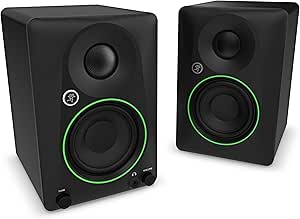
Mackie CR3.5 3.5″ Creative Reference Powered Studio Monitors with Tone Knob and Location Switch
The Mackie CR3.5 stands out as the best choice for those seeking a versatile, space-efficient monitor that still delivers professional-grade sound. Its 3.5-inch woven woofer and silk dome tweeter produce clear, articulate audio with surprisingly strong bass for such a small speaker, making it ideal for mixing, casual listening, or gaming. Unlike larger monitors like the Edifier MR4, the CR3.5 offers a built-in tone knob to shape the sound profile, giving more control without additional gear. The switchable desktop/ bookshelf mode optimizes placement, enhancing sound clarity whether up close or from a distance. Setup is straightforward thanks to multiple input options, including RCA and TRS, and the front headphone jack adds convenience. However, the bass, while impressive for its size, may struggle to fill larger rooms or deep bass-heavy genres. The build quality is solid, but the compact size limits volume and low-end punch compared to larger models like the Edifier MR4. This pick makes the most sense for home studio owners, content creators, or gamers with limited space who need reliable, adjustable sound.
Pros:- Excellent clarity and detailed sound for its size
- Built-in tone control for customized sound profiles
- Switchable desktop and bookshelf modes optimize placement
Cons:- Bass may be insufficient for large or bass-heavy environments
- Limited volume and low-end punch compared to bigger monitors
Best for: Home studio users, content creators, and gamers with limited space seeking a compact, adaptable monitor.
Not ideal for: Large room setups or producers needing deep bass response for mixing bass-heavy tracks.
- Speaker Size:3.5 Inches
- Woofer Diameter:3.5 Inches
- Tweeter Diameter:1 Inch
- Power Output:50 Watts
- Connectivity:RCA, TRS, 3.5mm, Headphone Out
- Mounting Type:Tabletop
- Enclosure Material:Metal, Plastic
- Weight:10.2 Pounds
- Color:Black Vinyl Wrap
Bottom line: This monitor is ideal for space-constrained users who want versatile, high-quality sound with easy adjustments.
Edifier MR4 Powered Studio Monitor Speakers, 4″ Active Near-Field Reference Speaker – Black (Pair)
The Edifier MR4 offers a balanced, near-flat response ideal for critical podcast editing and detailed music production. Its 4-inch composite woofer coupled with a 1-inch silk dome tweeter delivers crisp highs and smooth mids, revealing subtle details in voice recordings that larger monitors like the JBL 305P MkII might overlook. The MDF wood enclosure reduces resonance, ensuring that sound remains true and uncolored. Connectivity options are versatile, including 1/4″ TRS, RCA, and AUX inputs, plus a front headphone jack, making it suitable for various setups. The dual mode switch allows switching between studio (monitor) and casual (music) listening modes, giving flexibility for both editing and daily use. The main drawback is its slightly higher price point compared to smaller speakers like the CR3.5, and it may be overkill for those with very limited desk space. Still, its accurate response and build quality make it a strong contender for detailed podcast editing, especially in smaller home studios.
Pros:- Balanced, flat frequency response ideal for editing
- Reduces resonance with MDF enclosure for clearer sound
- Multiple input options for flexible connectivity
Cons:- Higher cost compared to smaller or less detailed monitors
- Slightly larger footprint may be inconvenient for very tight desks
Best for: Podcast editors and music creators seeking precise, flat-response monitors for detailed editing in a compact space.
Not ideal for: Casual listeners or users with very tight budgets who don’t need high fidelity for critical editing.
- Woofer Diameter:4 Inches
- Tweeter Diameter:2.5 cm
- Frequency Response:20 KHz
- Power Output:42 Watts
- Connectivity:TRS, RCA, AUX
- Mounting Type:Tabletop
- Enclosure Material:MDF Wood
- Weight:4.5 kg (approx.)
- Color:Black
Bottom line: This monitor is perfect for those prioritizing accurate sound reproduction for professional podcast editing and music production.

How We Picked
These monitors were evaluated based on their audio fidelity, build quality, connectivity options, and suitability for near-field podcast editing. Performance was judged by clarity, flatness of response, and low distortion, which are vital for accurately editing spoken content. Ease of use, durability, and value also influenced the rankings, with a focus on models that offer reliable performance at various price points. Our selection aims to cover a range of needs, from beginner setups to professional-grade studios, ensuring each option has a clear role in different editing environments.Factors to Consider When Choosing Best Studio Monitor Speakers For Podcast Editing
When selecting studio monitor speakers for podcast editing, several factors come into play. Sound accuracy is paramount; monitors should reproduce audio faithfully without coloring the sound. Size and placement are also crucial — smaller monitors are better for desktop use, while larger speakers can fill bigger rooms. Connectivity flexibility, such as Bluetooth, XLR, or RCA inputs, can streamline your setup but might introduce compromises in sound purity. Budget considerations often influence feature sets, so understanding where to invest more can impact your editing quality. Lastly, acoustic treatment and room size can affect how well monitors perform, making placement and calibration equally important.Sound Accuracy and Response
For podcast editing, monitors with a flat and neutral frequency response are essential to ensure your edits translate well across different playback devices. Models like the Yamaha HS4 and Mackie CR3.5 excel here, providing clear and uncolored audio. Avoid speakers with exaggerated bass or treble, as these can mislead your mixing decisions. It’s worth considering monitors with a reputation for transparency, especially if you prioritize professional-sounding results. Keep in mind that some budget options may compromise on this aspect, so weigh accuracy over flashy features if your goal is precise editing.
Size and Space Constraints
Space limitations often dictate your monitor choice. Smaller monitors like the PreSonus Eris 3.5 fit neatly on a typical desk and are less intrusive, making them ideal for tight setups. Larger speakers, such as the Edifier MR5, offer richer sound but require more room and proper positioning for optimal performance. Overly large monitors in a cramped space can cause reflections and muddled sound, hampering clarity. Always consider your available space and how monitor size impacts placement and sound quality before making a decision.
Connectivity and Compatibility
Multiple input options like XLR, RCA, and Bluetooth can add convenience but also influence sound integrity. Professional-grade monitors with XLR inputs generally deliver cleaner audio, which is advantageous for accurate editing. Bluetooth models, such as the M-AUDIO BX5BT, provide wireless flexibility but may introduce latency or slight audio degradation. Think about your existing gear and whether you need wired reliability or wireless convenience. A good setup balances these factors based on your workflow and environment.
Power and Room Size
Power ratings and room compensation features become important as your studio size increases. Higher wattage speakers like the Edifier MR5 can fill larger rooms with consistent sound, reducing the need for excessive volume that could cause distortion. Room correction features help mitigate acoustic issues in untreated spaces, improving clarity. Smaller monitors may struggle in bigger rooms, leading to compromised accuracy. Match your monitor’s power and features to your room’s size to avoid underperformance or unnecessary expense.
Budget and Long-Term Value
While budget models can suffice for casual editing, investing in higher-quality monitors often pays off in more accurate sound reproduction and durability. Cheaper options might require upgrades sooner, especially if sound fidelity is compromised. Conversely, premium models like the Yamaha HS4 or Edifier MR5 offer longevity and better calibration options, making them worthwhile if your editing demands are high. Prioritize features that directly impact your work quality and consider future-proofing your investment for ongoing use.
Frequently Asked Questions
Do I need powered monitors for podcast editing?
Powered monitors, which include built-in amplifiers, are generally more convenient for podcast editing because they require fewer external components and are easier to set up. They typically offer better integration and simplified controls, making them suitable for most desktop environments. However, passive monitors can still be used if paired with a quality external amplifier; this setup might be more flexible but adds complexity. For most podcasters, powered monitors strike the best balance of simplicity and performance.
Is Bluetooth connectivity suitable for professional podcast editing?
Bluetooth monitors offer undeniable convenience, especially for casual or multi-use setups. However, they often introduce slight latency and may not deliver the same level of audio fidelity as wired connections like XLR or RCA. In professional or critical editing scenarios, wired connections are preferable because they provide a more stable and transparent signal. If you prioritize absolute accuracy, Bluetooth should be viewed as a secondary option or for secondary listening rather than primary editing.
How important is room size when choosing studio monitors?
Room size significantly impacts how studio monitors perform. Smaller rooms benefit from compact monitors with narrower dispersion to reduce reflections and sound muddiness. Larger spaces can accommodate bigger monitors with higher power and broader sound dispersion, filling the room more evenly. Proper placement and acoustic treatment are also vital regardless of size. Ignoring room size can lead to inaccurate mixes, so select monitors that match your space and consider acoustic adjustments for optimal results.
Should I prioritize budget or sound quality for podcast monitors?
Prioritizing sound quality is generally more important for podcast editing because accurate audio reproduction ensures your edits translate well across devices. Budget options can be tempting but may sacrifice clarity or introduce distortions that mislead your editing process. Investing in a slightly higher-quality pair often results in better long-term accuracy, making your editing more precise. If your budget is tight, look for monitors that offer a good balance of affordability and transparency, rather than opting for the cheapest models available.
What additional features should I look for in studio monitors for podcasting?
Features like room compensation, multiple input options, and flat frequency response are especially beneficial for podcast editing. Room correction helps mitigate acoustic issues, while multiple inputs allow seamless integration with different gear setups. A flat response ensures your audio isn’t colored, maintaining fidelity for accurate editing. While some monitors include fancy features like built-in DSP, these are less critical than sound accuracy and reliability. Focus on core performance attributes first, then consider extra features if they enhance your workflow.
Conclusion
If you’re just starting out or have a small desktop space, the PreSonus Eris 3.5 offers excellent clarity and compactness at a budget-friendly price, making it ideal for beginners. For those seeking a versatile, high-res option with room adjustment features, the Edifier MR5 stands out as a great mid-range choice. Professionals or serious hobbyists who demand the highest accuracy should consider the Yamaha HS4 or Mackie CR3.5 for their flat response and durable build. Budget-conscious podcasters should aim for models with balanced features, while those with larger rooms or higher fidelity needs should invest in monitors with more power and calibration options. Ultimately, selecting the right monitor depends on your space, budget, and editing standards, but these picks cover the most common needs effectively.