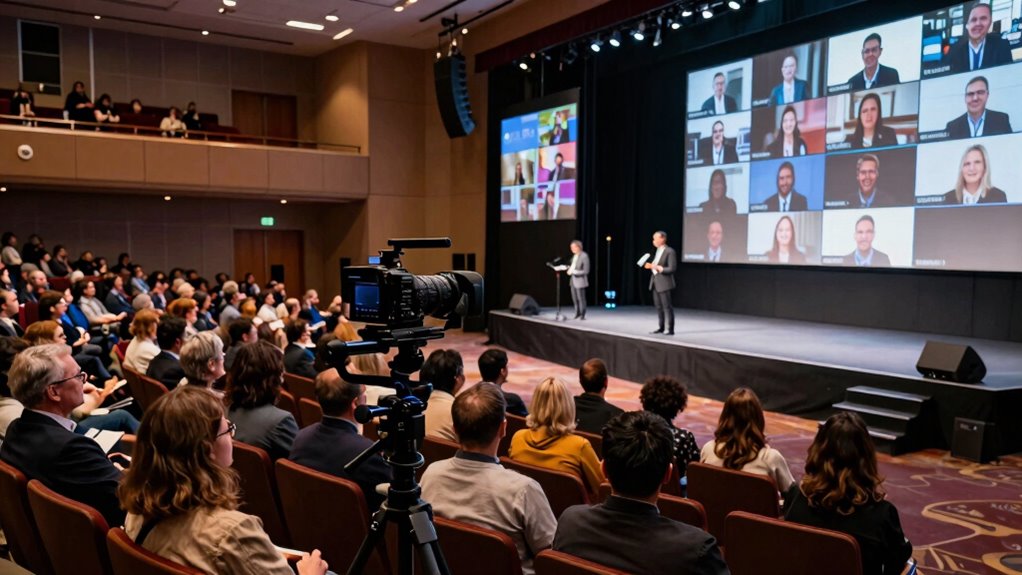

When planning hybrid events, you need a different camera approach than for YouTube videos because you’re balancing both in-person and remote audiences. You must capture the energy of live moments while ensuring remote viewers feel connected and engaged. This requires managing multiple angles, quick reactions, and creative framing to keep the experience dynamic. If you want to understand how to master this balance and boost audience engagement, keep exploring strategies tailored for hybrid events.
Key Takeaways
- Hybrid events require multiple camera angles and live switching to engage both in-person and remote audiences simultaneously.
- They demand real-time responsiveness to spontaneous moments, unlike pre-recorded YouTube videos.
- Creative framing and camera choices must enhance the event’s atmosphere and energy, not just visual clarity.
- Coordinating camera cues with event flow is essential to avoid awkward transitions and maintain a seamless experience.
- Balancing technical precision with creative storytelling is crucial to make remote viewers feel connected and involved.
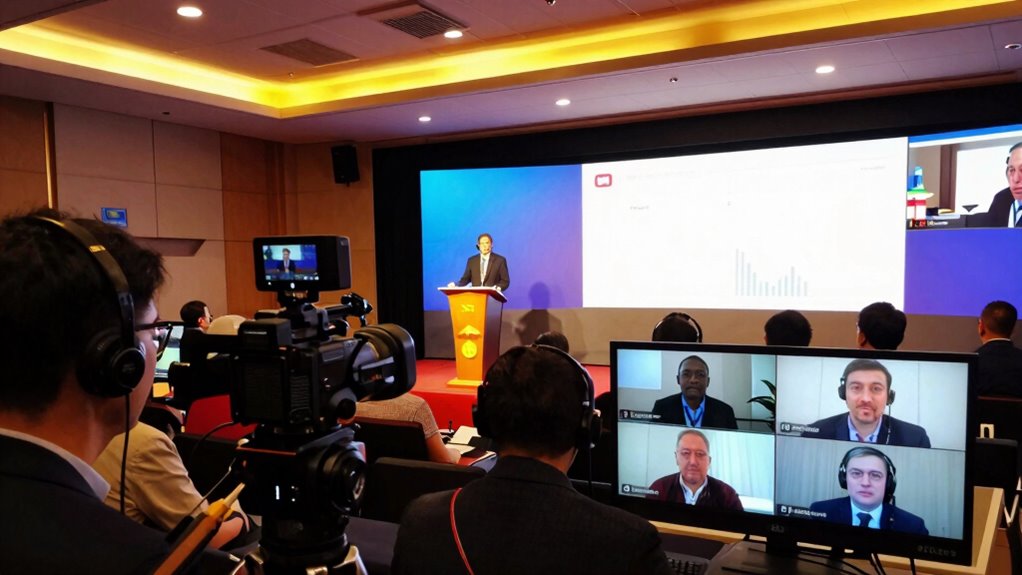
Hybrid events demand a different approach to camera work than YouTube videos because they must serve both in-person audiences and remote viewers simultaneously. Unlike YouTube videos, where your focus is solely on creating engaging content for viewers watching at home, hybrid events require balancing multiple objectives. You need to capture the energy of the live event while ensuring remote viewers feel connected and engaged. This dual focus means your camera setup has to be more dynamic and versatile. You’ll want to think about how different shots can boost audience engagement, making remote viewers feel like they’re part of the experience rather than just watching a recording.
Technical coordination becomes vital in this environment. You’re managing multiple camera angles, live switching, and audio feeds all at once. It’s not just about capturing the event; it’s about delivering a seamless experience that feels natural and engaging. You need to plan camera placements carefully, ensuring you have close-ups of speakers, wide shots of the stage, and audience reactions. This variety keeps the remote audience interested and prevents the stream from feeling static or monotonous. Furthermore, coordinating with the event team is essential so that camera cues match the flow of the program, avoiding awkward transitions or missed moments.
You should also think about how your camera work influences the overall atmosphere. For example, using zooms and quick cuts during key moments can heighten excitement and draw viewers in. Conversely, smoother, longer shots work better during speeches or panels, giving remote viewers a sense of presence. Your goal is to create a visual rhythm that aligns with the event’s energy and content. Balancing technical coordination with creative camera choices helps maintain a professional look and feel, making the experience memorable for both audiences. Additionally, understanding content flow and timing is crucial to ensure your shots support the narrative and keep viewers engaged throughout the event. Developing a good understanding of camera versatility is key to adapting quickly to different parts of the event and responding to spontaneous moments. Being adaptable and responsive to spontaneous moments ensures that the coverage remains lively and authentic. Mastering these technical skills can significantly elevate the overall production quality and audience engagement. Embracing creative framing can further enhance the visual storytelling, making the event more dynamic and immersive for remote viewers.

Logitech for Creators Mevo Start 3-Pack Wireless Live Streaming Cameras, for Multi-Camera HD Video,App Control and Stream via Smartphone or Wi-Fi
Multi-Camera Ready— Stream Your Story From Multiple Angles. Sync Up To Three Mevo Start Devices For Hd Multi-Camera…
As an affiliate, we earn on qualifying purchases.
As an affiliate, we earn on qualifying purchases.
Frequently Asked Questions
How Does Audience Engagement Differ Between Hybrid Events and Youtube Videos?
Audience engagement differs markedly between hybrid events and YouTube videos. In hybrid events, you need to actively foster audience interaction, encouraging real-time questions and participation to keep viewers involved. Viewer retention depends on dynamic camera angles and engaging visuals that adapt to live responses. Conversely, YouTube videos rely more on compelling editing and storytelling, where engagement is built through post-production, making real-time interaction less essential.
What Technical Challenges Are Unique to Hybrid Event Filming?
You face unique technical challenges in hybrid event filming, such as ensuring audio clarity across different spaces and managing camera mobility to capture both in-person and virtual audiences effectively. You need versatile camera setups that can adapt quickly to changing angles while maintaining high-quality visuals. Balancing these elements is essential; poor audio or limited camera mobility can reduce engagement and diminish the overall experience for both live and remote viewers.
How Should Camera Placement Vary in Hybrid Events Versus Youtube Recordings?
Imagine the camera as your storyteller—its placement shapes the narrative. In hybrid events, you should vary camera angles and focus on shot composition to balance live audience engagement and virtual viewers. Position cameras to capture wide shots of the stage, close-ups of speakers, and audience reactions. Unlike YouTube recordings, prioritize dynamic angles that foster interaction, ensuring every perspective highlights the event’s energy and inclusivity for both physical and online attendees.
What Equipment Is Essential Specifically for Hybrid Event Coverage?
You need essential equipment like multiple cameras for different angles, a high-quality switcher for seamless virtual interaction, and good microphones to capture clear audio. Use wide shots to show the audience perspective and close-ups for speakers. A stable tripod or robotic camera helps keep shots steady. Incorporate reliable streaming hardware to guarantee smooth virtual interaction, making sure remote viewers feel engaged and connected to the event.
How Do Lighting Considerations Change for Hybrid Events Compared to Youtube Videos?
Think of lighting as the heartbeat of your hybrid event; it needs to dance with the room’s energy. You’ll focus on dynamic lighting to highlight speakers and key moments, while ambient illumination ensures the audience feels comfortable and engaged. For hybrid events, balancing these elements becomes essential, as you want both in-person attendees and virtual viewers to see clearly and feel connected, like a symphony of light guiding your audience through the experience.
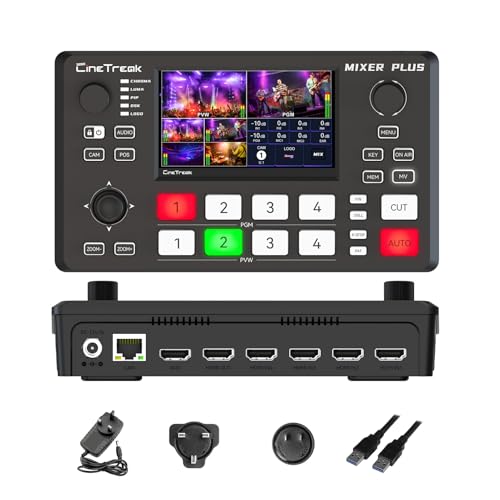
Mixer Plus Compact Video Switcher 4 HDMI with 4''Built-in Screen, Portable Live Streaming Switcher for Multi-Camera, Online Class, Event, YouTube, OBS, Zoom
Ultra-Compact &Build in Screen: Mixer Plus combines a professional 4-channel HDMI video switcher with a built-in 4inch display,…
As an affiliate, we earn on qualifying purchases.
As an affiliate, we earn on qualifying purchases.
Conclusion
So, next time you’re filming a hybrid event, remember: it’s not just YouTube with a fancy backdrop. Your camera needs to think like a multitasking ninja, juggling live and remote audiences without breaking a sweat. Ignore these tips, and you might as well be filming a silent movie—boring, disconnected, and guaranteed to make viewers hit “skip.” Embrace the different mindset, and watch your event turn from meh to mesmerizing. Now, go conquer those cameras!

JOILCAN Tripod Camera Tripods, 74" Tripod for Camera Phone Video Recording, Heavy Duty Cameras Tripod Stand, Professional Travel DSLR Tripods Compatible with Canon iPhone, Max Load 15 LB
【Lightweight & Easy to Adjust】Upgraded trapezoidal flap lock tripod adjusted freely from 19" and 74" in a few…
As an affiliate, we earn on qualifying purchases.
As an affiliate, we earn on qualifying purchases.
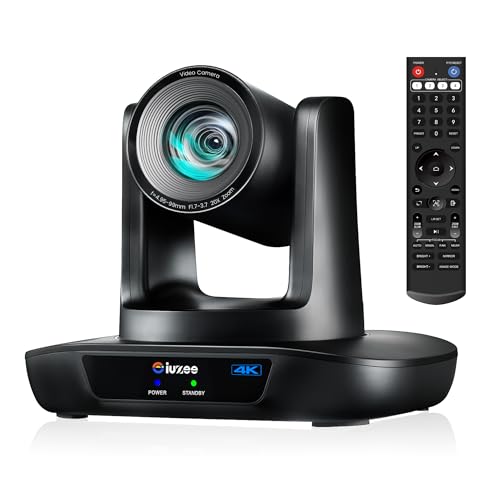
iuZee 4K UHD PTZ Camera AI-Auto Tracking, 20X Optical Zoom, USB3.0/HDMI/LAN PoE, IP Live Streaming, PTZ Conference Room Camera for Church Services Education Conference Events, Work with YouTube OBS
【iuZee 4K AI Auto-Tracking PTZ Camera】iuZee New Upgraded 4K 20X Optical Zoom AI Auto Tracking PTZ Camera is…
As an affiliate, we earn on qualifying purchases.
As an affiliate, we earn on qualifying purchases.