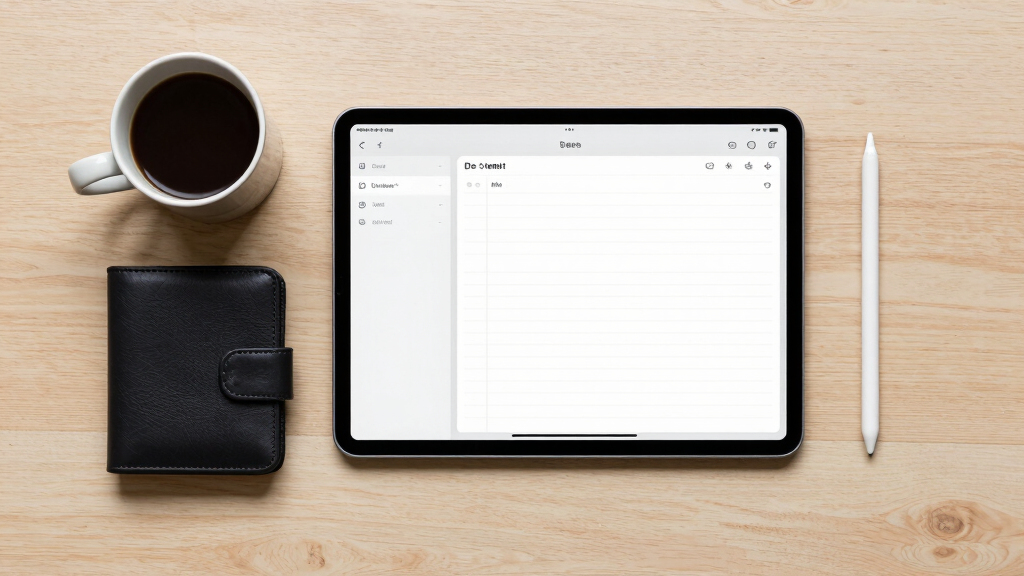

If you’re looking for the best tablets for digital note-taking, you’re probably balancing features like writing comfort, screen quality, and versatility. The Amazon Kindle Scribe stands out for its integrated AI summarization and comprehensive ebook support, making it ideal for avid readers and note-takers alike. The reMarkable 2 is better suited for those who prioritize a paper-like experience and distraction-free writing, while the XPPen Note Plus offers robust sketching features for artists and designers. Each of these options presents tradeoffs—like price, screen size, or feature set—that can influence your choice. Keep reading to see how each product stacks up and which one aligns best with your needs.
Key Takeaways
- The top-ranked options balance writing feel, screen quality, and digital features for seamless note-taking.
- For those prioritizing handwriting accuracy, devices with high pressure sensitivity and minimal latency are essential.
- Budget-friendly choices like the Kindle Scribe offer great value, but may lack advanced stylus features found in premium models.
- For creative users, tablets with color support and drawing capabilities provide added versatility beyond simple notes.
- Size and portability remain key considerations—smaller tablets are easier to carry, but larger screens enhance writing comfort.



More Details on Our Top Picks
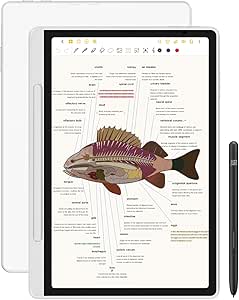
Amazon Kindle Scribe (16GB) – Your notes, documents and books, all in one place. With built-in AI notebook summarization. Includes Premium Pen – Tungsten
This Kindle Scribe stands out for combining reading with basic note-taking, making it ideal for those who want a device that handles both ebooks and handwritten notes without distraction. Compared to the reMarkable 2, it offers a more familiar reading experience with built-in AI tools like handwriting conversion and summaries, but it sacrifices some of the tactile control and paper-like feel. The 10.2″ glare-free display ensures comfortable reading indoors and outdoors, and the battery life lasts for weeks, which minimizes downtime. However, its note-taking capabilities are more limited, lacking pressure sensitivity and advanced sketching features found in more art-focused tablets. It’s best suited for students, casual scribblers, or professionals who need an all-in-one device that emphasizes reading and light annotation. The AI tools add value but do not replace dedicated productivity apps, which are absent here. Overall, this device makes the most sense for those prioritizing versatility and integrated content management over pure writing experience.
Pros:- Excellent for reading with glare-free, high-resolution display
- Built-in AI features for handwriting conversion and note summaries
- Long-lasting battery life, up to 12 weeks for reading
Cons:- Limited note-taking tools; no pressure sensitivity or advanced sketching features
- No third-party app support or multi-tasking capabilities
Best for: Readers and students who want an all-in-one device for books and light notes, especially if they appreciate AI-driven summaries.
Not ideal for: Artists or serious note-takers who need pressure-sensitive pens and a tactile feel like paper; it’s not designed for detailed sketches or heavy handwriting.
- Display Size:10.2 inches
- Display Resolution:300 ppi
- Storage Options:16/32/64 GB
- Battery Life:Up to 12 weeks for reading
- Connectivity:Wi-Fi 5, Bluetooth 5.2
- Weight:15.3 oz
Bottom line: Ideal for users seeking a sleek, versatile device that merges reading and light note-taking with AI assistance.
XPPen 3 in 1 Color Digital Notebook 10.95” Paper Note Taking Tablet with 16384 Pressure Levels Battey-Free X3 Pro Pencil 2 Magnetic Folio 6+128GB Magic Note Pad for Writing/Reading/Meeting/Study
This XPPen model makes the most sense for users wanting a color-capable, pressure-sensitive device that mimics paper for sketching and detailed note-taking. Unlike the reMarkable 2, which offers a paper-like feel but limited color options, this tablet supports 16.7 million colors and features a 90Hz refresh rate for smooth writing and drawing. Its AG nano-etched LCD reduces glare and ambient interference, creating a comfortable viewing experience. The X3 Pro Pencil offers 16K sensitivity, making strokes highly responsive and ideal for artists and detailed annotators. It supports converting handwriting to text and importing PDFs, making it suitable for meetings and study. However, it’s not an E-Ink device, so it’s less paper-like and more reflective, which can be harsh in bright sunlight. It’s best for creative professionals, students, or anyone needing rich colors and high pressure sensitivity in a portable package.
Pros:- Supports 16.7 million colors with vivid, immersive visuals
- High 16384 pressure levels for detailed strokes
- Smooth 90Hz refresh rate for writing and drawing
Cons:- Not an E-Ink screen, so less glare-free and outdoors usability is limited
- Requires power for the color display, unlike battery-free e-ink devices
Best for: Artists, designers, and students who need vibrant colors and high-pressure sensitivity for detailed work.
Not ideal for: Those seeking a true paper-like experience or primarily reading and light note-taking, as the LCD screen is reflective and less paper-like than e-ink devices.
- Display Size:10.95 inches
- Display Resolution:Full HD 1920×1200
- Pressure Levels:16,384
- Refresh Rate:90Hz
- Storage Options:6GB RAM + 128GB
- Battery Life:Supports charging, no battery info
Bottom line: Best suited for creative users who need color-rich notes and detailed sketching capabilities on the go.
iflytek AINOTE 2, 10.65″ E-Ink Tablet, AI Note Taking Tablet for Meeting, Ultra-Thin 4.2mm Digital Notebook with Voice-to-Text, 16-Language Transcription, Handwritten-to-Text, Ideal for Work&Study
This AINOTE 2 excels as a dedicated E-Ink device for those who prioritize a paper-like writing experience with AI transcription features. Unlike the reMarkable 2, which focuses on natural writing and sketching, the AINOTE 2 emphasizes voice-to-text and multi-language transcription for meetings and lectures. Its ultra-thin design and 14-day battery life make it highly portable. The low-latency stylus and 8 brush styles provide a natural writing feel, but it’s not suited for detailed art or color work. The frontlight-free display is easy on the eyes for long writing sessions, though it’s less effective in low-light conditions without external lighting. It’s perfect for professionals, students, or anyone needing a distraction-free, highly portable notebook with AI-powered transcription, but not for intense color or multimedia needs. It’s a specialized tool for focused note-taking and transcription.
Pros:- Ultra-thin, lightweight design at 4.2mm thickness
- Long battery life, up to 14 days of use
- Supports voice-to-text and multi-language transcription
Cons:- Limited to monochrome display, not suitable for color work or detailed sketches
- Requires Wi-Fi for AI transcription features, not fully offline
Best for: Students, professionals, and researchers who want a distraction-free, paper-like device with AI transcription and multi-language support.
Not ideal for: Artists or users needing color, multimedia, or detailed drawing capabilities, as the device is monochrome and optimized for writing.
- Display Size:10.65 inches
- Display Resolution:2048×1536
- Pressure Levels:4096
- Battery Life:Up to 14 days
- Thickness:4.2mm
- Connectivity:Wi-Fi, Bluetooth 5.3
Bottom line: Best for users who need a portable, paper-like device with AI transcription and minimal distractions.
XPPen Note Plus Digital Notebook with Pen Syncs to Phone, Bluetooth Writing Tablet for Students, Wireless Smart Notebook for Sketching, Note-Taking, Digital Art & Meeting, Drawing Tablet
This XPPen Note Plus makes the most sense for users who want a versatile, Bluetooth-connected device that can replace traditional A5 notebooks with digital convenience. Unlike the reMarkable 2, which emphasizes a paper-like feel and distraction-free writing, the Note Plus’s main advantage is its seamless sync to phones and tablets, supporting both Android and iOS. Its refillable core and support for any A5 notebook make it highly customizable, and the 8192 pressure sensitivity with Swiss Mini Star D1 refill ensures a natural, smooth writing experience. The device supports offline writing, which is great for on-the-go use, and the quick-charging 14-hour battery life makes it practical for all-day use. It’s perfect for students, professionals, or artists who want flexibility, cross-platform compatibility, and a traditional paper feel with digital benefits. However, it lacks the high-end sketching features of dedicated art tablets.
Pros:- Supports Bluetooth 5.3 for stable wireless connection
- Compatible with any A5 core, reducing waste and cost
- Rechargeable battery with 14 hours of continuous use
Cons:- Lacks advanced sketching or image editing features
- Requires pairing with a phone or tablet for full functionality
Best for: Students and professionals seeking a highly portable, refillable, Bluetooth-enabled device that works with any A5 paper core.
Not ideal for: Users who need a high-end drawing experience or a dedicated art tablet, since its features lean more toward note-taking and organization than advanced art tools.
- Display Size:10 inches
- Pressure Sensitivity:8192 levels
- Battery Life:14 hours
- Connectivity:Bluetooth 5.3
- Weight:approximately 350g
- Storage:Supports external cloud storage
Bottom line: Ideal for users who want a flexible, cross-platform digital notebook that mimics traditional paper with Bluetooth sync.
reMarkable Paper Pro Bundle – Includes 11.8” reMarkable Paper Tablet, and Marker Plus Pen with Eraser
This model stands out for delivering an exceptionally realistic paper-like writing experience, making it ideal for users who prioritize natural handwriting and organization. Compared to the iFLYTEK AINOTE Air 2, the reMarkable offers a larger 11.8” color display with adjustable lighting, but at a significantly higher price and with fewer multimedia functions. Its low-glare, reflect-free screen reduces eye strain, perfect for long writing sessions outdoors. However, it’s limited to note-taking and reading, lacking internet browsing or media playback, which might be a downside for some. The included Marker Plus provides precise control with built-in erasing, and notes can be easily organized in folders or converted to text. The steep cost is the main tradeoff, but for serious writers or organizers, this device offers unmatched paper-like feel and simplicity.
Pros:- Exceptional paper-like writing feel with realistic friction
- Large 11.8” color display for reading and sketching
- Low-glare, outdoor-readable screen reduces eye fatigue
- Organizational tools like folders, tags, and handwriting-to-text
Cons:- High price compared to basic tablets or e-ink readers
- Limited multimedia capabilities—no web browsing or apps
- Requires cloud account for some features like text conversion
Best for: Professionals or students who need a dedicated, natural-feeling digital notebook with organization features.
Not ideal for: Users seeking a versatile tablet for browsing, media, or multitasking at a lower price point.
- Display Size:11.8 inches
- Display Resolution:2160 x 1620 pixels
- Battery Life:Up to 2 weeks
- Included Pen:Marker Plus with eraser
- Connectivity:USB-C
- Weight:1.16 pounds
Bottom line: Ideal for users who want the most authentic paper-like writing experience in a dedicated digital notebook.
iFLYTEK AINOTE Air 2 Bundle – 8.2″ E Ink AI Note-taking Tablet with Stylus, 4096 Pressure Levels, Digital Notebook with Voice-to-Text Transcription, Multi-languages Support, Ideal for Meetings & Study
This pick makes the most sense for multilingual professionals or students who need accurate voice transcription and handwriting conversion in multiple languages. Compared to the XPPen 10.95”, the iFLYTEK offers a smaller 8.2” screen but excels in voice-to-text and translation features, making it perfect for meetings or language learning. Its 4096 pressure levels and 8.2” e-ink screen provide a natural writing feel, though the smaller size may be less suitable for prolonged note-taking. The device supports 17 languages for voice transcription and converts handwriting in 83 languages, offering exceptional versatility for global users. The battery lasts about a week, but frequent use of transcription features may drain power faster. This device’s strength lies in its AI-driven transcription and language support, making it invaluable for international or multilingual contexts.
Pros:- Supports 17 languages for voice transcription and 83 for handwriting
- Natural paper-like feel with 4096 pressure levels
- Excellent AI tools for meeting summaries and schedule management
- Compact and lightweight for portability
Cons:- Smaller 8.2” display may limit extensive note space
- Limited multimedia functions—no internet browsing or app support
- Transcription features require internet connection and may increase power consumption
Best for: Global users, language learners, or professionals who rely on voice and handwriting transcription during meetings or studying.
Not ideal for: Users who want a larger display or multimedia features like browsing or media playback.
- Display Size:8.2 inches
- Native Resolution:1440 x 1920 pixels
- Battery Life:About 1 week
- Stylus Support:4096 pressure levels
- Languages Supported:17 for voice, 83 for handwriting
- Connectivity:Wi-Fi, USB-C
Bottom line: Best suited for multilingual professionals needing accurate voice and handwriting transcription on a portable device.
XPPen 10.95″ Standalone Drawing Tablet Digital Color Notetaking Magic Note Pad for Sketching, Drawing & Notes 16K Pressure Sensitivity Tilt Support 90Hz Refresh Rate Anti-Glare Screen Android 14
This model makes the most sense for artists, students, or professionals who want a versatile device that combines note-taking with drawing and sketching. Comparing with the reMarkable, the XPPen offers a vibrant 10.95” color display and supports 16,384 pressure levels, providing a true paper-like drawing experience with color options. Its 90Hz refresh rate and anti-glare screen contribute to smooth, lag-free use suitable for detailed sketches or colorful annotations. It runs on Android 14, allowing access to a wide range of apps, which is a plus over more limited e-ink devices. The battery life is around a week, but frequent use of high-performance features can drain it faster. Its main advantage is the seamless combination of digital art and note-taking capabilities, though its weight and size are less portable than smaller tablets.
Pros:- Vibrant 16.7 million color display for colorful notes and sketches
- 4096 pressure levels with tilt support for precision control
- Runs on Android 14, enabling access to diverse apps
- Anti-glare, low blue light screen reduces eye strain
Cons:- Relatively heavy and less portable for on-the-go use
- Shorter battery life when using high-performance features
- Higher price point due to advanced features
Best for: Artists, students, or professionals seeking a creative device for drawing and detailed note-taking.
Not ideal for: Users who need a lightweight, primarily reading or simple note device with long battery life.
- Display Size:10.95 inches
- Pressure Sensitivity:16,384 levels
- Refresh Rate:90Hz
- Battery Life:Approximately 1 week
- Operating System:Android 14
- Weight:Approx. 1.61 kg
Bottom line: Ideal for creative users who want a versatile device for drawing, sketching, and detailed notes with color support.
Amazon Kindle Scribe (64GB) – Your notes, documents and books, all in one place. With built-in AI notebook summarization. Includes Premium Pen – Tungsten
This device makes the most sense for readers who want a dedicated e-reader combined with note-taking and AI-powered summarization. Compared to the reMarkable, the Kindle Scribe features a 10.2” glare-free display optimized for reading in any light, with a built-in AI tool that summarizes notes and documents for quick review. The Premium Pen provides a natural writing experience and requires no charging, making it very user-friendly. Its integration with Kindle’s ecosystem allows easy import of PDFs and books, with annotation capabilities. However, it lacks the advanced organization tools and extensive app support of devices like the XPPen or iFLYTEK. The battery lasts up to 12 weeks for reading, but note-taking and AI features reduce this lifespan somewhat. It’s best suited for those who want an all-in-one reading and writing device with AI tools.
Pros:- High-resolution glare-free display optimized for reading
- Built-in AI tools for summarizing and editing notes
- Long battery life—up to 12 weeks for reading
- Premium pen with natural feel, no charging needed
Cons:- Less suitable for detailed drawing or colorful sketches
- Limited app ecosystem—focused on reading and note functions
- Higher price compared to basic e-ink readers
Best for: Book lovers and students who want a combined reading and note-taking device with AI summarization.
Not ideal for: Artists or users seeking a dedicated drawing or color device with high-pressure stylus support.
- Display Size:10.2 inches
- Display Resolution:300 ppi
- Battery Life:Up to 12 weeks
- Included Pen:Premium Tungsten Pen
- Storage Capacity:64 GB
- Weight:15.3 oz
Bottom line: Best for avid readers and note-takers who want seamless integration and AI-powered features in a dedicated device.
HUION Note 2-in-1 Digital Notebook Drawing Tablet With Battery-free Pen, Bluetooth Wireless Paper Tablet Electronic Writing Pad for Note-taking, Digital Art & Meeting, Refillable A5 Notepad, 9.5x7inch
This model stands out for combining traditional paper feel with digital versatility, making it ideal for users who want tactile feedback alongside digital editing. Unlike the reMarkable 2, which offers a paper-like experience without a screen, the HUION Note provides a full-color, 7-inch display that supports handwriting, drawing, and even audio recordings. Its battery-free pen ensures consistent performance without charging hassles, a notable advantage over styluses that need frequent recharging. The ability to switch between note-taking and drawing modes adds flexibility, but this also means a slightly bulkier device at 9.5×7 inches and 433 grams. The app-based system makes organizing notes easy, yet its reliance on Bluetooth and app synchronization can cause occasional lag or connectivity issues. Overall, this pick makes the most sense for creative professionals and students who need a hybrid device that blends paper-like feel with digital convenience.
Pros:- Supports both handwriting and drawing with a battery-free stylus
- Seamless integration with Huion Note app for organizing and sharing notes
- Includes audio recording to capture and relive note-taking sessions
- Long battery life of 18 hours for all-day use
Cons:- Relies heavily on Bluetooth connection, which can occasionally lag
- Bulkier than simple digital notepads, making it less portable for some users
- App dependency may limit functionality without a smartphone or tablet
Best for: Creative professionals and students who want a tactile yet digital note-taking experience with multimedia capabilities
Not ideal for: Users seeking a lightweight, solely digital device without the need for tactile pen input or app dependencies
- Connectivity Technology:Bluetooth 5.0, USB
- Pressure Sensitivity:8192 Levels
- Operating System:Android 6.0 or later, iOS 11+, Windows, Linux, macOS
- Display Type:No Screen – Paper-like tactile surface
- Active Surface Area:7.35×5.5 inches
- Battery Life:Up to 18 hours
Bottom line: This device is perfect for users who value a natural pen-on-paper feel combined with digital editing and multimedia features, despite its size and connectivity limitations.
How We Picked
The products were selected based on a combination of performance, usability, build quality, and value for digital note-taking. We prioritized devices that offer high-pressure sensitivity, low latency, and a natural writing experience, as these factors are critical for effective note-taking. Compatibility with stylus accessories and additional features such as voice-to-text or AI assistance were also considered. The ranking reflects a balance between affordability and premium features, aiming to identify options suitable for different user needs—from students to professionals and artists. Devices were compared directly against each other to highlight strengths and tradeoffs, ensuring each choice fills a specific role in this curated list.Factors to Consider When Choosing Best Tablets For Digital Note-taking
Choosing the right tablet for digital note-taking involves more than just screen size and price. Several key factors influence how well a device fits your workflow and preferences. Understanding these considerations can help you avoid common pitfalls, such as overpaying for features you don’t need or selecting a device with a poor writing experience. Here are the main aspects to evaluate when selecting a digital note-taking tablet.Display and Screen Quality
The display determines how comfortable it is to write for long periods and how closely the digital experience mimics paper. Look for screens with high resolution, anti-glare coatings, and minimal flicker. E-Ink screens excel for reading and long-form writing, offering eye comfort and excellent battery life, but they lack color and smooth animations. LCD or OLED screens provide vibrant colors and faster refresh rates, which benefit sketching and multimedia use but may cause eye strain over time. Choose based on whether your priority is eye comfort or visual richness.
Stylus Compatibility and Performance
A high-quality stylus is essential for precise, natural handwriting. Check for pressure sensitivity levels—more levels generally mean finer control—and low latency to reduce lag. Compatibility with the stylus (whether it’s included or sold separately) also matters; some devices only work with specific pens, which can affect your budget. For artists or those who do detailed sketches, a stylus with tilt recognition and customizable buttons adds significant value. Remember, a poor stylus can ruin the note-taking experience, regardless of the tablet’s other features.
Size and Portability
Size influences both ease of carrying and comfort during extended writing sessions. Smaller tablets, around 8-10 inches, are lightweight and portable, ideal for on-the-go use. Larger screens, like 11.8 inches or more, provide more space for notes and sketches but can be less convenient to carry or hold for long periods. Consider your typical use environment—if mobility is a priority, a compact device makes sense. Conversely, if you prefer a more spacious writing surface at a desk, a larger tablet might be worth the extra bulk.
Additional Features and Ecosystem
Features like voice-to-text, AI assistance, and multi-language support can enhance your productivity and ease of use. Some tablets integrate seamlessly with cloud services or have dedicated apps that streamline your workflow. Battery life is also critical—look for devices that last through your typical work or study sessions without frequent recharges. Compatibility with other devices, such as smartphones or laptops, can simplify data sharing. Weigh these extras against your budget to find the balance that maximizes your productivity.
Price and Value
While premium devices often offer a superior writing experience and more features, they come at a higher cost. Budget-friendly options can still deliver excellent note-taking capabilities but may lack advanced features like color support or extensive stylus options. It’s wise to identify what features are non-negotiable for your use case and allocate your budget accordingly. Sometimes, investing a bit more upfront results in a device that lasts longer and provides a better overall experience, saving you money and frustration in the long run.
Frequently Asked Questions
Is an e-ink tablet better for note-taking than an LCD or OLED?
E-Ink tablets excel in providing a paper-like writing experience and are gentle on the eyes, making them ideal for long reading and note sessions. However, they typically lack color, fast refresh rates, and smooth animations, which are better suited for sketching or multimedia tasks. LCD and OLED screens offer vibrant colors and faster responsiveness, making them more versatile for diverse creative uses. The best choice depends on whether your focus is primarily on writing comfort or multimedia versatility.
Do I need a stylus to get the most out of these tablets?
Most digital note-taking tablets rely heavily on a stylus for precise handwriting and sketching. The stylus is often a core component of the experience, offering pressure sensitivity and accuracy that finger input cannot match. Some devices come with a stylus included, while others require a separate purchase. Investing in a high-quality stylus can dramatically improve your writing experience, so consider compatibility, pressure levels, and features like tilt recognition when choosing one.
Are larger tablets worth the extra size and weight?
Larger tablets provide more screen real estate, which can make writing and sketching more comfortable and natural. However, they tend to be heavier and less portable, which might limit mobility or make them less convenient for travel. If you primarily use your device at a desk or in a fixed location, the extra size can be beneficial. For on-the-go use or commuting, a smaller, more lightweight tablet offers greater flexibility without sacrificing too much functionality.
Can I use these tablets for tasks other than note-taking?
Many of these tablets support additional activities like reading, drawing, or light productivity tasks. Devices with color screens and higher processing power can serve as multimedia tablets or digital sketchpads. Some integrate with cloud services or have apps for document editing, making them versatile tools beyond simple note-taking. However, if your main goal is writing and reading, choosing a device optimized for those tasks will deliver the best experience.
Is investing in a premium tablet justified for casual note-takers?
Premium tablets often provide a more natural writing experience, better build quality, and extra features like color support or advanced stylus options. If you use your device daily or for professional purposes, the investment can pay off in improved productivity and comfort. For casual users or those on a tight budget, more affordable options still deliver solid note-taking capabilities, though with fewer bells and whistles. Consider your frequency of use and specific needs before spending on high-end models.
Conclusion
For casual users or students just starting out, the Amazon Kindle Scribe offers excellent value with its AI features and straightforward design. Professionals and serious note-takers aiming for a premium experience should consider the reMarkable 2 or reMarkable Paper Pro, which excel in paper-like writing. Artists or those needing color and sketching capabilities might find the XPPen Note Plus or the HUION Note better suited. Ultimately, your choice depends on your budget, preferred features, and how you plan to use the device regularly—each option on this list is tailored to meet different needs in the digital note-taking landscape.