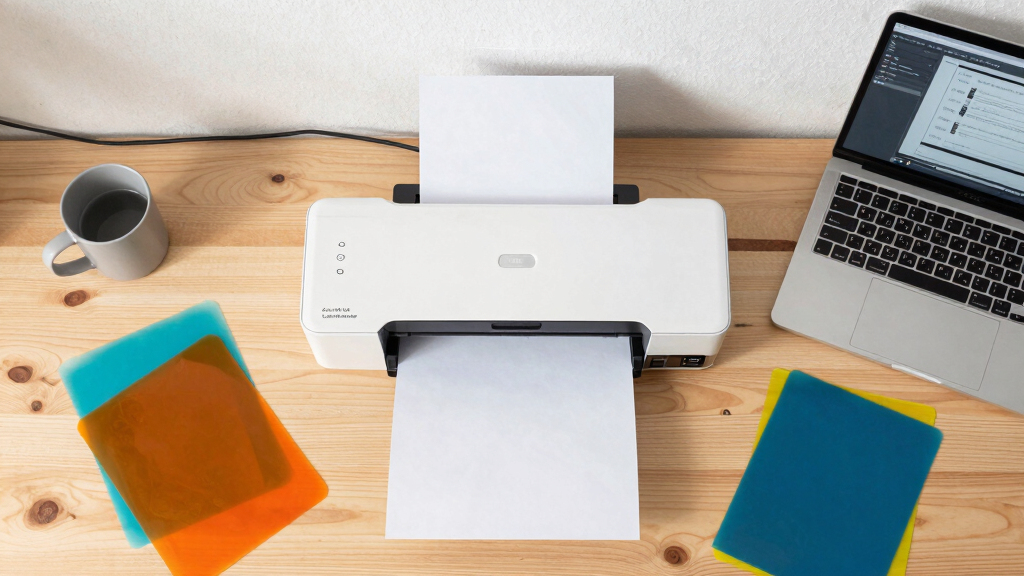

If you’re looking for the best sublimation printers for side hustles, you’re likely balancing quality, affordability, and ease of use. The makerflo Epson SureColor F170 stands out as a top choice for professional-quality prints, perfect for tumblers and mugs. The Epson EcoTank ET-15000 offers larger-format printing for more ambitious projects, though it comes at a higher price. On the other hand, budget-friendly options like the Epson EcoTank ET-2800 provide reliable performance for beginners. The main tradeoffs involve balancing initial investment against print quality and size. Continue reading for a detailed breakdown to help you find the right fit for your side hustle.
Key Takeaways
- The top sublimation printers balance print quality with affordability, making them suitable for small business use.
- Larger format options like the Epson EcoTank ET-15000 are better for scaling, but require a bigger budget and workspace.
- Compatibility with various materials and ease of setup are key factors for beginners.
- Professional-grade printers like the SureColor F170 deliver higher quality but come at a higher cost.
- Choosing a printer with refillable ink tanks generally reduces ongoing costs compared to cartridge-based models.


More Details on Our Top Picks
Epson EcoTank ET-4800 Wireless All-in-One Cartridge-Free Supertank Printer with Scanner, Copier, Fax, ADF and Ethernet – Ideal-for Your Home Office, White
This model stands out for its high-capacity EcoFit ink tanks, which dramatically reduce ongoing costs compared to traditional cartridge printers like the Brother SP-1 bundle. Its impressive print quality, with sharp text and vibrant color photos, makes it suitable for creating professional-looking sublimation items. The all-in-one features, including a flatbed scanner, copier, fax, and Ethernet, provide versatility for a home-based business. Compared to the Epson ET-2800, the ET-4800 offers more connectivity options and a larger paper capacity, though it’s slightly bulkier. The main tradeoff involves its size and slightly higher initial investment, but the long-term savings and reliability justify this. This pick makes the most sense for entrepreneurs who need a dependable, multifunctional printer with low running costs.
Pros:- Exceptional cost savings with refillable high-capacity ink tanks
- Sharp, high-quality print resolution suitable for sublimation images
- All-in-one functionality including scanner, copier, fax, and Ethernet
Cons:- Size and weight may be cumbersome for small or cluttered spaces
- Initial setup and ink refilling can be slightly more involved than cartridge models
Best for: Small home-based side hustlers who require a versatile, cost-effective all-in-one printer with high ink capacity
Not ideal for: Minimalists or those with very limited space, since it’s relatively bulky and requires dedicated desk real estate
- Printer Type:Inkjet
- Ink System:Refillable EcoTank
- Print Resolution:4800 x 1200 dpi
- Connectivity:Wi-Fi, Ethernet
- Functionality:All-in-One Scanner, Copier, Fax
- Paper Capacity:250 sheets
Bottom line: This model is perfect for side hustlers who prioritize low operating costs and reliable multifunctionality in a home setting.
makerflo Epson SureColor F170 Sublimation Printer – Professional Dye Sublimation for Tumblers, T-Shirts, Mugs, Keychains – Desktop Inkjet Printer for Mac & Windows
This printer is a top choice for serious sublimation entrepreneurs, thanks to its Precision Core microTFP printhead that delivers vibrant, high-definition colors on tumblers, shirts, and mugs. It offers reliable, consistent results, making it ideal for small-scale product lines; in comparison, the Epson ET-15000 is more suited for larger formats and bulk printing. Its compact desktop design fits well in limited spaces, and its advanced color controls give precise image reproduction. The main drawback involves its slower print speed (about 1 ppm), which could impact high-volume small business workflows. However, the quality and consistency of the output outweigh this for niche product creators. This makes it an excellent choice for hobbyists and small businesses focused on high-quality sublimation.
Pros:- Vivid, high-definition color output suitable for professional products
- Compact desktop footprint fits small workspaces
- Reliable performance with Epson’s precision printing technology
Cons:- Slower printing speed, around 1 ppm, not ideal for bulk orders
- Limited media width (up to 24 inches), not suitable for large format sublimation
Best for: Artists and small business owners needing detailed, high-quality sublimation prints on a variety of small items
Not ideal for: High-volume production environments where speed is critical, as it has slower throughput compared to larger format printers like the Epson F570
- Printer Type:Dye Sublimation Inkjet
- Print Speed:1 ppm
- Maximum Media Width:24 inches
- Connectivity:USB, Ethernet, Wi-Fi
- Resolution:1200 x 1200 dpi
- Ink Colors:Cyan, Magenta, Yellow, Black
Bottom line: This printer is best for small-scale, high-quality sublimation projects in tight spaces, perfect for hobbyists and niche small businesses.
Brother SP-1 Sublimation Printer Starter Bundle with Full Ink Set, 160 Sublimation Transfer Sheets, 50 Blanks, Tape and More
This bundle makes starting a sublimation side hustle straightforward, including a full set of vibrant CMYK inks, 160 sheets of sublimation paper, and 50 blanks, offering great value for newcomers. Compared to the Epson F170, it’s a more budget-friendly entry point, especially for hobbyists testing the waters. It is compact and easy to set up, compatible with both Mac and Windows, and comes with software and design resources. However, its print resolution (600 x 600 dpi) is lower than dedicated sublimation printers, which might affect the sharpness of detailed images. Also, as it’s a starter kit, it might lack the durability and speed needed for serious small business production. Still, it’s an excellent choice for those learning the craft and making small batches.
Pros:- Complete starter bundle with inks, paper, blanks, and design resources
- Cost-effective entry into sublimation printing
- Compatible with Mac and Windows, easy to set up
Cons:- Lower print resolution may affect image sharpness
- Limited durability and speed for high-volume sales
Best for: Beginners and hobbyists looking to explore sublimation without a large initial investment
Not ideal for: Established small businesses requiring high-speed, high-resolution production for multiple items daily
- Printer Type:Dye Sublimation
- Included Inks:CMYK
- Print Resolution:600 x 600 dpi
- Sheets Included:160
- Maximum Paper Size:8.5 x 11 inches
- Connectivity:Wi-Fi, USB
Bottom line: Ideal for beginners wanting a complete, affordable sublimation setup to learn and create small batches of personalized items.
Epson Surecolor F570 Pro 24″ Desktop Sublimation Printer, Includes Two Full Ink Sets, User Guide, Sublimation Paper, & Free Remote Install SCF570PE
This model excels in professional-quality sublimation for small business production, thanks to its PrecisionCore MicroTFP printhead and advanced color controls. It handles rolls and sheets up to 24 inches wide, making it suitable for a range of sublimation products, unlike the smaller F170. In comparison to the Epson ET-15000, it is more hardware-oriented with higher precision, ideal for detailed, vibrant images. The main tradeoff involves its higher cost and larger footprint, which may not suit all home setups. Also, it’s primarily designed for medium-volume, high-quality output, not large-scale industrial production. For entrepreneurs needing consistent, high-end sublimation, this is a go-to.
Pros:- Exceptional print quality with vibrant colors and fine details
- Supports large media widths up to 24 inches
- Includes two full ink sets for extended production
Cons:- Higher initial investment and larger footprint
- Longer setup and learning curve for optimal use
Best for: Small business owners requiring high-resolution, wide-format sublimation printing for custom products
Not ideal for: Casual hobbyists or those with limited space, due to its size and cost
- Printer Type:Dye Sublimation
- Maximum Media Width:24 inches
- Print Speed:1 ppm
- Connectivity:Ethernet, Wi-Fi
- Resolution:1200 x 1200 dpi
- Ink Colors:Cyan, Magenta, Yellow, Black
Bottom line: This printer is best for small businesses aiming for high-end, wide-format sublimation with professional color fidelity.
Epson EcoTank ET-2800 Wireless Color All-in-One Cartridge-Free Supertank with Scan and Copy, The Ideal Basic Home Printer – White
The EcoTank ET-2800 stands out for its combination of affordability, ease of use, and low running costs, making it a solid choice for side hustlers who need reliable everyday printing. Compared with pricier models like the Epson EcoTank ET-4800, it offers similar print quality but with fewer advanced features, which means less versatility but more focus on core printing tasks. Its high-capacity ink tanks can last up to 2 years, dramatically reducing ongoing expenses, though its small screen can be limiting during setup. This model is better suited for casual entrepreneurs who prioritize low-cost operation over advanced functionalities. Those needing multi-functionality like fax or large paper handling should skip it. Pros: Low ink costs with high yield, straightforward setup, compact design, reliable performance; Cons: Small display, slower print speeds for high-volume jobs, limited media handling.
Verdict: Ideal for budget-conscious side hustlers focused on basic printing needs without extra frills.Pros:- Cost-efficient with high page yields
- Easy to refill ink tanks
- Compact and reliable
Cons:- Small, less user-friendly display
- Slower speeds for high-volume use
- Limited media options
Best for: Small-scale side hustlers needing affordable, reliable everyday printing for labels, mock-ups, or packaging
Not ideal for: High-volume print entrepreneurs or those requiring advanced features like fax or large media handling
- Printer Type:Inkjet
- Ink Color:High-yield cartridges
- Connectivity:Wireless, USB
- Maximum Paper Size:8.5 x 14 inch
- Item Weight:11.6 Pounds
- Control Method:Color LCD
Epson SureColor F170 Dye-Sublimation Printer. Includes Full Set of Ink, User Guide, & AC Power Cable SCF170 – Compact 8.5″ x 11″ Format – Original Product with Full Manufacturer Support by ORINOKIA
The Epson SureColor F170 is a standout for producing exceptionally detailed, vibrant images thanks to its PrecisionCore printhead and Epson dye sublimation ink, making it perfect for entrepreneurs focused on high-quality transfers. Unlike the Brother SP-1, which is more budget-oriented and suitable for hobbyists, the F170 offers higher resolution and better color saturation, ideal for printing on a variety of substrates like mugs, shirts, and tiles. Its auto-feed tray and dust-resistant paper housing streamline operations, but it comes with a higher price tag and requires a dedicated space. This pick makes the most sense for small businesses seeking professional-grade sublimation results. The tradeoff is the higher initial investment and less portability. Pros: Outstanding image quality, included full set of sublimation ink, efficient auto-feed, dust-resistant design; Cons: Higher cost, larger footprint, limited to 8.5×11” media.
Verdict: Best for entrepreneurs prioritizing top-tier sublimation results over budget and portability.Pros:- High-resolution, vibrant prints
- Includes full ink set for immediate use
- Auto-feed tray speeds up workflow
- Dust-resistant media housing
Cons:- Higher initial price point
- Limited media size for large projects
- Less portable for mobile setups
Best for: Small business owners demanding professional sublimation print quality for custom merchandise
Not ideal for: Hobbyists or those needing larger format sublimation printing
- Printer Type:Dye Sublimation
- Print Resolution:2400 x 1200 dpi
- Media Support:8.5 x 11 inch
- Included Ink:Full set of Epson sublimation ink
- Connectivity:Wi-Fi, USB
- Item Weight:7.9 Kilograms
Cartridge-Free Super-Tank Printer with Sublimation Sublimation Heat Transfer Image Printing for T-Shirts Ceramic Mugs Bags and More
This Cartridge-Free Super-Tank Printer makes sublimation accessible for beginners and hobbyists with its plug-and-play setup, high-capacity ink tanks, and included starter kit. It’s designed for small-scale projects like T-shirts, mugs, and bags, offering a straightforward approach with no cartridges to replace. Compared to the Epson EcoTank ET-2803, it adds dedicated sublimation ink and accessories, simplifying the process for novices. Its auto-fill nozzles prevent messes, but the print resolution and speed are modest, making it less suitable for high-volume or professional production. This product is best for entrepreneurs just starting out or those focusing on craft projects. The main tradeoff is the limited print quality and speed for larger or more detailed designs. Pros: Easy to set up, complete starter kit included, high-capacity ink tanks, no cartridge waste; Cons: Lower resolution, slower speed, limited to small projects.
Verdict: Perfect for beginners or hobbyists wanting a simple, all-in-one sublimation setup for small custom items.Pros:- Complete starter kit included
- High-capacity ink tanks
- Simple refill process
- Compact design
Cons:- Lower print resolution
- Slower for larger runs
- Limited media size
Best for: Hobbyists or small-scale entrepreneurs starting sublimation crafts at home
Not ideal for: High-volume production or detailed, professional-grade transfers
- Printer Type:Dye Sublimation
- Ink Capacity:70mL bottles
- Connectivity:Wireless
- Maximum Media Size:8.5 x 11 inch
- Item Weight:15 Pounds
- Additional Features:Includes heat tape & gloves
Brother Sublimation Printer
The Brother SP-1 excels as a versatile sublimation printer with its seamless integration with the Artspira app, making it an excellent choice for creative entrepreneurs focused on personalized apparel and accessories. Unlike the Epson F170, which targets professional sublimation, the Brother offers a user-friendly interface, quick setup, and access to over 100 designs, appealing to hobbyists and small business owners alike. Its print resolution of 1440×1440 dpi ensures vibrant, detailed images on polyester surfaces. However, its slower print speed and limited media size make it less ideal for large orders or high-volume production. This printer makes the most sense for DIY entrepreneurs or small businesses that prioritize ease of use and creative flexibility. The tradeoff is slower throughput and less suitability for large-scale manufacturing. Pros: Easy app integration, vibrant color output, fast setup, reliable performance; Cons: Slower printing speeds, small media capacity, limited to smaller projects.
Verdict: Best for creative entrepreneurs who want an easy-to-use sublimation printer for personalized, small-batch projects.Pros:- User-friendly Artspira app
- Vivid, detailed prints
- Easy setup and operation
- Reliable performance
Cons:- Slower for high-volume runs
- Small media capacity
- Limited to polyester surfaces
Best for: DIY crafters and small businesses producing personalized apparel and gifts
Not ideal for: Large-scale production or natural fiber projects
- Printer Type:Dye Sublimation
- Print Resolution:1440 x 1440 dpi
- Connectivity:Wireless, USB
- Media Support:Up to 8.5×11 inches
- Included Ink:Genuine sublimation ink
- Additional Software:Artspira app
Epson EcoTank ET-2803 Wireless Color All-in-One Cartridge-Free Supertank Printer with Scan, Copy and AirPrint Support
The ET-2803 offers a balanced mix of affordability, durability, and all-in-one functionality, making it a practical choice for side hustlers who need reliable printing, scanning, and copying. It shares many features with the ET-2800, but adds support for Apple’s AirPrint, which can streamline printing from Apple devices. Its high-capacity ink bottles and 2-year ink supply ensure low ongoing costs, though its print speed is modest, and it’s less suited for large-volume or professional-grade sublimation projects. This model is best for entrepreneurs who want a reliable, all-in-one device for general small business tasks. The tradeoff involves slower speeds and fewer advanced media handling options. Pros: All-in-one functionality, low running costs, wireless and AirPrint support, compact footprint; Cons: Slower print speeds, basic feature set, smaller media handling capacity.
Verdict: Ideal for entrepreneurs needing a dependable, budget-friendly printer for everyday tasks and light sublimation work.Pros:- All-in-one functionality (print, scan, copy)
- Low ink costs with high yields
- Wireless with AirPrint support
- Compact design
Cons:- Slower speed for high-volume printing
- Basic media handling
- Limited advanced features
Best for: Small-scale entrepreneurs needing an affordable, versatile printer for everyday business needs
Not ideal for: High-volume or professional sublimation projects requiring larger media or faster throughput
- Printer Type:Inkjet
- Ink Color:High-yield cartridges
- Connectivity:Wireless, AirPrint, USB
- Maximum Paper Size:8.5 x 14 inch
- Item Weight:8.8 Pounds
- Control Method:Color LCD
Epson SureColor F170 Dye-Sublimation Printer – Compact 8.5″ x 11″ Format – Includes Genuine Epson Ink, User Guide & Power Cable – Original OEM Product with Full Manufacturer Support
This model stands out for its outstanding image clarity, thanks to Epson’s PrecisionCore printhead which delivers crisp, vibrant transfers. Compared with the Epson EcoTank ET-2400, it offers superior resolution, making it ideal for detailed artwork and professional-looking products. The compact design makes it suitable for small spaces, yet its auto-feed tray supports up to 150 sheets, boosting efficiency. However, its print speed of just 1 ppm means it isn’t suited for high-volume demands, which might be a tradeoff for those prioritizing quality over speed. This pick excels for side hustlers focused on producing high-quality items like mugs, shirts, or art prints with consistent results. The reliance on OEM inks and the higher initial cost are considerations, but the reliability and support make it worthwhile for serious entrepreneurs.
Pros:- Exceptional print resolution up to 5760 x 1440 dpi for sharp, detailed images
- Includes a full set of OEM Epson sublimation inks, certified for safety and quality
- Compact, space-saving design suitable for small workspaces
Cons:- Print speed of only 1 ppm limits large volume production
- Higher initial purchase price compared to less specialized printers
Best for: Artists, crafters, and small business owners prioritizing high-quality sublimation prints with detailed color accuracy.
Not ideal for: High-volume print shops or those needing fast production rates, as this model’s output is comparatively slow.
- Printer Type:Sublimation
- Max Media Size:8.5 inches
- Resolution:5760 x 1440 dpi
- Auto-feed Capacity:150 sheets
- Weight:16 pounds
- Connectivity:Wireless, USB, Ethernet
- Included Ink:OEM sublimation inks
- Control Method:User guide included
Bottom line: This printer is best suited for side hustlers who prioritize image quality and reliability over speed and volume.
Epson EcoTank ET-2400 Wireless Color All-in-One Cartridge-Free Supertank Printer with Scan and Copy – Easy, Everyday Home Printing, Black
This pick makes the most sense for side hustlers who need a versatile, affordable printer that handles sublimation alongside regular home printing. Compared with the Epson SureColor F170, the ET-2400’s lower cost and cartridge-free ink system provide significant savings over time, especially for those just starting out. While its resolution of 5760 x 1440 dpi rivals the F170, its primary strength is its all-in-one functionality—scanning, copying, and printing—making it ideal for multi-purpose use. The device’s large ink tanks can print up to 4,500 black pages or 7,500 color pages, reducing ongoing costs, but its slower print speed of 5 ppm (color) and 10 ppm (black) means it’s not suited for rapid production. This model is perfect for entrepreneurs balancing sublimation with other home office tasks, offering excellent value and ease of use.
Pros:- Cost-efficient with refillable ink tanks, saving up to 90% on ink costs
- All-in-one functionality with scanning and copying capabilities
- High resolution of 5760 x 1440 dpi for detailed print quality
Cons:- Slower print speeds of 5 ppm (color) and 10 ppm (black), not ideal for large batches
- Maximum paper size limited to 8.5 x 14 inches, restricting larger projects
Best for: Side hustlers seeking a reliable, economical printer capable of handling sublimation and everyday home or small office tasks.
Not ideal for: High-volume sublimation production or artists needing ultra-fast turnaround, as this model prioritizes cost savings and multifunctionality over speed.
- Printer Type:All-in-One Inkjet
- Max Media Size:8.5 x 14 inches
- Resolution:5760 x 1440 dpi
- Page Yield:Up to 4,500 pages black, 7,500 color
- Weight:8.6 pounds
- Connectivity:Wireless, USB
- Included Ink:High-capacity refill bottles
- Control Method:App and physical buttons
Bottom line: This printer is best for side hustlers who want an affordable, versatile device that balances sublimation needs with everyday printing tasks.

How We Picked
The printers in this roundup were evaluated based on performance, user-friendliness, build quality, and overall value. I prioritized models that offer reliable, vibrant color reproduction and consistent results, as these are critical for side hustles that depend on quality. Ease of setup and maintenance also played a role, especially for those new to sublimation printing. Price-to-performance ratio was a key factor, along with versatility in print size and material compatibility. The ranking reflects a balance between professional output and affordability, ensuring options for different budgets and business scales.Factors to Consider When Choosing Best Sublimation Printers For Side Hustles
Choosing the best sublimation printer for your side hustle requires considering several factors beyond initial cost. You’ll want a model that fits your specific needs, whether that’s small-scale craft projects or larger, more complex items. Understanding these key factors helps prevent costly mistakes and ensures your investment supports your growth.Print Size and Material Compatibility
Determine what sizes and materials you’ll be working with most often. Smaller printers like the Epson SureColor F170 excel at 8.5″ x 11″ formats, ideal for mugs and T-shirts. For larger projects, a printer like the Epson EcoTank ET-15000 supports up to 13″ x 19″ prints, allowing more versatility. Be cautious of printers that can’t handle your desired material sizes, as this limits your product options and potential revenue.
Ink System and Running Costs
Refillable ink tanks generally offer lower ongoing costs and less hassle than cartridge-based setups, especially for side hustles with frequent printing needs. Look for printers with high-capacity ink systems that reduce refilling frequency. However, ensure that replacement inks are affordable and readily available. High upfront costs for professional-grade printers can be justified if they significantly lower your per-print expense over time.
Ease of Use and Maintenance
For beginners, a straightforward setup process and minimal maintenance are essential. Features like automatic cleaning, user-friendly interfaces, and clear instructions can save time and frustration. More advanced models might require technical knowledge for calibration or troubleshooting, which could be a barrier if you’re just starting out. Also, consider the availability of customer support and manufacturer resources to help you maintain optimal performance.
Print Quality and Color Accuracy
High-quality, vibrant prints are key to a successful side hustle that impresses customers. Look for printers with high resolution (at least 1440 dpi) and color management options. Professional models like the SureColor F170 deliver exceptional color fidelity, but some budget models still produce decent results for smaller or less detail-critical projects. Keep in mind that consistent color output is vital for branding and customer satisfaction.
Budget and Total Cost of Ownership
While initial cost is a major consideration, don’t overlook the total cost of ownership, including ink, maintenance, and potential upgrades. Cheaper printers might seem appealing but can lead to higher expenses over time or lower quality. Conversely, investing in a slightly more expensive, reliable model could pay off through happier customers and more professional results. Balance your current budget with your growth plans to choose a printer that can scale with your side hustle.
Frequently Asked Questions
Can I use a standard inkjet printer for sublimation?
No, standard inkjet printers are not suitable for sublimation because they use dye-based inks that aren’t designed to turn into a solid, durable image on substrates. Sublimation printers use special sublimation inks that convert to gas under heat and bond with specially coated materials. Attempting to use regular inkjet printers will result in poor quality prints and potential damage to the printer itself.
What is the most affordable sublimation printer for a beginner?
For those just starting out, models like the Epson EcoTank ET-2800 offer a good balance of affordability and usability. They typically come with refillable ink tanks and support basic sublimation needs. While they may not handle larger formats, they allow you to produce quality small items like mugs and T-shirts without a huge upfront investment. Keep in mind that compatibility with sublimation inks is essential, so verify the printer’s specifications before purchase.
How important is print size for a side hustle?
Print size directly influences the types of products you can create and the scale of your offerings. Smaller formats like 8.5″ x 11″ are suitable for mugs, T-shirts, and small accessories, making them ideal for beginners or limited space. Larger formats, such as 13″ x 19″, enable you to expand into larger items like banners or wall art, which can command higher prices. Consider your target products and space constraints to choose a size that fits your business model.
Are professional-grade sublimation printers worth the extra cost?
Professional-grade printers like the SureColor F170 deliver superior color accuracy, higher resolution, and more reliable operation, which can significantly enhance your product quality. If your goal is to build a serious side hustle with consistent, high-quality output, investing in a professional model can pay off in customer satisfaction and repeat business. However, if you’re testing the waters or operating on a tight budget, more affordable options may suffice initially, with the option to upgrade later.
What maintenance should I expect with sublimation printers?
Most sublimation printers require regular cleaning of print heads and occasional recalibration to maintain color accuracy. Refillable ink systems tend to be easier to maintain and less messy than cartridge-based models, but they still need periodic attention. Proper maintenance prolongs the lifespan of your printer and ensures consistent quality. Always follow manufacturer guidelines and use recommended cleaning solutions to avoid damaging sensitive components.
Conclusion
For those starting a small side hustle with limited space and budget, the Epson EcoTank ET-2800 offers reliable, straightforward performance. If you need larger print sizes for more ambitious projects, the Epson EcoTank ET-15000 is a solid investment. For professionals or those aiming for the highest quality and precision, the SureColor F170 makes the most sense. Beginners should prioritize ease of use and affordability, while experienced entrepreneurs benefit from investing in larger or more advanced models that support their growth plans. Ultimately, your choice depends on your specific product focus, budget, and long-term goals.