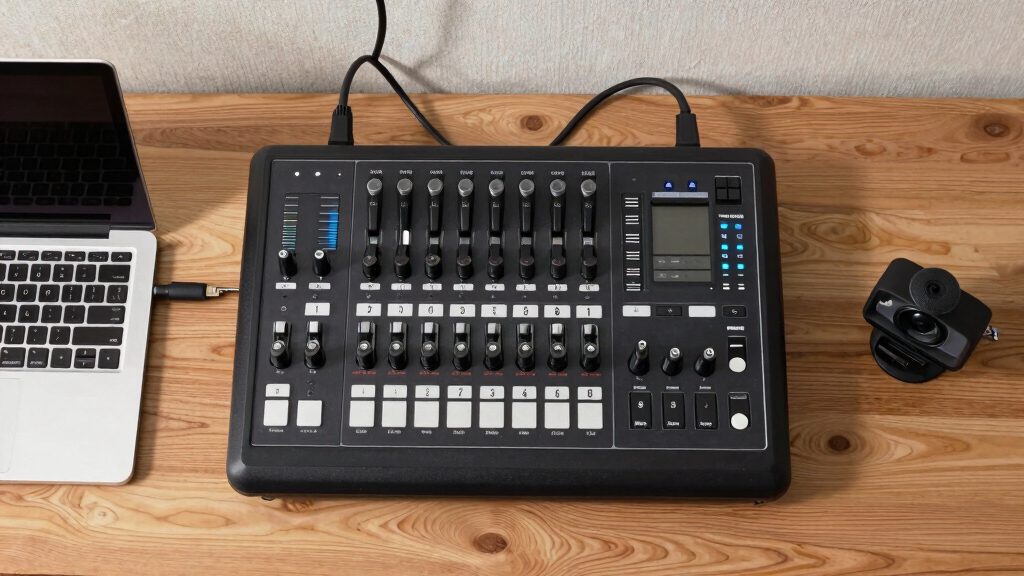
Choosing the best multi-camera switcher for a small studio depends on your production needs, budget, and technical experience. The FEELWORLD LIVEPRO L1 V1 stands out as the overall top pick for its balance of features and user-friendly design. The Osee GoStream Deck HDMI Pro is ideal for those prioritizing live streaming flexibility, while the RGBlink mini-Edge caters to content creators needing SDI and NDI options. As options range from simple plug-and-play models to advanced systems with PTZ control and multiple inputs, buyers face tradeoffs between complexity and capability. Continue reading for a detailed breakdown to help identify the best fit for your studio setup.

Get smart everyday buys delivered free with Prime
- Fast, free delivery on millions of items
- Prime Video, Amazon Music and more included
- Member-only deals all year
Key Takeaways
- The best multi-camera switchers balance ease of use with advanced features like PTZ control and multiple input types.
- Models with touchscreens and real-time previews streamline workflow, especially for small studios with limited technical staff.
- While higher-end options offer more input flexibility and professional features, they often come with a steeper learning curve and higher price tags.
- Integrated streaming capabilities are common in more recent models, making live broadcasting more seamless without additional hardware.
- Build quality and reliability vary significantly, so choosing a well-reviewed brand can prevent costly failures during critical shoots.


More Details on Our Top Picks
FEELWORLD HDMI Video Switcher,Touch Screen Multi Camera Video Mixer Switcher 4 x HDMI2.0 Inputs PTZ Control USB3.0 Fast Streaming L1 Plus
This FEELWORLD L1 Plus stands out as the most versatile option for small studios aiming for professional-level live streaming. Its 4x HDMI 2.0 inputs support 4K@60Hz, making it ideal for high-quality broadcasts, especially compared to the RGBlink mini-Edge which, while offering SDI and HDMI, doesn’t support as high a resolution natively. The inclusion of a full-color touchscreen and a 5-direction joystick simplifies operation, a feature that surpasses the more basic interfaces of some competitors. The built-in PTZ control via VISCA protocol allows for precise camera adjustments, saving up to 8 presets—a key advantage over simpler switchers. However, this model’s complexity and feature set come with a higher price point and a slightly steeper learning curve. This pick makes the most sense for small studios that need advanced features without sacrificing ease of use.
Pros:- Supports 4K@60Hz resolution for professional-quality streams
- Full-color touchscreen and joystick for easy control
- Built-in PTZ control with 8 preset saves for camera flexibility
- Includes scene saving and onboard effects
Cons:- Higher price compared to basic switchers like RGBlink mini-Edge
- Complex interface may have a learning curve for beginners
- Limited to HDMI inputs, not SDI
Best for: Small studio operators wanting high-resolution live streaming and PTZ camera control with an intuitive interface.
Not ideal for: Budget-conscious hobbyists who need a simple, plug-and-play switcher without advanced features.
- Inputs:4 x HDMI2.0
- Video resolution:4K@60Hz
- Control interface:Touchscreen + Joystick
- PTZ control:VISCA protocol, 8 presets
- Streaming support:USB 3.0, live streaming
- Effects:14 onboard effects
Bottom line: Ideal for small studios that require high-quality output and advanced camera controls without a bulky setup.
Intelligent Car Video Switcher 3-way Input 1-way Output for the Car Camera
This Car Video Switcher is tailored for vehicle applications, with its 3-way input and automatic switching based on reverse or turn indicators making it highly functional for automotive setups. Compared to small studio switchers like the FEELWORLD L1 Plus, it lacks high-resolution video support and advanced camera controls, but excels in automatic switching and ease of installation. Its RCA connection makes it compatible with many vehicle cameras, though it offers limited input flexibility for studio environments. The remote control simplifies operation, but the setup is primarily designed for automotive use rather than professional studio production. This switcher is best suited for auto enthusiasts or fleet applications, not small studio live streams.
Pros:- Automatic switching based on reverse or turn signals
- Simple plug-and-play installation
- Remote control for easy operation
- Reliable for automotive camera switching
Cons:- Limited video inputs (only 3-way) and output options
- No support for high-definition or multiple resolutions
- Designed specifically for vehicle use, not studio environments
Best for: Car owners or fleet managers needing automatic camera switching during reversing and driving.
Not ideal for: Small studio operators requiring high-resolution, multi-camera production with PTZ control.
- Inputs:3 RCA
- Outputs:1 shared video channel
- Power supply:8-16V wide voltage
- Control:Remote control included
- Application:Vehicle camera switching
- Additional features:Automatic detection of turn/reverse signals
Bottom line: Best suited for automotive applications where automatic switching and ease of installation matter most.
DOYO Camera for Switch 2 (2025), 720P HD Video Camera with USB C Cable and Privacy Sliding Lens Cover, Plug and Play, Zero delay USB-C Port
This DOYO Switch 2 Camera is designed primarily for gaming and small studio use, offering 720p HD resolution through a USB-C connection. Unlike the FEELWORLD L1 Plus, which supports multiple input sources and professional switching, this camera focuses on simplicity and portability. Its adjustable viewing angle and sliding lens cover enhance privacy and flexibility, making it ideal for personal content creators or small streaming setups. The plug-and-play nature and auto-adjusting sensor make it easy to set up, but it lacks the high resolution and advanced controls needed for professional studio production. This camera makes sense for streamers or gamers who prioritize compactness and privacy over resolution and multi-camera switching.
Pros:- Easy USB-C plug-and-play setup
- Adjustable tilt and 360° lens cover for privacy
- Compact and portable design
- Auto brightness and facial recognition
Cons:- Limited to 720p resolution, not suitable for professional-grade streams
- No multi-camera switching or advanced control features
- Designed mainly for personal use, not high-end studio production
Best for: Gamers and small content creators wanting a straightforward, privacy-conscious webcam for streaming.
Not ideal for: Small studios needing multi-camera switching or high-resolution video production.
- Resolution:720p
- Connection:USB-C
- Field of view:Adjustable
- Privacy cover:Sliding lens
- Auto features:Brightness, facial recognition
- Compatibility:TV, handheld, tabletop modes
Bottom line: Perfect for small-scale streamers and gamers seeking a portable webcam with privacy features.
NETGEAR 8 Port PoE Gigabit Ethernet Easy Smart Managed Essentials Switch (GS308EP) – with 8 x PoE+ @ 62W, Desktop or Wall Mount
While not a traditional video switcher, the NETGEAR GS308EP is essential for small studios that need reliable, managed network connectivity. Its 8 gigabit ports, including 8 PoE+ ports with 62W total power, support multiple cameras and streaming devices simultaneously. Compared to dedicated video switching hardware like the FEELWORLD or RGBlink options, this switch ensures a stable network backbone, which is critical for high-quality live streams. Its simple, smart management interface makes it accessible for small teams, but it doesn’t handle video signals directly. The main tradeoff is that it’s a network device—not a video switcher—so it’s best for studios that want dependable data transfer for their streaming setup.
Pros:- 8 gigabit Ethernet ports for extensive device connectivity
- Supports PoE+ for powering cameras and devices
- Easy smart management interface
- Wall or desktop mount options
Cons:- Not a video switcher, only network connectivity
- Requires additional video switching hardware
- Limited to Ethernet network setup
Best for: Small studios needing reliable, manageable Ethernet connections for multiple cameras and streaming hardware.
Not ideal for: Content creators seeking a multi-camera switcher or video processing device.
- Ports:8 gigabit Ethernet
- PoE+:8 ports @ 62W total
- Mounting options:Desktop / Wall mount
- Management interface:Simple, user-friendly
- Application:Network backbone for streaming
- Warranty:3-year limited
Bottom line: Ideal for small studios that need a robust, manageable network backbone to support multiple live streaming devices.
Video Switcher 4 Input 1 Intelligent Car Video Switcher Converter Output Switch Video System Auto Parts
This Car Video Switcher connects four video inputs into a shared channel with remote control, suitable for automotive use or auto parts installations. Unlike the FEELWORLD L1 Plus, it’s limited to RCA inputs and outputs, making it unsuitable for high-resolution studio environments. Its main advantage lies in automatic detection of turn signals and reverse gear, switching inputs accordingly—a feature that’s unnecessary in small studios but invaluable in vehicle setups. It supports wide voltage input and remote operation, but it lacks the multi-camera control, effects, or high-quality output support needed for professional content creation. This switcher is best for auto technicians or hobbyists integrating multiple vehicle cameras, not studio production.
Pros:- Supports 4 video inputs sharing a common output
- Automatic switching based on turn signals and reverse gear
- Remote control for convenient operation
- Wide voltage input support
Cons:- Limited to RCA analog signals, not HD or SDI
- No support for high-resolution or professional video formats
- Designed specifically for automotive applications
Best for: Auto enthusiasts or fleet operators who need automatic switching for multiple vehicle cameras.
Not ideal for: Small studio operators requiring high-res, multi-source video production with advanced control.
- Inputs:4 RCA
- Output:Shared video channel
- Power supply:8-16V wide voltage
- Control:Remote control included
- Application:Vehicle camera switching
- Features:Automatic detection of turn signals
Bottom line: Best suited for automotive setups that require automatic input switching based on vehicle signals, not for studio environments.
FEELWORLD LIVEPRO L1 V1 Multi Camera Video Mixer Switcher 2 Inch LCD Display 4 x HDMI Inputs USB 3.0 Output Format Real Time Production Live Streaming Lightweight
This compact switcher excels for small-scale live productions, especially when operated by a single person, thanks to its simple design and USB 3.0 output that turns it into a webcam-like device compatible with most streaming software. Compared with the larger FEELWORLD L4 touchscreen model, the L1 V1 sacrifices advanced controls for portability and ease of use. Its 4 HDMI inputs support full HD, making it ideal for multi-camera setups in small studios or gaming streams. However, tradeoffs include limited effects and no touchscreen interface, which might be a drawback for users needing more visual feedback and advanced control options. The built-in effects and LAN remote operation add flexibility, but setup might be less intuitive than more feature-rich switchers. This switcher makes the most sense for creators prioritizing simplicity and mobility over extensive control features.
Pros:- Supports 4 HDMI inputs with 1080p resolution for multiple camera sources
- USB 3.0 output makes it compatible with streaming software as a webcam
- Compact and lightweight design for easy portability
- Rich in live effects and transition options
Cons:- Limited control interface without a touchscreen or advanced UI
- Fewer effects and customization options compared to higher-end switchers
- No built-in multiview preview screen
Best for: individual live streamers, small YouTube channels, or gaming content creators needing an affordable all-in-one solution.
Not ideal for: large production teams or studios requiring complex effects, multi-screen preview, or extensive control features.
- HDMI inputs:4
- HDMI output:1
- USB 3.0 output:Yes
- Supported resolution:1080p
- Display size:2 inch LCD
- Weight:500 grams
Bottom line: This pick is perfect for solo operators seeking a straightforward, portable switcher for live streaming with minimal fuss.
Osee GoStream Deck HDMI Pro Live Streaming Multi Camera Video Mixer Switcher with NDI Updatable
This versatile switcher stands out for its extensive connectivity, including 4 HDMI inputs, dual outputs, and multiple audio interfaces, making it ideal for multi-platform streaming and professional audio-video integration. Unlike the more basic FEELWORLD LIVEPRO L1 V1, the Osee offers streaming to three platforms simultaneously and includes a control panel with macros, T-Bar, and advanced switching features suitable for broadcast-quality production. Its ability to record PGM to SD cards and playback MP4 files adds versatility for content creators needing local recording alongside live streams. The downside involves a complex setup process and a relatively high price point, which may be overkill for small hobbyist setups. Its wide array of features caters well to small studios demanding flexibility and multi-platform output. This switcher is ideal for small studios aiming for professional-level live production with multi-platform capabilities.
Pros:- Supports 4 HDMI inputs and dual HDMI outputs for flexible viewing and recording
- Multi-platform streaming to three sites simultaneously
- Built-in audio interface with mixing, EQ, and effects
- Records PGM output to SD card and plays MP4 files for overlays
Cons:- Complex initial setup and configuration process
- Higher cost compared to basic switchers
- Larger form factor and less portable for on-the-go use
Best for: small production studios, live event broadcasters, and content creators requiring multi-platform streaming with robust audio controls.
Not ideal for: individual hobbyists or solo streamers primarily focused on simplicity and minimal setup.
- HDMI inputs:4
- HDMI outputs:2
- Audio inputs:Multiple
- Streaming platforms:3
- Recording:SD card, MP4 playback
- Control interface:Physical control panel with macros
Bottom line: This switcher suits small studios that need multi-platform streaming, professional audio, and versatile recording features.
FEELWORLD L4 10.1 Inch Touch Screen Video Switcher 10.1 inch Touchscreen, Real-time Preview 5 Input Sources PST PGM and Operation Interface
The FEELWORLD L4 offers a large 10.1-inch touchscreen for intuitive live control, making it ideal for users who prefer visual feedback and easy scene management. Compared to the LIVEPRO L1 V1, the L4 provides a comprehensive preview and program display, along with a dedicated touch interface that simplifies switching between up to five sources, including HDMI and SDI. Its support for chroma keying and logo overlays enhances creative possibilities in small studios or live productions. However, its size makes it less portable, and it may be overkill for those seeking a simple, compact device. Its focus on visual control and advanced features makes it suitable for users who prioritize real-time preview and scene composition. This switcher is best for small studios that want a touchscreen interface combined with professional effects and multiple input options.
Pros:- Large 10.1-inch touch screen for real-time preview and control
- Supports 5 input sources including HDMI and SDI
- Chroma key and logo overlay capabilities
- Intuitive operation with full touchscreen interface
Cons:- Larger size reduces portability
- Higher price point compared to basic models
- Complex setup for advanced features
Best for: small creative studios, event broadcasters, or content producers who value visual scene management and overlays.
Not ideal for: solo streamers or users with limited space or budget who need a portable, all-in-one switcher.
- Input sources:5
- Display size:10.1 inch touchscreen
- Inputs supported:HDMI, SDI
- Chroma key:Yes
- Overlays:Logo, graphics
- Operation:Touchscreen
Bottom line: This model is well-suited for small studios that require visual control, scene overlays, and easy operation via touchscreen.
RGBlink mini-Edge SDI,All in One Pro Live Streaming Multi-Camera Video Mixer Switcher,4K HDMI/SDI Input,5.5″ Screen,PTZ Control, NDI/UVC, 8-Ch Audio Mixer for Podcast, Content Creation
The RGBlink mini-Edge SDI provides a compact yet highly capable solution for professional multi-camera productions, especially where SDI connectivity and PTZ camera control are critical. Its 4K HDMI and SDI inputs support high-quality sources, and the built-in 8-channel audio mixer simplifies integration of mics and music. Unlike the FEELWORLD L4 or Osee GoStream Deck, the mini-Edge excels in remote and multi-angle production with PTZ control over LAN and NDI support for flexible workflows. The 5.5-inch screen offers clear real-time monitoring, and its UVC and UAC support make it compatible with streaming platforms like Zoom and OBS. Its main tradeoff is a steeper learning curve and higher cost, which may be less appealing for casual or hobbyist use. This switcher is ideal for small studios needing professional broadcast features and remote control capabilities.
Pros:- Supports 4K HDMI and SDI inputs for high-quality sources
- LAN-based PTZ control for cameras without extra software
- NDI and UVC support for remote workflows
- Integrated 8-channel audio mixer
Cons:- Requires some technical setup and familiarity with broadcast workflows
- Higher price point compared to basic switchers
- Size less portable for on-the-go production
Best for: small professional studios, churches, or remote production teams needing SDI/HDMI flexibility and PTZ camera control.
Not ideal for: hobbyists or solo content creators without the technical expertise for setup and operation.
- Inputs:4K HDMI, SDI
- Outputs:Dual HDMI
- PTZ Control:LAN-based
- Audio:8-channel mixer
- Screen size:5.5 inch
- Streaming support:UVC, NDI
Bottom line: This switcher suits small studios or remote teams needing SDI/HDMI flexibility, PTZ control, and broadcast-level features.

How We Picked
Products were evaluated based on their feature set, ease of use, build quality, and value within the context of small studio needs. Priority was given to models that offer versatile input options, intuitive interfaces, and reliable performance. We considered both budget-friendly options and premium systems to provide a balanced view. The ranking reflects a combination of functionality, user-friendliness, and overall value, ensuring that each pick serves a specific type of small studio setup without overwhelming the user with unnecessary complexity.Factors to Consider When Choosing Best Multi-camera Switchers For Small Studios
When selecting a multi-camera switcher for a small studio, it’s essential to consider several key factors that impact your workflow, budget, and future expansion. The right choice depends on balancing features with ease of use, especially if you have limited technical support. Understanding core considerations can help you avoid common pitfalls like overpaying for unnecessary capabilities or choosing a model that’s too basic for your needs.Input and Output Options
Assess the types and number of inputs your studio requires, such as HDMI, SDI, or NDI. Consider future growth—if you plan to upgrade cameras or integrate other devices, choosing a switcher with multiple input types can save hassle down the line. Balancing the complexity of inputs with your technical comfort is key; more inputs often mean a more complex interface and setup process.
Ease of Use and Interface
A user-friendly interface minimizes setup time and reduces errors during live sessions. Touchscreens and clear preview/program displays can significantly improve workflow efficiency, especially for small teams. However, more straightforward units may lack advanced features, so weigh how much control you need versus how intuitive the interface is for your team.
Built-in Streaming and Recording
Many recent models incorporate live streaming and recording features, which can streamline your production process. If streaming to platforms like YouTube or Facebook is a priority, look for switchers with integrated encoding. Be aware, however, that these features can sometimes add complexity or affect overall performance if not well-implemented.
Size, Portability, and Setup
For small studios with limited space, compact and lightweight switchers are advantageous. Consider whether the unit needs to be mounted or portable for different shoots. Larger, more feature-rich models may require dedicated setups, which could be a drawback if space is tight.
Price and Future Scalability
Budget constraints are always a factor, but investing in a slightly more capable model can provide room to grow. Cheaper units might lack critical features like multiple HDMI inputs or PTZ control, forcing upgrades sooner. Think about your long-term plans to avoid frequent replacements and ensure your investment remains relevant.
Frequently Asked Questions
Can I use a multi-camera switcher with consumer-grade equipment?
Yes, many multi-camera switchers are designed to work seamlessly with consumer-grade cameras that output HDMI. However, ensure the switcher supports the resolution and frame rate of your cameras. For higher-end or professional inputs, look for models with SDI or NDI support, which provide more robust connections and better quality, especially for larger or more critical productions.
Are touchscreens necessary on a switcher for small studios?
Touchscreens significantly enhance usability by providing quick access to preview and program feeds, simplifying transitions, and reducing setup time. They are especially helpful if your team has limited technical experience. However, if budget or space constraints exist, models with physical buttons or simpler interfaces can still perform well, though with a steeper learning curve.
Is it better to buy a dedicated switcher or a combined streaming device?
Dedicated switchers typically offer more professional features and higher reliability, making them suitable for ongoing, high-quality productions. Combined devices with streaming capabilities can be convenient and space-saving but might lack some advanced controls or scalability. Consider your production complexity and future plans—if you aim for growth, a dedicated switcher is usually a better long-term investment.
How important is PTZ camera control integration?
PTZ control integration allows remote adjustment of camera angles, reducing the need for manual camera operation and enhancing production flexibility. For small studios with multiple PTZ cameras, this feature can streamline workflows. However, it adds cost and complexity, so evaluate whether your current or planned setup justifies this feature.
What is the typical learning curve for new users?
The learning curve varies based on the complexity of the switcher. Basic models with simple interfaces can be mastered in a few hours, while advanced systems with multiple inputs, PTZ control, and streaming features may require days of familiarization. For small studios with limited technical support, choosing a model with an intuitive interface can save time and reduce frustration.
Conclusion
The best overall choice for small studios that want a reliable, versatile, and user-friendly switcher is the FEELWORLD LIVEPRO L1 V1. If budget is a primary concern, the Osee GoStream Deck HDMI Pro offers robust features at a lower price. For those needing professional-grade inputs and PTZ control, the RGBlink mini-Edge stands out despite its higher cost. Beginners or hobbyists will appreciate the simplicity of models like the FEELWORLD HDMI Video Switcher. Small studios planning to grow or requiring advanced features should consider investing in more comprehensive systems early on to avoid costly upgrades later. As an affiliate, we earn on qualifying purchases.Fall Picks
fall essentials