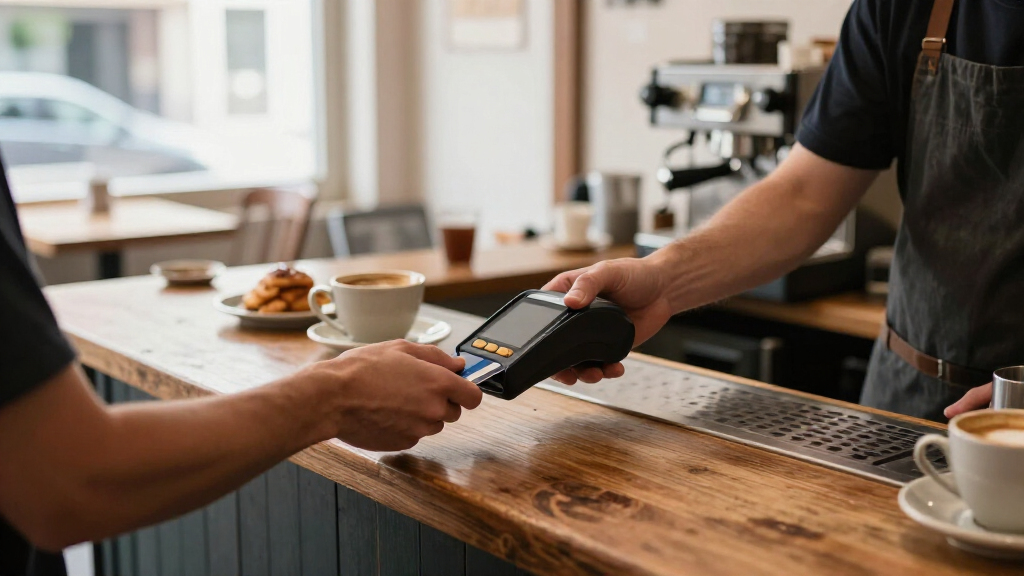
For most small businesses, I’d start with the Square Terminal: it combines card acceptance, a touchscreen, and printed receipts without requiring a separate phone or register. The Square Reader for Contactless and Chip is a simpler fit for sellers who already use a compatible device, while the Square Register suits shops that need a fixed checkout station. The main tradeoff is between portability and a fuller point-of-sale setup, with connectivity, receipt handling, and compatibility also shaping the choice. I compare all 10 options by how well they fit different small-business workflows, not just by the number of features. Read on for the full breakdown and help matching a reader to your day-to-day sales.

Get smart everyday buys delivered free — and shop member deals
- Fast, free delivery on millions of items
- Access to Prime Big Deal Days deals on October 6–7
- Prime Video, Amazon Music and more included
Key Takeaways
- Square Terminal is the most balanced standalone choice in this group, pairing payment acceptance and receipt printing in one portable device.
- Square Reader for Contactless and Chip favors low-complexity setups, but it relies on a compatible phone or tablet rather than acting as a complete checkout station.
- Square Register is aimed at fixed counters; its larger POS setup adds structure for staffed retail, but is more than mobile sellers need.
- SumUp Plus and SumUp Solo serve different levels of independence: Plus pairs with a smartphone, while Solo is designed to operate as a standalone reader with its charging station.
- The lineup includes older or specialized terminal designs, such as the VeriFone VX520 and magstripe-only Square Reader, so buyers should verify current processor support and card acceptance before choosing.
| SumUp Plus Bluetooth Card Reader for Smartphones |  | Best for Smartphone-Based Mobile Selling | Connectivity: Bluetooth | Compatible devices: Smartphones and tablets | Operating systems: iOS and Android | VIEW LATEST PRICE | See Our Full Breakdown |
| SumUp Solo Credit Card Reader with Charging Station | 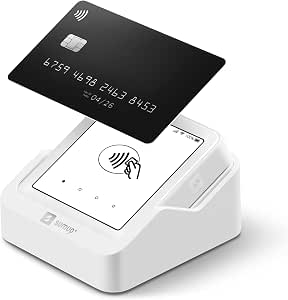 | Best for Standalone Mobile Payments | Display: OLED touchscreen | Connectivity: Wi-Fi and mobile data | SIM card: Included | VIEW LATEST PRICE | See Our Full Breakdown |
| 8 Seconds Processing P1 Smart POS Terminal with Built-in Receipt Printer |  | Best for Fixed-Counter Checkout | Model: Dejavoo P1 (SPT-1000) | Operating system: Android | Display: 5-inch HD touchscreen | VIEW LATEST PRICE | See Our Full Breakdown |
| Clover Compact Payment Terminal |  | Best for Existing Clover Setups | Power: Plug-in; not battery-powered | Processing requirement: New account through Powering POS | Processor compatibility: Cannot be used with a different processor | VIEW LATEST PRICE | See Our Full Breakdown |
| Square Handheld Portable POS and Credit Card Reader |  | Best for Tableside and On-the-Go Service | Dimensions: 7.04 x 3.12 x 0.62 inches | Weight: 2.11 ounces | Payment support: Major credit and debit cards | VIEW LATEST PRICE | See Our Full Breakdown |
| Square Reader for Contactless and Chip (2nd Generation) |  | Best for Low-Cost Mobile Checkout | Compatible devices: Android and iPhone | Payment types: Contactless and chip cards, including Apple Pay and Google Pay | Connectivity: Bluetooth | VIEW LATEST PRICE | See Our Full Breakdown |
| Square Register (2nd Generation) Point-of-Sale System |  | Best for a Fixed Checkout Counter | Displays: Dual touchscreens | Connectivity: Bluetooth, USB, and Wi-Fi | Power source: Corded electric | VIEW LATEST PRICE | See Our Full Breakdown |
| Square Reader for Magstripe (USB-C) |  | Best for Magstripe-Only Backup | Payment type: Magstripe | Connectivity: USB Type-C | Compatible devices: Apple and Android devices with a USB-C connector | VIEW LATEST PRICE | See Our Full Breakdown |
| Square Terminal Mobile Credit Card Payment and Receipt Device |  | Best All-in-One Portable Terminal | Dimensions: 5.6 × 3.4 × 2.5 inches | Weight: 14.7 ounces | Payment methods: Major credit and debit cards | VIEW LATEST PRICE | See Our Full Breakdown |
| VeriFone VX520 Dual-Communication Credit Card Terminal with Smart Card Reader |  | Best for Wired Legacy Setups | Connectivity: Dial and Ethernet | Card reader: Smart card reader | Memory: 128 MB | VIEW LATEST PRICE | See Our Full Breakdown |
| credit card readers for small businesse | Connectivity | Compatible devices | Weight |
|---|---|---|---|
| SumUp Plus Bluetooth Card Read | Bluetooth | Smartphones and tablets | 142 g |
| SumUp Solo Credit Card Reader | Wi-Fi and mobile data | Smartphones | — |
| 8 Seconds Processing P1 Smart | Wi-Fi, 4G LTE, Ethernet, Bluetooth, and USB | — | 408 g |
| Clover Compact Payment Termina | — | Clover Mini and Clover Station | — |
| Square Handheld Portable POS a | — | — | 2.11 ounces |
| Square Reader for Contactless | Bluetooth | Android and iPhone | — |
| Square Register | Bluetooth, USB, and Wi-Fi | POS, smartphone, and tablet | — |
| Square Reader for Magstripe | USB Type-C | Apple and Android devices with a USB-C connector | 6.53 grams |
| Square Terminal Mobile Credit | — | — | 14.7 ounces |
| VeriFone VX520 Dual-Communicat | Dial and Ethernet | — | 2.5 pounds |
More Details on Our Top Picks
SumUp Plus Bluetooth Card Reader for Smartphones
The SumUp Plus is a straightforward choice for businesses that already use a phone or tablet to manage sales and want a separate reader for in-person card payments. Its Bluetooth connection and support for iOS and Android make it easier to take payments away from a fixed counter than the countertop-focused 8 Seconds Processing P1. The tradeoff is that this reader depends on a compatible mobile device and the SumUp app, so it is less self-contained than the SumUp Solo, which has its own touchscreen and mobile data. The stated fee is 2.6% plus 10 cents per in-person transaction; that ongoing cost matters for merchants comparing processing arrangements. It is portable and accepts major credit and debit cards, but the product information does not describe a built-in printer or standalone connectivity.
Pros:- Pairs with iOS and Android smartphones and tablets over Bluetooth.
- Portable format suits payments at markets, events, and customer locations.
- Accepts major credit and debit cards.
- No long-term contracts or hidden fees are stated in the product information.
Cons:- Requires a compatible smartphone or tablet and the SumUp app.
- The stated fee applies to every in-person transaction.
- No built-in display or receipt printer is specified.
Best for: Market vendors, mobile service providers, and pop-up sellers who already carry an iOS or Android phone or tablet and want a compact reader.
Not ideal for: Businesses that need a standalone terminal, built-in receipt printing, or a reader that can take payments without a paired smartphone or tablet.
- Connectivity:Bluetooth
- Compatible devices:Smartphones and tablets
- Operating systems:iOS and Android
- Weight:142 g
- Color:White
- Transaction fee:2.6% + 10 cents per in-person transaction
- Model:Plus Card Reader
- Manufacturer:SumUp
Our verdict“Choose the SumUp Plus if you want a portable reader that works with a phone you already use, and skip it if you need a standalone terminal.”
SumUp Solo Credit Card Reader with Charging Station
The SumUp Solo is a stronger fit than the SumUp Plus for sellers who do not want a phone to handle every step of checkout. Its OLED touchscreen gives the reader its own payment interface, while included mobile data and Wi-Fi provide connectivity options for taking payments on the move. The charging station also gives it a more defined home between transactions than a pocket-sized phone accessory. Compared with the 8 Seconds Processing P1, the Solo prioritizes portability over a built-in thermal printer, physical keypad, and extensive countertop connections. Setup still requires registration through SumUp’s website or app, and the provided information does not state battery life, so businesses planning long shifts should check whether its power needs suit their routine. US-based phone, email, and chat support is an added point of difference.
Pros:- Touchscreen interface lets the reader handle payments without relying on a phone for the checkout display.
- Includes a SIM card with mobile data and also supports Wi-Fi.
- Charging station is included for a regular place to recharge the device.
- US-based phone, email, and chat support is available.
Cons:- Battery life is not specified in the supplied product information.
- Setup requires registration through the SumUp website or mobile app.
- Unlike the 8 Seconds Processing P1, it has no built-in receipt printer listed.
Best for: Market sellers, mobile tradespeople, and small service businesses that want a touchscreen reader with its own mobile-data connection.
Not ideal for: Merchants who need printed receipts from the terminal, clearly documented battery runtime, or a device that can be set up without SumUp registration.
- Display:OLED touchscreen
- Connectivity:Wi-Fi and mobile data
- SIM card:Included
- Charging:Charging station included
- Compatible devices:Smartphones
- Processor count:1
Our verdict“Pick the SumUp Solo if you want a self-contained touchscreen reader for mobile sales, but look elsewhere if printed receipts or stated battery runtime are requirements.”
8 Seconds Processing P1 Smart POS Terminal with Built-in Receipt Printer
The 8 Seconds Processing P1 earns its place for shops, salons, and restaurants that want one counter device for payments and printed receipts. It combines a 5-inch Android touchscreen, physical keypad, and built-in thermal printer, reducing the need to pair a separate phone or receipt printer as with the SumUp Plus. Its support for tap, chip, swipe, and mobile wallets also accommodates varied customer payment habits. The key tradeoff is its intended role: despite Wi-Fi and 4G LTE, the listing describes it as a fixed-counter terminal, not a compact reader for carrying around a venue. Ethernet, Bluetooth, and USB add connection choices, but merchants must complete onboarding with 8 Seconds Processing. Compared with the Clover Compact, the P1 is more self-contained at checkout, while the Clover focuses on syncing with compatible Clover devices.
Pros:- Built-in thermal printer handles receipts without a separate printer.
- Accepts tap, EMV chip, magnetic swipe, and major mobile wallets.
- Wi-Fi, 4G LTE, and Ethernet provide multiple ways to connect.
- Combines a touchscreen with a physical keypad for checkout.
Cons:- Designed for fixed countertop use, limiting its suitability for mobile sales.
- Requires merchant account onboarding with 8 Seconds Processing.
- Its broad POS feature set may be more device than a small seller needs for occasional payments.
Best for: Retailers, salons, and restaurants that need a countertop terminal with multiple payment methods and receipts printed at the register.
Not ideal for: Mobile vendors or businesses that want a simple phone-paired reader without merchant account onboarding through 8 Seconds Processing.
- Model:Dejavoo P1 (SPT-1000)
- Operating system:Android
- Display:5-inch HD touchscreen
- Connectivity:Wi-Fi, 4G LTE, Ethernet, Bluetooth, and USB
- Payment types:Tap, EMV chip, magnetic swipe, Apple Pay, Google Pay, and Samsung Pay
- Printer:Built-in thermal printer; 3 x 1-inch paper
- Weight:408 g
- Warranty:1 year
Our verdict“Choose the P1 for a fixed checkout that needs printed receipts and broad payment support, not for a lightweight reader you can carry between customers.”
Clover Compact Payment Terminal
The Clover Compact is best understood as a connected piece of a Clover checkout setup, rather than a flexible standalone reader. It syncs with Clover Mini and Station devices through the Clover Dashboard and cloud network, helping merchants manage transactions and view sales data across compatible devices. That role contrasts with the SumUp Plus, which pairs with a phone for mobile payments, and the 8 Seconds Processing P1, which is a more self-contained counter terminal with its own printer. The Compact plugs into an outlet and is not battery-powered or mobile, so it suits a fixed location. More importantly, it requires a new merchant processing account through Powering POS and cannot be used with another processor. Those account and compatibility limits make it a poor choice for businesses seeking processor flexibility or a simple add-on reader.
Pros:- Syncs with Clover Mini and Station devices.
- Supports transaction management and sales tracking across connected devices.
- Provides access to business data through the Clover Dashboard and cloud network.
Cons:- Requires a new merchant processing account through Powering POS.
- Cannot be used with a different processor.
- Plug-in power and lack of battery operation rule it out for mobile checkout.
Best for: US-based small businesses already planning to use compatible Clover Mini or Station devices and willing to open a Powering POS processing account.
Not ideal for: Mobile sellers, merchants who want to keep their existing processor, or businesses without compatible Clover Mini or Station equipment.
- Power:Plug-in; not battery-powered
- Processing requirement:New account through Powering POS
- Processor compatibility:Cannot be used with a different processor
- Compatible devices:Clover Mini and Clover Station
- Data management:Clover Dashboard and cloud network
- Compatible regions:US, Puerto Rico, and USVI
- Item weight:5 pounds
Our verdict“Consider the Clover Compact only if you are building around compatible Clover equipment and accept its required processing account.”
Square Handheld Portable POS and Credit Card Reader
The Square Handheld is suited to businesses where checkout moves with the customer: staff can take payments tableside, scan barcodes, and keep selling when connectivity drops, according to its offline payment capability. That makes it more operationally capable than the phone-dependent SumUp Plus, which is described as a card reader rather than a handheld POS with a barcode scanner. Its splash- and dust-resistant design and long-lasting battery are useful for busy shifts, while the 2.11-ounce listed weight supports carrying it between orders. The tradeoff is that the product information does not specify its connection methods or battery runtime, so buyers should verify details that affect their setup. The protective case for accidental drops is optional, adding a separate accessory decision for businesses where devices are likely to be knocked around.
Pros:- Portable handheld design supports taking payments away from a fixed counter.
- Built-in barcode scanner can support product lookup and sales workflows.
- Offline payment capability can help keep transactions moving during connectivity interruptions.
- Designed to resist water splashes and dust.
Cons:- Protective case for accidental drops is optional.
- The supplied specifications do not state connectivity methods or battery runtime.
- No built-in receipt printer is listed.
Best for: Restaurants, mobile retailers, and service teams that need handheld checkout, barcode scanning, and offline payments during a shift.
Not ideal for: Businesses that need a built-in receipt printer, a drop-protection case included, or detailed connectivity and battery-runtime specifications before choosing.
- Dimensions:7.04 x 3.12 x 0.62 inches
- Weight:2.11 ounces
- Payment support:Major credit and debit cards
- Barcode scanner:Built in
- Offline payments:Supported
- Protection:Splash- and dust-resistant design
- Fraud prevention:Included as a listed feature
- Manufacturer:Square
Our verdict“Choose the Square Handheld for mobile checkout with scanning and offline capability, and factor in the optional case if drop protection matters.”
Square Reader for Contactless and Chip (2nd Generation)
This compact reader keeps checkout tied to a phone rather than requiring a separate payment terminal. It accepts chip and contactless cards, including Apple Pay and Google Pay, and connects to a compatible iPhone or Android device over Bluetooth. Compared with the Square Terminal, it is lighter to carry and separates the payment reader from the device running your point-of-sale app, but it does not print receipts itself.
Offline payments for up to 24 hours can help a mobile business keep taking payments during a temporary connection outage. Square also includes security, fraud prevention, and dispute-management tools. The tradeoff is dependence on a compatible phone or tablet, and the supplied information does not specify transaction rates. I’d choose it for pop-ups or service calls; a fixed counter needing customer-facing screens and built-in management tools is better served by the Square Register.
Pros:- Accepts chip and contactless payments, including Apple Pay and Google Pay.
- Bluetooth connection pairs the reader with a compatible iPhone or Android device.
- Supports offline payments for up to 24 hours.
- Includes security, fraud prevention, and payment-dispute management.
Cons:- Requires a compatible phone or tablet to run checkout.
- Does not include a display or receipt printer as a standalone reader.
- Transaction rates are not specified in the provided product information.
Best for: Market vendors, mobile service providers, and small businesses that already use a compatible iPhone or Android device and want chip and contactless checkout.
Not ideal for: Businesses that need an all-in-one countertop terminal, printed receipts, or payment acceptance without relying on a separate compatible device.
- Compatible devices:Android and iPhone
- Payment types:Contactless and chip cards, including Apple Pay and Google Pay
- Connectivity:Bluetooth
- Power source:Battery powered
- Battery:One included lithium-ion battery
- Offline payments:Up to 24 hours
- Item weight:5.92 ounces
- Warranty:Limited one-year
Our verdict“Choose this reader if you want portable chip and tap checkout through a phone, and skip it if you need a standalone register or built-in receipt printing.”
Square Register (2nd Generation) Point-of-Sale System
For a small business building checkout around a permanent counter, the Square Register combines payment acceptance with sales, inventory, and customer-management software. Its dual touchscreens give staff a working display while customers have their own screen, a more structured setup than the phone-based Square Reader for Contactless and Chip. It also supports major card payments and offline selling, so a network interruption does not automatically halt every sale.
The larger setup is the tradeoff: this is a 12.5-pound, corded system, not a reader to carry between tables or appointments. Bluetooth, USB, and Wi-Fi provide connection options, and an IP54-rated design offers resistance to everyday spills and dust, but it remains counter hardware. I’d favor it over the portable Square Terminal when staff need separate customer and employee screens plus built-in business management; mobile sellers should choose a handheld option instead. Hardware approval is also limited to its intended country.
Pros:- Dual touchscreens provide separate staff and customer displays.
- Built-in software supports sales, inventory, and customer management.
- Supports major card payments and offline selling.
- IP54-rated design resists everyday spills and dust.
Cons:- Corded power limits use away from a fixed counter.
- At 12.5 pounds, it is substantially less portable than a reader or handheld terminal.
- Hardware approval is limited to its intended country.
Best for: Retail shops, cafés, and other small businesses with a permanent checkout counter that want customer-facing and staff-facing screens alongside sales and inventory tools.
Not ideal for: Mobile vendors, appointment-based businesses, or sellers who need cordless checkout and hardware approved for use across multiple countries.
- Displays:Dual touchscreens
- Connectivity:Bluetooth, USB, and Wi-Fi
- Power source:Corded electric
- Compatible devices:POS, smartphone, and tablet
- Item weight:12.5 pounds
- Payment and selling:Major card payments and offline selling
- Model:A-SKU-0908
Our verdict“Choose the Register for a fixed checkout that benefits from dual screens and built-in management tools, not for a business that needs cordless mobility.”
Square Reader for Magstripe (USB-C)
This lightweight reader is a narrow-fit choice for businesses that specifically need magstripe acceptance through a compatible USB-C device. It works with the free Square Point of Sale app, which can also support sales tracking, inventory, tips, and digital receipts. At just 6.53 grams, it is easy to keep on hand, while its direct USB connection differs from the Bluetooth pairing used by the Square Reader for Contactless and Chip.
That simplicity comes with a major limitation: the product description identifies it as a magstripe reader, so it is not the pick for a business prioritizing chip or contactless checkout. Compatibility also depends on having an Apple or Android device with USB-C. The listing gives conflicting connector details, mentioning both USB-C and Lightning, so I’d verify the connection required for the intended device before buying. Compared with the Square Terminal, this is far lighter and more dependent on a separate device, with no built-in receipt printer.
Pros:- Very light at 6.53 grams and easy to carry.
- Works with the free Square Point of Sale app.
- App supports sales tracking, inventory management, tips, and digital receipts.
- USB connection avoids Bluetooth pairing.
Cons:- The described reader accepts magstripe payments rather than chip or contactless payments.
- Requires a compatible Apple or Android device with USB-C.
- Product information conflicts about USB-C and Lightning connector details.
Best for: A small business with a USB-C Apple or Android device that needs a very lightweight magstripe reader and already plans to use Square Point of Sale.
Not ideal for: Businesses that require chip or contactless acceptance, or buyers who cannot confirm that their device matches the reader’s connector.
- Payment type:Magstripe
- Connectivity:USB Type-C
- Compatible devices:Apple and Android devices with a USB-C connector
- Operating systems:iOS and Android
- Hardware interface:USB
- Weight:6.53 grams
- Dimensions:4.5 × 0.62 × 4.5 inches
- Warranty:One year
Our verdict“Choose this only if magstripe acceptance and a confirmed USB-C connection meet your needs; businesses seeking chip or tap payments should pick a different reader.”
Square Terminal Mobile Credit Card Payment and Receipt Device
The Square Terminal combines payment processing and receipt printing in one handheld unit, which can simplify checkout for a small business that moves between a counter and the sales floor. It accepts major credit and debit cards, processes chip cards, and has a built-in battery designed for all-day cordless use. Compared with the phone-dependent Square Reader for Contactless and Chip, the Terminal reduces reliance on a separate device and adds receipt printing; compared with the Square Register, it trades dual screens and broader counter-based management for mobility.
Chip processing is listed at about two seconds, and payouts are described as arriving as soon as the next business day. The product also includes fraud prevention and phone support. The battery’s exact runtime is not specified, however, and businesses needing specialized features may require a separate Square POS subscription. I’d pick it for a seller who wants a self-contained payment-and-receipt device, but not for a shop that needs the Register’s two-screen workstation.
Pros:- Combines payment processing and receipt printing in one device.
- Built-in battery is designed for all-day cordless use.
- Accepts major credit and debit cards and processes chip cards.
- Includes fraud prevention and phone support.
Cons:- Exact battery runtime is not specified.
- Specialized business features require a separate Square POS subscription.
- Does not provide the dual touchscreen setup of the Square Register.
Best for: Small retailers, cafés, and service businesses that want a cordless device for taking payments and printing receipts at the counter or around the store.
Not ideal for: Businesses that need dual customer-and-staff screens, a specified battery runtime, or specialized POS features without a separate subscription.
- Dimensions:5.6 × 3.4 × 2.5 inches
- Weight:14.7 ounces
- Payment methods:Major credit and debit cards
- Chip processing:About 2 seconds
- Battery:One included lithium-ion battery
- Receipt printing:Built in
- Payout timing:As soon as the next business day
- Phone support:Included
Our verdict“Choose the Terminal if you want portable card acceptance with receipts from one device, and choose the Register if your main need is a two-screen fixed workstation.”
VeriFone VX520 Dual-Communication Credit Card Terminal with Smart Card Reader
The VX520 suits a small business that needs a stationary terminal with both dial and Ethernet connectivity and a smart card reader. Its 128 MB of memory, end-to-end encryption, and PCI PED 2.0 approval make it a different kind of choice from the app-connected Square readers in this lineup. The cables can be managed beneath the unit, which helps keep a fixed checkout area tidier, while its 2.5-pound build is compact enough for a counter without being a mobile-first design.
The main compromise is payment flexibility: this model is described as non-contactless, and contactless reading or battery mobility are optional rather than standard. That makes it less suited to customers who expect tap-to-pay than the Square Reader for Contactless and Chip or the Square Terminal. I’d consider it for a business maintaining a wired terminal setup, but skip it if you want a modern, portable reader or need tap payments included out of the box.
Pros:- Supports both dial and Ethernet connectivity.
- Includes a smart card reader.
- Under-device cable management helps keep a counter setup tidy.
- Provides end-to-end encryption and PCI PED 2.0 approval.
Cons:- Does not include contactless reading as standard.
- Battery mobility is an optional feature, not a standard capability.
- Wired terminal design is less suited to mobile checkout than the Square Terminal.
Best for: Small businesses maintaining a fixed payment station that needs dial and Ethernet connections, smart card reading, and a compact terminal with cable management.
Not ideal for: Businesses that want contactless payments, cordless mobility, or a phone-connected reader for pop-ups and off-site sales.
- Connectivity:Dial and Ethernet
- Card reader:Smart card reader
- Memory:128 MB
- Weight:2.5 pounds
- Dimensions:9 × 6 × 3 inches
- Security:End-to-end encryption and PCI PED 2.0 approval
- Color:Grey
- Model:M252-753-03-NAA-3
Our verdict“Choose the VX520 for a fixed wired setup that needs smart card acceptance, but skip it if contactless payments or cordless use are part of your checkout plan.”
How We Picked
I compared these credit card readers for small businesses by the jobs they can realistically handle: taking payments at a counter, serving customers on the move, supporting a phone-based setup, and providing a more complete POS experience. I also looked at how much extra equipment each option calls for, whether receipts can be printed from the device, and how clearly its form factor fits a particular workflow. These factors matter because a compact reader can be a better business tool than a full terminal when sales are occasional or mobile.
The ranking favors versatility and practical usability first, then weighs setup complexity, portability, and the difference between a dedicated terminal and a phone-dependent reader. That puts the Square Terminal ahead as a balanced standalone option, while the Square Register ranks better for a fixed checkout and the basic Square and SumUp readers fit simpler operations. I place specialized and legacy-style devices lower because their narrower use cases make compatibility checks especially important. Processing terms and supported integrations can vary by provider and market, so buyers should confirm current details before committing.
| credit card readers for small businesse | Connectivity | Compatible devices |
|---|---|---|
| SumUp Plus Bluetooth Card Read | Bluetooth | Smartphones and tablets |
| SumUp Solo Credit Card Reader | Wi-Fi and mobile data | Smartphones |
| 8 Seconds Processing P1 Smart | Wi-Fi, 4G LTE, Ethernet, Bluetooth, and USB | — |
| Clover Compact Payment Termina | — | Clover Mini and Clover Station |
| Square Handheld Portable POS a | — | — |
| Square Reader for Contactless | Bluetooth | Android and iPhone |
| Square Register | Bluetooth, USB, and Wi-Fi | POS, smartphone, and tablet |
| Square Reader for Magstripe | USB Type-C | Apple and Android devices with a USB-C connector |
| Square Terminal Mobile Credit | — | — |
| VeriFone VX520 Dual-Communicat | Dial and Ethernet | — |
Factors to Consider When Choosing Credit Card Readers For Small Businesses
Choosing a reader is partly a hardware decision, but the better question is how payments fit into the rest of your checkout. I’d match the device to where customers pay, what staff need to do after a sale, and how much equipment the business is prepared to maintain.
Match the device to where you take payments
A counter-based shop and a mobile service business place different demands on a reader. At a fixed checkout, a dedicated terminal or register can keep payments, staff actions, and customer-facing steps in one place. For markets, deliveries, or tableside service, a handheld or phone-connected reader is easier to carry and store. A common mistake is choosing for occasional off-site sales and then making the everyday counter workflow awkward. If you sell in both settings, check whether the provider supports the same sales records and inventory across devices. Decide which location accounts for most transactions before paying for hardware built around the less common one.
Separate a card reader from a full POS system
A reader captures payment; a POS system can also organize products, staff activity, receipts, and sales records. Those extra tools are useful when multiple employees share a checkout or a shop needs more structure than a payment app provides. They can also add setup and upkeep that a solo operator may not need. Before buying a larger system, list the tasks you expect the device to handle beyond charging a card. If your current process only needs payment acceptance and a simple record of each sale, a smaller reader may be easier to manage. If you need a register-style workflow, compare the system’s supported software and peripheral options before choosing hardware.
Check payment methods and card acceptance
Do not assume every reader accepts the same mix of payment methods. Chip, contactless, and magnetic-stripe support differ across models, and a magstripe-focused device can leave customers without a preferred way to pay. Consider the cards and tap-to-pay habits common among your customers, then verify the exact supported methods with the provider. Also check whether the reader depends on a phone or tablet and whether that device is compatible. A product name or appearance alone does not confirm that it will work with your account or region. For older terminals, confirm that the processor still supports the device and its communication options.
Plan for connectivity, battery life, and downtime
Portable readers are only useful when they can stay connected and ready during your busiest periods. Check whether the device connects through a phone, Wi-Fi, cellular service, or a wired connection, and consider signal quality at your selling locations. A phone-dependent reader also ties payment acceptance to the phone’s battery, software, and availability. Dedicated terminals reduce some of that dependence, but still need charging or a reliable power connection. Ask what happens to transactions if connectivity drops and whether the provider offers a supported offline workflow. Planning for a backup payment method can prevent a small device issue from stopping every sale.
Compare the full cost of running the setup
The hardware itself is only one part of a payment system’s cost. Processing fees, monthly software charges, optional accessories, receipt supplies, and replacement hardware can shape the ongoing expense. A basic reader can keep the equipment setup lean, but it may require a separate phone or tablet and offer fewer checkout tools. A register or terminal can consolidate hardware, though its added capabilities may go unused in a small operation. Compare provider terms using your expected transaction volume and average sale size rather than relying on a single advertised rate. Also check contract terms and whether your existing payment processor can support the device you want.
Choose receipt and recordkeeping workflows before checkout
Receipt needs affect both the device and the customer experience. A built-in printer can help at a busy counter or where customers commonly ask for paper receipts, while digital receipts may suit mobile sellers who want to carry less equipment. Neither option removes the need to keep accurate sales records, so check how transactions export or connect to bookkeeping tools. Think through returns, tips, itemized sales, and staff access as well as the payment itself. Buying a printer-equipped terminal for a business that rarely prints receipts can add unnecessary bulk and supplies. On the other hand, relying only on digital receipts can slow service if customers regularly expect paper.
Frequently Asked Questions
Should I choose a phone-connected reader or a standalone terminal?
A phone-connected reader makes sense if you already carry a compatible device and want a compact payment setup. A standalone terminal is a better fit when staff need to take payments without borrowing a phone or managing a separate app device. Consider how the setup will work during a rush, not only how easy it is to carry. Check supported devices, connectivity, and whether the reader can handle the payment methods your customers use. If sales happen in several locations, portability may matter more than having a permanent register-style checkout.
Do I need a receipt printer built into my card reader?
A built-in printer is useful when customers often request paper receipts or when staff need a fast, self-contained checkout. It also means carrying and maintaining a device with receipt supplies, so it may not suit sellers who send receipts electronically. Check whether the system supports the receipt format and transaction details your business needs. Consider busy periods too: printing can reduce the extra steps of pairing a separate printer, but it can add bulk to a mobile setup. Choose based on your customers’ habits and your recordkeeping process rather than treating a printer as a must-have feature.
Can I use a card reader from one provider with another payment processor?
Often, a reader is designed to work with a particular payment provider or software ecosystem, so compatibility should not be assumed. Before purchasing, ask the processor whether it supports the exact model, connection method, and software version you plan to use. This matters especially if you already have a merchant account or need to keep existing transaction records and integrations. A device that physically accepts a card may still be unusable with your account. Confirm support in writing when the hardware is older or sold separately from its original payment service.
Is a magstripe reader enough for a small business?
It may be enough for a narrow use case, such as a backup device where the provider and local rules still support magnetic-stripe payments. As a primary reader, it can limit how customers pay compared with a device that also handles chip and contactless transactions. Check what methods your processor supports and what your customers expect before relying on it. For an older terminal, ask about ongoing service, replacement parts, and whether its communication options remain supported. If you want one device for everyday checkout, broader payment acceptance is usually the safer choice.
What should I verify before buying a reader for a second location?
First confirm that your payment account and software can support multiple devices or locations under the arrangement you need. Check how sales, inventory, staff permissions, and reporting are separated or combined across sites. Then verify connectivity, power, and receipt needs at the new location rather than assuming they match your main shop. Ask whether the reader can be moved between locations or needs to stay assigned to one setup. Planning these details early can prevent a hardware choice that accepts payments but creates extra work for reconciliation and staff management.
Conclusion
For the best overall balance, choose Square Terminal if you want a dedicated portable device with receipt printing. For a simpler, phone-based setup, Square Reader for Contactless and Chip is the best value-style pick in this lineup, while SumUp Plus is another compact option when pairing with a smartphone suits your workflow. Square Register is the premium choice for businesses that need a fixed, more complete checkout station. Beginners who want less separate equipment may find SumUp Solo easier to manage than a phone-dependent reader, though they should confirm its payment and provider support first. For specific needs, the Square Handheld suits mobile POS work, the 8 Seconds P1 offers a built-in printer format, and the older VX520 or magstripe reader should be considered only after checking current compatibility. Match the device to your payment flow, then confirm processing terms and supported features before buying.
Halloween Picks
halloween
As an affiliate, we earn on qualifying purchases.