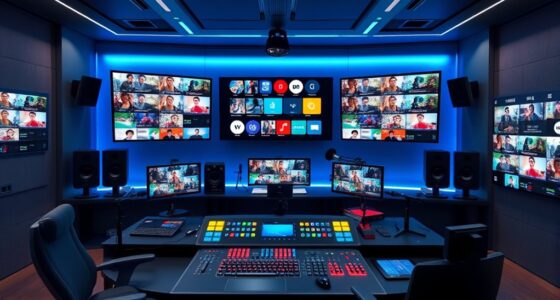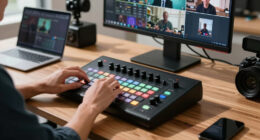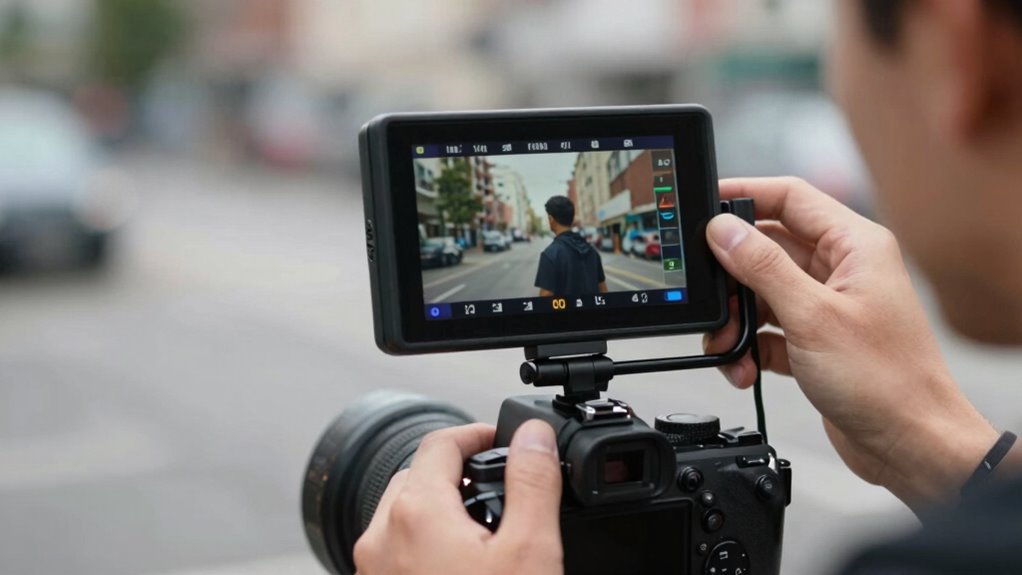
Using a camera monitor makes solo filming less frustrating by giving you a larger, clearer view of your shots, so you can easily check focus, framing, and exposure in real time. It also lets you monitor audio quality directly, avoiding surprises later. With better visual feedback, you won’t need to keep running back and forth to verify your shots. If you want to discover more ways a monitor simplifies your filming process, keep going.

Get smart everyday buys delivered free with Prime
- Fast, free delivery on millions of items
- Prime Video, Amazon Music and more included
- Member-only deals all year
Key Takeaways
- Large, high-resolution screens provide clear shot framing and focus, reducing the need for multiple takes and guesswork.
- Real-time visual and audio feedback allows quick adjustments, minimizing delays during solo filming.
- Enhanced lighting and exposure evaluation ensures professional-quality footage without external help.
- Built-in audio monitoring helps detect issues immediately, improving sound quality in real-time.
- Simplifies camera operation solo, decreasing stress and making the filming process more efficient.

If you’re serious about producing professional-quality videos on your own, a camera monitor can be a game-changer. It offers a bigger, clearer view of your shot, making it easier to fine-tune your framing and focus without guesswork. When you’re working solo, you don’t have a director or a cameraman to double-check your shot, so having a monitor that displays your footage in high resolution helps you catch details you might otherwise miss. This real-time feedback allows you to make quick adjustments, ensuring your composition is tight and your subject remains sharp.
Lighting techniques are vital for creating a polished look, and a camera monitor makes it easier to evaluate how your lighting setup affects the scene. With a larger display, you can see shadows, highlights, and color accuracy more accurately. This means you can tweak your lights on the fly—whether adding diffusers, adjusting the position of your lights, or modifying your light intensity—without needing to rely on a small camera screen. Better lighting control improves the overall quality of your footage, saving you time and frustration during post-production. Additionally, many monitors feature color accuracy, which helps ensure your footage’s hues are true to life. Keeping an eye on exposure settings directly on your monitor can also help prevent over- or underexposed shots, further enhancing your editing process.
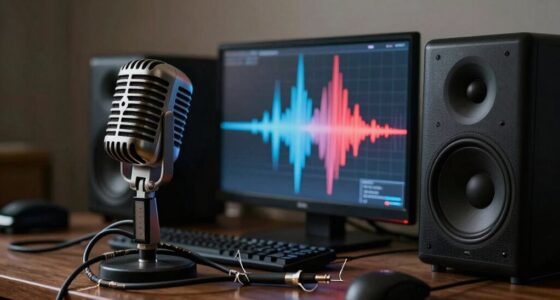
Audio equipment is often overlooked but just as essential as good visuals. A camera monitor helps you monitor audio levels in real time, especially if it features an audio input with a headphone jack. This way, you can listen to your recordings and detect issues like background noise, distortion, or inconsistent levels immediately. Ensuring clean audio is key to professional-looking videos, and a monitor that displays audio meters makes this process straightforward. When combined with a quality microphone and proper audio monitoring, your videos will sound as good as they look.
Using a camera monitor also reduces the guesswork when you’re filming alone. Instead of relying solely on your camera’s small screen, you get a larger, more detailed view, which simplifies focus pulling and exposure adjustments. This means you can confidently operate your camera and adjust settings without needing to run back and forth to check the shot. It’s especially helpful in dynamic environments or when filming complex scenes, where precision matters. Additionally, a high-resolution display on your monitor can help you better assess fine details and ensure your footage meets professional standards. This comprehensive visual feedback streamlines the filming process, making solo production more efficient and less stressful.
camera monitor 7 inch high resolution
As an affiliate, we earn on qualifying purchases.
As an affiliate, we earn on qualifying purchases.
Frequently Asked Questions
How Do Camera Monitors Improve Autofocus Accuracy During Solo Filming?
Camera monitors improve autofocus accuracy by providing a larger, clearer display, so you can see focus points more precisely. This helps you adjust focus manually or confirm autofocus precision, reducing mistakes. With a monitor, you can better judge focus accuracy, especially when filming yourself. As a result, you enjoy sharper images and smoother footage, making solo filming less stressful and more professional-looking.
Are Camera Monitors Compatible With All Camera Brands and Models?
Camera monitors aren’t universally compatible with all camera brands and models, but many offer excellent brand versatility through adjustable HDMI or SDI connections. Before buying, check the monitor’s compatibility with your camera’s input types and supported resolutions. Most modern monitors are designed to work with popular brands like Canon, Sony, and Panasonic, making them a versatile choice for various setups. Always verify compatibility to guarantee seamless operation during your solo filming sessions.
What Are the Best Budget-Friendly Camera Monitors for Beginners?
For beginners on a budget, the Neewer F100 and Feelworld Master MA5 are excellent choices. They offer decent camera monitor resolution, ensuring clear image previews, and have good battery life efficiency, so you won’t need frequent recharges during shoots. These monitors are compatible with various camera brands and models, making them versatile options. Their affordability doesn’t compromise essential features, helping you improve your filming experience without overspending.
How Do You Mount a Camera Monitor Securely on Different Rigs?
You can mount a camera monitor securely by choosing versatile mounting options like cold shoes, 1/4-inch screws, or ball heads, which work across different rigs. Check your rig’s compatibility first—some rigs have built-in mounts, while others need adapters. Use adjustable arms or clamps to stabilize the monitor on various setups, guaranteeing firm attachment. Always tighten screws properly to prevent slipping and ensure steady shots during filming.
Can Camera Monitors Be Used Effectively Outdoors in Bright Sunlight?
Think of your camera monitor as a lighthouse in a storm—bright sunlight can cause glare, making it hard to see details. To combat this, use monitors with high brightness levels and anti-glare screens. Additionally, shade your monitor with sun hoods or screen protectors. With these tools, you can effectively shoot outdoors, ensuring your images stay clear even in harsh sunlight, much like a lighthouse guiding ships safely ashore.
audio monitoring headphone jack camera
As an affiliate, we earn on qualifying purchases.
As an affiliate, we earn on qualifying purchases.
Conclusion
Using a camera monitor can truly transform your solo filming experience, making it more manageable and enjoyable. With better framing, focus, and real-time feedback, you’ll spend less time troubleshooting and more time creating. Did you know that 78% of solo filmmakers report increased confidence and efficiency when using a monitor? So, investing in one not only improves your footage but also boosts your overall filming confidence, turning a frustrating task into an exciting creative journey.
As an affiliate, we earn on qualifying purchases.
external camera display for solo filming
As an affiliate, we earn on qualifying purchases.
As an affiliate, we earn on qualifying purchases.
Halloween Picks
halloween
As an affiliate, we earn on qualifying purchases.