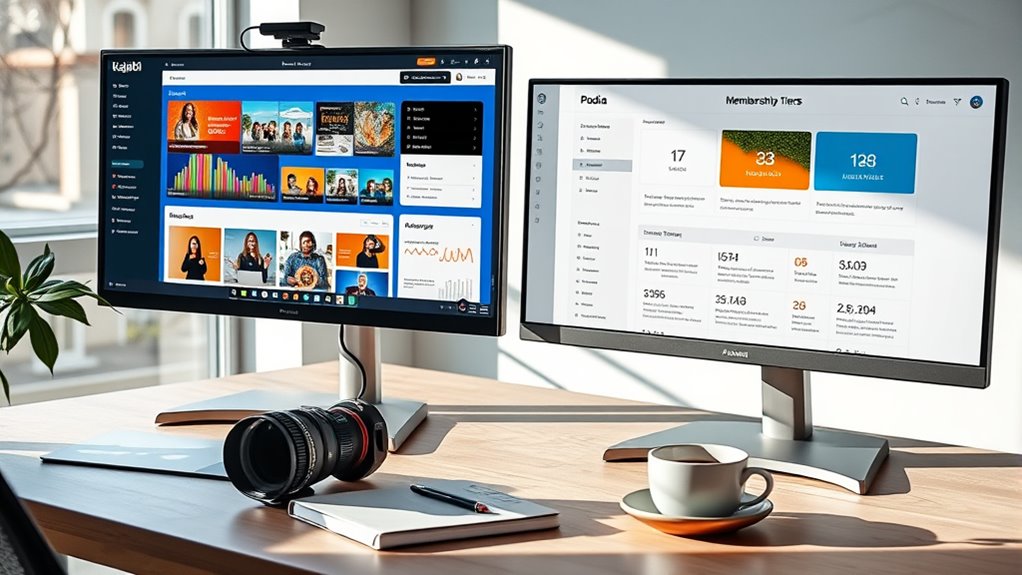

When choosing between Kajabi and Podia for online courses and memberships, consider your budget and growth plans. Kajabi offers advanced customization, automation, and scalability but comes at a higher cost. Podia provides a simpler, more affordable platform ideal for beginners, though it may lack some features as your business grows. To make the best choice, weigh your current needs against your long-term goals—more details ahead can help you decide.
Key Takeaways
- Kajabi offers advanced customization, automation, and analytics, ideal for scalable online courses and memberships.
- Podia provides a more affordable, straightforward platform with essential features suitable for beginners.
- Kajabi’s higher pricing includes comprehensive tools, while Podia’s lower plans may require upgrades for advanced features.
- Kajabi supports extensive content organization and delivery options, enhancing user experience for larger courses.
- Podia is best for simple, budget-conscious creators, whereas Kajabi suits those planning long-term growth and customization.

Choosing the right platform for your online courses and memberships can considerably impact your success. When comparing Kajabi and Podia, one of the first considerations is understanding the pricing differences and customization options each platform offers. Kajabi tends to have a higher starting price, but it includes a comprehensive set of features designed for entrepreneurs who want an all-in-one solution. Podia, on the other hand, generally offers more affordable plans, making it appealing if you’re just starting out or have a tighter budget. However, the lower price often comes with fewer built-in features, which can influence your ability to customize and grow your offerings over time.
Choosing the right platform impacts your success—consider pricing, customization, and growth potential.
Speaking of customization options, Kajabi excels in providing robust tools that allow you to tailor your website, landing pages, and sales funnels to match your brand’s identity. Its visual editors are intuitive, giving you the flexibility to create a unique user experience without needing extensive technical skills. You can easily adjust layouts, colors, fonts, and content blocks to align with your branding. Podia offers a simpler interface with less emphasis on deep customization. While it still provides essential branding options, such as uploading your logo and customizing colors, it doesn’t give you the same level of control over the overall look and feel. If branding consistency and a highly personalized website are priorities for you, Kajabi’s customization options may be worth the extra investment.
Another aspect to consider is how each platform’s pricing structures impact your ability to scale. Kajabi’s tiered plans include features like advanced automation, affiliate programs, and comprehensive analytics, which become more accessible as you upgrade. These tools can support larger courses or memberships and help you grow your business more efficiently. Podia’s plans are straightforward and include unlimited products and memberships, but some advanced features are only available on higher tiers or as add-ons. This means you might need to pay more as your business expands, potentially making Kajabi a more scalable option if you anticipate rapid growth.
Additionally, content management features are crucial for organizing and delivering your material effectively, and Kajabi offers more sophisticated options in this area. Ultimately, your choice depends on your specific needs and budget. If you want a platform with extensive customization options that can grow with your business and are willing to invest more, Kajabi is a strong choice. If you prefer a more straightforward, budget-friendly solution with essential features, Podia may suit you better, especially in the early stages. Carefully weigh the pricing differences and customization options to ensure your platform aligns with your long-term goals and comfort level.
Frequently Asked Questions
Which Platform Offers Better Integration With Third-Party Apps?
You’ll find Kajabi offers better third-party integrations and app compatibility, making it easier to connect with marketing tools, CRMs, and email services. Its open API and extensive app marketplace provide more options for seamless integration. Podia’s third-party integrations are more limited, which might restrict your ability to customize and automate your online courses and memberships. If app compatibility is essential, Kajabi is the stronger choice.
How Do Kajabi and Podia Handle International Currencies?
You’re in luck—Kajabi handles international currencies smoothly through currency conversions and supports multiple payment gateways, making global sales easier. Podia also offers multi-currency support, but Kajabi’s integrations tend to be more robust for international transactions. With either platform, you can accept payments in various currencies, ensuring you don’t leave money on the table. It’s a win-win, no matter where your customers are from.
Can I Use Custom Domains With Both Platforms?
Yes, you can use custom domains with both Kajabi and Podia. They both support custom domain setup, allowing you to connect your own domain for seamless branding customization. This feature helps you create a professional, branded experience for your audience. Setting up your custom domain is straightforward on both platforms, giving you full control over your site’s branding and appearance, ensuring your online presence is consistent and polished.
What Are the Refund Policies for Each Platform?
If you’re worried about refunds, Kajabi offers a 30-day money-back guarantee, while Podia has a 14-day refund window. The refund process details are straightforward for both platforms: you request a refund through their support teams, and they process it promptly. In a refund policy comparison, Kajabi’s longer window might give you more peace of mind, but always check the latest policies directly on their websites for updates.
Do They Provide Analytics for Mobile App Users?
Both Kajabi and Podia provide mobile app tracking and user behavior analytics, so you can monitor how your students engage on mobile devices. Kajabi offers detailed analytics within their app, helping you understand user activity and retention. Podia also provides insights into user behavior, allowing you to optimize your content. With these tools, you can make data-driven decisions to improve your courses and memberships across all platforms.
Conclusion
Choosing between Kajabi and Podia is like selecting your hero in a story—each has its own strengths to guide you on your journey. Kajabi offers a powerful, all-in-one platform, while Podia keeps things simple and user-friendly. Whichever you pick, remember the wise owl’s lesson: the right tool isn’t just about features, but about how well it helps you soar. So, take flight with confidence and craft your own legendary course!