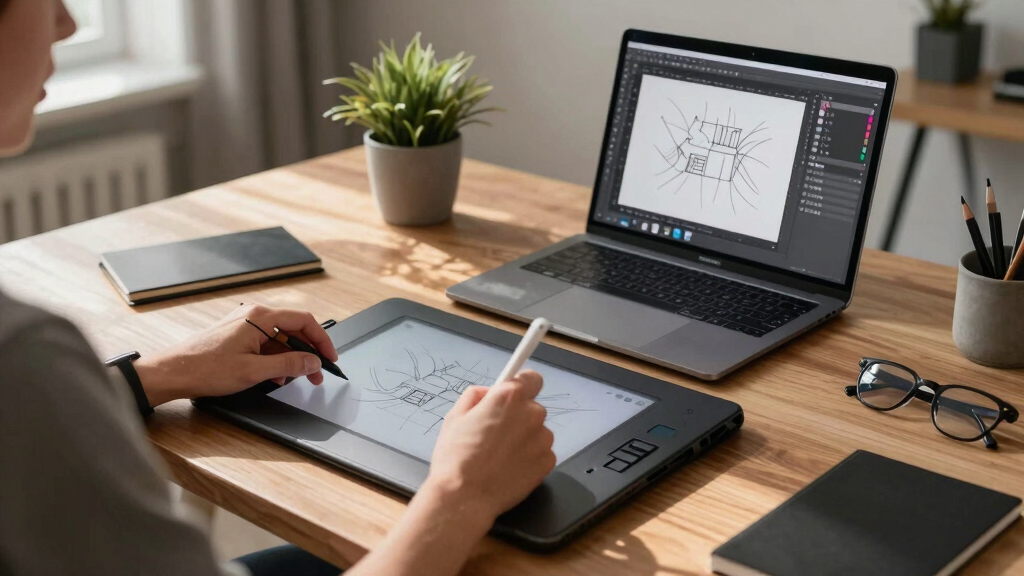

When searching for the best drawing tablets for Adobe Illustrator, the focus is on precision, responsiveness, and compatibility with vector-based workflows. The Wacom Intuos Small stands out for its reliable performance and intuitive design, making it ideal for most users. Meanwhile, the XPPen Artist 12 offers a high-quality screen experience suited for detailed work, while the HUION Inspiroy H640P provides excellent value for those starting out. Each option balances factors like price, build quality, and feature set differently, creating tradeoffs that influence the best fit for your needs. Keep reading for a detailed breakdown of these choices to find the perfect tool for your Adobe Illustrator projects.
Key Takeaways
- High pressure sensitivity (up to 16,384 levels) is common in top models, enabling precise control for detailed vector work.
- Built-in screens significantly improve workflow but come with higher prices and larger sizes, which may not suit all users.
- Customizable shortcut keys and touch rings enhance efficiency but vary widely in number and placement across models.
- Compatibility with multiple operating systems (Windows, macOS, Android) remains a key factor for versatile workflows.
- Budget-friendly options like HUION Inspiroy H640P offer great value, but often lack advanced features found in premium models.



More Details on Our Top Picks
Wacom Intuos Small Graphics Drawing Tablet, Includes Training & Software; 4 Customizable ExpressKeys Compatible with Chromebook Mac Android & Windows, Black
This Wacom Intuos Small stands out for its industry-leading pen technology, offering a natural, paper-like feel that rivals more expensive models like the XP-Pen Artist 12 3rd. Its compatibility across all major platforms and software ensures seamless integration into any creative workflow, making it the ideal choice for newcomers and experienced artists alike. The included software and tutorials add value, especially for those just starting out. Compared with the XP-Pen Artist 12, it has less screen real estate but excels in control and precision, which is crucial for detailed work. The tradeoff is that it lacks a screen, so it requires a monitor or computer, which might be a limitation for some. Overall, this pick makes the most sense for users seeking reliable control without breaking the bank.
Pros:- Industry-leading pen technology with a paper-like feel
- Highly compatible across platforms including Chromebook, Windows, Mac, and Android
- Includes software and training to help new users get started
Cons:- No built-in display, requiring an external monitor
- Limited active surface area (6″ x 3.7″) compared to larger tablets
Best for: Beginners and hobbyists who want professional-grade control in a portable, affordable package
Not ideal for: Artists needing a built-in display or a larger active drawing area for detailed projects
- Connectivity Technology:USB-A
- Pressure Sensitivity:4096 Levels
- Operating System:Windows, Mac, Android, Chromebook
- Measurement:6.3″L x 7.87″W
- Active Surface Area:6″ x 3.7″
- Color:Black
Bottom line: Best suited for those new to digital art or professionals seeking a reliable, budget-friendly control tablet.
HUION Inspiroy H640P Drawing Tablet, 6×4 inch Digital Art with Battery-Free Stylus, 8192 Pen Pressure, 6 Hot Keys, Graphics Tablet for Drawing, Writing, Design, Teaching, Work with Mac, PC & Mobile
This HUION Inspiroy H640P makes a strong case for mobility without sacrificing performance. Its compact 6″ x 4″ active area is perfect for artists who need a portable solution for sketching, note-taking, or teaching, especially when compared to larger tablets like the XP-Pen Artist 12. The battery-free stylus with 8192 pressure levels ensures precise control, rivaling more expensive options. Its multi-OS support, including Android, expands its versatility. The tradeoff is a smaller surface that may limit detailed work, and the absence of a screen means it requires a separate monitor. Still, for those who prioritize ease of carrying and quick setup, it offers excellent value and functionality.
Pros:- Highly portable with compact size (6″ x 4″)
- 8192 levels of pressure sensitivity for accurate strokes
- Supports multiple operating systems including Android
Cons:- Limited active drawing space may hinder detailed work
- No built-in display, relies on external monitor
Best for: Students, teachers, and artists who need an affordable, portable drawing solution for quick sketches and notes
Not ideal for: Professionals requiring a large drawing area or a built-in display for detailed projects
- Connectivity Technology:USB
- Pressure Sensitivity:8192 Levels
- Operating System:Windows, Mac, Android, Linux
- Measurement:6″ x 4″
- Active Surface Area:6″ x 4″
- Color:Black
Bottom line: Ideal for mobile artists or educators seeking a lightweight, versatile drawing tablet at an affordable price.
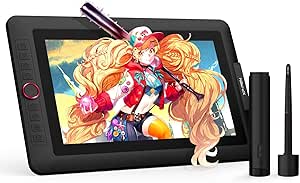
XPPen Artist 12 3rd 11.9″ Drawing Tablet with Screen | X4 Pen 16K Pressure | Dial Wheels+8 Keys | AG Etched Glass Portable Art Drawing Tablet Compatible with Windows/macOS/Android/ChromeOS/Linux
The XPPen Artist 12 3rd delivers a compelling combination of portability and advanced features, making it suitable for professional artists on the go. Its 11.9″ screen with full lamination and AG etched glass offers a paper-like texture and reduced glare, rivaling larger tablets like the XP-Pen Artist 13.3 Pro V2. The inclusion of dual X-Dial wheels and 8 customizable keys enhances workflow efficiency, especially when working with complex projects. Its compatibility across multiple platforms and software makes it a versatile choice. The tradeoff is the smaller screen size, which may not suit detailed or multi-layered work for some artists. Its lightweight design and portable stand make it ideal for artists who need to sketch or edit outside the studio.
Pros:- 11.9″ full lamination, paper-like textured display
- Dual X-Dial wheels for rapid brush size and zoom adjustments
- Compatible with Windows, macOS, Android, ChromeOS, Linux
Cons:- Smaller screen size could limit detailed work
- Higher price point relative to smaller non-screen tablets
Best for: Professional artists and designers who need a portable, feature-rich drawing tablet with a screen
Not ideal for: Beginners or artists needing larger canvases for detailed illustrations
- Display Type:LCD
- Native Resolution:1920×1080
- Color Gamut:99% sRGB
- Active Surface Area:174.7 sq. inches
- Measurement:11.9″ screen
- Connectivity:USB-C
Bottom line: Perfect for mobile professionals who require a high-quality, portable drawing experience with advanced workflow tools.
XPPen 13.3″ Drawing Tablet with Screen-Artist13.3 Pro V2 16384 Pressure Pen, 8 Shortcut Keys & Red Dial for Digital Art, Graphic Designer, Animation | Mac, PC, Android Compatible | Beginner to Pro
The Artist13.3 Pro V2 offers a robust set of features, including a 13.3″ Full HD screen with 16,384 pressure levels and tilt support, making it suitable for detailed illustration, animation, and design. Its adjustable shortcut keys and a red dial for macros streamline complex workflows, rivaling high-end tablets like the XP-Pen Artist 13.3 Pro. Its compatibility across Windows, macOS, Android, and Linux ensures wide usability. The full lamination and anti-glare coating protect your eyes during long sessions. The tradeoff is the weight—over 3 kilograms—and a higher price, which might be less appealing for artists who prioritize portability. Nonetheless, it’s an excellent choice for professionals seeking a larger screen with advanced features.
Pros:- 13.3″ full lamination display with anti-glare coating
- High pressure sensitivity with tilt support (16,384 levels)
- Multiple shortcut keys and a dedicated dial for workflow efficiency
Cons:- Heavier and less portable due to size
- Premium price may be prohibitive for hobbyists
Best for: Professional digital artists and animators needing a larger, versatile drawing tablet with screen
Not ideal for: Beginners or mobile artists who prefer lightweight, compact devices
- Display Size:13.3″
- Resolution:1920×1080
- Pressure Levels:16,384
- Color Gamut:99% sRGB
- Weight:3.08 kg
- Connectivity:USB-C
Bottom line: Ideal for professionals who want a larger, feature-rich drawing tablet with seamless multi-platform support.
XOPPOX Graphics Drawing Tablet, 10×6 Inch Large Active Area with Battery-Free Stylus, 8192 Levels of Pen Pressure and 12 Hot Keys, Compatible with PC/Mac/Android for Painting, Design & Online Teaching
The XOPPOX 10×6 inch drawing tablet offers a spacious active area suited for detailed digital painting and design, comparable to larger models like the GAOMON M10K. Its 8192 pressure levels on a battery-free stylus provide smooth, natural strokes, ideal for artists and educators. The 12 hot keys enhance productivity, especially when customizing shortcuts for software like Photoshop or Illustrator. Its broad compatibility with Windows, Mac, and Android makes it versatile for various workflows. The main tradeoff is that it lacks a built-in screen, so users must rely on an external display, and its size may be less portable for on-the-go artists. Overall, it is well-suited for those needing a large drawing surface for teaching or detailed work.
Pros:- Large 10″ x 6″ active drawing surface
- 8192 pressure levels for precise strokes
- Compatible with multiple OS including Windows, Mac, Android
Cons:- No built-in display, requiring an external monitor
- Less portable due to size
Best for: Designers and teachers requiring a large active area for detailed work or remote instruction
Not ideal for: Artists seeking a compact or portable device for quick sketches or travel
- Active Surface Area:10″ x 6″
- Pressure Sensitivity:8192 Levels
- Compatibility:Windows, Mac, Android
- Stylus:Battery-Free
- Hot Keys:12
- Color Gamut:Not applicable
Bottom line: Best suited for those who need a large working area for professional or educational applications without sacrificing compatibility.
GAOMON M10K Drawing Tablet, 10×6 inch Large Graphics Tablet with Touch Ring, 8192 Levels Battery-Free Stylus, 10 Hot Keys, Art Tablet for Design, Writing, Editing, Work with Mac, Windows, Android
This model stands out for its large 10 x 6.25 inch working area, which rivals the XPPen Artist 13.3 Pro’s screen size but at a significantly lower price point. The battery-free stylus with 8192 pressure levels ensures precise control, comparable to the HUION HS610, making it ideal for detailed work. Its customizable hot keys and a programmable touch ring help streamline complex workflows, especially for users who switch between multiple software. Compared with the HUION H1060P, the M10K offers a larger workspace and more shortcut options, but it lacks a built-in display, which might be a drawback for those who prefer a screen-based experience. However, for users seeking a natural drawing feel combined with extensive shortcut customization, this tablet offers excellent value.
Pros:- Large 10 x 6.25 inch active area mimics traditional paper size
- 8192 pressure sensitivity levels for detailed control
- Programmable touch ring and hot keys enhance workflow efficiency
- Works seamlessly with Mac, Windows, and Android devices
Cons:- No built-in display, requiring a separate monitor for visual feedback
- USB connection may limit portability compared to wireless options
- Setup involves driver installation which can be tricky for beginners
Best for: Digital artists and designers who need a spacious drawing surface and customizable controls for multitasking across software.
Not ideal for: Users who prefer an integrated display for more intuitive drawing without switching between screens and controls.
- Connectivity Technology:USB
- Pressure Sensitivity:8192 Levels
- Operating System:Mac OS 10.12+/Windows 7+/Android 11+
- Display Type:No Screen
- Measurements:10 x 6.25 inches
- Item Weight:695 grams
Bottom line: This tablet is perfect for artists who want a large, versatile drawing surface with extensive shortcuts, but prefer using it with a separate display.
HUION Drawing Tablet HS610 Graphic Tablet with Battery-Free Stylus 8192 Pen Pressure Tilt Function, 10×6.25 Inches Digital Art for Animation & Design, Compatible with Windows/Mac/Android
Compared to the UGEE M708, the HUION HS610 offers a slightly larger active drawing space and a more refined stylus with tilt support, making it well-suited for precise illustration and animation. Its 8192 pressure levels and 5080 LPI resolution provide a smooth, responsive experience akin to more expensive models like the XP-Pen Artist 13.3 Pro, but at a fraction of the cost. The HS610’s compatibility with Android devices via OTG makes it versatile for on-the-go sketching, similar to the XP-Pen Artist 12’s portability. While it lacks a built-in display, its lightweight and ergonomic design ensure comfort for long sessions. However, the setup process can be complex, especially with drivers on Linux, and the tablet’s size might be less ideal for small desks compared to the UGEE M708.
Pros:- Large 10 x 6.25 inch active area for comfortable drawing
- 8192 pressure levels and tilt support for natural strokes
- Supports Android, Windows, and Mac OS for versatile use
- Lightweight at 600 grams, easy to carry
Cons:- No built-in screen, requiring an external monitor or device
- Driver installation may be challenging on some Linux distributions
- Limited shortcut keys compared to higher-end models
Best for: Beginners and students seeking an affordable, reliable drawing tablet for digital art and online classes.
Not ideal for: Pro artists requiring a display for detailed work or those who prefer wireless operation.
- Active Surface Area:10 x 6.25 inches
- Pressure Sensitivity:8192 Levels
- Tilt Support:±60°
- Operating System:Windows 7+/Mac 10.12+/Android 6.0+
- Weight:600 grams
- Connectivity:USB / OTG
Bottom line: The HS610 delivers solid performance for beginners on a budget, especially for those who need portability and multi-system compatibility.
HUION Inspiroy H1060P Graphics Drawing Tablet with 8192 Pressure Sensitivity Battery-Free Stylus and 12 Customized Hot Keys, 10 x 6.25 inches Digital Art Tablet for Mac, Windows PC and Android
This model is distinguished by its generous 10 x 6.25 inch working area and 12 programmable hot keys, making it ideal for complex workflows like detailed illustration or animation, similar to the XP-Pen Artist 13.3 Pro but without a display. Its 8192 pressure levels and battery-free stylus provide high precision and comfort, comparable to the HUION H610P, but with more shortcuts to speed up productivity. The H1060P’s support for Android and Linux broadens its versatility, perfect for artists working across multiple platforms. The main tradeoff is that it lacks a built-in screen, which might be less intuitive for beginners used to visual feedback. Still, for experienced digital artists, it offers a robust, customizable experience.
Pros:- Large 10 x 6.25 inch active area for detailed work
- 12 customizable shortcut keys for workflow optimization
- 8192 pressure levels and battery-free stylus for accuracy
- Compatible with Windows, Mac, Android, and Linux
Cons:- No integrated display for visual feedback
- Setup can be complex with multiple software environments
- Size may be less portable than smaller tablets
Best for: Professional digital artists and illustrators who need a large workspace and extensive shortcut customization.
Not ideal for: Beginners or those who prefer a display-based tablet for more intuitive drawing.
- Active Surface Area:10 x 6.25 inches
- Pressure Sensitivity:8192 Levels
- Shortcut Keys:12 programmable
- Operating System:Windows 7+/Mac 10.12+/Android/Linux
- Stylus:Battery-free
- Connectivity:USB
Bottom line: This tablet is suited for professionals who want a large, customizable workspace without the expense of a screen-based device.
XPPen Drawing Tablet with Screen Full-Laminated Graphics Drawing Monitor Artist13.3 Pro Graphics Tablet with Adjustable Stand and 8 Shortcut Keys (8192 Levels Pen Pressure, 123% sRGB)
Compared to the non-screen models like the HUION HS610, the XPPen Artist 13.3 Pro offers a fully laminated 13.3-inch display with 123% sRGB color gamut, providing vibrant, true-to-life colors suitable for professional illustrators and animators. Its 8 shortcut keys and a red dial wheel streamline workflow, similar to the XP-Pen Artist 12 but with a larger, more detailed screen. The 8192 pressure levels with tilt support make it comparable to high-end display tablets, ensuring natural strokes. The fully laminated screen eliminates parallax, which is a significant advantage for precise line work. The main tradeoff is the higher price and the need for a computer connection, but for artists who prefer visual feedback directly on their tablet, this is a top choice.
Pros:- 13.3-inch full-laminated display with minimal parallax
- 123% sRGB color gamut for vivid, accurate colors
- 8 shortcut keys and a multifunctional dial for efficiency
- Supports tilt up to 60° for natural shading
Cons:- Higher cost compared to non-display tablets
- Requires connection to a computer, reducing portability
- Heavier at 2 kg, less convenient for travel
Best for: Professional digital artists who need high color fidelity and a display for detailed work without external monitors.
Not ideal for: Budget-conscious beginners or artists who prefer a portable, screenless tablet.
- Display Size:13.3 inches
- Color Gamut:123% sRGB
- Pen Pressure Levels:8192
- Tilt Support:60°
- Connectivity:USB-C/3-in-1 cable
- Weight:2 kg
Bottom line: Ideal for professionals seeking a high-precision, color-accurate display tablet for detailed artwork and design projects.
XPPen Updated Deco 01 V3 Drawing Tablet-16384 Levels of Pressure Battery-Free Stylus, 10×6 Inch OSU Graphic Tablet, 8 Hotkeys for Digital Art, Teaching, Gaming Drawing Pad for Chrome, PC, Mac, Android
The XPPen Deco 01 V3 stands out for its impressive 16,384 pressure levels and tilt support, offering smooth, natural lines ideal for detailed work in Adobe Illustrator. Compared to the Wacom Intuos Small, it provides a larger active drawing area (10×6 inches) at a more accessible price point, making it a strong choice for newcomers. The battery-free stylus simplifies setup and reduces maintenance, which sets it apart from older styluses. However, its lack of customizable pressure curves or advanced tilt features makes it less suitable for professionals seeking nuanced control. Its compatibility with Android, Windows, macOS, and Linux broadens usability, especially for mobile artists. The eight hotkeys enhance workflow but might feel limited for advanced users. Overall, this model makes the most sense for beginners or students wanting a portable, reliable device for digital illustration and basic design work.
Pros:- High 16,384 pressure levels for nuanced control
- Battery-free stylus with tilt support enhances natural drawing experience
- Large 10×6 inch active area offers ample space for detailed work
- Supports Android, Windows, macOS, and Linux for versatile use
Cons:- Limited to 8 hotkeys, which may be restrictive for complex workflows
- Lacks customizable pressure curves or advanced tilt features
Best for: Beginner artists or students seeking an affordable, portable drawing tablet with solid pressure sensitivity.
Not ideal for: Professional illustrators or graphic designers who need advanced tilt control and customizable settings for intricate work.
- Pressure Sensitivity:16,384 Levels
- Active Surface Area:10 x 6 inches
- Stylus:Battery-Free, Tilt Support
- Hotkeys:8 customizable
- Connectivity:USB-C and adapters
- Compatibility:Windows, macOS, Android, Linux
Bottom line: This tablet offers excellent value and portability for beginners and casual users focused on Adobe Illustrator.

How We Picked
These products were evaluated based on performance, build quality, compatibility, and value for Adobe Illustrator users. Priority was given to models that offer precise pen sensitivity, reliable responsiveness, and ease of use within vector-based workflows. We also considered size, screen quality, and customization features that can streamline design processes. The ranking reflects a balance between affordability and professional-grade features, ensuring options for beginners to advanced users. Ultimately, the best picks provide consistent performance, durability, and compatibility with Adobe Illustrator’s tools and workflows.Factors to Consider When Choosing Best Drawing Tablets For Adobe Illustrator
Choosing the right drawing tablet for Adobe Illustrator involves understanding several key factors that impact your creative process. Beyond just raw specifications, consider how each feature aligns with your workflow, workspace, and skill level. Making an informed decision can prevent costly mistakes and ensure your investment enhances your productivity and comfort.Size and Portability
Size impacts both workspace comfort and portability. Larger tablets, especially those with screens, offer more room for detailed work but can be cumbersome to transport or store. Smaller models are easier to carry and fit into tight spaces, but may limit your drawing area. Consider where you’ll use the tablet most often and choose a size that balances convenience with sufficient drawing space for your projects.
Pen Sensitivity and Accuracy
High levels of pressure sensitivity (typically 8,192 or 16,384 levels) translate into more nuanced control, which is vital for detailed vector work in Adobe Illustrator. A responsive, tilt-sensitive stylus can further improve precision, especially during shading or line variation. Cheaper styluses or lower pressure levels can result in less natural lines, impacting your workflow and output quality.
Display Quality and Screen Type
While drawing tablets with screens provide real-time feedback and natural drawing experiences, they tend to be more expensive and larger. Screen quality, such as color accuracy and resolution, affects how accurately you see your work, which is crucial for detailed vector art. If budget allows, opting for a high-resolution, well-calibrated display can significantly improve your efficiency and results in Illustrator.
Compatibility and Connectivity
Ensure the tablet seamlessly integrates with your operating system and Adobe Illustrator. Some models work better with Windows, macOS, or Android, and may require specific drivers or software. Wireless connectivity can reduce clutter and improve mobility, but wired connections often offer more stable performance. Check compatibility details carefully to avoid setup issues that could delay your projects.
Additional Features and Customization
Features like customizable shortcut keys, touch rings, or express buttons can greatly speed up your workflow in Illustrator. Screen tablets often include adjustable stands or anti-glare coatings, enhancing comfort during long sessions. However, extra features usually come at a higher cost, so prioritize those that align with your specific needs—such as shortcut customization for shortcuts in Illustrator or tilt support for shading.
Frequently Asked Questions
Should I choose a drawing tablet with a screen or a non-screen model for Adobe Illustrator?
Choosing between a screen or non-screen tablet depends on your workflow and budget. Screen tablets offer a more natural drawing experience, as you see your work directly beneath the stylus, which can be beneficial for detailed vector work in Illustrator. However, they tend to be more expensive and larger, which might be impractical for portable use. Non-screen tablets are more affordable and compact, relying on your monitor for feedback, which can work well if you prefer a separate screen setup and want to save money.
How many shortcut keys do I need on my drawing tablet for Adobe Illustrator?
The ideal number of shortcut keys varies by user, but generally, having at least 8 to 12 customizable buttons helps streamline common tasks like switching tools, undoing actions, or zooming. Fewer keys may slow down your workflow, especially if you frequently use multiple tools. More advanced users might prefer models with touch rings or dial wheels for additional functionality, but these features come at a higher cost and complexity.
Is a higher pen pressure sensitivity always better for vector art in Illustrator?
Higher pressure sensitivity, such as 16,384 levels, provides finer control over line weight and shading, which can be advantageous for detailed work. However, for vector-based artwork in Illustrator, the pressure sensitivity often impacts only the initial strokes; the software converts these into scalable paths. If your work involves a lot of shading or calligraphy, higher sensitivity is beneficial. Otherwise, a model with 8,192 levels may suffice, especially if budget constraints are a concern.
What size should I choose if I primarily do detailed line work in Adobe Illustrator?
For detailed line work, a larger drawing area—such as 10×6 inches or bigger—can improve precision and reduce the need for zooming and panning. Screen tablets with high-resolution displays are particularly suited for this, as they allow more detailed control without sacrificing image clarity. However, larger sizes can be heavier and less portable, so consider your workspace and whether you’ll need to move the tablet frequently.
Are budget tablets suitable for professional Adobe Illustrator work?
Budget tablets like the HUION Inspiroy H640P offer good value for beginners or occasional users, but they often lack advanced features like high-resolution screens or customizable shortcut keys found in premium models. For professional work, especially if you depend on fast, precise workflows, investing in a higher-end tablet with a screen, better sensitivity, and more features can significantly improve your productivity and output quality. Budget options can be a good starting point but may require future upgrades for more demanding projects.
Conclusion
For most users, the Wacom Intuos Small remains the best overall choice due to its reliable performance, intuitive design, and broad compatibility, making it ideal for professionals and serious hobbyists. The XPPen Artist 12 offers a compelling screen experience for those who prioritize visual feedback, while the HUION Inspiroy H640P suits beginners or budget-conscious creatives. If you’re seeking a premium setup with extensive features, investing in a high-end display tablet like the XPPen Artist 12 makes sense. For newcomers or casual users, starting with a more affordable, non-screen model can still deliver excellent results in Adobe Illustrator, especially when paired with a good monitor.