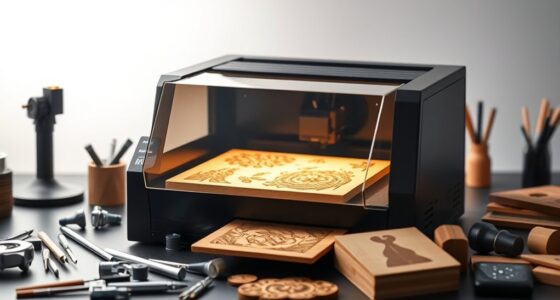
Finding the best sublimation printers for apparel businesses involves balancing quality, ease of use, and cost. The Sawgrass SG500 stands out as the overall best choice for professional results, thanks to its reliability and advanced anti-clog technology. The Epson SureColor F170 offers a compact, high-quality alternative suitable for small-scale production, while the Brother SP-1 provides an affordable entry point for newcomers. Each option has tradeoffs—some excel in print quality but come at a higher price, while others are more budget-friendly but may lack advanced features. Continue reading for a detailed breakdown that helps you match a printer to your specific needs and budget.
Key Takeaways
- The top picks balance print quality, ease of maintenance, and overall durability for apparel printing.
- Anti-clog and robust ink systems are critical for consistent, high-quality sublimation output.
- Compact models like the Epson F170 are ideal for small businesses with limited space but may lack large-format capabilities.
- Entry-level printers are budget-friendly but often require more manual intervention and have higher long-term costs.
- Bundles that include inks, transfer paper, and accessories tend to offer better value for beginners and small shops.


More Details on Our Top Picks
Sawgrass SG500 VersiFlex Sublimation Printer | Transfer to Cotton, Metal, Wood & Polyester | Anti-Clog Tech | Includes Soft-Touch Infusible Inks & 8.5×11 Transfer Paper
This Sawgrass SG500 with the VersiFlex kit stands out for enabling high-quality decoration on porous surfaces like cotton, untreated wood, and canvas—something traditional sublimation printers like the Epson EcoTank ET-2800 can’t do without additional products. Compared to the Epson ET-2800, it offers a specialized solution for porous materials, avoiding pre-treatment and delivering vibrant, soft-feel results. However, it requires a pressure-adjustable heat press and additional manual setup, which could be a hurdle for small or beginner businesses. Its unique ability to print on natural fibers makes it ideal for apparel brands focusing on cotton-based products, but it involves a tradeoff of extra equipment and learning curve.
Pros:- Enables decoration on natural fibers, untreated wood, and canvas without pre-treatment
- Produces vibrant, true-to-life colors with a soft touch
- REACH, RoHS, OEKO-TEX certified inks and papers ensure safety and quality
Cons:- Requires a pressure-adjustable manual heat press and additional setup
- Less suited for high-volume polyester sublimation, involving more equipment and time
Best for: Apparel businesses specializing in cotton and porous surface products seeking vibrant, durable results without pre-treatment.
Not ideal for: Small startups or hobbyists who want an all-in-one, plug-and-play solution for standard polyester sublimation projects.
- Printer Type:Inkjet
- Maximum Transfer Size:8.5×11 inches
- Connectivity:USB, Wi-Fi
- Item Weight:8.8 Pounds
- Maximum Resolution:5760 x 1440 dpi
- Paper Handling:100 sheets
Bottom line: This printer is best suited for apparel businesses looking to expand into porous materials and natural fibers with high-quality, soft finishes.
Epson EcoTank ET-2800 Wireless Color All-in-One Cartridge-Free Supertank with Scan and Copy, The Ideal Basic Home Printer – Black
Compared with the sublimation-focused models like the Sawgrass SG500 or Epson F170, the Epson ET-2800 excels in affordability and ease of use for everyday document printing. It’s perfect for apparel businesses that need a reliable, low-cost printer for labels, inserts, or general office printing rather than direct sublimation on apparel. Its refillable ink tanks provide significant savings on ink costs, and it offers wireless printing, scanning, and copying with decent resolution—though it can’t handle sublimation ink or porous materials. The tradeoff is slower print speeds and lower resolution compared to dedicated sublimation printers, making it less suitable for production-heavy environments but excellent for small-scale, mixed-use settings.
Pros:- Cost-efficient with refillable ink tanks lasting up to 2 years
- Wireless, scan, and copy functions for versatile office tasks
- Easy setup and maintenance suitable for non-technical users
Cons:- Limited to standard paper and labels, not compatible with sublimation inks
- Lower resolution and slower speeds limit high-volume or detailed printing
Best for: Small apparel businesses or home-based operations needing economical, multifunctional printing for labels, tags, or general printing tasks.
Not ideal for: Businesses requiring high-volume sublimation printing or decoration on porous surfaces without additional equipment.
- Printer Type:Inkjet
- Maximum Media Size:8.5 x 14 inches
- Print Speed:10 ppm color, 5 ppm black
- Connectivity:Wireless, USB
- Item Weight:8.8 Pounds
- Maximum Resolution:5760 x 1440 dpi
Bottom line: This printer is ideal for small apparel businesses needing an affordable, multifunctional device for non-sublimation tasks and daily document printing.
Epson EcoTank ET-15000 Wireless Color All-in-One Supertank Printer with Scanner, Copier, Fax, Ethernet and Printing up to 13 x 19 Inches, White
Compared with the smaller F170 or SG500, the Epson ET-15000 offers a larger print area up to 13×19 inches, making it suitable for wider transfers, banners, or larger designs in apparel decoration. Its refillable ink tanks and low running costs make it appealing for small to medium production runs. However, its print resolution, at 4800 x 1200 dpi, isn’t as high as dedicated sublimation printers like the F170, and it lacks direct sublimation ink compatibility—requiring conversion or special inks for apparel decoration. The ET-15000 excels in versatility for printing larger signage and multi-purpose use but is less optimal for detailed sublimation on smaller apparel items without additional modifications.
Pros:- Large media capacity up to 13×19 inches for bigger transfers
- Low-cost refillable ink tanks reduce operational expenses
- Includes fax, scan, and copier functions for multifunctionality
Cons:- Lower maximum resolution compared to specialized sublimation printers
- Requires additional inks and setup for sublimation on apparel
Best for: Mid-sized apparel or promotional product businesses needing large-format printing and scanning capabilities for versatile applications.
Not ideal for: Businesses focused solely on high-resolution sublimation on small apparel items or rigid substrates without additional equipment.
- Printer Type:All-in-One Inkjet
- Maximum Media Size:13×19 inches
- Print Speed:1 ppm color
- Connectivity:Wireless, Ethernet
- Item Weight:26.5 Pounds
- Maximum Resolution:4800 x 1200 dpi
Bottom line: This printer suits businesses that need large format printing and scanning with economical ink costs, but it’s less ideal for detailed sublimation on small apparel items without extra steps.
Epson SureColor F170 Dye-Sublimation Printer. Includes Full Set of Ink, User Guide, AC Power Cable, Sublimation Starter Kit, Thermal Tape, 8.5″ x 11″ & 8.5″ x 14″ Paper
Compared with the ColorWorks or larger Epson models, the SureColor F170 offers outstanding image clarity thanks to its PrecisionCore printhead, making it ideal for detailed artwork on apparel, mugs, and promotional items. Its included full set of OEM sublimation inks and dedicated transfer paper ensure high-quality results right out of the box, with less ink waste thanks to high-capacity bottles. While its resolution at 5760 x 1440 dpi surpasses many competitors, it’s limited to an 8.5×11 size, making it perfect for small to medium-sized items but less suitable for larger banners or textiles. Its compact size and professional output quality make it a top choice for small to medium apparel businesses seeking consistent, high-quality sublimation transfers.
Pros:- Outstanding image clarity with 5760 x 1440 dpi resolution
- Includes a full set of OEM sublimation inks and transfer paper
- Compact size suitable for small business spaces
Cons:- Limited to 8.5×11 size, less suitable for large textiles
- Higher initial cost than entry-level models
Best for: Small to medium-sized apparel and promotional product businesses that prioritize high-resolution, detailed sublimation on smaller items.
Not ideal for: High-volume production or larger format transfers on oversized textiles or banners.
- Printer Type:Sublimation
- Maximum Media Size:8.5×11 inches
- Print Speed:1 ppm
- Connectivity:Wireless, USB, Ethernet
- Item Weight:13.7 Pounds
- Maximum Resolution:5760 x 1440 dpi
Bottom line: This printer is best for small to medium businesses that need consistent, high-quality sublimation for smaller apparel or gift items, but not for large-format projects.
Epson SureColor F170 Dye-Sublimation Printer. Includes Full Set of Ink, User Guide, & AC Power Cable SCF170 – Compact 8.5″ x 11″ Format – Original Product with Full Manufacturer Support by ORINOKIA.
Compared to larger Epson models like the ET-15000, the SureColor F170 offers a compact, high-resolution solution ideal for detail-oriented sublimation projects on small apparel items. Its PrecisionCore printhead delivers sharp images at 5760 x 1440 dpi, ensuring professional-quality transfers. Its included full set of OEM inks and user support guarantee reliability for small businesses or startups aiming for consistent output. However, its size restricts the print area to 8.5×11 inches, so it’s less suitable for larger textiles or banners. It doesn’t support direct sublimation on porous surfaces, but for detailed apparel decoration, it provides excellent clarity and color saturation in a small footprint.
Pros:- High-resolution output with 5760 x 1440 dpi
- Includes a full set of OEM sublimation inks and user support
- Compact, space-efficient design
Cons:- Limited to 8.5×11 inch media size
- Not suitable for large-format or bulk sublimation projects
Best for: Small apparel and promotional product businesses requiring high-resolution, detailed sublimation on small items with full manufacturer support.
Not ideal for: Large-scale production or decoration on oversized textiles without additional equipment.
- Printer Type:Sublimation
- Maximum Media Size:8.5×11 inches
- Maximum Resolution:5760 x 1440 dpi
- Connectivity:Wireless, USB, Ethernet
- Item Weight:15.8 Pounds
- Print Speed:1 ppm
Bottom line: This printer is perfect for small-scale, high-resolution sublimation work on apparel and accessories, but not for large-format or high-volume production.
Epson SureColor F170 Dye-Sublimation Printer – Compact 8.5″ x 11″ Format – Includes Genuine Epson Ink, User Guide & Power Cable – Original OEM Product with Full Manufacturer Support
This compact Epson SureColor F170 stands out for its professional-quality output thanks to the PrecisionCore printhead, which offers exceptional clarity compared to less precise models like the Brother SP-1. Its included OEM inks are certified for textile use, providing peace of mind and consistent results, though this comes at a higher initial cost. The 150-sheet auto-feed tray enhances efficiency, making it suitable for small production runs without the bulk of larger commercial units. Compared with the Epson F170 models bundled with starter kits, this OEM version ensures reliable support and genuine ink, but the tradeoff is a slightly higher price. This printer is ideal for hobbyists and small businesses seeking dependable quality and full manufacturer support, though those needing larger formats should look elsewhere.
Pros:- Excellent print clarity with PrecisionCore technology
- Includes full set of OEM sublimation inks for textile safety
- Space-saving, easy setup compatible with Mac & Windows
- Dust-resistant tray for cleaner output
Cons:- Higher upfront cost compared to printers with compatible third-party inks
- Limited to 8.5″ x 11″ media size, not suitable for larger formats
Best for: Small apparel startups and hobbyists needing reliable, high-quality sublimation prints with OEM support
Not ideal for: High-volume production facilities or those requiring larger media sizes beyond 8.5″ x 11″
- Printer Type:Sublimation
- Maximum Media Size:8.5 inches
- Print Resolution:5760 x 1440 dpi
- Connectivity:Wireless, USB, Ethernet
- Item Weight:16 Pounds
- Control Method:Remote
Bottom line: Ideal for small-scale apparel businesses prioritizing quality, OEM support, and space efficiency.
Sublimation Starter Kit – 15×15 Heat Press & Printer Bundle 8in1 Professional Combo for Mug Tumbler T-Shirt Business
This all-in-one sublimation bundle makes launching a printing business accessible, especially for newcomers, with its large 15″ x 15″ heat press and versatile attachments. Unlike the Epson F170, which specializes in high-quality prints, this kit emphasizes ease of use and versatility, perfect for producing mugs, tumblers, and T-shirts. The included heat press features even heat distribution and digital controls, making it beginner-friendly, but it lacks the print resolution precision of dedicated sublimation printers like the Sawgrass SG500. The pre-filled, chipless ink system is a plus for quick setup, though it might limit ink refilling options. This pick is best for entrepreneurs just starting out in the personalized apparel and accessory market, but less suited for high-volume, detailed production.
Pros:- All-in-one package with heat press, printer, and attachments
- Pre-filled, chipless sublimation ink for quick start
- Large 15×15 inch heat press with even heat distribution
- Versatile for mugs, tumblers, T-shirts, and more
Cons:- Print resolution is lower compared to dedicated sublimation printers like Sawgrass SG500
- Bulkier setup not ideal for limited space
Best for: Beginners and small startups wanting a complete sublimation setup for mugs, tumblers, and apparel
Not ideal for: Experienced professionals needing high-resolution, large-format, or high-speed production
- Heat Press Size:15×15 inches
- Printer Compatibility:Mugs, tumblers, T-shirts
- Temperature Control:Digital up to 250°C
- Included Attachments:8-in-1 mug, tumbler, hat, and plate
- Power:Electric
- Warranty:N/A
Bottom line: Perfect for beginners and small businesses seeking an easy-to-use, versatile sublimation starter kit.
Epson EcoTank ET-2803 Wireless Color All-in-One Cartridge-Free Supertank Printer with Scan, Copy and AirPrint Support
Compared with dedicated sublimation printers like the Sawgrass SG500, the Epson EcoTank ET-2803 offers a budget-friendly, cartridge-free solution for basic printing needs, including sublimation if using compatible inks. Its high-capacity EcoFit tanks provide significant savings and longer print runs, making it attractive for small-scale apparel or craft projects. Its print quality is solid for everyday use but falls short of the fine detail and color vibrancy needed for high-end apparel transfers, unlike the Sawgrass SG500, which is optimized for sublimation. The ET-2803’s multifunction capabilities, including scan and copy, add versatility, though its media size is limited to standard paper, making it less ideal for large-format sublimation. This model suits hobbyists or small businesses with modest volume requirements and budget constraints.
Pros:- Cost-effective, cartridge-free design with high-capacity ink tanks
- Wireless connectivity and AirPrint support for easy printing from devices
- Multi-functionality: print, scan, copy
- Long-lasting ink bottles reduce replacement costs
Cons:- Limited to standard media sizes, not suitable for large-format sublimation
- Print quality and resolution not optimized for high-end apparel transfers
Best for: Budget-conscious small businesses, hobbyists, and home users needing multifunctionality
Not ideal for: High-volume or professional apparel producers requiring large-format, high-resolution sublimation printing
- Print Resolution:5760 x 1440 dpi
- Media Size:Up to 8.5 x 14 inches
- Connectivity:Wireless, AirPrint
- Functionality:Print, Scan, Copy
- Item Weight:8.8 Pounds
- Warranty:1-year limited
Bottom line: Best for small-scale, budget-minded businesses seeking multifunctionality with reliable ink capacity.
Brother Sublimation Printer
The Brother Sublimation Printer complements the Artspira app for easy design creation, making it a good choice for hobbyists and small entrepreneurs. Its compatibility with over 100 sublimation designs and quick, vibrant printing capabilities makes it suitable for producing custom apparel, mugs, and accessories on a small scale. However, the printer’s maximum resolution of 600×600 dpi is modest compared to higher-end models like Sawgrass or Epson F170, which may impact fine detail and color vibrancy. Its simplicity and software integration favor users new to sublimation, but it may not meet the demands of high-volume or professional-grade production. It’s best for those starting out or doing limited runs rather than large batches.
Pros:- Compatible with Artspira app for easy design management
- Quick, vibrant color printing
- Ideal for mugs, apparel, and accessories
- Reliable Brother brand reputation
Cons:- Lower maximum resolution limits fine detail
- Limited media size and not suitable for large-format printing
Best for: DIY enthusiasts and small-scale apparel or accessory makers needing simple, reliable sublimation printing
Not ideal for: Large-scale production or high-resolution professional apparel printing
- Print Resolution:600 x 600 dpi
- Media Size:Up to 8.5 x 14 inches
- Connectivity:USB, Wi-Fi
- Application Compatibility:Artspira app
- Item Weight:N/A
- Warranty:Brother warranty
Bottom line: Best for hobbyists and small enterprises focusing on simple, vibrant sublimation projects.
Brother SP-1 Sublimation Printer Starter Bundle with Full Ink Set, 160 Sublimation Transfer Sheets, 50 Blanks, Tape and More
This Brother SP-1 starter bundle offers an extensive package ideal for hobbyists and small entrepreneurs, including a full set of inks, transfer sheets, blanks, and accessories. Its compact size and quick setup make it accessible for beginners, and the bundled software and design resources help streamline the creative process. While it provides a good entry point, its print resolution of 600×600 dpi and media size limit it for high-detail, professional apparel production. Compared to the Epson F170, which offers higher resolution and support for larger media, the Brother bundle emphasizes affordability and convenience over ultimate print quality. This kit suits those starting with small batches or personal projects but may require upgrades for larger scale production.
Pros:- Includes a full ink set, transfer sheets, blanks, and accessories
- User-friendly setup with comprehensive resources
- Affordable entry point for new users
- Compact and portable for small spaces
Cons:- Limited to 600×600 dpi resolution, not ideal for fine detailed work
- Media size constrained to 8.5″ x 11″
Best for: Hobbyists and small-scale entrepreneurs seeking an all-in-one sublimation starter kit
Not ideal for: High-volume or professional-grade apparel businesses requiring large formats and high resolution
- Full Ink Set:CMYK, 47ml bottles
- Transfer Sheets:160 sheets
- Blanks Included:50
- Connectivity:Wi-Fi, Ethernet
- Print Resolution:600 x 600 dpi
- Media Size:8.5 x 11 inches
Bottom line: Excellent starter kit for hobbyists and small businesses wanting a complete sublimation package without high costs.
Sawgrass SG500 Sublimation Printer Bundle with Anti-Clog Technology | Only Printer Designed Exclusively for Sublimation | Includes 31mL SubliJet UHD Inks & TruePix Paper | Wi-Fi
The Sawgrass SG500 stands out for its professional-quality output, making it ideal for small apparel businesses aiming for vibrant, high-definition results. Compared with the Epson EcoTank ET-2800, which offers more general use and lower initial cost, the SG500’s specialized sublimation technology and anti-clog features reduce downtime and enhance consistency. Its compact design fits snugly on a desktop, yet it can handle media up to 8.5″ x 14″—perfect for small to medium-sized projects. However, the included SubliJet UHD inks are pricey, which could impact ongoing costs. The user-friendly MySawgrass platform simplifies design creation, but software speed lags behind more streamlined options. This pick makes the most sense for entrepreneurs committed to high-quality sublimation printing with room to grow, accepting higher ink costs for superior results.
Pros:- Exceptional print quality with vibrant, sharp colors
- Built-in anti-clog technology for reliable operation
- Compact, desk-friendly design
Cons:- High cost of SubliJet UHD inks increases ongoing expenses
- Design software can be slow and less responsive
Best for: Small apparel business owners seeking professional-grade, reliable sublimation results with growth potential.
Not ideal for: Beginners with minimal budget or those needing larger print sizes beyond 8.5″ x 14″.
- Printer Type:Dye Sublimation
- Max Media Size:8.5 x 14 inches
- Resolution:1200 x 1200 dpi
- Connectivity:Wi-Fi
- Ink Color:Cyan, Magenta, Yellow, Black
- Print Speed:10 color pages per minute
- Dimensions:17.25″ D x 15.75″ W x 8.5″ H
- Warranty:2 years
- Media Compatibility:Specialized sublimation paper
Bottom line: A solid choice for small apparel businesses prioritizing high-quality sublimation with reliable performance, despite the higher ink costs.

How We Picked
This roundup evaluates sublimation printers based on performance reliability, print quality, ease of setup and maintenance, compatibility with sublimation inks, and overall value. We prioritized models with proven durability in high-volume apparel printing, as well as those offering straightforward operation to reduce downtime. The ranking also considers user feedback regarding ink system longevity, print consistency, and support resources. Products are ordered from the most comprehensive, feature-rich solutions suitable for professional apparel businesses to more affordable options that fit smaller operations or startups. This approach ensures each product serves a distinct buyer profile, making the guide practical for different investment levels and business scales.Factors to Consider When Choosing Best Sublimation Printers For Apparel Businesses
Choosing the right sublimation printer for apparel businesses involves understanding several key factors beyond just print quality. Your decision should reflect your business size, growth plans, and specific product offerings. Carefully evaluating these aspects helps avoid costly mistakes and ensures your investment aligns with your operational needs.Print Size and Format
Consider the maximum printable area that matches your product range. Small-format printers like the Epson F170 are excellent for mugs, T-shirts, and smaller items, but if you plan to produce larger apparel or home decor, a wider or more versatile model becomes necessary. Ensuring your printer can handle the size of your typical jobs prevents bottlenecks and limits reprints or resizing issues later.
Ink System and Cost
Most sublimation printers rely on specialized inks that can be costly over time. Look for models with refillable ink tanks or bulk ink options, as these reduce ongoing expenses. Beware of printers that use proprietary cartridges with high replacement costs, which can quickly eat into your margins. A reliable ink delivery system also minimizes clogs and maintenance, keeping your workflow smooth.
Ease of Use and Support
Beginners should prioritize printers with straightforward setup, clear instructions, and good customer support. Features like automatic cleaning cycles and user-friendly interfaces help reduce downtime. Additionally, brands with active online communities and responsive technical support can save time and frustration when issues arise.
Speed and Production Volume
If your business requires high-volume output, look for printers with fast print speeds and robust build quality. This ensures you can meet order deadlines without sacrificing quality. Conversely, small-scale or occasional printing might prioritize affordability and compact design over speed, making a different model more suitable.
Compatibility and Ecosystem
Ensure the printer is compatible with your existing setup, including design software and computer systems. Compatibility with third-party inks and transfer papers can also provide cost savings and flexibility. Investing in a well-supported ecosystem reduces the risk of technical issues disrupting your workflow.
Frequently Asked Questions
Can I use generic sublimation inks with these printers?
Many sublimation printers are designed to work with proprietary inks, which often provide better results and support. However, some models, like certain Epson units, allow the use of third-party sublimation inks, potentially reducing ongoing costs. It’s important to verify compatibility before switching ink brands, as using incompatible inks can lead to clogs, poor color fidelity, or voided warranties.
How difficult is it to maintain a sublimation printer for apparel printing?
Maintenance varies between models but generally involves regular cleaning cycles, ink refills, and occasional printhead checks. Printers with automatic cleaning and anti-clog features reduce manual effort and downtime. For high-volume shops, choosing a model with durable parts and good support minimizes long-term maintenance headaches.
Is a wider-format sublimation printer worth the extra cost for apparel businesses?
Wider-format printers like the Epson ET-15000 can handle larger or multiple items simultaneously, increasing productivity. However, they typically come at a higher initial cost and larger footprint. If your product line includes large apparel or multiple smaller items at once, the investment can pay off through faster turnaround times and expanded capabilities.
What should I consider if I plan to scale my apparel sublimation business?
Scaling requires a reliable, high-capacity printer with fast print speeds and minimal downtime. Look for models with high ink capacity, support for bulk inks, and easy maintenance. Additionally, consider compatibility with various transfer papers and the ability to handle larger formats as your production needs grow.
Are all sublimation printers suitable for cotton or natural fabrics?
Most sublimation printers are designed for polyester or polymer-coated surfaces, not natural fabrics like cotton. For printing directly on cotton, other printing methods such as direct-to-garment (DTG) are more appropriate. However, you can achieve some transfer effects on cotton using special coating or blending techniques, but these are not typical for standard sublimation printers.
Conclusion
For professional apparel businesses seeking high reliability and top-tier print quality, the Sawgrass SG500 remains the best overall choice. Small startups or those with limited space will benefit from the compact Epson F170, which offers excellent quality in a smaller footprint. Budget-conscious beginners should consider the Brother SP-1 for affordability, while larger operations aiming for high-volume output might prioritize the Epson ET-15000. Ultimately, your decision should align with your business scale, product range, and growth plans to ensure long-term success.