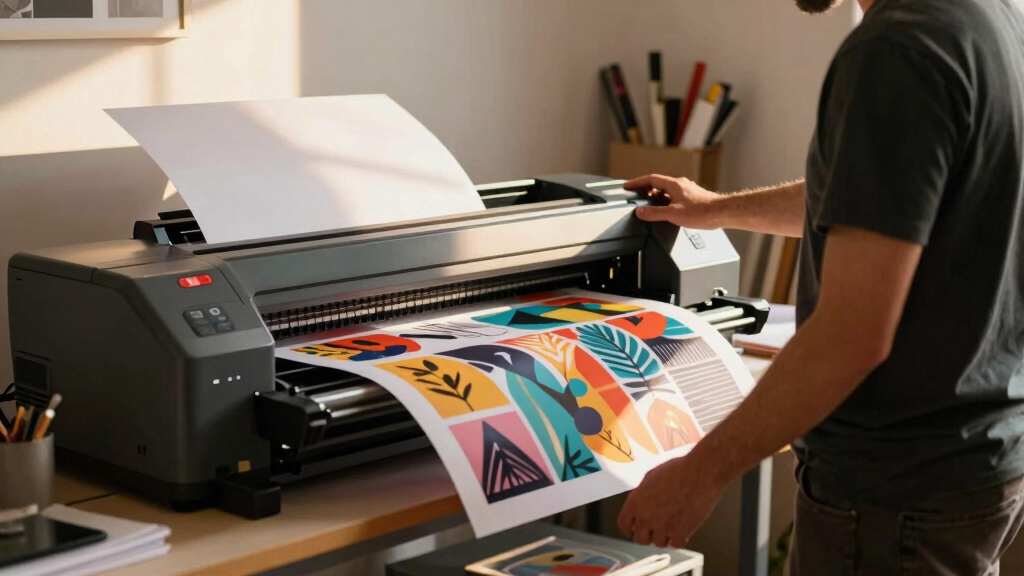

Choosing the best wide-format printer for creators involves balancing print quality, versatility, and ease of use. The Epson EcoTank ET-15000 stands out as the best overall, offering high-quality, versatile printing with minimal maintenance. For those prioritizing professional photo prints, the Epson EcoTank Photo ET-8550 delivers stunning results. Creators who need large-format CAD or poster printing should consider dedicated plotters like the Canon imagePROGRAF TC-21. The main tradeoffs involve cost, print size, and ease of setup—more advanced models often come at a higher price and complexity. Keep reading for a detailed breakdown to find the ideal fit for your creative needs.
Key Takeaways
- The top picks balance print quality, size, and ease of use, with the Epson EcoTank ET-15000 earning the overall best spot for its versatility.
- Photo-focused creators benefit most from models like the Epson EcoTank Photo ET-8550, which offer superior color accuracy and detail.
- Specialized large-format plotters such as the Canon imagePROGRAF TC-21 excel in poster and CAD printing but are more expensive and less suited for casual use.
- Cost-effective options like the Epson EcoTank series provide excellent value for long-term printing with lower ink costs, though they may have slower print speeds.
- Choosing the right wide-format printer depends heavily on your primary use case—whether photo printing, large posters, CAD, or general creative projects.


More Details on Our Top Picks
Epson EcoTank ET-15000 Wireless Color All-in-One Supertank Printer with Scanner, Copier, Fax, Ethernet and Printing up to 13 x 19 Inches, White
This Epson EcoTank ET-15000 stands out for its combination of high-volume, borderless printing and cost efficiency, making it ideal for creators who need large-format outputs without the constant ink replacements of traditional inkjets. Compared with the Epson Workforce Pro WF-7310, it offers larger ink tanks and the ability to print borderless photos up to 13×19 inches, which is a significant advantage for visual projects. The tradeoff is that the ET-15000 is bulkier and pricier upfront, which might be overkill if you only need occasional wide-format printing. Its refillable ink tanks provide a dramatic reduction in per-page costs, especially for high-volume printing, and the all-in-one functionality supports scanning, copying, and faxing, streamlining creative workflows. The 250-sheet paper capacity and 2.7″ touchscreen enhance productivity, though setup can be slightly complex for beginners. This pick makes the most sense for creators needing large-format, cost-effective, multifunction printing.
Pros:- Cost-efficient ink system with low per-page costs
- Prints borderless up to 13×19 inches, ideal for photos and posters
- All-in-one functionality including scanner, copier, and fax
Cons:- Bulky design requiring substantial space
- Initial setup can be complex for new users
- Higher upfront cost compared to smaller printers
Best for: Visual artists, photographers, and small studios requiring large, borderless prints with low running costs.
Not ideal for: Casual hobbyists or those with limited space, as its size and price may be prohibitive.
- Printer Type:Inkjet
- Maximum Media Size:13 x 19 inch
- Connectivity:Wireless, Ethernet, USB
- Print Resolution:4800 x 1200 dpi
- Item Weight:26.46 Pounds
- Paper Capacity:250 sheets
Bottom line: This model is perfect for creators needing large, borderless prints and high-volume, budget-conscious production.
Epson Workforce Pro WF-7310 Wireless Wide-Format Printer with Print up to 13″ x 19″ Auto Double-Sided Printing max 11″ x 17″, 500-sheet Capacity, 2.4″ Color Display, Smart Panel App – Black
The Epson Workforce Pro WF-7310 provides a reliable, high-speed wide-format printing solution tailored for busy creators with large print demands. It delivers up to 13×19 inches borderless printing and a hefty 500-sheet capacity, outperforming smaller models like the Epson XP-15000 for volume and efficiency. While it lacks the photo-centric features of the ET-8550, it’s better suited for printing high-quality documents and graphics in bulk, with an emphasis on durability and speed. Its 25 ppm black and 12 ppm color output makes it suitable for professional environments, though its setup and navigation might feel less intuitive for hobbyists. The use of Epson Genuine Cartridges ensures consistent results, but the reliance on cartridges can be more expensive long-term than tank systems like the ET-15000. This is a strong pick for creators balancing large-format needs with volume and cost efficiency.
Pros:- High-capacity 500-sheet paper tray
- Fast print speeds up to 13×19 inches borderless
- Reliable wireless connectivity with smart app control
Cons:- Uses cartridges which can be costly over time
- Setup may be less straightforward for beginners
- Lacks the photo-specific features of higher-end models
Best for: Small creative studios, photographers, or designers who need large-format printing with high throughput.
Not ideal for: Hobbyists seeking occasional printing or those who prioritize photo quality over document speed.
- Printer Type:Inkjet
- Maximum Media Size:13 x 19 inch
- Paper Capacity:500 sheets
- Connectivity:Wireless, Ethernet, USB
- Print Speed:25 ppm black, 12 ppm color
- Display:2.4-inch color touchscreen
Bottom line: Ideal for creators who need dependable large-format printing with high volume and speed, at a reasonable price.
Epson WorkForce Pro WF-7820 Wireless All-in-One Wide-Format Printer, Auto 2-Sided Print 13″ x 19″ Copy, Scan & Fax, 50-Page ADF, 250-sheet Paper Capacity, Works with Alexa – Black
The Epson WorkForce Pro WF-7820 combines versatility with efficiency, making it ideal for creators who need to print, scan, copy, and fax in wide format. Its ability to handle up to 13×19 inch media and automatic duplex printing supports a variety of creative and professional tasks. Compared to the Epson EcoTank ET-15000, it offers more comprehensive multifunction capabilities, including fax and an automatic document feeder, which can streamline workflow in a busy studio or office setting. While its ink is cartridge-based, it’s designed for durability and reliable performance, though its size might be a concern for tight spaces. The device’s compatibility with Alexa and Epson’s Smart Panel app enhances ease of control, making it suitable for tech-savvy creators. This model is best for those who need a multifunction, high-capacity printer that can handle creative projects and office tasks seamlessly.
Pros:- Supports printing, scanning, copying, and faxing up to 13×19 inches
- Automatic duplex printing saves time and paper
- Wireless connectivity with Alexa and mobile app control
Cons:- Uses cartridges which may increase long-term costs
- Bulkier footprint requires ample space
- Setup can be complex for less tech-savvy users
Best for: Creative professionals who require multifunction capabilities in a wide-format printer with smart home integration.
Not ideal for: Hobbyists who only need occasional printing and prefer tank-based ink systems for lower running costs.
- Printer Type:Inkjet
- Maximum Media Size:13 x 19 inch
- Paper Capacity:250 sheets
- Printing Speed:12 ppm color
- Display:4.3-inch color touchscreen
- Functions:Print, scan, copy, fax
Bottom line: Best suited for creators needing a multifunction, wide-format printer with advanced connectivity and office features.
Epson EcoTank Photo ET-8550 Wireless Wide-format Color All-in-One Supertank Printer with Scanner Copier, Ethernet and 4.3-inch Colorfull Touchscreen
The Epson EcoTank Photo ET-8550 excels at high-quality, borderless photo printing up to 13×19 inches, making it ideal for visual creators and artists. Its 6-color Claria ET Premium inks produce vibrant, true-to-life colors with an ultra-wide color gamut, surpassing models like the XP-15000 in color accuracy and detail. The refillable ink tanks significantly lower running costs, especially for large-volume photo projects, with an estimated yield of up to 6,200 pages. Although it’s not a dedicated photo printer, its all-in-one functionality supports scanning and copying, adding versatility for creative workflows. The 4.3-inch touchscreen and Ethernet connectivity enhance ease of use. However, its price point and size mean it’s best for dedicated artists or studios with a focus on professional-quality images. This model is perfect for those seeking lab-quality photo output in a wide format.
Pros:- Six-color Claria ET Premium inks for superior color range
- Borderless printing up to 13×19 inches
- Cost-effective ink system with large yields
Cons:- Higher purchase price compared to standard printers
- Larger footprint, requires dedicated space
- Limited to photo and creative projects, less suited for document printing
Best for: Professional photographers and artists producing gallery-quality prints and high-volume photo projects.
Not ideal for: Casual users or hobbyists with limited space or less focus on color accuracy.
- Printer Type:Inkjet
- Maximum Media Size:13 x 19 inch
- Print Resolution:5760 x 1440 dpi
- Connectivity:Wireless, Ethernet
- Ink System:Claria ET Premium, 6-color
- Item Weight:39.9 Pounds
Bottom line: An excellent choice for creators demanding professional-quality, large-format photo printing with cost savings on ink.
Epson Expression Photo HD XP-15000 Wireless Color Wide-Format Printer, Amazon Dash Replenishment Ready, Black, Large
The Epson Expression Photo HD XP-15000 offers professional-grade borderless printing up to 13×19 inches, making it ideal for artists and photographers who prioritize ultra HD quality. It uses six individual Claria Photo HD inks, including red and gray, to achieve a broad color spectrum and detailed black-and-white images. Its compact size—30% smaller than previous models—allows it to fit on a desktop without sacrificing large media support, including specialty papers and borderless formats. The auto 2-sided printing feature enhances efficiency for creative projects or portfolios. While it lacks multifunction features like scanning or copying, its primary focus on high-quality imaging makes it perfect for producing gallery-ready prints at home or in small studios. The Dash Replenishment system ensures you won’t run out of ink unexpectedly, adding convenience for continuous creative work.
Pros:- Ultra HD 6-color ink system for vivid, detailed images
- Borderless printing up to 13×19 inches
- Compact design with professional print quality
Cons:- Limited to printing, no scanning or copying
- Higher ink costs if not using Dash Replenishment
- Price premium for high-end photo output
Best for: Photographers and artists producing high-resolution, borderless prints in small studio environments.
Not ideal for: Users requiring multifunction capabilities or high-volume document printing.
- Printer Type:Inkjet
- Maximum Media Size:13 x 19 inch
- Print Resolution:5760 x 1440 dpi
- Connectivity:Wireless
- Ink System:Claria Photo HD, 6-color
- Item Weight:30 Pounds
Bottom line: Perfect for creators focused on producing large, high-quality, borderless photos with reliable ink management.
Epson EcoTank ET-4800 Wireless All-in-One Cartridge-Free Supertank Printer with Scanner & Workforce Pro WF-7310 Wireless Wide-Format Printer with Print up to 13″ x 19″
This model stands out for its combination of affordability and multifunctionality, making it ideal for creators who need to print both documents and photos without the hassle of cartridges. Compared to the Workforce Pro WF-7310, the ET-4800 offers a more compact footprint and easier refill system, but sacrifices some speed and max paper size. Its high-capacity EcoFit ink bottles and cartridge-free design directly appeal to eco-conscious creators tired of waste. However, its slower print speeds and limited media size may frustrate those producing larger or high-volume projects. This pick makes the most sense for hobbyists or small studios focused on quality and sustainability over volume.
Pros:- Easy to refill with EcoFit ink bottles, reducing waste
- All-in-one functionality with scanner and copier
- Wireless connectivity for flexible workspace setup
- Impressive print quality on various paper types
Cons:- Slower print speeds compared to high-end wide-format models
- Limited to 13″ maximum paper size, restricting larger projects
Best for: Creators who prioritize cost-effective, eco-friendly printing for small batches or personal projects.
Not ideal for: High-volume professional print shops or artists needing larger formats or faster output.
- Printer Type:Inkjet
- Display Screen:Color LCD
- Maximum Media Size:13″ x 19″
- Print Resolution:4800 x 1200 dpi
- Connectivity:Wi-Fi, USB
- Number of Trays:1
- Maximum Copies Per Run:999
- Ink Color:Color
Bottom line: This is a solid choice for creators seeking a budget-friendly, eco-conscious all-in-one for small-scale printing.
Epson EcoTank Pro ET-16600 Wireless Wide-format Color All-in-One Supertank Printer with Scanner, Copier, Fax, and Ethernet
Compared to the ET-4800, the ET-16600 offers significantly higher paper capacity, faster speeds, and a larger maximum media size, making it ideal for demanding creative workflows. Its 66000-page duty cycle and refillable ink tanks drastically lower running costs for frequent printing needs. The 4.3″ touch screen simplifies operation, and Ethernet/Wi-Fi provide flexible connectivity options. The tradeoff is its bulky size and higher initial investment—not suited for small personal spaces or casual hobbyists. This model makes the most sense for small studios or professional artists who produce large quantities of high-quality prints regularly.
Pros:- Massive paper capacity with 500-sheet front tray
- Extremely low cost per page due to high-yield ink bottles
- Fast speeds up to 25 ppm black/white
- Supports media up to 13″ x 19″ with borderless options
Cons:- Large, heavy footprint unsuitable for small spaces
- High upfront cost and complexity of setup
Best for: Small professional studios or prolific creators needing large format, high-volume printing with low running costs.
Not ideal for: Casual hobbyists or creators with limited space or infrequent printing needs.
- Printer Type:Inkjet
- Display Screen:4.3″ Color Touch
- Maximum Media Size:13″ x 19″
- Print Speed:25 ppm B&W
- Connectivity:Wi-Fi, Ethernet
- Maximum Copies Per Run:999
- Ink Color:Color
- Duty Cycle:66,000 pages
Bottom line: This is the top choice for high-volume, professional-grade wide-format printing in a compact studio environment.
Epson Expression Photo XP-980 Wireless Wide-Format Printer with 6-Color Claria Ink System, Borderless Printing up to 11″ x 17″, Fast 4″ x 6″ Photo Printing, Built-in Scanner and Copier
This printer excels in producing vibrant, professional-quality photos, especially with its 6-color Claria Photo HD inks and 5760 x 1440 dpi resolution. Unlike the Workforce Pro WF-7310, which is geared toward document printing, the XP-980 is tailored for artists and photographers who demand sharp detail and color accuracy. Its borderless 11″ x 17″ printing capability makes it ideal for creating gallery-ready prints or detailed posters. The tradeoff is slower print speeds and a smaller media capacity, making it less suitable for high-volume production. It makes the most sense for hobbyists, photographers, or small studios focused on quality over speed.
Pros:- Vivid, accurate color reproduction with 6-color system
- Borderless printing up to 11″ x 17″
- Fast 4″ x 6″ photo printing in just 11 seconds
- Built-in scanner and copier for versatile workflows
Cons:- Limited media capacity and slower speeds for bulk printing
- Higher cost per print compared to bulk ink models
Best for: Photographers and artists seeking high-quality, borderless wide-format prints with detailed color reproduction.
Not ideal for: Large-scale commercial print shops or users needing rapid output and large volume capacity.
- Printer Type:Inkjet
- Maximum Media Size:11″ x 17″
- Print Resolution:5760 x 1440 dpi
- Print Speed:4″ x 6″ in 11 sec
- Connectivity:Wi-Fi, USB
- Number of Trays:2
- Color Ink System:6-color Claria
- Maximum Copies Per Run:99
Bottom line: Ideal for creators who prioritize stunning photo quality and detailed wide-format prints over speed and volume.
HP OfficeJet Pro 9720e Wide Format Wireless All-in-One Color Inkjet Printer, Print, scan, Copy, ADF, Duplex Printing Best for Office, 3 Month Instant Ink Trial Included, AI-Enabled (53N95A)
Compared to the Epson XP-980, the HP OfficeJet Pro 9720e offers a more robust 250-sheet paper capacity, faster speeds up to 18 ppm color, and a large 11″ x 17″ media capacity with automatic duplexing, making it well-suited for small teams or office environments that also pursue creative projects. Its AI-enabled features and built-in security provide a more streamlined and secure workflow, especially with the included 3-month Instant Ink trial. While it doesn’t produce the same photo detail as the Epson Expression Photo XP-980, it compensates with higher volume capabilities and more versatile media handling. This makes it ideal for creators balancing professional work and hobby projects in a shared workspace.
Pros:- 250-sheet paper capacity for high-volume printing
- Fast print speeds up to 18 ppm color
- Supports automatic duplex and borderless printing up to 11″ x 17″
- Includes 3-month Instant Ink trial for cost savings
Cons:- Less suitable for fine art or high-detail photo printing
- Bulkier design may be unsuitable for very small spaces
Best for: Small creative teams or small business owners requiring reliable, high-capacity wide-format printing with multifunction features.
Not ideal for: Solo artists or hobbyists who only need occasional, high-detail photo printing.
- Printer Type:Inkjet
- Maximum Media Size:11″ x 17″
- Print Speed:18 ppm color
- Maximum Copies Per Run:99
- Connectivity:Wi-Fi, Ethernet
- Number of Trays:2
- Color Ink System:4-color
- Warranty:1 Year
Bottom line: Best suited for small offices or creative teams needing reliable, versatile wide-format printing and multifunctionality.
Canon imagePROGRAF TC-21 24″ – Large Format Printer, Poster & Plotter Printer, Automatic Roll & Cut Sheet Paper Feeder, Includes 280 ml of Ink, White
The Canon imagePROGRAF TC-21 shines for creators needing precise, large-format output on a variety of media, from posters to technical drawings. Its 24″ width and automatic roll and cut sheet feeding make it ideal for producing large, detailed posters or presentations. Compared with the Epson ET-16600, the Canon’s focus on ease of setup and maintenance, with an intuitive touchscreen and front access, simplifies workflow for smaller studios. Its included 280 ml ink set offers ample supply for extended projects. The tradeoff is a narrower maximum media width compared to some high-end plotters, and it lacks the speed for rapid production runs. It suits creators who prioritize quality and ease over ultra-high volume.
Pros:- Automatic roll and sheet feeding for versatile media handling
- High-quality, crisp prints with 280 ml ink set included
- Easy to set up and maintain with front access
- Supports multiple media types and sizes up to 24″
Cons:- Limited to 24″ media width, not suitable for larger banners
- Slower speeds compared to industrial plotters
Best for: Designers, illustrators, or poster artists needing reliable, high-quality large-format output with easy setup.
Not ideal for: Artists requiring very high-volume printing or larger media widths beyond 24″.
- Printer Type:Inkjet
- Maximum Media Size:24″ wide
- Print Resolution:5760 x 1440 dpi
- Automatic Roll Feed:Yes
- Connectivity:USB, Wi-Fi, Ethernet
- Ink Capacity:280 ml per color
- Media Type:Photo, Poster, Technical
- Maximum Copies Per Run:Unlimited
Bottom line: This is an excellent choice for creators needing precise, high-quality large-format posters and technical prints in a compact desktop size.
HP DesignJet T210 Large Format Color Plotter Printer – 24-inch, for Easy Wide Format CAD & Poster Prints
The HP DesignJet T210 stands out for its compact design and user-friendly workflow, making it a strong choice for professionals who need consistent, accurate line work and crisp text. Compared to the Epson EcoTank ET-15000, which excels at versatile all-in-one printing, the T210 is more specialized for technical drawings and detailed maps, with a focus on precision rather than multi-functionality. Its ability to handle media up to 24 inches wide, along with features like automatic sheet and roll feeding, simplifies complex projects. The inclusion of HP Click software streamlines job management, saving time and reducing waste. However, its slower print speed (45 seconds per page) can be a drawback for high-volume environments, and its lack of multi-function capabilities limits versatility. This printer makes the most sense for architects, engineers, or GIS professionals needing reliable, high-quality output without the bulk and cost of larger plotters.
Pros:- Highly accurate line quality ideal for technical drawings
- Compact size fits into small or cluttered offices
- Intuitive HP Click software simplifies workflow
Cons:- Slower print speeds may hinder productivity in busy settings
- Limited to print-only functionality, no scanning or copying
Best for: Professionals requiring detailed CAD, maps, and posters with high accuracy and minimal fuss.
Not ideal for: Small creative studios or hobbyists who need a multi-purpose printer or faster output for large volumes.
- Maximum Media Width:24 inches
- Print Speed:45 seconds per page
- Connectivity:Gigabit Ethernet, USB 2.0, Wi-Fi
- Maximum Copy Resolution:2400 x 1200 dpi
- Media Handling:Sheet feed, roll feed, automatic cutter
- Item Weight:60 pounds
- Included Software:HP Click, HP Smart app
- Warranty:1-year limited hardware
Bottom line: This printer is best suited for technical professionals prioritizing precision and space efficiency over speed and multi-functionality.

How We Picked
The products in this roundup were selected based on multiple criteria relevant to creators: print quality, maximum media size, ease of setup and maintenance, connectivity options, and overall value. We prioritized models that are versatile enough to handle different creative tasks while maintaining user-friendly interfaces. Cost and ongoing ink or toner expenses were also considered, as they impact long-term affordability. The ranking reflects a balance between high-end professional features and accessible options suitable for hobbyists or semi-professional creators.Factors to Consider When Choosing Best Wide-format Printers For Creators
When choosing a wide-format printer for creative projects, several factors can influence your satisfaction and productivity. Understanding these will help you avoid common pitfalls and select a model that truly fits your workflow and budget.Print Quality and Color Fidelity
For creators, especially those working in photography or detailed artwork, high print resolution and color accuracy are non-negotiable. Look for models with advanced ink systems and higher DPI settings, which translate into sharper, more vibrant prints. Cheaper models might save money upfront but often produce duller colors or less precise details, impacting your finished work.
Maximum Media Size and Media Handling
Assess your typical project size—whether posters, art prints, or CAD drawings—and choose a printer that can handle your largest media without cropping or feed issues. Dedicated plotters or high-capacity models often support roll paper and thicker materials, which are essential for large-scale or specialty projects. Smaller models may restrict your creative scope or require frequent media changes.
Ease of Use and Maintenance
Consider how intuitive the printer’s interface is and how easy it is to refill inks, clean heads, or troubleshoot issues. Models with touchscreen controls and wireless connectivity tend to streamline workflows, especially if you print from multiple devices. However, more complex systems may demand a steeper learning curve or higher maintenance, which could slow down your creative process.
Cost of Consumables and Long-Term Value
Initial purchase price is only part of the total cost. Ink and toner expenses, especially for high-volume printing, can add up quickly. Supertank models like Epson EcoTank printers often offset higher upfront costs with lower ongoing ink expenses. Failing to consider these factors might lead to budget overruns over time or limit your output volume.
Connectivity and Workflow Integration
Wireless options, cloud printing, and compatibility with creative software are significant for smooth workflows. Ensure the printer integrates well with your existing setup—whether via Wi-Fi, Ethernet, or mobile apps—and supports the file formats and sizes you typically work with. Lack of proper connectivity can cause delays or frustrations, especially during tight project deadlines.
Frequently Asked Questions
Can I use regular paper for large-format printing?
While some wide-format printers support standard paper, most are designed for specific media types, such as photo paper, canvas, or heavy art stock. Using unsupported materials can lead to feed issues or poor print quality. It’s best to check the media specifications for your chosen model and match them with your project needs to achieve the best results.
How much does it cost to run a wide-format printer long-term?
The ongoing costs depend heavily on the ink or toner consumption and media types used. Supertank models like Epson EcoTank can dramatically reduce ink expenses with refillable tanks, whereas cartridge-based printers might have higher per-page costs. Consider your projected monthly volume when estimating long-term expenses, and factor in maintenance and potential part replacements for a holistic view.
Is it worth investing in a dedicated plotter for large posters?
Yes, if large posters or CAD drawings are your primary output, dedicated plotters like the Canon imagePROGRAF are designed to handle high-volume, precise, and large media. They often offer superior accuracy, roll media support, and faster throughput for large projects. However, they tend to be more expensive and complex to operate than multifunction printers, so only buy if your workflow demands such capabilities.
What features are most important for beginner creators?
Beginners should focus on models with straightforward setup, user-friendly interfaces, and reliable wireless connectivity. Compact size and low maintenance requirements also help reduce initial barriers. Budget-friendly options with good print quality, like certain Epson EcoTank models, provide a practical entry point without overwhelming new users with advanced features they may not need immediately.
Are inkjet or laser wide-format printers better for creators?
For most creative purposes, inkjet printers tend to deliver better color accuracy and smoother gradients, making them preferable for photo and art reproductions. Laser printers, while faster and more cost-effective for high-volume printing, often lack the color richness needed for detailed artwork. Your choice should depend on whether your priority is quality or speed and volume.
Conclusion
For creators seeking a versatile all-rounder, the Epson EcoTank ET-15000 offers unmatched value, combining large media support with low running costs, making it ideal for hobbyists and semi-professionals. Those focused on high-quality photo prints should consider the Epson EcoTank Photo ET-8550, which excels in color fidelity. If you need dedicated large-format posters or CAD work, investing in specialized plotters like the Canon imagePROGRAF TC-21 pays off in precision and media handling. Beginners or casual users will find the Epson EcoTank series accessible and affordable, while professionals with high-volume needs should look toward the higher-end models like Epson EcoTank Pro ET-16600 or HP DesignJet T210 for reliability and speed. Your ideal choice hinges on your primary projects, budget, and workflow requirements.