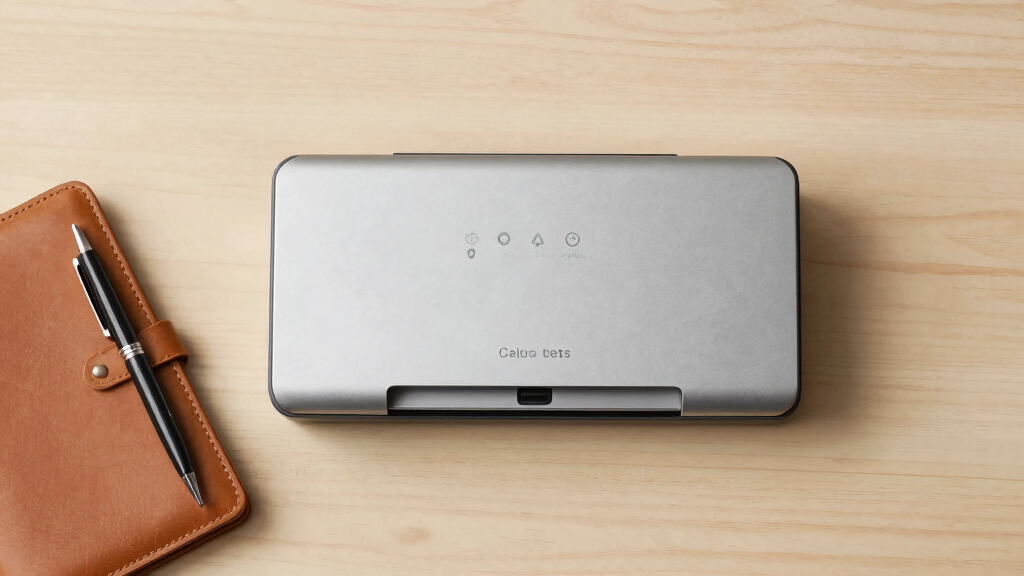
When searching for the best premium document scanners, you want reliable, fast, and high-quality performance with advanced features. The Brother DS-640 stands out for its portability and affordability, while the ScanSnap iX2500 offers extensive automation and cloud connectivity for busy offices. These options illustrate the core tradeoffs in this category: balancing speed, feature set, and price. Premium scanners often come with higher costs but deliver higher durability, faster throughput, and smarter software integration. Continue reading for a detailed breakdown of the top choices and what makes each uniquely suited for different professional needs.
Key Takeaways
- The top-tier models generally excel in speed, automation, and integration with cloud services.
- Portability remains a key consideration, with some premium scanners designed for mobile use without sacrificing quality.
- Price often correlates with advanced features such as large touchscreens, AI-powered software, and high-capacity feeders.
- Build quality and durability are significant factors in the premium segment, justifying higher investment for heavy use.
- Tradeoffs typically involve balancing feature complexity against ease of use for different user types.


More Details on Our Top Picks
Brother DS-640 Compact Mobile Document Scanner
This model stands out for its exceptional portability and quick scanning speeds, making it ideal for professionals on the move. Its ultra-compact design, weighing only 1.5 pounds and fitting in a pocket, beats larger desktop models like the Epson ES-580W, which, while more feature-rich, sacrifices mobility. The Brother DS-640 offers fast color and black-and-white scans at 16ppm, with automatic image optimization, including bleed-through prevention and OCR software, enabling quick digitization of various documents and IDs. Its flexibility with multiple operating systems (Windows, Mac, Linux) and portable power via micro USB makes it a favorite for fieldwork or mobile professionals. However, it’s limited to single-page scans and has no automatic document feeder, which can slow down larger batch tasks. The device is best suited for users needing a dependable, lightweight scanner for occasional or on-the-go scanning, but not for high-volume office workflows.
Pros:- Extremely portable and lightweight for easy transport
- Fast 16ppm color and B&W scanning speeds
- Supports multiple OS including Linux and Mac
Cons:- Limited to single-page scans; no automatic document feeder
- No duplex scanning capability, slowing batch tasks
Best for: Traveling professionals, field workers, or small business owners who need a portable, reliable scanner for occasional use.
Not ideal for: High-volume offices or teams requiring multi-page, duplex, or batch scanning features for daily throughput.
- Scanner Type:Business Card, Document
- Connection Type:USB
- Resolution:300 dpi
- Wattage:2.5 watts
- Color Depth:48, 24
- Sheet Capacity:1
- Measurements:1.99″D x 11.9″W x 1.45″H
- Weight:1 Pounds
Bottom line: This scanner makes the most sense for users who prioritize portability over volume, offering quick, on-the-go scans with minimal setup.
ScanSnap iX1300 Compact Wireless or USB Double-Sided Color Document, Photo & Receipt Scanner
This pick makes the most sense for users seeking a straightforward, space-efficient scanner with high-speed duplex capability. Its compact, sleek design outshines bulkier models like the Epson ES-580W, which, while offering larger sheet capacity, is less portable. The iX1300 scans up to 30ppm in duplex mode, with automatic de-skew, color optimization, and blank page removal, all accessible via a single touch. Its support for wireless and USB connectivity allows flexible placement and easy integration with Mac or PC, and it features a simple interface suitable for users of any technical skill. The scanner’s small footprint and included software make organizing and sharing scans effortless. On the downside, it lacks an automatic document feeder for batch scanning, making it less ideal for high-volume environments. It’s perfect for small offices or home use where simplicity and quality are key, but not for large-scale scanning needs.
Pros:- Compact, space-saving design
- Fast duplex scanning up to 30ppm
- Supports wireless and USB connection
Cons:- No automatic document feeder for batch scanning
- Limited sheet capacity for large jobs
Best for: Home offices, small business users, or individuals requiring easy duplex scanning in limited space.
Not ideal for: Large teams or high-volume environments needing extensive batch processing and multi-page feed capability.
- Scanner Type:Document, Receipt
- Connection Type:Wi-Fi, USB
- Resolution:600 dpi
- Sheet Capacity:50
- Scan Speed:30ppm duplex
- Dimensions:4.5″D x 11.7″W x 3.3″H
- Weight:4.4 Pounds
- Wattage:17 watts
Bottom line: Ideal for users who need quick, high-quality double-sided scans in a small footprint without complex setup.
ScanSnap iX2500 Premium Wireless or USB High-Speed Cloud Enabled Document, Photo & Receipt Scanner
This pick makes the most sense for users who want advanced features combined with a large, intuitive touchscreen interface. Its high-speed 45ppm duplex scanning surpasses the Epson ES-580W and Epson FastFoto FF-680W in speed, while the 100-sheet automatic feeder aids batch processing. The 5-inch touchscreen simplifies operation, making it accessible even for less tech-savvy users, and the support for Wi-Fi 6 ensures fast, secure wireless connectivity. Its compatibility with cloud services and ability to automatically optimize, name, and organize files set it apart from simpler models. The included 4-year protection plan offers peace of mind, but the device’s size and price point make it less suitable for those with limited desk space or budget constraints. It’s best for busy offices or professionals who need high-volume, high-speed scanning with ease of use and long-term support.
Pros:- Fast 45ppm duplex scanning
- Large 5-inch touchscreen interface
- Supports cloud and network connectivity
Cons:- Larger footprint, less portable
- Higher cost compared to basic models
Best for: Small to medium-sized offices, professionals with high-volume scanning needs, or users wanting a large touchscreen interface.
Not ideal for: Users with limited space or those preferring a more compact, less expensive scanner for occasional use.
- Scanner Type:Document, Photo, Receipt
- Connection Type:USB, Wi-Fi
- Resolution:600 dpi
- Sheet Capacity:100
- Scan Speed:45ppm duplex
- Display:5-inch touchscreen
Bottom line: Perfect for high-volume environments that benefit from a user-friendly touchscreen and robust cloud integration, but not for space-constrained setups.
Epson FastFoto FF-680W Wireless High-Speed Photo and Document Scanning System
This model makes the most sense for users aiming to digitize large quantities of photos quickly and with high quality. Its ultra-fast scanning speed of 1 photo per second at 300 dpi allows thousands of photos to be scanned in a short time, outpacing traditional photo scanners like the Epson ES-580W, which is more suited for documents. The Epson FastFoto offers auto enhancement, color restoration, red-eye reduction, and the ability to add voice and text comments via its app, making it ideal for preserving family memories or old photos. The device’s versatility extends to scanning documents, panoramas, and postcards, with support for various formats. However, its software can be finicky, and it’s less suitable for high-volume document processing. Best for photo enthusiasts or archivists, but not for high-volume document workflows requiring duplex or batch scanning.
Pros:- Incredibly fast 1 photo/sec scanning speed
- Auto enhancement and color restoration
- Supports various photo and document formats
Cons:- Software stability issues reported by some users
- Limited document handling capabilities, no duplex batch scanning
Best for: Photographers, archivists, or families wanting to digitize and restore large photo collections quickly.
Not ideal for: Office environments needing high-volume document processing or duplex batch scanning.
- Scanner Type:Photo, Document
- Connection Type:Wireless, USB
- Resolution:300 dpi
- Scan Speed:1 photo/sec
- Sheet Capacity:10
- Supported Formats:TIFF, JPEG
- Dimensions:10″D x 14″W x 11″H
- Weight:8.2 Pounds
Bottom line: This scanner excels at rapid photo archiving and restoration, though it’s less suited for high-volume document workflows or duplex batch processing.
Epson Workforce ES-580W Wireless Color Duplex Tax Receipt & Desktop Document Scanner
This pick makes the most sense for users needing a reliable, high-capacity document scanner with duplex and batch capabilities. Its 100-sheet auto feeder and 35ppm speed outpace the Brother DS-640 and ScanSnap iX1300, especially for office workflows. The Epson ES-580W supports wireless and USB connections, allowing flexible setup, and offers 600 dpi resolution for detailed scans. Its duplex scanning, OCR support, and compatibility with both PC and Mac make it suitable for professional environments. The device’s main drawback is its slightly larger size and higher power consumption (680 watts), which could be a concern for space or energy-conscious users. If you need a robust, high-volume scanner for daily document flow, this is the model to consider, but it’s less portable for mobile professionals.
Pros:- High-capacity 100-sheet auto feeder
- Fast 35ppm duplex scanning
- Supports wireless and USB connectivity
Cons:- Relatively large and less portable
- Higher power consumption at 680W
Best for: Small to medium-sized offices or professionals handling large batches of duplex documents daily.
Not ideal for: Users requiring a compact, portable scanner or for light, occasional scanning tasks.
- Scanner Type:Document, Tax Receipt
- Connection Type:Wi-Fi, USB
- Resolution:600 dpi
- Sheet Capacity:100
- Scan Speed:35 ppm duplex
- Wattage:680 watts
Bottom line: This device is well-suited for busy offices needing fast, reliable duplex scanning with large batch capacity, but not for space-limited or mobile setups.
Epson Workforce ES-400 II Color Duplex Desktop Document Scanner for PC and Mac with Auto Doc Feeder (ADF), Image Adjustment Tools
This pick stands out for its impressive balance of speed, ease of use, and seamless integration, making it ideal for busy office environments. Its ability to scan up to 35 pages per minute with a 50-sheet ADF surpasses many competitors like the ScanSnap iX2400, providing a tangible productivity boost. The included Epson ScanSmart software simplifies previewing, editing, and cloud uploads, while the TWAIN driver guarantees compatibility with most document management systems. Adjustments like auto crop, background removal, and OCR ensure high-quality searchable PDFs. However, the device is relatively bulky and costs more than portable options, which may deter those needing mobility. Compared to the lightweight Epson WorkForce ES-50, this scanner offers higher capacity at the expense of portability. This model is best suited for professional settings where volume and quality are priorities. Not ideal for users with limited space or on a tight budget, due to its size and price.
Pros:- Fast scanning speed of 35 pages per minute
- Seamless software integration with cloud and management tools
- High-quality image adjustments and OCR capabilities
Cons:- Relatively large footprint, less suited for tight spaces
- Higher price point compared to portable models like the Epson ES-50
Best for: Small to medium-sized offices needing fast, reliable duplex scanning with robust software features.
Not ideal for: Individuals requiring a portable scanner for on-the-go use or those with limited desk space.
- Scanner Type:Color Duplex Desktop
- Resolution:300 dpi
- Media Type:USB
- Sheet Capacity:50
- Connectivity:USB
- Dimensions:14.5″D x 10″W x 11.25″H
- Weight:3.7 kg
- Sensor Technology:CCD
- Warranty:1-year limited
Bottom line: This scanner makes the most sense for offices that prioritize volume and quality over portability.
ScanSnap iX2400 High-Speed Simple One-Touch Button Color Document, Photo & Receipt Scanner with 100 Page Auto Document Feeder for Mac or PC, Black
This model is a strong contender for users who want quick, straightforward scanning with minimal fuss, thanks to its one-touch operation and reliable performance. Its ability to scan up to 45 pages per minute with a 100-sheet feeder outperforms many portable competitors like the Epson WorkForce ES-50, making it suitable for busy environments. The Quick Menu software enables drag-and-drop to favorite applications, streamlining workflow. Its automatic cropping, de-skewing, and streak removal produce clean, usable images without manual editing. On the downside, this scanner’s bulk and higher cost may be overkill for infrequent users or those with limited desk space. Compared to the slightly more advanced iX2500, the iX2400 focuses on simplicity, making it ideal for less tech-savvy users. It’s best for small offices or work-from-home setups prioritizing ease of use. Not recommended for users who need portability or have very tight budgets.
Pros:- Incredible scan speed of 45 pages per minute
- One-touch operation with intuitive software
- Automatic image cleanup for professional-quality results
Cons:- Relatively bulky and less portable
- Higher price compared to basic portable scanners
Best for: Small businesses or home offices seeking fast, reliable one-touch scanning with minimal setup.
Not ideal for: Travelers or individuals needing a portable, lightweight scanner for occasional use.
- Scanner Type:Color Document
- Resolution:600 dpi
- Sheet Capacity:100
- Connectivity:USB
- Dimensions:6.26″D x 11.5″W x 6.34″H
- Weight:7.7 lbs
- Sensor Technology:CIS
- Warranty:1 year
Bottom line: Ideal for users who want quick, high-quality scans with minimal effort in a stationary setting.
ScanSnap iX2500 Wireless or USB High-Speed Cloud Enabled Document, Photo & Receipt Scanner with Large 5″ Touchscreen and 100 Page Auto Document Feeder for Mac or PC, Black
This pick excels for its premium build quality, large touchscreen, and extensive cloud integration, making it perfect for tech-savvy users or busy teams. Its scanning speed of 45 pages per minute and 100-sheet feeder surpass many competitors like the Epson RR-600W, providing fast throughput. The large, responsive touchscreen simplifies operation and profile management, while Wi-Fi 6 and USB-C ensure fast, stable connections and flexible placement. Its ability to automatically optimize, name, and sort files into cloud services or local folders streamlines workflows. However, its premium features come with a higher price and size, which may be unnecessary for casual users. Compared to the iX2400, this model offers more user-friendly customization and wireless capabilities, ideal for those who want a more integrated, automated experience. Not suitable for users on a tight budget or with very limited space.
Pros:- Large 5-inch touchscreen with profile management
- Fast 45 pages per minute scanning speed
- Advanced Wi-Fi 6 and USB-C connectivity
- Automated file naming and cloud sorting
Cons:- Higher price point than basic scanners
- Larger footprint, less portable
Best for: Organizations and power users seeking advanced automation, large screen control, and cloud flexibility.
Not ideal for: Single users or small teams with basic scanning needs and tight space constraints.
- Scanner Type:Wireless/USB Document
- Resolution:600 dpi
- Sheet Capacity:100
- Connectivity:Wi-Fi 6, USB-C
- Dimensions:11.5″W x 6.34″H x 6.26″D
- Weight:7.7 pounds
- Sensor Technology:CIS
- Warranty:1 year
Bottom line: This scanner is best for users who want a highly customizable, cloud-enabled workflow with easy control.
Epson RapidReceipt RR-600W Wireless Desktop Color 2-Sided Document & Tax Receipt Scanner with ScanSmart AI PRO Data Management Software for PC & Mac Touchscreen & 100-Page Auto Document Feeder
This model is tailored for busy businesses needing to digitize receipts and invoices efficiently, leveraging AI-powered data extraction. Its 35 pages per minute speed and 100-page feeder are competitive, especially at this price point, outperforming portable scanners like the Epson ES-50 for volume tasks. The ScanSmart AI PRO software enables categorization, extraction, and export of data directly into financial programs such as QuickBooks or TurboTax, saving time on manual entry. The 4.3″ touchscreen simplifies operation without PC, and features like skew correction and staple protection enhance reliability. On the downside, it’s less portable and has a larger footprint than mobile scanners, making it less ideal for on-the-go use. Compared to the Epson WorkForce ES-580W, it offers more AI-driven automation at a comparable price. Best for small to medium-sized offices managing large receipt volumes. Not ideal for occasional or mobile scanning needs.
Pros:- AI-powered data extraction and categorization
- Fast duplex scanning at 35 pages per minute
- Large 100-page capacity with skew correction
- Touchscreen control without PC dependency
Cons:- Bulkier size, less portable than mobile models
- Higher price than basic portable scanners
Best for: Small to medium businesses focusing on fast, accurate receipt and invoice digitization with integrated data extraction.
Not ideal for: Individuals needing a compact, portable scanner for infrequent or on-the-move tasks.
- Scanner Type:Color Document & Receipt
- Resolution:600 dpi
- Sheet Capacity:100
- Connectivity:Wi-Fi, USB
- Dimensions:14.25″D x 10.25″W x 12.38″H
- Weight:8.2 lbs
- Sensor Technology:CIS
- Warranty:1 year
Bottom line: This scanner is ideal for businesses that require fast, automated receipt processing with integrated data export features.
Epson WorkForce ES-50 Portable Sheet-Fed Document Scanner for PC and Mac
This pick excels for its portability, being the smallest and lightest in its class, making it perfect for mobile professionals. Scanning a single page takes as little as 5.5 seconds, and it handles ID cards and receipts easily, outperforming bulkier desktop models like the Epson ES-400 II in mobility. Its USB power means no batteries or external power supply are needed, simplifying setup. The included Nuance OCR creates searchable PDFs and editable files, adding to its versatility. However, its single-sheet capacity and limited resolution (1200 dpi) mean it’s not suitable for large batches or high-resolution needs. While the compact size is a major advantage, it sacrifices some speed and capacity compared to larger models like the ScanSnap iX2500. Best for individuals or remote workers with minimal scanning volume. Not recommended for high-volume or graphics-intensive tasks.
Pros:- Extremely lightweight and compact for portability
- Fast 5.5 seconds per sheet scan speed
- No external power required—USB powered
- Includes OCR for searchable PDFs
Cons:- Limited to single-sheet scans at a time
- Lower capacity and resolution than desktop scanners
Best for: Travelers, remote workers, or salespeople needing quick, portable scans of single documents.
Not ideal for: Offices with heavy scanning loads or users needing high-resolution or multi-page batch scanning.
- Scanner Type:Portable Sheet-Fed
- Resolution:1200 dpi
- Sheet Capacity:1
- Connectivity:USB
- Dimensions:5″W x 13.15″D x 2.65″H
- Weight:9.44 oz
- Sensor Technology:CIS
- Warranty:1 year
Bottom line: This scanner is best for users who need quick, on-the-go document capture with minimal bulk.
ScanSnap iX2500 Wireless or USB High-Speed Cloud Enabled Document, Photo & Receipt Scanner with Large 5″ Touchscreen and 100 Page Auto Document Feeder for Mac or PC, White
The ScanSnap iX2500 distinguishes itself as the most advanced model in the lineup, thanks to its large, smartphone-like touchscreen, high-speed double-sided scanning at 45 pages per minute, and extensive connectivity options including Wi-Fi 6 and USB-C. Compared with the iX1300, it offers greater speed, more customizable profiles, and cloud support that simplifies workflows, making it ideal for busy professionals managing large volumes of documents. The tradeoff is its higher price point and slightly larger footprint, which might be a concern for tight spaces. Its automatic optimizations and ability to send files directly to cloud services or devices streamline digitization, especially in multi-device environments. The 100-page auto feeder and robust build support heavy daily use, making it suitable for small offices or power users who prioritize speed and flexibility. While setup is straightforward, the advanced features may require a learning curve for less tech-savvy users. This pick makes the most sense for users who need a fast, reliable, and feature-rich scanner that integrates seamlessly with cloud workflows.
Pros:- Fast double-sided scanning at 45 pages per minute
- Large, responsive 5″ touchscreen for easy control
- Supports Wi-Fi 6 and USB-C for flexible placement and connectivity
- Automatic file naming, sorting, and optimization streamline workflow
Cons:- Higher price compared to simpler or more basic scanners
- Larger footprint may not suit very tight spaces
- Learning curve for advanced features might intimidate casual users
Best for: Small to medium-sized businesses or professionals who require high-speed, multi-platform scanning with extensive cloud connectivity.
Not ideal for: Casual users or those with limited space who only need occasional scanning, as its size and cost may be excessive.
- Scanner Type:Business Document Scanner
- Connection Type:Wi-Fi 6, USB-C
- Resolution:600 dpi
- Standard Sheet Capacity:100 sheets
- Wattage:17 watts
- Color Depth:24-bit
- Dimensions:6.26″D x 11.5″W x 6.34″H
- Weight:7.7 pounds
Bottom line: This scanner is perfect for professional environments demanding speed, extensive features, and seamless cloud integration.
Canon Canoscan Lide 300 Scanner (PDF, AUTOSCAN, Copy, Send)
The Canon CanoScan LiDE 300 stands out as an excellent choice for users seeking high-quality, space-efficient scanning without the complexity of larger models like the ScanSnap iX2500. Its impressive 2400 x 2400 dpi resolution and fast 10-second scan times make it ideal for artists, students, or home offices needing crisp images and documents. Unlike the Epson LiDE 400, which offers slightly higher resolution and more advanced photo features, the LiDE 300 excels in its simplicity and ultra-compact design, fitting easily on a desk or shelf. Its Auto Scan Mode detects document types automatically, and with the built-in PDF button plus OCR support, it simplifies digitizing and organizing files. The main tradeoff is its limited media type support—best suited to flat documents, photos, and receipts—and it lacks the multi-page auto feeder of larger models, making it less ideal for bulk scanning. It’s an ideal choice for artists, students, or anyone needing a reliable, high-resolution flatbed scanner that doesn’t take up much space.
Pros:- High 2400 x 2400 dpi resolution for detailed images
- Ultra-compact, lightweight design fits in small spaces
- Fast 10-second scan time for each document or photo
- Auto Scan Mode and OCR support streamline digitization
Cons:- Limited media support—best for flat documents and photos only
- No automatic document feeder for multiple pages
- Higher-end photo features are not included
Best for: Artists, students, or home users needing high-resolution scans of photos and documents in a compact form factor.
Not ideal for: Heavy document handlers or offices requiring fast bulk processing, due to its single-page scan speed and lack of auto feeder.
- Scanner Type:Flatbed Scanner
- Connection Type:USB
- Resolution Optical:2400 x 2400 dpi
- Scan Speed:10 seconds
- Color Depth:48-bit
- Media Type:Photo, Document, Receipt
- Dimensions:14.5″D x 9.9″W x 1.7″H
- Weight:3.6 pounds
Bottom line: This scanner is ideal for artists, students, and home users who prioritize high resolution and space-saving design over bulk processing speed.

How We Picked
These scanners were selected based on a combination of performance, build quality, feature set, and value for professional or heavy-duty use. Priority was given to models that offer fast scanning speeds, robust software integrations, and durable construction suitable for frequent use. We also considered user experience, including ease of setup and operation, as well as ongoing maintenance requirements. The ranking reflects how well each product balances these factors, with higher scores awarded to models that deliver seamless workflows and advanced features without excessive complexity or cost.Factors to Consider When Choosing Best Premium Document Scanners
Choosing the best premium document scanner involves evaluating several key factors beyond basic features. It’s important to consider how the device will fit into your workflow, the types of documents you’ll scan, and your long-term needs for reliability and expansion. A higher price often means better build quality and faster throughput, but these improvements must align with your actual use case to offer true value. Being aware of common pitfalls—such as overpaying for unnecessary features or selecting models with limited software support—can help you make a more informed decision.Scanning Speed and Capacity
For professional environments, high scanning speeds and large auto document feeders (ADFs) are essential to keep up with workflow demands. Models like the Epson Workforce ES-580W and the ScanSnap iX2500 excel here, reducing time spent on repetitive tasks. However, faster scanners often come with higher costs and larger footprints, so consider your space constraints and volume needs before investing. If your workload fluctuates, opting for a model with adjustable speed settings or a high-capacity feeder can offer a good balance of flexibility and efficiency.
Connectivity and Software Integration
Premium scanners increasingly rely on wireless connectivity and cloud integration to streamline workflows. Features like Wi-Fi, Ethernet, and compatibility with cloud services such as Dropbox, Google Drive, or proprietary software can significantly boost productivity. But be cautious—more advanced connectivity often means more complex setup processes and potential compatibility issues. Check that the software ecosystem supports your existing tools and that the scanner’s app or software suite is intuitive and regularly updated.
Build Quality and Durability
Investing in a premium scanner means expecting longevity and consistent performance. Devices constructed with high-quality materials and reinforced components handle frequent use better, reducing downtime and maintenance costs. Some models, like the Epson WorkForce series, are built for heavy-duty use, while others may be more suited for occasional or moderate scanning. Always consider warranty coverage and customer support quality, as these can influence the total cost of ownership over time.
Ease of Use and Maintenance
Intuitive interfaces, large touchscreens, and simple paper path designs make premium scanners easier to operate, especially in high-volume settings. Automated features like one-touch scanning, auto-cleaning, or software that detects jams save time and reduce frustration. However, more advanced features can sometimes complicate maintenance or troubleshooting, so consider your technical comfort level. A model with clear error messages and accessible service options can minimize disruptions.
Price and Total Cost of Ownership
Premium scanners come with a higher upfront price, but it’s important to factor in ongoing costs such as consumables, software subscriptions, and maintenance. Cheaper models might seem attractive initially but can incur hidden costs through frequent repairs or limited software support. Conversely, investing in a high-quality, well-supported model can offer better reliability and lower total ownership costs, especially for heavy or critical use cases. Balance your budget against the features that truly improve your workflow efficiency.
Frequently Asked Questions
Is a higher price always worth it for a premium scanner?
Not necessarily. While higher-priced scanners often provide faster speeds, better build quality, and advanced features, the value depends on your specific needs. If you require heavy daily use, advanced automation, or cloud integration, investing in a premium model makes sense. However, for occasional use or light workloads, a mid-range scanner might suffice without the additional expense. Carefully assess your volume and feature requirements before paying a premium price.
Do I need a wireless connection for a premium scanner?
Wireless connectivity offers convenience and flexibility, especially in shared office environments or when working remotely. Many premium models now include Wi-Fi and cloud integration, enabling direct scanning to cloud services or mobile devices. However, wired connections still tend to be more stable and faster, particularly in high-volume workflows. Think about your workspace setup and whether wireless features align with your productivity habits and network reliability.
What features are most important for heavy-duty use?
For frequent, high-volume scanning, focus on models with large auto document feeders, fast scanning speeds, and durable build quality. Features like automatic cleaning, robust software support, and high-capacity input trays can reduce downtime and maintenance. Also, consider models with strong warranty coverage and customer support, as these can be critical when equipment is in constant use. Balancing speed with reliability is key for heavy-duty applications.
Are touchscreen controls necessary in a premium scanner?
Touchscreens can significantly enhance usability by providing quick access to functions, settings, and status updates. They often simplify complex workflows and reduce reliance on external software. However, they can also add to the device’s cost and may require regular calibration or maintenance. If ease of operation and quick adjustments are priorities, a touchscreen is a valuable feature; otherwise, dedicated physical buttons might suffice for simpler needs.
How important is software support and updates?
Software support and regular updates extend the lifespan and functionality of your scanner. Premium models typically come with dedicated software suites that facilitate scanning, editing, and cloud sharing. Outdated or poorly supported software can lead to compatibility issues or security vulnerabilities. When choosing a scanner, verify that the manufacturer provides ongoing updates and reliable customer service to maintain seamless operation over time.
Conclusion
For those seeking the best overall performance, the ScanSnap iX2500 offers a balanced mix of speed, automation, and cloud connectivity, making it ideal for busy offices. If your priority is durability and high-volume capacity, the Epson Workforce ES-580W provides robust construction and comprehensive features. Beginners or light users might consider more straightforward options like the Canon Lide 300, which still offers solid quality without overwhelming complexity. For specialized needs such as portable scanning, models like the Epson WorkForce ES-50 are excellent choices. Ultimately, your decision should weigh how each scanner’s strengths align with your workflow demands and budget constraints.