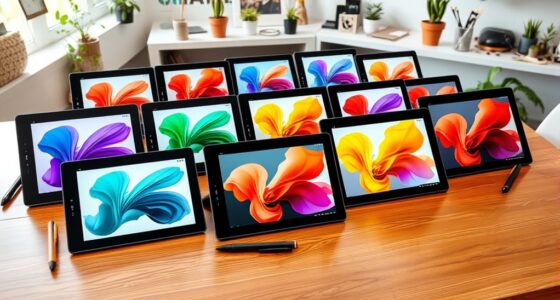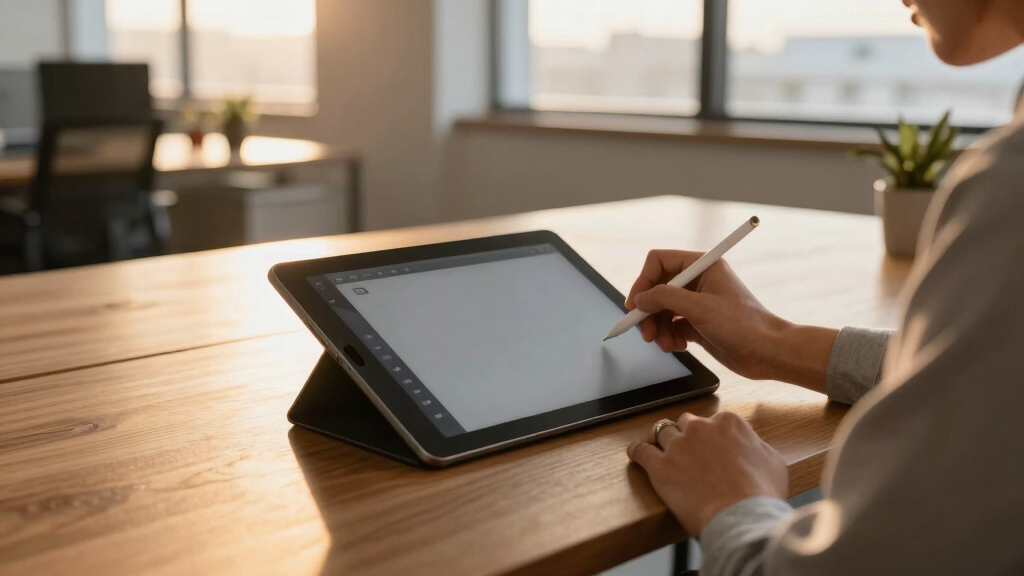

If you’re searching for the best drawing tablets with screens, you’re looking for a device that combines portability, high-quality display, and precise stylus input. The XP-Pen Artist 12 3rd stands out as the overall top choice thanks to its balance of affordability and performance. For those seeking a standalone experience, the PicassoTab X offers a portable, all-in-one solution perfect for beginners or gift-givers. Meanwhile, the HUION Kamvas 13 (Gen 3) excels with its vibrant display and professional features. Each option faces tradeoffs, like price, size, and complexity, making it essential to understand what matters most for your creative needs. Keep reading for the full breakdown to help you find the perfect fit.
Key Takeaways
- The top-ranked options balance display quality, stylus sensitivity, and build versatility.
- Standalone tablets like PicassoTab X are ideal for beginners and portability, but may lack some pro features.
- Many high-end models offer 16,000+ pen pressure levels and full-laminated screens, but come at a higher price.
- Size varies from compact 11.6-inch screens to larger 15.6-inch models, affecting portability and workspace comfort.
- Connectivity options, including USB-C, HDMI, or wireless, influence ease of use with different devices.


More Details on Our Top Picks
PicassoTab X Drawing Tablet • No Computer Needed • Drawing Apps & Tutorials • 4 Bonus Items • Stylus Pen • Portable • Standalone • 10 Inch Screen • Best Gift for Beginner Digital Graphic Artist • PCX
This standalone 10-inch tablet stands out for its affordability and bundled accessories, making it ideal for newcomers who want an all-in-one drawing experience without needing a separate computer. Compared with larger or more advanced options like the HUION Kamvas Pro 16, it offers a simpler setup but sacrifices some professional features such as color accuracy and screen resolution. Its quad-core MediaTek processor and pre-installed apps support basic creativity and note-taking, making it perfect as a gift for beginners. However, the tradeoffs include limited screen size and lower resolution, which may feel restrictive for more serious artists. The included extras, like a case and screen protector, add value but don’t compensate for the lower processing power and connectivity options. This pick makes the most sense for casual users or those new to digital art who prioritize portability and ease of use.
Pros:- Affordable price point with a complete starter bundle.
- No computer needed, offering true portability and simplicity.
- Pre-installed drawing and animation apps provide immediate usability.
Cons:- Limited screen resolution and size may hinder detailed work.
- Basic connectivity options restrict advanced workflow integration.
Best for: Beginners and students seeking an affordable, all-in-one drawing tablet with no need for external devices.
Not ideal for: Professional artists or experienced designers who require high color accuracy, larger working area, or advanced control features.
- Screen Size:10 inches
- Processor:MediaTek Quad-core
- Storage:64GB
- Connectivity:Wi-Fi, micro HDMI, USB Type-C
- Included Stylus:Active Pen
- Resolution:IPS HD
Bottom line: This tablet is perfect for beginners or casual users who want an easy, portable drawing device without a hefty investment.
XPPen Artist 12 3rd 11.9″ Drawing Tablet with Screen | X4 Pen 16K Pressure | Dial Wheels+8 Keys | AG Etched Glass Portable Art Drawing Tablet Compatible with Windows/macOS/Android/ChromeOS/Linux
This 11.9-inch tablet excels in portability, featuring a sleek design, dual X-Dial wheels, and 8 customizable keys that significantly speed up workflow for on-the-go artists. Compared to the HUION Kamvas Pro 16, it offers a smaller, lighter form factor and universal compatibility across platforms, including Android and Linux, which broadens its usability. Its AG etched glass surface provides a paper-like feel with reduced glare, ideal for long sessions. The X4 pen with 16K pressure sensitivity and tilt support ensures natural, precise strokes, though some users may find the response slightly less smooth than high-end Wacom models. Its single USB-C connection simplifies setup, but the smaller screen size might limit detailed work for some professionals. Overall, this model is better suited for artists who need a portable yet versatile device that adapts to various operating systems.
Pros:- Compact and lightweight for easy portability.
- Universal compatibility with Windows, macOS, Android, ChromeOS, and Linux.
- Dual X-Dial wheels enhance efficiency for zooming and brush adjustments.
Cons:- Smaller 11.9-inch screen may restrict detailed artwork.
- Price premium for portability might be high for casual users.
Best for: Freelancers, students, and artists who work across multiple platforms and need a compact, responsive drawing tablet.
Not ideal for: Artists seeking large-scale detailed work or professional color accuracy, where bigger screens and higher resolutions are preferred.
- Screen Size:11.9 inches
- Pressure Levels:16,384
- Tilt Support:Yes
- Resolution:1920×1080
- Color Gamut:99% sRGB
- Connectivity:USB-C
Bottom line: Ideal for artists who need a portable, feature-rich display that works seamlessly across multiple operating systems.
HUION KAMVAS Pro 16 Drawing Tablet with Screen, 15.6 inch Pen Display Anti-Glare Glass 6 Shortcut Keys Adjustable Stand, Graphics Tablet for Drawing, Writing, Design, Work with Windows, Mac and Linux
The HUION Kamvas Pro 16 offers a 15.6-inch full-laminated display with anti-glare glass, providing immersive, sharp visuals that rival Wacom’s higher-end models. Its 120% sRGB color gamut and 1000:1 contrast ratio deliver vibrant, true-to-life colors and detailed shadows, ideal for professional artists and photographers. The adjustable stand and 6 shortcut keys help tailor the workflow, making it suitable for long hours of creative work. Compared with the XP-Pen Artist 13.3 Pro, it provides a larger, more detailed workspace and better color fidelity, though at a higher price and slightly heavier weight. The pen supports 60° tilt and lag-free tracking, offering a natural drawing feel. This tablet is best for serious creators who prioritize color accuracy and a larger canvas while maintaining compatibility with multiple OS platforms.
Pros:- Vivid, true-to-life colors with 120% sRGB coverage.
- Large, detailed 15.6-inch full-laminated screen.
- Adjustable stand enhances ergonomic comfort during long sessions.
Cons:- Higher cost compared to smaller or less color-accurate tablets.
- Weight and size may reduce portability for on-the-go workflows.
Best for: Professional artists, illustrators, and designers requiring precise color and large working area.
Not ideal for: Beginners or casual hobbyists who do not need high-end color fidelity or a large display.
- Screen Size:15.6 inches
- Color Gamut:120% sRGB
- Contrast Ratio:1000:1
- Shortcut Keys:6
- Tilt Support:Yes
- OS Compatibility:Windows, Mac, Linux
Bottom line: Best suited for professionals demanding high color accuracy and a sizable, immersive workspace.
UGEE UE12 11.6 inch Drawing Tablet with Screen, Graphic Tablet with Full-Laminated Screen, 124% sRGB Color Gamut, Battery-Free Stylus & 8 Shortcut Keys, Drawing Pad Compatible with Windows/Mac/Android
The UGEE UE12 provides a 11.6-inch full-laminated, anti-glare display with a remarkable 124% sRGB color gamut, offering vibrant hues and precise color matching for detailed artwork. Its battery-free stylus with 16K pressure sensitivity and tilt recognition makes it comparable in performance to higher-priced models like the XP-Pen Artist 12, with the convenience of no charging. The 8 customizable shortcut keys improve workflow efficiency, while dual Type-C ports simplify connectivity, supporting a broad range of devices including Android. Compared with the Huion Kamvas Pro 16, it’s more portable and easier to carry but may lack some of the larger workspace and color depth features. This tablet is ideal for artists who want high color fidelity in a smaller, more portable form factor without sacrificing key features.
Pros:- Vibrant 124% sRGB color gamut for rich, accurate colors.
- Full-laminated, anti-glare screen reduces reflections and parallax.
- Dual Type-C ports allow flexible, direct connections to various devices.
Cons:- Smaller 11.6-inch display limits detailed work for some users.
- Limited customization options compared to larger models.
Best for: Color-conscious artists and hobbyists seeking a compact, high-quality display for detailed work on multiple platforms.
Not ideal for: Professionals needing a larger canvas or advanced features like tilt support or higher resolution.
- Screen Size:11.6 inches
- Color Gamut:124% sRGB
- Pressure Sensitivity:16K levels
- Tilt Recognition:Yes
- Connectivity:Dual Type-C
- OS Compatibility:Windows, Mac, Android
Bottom line: A portable, color-accurate display ideal for artists who need high-quality visuals in a compact size.
XPPen Drawing Tablet with Screen Full-Laminated Graphics Drawing Monitor Artist13.3 Pro Graphics Tablet with Adjustable Stand and 8 Shortcut Keys (8192 Levels Pen Pressure, 123% sRGB)
The XPPen Artist 13.3 Pro features a 13.3-inch full-laminated, anti-glare display with a 123% sRGB color gamut, offering rich, vivid colors suitable for detailed illustration and photo editing. Its adjustable stand and 8 shortcut keys support an efficient workflow, making it a versatile choice for both beginners and professionals. Compared to the HUION Kamvas Pro 16, it provides a slightly smaller workspace but excels in color fidelity and tilt support, adding shading capabilities. The 8192 pressure levels ensure sensitive, precise strokes, ideal for nuanced artwork. While its compact size makes it more portable, some users may find the 13.3-inch screen limiting for large projects. Overall, this model is great for artists who want a high-quality display with a natural feel but don’t need a larger canvas.
Pros:- Excellent color reproduction with 123% sRGB coverage.
- Adjustable stand for ergonomic comfort.
- Tilt support and high-pressure sensitivity for detailed work.
Cons:- Smaller 13.3-inch display may restrict large compositions.
- Higher price compared to non-laminated or smaller models.
Best for: Artists and designers seeking accurate colors and a portable, versatile drawing monitor.
Not ideal for: Those requiring a large working area or professional-grade color management for print projects.
- Screen Size:13.3 inches
- Color Gamut:123% sRGB
- Pressure Levels:8192
- Tilt Support:Yes
- Resolution:1920×1080
- OS Compatibility:Windows, Mac, Linux
Bottom line: A reliable, color-accurate display that balances portability with professional features for dedicated artists.
GAOMON PD1161 Drawing Tablet with Screen, Digital Art Tablet with Battery-Free Stylus, Tilt, 8 Shortcut Keys for Paint, Design, Illustration, Editing, 11.6-inch Graphics Tablet for Mac, Windows PC
This model stands out for offering a sizable 11.6-inch full HD IPS screen at a fraction of Wacom’s price, making it an attractive choice for beginners and hobbyists seeking a larger drawing area without breaking the bank. Compared to the XP-PEN Artist12, the PD1161 provides a more immersive visual workspace, but it requires connection to a computer and has setup quirks, especially with display matching and button placement. Its battery-free stylus with 8,192 levels and tilt support delivers a natural drawing feel, though users should be aware of potential calibration and connection frustrations. The pre-installed matte film enhances paper-like feel, and the programmable shortcut keys improve workflow, yet the on/off buttons are not perfectly synchronized, and display color matching can be tricky. This pick makes the most sense for those wanting a large, affordable screen for illustration, editing, or note-taking, willing to handle some setup challenges.
Pros:- Large 11.6-inch full HD IPS display for immersive drawing experience
- Battery-free stylus with 8,192 pressure levels and tilt support
- Pre-installed matte film reduces glare and mimics paper feel
- Affordable price point for its size
Cons:- Requires connection to a computer with HDMI and USB ports, not standalone
- Button placement and display matching can be inconvenient and require calibration
- Color matching and display settings may be challenging to perfect
Best for: Beginners or students who want a large screen for digital art on a budget and are comfortable with some initial setup effort.
Not ideal for: Users seeking a standalone tablet or those who prefer a plug-and-play experience without calibration or connection issues.
- Display Type:IPS LCD
- Native Resolution:1920×1080
- Screen Size:11.6 Inches
- Pressure Sensitivity:8192 Levels
- Connectivity:HDMI, USB
- Operating System:Windows 7 or later, macOS 10.12+
Bottom line: Ideal for budget-conscious beginners prioritizing size and affordability over plug-and-play simplicity.
XP-PEN Artist12 11.6 Inch FHD Drawing Monitor Pen Display Graphic Monitor with PN06 Battery-Free Multi-Function Pen Holder and Glove 8192 Pressure Sensitivity
This pick makes the most sense for users who need a compact, portable display that balances affordability with quality, offering a 11.6-inch full HD IPS screen with vivid 72% NTSC (100% sRGB) color coverage. Compared with the HUION Kamvas 13 (Gen 3), the Artist12 is more travel-friendly but involves a more complex setup process, especially with display calibration and connection via HDMI and USB. Its battery-free pen with 8,192 pressure levels and customizable shortcut keys supports detailed illustration and editing, though beginners might find initial calibration and color matching more involved. The included glove and extra nibs add to its practicality, but the small size may be limiting for detailed or large projects. This device suits artists who want a portable, accurate screen with a manageable learning curve.
Pros:- Compact 11.6-inch full HD IPS display with vivid color reproduction
- Battery-free stylus with 8,192 pressure levels and customizable buttons
- Includes glove, extra nibs, and stand for convenience
- Slim, lightweight design for portability
Cons:- Requires connection to a computer via HDMI and USB, not standalone
- Setup and calibration can be cumbersome for new users
- Limited workspace for large or detailed projects
Best for: Artists or students needing a portable, high-quality display for detailed work and on-the-go use.
Not ideal for: Beginners who prefer a standalone device or those working primarily on large, detailed canvases that require bigger screens.
- Display Type:IPS LCD
- Native Resolution:1920×1080
- Screen Size:11.6 Inches
- Pressure Sensitivity:8192 Levels
- Connectivity:HDMI, USB
- Operating System:Windows 7+, macOS 10.10+
Bottom line: Best suited for artists seeking portability and precision in a small, budget-friendly monitor.
XPPen Upgraded Artist13.3 Pro V2 Drawing Tablet with Screen, 16384 Pen Pressure X3 Pro Stylus Pen Display, 99% sRGB Full-Laminated AG Screen Graphic Tablet with Stand, Red Dial, 8 Shortcut Keys
This choice stands out for delivering a 13.3-inch full-laminated, anti-glare screen with 99% sRGB and 16.7 million colors, making it ideal for professionals who need precise color fidelity. Compared to the HUION Kamvas 13 (Gen 3), the Artist Pro V2 offers a more advanced stylus with 16,384 pressure levels and a more refined color calibration report, ensuring consistent output. Its 8 shortcut keys and red dial provide quick access to tools and workflow adjustments, enhancing productivity for detailed design, illustration, or photo editing tasks. The included adjustable stand adds ergonomic flexibility, but the setup process may challenge beginners, particularly with driver updates and connection via USB-C. This device targets serious artists who demand high color accuracy and a portable screen for professional-grade work.
Pros:- Full-laminated 13.3-inch anti-glare screen with 99% sRGB coverage
- Stylus with 16,384 pressure sensitivity levels and tilt support
- Includes adjustable stand and customizable shortcut keys
- Excellent color calibration for professional work
Cons:- Requires connection to a computer via USB-C, not standalone
- Setup can be complex for new users, especially driver updates
- Higher price point for advanced features
Best for: Professional artists and designers requiring precise color accuracy and a compact, portable monitor.
Not ideal for: Beginners or hobbyists who prefer a simple, plug-and-play device without advanced calibration or multiple shortcut features.
- Display Type:Full-Laminated LCD
- Native Resolution:1920×1080
- Screen Size:13.3 Inches
- Pressure Sensitivity:16384 Levels
- Connectivity:USB-C
- Operating System:Windows 10+, macOS 10.12+
Bottom line: Perfect for professional artists seeking high color fidelity and versatile workflow features in a portable format.
HUION Inspiroy H1060P Graphics Drawing Tablet with 8192 Pressure Sensitivity Battery-Free Stylus and 12 Customized Hot Keys, 10 x 6.25 inches Digital Art Tablet for Mac, Windows PC and Android
This model offers a spacious 10×6.25 inch working area with a slim profile, making it ideal for artists who prefer a generous canvas without the bulk of larger models. Compared with the Huion Kamvas 13 (Gen 3), it provides a larger physical workspace but requires connection to a computer via USB, making it less portable. Its battery-free stylus with 8,192 pressure levels and tilt support ensures smooth, precise strokes, suitable for detailed illustration and photo editing. The 12 customizable hotkeys enhance workflow, though initial setup and driver calibration can be time-consuming, especially on Linux or older OS. Its compatibility with multiple OS and software makes it versatile, yet the need for driver updates and connection setup can be a hurdle for absolute beginners. This device suits artists needing a large, affordable drawing surface for studio or home use.
Pros:- Large 10×6.25 inch working area for comfortable drawing
- Battery-free stylus with 8,192 pressure levels and tilt
- 12 customizable hotkeys for efficient workflow
- Slim profile with minimalist design
Cons:- Needs connection to a computer via USB, not standalone
- Setup and driver calibration may be complex for new users
- Requires drivers for Linux, which can be less straightforward
Best for: Artists and hobbyists who need a large drawing area for detailed work at an affordable price, with some technical setup involved.
Not ideal for: Beginners seeking a plug-and-play experience or those who need portability with minimal setup.
- Display Type:Passive LCD
- Native Resolution:1920×1080
- Active Surface Area:10×6.25 inches
- Pressure Sensitivity:8192 Levels
- Connectivity:USB
- Operating System:Windows 7+, macOS 10.12+, Linux
Bottom line: Ideal for artists who want a large, affordable drawing surface for studio work and are comfortable with setup procedures.
HUION Kamvas 13 (Gen 3) Drawing Tablet with Screen,13.3″ Full-Laminated Art Tablet with Anti-Sparkle Canvas Glass 2.0, 99% sRGB, PenTech 4.0, 16384 Pen Pressure, Dual Dial for PC, Mac, Android, Black
This model makes the most sense for professionals and serious hobbyists who require exceptional color accuracy, featuring a 13.3-inch full-laminated screen with 99% sRGB coverage and PenTech 4.0 stylus with 16,384 pressure levels. Compared to the XP-PEN Artist13.3 Pro V2, the Kamvas 13 (Gen 3) offers a more refined display with anti-sparkle glass 2.0 and dual dials for enhanced workflow, ideal for detailed illustration, 3D modeling, and photo editing. Its single USB-C connection simplifies setup, although initial calibration and driver installation can be slightly involved for beginners. The adjustable stand provides ergonomic flexibility, and the color calibration report ensures color consistency. This device suits artists needing precise color control combined with flexible connectivity options for professional-grade work.
Pros:- Full-laminated 13.3-inch display with anti-sparkle glass 2.0
- Color coverage of 99% sRGB and 16.7 million colors
- Stylus with 16,384 pressure levels and tilt support
- USB-C single cable connection with dual dials for workflow
Cons:- Requires connection to PC, Mac, or Android device, not standalone
- Setup and calibration can be complex for newcomers
- Higher cost compared to entry-level models
Best for: Artists and designers demanding high color accuracy and flexible connectivity for professional or advanced hobby projects.
Not ideal for: Absolute beginners or users seeking a simple, standalone, or budget-friendly drawing tablet.
- Display Type:Full-Laminated LCD
- Native Resolution:1920×1080
- Screen Size:13.3 Inches
- Color Gamut:99% sRGB
- Pressure Sensitivity:16384 Levels
- Connectivity:USB-C
Bottom line: Best suited for artists seeking top-tier color fidelity and flexible connectivity in a portable screen.
HUION Kamvas 13 (Gen 3) Drawing Tablet with Screen, 13.3-inch Full-Laminated Art Tablet with Anti-Sparkle Canvas Glass, 99% sRGB, PenTech 4.0, 16384 Pen Pressure, Dual Dials for Digital Art, Black
The HUION Kamvas 13 (Gen 3) stands out for its full-laminated, anti-glare Canvas Glass that offers a natural drawing feel, making it ideal for artists seeking precision and immersion. Compared to the VEIKK VK1200 V2, it provides a higher color accuracy with 99% sRGB coverage and factory calibration, ensuring professional-grade fidelity. Its Pro-Graded PenTech 4.0 with 16384 pressure levels delivers remarkably precise strokes, though it requires connection to a computer, unlike standalone options. The dual dials and customizable keys enhance workflow efficiency, making it better suited to serious digital artists than beginners. However, its reliance on a wired connection and compatibility limits make it less portable for on-the-go sketching. This tablet is best for seasoned creators who prioritize accuracy, color fidelity, and extensive control options.
Pros:- Exceptional color accuracy with 99% sRGB coverage
- Full lamination reduces parallax for precise drawing
- Dual dials and multiple shortcut buttons enhance workflow
Cons:- Requires connection to a computer or Android device, reducing portability
- Relatively higher price point for professional features
Best for: Professional artists and designers needing high color accuracy and detailed control
Not ideal for: Beginners or those seeking a portable, standalone device for casual use
- Screen Size:13.3 inches
- Color Coverage:99% sRGB
- Pen Pressure:16384 levels
- Connectivity:USB-C, Android support
- Weight:865g
- Full-Laminated Glass:Yes
Bottom line: This pick is perfect for experienced digital artists demanding top-tier color fidelity and control, but less suited for casual or mobile use.
VEIKK VK1200 V2 Drawing Tablet with Screen, 11.6-inch Full-Laminated Graphic Drawing Monitor, 2 Battery-Free Pens with Tilt Function, 6 Customizable Keys, Anti-Glare Glass
The VEIKK VK1200 V2 offers a compelling balance of features and affordability, with its full-laminated IPS display and anti-glare glass providing a natural drawing experience reminiscent of traditional paper. Unlike the XPPen Artist12 Pro, it supports tilt recognition with its two battery-free pens, making shading and stroke variation easier for hobbyists and newcomers. Its single USB-C cable connection simplifies setup and reduces clutter, although its smaller 11.6-inch active area can be limiting for detailed projects. The six customizable keys boost efficiency, but its compatibility is limited to Windows, macOS, and Linux—lacking Android support. Overall, this tablet makes the most sense for enthusiasts or beginners looking for a versatile, portable device that balances quality and price.
Pros:- Full-laminated, anti-glare IPS display for natural drawing feel
- Tilt recognition with battery-free pens enhances shading
- Single USB-C connection simplifies setup
Cons:- Limited to 11.6-inch active area, less room for detailed work
- No Android or mobile device support
Best for: Hobbyists and beginner artists seeking a compact, affordable drawing monitor
Not ideal for: Professional artists requiring extensive color accuracy or larger workspace
- Screen Size:11.6 inches
- Resolution:1920×1080
- Color Gamut:72% NTSC
- Pen Pressure:8192 levels
- Tilt Function:Yes
- Connectivity:USB-C, HDMI, USB-A
Bottom line: Ideal for newcomers and hobbyists who want a portable, easy-to-use drawing tablet without breaking the bank.
XPPen Artist12 Pro 11.6″ Drawing Tablet with Screen Pen Display Full-Laminated Graphics Tablet with Tilt Function Battery-Free Stylus and 8 Shortcut Keys
The XPPen Artist12 Pro delivers a straightforward drawing experience with its fully laminated 11.6-inch display, reducing parallax for natural sketching. Its tilt function and 8 customizable shortcut keys streamline workflow, making it excellent for students or beginners who want a compact, affordable entry point. Compared with the VEIKK VK1200 V2, it offers similar screen size but slightly lower color coverage at 72% NTSC, which might impact color-critical work. Its battery-free stylus ensures uninterrupted use, though the device must be connected to a PC or laptop, limiting mobility. The included adjustable stand and multi-function pen holder add convenience, but the setup process and reliance on wired connection could be drawbacks for those prioritizing portability. This tablet is best for newcomers eager to learn digital drawing on a reliable, user-friendly device.
Pros:- Full-laminated, parallax-free screen for natural drawing
- Tilt recognition and customizable shortcut keys improve workflow
- Battery-free stylus with 8192 pressure levels
Cons:- Requires connection to a computer or laptop, limiting portability
- Slightly lower color gamut compared to higher-end options
Best for: Students and beginner artists seeking an easy, affordable way to start digital drawing
Not ideal for: Advanced professionals needing higher color accuracy or standalone capability
- Screen Size:11.6 inches
- Resolution:1920×1080
- Color Gamut:72% NTSC
- Pen Pressure:8192 levels
- Tilt Function:Yes
- Connectivity:USB-C, HDMI, USB-A
Bottom line: This model suits beginners who want a dependable, compact drawing tablet to learn and experiment with digital art, but not for high-end professional projects.
How We Picked
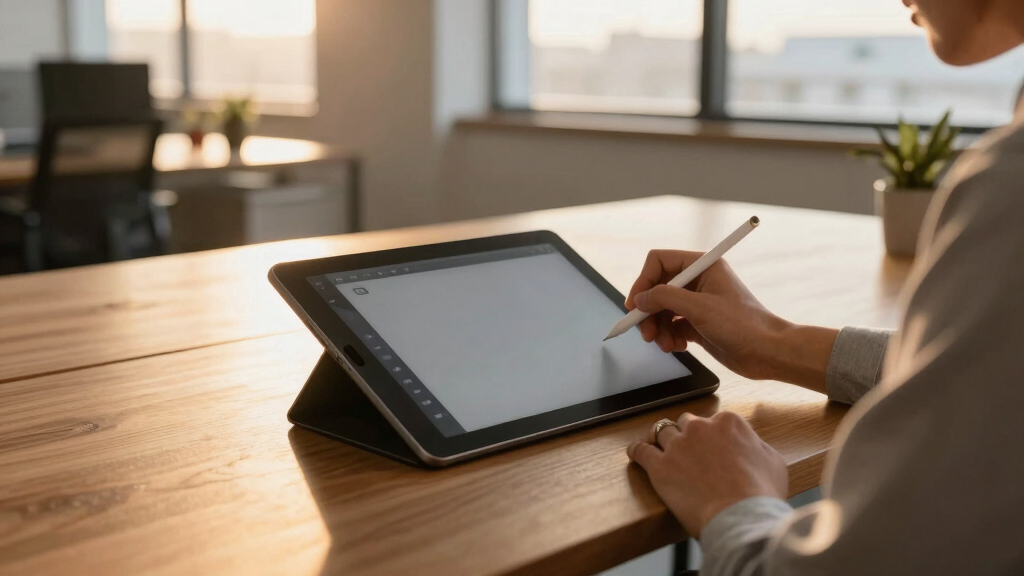
I assessed each product based on key factors that influence usability and value for digital artists. Performance metrics like pen pressure sensitivity and color accuracy were primary, as they directly impact drawing precision and vibrancy. Build quality, including screen lamination and anti-glare coatings, was also critical, since these features reduce glare and improve visual clarity. I prioritized models that offer a good mix of features relative to their price, ensuring options for a range of budgets. Finally, I considered user feedback and industry reputation to confirm reliability and ease of use, which led to the ranking order presented here.Factors to Consider When Choosing Best Drawing Tablets With Screen
Choosing the right drawing tablet with a screen involves balancing several factors. Beyond the raw specs, understanding your workflow, budget, and preferred features helps narrow down options that will truly enhance your creative process. Consider how the device will integrate with your existing setup and what features will make your drawing experience more natural and intuitive.Display Quality and Size
Display resolution and color accuracy directly impact the vibrancy and detail of your artwork. Full-laminated screens reduce parallax, making drawing feel more natural. Size matters too: smaller screens are more portable but offer less workspace, while larger screens provide more room for detailed work but can be less portable and more expensive. Think about your typical projects and whether portability or workspace is your priority.
Stylus Sensitivity and Compatibility
High levels of pen pressure sensitivity, ideally 8192 levels or more, enable nuanced control over line weight and shading. Compatibility with popular drawing software and operating systems ensures your workflow remains smooth. A battery-free stylus reduces maintenance and feels more natural, but verify if the stylus feels comfortable and precise for your drawing style.
Build Quality and Screen Laminations
Durability and visual clarity are critical for long-term use. Full-laminated screens minimize glare and parallax, providing a more natural drawing experience. Anti-glare coatings help reduce reflections in bright environments. Avoid models with flimsy stands or fragile screens, especially if you plan to travel or use the device extensively.
Connectivity and Compatibility
Ensure your chosen tablet supports your devices—whether via USB-C, HDMI, or wireless connections. Compatibility with Windows, macOS, Android, or Linux broadens your flexibility. Wireless models offer more freedom of movement but may introduce latency or connectivity issues. Consider your typical workspace setup and how the tablet will integrate seamlessly.
Price and Value
Higher prices often bring advanced features like larger screens, higher pressure levels, and better build quality. Decide which features are non-negotiable and where you can compromise. Entry-level models work well for beginners, while professionals might prioritize color accuracy and durability, justifying the investment. Avoid overpaying for features you won’t use regularly.
Frequently Asked Questions
Do I need a powerful computer to run a drawing tablet with a screen?
Most drawing tablets with screens are designed to work with standard computers or can operate independently if they are standalone models like the PicassoTab X. For those that require a connection, a computer with decent processing power, USB ports, and graphics capabilities is usually sufficient. Always check the specific system requirements of your chosen device to ensure compatibility and smooth operation.
Is a larger screen always better for digital art?
While larger screens provide more space for detail and complex projects, they also tend to be heavier and less portable. Smaller screens are more convenient for on-the-go use and can be easier to manage on a desk, but they may limit your workspace. The ideal size depends on your typical projects and whether mobility or screen real estate matters most for your workflow.
How important is color accuracy in a drawing tablet with a screen?
Color accuracy is critical if you work professionally in illustration, design, or photo editing, as it ensures your colors stay consistent across devices and outputs. Look for models with high sRGB or Adobe RGB coverage—above 90% is desirable for professional work. For casual or hobbyist use, slightly lower color fidelity may be acceptable without affecting your creative experience significantly.
Can I use a drawing tablet with screen without a dedicated stylus?
Most drawing tablets with screens come with a stylus designed specifically for precise input and pressure sensitivity. Using any other stylus might not provide the same level of control or sensitivity, and in some cases, might not work at all. Investing in the included or compatible stylus is recommended for optimal drawing experience and device longevity.
What features should beginners prioritize when choosing a drawing tablet with a screen?
Beginners should focus on affordability, ease of use, and reliable stylus performance. Devices that are standalone or have simple connectivity options reduce setup complexity. Look for models with a good balance of pressure sensitivity, decent display quality, and a user-friendly interface. Avoid overly complex or feature-heavy options that could overwhelm new users and hinder the learning process.
Conclusion
For casual artists or those just starting out, the PicassoTab X offers a portable, all-in-one device that’s easy to learn and use. Professionals needing high color fidelity and advanced pressure sensitivity will find the HUION Kamvas 13 (Gen 3) to be a wise investment. Budget-conscious buyers should consider the XPPen Artist 12 3rd for great value without sacrificing core features. If size and workspace are key, larger models like the HUION KAMVAS Pro 16 remain excellent choices for detailed work. Ultimately, your selection should align with your skill level, project scope, and workspace needs.