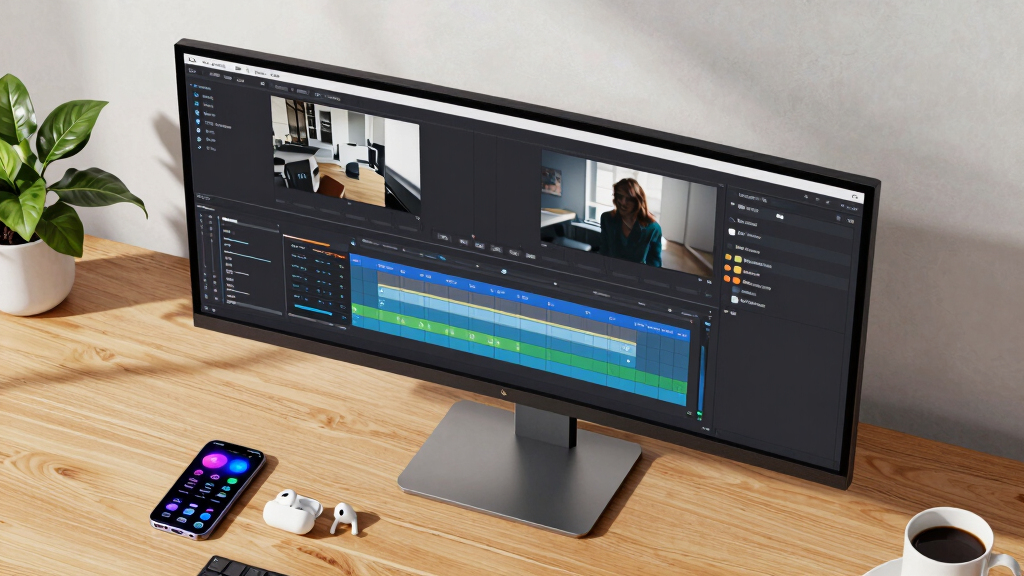

Choosing the best ultrawide monitor for YouTube editing involves balancing screen real estate, color accuracy, and performance. The LG 34SR60QC-W stands out as the overall top pick because of its versatile features and smart integrations, ideal for multitasking and content creation. The Samsung 49″ Odyssey G9 offers an immersive experience for those who need expansive viewing, especially for complex editing timelines. However, higher-end models come with tradeoffs like higher prices and complexity, while budget options may lack color precision or connectivity. Continue reading for a detailed breakdown of the top ultrawide monitors suited to different editing needs and budgets.
Key Takeaways
- The best ultrawide monitors for YouTube editing combine high resolutions with accurate color reproduction.
- Curved screens generally improve immersion and reduce eye strain during long editing sessions.
- Connectivity options like USB-C and Thunderbolt are vital for seamless workflow integration.
- Higher refresh rates and low response times benefit video editing workflows requiring real-time feedback.
- Tradeoffs often involve balancing price, size, and advanced features like HDR or OLED panels.




More Details on Our Top Picks
This LG Smart Monitor stands out for its impressive combination of a 34-inch curved ultrawide display with a 21:9 aspect ratio, making it ideal for multitasking while editing YouTube videos. Its QHD resolution and 99% sRGB color gamut deliver vibrant visuals, which are essential for color-accurate editing. The built-in webOS platform grants quick access to streaming services like Netflix and Disney+, offering seamless content consumption alongside editing. Compared with other options, such as the SAMSUNG 49″ Odyssey G9 with its gaming focus, this model prioritizes versatility and smart features, though its HDR10 support is more basic than HDR1000 displays. Its tradeoff is a slightly lower refresh rate (100Hz) compared to gaming monitors, but it suffices for smooth video editing workflows. Best for creators who want a wide, color-rich workspace with integrated streaming.
Pros:- Wide 34-inch curved ultrawide screen for multitasking
- Vivid color reproduction with 99% sRGB and HDR10 support
- Built-in smart platform with streaming apps and AirPlay2 compatibility
- Multiple ports including HDMI and USB
Cons:- Refresh rate limited to 100Hz, less ideal for fast-paced editing transitions
- HDR support is basic compared to HDR1000 monitors
- Built-in speakers are convenient but not audiophile quality
Best for: Content creators and YouTubers who need a large, color-accurate monitor with multimedia capabilities.
Not ideal for: High-end gamers requiring ultra-fast response times and top-tier HDR performance.
- Display Size:34 inches
- Resolution:3440 x 1440
- Refresh Rate:100Hz
- Color Gamut:99% sRGB
- Panel Technology:VA
- Viewing Angles:178 degrees
- HDR Technology:HDR10
- Ports:2 HDMI, 3 USB
Bottom line: This monitor is perfect for those who want a large, versatile screen with integrated streaming and color accuracy for YouTube editing.
LG 34WR55QK-B 34-inch UltraWide WQHD (3440 x 1440) Curved Computer Monitor, 100Hz, 5ms, HDR10, Reader Mode, HDMI, DisplayPort, USB Type-C, Tilt/Height Adjustable Stand, Black
This LG 34-inch curved monitor offers a solid balance of performance and ergonomics, making it suitable for YouTube editors who want an affordable ultrawide workspace. Its 3440×1440 resolution and 120% sRGB coverage provide vibrant visuals, comparable in color quality to higher-end models like the INNOCN 40″ WQHD, but at a lower price point. The adjustable stand and tilt features enhance comfort during long editing sessions, and the USB-C port supports up to 65W power delivery, reducing cable clutter. Unlike the SAMSUNG 49″ Odyssey G9 with its gaming focus, this monitor emphasizes ergonomics and productivity. Its cons include a slower 5ms response time and less peak brightness, but for most YouTube editing tasks, these are acceptable tradeoffs. Ideal for entry-level creators or those working in tight spaces.
Pros:- Affordable price with high-resolution WQHD panel
- Good color coverage with 120% sRGB and HDR10
- Ergonomic stand with tilt and height adjustments
- USB-C port with 65W charging
Cons:- Response time of 5ms may show slight motion blur
- Brightness limited to 300 nits compared to HDR1000 monitors
- HDR support is basic, not HDR1000 or HDR400
Best for: Beginner YouTubers and editors needing an ergonomic, color-accurate ultrawide with good connectivity at an affordable price.
Not ideal for: Professional color graders or gamers needing ultra-low latency and HDR1000 support.
- Display Size:34 inches
- Resolution:3440 x 1440
- Refresh Rate:100Hz
- Response Time:5ms
- Color Gamut:120% sRGB
- Panel Type:IPS
- Brightness:300 nits
- Ports:HDMI, DisplayPort, USB-C
Bottom line: A budget-friendly, ergonomically adjustable ultrawide monitor suited for beginner YouTube editors who value color and comfort.
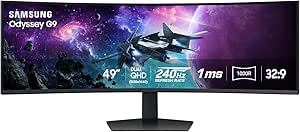
This Samsung Odyssey G9 redefines ultrawide monitors with its 49-inch dual QHD resolution and 1000R curvature, wrapping you in an immersive editing environment. Its 240Hz refresh rate and 1ms response time rival gaming monitors like the SAMSUNG 49″ Odyssey OLED G9, but its primary advantage is the massive, detailed workspace that benefits large-scale editing projects. The HDR1000 support delivers striking contrast and vibrant colors, beneficial for detailed video work. The Auto Source Switch+ and ergonomic stand make it user-friendly for intensive editing sessions. However, its high power consumption and premium price reflect its gaming and professional-grade performance. Compared to the INNOCN 40″ WQHD, it offers a wider field of view but at the cost of size and cost, making it suited for dedicated editing suites. Best for professionals requiring expansive, high-contrast visuals.
Pros:- Massive 49-inch dual QHD curved display
- High refresh rate of 240Hz and 1ms response time
- HDR1000 for excellent contrast and color vibrancy
- Auto source switching and ergonomic stand
Cons:- Very high power consumption and premium cost
- Size may be impractical for small desks
- Limited HDR support for non-HDR content
Best for: Video editors and content creators who need a massive, high-performance ultrawide display for detailed YouTube editing.
Not ideal for: Casual creators or those with limited desk space due to its sheer size and cost.
- Display Size:49 inches
- Resolution:5120 x 1440
- Refresh Rate:240Hz
- Response Time:1ms GtG
- HDR Technology:HDR1000
- Panel Type:VA
- Contrast Ratio:1000000:1
- Ports:2 HDMI, 2 USB
Bottom line: This monitor is best suited for professionals who need a colossal, color-precise ultrawide for detailed YouTube editing and viewing.
CRUA 34” White Gaming Monitor, 165HZ/144HZ, WQHD(3440x1440P) IPS UltraWide Screen Computer Monitors with Built-in Speakers, Supports FreeSync, 120% sRGB, HDMI 2.0 & DP 1.4, Wall Mountable Installs
This CRUA 34-inch ultrawide monitor offers a compelling mix of gaming performance and content creation features, making it suitable for YouTube editing with a focus on versatility. Its 3440×1440 resolution and 165Hz refresh rate ensure smooth playback and editing of high-motion videos, comparable to the INNOCN 40″ WQHD in resolution but with a more gamer-oriented design. The IPS panel covers 120% sRGB, providing vibrant, accurate colors for editing, while the built-in speakers add convenience. Its wall-mount compatibility and HDMI/DP support make it adaptable to various setups. The main tradeoff is its limited HDR support and modest brightness of 380 nits, which is less than HDR1000 displays. It’s a good choice for creators on a budget who want a fast, color-accurate ultrawide. Ideal for YouTubers balancing editing and gaming.
Pros:- Fast 165Hz refresh rate for smooth editing and gaming
- 120% sRGB coverage ensures vibrant colors
- IPS panel with wide viewing angles
- Wall-mountable and versatile connectivity
Cons:- Limited HDR support, only HDR10
- Brightness capped at 380 nits
- Color accuracy may need calibration for professional grading
Best for: Content creators seeking a fast, color-rich ultrawide with gaming capabilities and flexible mounting options.
Not ideal for: High-end professional color grading or HDR-intensive workflows.
- Display Size:34 inches
- Resolution:3440 x 1440
- Refresh Rate:165Hz
- Response Time:1.5ms
- Color Gamut:120% sRGB
- Panel Type:IPS
- Brightness:380 nits
- Ports:HDMI 2.0, DP 1.4, USB
Bottom line: A well-rounded ultrawide suited for YouTubers who want fast performance and vivid visuals without the high cost of HDR1000 monitors.
The Samsung Odyssey G9 is a giant for serious gaming and large-scale editing, with its 49-inch dual QHD display wrapped in a 1000R curve that virtually immerses you. Its 240Hz refresh rate and 1ms response time deliver ultra-smooth visuals, ideal for fast-paced editing and gaming alike. The HDR1000 support provides stunning contrast and color depth, comparable to professional-grade displays, making it suitable for detailed YouTube content editing. Its Auto Source Switch+ and ergonomic stand facilitate easy switching between devices. The main tradeoff is the significant desk space required and high energy consumption, along with the premium price tag. Compared to the INNOCN 40″, it offers a larger field of view at a higher cost, making it best for dedicated setups. Perfect for creators who want an expansive, high-performance ultrawide for both editing and gaming.
Pros:- Extremely large 49-inch dual QHD display
- 240Hz refresh rate with 1ms GtG response time
- HDR1000 for exceptional contrast and color
- Auto source switching and ergonomic stand
Cons:- Very large footprint requiring substantial desk space
- High power consumption and cost
- Size may be excessive for typical editing desks
Best for: High-end YouTubers and professionals needing a massive, feature-rich display for detailed editing and entertainment.
Not ideal for: Small workspaces or budget-conscious creators who do not require extreme size or HDR1000.
- Display Size:49 inches
- Resolution:5120 x 1440
- Refresh Rate:240Hz
- Response Time:1ms GtG
- HDR Technology:HDR1000
- Panel Type:VA
- Contrast Ratio:1,000,000:1
- Ports:2 HDMI, 2 USB
Bottom line: This monitor suits professionals demanding expansive, high-contrast visuals for advanced YouTube editing and multimedia use.
INNOCN 40″ WQHD 3440 x 1440P 144Hz Ultrawide Monitor Gaming FreeSync HDR400 21:9 PC Computer IPS Screen Split PIP/PBP for Editing/Gaming, USB C 90W, HDMI, DP, Black
The INNOCN 40″ ultrawide monitor combines size, performance, and affordability, making it a great option for YouTube editors with limited space or those starting out. Its 3440×1440 resolution and 144Hz refresh rate provide smooth editing and gaming experiences, comparable to larger models like the SAMSUNG Odyssey G9 but in a more manageable size. Its 95% DCI-P3 color gamut and 500 nits brightness ensure vibrant, accurate visuals suitable for content creation. The USB-C port supports power delivery up to 90W, simplifying cable management. The main tradeoff is HDR support limited to HDR400 and a more modest contrast ratio, which might not satisfy professional color grading. Overall, it offers a compelling mix of features for YouTubers balancing editing and gaming in a compact setup. Ideal for creators seeking an immersive, color-rich display without the size and cost of top-tier HDR monitors.
Pros:- Large 40-inch ultrawide display for multitasking
- 144Hz refresh rate for smooth video editing and gaming
- Vivid color with 95% DCI-P3 and 500 nits brightness
- USB-C port with 90W power delivery
Cons:- HDR support limited to HDR400, less vibrant than HDR1000
- Contrast ratio of 1200:1, lower than premium HDR monitors
- Build quality and component durability may be less premium
Best for: YouTubers and editors wanting a large, versatile ultrawide with decent HDR and fast refresh rate at a reasonable price.
Not ideal for: Professionals requiring top-tier HDR support or specialized color grading workflows.
- Display Size:40 inches
- Resolution:3440 x 1440
- Refresh Rate:144Hz
- Response Time:1ms
- Color Gamut:95% DCI-P3
- Brightness:500 nits
- Panel Type:IPS
- Ports:HDMI, DP, USB-C
Bottom line: A budget-friendly, feature-rich ultrawide suited for YouTubers who want a balance of performance and size in a versatile package.
Samsung 49″ Odyssey OLED G9 (G91SD) Dual QHD QD-OLED G-Sync Compatible Curved Gaming Monitor, 144Hz, 0.03ms, AMD FreeSync Premium Pro, Ergonomic Stand, 3 Year Warranty, LS49DG910SNXZA
This monitor stands out for its QD-OLED technology, delivering stunningly vibrant colors, true blacks, and near-instant response times, making it ideal for content creators who need precision editing along with immersive visuals. When compared to the INNOCN 49″ OLED, it offers a larger, more refined curved display with ultra-wide Dual QHD resolution, but at a significantly higher price and power consumption, which could be a drawback for budget-conscious users. The built-in Picture-in-Picture and Picture-by-Picture features excel for multitasking, while the ergonomic stand ensures comfortable long hours of editing or gaming. However, its size and cost make it less suitable for small desks or casual users. For those who want top-tier visual accuracy and multitasking capability in one package, this is the best pick.
Pros:- Exceptional color vibrancy and contrast with QD-OLED technology
- Ultra-wide Dual QHD resolution enhances multitasking and detail visibility
- Fast 0.03ms response time and 144Hz refresh rate for smooth visuals
- Picture-in-Picture and Picture-by-Picture support for seamless multitasking
Cons:- High power consumption and premium price point
- Large physical size may not suit small or cluttered desks
- Early models may have issues with burn-in if static images are displayed excessively
Best for: Professional content creators and gamers needing high color accuracy and multitasking features.
Not ideal for: Budget users or those with limited desk space who prefer simpler, smaller monitors.
- Display Size:49 Inches
- Resolution:5120×1440 (Dual QHD)
- Refresh Rate:144 Hz
- Response Time:0.03 ms
- Panel Technology:QD-OLED
- Connectivity:HDMI 2.1, DisplayPort, USB-C
- Contrast Ratio:1,000,000:1
- Ergonomics:Tilt, Height Adjustment
- Warranty:3 Years
Bottom line: This monitor is perfect for demanding professionals who need top-tier visuals and multitasking in one sleek, expansive display.
CRUA 34” Gaming Monitor 165Hz/144Hz, UWQHD 3440x1440P IPS Ultrawide Screen Computer Monitors with Built-in Speakers, Supports FreeSync, 120% sRGB, PIP/PBP, HDMI2.0 & DP1.4, Wall Mount&Tilt Adjustable
This 34-inch ultrawide offers a high refresh rate of up to 165Hz and excellent color fidelity with 120% sRGB, making it suitable for both gaming and detailed editing tasks. Compared with the INNOCN 34” 5K2K monitor, it sacrifices some resolution clarity for a more affordable price and higher refresh rates, but still delivers sharp images with IPS wide-angle viewing. Its support for PIP and PBP enhances multitasking, and its tilt and VESA compatibility make it versatile for various setups. The downside includes a somewhat limited warranty and average build quality, which might be a concern for long-term use. For budget-conscious professionals who want a capable all-round ultrawide, this is a solid choice.
Pros:- High refresh rate of 165Hz for smooth gaming and editing transitions
- Wide color gamut with 120% sRGB for vibrant visuals
- Supports PIP and PBP for multitasking
- Tilt and VESA mount compatibility for flexible setup
Cons:- Build quality is average and may lack durability
- Resolution capped at 3440×1440, less detailed than 5K monitors
- Limited warranty period of 1 year
Best for: Enthusiast editors and gamers seeking a balanced mix of high refresh rate, color accuracy, and affordability.
Not ideal for: High-end content creators requiring 4K resolutions or advanced color grading tools.
- Display Size:34 Inches
- Resolution:3440×1440
- Refresh Rate:165 Hz
- Response Time:1 ms
- Panel Technology:IPS
- Connectivity:HDMI 2.0, DP 1.4
- Color Gamut:120% sRGB
- Adjustability:Tilt, Wall Mount
- Warranty:1 Year
Bottom line: This monitor offers a compelling blend of speed and color for users who want versatility without breaking the bank.
INNOCN 49″ OLED Ultrawide Curved Monitor 5K2K 5120 x 1440p 144Hz, 0.03ms, Computer Monitor for AI PC, USB Type C 90W, HDMI 2.1, DisplayPort, USB Hub, Speakers, Adaptive-Sync, Adjustable Stand, Black
This 49-inch OLED monitor excels in high-resolution content creation, offering a 5K2K 5120×1440 display with 144Hz refresh rate and ultra-wide curvature. It supports a wide array of connectivity options including USB-C with 90W power delivery, HDMI 2.1, and DisplayPort, making it highly versatile for both professional editing and gaming. Compared to the Samsung G9, this model emphasizes color accuracy and deep contrast over gaming-specific features, making it ideal for creators who need detailed visuals. While the OLED panel provides stunning blacks and color depth, it can be susceptible to burn-in if static images are displayed for extended periods. Its size and premium features come at a high cost, but for demanding creators, this monitor offers exceptional visual fidelity.
Pros:- Ultra-wide 5120×1440 resolution with stunning detail
- Deep blacks and vibrant colors from OLED technology
- Supports multiple connectivity options including USB-C with 90W power
- 144Hz refresh rate ensures smooth editing and browsing
Cons:- High price and size may be impractical for small desks
- OLED burn-in risk if static images are used excessively
- Limited availability and higher power consumption
Best for: Content creators, video editors, and high-resolution enthusiasts seeking accurate colors and deep blacks.
Not ideal for: Casual users or gamers not requiring 5K resolution or OLED benefits.
- Display Size:49 Inches
- Resolution:5120×1440 (5K2K)
- Refresh Rate:144 Hz
- Response Time:0.03 ms
- Panel Technology:OLED
- Connectivity:USB-C 90W, HDMI 2.1, DisplayPort
- Contrast Ratio:Outstanding deep blacks
- Adjustability:Height, Tilt, Swivel
- Warranty:Varies by seller
Bottom line: This monitor delivers professional-quality visuals for creators who prioritize resolution, color, and contrast in a large, immersive display.
SANSUI 34 Inch 240Hz Ultrawide Curved Gaming Monitor UWQHD 3440×1440, 21:9 2K Curved Monitor 1500R,HDR400,Fast VA, PIP/PBP,AI Crosshair,AIPQ(Visual Enhance),MPRT 1ms,HDMI2.1 * 2,DP1.4 * 2
This 34-inch VA panel monitor provides a high 240Hz refresh rate and a rapid 1ms response time, making it excellent for fast-paced gaming and quick editing workflows. Its HDR400 support and AI-based visual enhancements help produce vivid images, although not at the same level of color accuracy as IPS or OLED panels. Compared to the CRUA 34” 165Hz model, it offers a higher refresh rate and faster response, but with a slightly lower color coverage. The curved 1500R design improves immersion and reduces eye strain during long sessions. However, its build quality and warranty are less extensive, and VA panels generally have narrower viewing angles. This is a strong option for gamers or editors prioritizing speed and contrast over precise color accuracy.
Pros:- 240Hz refresh rate with 1ms MPRT for ultra-smooth visuals
- HDR400 support enhances contrast and color depth
- Curved 1500R screen reduces eye fatigue and improves immersion
- Supports PIP and PBP multitasking modes
Cons:- Color accuracy and coverage are less than IPS or OLED panels
- Build quality and warranty are limited
- VA viewing angles are narrower, affecting multi-user setups
Best for: Gamers and fast-paced content editors who want high refresh rates and quick response times.
Not ideal for: Color-critical editing professionals or those seeking the most accurate color reproduction.
- Display Size:34 Inches
- Resolution:3440×1440
- Refresh Rate:240 Hz
- Response Time:1 ms
- Panel Technology:VA
- Connectivity:HDMI 2.1, DP 1.4
- HDR:HDR400
- Curvature:1500R
- Warranty:1 Year
Bottom line: Ideal for fast-paced gaming and quick editing tasks where speed takes priority over color precision.
Samsung 34″ ViewFinity S50GC Series Ultrawide QHD Monitor, 100Hz, 5ms, HDR10, AMD FreeSync, Ultrawide Screen, Eye Care, Thin Bezels, PIP, PBP, LS34C50DGANXZA, 2023, Black
This 34-inch monitor offers a wide QHD resolution with a 100Hz refresh rate, making it suitable for general productivity, creative tasks, and multimedia consumption. Its sleek, thin-bezel design provides a virtually seamless experience in multi-monitor setups. Compared to the SANSUI 34″ 240Hz model, it emphasizes color accuracy and eye care features over gaming speed, supporting HDR10 and AMD FreeSync for smooth visuals during editing and viewing. Its ergonomic stand and VESA compatibility enable flexible positioning for prolonged work sessions. While it doesn’t match the gaming-focused specs like 240Hz or 1ms response, it delivers consistent, vibrant images with good contrast. This monitor makes sense for users prioritizing clarity and comfort over high refresh rates.
Pros:- Wide 3440×1440 resolution with high color fidelity
- HDR10 support enhances contrast and color richness
- Thin bezels for seamless multi-monitor setups
- Eye Care features reduce fatigue during long work hours
Cons:- Limited to 100Hz refresh rate, less ideal for competitive gaming
- Response time of 5ms may lag behind gaming monitors
- Lacks advanced gaming features like G-Sync or 165Hz+ refresh rates
Best for: Creative professionals and office users seeking a balance of clear visuals and comfortable viewing.
Not ideal for: Competitive gamers or editors needing ultra-high refresh rates and rapid response times.
- Display Size:34 Inches
- Resolution:3440×1440
- Refresh Rate:100 Hz
- Response Time:5 ms
- Panel Technology:IPS
- Connectivity:HDMI, USB-C, DisplayPort
- HDR:HDR10
- Design:Thin bezels
- Warranty:1 Year
Bottom line: This monitor is well-suited for creatives and professionals who need a beautiful wide workspace with comfort features.
Sceptre 34-Inch Curved Ultrawide WQHD Monitor (3440 × 1440), R1500, up to 180Hz/165Hz, DisplayPort x2, 99% sRGB, 1ms, Built-in Speakers, Machine Black, 2025 (C345B-QUT168)
This Sceptre model offers an impressive combination of high refresh rates and WQHD resolution at a more accessible price point, making it ideal for editors who want a large, immersive screen without breaking the bank. Its 1ms response time and 165Hz refresh rate reduce motion blur, which is beneficial for previewing fast-paced editing scenes or motion graphics. Compared to higher-end options like the Alienware AW3425DWM, it sacrifices some color accuracy and premium build quality but still delivers solid performance for YouTube content creation. The 99% sRGB coverage ensures decent color fidelity, though it falls short of professional-grade calibration. A key tradeoff is the absence of extensive ergonomic adjustments, so users should be aware of potential comfort issues during long editing sessions. This monitor is best suited for hobbyists or budget-conscious creators who prioritize size and speed over absolute color precision. Heavy gaming or color-critical work might require a more calibrated display.
Pros:- Affordable price point for a 34-inch ultrawide
- High refresh rate up to 165Hz reduces motion blur
- 1ms response time minimizes ghosting during fast scenes
- Decent 99% sRGB coverage for casual editing
Cons:- Limited ergonomic adjustments, potentially uncomfortable for long use
- Color accuracy not calibrated to professional standards
- Build quality feels less premium compared to higher-end models
Best for: YouTubers on a budget seeking a large, fast ultrawide for editing and casual previewing.
Not ideal for: Color graders or professionals needing precise color accuracy and extensive ergonomic features.
- Screen Size:34 inches
- Resolution:3440 x 1440
- Refresh Rate:165Hz
- Response Time:1ms
- Color Gamut:99% sRGB
- Ports:DisplayPort x2
- Panel Type:Curved VA
- Brightness:300 cd/m²
Bottom line: This monitor makes the most sense for entry-level creators or hobbyists who need a large, speedy display for editing and previewing YouTube content without high color demands.
Samsung 49” Business Curved Ultrawide Dual QHD Computer Monitor, USB-C, DisplayPort, HDMI, 120Hz, VESA DisplayHDR 400, Built-in Speakers, Height Adjustable Stand, Eye Care, LS49C954UANXZA, 2024
This Samsung 49-inch dual QHD monitor excels in providing a panoramic workspace that closely matches a dual-monitor setup, with the advantage of a single, seamless display. Its 32:9 aspect ratio and 1000R curvature create an immersive environment that enhances multitasking, particularly for editors juggling timelines, bins, and reference materials simultaneously. Compared with the Alienware AW3425DWM, it offers a much larger canvas but at the expense of pixel density, which may slightly reduce detailed clarity for fine editing tasks. The high contrast and VESA DisplayHDR 400 support bring depth to video previews, while the USB-C port simplifies connectivity with laptops and devices, reducing desk clutter. The ergonomic stand with height adjustment improves comfort during long editing sessions, and built-in speakers free up space. However, its massive size can be overwhelming in smaller setups and may require a substantial desk space. This monitor is ideal for creators managing multiple projects or workflows that benefit from a broad, unified view.
Pros:- Extremely wide, seamless 49-inch display for multitasking
- Height-adjustable stand for ergonomic comfort
- VESA DisplayHDR 400 enhances contrast and color depth
- Multiple ports including USB-C for simplified connectivity
Cons:- Large footprint may be unsuitable for smaller desks
- Pixel density is lower than smaller QHD monitors, affecting fine detail
- Premium price reflects its size and feature set
Best for: Professional YouTubers or editors needing a wide, integrated workspace for multitasking and video review.
Not ideal for: Those with limited desk space or seeking a more color-accurate, calibrated display for critical grading.
- Screen Size:49 inches
- Resolution:5120 x 1440 (Dual QHD)
- Refresh Rate:120Hz
- HDR:VESA DisplayHDR 400
- Ports:USB-C, HDMI, DisplayPort
- Curvature:1000R
- Brightness:400 cd/m²
- Color Coverage:95% DCI-P3
Bottom line: This monitor suits creators who need a vast, uninterrupted workspace for editing and managing multiple YouTube projects efficiently.
Alienware 34 Curved Gaming Monitor – AW3425DWM – 34-inch WQHD 180Hz 1ms Display, 1500R, AMD FreeSync Premium, VESA AdaptiveSync
The Alienware AW3425DWM combines ultra-responsive gaming performance with excellent image quality, making it a compelling choice for YouTubers who want fast previewing and vibrant visuals. Its 34-inch WQHD panel with a 180Hz refresh rate and 1ms response time excels in reducing motion blur, which benefits fast-paced editing scenes or gaming-related content. The 1500R curvature creates an immersive viewing experience, especially when working in wide timelines or multi-window layouts. Compared to the Sceptre, it offers superior color calibration and a more robust build but at a higher cost. The DCI-P3 95% coverage and HDR support ensure vivid, punchy colors, although it isn’t fully professional-grade for color grading. Its ergonomics and low blue light solutions improve comfort during extended editing sessions. This monitor is best suited for creators who prioritize speed, responsiveness, and vibrant visuals over absolute color accuracy.
Pros:- Exceptional 180Hz refresh rate and 1ms response time for responsiveness
- Vivid colors with 95% DCI-P3 coverage and HDR support
- 1500R curvature enhances immersion during editing and review
- Supports AMD FreeSync Premium for smooth visuals
Cons:- Higher price compared to other ultrawides with similar specs
- Not calibrated for professional color grading
- Requires ample desk space due to size and curvature
Best for: YouTubers producing fast-paced content or gaming videos who need quick previews and immersive visuals.
Not ideal for: Color-critical editors requiring precise calibration for grading or those with limited budgets.
- Screen Size:34 inches
- Resolution:3440 x 1440
- Refresh Rate:180Hz
- Response Time:1ms
- Color Coverage:95% DCI-P3
- HDR:VESA DisplayHDR 400
- Panel Type:Curved IPS
- Brightness:600 cd/m²
Bottom line: This monitor is ideal for creators who want high-speed visuals and vibrant colors for fast editing or gaming content, sacrificing some accuracy for responsiveness.
How We Picked
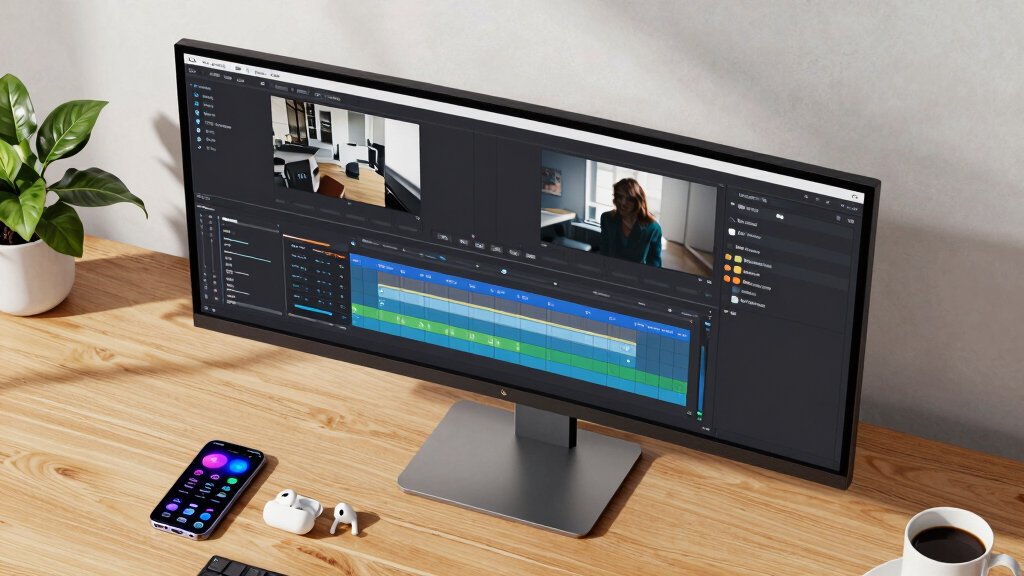
The monitors in this roundup were selected based on a combination of performance, display quality, usability, build durability, and value for YouTube editing. We prioritized models with high resolutions (WQHD or higher), accurate color reproduction (covering sRGB and AdobeRGB), and features that support multitasking, such as multiple inputs and adjustable stands. Response times, refresh rates, and HDR support were also key factors, as they directly impact editing clarity and workflow smoothness. To rank these options, we balanced these technical specs with user-friendly features and price points, aiming to present a diverse lineup that caters to different editing needs and budgets.Factors to Consider When Choosing Best Ultrawide Monitors For YouTube Editing
When selecting an ultrawide monitor for YouTube editing, understanding key factors can help you make an informed choice. Beyond size and resolution, color accuracy and connectivity are vital for producing professional-quality videos. Ergonomics and build quality affect comfort during long editing sessions, while features like HDR and high refresh rates can improve your workflow efficiency. Recognizing the tradeoffs between price and performance ensures you get the best value for your specific needs.Display Resolution and Size
For YouTube editing, a higher resolution like WQHD (3440×1440) or 4K ensures sharp details, especially when working with detailed footage or multiple windows. Larger screen sizes, typically 34 inches and above, provide ample workspace but can be overwhelming in smaller rooms or for desk setups. Consider your available space and whether your editing environment benefits from ultra-wide perspectives or more traditional sizes. Bigger screens enhance multitasking but may require more powerful hardware to drive them smoothly.
Color Accuracy and Calibration
Accurate color reproduction is essential for professional-looking videos. Look for monitors that cover at least 99% sRGB, with some models offering AdobeRGB or DCI-P3 support for broader color gamuts. Factory calibration or the ability to calibrate ensures your colors remain consistent over time. Skipping this can lead to videos that look great on your monitor but appear dull or oversaturated elsewhere, hampering your post-production quality.
Connectivity and Compatibility
Seamless integration with editing hardware and peripherals depends on the right ports. USB-C or Thunderbolt connections simplify file transfers, charging, and monitor control through a single cable. HDMI and DisplayPort are common and reliable options for connecting multiple devices. Avoid monitors with limited ports or those requiring adapters, as these can complicate your setup and reduce workflow efficiency.
Ergonomics and Build Quality
Comfort during long editing sessions hinges on adjustable stands, tilt, swivel, and height options. Good build quality reduces vibrations and ensures stability. An ergonomic monitor minimizes neck and eye strain, especially during extended editing hours. Investing in a well-designed stand or VESA compatibility can improve your setup’s flexibility and comfort.
Additional Features and Considerations
Features like HDR support, high refresh rates, and OLED panels can enhance your editing experience by providing better contrast and color depth. However, these often come with higher costs. Also, consider the monitor’s bezel thickness for more immersive editing or the presence of built-in speakers if you prefer a clutter-free workspace. Always weigh these extras against your primary editing needs and budget constraints.
Frequently Asked Questions
Is 34 inches the ideal size for YouTube editing?
While 34 inches is a popular size for ultrawide monitors due to its balance of workspace and desk fit, the ideal size depends on your workspace and workflow. Larger screens, like 40 inches or more, provide even more room but require more desk space and potentially more powerful hardware. Smaller options can still serve well if you primarily work with single windows or prefer a compact setup. Ultimately, choose a size that offers enough real estate without causing discomfort or clutter.
Should I prioritize a curved or flat ultrawide monitor for editing?
Curved monitors tend to reduce glare and distortions at the edges, providing a more immersive experience, which can be beneficial for video editing. They also help keep the entire screen in focus, especially on larger sizes. Flat screens, however, offer more straightforward calibration and are easier to mount or place in multi-monitor setups. Your choice depends on your workspace, preference for immersion, and how you plan to use the monitor alongside other displays.
Is HDR essential for YouTube editing?
HDR support can improve your ability to preview high-dynamic-range footage with more accurate contrast and color. However, its necessity depends on the type of content you produce. If you work heavily with HDR footage or want to future-proof your setup, a monitor with HDR capabilities makes sense. For standard SDR workflows, high color accuracy and resolution might outweigh the need for HDR support.
How important is color calibration for YouTube creators?
Color calibration is vital if you aim for professional-quality videos, as it ensures your colors remain consistent across different devices and platforms. Monitors with factory calibration or calibration software make this process easier and more accurate. For casual creators, calibration may be less critical but still beneficial if you want your videos to look polished and consistent.
Can I use a gaming ultrawide monitor for editing?
Many gaming ultrawide monitors offer high refresh rates, low response times, and good resolutions, making them suitable for editing as well. However, they may lack the color accuracy or factory calibration needed for professional editing. If you choose a gaming monitor, verify its color support and calibration options to ensure it meets your editing standards. Some models are versatile enough for both gaming and editing, especially if they include color management features.
Conclusion
For general YouTube creators and hobbyists, the LG 34WR55QK-B offers a balanced mix of affordability and performance, making it an excellent choice to start with. Professional editors seeking precise color accuracy and high resolution should consider the INNOCN 49″ OLED UltraWide or Samsung ViewFinity S50GC, which provide immersive visuals and broader color support. Gamers or those who also do gaming on their editing monitor will appreciate models like the Alienware 34 or SANSUI 34, blending performance with entertainment features. Budget-conscious users can find solid options in the CRUA series, while premium users should look towards OLED or high-end HDR monitors for the best viewing experience. Your ideal choice ultimately depends on your workflow, space, and budget.