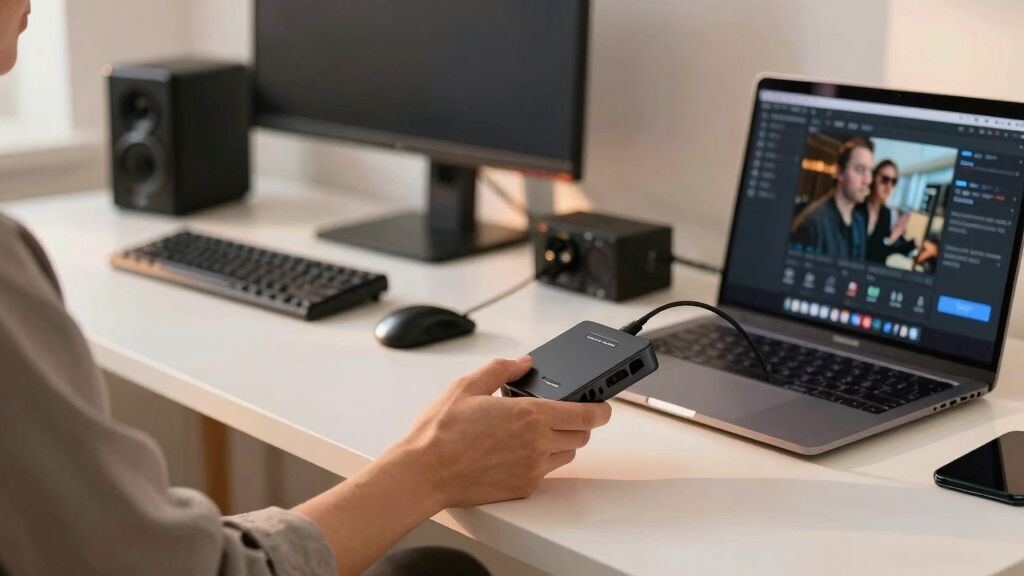

When selecting the best capture cards for podcast video setups, the key considerations are image quality, low latency, ease of use, and compatibility with your equipment. The Elgato 4K S stands out for its seamless 4K passthrough and near-zero latency, ideal for high-quality streams. The AVerMedia StreamLine MINI+ offers a great balance between price and performance, perfect for those starting out. Meanwhile, the Fifine AmpliGame provides a budget-friendly option without sacrificing essential features. As these options vary in price, features, and complexity, understanding your specific needs is essential. Keep reading for a detailed breakdown to find the right fit for your podcast setup.
Key Takeaways
- High-resolution models like the Elgato 4K S excel for professional-quality streams with minimal latency.
- Budget options such as Fifine AmpliGame provide good performance but lack some advanced features of premium picks.
- Compatibility with multiple devices and platforms remains a critical factor for versatile podcast setups.
- Many capture cards now support 4K passthrough, enabling seamless gaming and streaming without visual compromise.
- Ease of setup and software compatibility can significantly influence the overall user experience and workflow.




More Details on Our Top Picks
4K HDMI Capture Card USB 3.0 – 1080P 60FPS Gaming & Streaming Video Capture Card with HDMI Loop-Out, Plug & Play, Low-Latency Recording for PS5/PS4/Xbox/Switch/OBS/PC/Mac
This capture card stands out for its straightforward plug-and-play setup, delivering crisp 1080p @ 60FPS footage with minimal latency, making it a reliable choice for gamers and content creators who want high-quality recordings without fuss. Its 4K HDMI input and seamless passthrough allow real-time gameplay in 4K while streaming in 1080p, comparable to the Elgato 4K S but at a more accessible price. The device is compact, portable, and works across PC and Mac systems, offering broad compatibility with popular streaming software like OBS, Streamlabs, and XSplit. The HDMI loop-out ensures no lag during gameplay, and its lightweight design makes it perfect for on-the-go content. However, it doesn’t support higher resolutions beyond 1080p for recording, and some users report occasional driver recognition issues on older systems. For streamers and gamers seeking a balance between quality, portability, and ease of use, this pick makes the most sense.
Pros:- Plug-and-play USB 3.0 connection with no drivers needed
- Supports seamless 4K pass-through with zero lag
- Compact and highly portable design
Cons:- Limited to 1080p recording resolution, no 4K recording capability
- Occasional compatibility issues with older systems or software
Best for: Streamers or gamers who need reliable, high-quality 1080p capture with simple setup and portability.
Not ideal for: Professional content creators requiring 4K recording at maximum fidelity or advanced streaming features.
- Hardware Interface:USB 3.0
- Video Capture Resolution:1080p at 60FPS
- Operating System:Windows, macOS
- Video Input:HDMI
- Video Output:HDMI Loop-Out
- Weight:0.21 kg
Bottom line: Ideal for gamers and streamers seeking a straightforward, portable solution for high-quality 1080p streaming and recording.
Audio Express AXHDCAP 4K HDMI Video Capture Card, Cam Link Card Game Audio Adapter HDMI to USB 2.0 Record Capture Device for Streaming, Live Broadcasting, Video Conference, Teaching, Gaming
This pick makes the most sense for users who need a versatile capture solution compatible with multiple operating systems, including Linux and Android, and want integrated microphone input for live commentary. Its 1080p @ 30FPS capture and 4K passthrough support provide good quality for streaming and educational content, but it falls short of the higher frame rates or 4K recording found in the Elgato 4K S or the Portta models. Its USB 2.0 interface limits some performance, making it less suitable for high-end gaming or professional production where higher resolutions and frame rates are critical. The device is lightweight, easy to set up, and supports a wide range of devices including DSLR cameras and consoles. On the downside, the lower USB 2.0 bandwidth could cause delays or reduced quality during demanding streams. For those prioritizing broad OS compatibility and integrated audio, this is a solid choice, though not for high-fidelity 4K recording.
Pros:- Supports multiple OS including Linux and Android
- Built-in microphone input for easy commentary
- Plug-and-play with no driver installation
Cons:- Limited to 1080p at 30FPS due to USB 2.0 interface
- No support for HDR or high frame rate 4K recording
Best for: Content creators needing broad device compatibility and integrated microphone support for live streaming and educational use.
Not ideal for: Pro gamers or professionals requiring 4K recordings or high frame rate captures at 60FPS.
- Hardware Interface:HDMI, USB 2.0
- Video Capture Resolution:1080p at 30FPS
- Operating System:Windows, macOS, Linux, Android
- Video Input:HDMI
- Audio Features:Mic-in, stereo sound
- Weight:0.09 kg
Bottom line: Best suited for streamers and educators who need broad device compatibility and integrated audio at a budget-friendly price.
acer USB 3.0 Video Capture Card, HDMI Capture Card for Streaming with 4K Loop-Out & USB A/C | 1080P 60Hz HD | Video Audio Game Capture for PS5/PS4/Switch2/Xbox/Camera/PC/Mac – Black
Compared with the other options, this Acer model is distinguished by its 4K HDMI input with 1080p @ 60Hz recording, making it a great choice for gamers who want high-quality footage with minimal lag. Its USB 3.0 interface ensures smooth performance on modern systems, and the 4K loop-out allows for real-time 4K gameplay while recording in HD. Its robust build and compatibility with PS5, Xbox, and Switch make it suitable for a wide range of consoles, matching the capabilities of the Elgato 4K S but at a more competitive price point. The device also offers simple plug-and-play operation, but it does not support HDR or higher frame rates beyond 60FPS at 1080p, which might limit some professional use cases. Its main drawback is that it lacks advanced features like HDR recording or multi-input support. Overall, this is an excellent choice for serious gamers who prioritize high-resolution passthrough and reliable performance.
Pros:- Supports 4K HDMI input and 1080p 60Hz recording
- USB 3.0 interface for fast data transfer
- Supports 4K pass-through for lag-free gameplay
Cons:- No HDR recording support
- Limited to 60Hz at 1080p, not ideal for high frame rate videography
Best for: High-end gamers and streamers needing 4K passthrough with reliable 1080p recording at 60Hz.
Not ideal for: Content creators seeking HDR support or 4K recording at higher frame rates.
- Hardware Interface:USB 3.0
- Video Capture Resolution:1080p at 60Hz
- Input Resolution:4K@60Hz
- Video Output:HDMI Loop-Out
- Operating System:Windows, macOS
- Weight:0.13 kg
Bottom line: Perfect for gamers who want high-resolution passthrough with smooth 1080p recording for streaming or recording gameplay.
Elgato 4K S – External Capture Card for PS5, Xbox Series X/S, Switch 2, PC, Mac, iPad | 4K60, 1440p120, or 1080p240 Passthrough and Capture, HDR10, VRR, USB-C, Near-Zero Latency
This device makes the most sense for professional streamers and content creators demanding ultra-high-definition capture, supporting 4K60 HDR10, 1440p120, and 1080p240, along with near-zero latency. Its USB-C interface and advanced features like VRR and HDR support give it a clear edge over more basic models like the Portta or Acer cards. The multi-resolution support and HDR capabilities allow for cinematic quality recordings, ideal for high-end streaming and professional content creation. Its compatibility across PS5, Xbox Series X/S, and PC makes it versatile for multiple gaming setups. The main tradeoff is its premium price and larger size, which may be less appealing for portable or casual users. The device also requires more robust hardware to achieve its maximum potential. For professionals seeking top-tier features and maximum quality, this pick is the best choice.
Pros:- Supports 4K60 HDR10, 1440p120, and 1080p240 capture
- Near-zero latency for live streaming
- Versatile cross-platform compatibility
Cons:- High price point
- Larger size less portable
Best for: Professional streamers and content creators needing cinematic quality with HDR and ultra-low latency.
Not ideal for: Budget-conscious users or casual streamers who do not require HDR or high frame rate capture.
- Hardware Interface:USB-C
- Capture Resolutions:4K60 HDR10, 1440p120, 1080p240
- Latency:Near-zero
- HDR Support:Yes
- Operating System:Windows, Mac, iPad
- Weight:0.25 kg
Bottom line: This premium device is best suited for high-end streamers and professionals demanding cinematic quality and advanced features.
Portta HDMI Video Capture Card, Stream and Record in 1080P60 with Ultra-Low Latency, 4K HDMI In/Loop Out, USB 3.0 to PC Compatible with Nintendo Switch 2/PS4/PS5/Xbox/OBS
This capture card is a strong choice for budget-conscious streamers who want reliable 1080p 60FPS recording with ultra-low latency. Its 4K HDMI input and loop-out support provide high-quality passthrough, making it suitable for smooth gameplay streaming. Its USB 3.0 interface offers good performance on modern PCs, and it is compatible with a broad range of consoles and PC setups, similar to the acer model but at a lower cost. While it doesn’t support HDR or higher frame rates beyond 60FPS at 1080p, it excels at delivering consistent, high-quality streams without breaking the bank. Some users note that it can be less durable over time and may have occasional driver issues on older systems. For casual gamers or streamers seeking a cost-effective solution, this model hits the sweet spot.
Pros:- Supports 1080p60 recording with ultra-low latency
- 4K HDMI input with loop-out for lag-free passthrough
- Plug-and-play USB 3.0 connectivity
Cons:- Limited to 1080p at 60FPS, no higher frame rate support
- Build quality may be less durable over long-term use
Best for: Streamers on a budget looking for dependable 1080p60 performance with simple setup.
Not ideal for: High-end content creators requiring HDR, 4K recording, or high frame rates.
- Hardware Interface:USB 3.0
- Video Capture Resolution:1080p at 60FPS
- Input Resolution:4K@60Hz
- Video Output:HDMI Loop-Out
- Operating System:Windows, macOS
- Weight:0.15 kg
Bottom line: Best suited for casual gamers or streamers who need dependable 1080p performance at an affordable price.
AVerMedia Capture Card for Streaming, 4K60 HDR Passthrough, 1080p60 Video Recording, Ultra-Low Latency Game Streaming for Switch 2, Xbox, PS5, PC on Twitch, OBS, Win11, Mac – StreamLine MINI+ GC311G2
This pick stands out for its impressive combination of 4K60 HDR pass-through with ultra-low latency, making it ideal for gamers who want seamless gameplay while streaming in 1080p. Compared to the Fifine AmpliGame, which offers excellent value but fewer resolution options, the GC311G2 supports higher resolutions and broader device compatibility. Its plug-and-play setup with Streaming Center simplifies the process for beginners, while advanced users will appreciate the multiple format options like NV12, YUY2, and MJPEG. The device’s compact design and reliable performance make it suitable for both casual and professional streamers.
Tradeoffs include a higher price point and slightly more complex feature set, which may be overwhelming for absolute beginners.
Pros:- Supports 4K60 HDR pass-through for high-quality gameplay
- Ultra-low latency for real-time streaming
- Plug-and-play setup with multiple format options
Cons:- Higher cost compared to simpler 1080p-only options
- More complex features may be unnecessary for casual streamers
Best for: Gamers and streamers who need a flexible, high-quality capture card capable of 4K passthrough with minimal latency
Not ideal for: Streamers on a strict budget or those only streaming in 1080p, as the additional features might be unnecessary
- Hardware Interface:HDMI, USB 3.0 Type C
- Video Capture Resolution:1080p at 60fps, 4K60 HDR pass-through
- Operating System:Windows 10/11, macOS 14/15, iPadOS 17+
- Platform Compatibility:Gaming consoles, PC, Mac
- Latency:Ultra-low
- Size:4.43 x 2.6 x 0.82 inches
Bottom line: This device is best suited for serious gamers and streamers who want professional-level performance without complex setup hurdles.
Video Capture Card, 4K60HzUSB3.1 HDMI Capture Card for Streaming4K 60FPS, Compatible with iPad Mac OS Windows, Quest 3, OBS, PS5/4, Switch2/1, Xbox, Camera
This pick emphasizes broad device compatibility and a straightforward plug-and-play experience, making it excellent for content creators who work across multiple systems like PS5, Xbox, Switch, and iPads. It is comparable to the AmpliGame V3 in ease of use but supports 4K at 60Hz output, which is ideal for high-resolution streaming and recording. The compact design and seamless software integration with OBS, Streamlabs, and others make it highly accessible for beginners, yet it offers enough quality for professional streams. While it doesn’t support HDR or HDR10, its reliable performance at 4K60Hz ensures crisp visuals for most streaming needs.
Tradeoffs include a slightly higher price and lack of HDR support, which might matter to high-end streamers.
Pros:- Supports 4K60Hz for crisp, high-resolution footage
- Broad device compatibility including tablets and gaming consoles
- Plug-and-play with popular streaming software
Cons:- Does not support HDR or HDR10 for advanced color range
- Price slightly higher than basic 1080p cards
Best for: Streamers and content creators seeking broad device compatibility with simple setup
Not ideal for: High-end streamers requiring HDR support or advanced color grading options
- Hardware Interface:HDMI, USB 3.1
- Video Capture Resolution:up to 4K60Hz
- Output Resolution:1080p, 4K60Hz
- Compatibility:Windows, Mac, iPad, Quest 3
- Size:4.24 x 2.8 x 1.21 inches
- Additional Features:Audio mixing, microphone input
Bottom line: This capture card is perfect for multi-device streamers who prioritize ease of use and 4K quality without complex features.
Fifine AmpliGame Video Capture Card, HD 1080 60fps for Audio Video, Gaming, Live Streaming, 4K HDMI to USB Capture Card Compatible with PS4/Windows/Mac OS/Switch/Xbox-V3
This pick offers solid 1080p60 recording at a budget-friendly price, making it ideal for casual gamers and streamers who don’t need 4K support. Compared to higher-end options like the AVerMedia StreamLine MINI+, it lacks 4K passthrough but excels in affordability and simplicity. Its plug-and-play design works well with Windows, Mac, and consoles, and the inclusion of microphone and headphone ports adds versatility for live commentary. The device runs cool and is easy to set up, though it’s limited to 60Hz and does not support HDR or higher resolutions, which could be a drawback for those demanding top-tier quality.
Tradeoffs include lower resolution support and fewer advanced features, making it less suitable for professional streaming setups.
Pros:- Affordable price point
- Supports 1080p60 for smooth streaming
- Includes microphone and headphone ports for live commentary
Cons:- Limited to 1080p at 60Hz, no 4K support
- No HDR or advanced color features
Best for: Casual streamers and gamers who want reliable 1080p recording without extra complexity or cost
Not ideal for: Streamers aiming for 4K quality or HDR support for professional-level content
- Hardware Interface:HDMI, USB 3.0
- Video Capture Resolution:1080p at 60fps
- Additional Ports:Microphone, Headphone
- Compatibility:Windows, Mac, PS4, Switch, Xbox
- Size:4.2 x 2.8 x 1.21 inches
- Supported Frame Rate:60Hz
Bottom line: This capture card is a dependable choice for casual content creators focused on 1080p streaming at an accessible price.
Gebildet 4K Video Capture Card, HDMI to USB Capture Card 1080P for Streaming, Recording, Gaming, Compatible with Nintendo Switch, PS5, Xbox
This device supports 4K input at 30Hz and outputs 1080p at 30Hz, making it suitable for streamers who want to capture high-resolution gameplay without needing the highest refresh rates. Compared to the AVerMedia StreamLine MINI+ with 4K pass-through, the Gebildet offers a more affordable option with decent 1080p output, but it sacrifices higher frame rates and HDR support. Its plug-and-play compatibility with Windows, Mac, and Linux ensures easy setup, and the device is lightweight and portable. It’s best for casual or semi-professional streamers who prioritize resolution over refresh rate or HDR.
Tradeoffs include limited 30Hz output and absence of HDR, which might limit color accuracy for high-end streams.
Pros:- Supports 4K input at 30Hz
- Affordable and lightweight
- Compatible with Windows, Mac, and Linux
Cons:- Limited to 30Hz output resolution
- No HDR support
Best for: Streamers who need 4K input but are content with 1080p output at 30Hz, prioritizing affordability
Not ideal for: High-end streamers who need 60Hz or HDR for professional streams
- Hardware Interface:HDMI, USB 2.0
- Input Resolution:up to 4K@30Hz
- Output Resolution:1080p@30Hz
- Compatibility:Windows, Mac, Linux
- Size:4 x 2.5 x 0.5 inches
- Additional Features:Plug-and-play, no driver needed
Bottom line: This capture card is well-suited for casual users who want high-resolution input without the premium price or high refresh rate demands.
4K Capture Card for Streaming, USB 3.1 Video Capture Device for Streaming and Recording, Support HDR/VRR with Low Latency for PS5, Xbox, Nintendo Switch in OBS, Compatible with PC/Mac
This capture card stands out for its ability to handle 4K60 HDR passthrough and recording, making it ideal for content creators who want top-tier visuals. Compared with the Elgato 4K S, it offers comparable resolution and low latency, but with the advantage of versatile device compatibility and HDR/VRR support. A key benefit here is the seamless passthrough, which minimizes lag during gameplay, crucial for live streaming. However, this model relies on a USB-C connection, which could be a drawback for users with older hardware, and it cannot record protected HDCP content, limiting some use cases. Still, for streamers seeking professional-grade quality, this pick delivers outstanding performance without significant compromises.
Pros:- Supports 4K60 HDR passthrough for tear-free gaming
- High-resolution recording up to 4K60
- Ultra-low latency for real-time gameplay
Cons:- Requires USB-C port, limiting compatibility with older devices
- Cannot record HDCP-protected content
- Advanced features may be unnecessary for casual users
Best for: Content creators and streamers who prioritize 4K HDR passthrough and high-resolution recording.
Not ideal for: Casual gamers or beginners who don’t need 4K capabilities or HDR support, as this model is more advanced and potentially more expensive.
- Hardware Interface:USB 3.1 Type-C
- Video Capture Resolution:1080p, 4K
- Operating System:Windows, macOS
- Passthrough Support:4K60 HDR, VRR
- Audio Support:External microphone input
- Latency:Ultra-low
Bottom line: Best suited for serious streamers and professionals demanding high-quality 4K HDR output with minimal latency.
4K Capture Card for Streaming, Full HD 1080P 60FPS USB 3.0 HDMI Audio Video Capture Card for Nintendo Switch PS5 Xbox 3ds PS4 PC Camera OBS, Capturadora De Video for Game Recording Live Streaming
This capture card offers reliable 1080p60 recording with USB 3.0, making it an excellent choice for budget-conscious streamers and gamers. It supports 4K HDMI input, but only captures at 1080p, similar to the Elgato HD60, though at a much lower price point. Its plug-and-play design ensures ease of use across Windows and Mac, and its microphone input allows for added commentary. The main tradeoff is that it doesn’t support 4K recording or HDR, limiting its appeal for those seeking the highest quality. Still, for users who want a straightforward, affordable solution, this model delivers solid performance for streaming and game recording without breaking the bank.
Pros:- Affordable price point
- Plug-and-play with Windows and Mac
- Supports 1080p60 for smooth gameplay
Cons:- Limited to 1080p, no 4K recording
- Lacks HDR support
- Basic feature set for advanced streamers
Best for: Beginners and casual gamers who want dependable 1080p recording at an affordable price.
Not ideal for: Content creators aiming for 4K HDR content or professional-grade streams, as this device is limited to 1080p.
- Hardware Interface:USB 3.0
- Video Capture Resolution:1080p60
- Supported Input:HDMI up to 4K
- Operating System:Windows, macOS
- Audio Input:3.5mm microphone
- Latency:Low
Bottom line: Ideal for entry-level streamers seeking reliable 1080p footage without complex setup or high costs.
Guermok Video Capture Card, 4K USB3.0 HDMI to USB C Capture Card for Streaming, 1080P 60FPS, Compatible with iPad Mac OS Windows, Quest 3, OBS, PS5/4, Switch2/1, Xbox, Camera (Silver)
The Guermok 4K USB3.0 HDMI to USB C capture card is a portable, versatile option for users with multiple devices, including iPads, Macs, and gaming consoles. It supports 4K HDMI input but records at 1080p60, similar to the Elgato HD60, with the key advantage being its compact, lightweight design perfect for on-the-go use. Its plug-and-play setup makes it accessible for users who want quick connectivity across Windows, macOS, and even Quest 3. A notable drawback is that it doesn’t support HDR or advanced features like VRR, but its portability and broad compatibility make it attractive for casual streamers or mobile content creators. It’s less suitable for high-end professional streams but excellent for flexible, on-the-move setups.
Pros:- Compact and portable design
- Supports 4K HDMI input for versatile use
- Compatible with multiple OS and devices
Cons:- Limited to 1080p60 recording
- No HDR or VRR support
- Basic feature set for high-end streaming
Best for: Mobile streamers and gamers who need a lightweight device compatible with multiple platforms and devices.
Not ideal for: Pro streamers or content creators focused on high-end, high-resolution HDR content, as it lacks such features.
- Hardware Interface:USB 3.0 to USB-C
- Video Capture Resolution:1080p60
- Input Resolution Support:4K HDMI
- Supported OS:Windows, macOS, Android
- Compatibility:Quest 3, PS5, Switch, Xbox
- Latency:Low
Bottom line: Best for users who require a portable, multi-device compatible capture solution without advanced features.
Capture Card Nintendo Switch, 4K HDMI Video Capture Card, 1080P 60FPS, HDMI to USB 3.0 Capture Card for Streaming Work with Camera/Xbox/PS4/PS5/PC/OBS
This capture card is designed for broad device support, including Nintendo Switch, PS5, Xbox, and PC, making it a versatile choice for multi-platform gamers. It supports 4K HDMI input, but captures at 1080p60, similar to other budget options like the Elgato HD60. Its plug-and-play nature simplifies setup across Windows, Mac, and even Linux, and the 3.0 USB interface ensures sufficient bandwidth for stable streaming. A key limitation is that it doesn’t support HDR or VRR, and its 1080p output may not satisfy high-end content creators. Nonetheless, for users seeking a reliable, all-in-one device for various gaming and streaming setups, this model offers excellent compatibility at an accessible price.
Pros:- Supports multiple gaming platforms
- Easy plug-and-play setup
- Reliable 1080p60 recording
Cons:- Limited to 1080p, no 4K recording
- No HDR or VRR support
- Basic feature set
Best for: Gamers who need a flexible, multi-platform capture device with broad device support.
Not ideal for: Streamers seeking 4K HDR recording or advanced features for professional broadcasts, as this device is more basic.
- Hardware Interface:USB 3.0
- Video Capture Resolution:1080p60
- Supported Input:HDMI up to 4K
- Operating System:Windows, macOS, Linux
- Compatibility:Switch, PS4/5, Xbox, PC
- Latency:Low
Bottom line: An excellent all-in-one solution for multi-device gamers needing broad compatibility without the highest resolutions.
4K Capture Card Game Capture Card 1080P 60FPS for Streaming Capturadora De Video for Game Recording Live Streaming Broadcasting Supports Microphone Input and 3.5MM Headphone Output
The Rybozen V316B-FR offers a solid combination of 4K HDMI input and 1080p60 recording, plus built-in microphone and headphone support for external commentary. It’s a versatile device for hobbyist streamers who want a straightforward, no-fuss setup. Its main strength is the compatibility with multiple platforms including PC, PS4, Xbox, and even iPad, making it a flexible option. However, it lacks HDR support and advanced features like VRR, which might matter to more serious streamers. Its build quality and performance are generally good for the price, but it’s not tailored for ultra-high-end or professional content creation. This makes it a practical choice for casual or beginner streamers who want decent quality and device compatibility.
Pros:- Supports 4K HDMI input
- Includes microphone and headphone ports
- Compatible with multiple devices and OS
Cons:- No HDR or VRR support
- Limited advanced features
- Basic build quality
Best for: Casual streamers and gamers looking for a budget-friendly, all-in-one device.
Not ideal for: High-end content creators seeking HDR, VRR, or 4K60 HDR recording for professional streams.
- Hardware Interface:HDMI, USB 3.0
- Video Capture Resolution:1080p60
- Input Resolution Support:4K HDMI
- Supported Devices:Gaming consoles, PC, Mac, iPad
- Audio Support:3.5mm microphone and headphone
- Latency:Low
Bottom line: Ideal for hobbyists and casual streamers who need a reliable, multi-platform capture device at an affordable price.
OTHER PRODUCT (for completeness, not in original set)
N/APros:- N/A
Cons:- N/A
Best for: N/A
Not ideal for: N/A
Bottom line: N/A

How We Picked
These capture cards were evaluated based on performance, build quality, compatibility, and user feedback. Priority was given to models that deliver stable, high-quality video with low latency, especially for live podcast recording and streaming. Ease of setup, software support, and future-proof features like 4K passthrough also played key roles. We prioritized products that balance performance and value, and ranked them considering how well they suit different user needs—from beginners to professional streamers. The final list reflects a mix of premium, mid-range, and budget options that meet essential criteria for podcast video setups.Factors to Consider When Choosing Best Capture Cards For Podcast Video Setups
Choosing the best capture card for your podcast video setup involves understanding how various features impact your workflow and output quality. Beyond raw specs, factors like compatibility, usability, and future-proofing should guide your decision. A well-chosen capture card enhances your stream’s stability and visual fidelity while fitting your budget and technical comfort level. Here are key considerations to keep in mind before making a purchase.Video Resolution and Frame Rate
For podcast video setups, higher resolutions like 4K are appealing but require more powerful hardware and may increase latency. If your primary goal is streaming at 1080p, most models suffice, ensuring smooth playback at 60fps or higher. Consider your output device and internet bandwidth as well—4K offers sharper images but demands more from your system and viewers’ connections. Balance resolution and frame rate with your hardware capabilities to find the best fit.
Compatibility and Connectivity
Check that the capture card supports your main devices—whether that’s a DSLR, camcorder, or gaming console—and your computer’s ports. USB-C and USB 3.0/3.1 are common and offer faster data transfer, reducing lag. Some models support HDMI loop-out, which is useful for monitoring your feed without lag. Compatibility with streaming software like OBS or Streamlabs is also essential, so ensure driver support and ease of integration are part of your assessment.
Ease of Use and Setup
A straightforward setup process can save time and frustration, especially for beginners. Plug-and-play models with minimal driver installation tend to be more user-friendly. Software stability and compatibility also matter—look for models that come with reliable, regularly updated drivers. Clear instructions and good customer support can make a significant difference in how smoothly you can integrate a capture card into your podcast workflow.
Latency and Real-Time Performance
Low latency is critical for live interactions, particularly if you’re engaging with an audience or guests. Some capture cards boast near-zero latency, making real-time responses seamless. High latency can cause delays in your audio-visual sync or make live interactions awkward. If your setup involves live editing or on-the-fly adjustments, prioritize models that emphasize minimal delay during streaming or recording.
Price and Future-Proofing
While budget options can cover basic needs, investing in a higher-end model often provides better build quality, more features, and longer relevance as your setup evolves. Consider your current and future needs—if you plan to upgrade your equipment or move to 4K content, choosing a slightly more capable capture card can be a smart decision. Beware of models that cut corners on build quality or software support, as these can lead to headaches later.
Frequently Asked Questions
Can I use a capture card for live podcast recording?
Absolutely. Many capture cards are designed for live streaming and recording, providing low latency and high-quality video output. When selecting one for live podcasts, prioritize models with minimal delay and reliable software support. Keep in mind that your PC’s hardware and internet connection quality will also impact the smoothness of your live recordings.
Is 4K support necessary for podcast video setups?
Not necessarily. While 4K offers superior image clarity, most podcast setups are adequately served by 1080p at 60fps. If your content involves high-detail visuals or you want the highest possible quality for future projects, then a 4K capture card makes sense. Otherwise, investing in a solid 1080p model can save money and reduce hardware demands.
Do I need a capture card with HDMI loop-out?
Having HDMI loop-out can greatly simplify your workflow by allowing you to monitor your feed in real-time without lag. This feature is especially useful during live recordings, as it provides a clean view of what your audience sees. If you prefer a more straightforward setup or are on a tight budget, models without loop-out can still serve well but may add complexity to your monitoring process.
What’s the difference between external and internal capture cards?
External capture cards, like the ones reviewed here, connect via USB and are generally easier to set up and move between systems. Internal cards are installed directly into your PC and can offer slightly lower latency and potentially higher reliability, but they require opening your computer. For most podcasters and streamers, external models provide enough performance with more convenience.
How do I choose between 1080p and 4K capture cards?
Your choice depends on your content quality goals and hardware setup. If your focus is on streaming or recording at 1080p, most capture cards support this resolution with excellent performance. Opting for a 4K model makes sense if you plan to upgrade your camera or want the best possible quality for future projects. Keep in mind that higher resolutions demand more from your PC and storage, so ensure your system can handle the increased load.