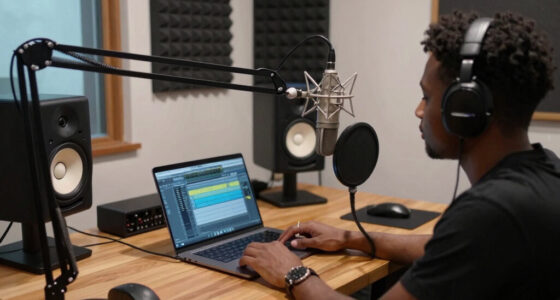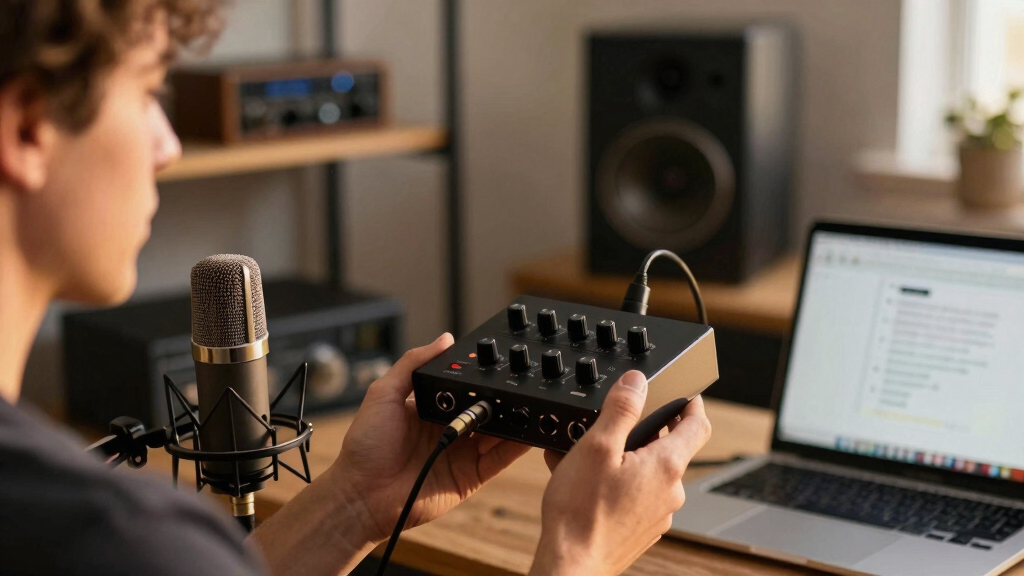
Choosing the best audio interface is crucial for YouTube creators aiming for professional-quality sound. The Focusrite Scarlett 2i2 4th Gen stands out for its high-fidelity recording and user-friendly features, making it ideal for most creators. The PreSonus AudioBox Go offers a complete starter bundle at an affordable price, perfect for beginners. Meanwhile, the Synido USB C Audio Interface provides versatile connectivity for those who need more input options. As creators face tradeoffs between price, complexity, and sound quality, continue reading for a detailed breakdown of these top picks and what makes each suitable for different needs.
Key Takeaways
- The top picks balance sound quality, ease of use, and value, with the Focusrite Scarlett 2i2 leading as the most versatile overall.
- Bundled options like PreSonus AudioBox Go can save money for beginners but may lack advanced features for seasoned creators.
- Connectivity options, especially XLR and line inputs, are key for creators using professional microphones or instruments.
- Price differences often reflect build quality and included software, with premium models offering better durability and features.
- Choosing an interface depends heavily on your recording setup—consider future expandability and specific device compatibility.


More Details on Our Top Picks
Synido USB C Audio Interface for Recording Music, Streaming, Podcasting with XLR, Line Input, 24bit/48kHz, 48V Phantom Power, 2-channel, Silver
This Synido 2×2 audio interface stands out for its three monitoring modes, making it flexible for both live broadcasting and detailed post-production work. Compared with the Focusrite Scarlett Solo 3rd Gen, it supports three distinct monitoring configurations, which can streamline workflows that switch between recording and editing. While the M-Audio M-Track Duo offers similar input options, Synido’s intuitive controls and three monitoring modes provide a clearer advantage for creators juggling multiple tasks. However, this model’s 24-bit/48kHz sampling rate is lower than some high-end units, which could be a drawback for those needing ultra-high resolution. Its lightweight, portable design enhances usability for creators on the go. The onboard phantom power and multi-input support ensure compatibility with a variety of microphones and instruments. The inclusion of three monitoring modes simplifies live and post workflows, reducing setup time. On the downside, the interface’s lower sample rate limits its appeal for advanced audio editing where higher fidelity is preferred. Best suited for YouTubers who need flexible monitoring options in a compact device.
Pros:- Supports three distinct monitoring modes for flexibility during live and post-production work
- Lightweight and portable at just 300g, ideal for creators on the move
- Supports professional 48V phantom power for condenser microphones
- Compatible with multiple device types including phones, tablets, and computers
Cons:- Limited to 48kHz/24-bit sampling rate, lower than some high-end interfaces
- No built-in DSP or advanced effects for real-time processing
Best for: YouTubers who require multiple monitoring modes and versatile input options for live streaming and recording.
Not ideal for: Creators seeking 96kHz or higher fidelity for professional audio production or high-resolution music editing.
- Compatible Devices:Computer PC, Mac, iOS, Android
- Supported Software:Any Digital Audio Workstation
- Connectivity Technology:USB-C, USB-A
- Number of Channels:2
- Frequency Response:48 KHz
- Operating System:Windows 7 and above, Mac OSX 10.11+, Android 10+, iOS 10+
Bottom line: Perfect for YouTubers who need adaptable monitoring and easy-to-use controls in a portable package.
M-AUDIO M-Track Duo USB Audio Interface for Recording, Streaming and Podcasting with Dual XLR, Line and DI Inputs, plus a Software Suite Included
This M-Audio M-Track Duo makes a strong case for newcomers with its simple interface, dual combo inputs, and included software suite. Unlike the Focusrite Scarlett Solo 4th Gen, it offers a dedicated switch for zero-latency direct monitoring, making it more suitable for live recording sessions without latency concerns. While the Focusrite Scarlett 2i2 4th Gen provides higher sample rates, the Duo’s straightforward design and dual XLR/Line inputs are more accessible for beginners who want quick setup and reliable sound. The inclusion of MPC Beats software adds immediate production capability, making it ideal for podcasting and basic music creation. Its 48kHz max resolution, though sufficient for most online content, is lower than pro-grade interfaces. The physical size is compact, fitting easily into a bag for mobile recording. However, it lacks some advanced features like high-resolution audio or onboard effects, which might limit growth for more sophisticated projects. Best suited for YouTubers starting out or recording on the move with limited setup complexity.
Pros:- Includes a comprehensive software suite for immediate use
- Dual combo XLR/Line inputs with phantom power for versatile recording
- Compact, portable design ideal for mobile creators
- USB-powered with no external power supply needed
Cons:- Limited to 48kHz/24-bit resolution, lower than high-end units
- No onboard DSP or real-time effects for processing
Best for: Beginners or YouTubers who need a simple, portable interface with essential inputs and included software.
Not ideal for: Advanced audio producers requiring higher sample rates or professional-level features for music production.
- Compatible Devices:Mac, Windows, iOS, Android
- Supported Software:MPC Beats, Ableton Live Lite, others
- Connectivity Technology:USB
- Number of Channels:2
- Frequency Response:48 KHz
- Operating System:Windows 7-10, macOS, iOS, Android
Bottom line: A great entry-level interface for YouTubers who want straightforward setup and essential features for streaming and recording.
Focusrite Scarlett Solo 3rd Gen USB Audio Interface for Guitarists, Vocalists, Podcasters or Producers to record and playback studio quality sound
The Focusrite Scarlett Solo 3rd Gen is ideal for creators prioritizing high-fidelity sound, thanks to its acclaimed pre-amps and high-performance converters. Unlike the Synido, which emphasizes monitoring modes, the Scarlett Solo excels in delivering studio-quality recordings with its renowned Air mode, adding brightness to vocals and acoustic instruments. Its single XLR input with phantom power makes it perfect for solo artists, podcasters, and guitarists seeking professional results. While it supports up to 192kHz, its straightforward design and high-quality preamps make it a top choice for detailed audio work. The gain halos simplify level setting, reducing clipping risk. However, it offers fewer inputs than the Synido, limiting multi-mic or instrument setups. Its compact size and robust build make it suitable for portable studio setups but may lack some advanced features for complex recording environments. Best suited for solo content creators demanding professional sound in a compact format.
Pros:- High-quality pre-amps with Air mode for enhanced clarity
- Supported up to 192kHz/24-bit for professional audio fidelity
- Compact and durable for portable studio use
- Simple setup with gain halos for easy level control
Cons:- Limited to one XLR microphone input, restricting multi-mic recording
- No onboard effects or DSP for real-time processing
Best for: Solo YouTubers, podcasters, and guitarists who need pristine, studio-quality recordings with minimal fuss.
Not ideal for: Multi-mic or multi-instrument setups requiring more inputs or higher-resolution features.
- Compatible Devices:Mac, Windows
- Supported Software:Pro Tools, Ableton Live Lite, Cubase, others
- Connectivity Technology:USB
- Number of Channels:2
- Frequency Response:20 KHz
- Operating System:macOS, Windows
Bottom line: Designed for solo creators who want professional-grade sound quality in a small, easy-to-use package.
Focusrite Scarlett 2i2 4th Gen USB Audio Interface for Recording, Songwriting, Streaming and Podcasting — High-Fidelity, Studio Quality Recording, and All the Software You Need to Record
The Focusrite Scarlett 2i2 4th Gen offers a significant upgrade with improved pre-amps, high-resolution conversion, and a suite of included software, making it a favorite for versatile creators. Compared with the 3rd Gen Solo, the 2i2 provides two inputs with high headroom and a broader feature set for multi-instrument recording and streaming. Its Auto Gain and Clip Safe features reduce setup stress by automatically setting optimal levels, making it highly user-friendly. The 120dB dynamic range ensures pristine audio quality, suitable for both vocals and instruments. Its build quality and compatibility across platforms make it ideal for home studios and mobile setups. However, it remains limited to 48kHz max resolution, which might be a concern for high-end professional applications. The included software bundle, including Pro Tools and Ableton Lite, enhances immediate productivity. This makes it a well-rounded choice for creators needing reliable, flexible, and high-quality recording. Best suited for versatile YouTubers who want professional sound with ease of use and software support.
Pros:- High-fidelity 120dB dynamic range for clear recordings
- Auto Gain and Clip Safe to simplify level setting
- Two balanced inputs suitable for multiple instruments or microphones
- Includes industry-standard recording software and plugins
Cons:- Limited to 48kHz/max resolution, less than some high-end interfaces
- No onboard DSP for real-time effects or effects processing
Best for: YouTubers who want a reliable, all-round interface with software included for streaming, podcasting, and multi-instrument recording.
Not ideal for: Audio professionals requiring higher sample rates or more advanced onboard processing features.
- Compatible Devices:Mac, Windows
- Supported Software:Pro Tools, Ableton Live Lite, Cubase, others
- Connectivity Technology:USB
- Number of Channels:2
- Frequency Response:20 KHz
- Operating System:macOS, Windows
Bottom line: Ideal for creators seeking a flexible, professional-quality interface with software tools for a variety of recording scenarios.
Focusrite Scarlett 2i2 4th Gen USB Audio Interface for Recording, Songwriting, Streaming and Podcasting — High-Fidelity, Studio Quality Recording, and All the Software You Need to Record
The Focusrite Scarlett 2i2 4th Gen offers a significant upgrade with improved pre-amps, high-resolution conversion, and a suite of included software, making it a favorite for versatile creators. Compared with the 3rd Gen Solo, the 2i2 provides two inputs with high headroom and a broader feature set for multi-instrument recording and streaming. Its Auto Gain and Clip Safe features reduce setup stress by automatically setting optimal levels, making it highly user-friendly. The 120dB dynamic range ensures pristine audio quality, suitable for both vocals and instruments. Its build quality and compatibility across platforms make it ideal for home studios and mobile setups. However, it remains limited to 48kHz max resolution, which might be a concern for high-end professional applications. The included software bundle, including Pro Tools and Ableton Lite, enhances immediate productivity. This makes it a well-rounded choice for creators needing reliable, flexible, and high-quality recording. Best suited for versatile YouTubers who want professional sound with ease of use and software support.
Pros:- High-fidelity 120dB dynamic range for clear recordings
- Auto Gain and Clip Safe to simplify level setting
- Two balanced inputs suitable for multiple instruments or microphones
- Includes industry-standard recording software and plugins
Cons:- Limited to 48kHz/max resolution, less than some high-end interfaces
- No onboard DSP for real-time effects or effects processing
Best for: YouTubers who want a reliable, all-round interface with software included for streaming, podcasting, and multi-instrument recording.
Not ideal for: Audio professionals requiring higher sample rates or more advanced onboard processing features.
- Compatible Devices:Mac, Windows
- Supported Software:Pro Tools, Ableton Live Lite, Cubase, others
- Connectivity Technology:USB
- Number of Channels:2
- Frequency Response:20 KHz
- Operating System:macOS, Windows
Bottom line: Ideal for creators seeking a flexible, professional-quality interface with software tools for a variety of recording scenarios.
Focusrite Scarlett Solo 4th Gen USB Audio Interface, for the Guitarist, Vocalist, or Producer — High-Fidelity, Studio Quality Recording, and All the Software You Need to Record
The Focusrite Scarlett Solo 4th Gen stands out for its combination of professional-grade sound and user-friendly features, making it an excellent choice for YouTube creators who prioritize high-fidelity recordings without complexity. Compared to the PreSonus AudioBox GO, the Scarlett Solo offers a wider dynamic range (120dB vs. 96dB), which translates into cleaner, more detailed audio recordings. Its improved Air mode elevates vocals and guitar tones, adding richness that can make videos sound more polished. While the Solo’s build quality and sound quality are impressive, its limited I/O options—just one mic and one instrument input—may not suit creators expanding into multi-mic or multi-instrument setups. Also, the bundled software suite, including Pro Tools and Ableton Live Lite, provides excellent value for beginners and intermediate users. The main tradeoff is that this model is less flexible for multi-source recording compared to interfaces like the Focusrite 2i2. Perfect for solo YouTubers and podcasters who want studio-quality sound with minimal fuss.
Pros:- Exceptional 120dB dynamic range for clear, detailed recordings.
- Includes professional recording software and plugins, great for beginners and intermediates.
- Enhanced Air mode adds musical presence to vocals and guitar recordings.
- Compact, lightweight design makes it ideal for portable use.
Cons:- Limited I/O—only one microphone and one instrument input—restricts multi-source recording.
- No dedicated MIDI port, which could be a drawback for producers using MIDI hardware.
Best for: Solo YouTube creators, podcasters, and musicians prioritizing studio-quality audio in a compact setup.
Not ideal for: Creators needing multiple inputs and outputs for recording multiple microphones or instruments simultaneously.
- Compatible Devices:Microphone, Instrument, Personal Computer, Headphones, Studio Monitors
- Supported Software:All audio recording software
- Connectivity Technology:USB
- Number of Channels:2
- Frequency Response:20 KHz
- Maximum Sample Rate:192 KHz
- Item Dimensions:3.78″D x 5.63″W x 1.83″H
- Item Weight:0.9 Pounds
Bottom line: This interface is ideal for solo creators who want high-quality, studio-grade sound without the complexity of larger setups.
PreSonus AudioBox Go Creator Complete Studio Recording Bundle with USB Audio 96K Interface, Condenser Microphone, Professional Monitoring Headphones, and Studio One Pro DAW Software
The PreSonus AudioBox Go Creator Bundle offers a comprehensive package tailored for newcomers and on-the-go YouTubers, combining a portable 2×2/96kHz interface with essential accessories for immediate recording. Unlike the Focusrite Scarlett Solo, the AudioBox Go includes a versatile microphone, headphones, and professional DAW software—making it a more complete starter kit. Its smaller footprint (just over 3 inches deep) makes it perfect for mobile setups or limited desk space. However, its maximum sample rate of 96kHz, while sufficient for YouTube videos, is lower than the Scarlett’s 192kHz, which might matter for high-resolution audio enthusiasts. The interface’s low-noise, high-headroom design ensures clean sound, but the single combo input limits recording flexibility for multi-mic or multi-instrument projects. This bundle is a smart choice for creators wanting everything in one affordable package, especially for those recording on the move. Best suited for beginners and mobile content creators who need an all-in-one, portable studio solution.
Pros:- All-in-one bundle with microphone, headphones, and DAW included, offering immediate setup.
- Compact, portable design ideal for mobile recording and limited space.
- Supports up to 96kHz/24-bit recording for high-quality sound.
- User-friendly, making it perfect for beginners to start recording right away.
Cons:- Limited to a single combo input—restricts multi-mic or multi-instrument recording.
- Maximum sample rate of 96kHz, lower than some competitors like the Scarlett Solo, which might matter for high-res audio needs.
Best for: Beginner YouTubers, mobile creators, and those just starting with studio-quality recording on a budget.
Not ideal for: Advanced producers or creators requiring multiple inputs, higher sample rates, or expandability for complex recordings.
- Compatible Devices:Headphone, Instrument, Microphone, Personal Computer, Studio Monitors, Smartphone, Tablet
- Supported Software:Studio One 6 Artist Edition, others
- Connectivity Technology:USB
- Number of Channels:2
- Frequency Response:10 Hz
- Maximum Sample Rate:96 KHz
- Item Dimensions:3.3″D x 4.25″W x 1.73″H
- Item Weight:0.51 Pounds
Bottom line: This bundle is best for beginner and mobile creators seeking a complete, portable studio setup that’s ready to record immediately.
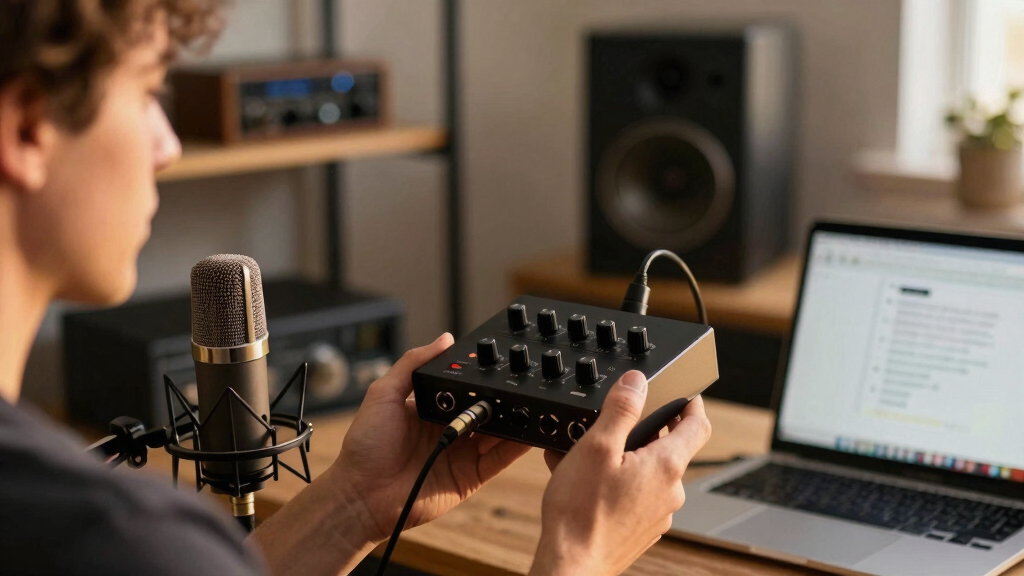
How We Picked
Our evaluation focused on performance, build quality, usability, and value. We prioritized interfaces that provide clear, high-quality audio with minimal latency, as these are essential for engaging YouTube content. Ease of setup and compatibility with common streaming and recording software also played a key role. To rank these products, we compared input/output options, included features like phantom power and software bundles, and assessed overall user feedback. The aim was to identify models that serve both beginner and intermediate creators without sacrificing sound fidelity or durability.Factors to Consider When Choosing Best Audio Interfaces For YouTube Creators
When selecting an audio interface for YouTube, it’s important to consider several factors that impact your recording quality and workflow. Your choice should align with your current setup, future goals, and budget. Avoid common pitfalls like overpaying for features you won’t use or choosing models that lack compatibility with your microphone or computer. A thoughtful selection ensures you get reliable performance and high-quality sound that enhances your content without unnecessary complexity.Connectivity and Inputs
Assess the types and number of inputs you need. XLR inputs are essential for professional microphones, while line inputs allow connecting instruments or external mixers. Some interfaces include combo jacks that support both, offering greater flexibility. Overlooking this can lead to compatibility issues or the need for additional adapters, increasing complexity and cost. Determine your current gear and future expansion plans to select an interface that offers enough inputs without overspending.
Sound Quality and Latency
High-quality audio conversion and low latency are critical for capturing clear vocals and instruments. Look for interfaces that specify bit depth and sample rate, with 24-bit/48kHz or higher being standard for YouTube content. Poor sound quality or noticeable latency can disrupt your workflow and affect your final output. While premium models tend to outperform budget options, even mid-range interfaces provide sufficient quality if they meet these technical standards.
Build Quality and Durability
Since your interface may be used regularly, investing in a sturdy build is wise. Metal chassis and reliable connectors reduce the risk of damage or connection issues over time. Cheaper plastic models might be tempting, but they often feel less durable and may develop faults with heavy use. Consider your environment—if you travel frequently or set up in different locations, durability becomes even more important to ensure longevity.
Software and Compatibility
Many interfaces come with bundled software or DAWs, which can add value for new creators. Ensure the device is compatible with your operating system and recording software, avoiding compatibility frustrations. Some hardware may require driver installations or updates, so check for user-friendliness and ongoing support. This consideration can influence your overall experience and how efficiently you produce content.
Price and Value
While high-end interfaces offer premium features, they also come with higher costs. Balance your budget with your needs—if you’re just starting, a more affordable model with good sound quality might be enough. For more advanced setups, investing in a slightly pricier model can yield better durability and future-proofing. Avoid overspending on features you won’t utilize, but don’t compromise essential quality for a lower price.
Frequently Asked Questions
Can I use an audio interface with my laptop for streaming?
Yes, most audio interfaces are designed to connect seamlessly with laptops via USB or USB-C ports. They typically require minimal setup and are compatible with popular streaming software like OBS or Streamlabs. Make sure to check the interface’s compatibility with your operating system before purchasing. A reliable interface will provide a stable connection and clear audio, making your streams sound professional and engaging.
Is a more expensive audio interface worth the investment for YouTube videos?
Higher-priced interfaces often deliver better build quality, lower latency, and superior sound fidelity, which can improve your overall content quality. However, if you’re just starting out or producing simpler content, a mid-range or budget model can suffice. Consider your current needs and future plans—investing in a slightly more capable model can pay off if you expect to grow or require better audio reliability.
Do I need phantom power for YouTube recording?
Phantom power is necessary if you plan to use condenser microphones, which are common for vocals and studio recordings. Many interfaces include this feature, making them versatile for different mic types. If you’re only using dynamic microphones, phantom power isn’t needed. Always verify this feature if your microphone requires it, as missing it could limit your recording options.
How important is software included with the audio interface?
Bundled software can add significant value, especially for beginners who might not already own a digital audio workstation (DAW). It simplifies the setup process and provides tools for editing and mixing. However, the core performance of the interface depends on hardware quality, so software should be viewed as an added bonus rather than the main buying criterion. Check compatibility and user reviews to ensure the software meets your needs.
Should I prioritize portability or studio durability in my choice?
If you record in multiple locations or travel frequently, portability becomes essential. Compact, lightweight interfaces are easier to carry but may sacrifice some features or robustness. Conversely, if your setup is stationary, investing in a durable, heavier model with better shielding and connectors will provide long-term reliability. Match your environment and workflow to the device’s design to avoid frustration or damage.
Conclusion
For most YouTube creators, the Focusrite Scarlett 2i2 4th Gen offers a balanced combination of sound quality, ease of use, and value, making it the best overall choice. Beginners or those on a tight budget will appreciate the PreSonus AudioBox Go for its complete starter kit. Creators seeking premium durability and features should consider the Focusrite Scarlett Solo 4th Gen. If you need a versatile setup with additional inputs, the Synido USB C Audio Interface provides flexibility. Ultimately, your ideal pick depends on your specific recording needs, budget, and future plans.