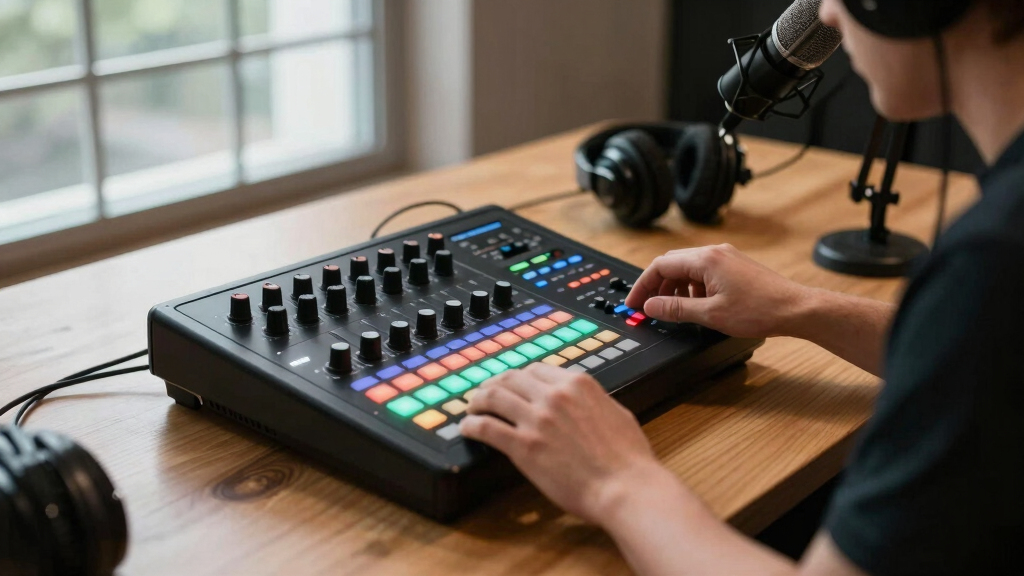

Choosing the best video switcher for podcasts can significantly improve your production quality and streamline your workflow. The RGBlink Mini V3 stands out as the overall top pick due to its 4K support, customizable features, and intuitive touchscreen. However, options like the Osee GoStream Duet 8 ISO offer extensive inputs for multi-camera setups, ideal for more complex productions. The main tradeoffs in this category often involve balancing features like professional-level inputs versus ease of use and affordability. Keep reading for a detailed breakdown of each option and find the best fit for your podcasting needs.

Get smart everyday buys delivered free with Prime
- Fast, free delivery on millions of items
- Prime Video, Amazon Music and more included
- Member-only deals all year
Key Takeaways
- The top picks balance professional features with user-friendly interfaces, catering to both beginners and advanced users.
- Multi-camera support and input options vary widely, so consider your current and future setup needs.
- 4K support is increasingly standard but may come with higher costs and complexity in setup.
- Built-in streaming and recording capabilities are common but differ in quality and ease of use.
- Budget-friendly options often sacrifice advanced features but are suitable for smaller or less complex productions.
| RGBlink Mini V3 Video Switcher with Customizable Features via TAO Cloud |  | Best Overall for Versatile Content Creators | Video resolution: 4K HDMI | Inputs: 2x HDMI | Outputs: 2x HDMI | VIEW LATEST PRICE | See Our Full Breakdown |
| RGBlink Mini Video Mixer Switcher with 4 x HDMI Inputs 2K Input/Output |  | Best for Solo Streamers and Small Productions | Inputs: 4x HDMI, 4K input | Outputs: 2x HDMI | Preview features: 6-picture PVW and PGM | VIEW LATEST PRICE | See Our Full Breakdown |
| Osee GoStream Duet 8 ISO, 8 Channels Video Switcher with 4 4K-HDMI, 4 SDI, and 4 NDI HX/ SRT/ RTMP |  | Best for Multi-Source, Multi-Format Professional Streams | Inputs: 4x HDMI 4K, 4x SDI, 4x NDI HX | Outputs: SDI PGM, HDMI PGM, HDMI AUX, UVC | Recording: Dual ISO MP4, SSD | VIEW LATEST PRICE | See Our Full Breakdown |
| Tenveo 4K60FPS HDMI Video Switcher Mixer, 4*SDI & 4*HDMI Input, 5CH Live Streaming Switcher |  | Best for Multi-Camera Live Events and Church Productions | Inputs: 4x HDMI 4K, 4x SDI | Outputs: HDMI PGM, SDI | Resolution: Supports 4K60FPS input, 1080P60FPS output | VIEW LATEST PRICE | See Our Full Breakdown |
| Osee GoStream Deck HDMI Pro Live Streaming Multi Camera Video Mixer Switcher with NDI Updatable |  | Best for Multi-Source, Multi-Platform Live Streaming | Inputs: 4x HDMI, 4x SDI, 2x HDMI outputs | Streaming: Supports 3 simultaneous RTMP platforms | Control: Physical panel with macros and T-Bar | VIEW LATEST PRICE | See Our Full Breakdown |
| RØDE RØDECaster Video – Professional Video Switcher and Audio Interface – Multi-Camera, 6 x Video Inputs (HDMI and USB), 1080p60, Multi-Source Scenes |  | Best Overall for Studio-Quality Content Creation | Number of Video Inputs: 6 (4 HDMI, 2 USB) | Video Output Resolution: 1080p60 | Audio Inputs: XLR (Neutrik combo jacks) | VIEW LATEST PRICE | See Our Full Breakdown |
| Osee GoStream Duet Multiple Camera SDI and HDMI Live Stream Video Mixer Switcher |  | Best for Flexible Live Streaming with Multiple Inputs | Supported Inputs: Unlimited SDI, HDMI, USB-C, NDI HX | Control Methods: Built-in GUI, software, Bitfocus Companion | Key Effects & Transitions: Chroma, PIP, DSK, Wipe, Mix, Dip | VIEW LATEST PRICE | See Our Full Breakdown |
More Details on Our Top Picks
RGBlink Mini V3 Video Switcher with Customizable Features via TAO Cloud
This compact 4K HDMI switcher stands out for its flexible feature set and customizable options via TAO Cloud, making it ideal for multi-camera live streams and multi-cam productions. Unlike the RGBlink Mini V2, the Mini V3 adds a touch screen and dual HDMI outputs, offering more precise control and better multi-view management. The ability to unlock premium features like PTZ control and overlays via subscription provides tailored functionality, though this adds ongoing costs. Its 2.1″ touch screen offers intuitive operation, and recording directly to USB drives simplifies workflow. Compared to the more straightforward options like the RGBlink Mini V2, this model suits creators needing advanced customization but requires network setup and firmware updates. The tradeoff is a steeper learning curve and additional ongoing expenses for premium features.
Pros:- Flexible activation of premium features via TAO Cloud subscription
- Compact 4K support with dual HDMI outputs for program and preview
- Built-in recording to USB with multiple transition effects
Cons:- Requires internet connection for feature activation and firmware updates
- Ongoing subscription costs for premium functions can add up
- Firmware updates and setup may be complex for non-technical users
Best for: Content creators and live streamers who want customizable, multi-cam control with professional overlays and recording options.
Not ideal for: Beginners or casual streamers seeking a plug-and-play device, as setup and subscription costs may be overwhelming.
- Video resolution:4K HDMI
- Inputs:2x HDMI
- Outputs:2x HDMI
- Touch screen:2.1-inch
- Recording:USB up to 2TB
- Features:Multi-view, overlays, chroma key, transition effects
Bottom line: Best suited for experienced content creators wanting customizable features and multi-cam control in a compact form.
RGBlink Mini Video Mixer Switcher with 4 x HDMI Inputs 2K Input/Output
This lightweight switcher excels in solo streaming setups, providing 4 HDMI inputs and real-time multi-view preview with 6-picture PVW and PGM outputs. Compared to the RGBlink Mini V3, it omits some advanced features like touch control and cloud subscriptions but offers straightforward operation, making it ideal for small-scale live streams or educational content. Its 2K input/output support ensures decent video quality for most streaming platforms. The USB 3.0 webcam mode makes it compatible with OBS or vMix without additional hardware, and the 14 transition effects and multiple PIP layouts enhance production value. However, lacking built-in recording or extensive overlay features, it’s less suited for complex multi-camera productions, trading versatility for simplicity. Setup is quick, but it offers fewer customization options than higher-end models like the Tenveo PC500.
Pros:- Simple, intuitive interface for solo operators
- Supports real-time multi-view and 6-picture preview
- USB 3.0 webcam mode for direct streaming with popular software
Cons:- Limited overlay and graphics capabilities
- No built-in recording or advanced effects
- No cloud or subscription-based feature activation
Best for: Solo streamers, educators, or small event producers needing reliable multi-camera switching without complexity.
Not ideal for: Large production environments or creators requiring advanced overlays and recording features, as it focuses on basic switching.
- Inputs:4x HDMI, 4K input
- Outputs:2x HDMI
- Preview features:6-picture PVW and PGM
- Connection to PC:USB 3.0
- Transition effects:14 built-in
- Control:Remote via LAN
Bottom line: A practical choice for solo streamers seeking reliable multi-view switching with minimal setup.
Osee GoStream Duet 8 ISO, 8 Channels Video Switcher with 4 4K-HDMI, 4 SDI, and 4 NDI HX/ SRT/ RTMP
The GoStream Duet 8 ISO offers extensive input options—4x 4K HDMI, 4x SDI, and 4 NDI HX—making it perfect for complex multi-camera productions. Compared with the Tenveo PC500, it provides more flexible input formats and supports simultaneous ISO recording of all sources, ideal for post-production or backup. Its 8 configurable channels and advanced overlay options, including chroma key and picture-in-picture, enable professional-grade broadcasts. The device’s web interface allows control from any device, and dual streaming options support RTMP, SRT, and NDI, offering broad platform compatibility. The main tradeoff is a steeper learning curve and higher price point; the interface and setup are more technical, suited for experienced operators rather than casual users. This switcher is best for high-end productions requiring detailed multi-format input and recording capabilities.
Pros:- Supports 4x 4K HDMI, 4 SDI, and 4 NDI HX inputs
- Simultaneous ISO recording of all sources
- Broad platform support with RTMP, SRT, and NDI streaming
Cons:- Requires technical expertise for setup
- Higher cost compared to simpler switchers
- Web interface and controls may be complex for beginners
Best for: Professional broadcasters, large studios, or multi-camera live event producers needing versatile input formats and advanced recording.
Not ideal for: Casual streamers or small-scale content creators who do not need SDI/NDI support or extensive multi-input control, as complexity and cost are higher.
- Inputs:4x HDMI 4K, 4x SDI, 4x NDI HX
- Outputs:SDI PGM, HDMI PGM, HDMI AUX, UVC
- Recording:Dual ISO MP4, SSD
- Streaming:RTMP, SRT, NDI
- Control:Web interface, remote LAN
- Resolution:4K60FPS inputs, 1080P60FPS output
Bottom line: Ideal for professional environments needing multi-format inputs and complete control over high-quality multi-camera streams.
Tenveo 4K60FPS HDMI Video Switcher Mixer, 4*SDI & 4*HDMI Input, 5CH Live Streaming Switcher
The Tenveo PC500 combines 4 HDMI and 4 SDI inputs with a 5-channel switcher, making it suitable for professional live events, worship services, and corporate productions. Compared to the RGBlink models, its dedicated 5.5″ FHD touchscreen simplifies operation, with intuitive controls and presets for quick switching. Its support for 4K60FPS inputs and 1080P60FPS outputs ensures high-quality video, while dual streaming and dual recording capabilities provide redundancy and flexibility. The device supports advanced effects, picture overlays, and chroma key, making it robust for dynamic live broadcasts. The main drawback is its size and weight, which might limit portability. For smaller setups or casual users, it might be overly complex and expensive, but for larger productions with multi-format sources, it offers excellent control and flexibility.
Pros:- Supports 4 HDMI 4K60FPS and 4 SDI inputs
- 5-channel switcher with touchscreen control
- Dual streaming and dual recording for redundancy
Cons:- Bulkier and heavier than smaller switchers
- Higher price point for advanced features
- Requires some technical knowledge for setup
Best for: Large live event producers, church services, or broadcasters needing multi-format high-quality switching and recording.
Not ideal for: Casual streamers or small setups that do not require SDI/HDMI combination or extensive overlay features, as it can be bulky and costly.
- Inputs:4x HDMI 4K, 4x SDI
- Outputs:HDMI PGM, SDI
- Resolution:Supports 4K60FPS input, 1080P60FPS output
- Screen:5.5″ FHD touchscreen
- Recording:Dual MP4/SSD
- Streaming:Multi-platform, dual streams
Bottom line: A powerful, flexible switcher for demanding live productions that require high-quality multi-format inputs and on-the-fly overlays.
Osee GoStream Deck HDMI Pro Live Streaming Multi Camera Video Mixer Switcher with NDI Updatable
The GoStream Deck HDMI Pro offers extensive connectivity with 4 HDMI inputs, 2 HDMI outputs, and multiple ports for webcams, SSDs, and NDI streams, making it highly adaptable for multi-camera live streams. Compared to the Tenveo PC500, it emphasizes control via physical buttons with PVW/PGM buses, T-Bar, and macros, which is ideal for broadcast professionals and advanced users. Its support for streaming to 3 different platforms simultaneously, along with graphics overlay, chroma key, and PIP, enables dynamic, TV-style productions. The device’s ability to record PGM output onto SD cards or USB drives improves workflow. Its complex interface and array of controls make it less suitable for beginners but perfect for multi-platform broadcasters, at the expense of a steeper learning curve and higher cost. It’s a versatile, broadcast-grade solution for high-end productions.
Pros:- Supports 4 HDMI, 2 HDMI outputs, and multiple ports including NDI
- Supports multi-platform streaming with simultaneous broadcasts
- Physical control panel with macros, T-Bar, and buses
Cons:- High cost and complexity for beginners
- Bulky size requiring dedicated setup space
- Steeper learning curve for full control
Best for: Broadcasters, professional podcasters, or multi-platform live streamers needing extensive input options and on-the-fly control.
Not ideal for: Casual creators or small streamers who prefer simple solutions, as the device’s complexity and price are geared toward professional use.
- Inputs:4x HDMI, 4x SDI, 2x HDMI outputs
- Streaming:Supports 3 simultaneous RTMP platforms
- Control:Physical panel with macros and T-Bar
- Recording:SD card, USB
- Resolution:Supports 4K60FPS inputs
- Overlay:Graphics, chroma key, PIP
Bottom line: A robust, professional-grade switcher ideal for multi-platform broadcasters with complex input and control needs.
RØDE RØDECaster Video – Professional Video Switcher and Audio Interface – Multi-Camera, 6 x Video Inputs (HDMI and USB), 1080p60, Multi-Source Scenes
The RØDE RØDECaster Video stands out for integrating professional-grade video switching with high-quality audio, making it ideal for those who want a streamlined, all-in-one solution for studio productions. Compared to the Osee GoStream Duet, which offers more flexible input options like SDI and NDI, the RØDECaster emphasizes ease of use with its intuitive front panel and built-in scene controls. This convenience comes with a tradeoff: it supports fewer sources and lacks some advanced control options found in the Duet. Practical for content creators prioritizing quality and simplicity, this switcher is perfect for dedicated podcasters or streamers who need reliable, broadcast-level audio alongside video. However, those needing extensive input options or custom configurations should consider alternatives.
Pros:- Seamless integration of professional audio with video switching
- Simple front-panel controls for quick scene changes
- Supports multi-source scenes with dedicated buttons
- High-quality Neutrik combo jacks and Revolution Preamps for pristine audio
Cons:- Limited to six video inputs, which may restrict larger setups
- Less flexible source options compared to SDI/NDI-based switchers
Best for: Content creators seeking a high-quality, all-in-one video and audio production platform for studio-style podcasts and live streams.
Not ideal for: Advanced live streamers who require numerous input types like SDI or NDI, or complex multi-source setups beyond six inputs.
- Number of Video Inputs:6 (4 HDMI, 2 USB)
- Video Output Resolution:1080p60
- Audio Inputs:XLR (Neutrik combo jacks)
- Scene Memory:Seven fully customizable scenes
- Connectivity:HDMI, USB, XLR
- Dimensions:30.59″ D x 13.25″ W x 6.14″ H
Bottom line: This product fits best for small to medium studio setups where ease of use and broadcast quality are priorities.
Osee GoStream Duet Multiple Camera SDI and HDMI Live Stream Video Mixer Switcher
The Osee GoStream Duet offers extensive input options, supporting unlimited sources from SDI, HDMI, USB-C, and NDI HX, making it ideal for complex live streaming environments. In comparison to the RØDE RØDECaster Video, which focuses on simplicity and integrated controls, the Duet provides a more versatile platform capable of handling multiple camera feeds and diverse sources simultaneously. The downside is that its interface and setup can be more complicated, requiring familiarity with software like GoStream GUI or Bitfocus Companion. This switcher makes sense for professional broadcasters or large-scale streamers who need to manage many sources and advanced effects. However, for smaller setups or those prioritizing ease of use, the RØDE remains a better choice.
Pros:- Supports unlimited inputs from SDI, HDMI, USB-C, and NDI HX
- Flexible control options via built-in GUI, software, and Bitfocus Companion
- Rich effects including chroma key, PIP, and pattern key
- Multiple streaming outputs to up to three platforms simultaneously
Cons:- More complex setup and interface compared to simpler switchers
- Higher learning curve for users unfamiliar with advanced control software
- Lacks integrated audio mixing; separate audio setup needed
Best for: Advanced streamers and broadcasters needing support for many inputs and complex transitions in live production.
Not ideal for: Podcasters or small content creators who prefer straightforward operation and fewer sources to manage.
- Supported Inputs:Unlimited SDI, HDMI, USB-C, NDI HX
- Control Methods:Built-in GUI, software, Bitfocus Companion
- Key Effects & Transitions:Chroma, PIP, DSK, Wipe, Mix, Dip
- Streaming Platforms:Up to 3 simultaneously
- Output Options:Ethernet, USB, HDMI
- Price Range:More affordable than high-end professional switchers
Bottom line: This switcher is best suited for professional or large-scale live streams demanding maximum input flexibility and advanced effects.

How We Picked
I evaluated these video switchers based on performance, ease of use, build quality, and value for money. Priority was given to products that support multiple input types, offer reliable switching, and include features beneficial for podcast production, such as recording, streaming, and multi-camera support. Compatibility with popular streaming platforms and user interface were also critical factors. The ranking reflects a balance between professional features and accessibility, ensuring options for different skill levels and production scales.Factors to Consider When Choosing Best Video Switchers For Podcasts
When choosing a video switcher for podcasts, it’s essential to consider several key factors that impact your workflow and production quality. The right device should match your technical needs, budget, and experience level. Being aware of potential pitfalls—such as overpaying for unnecessary features or choosing an overly complex system—can save you time and money. The following sections highlight the main considerations to keep in mind to make a smart purchase.Input and Output Options
Assess your current and future camera setup to determine how many inputs you need. Some switchers support HDMI only, while others include SDI, NDI, or USB inputs for versatile connections. Consider whether you need support for multiple cameras, microphones, or additional media sources. A system with more inputs provides flexibility, but it may also be more expensive and complex to operate. Get clear on your setup size to avoid buying a device that’s either insufficient or overly elaborate for your needs.
Resolution and Video Quality
Higher resolutions like 4K are becoming increasingly common, offering sharper images and future-proofing. However, 4K switchers tend to be pricier and demand more from your hardware and internet connection. If your current setup or streaming platform primarily supports 1080p, investing in 4K might not be necessary now but could be valuable later. Consider your audience’s viewing devices and your budget to decide whether 4K support is worth the extra investment.
Ease of Use and Interface
A user-friendly interface reduces setup time and minimizes errors during live streams. Touchscreens, customizable layouts, and intuitive controls make a significant difference, especially for solo podcasters or small teams. On the other hand, complex systems with extensive features may require a learning curve and additional training. Balance your technical comfort level with the features you need, opting for a system that simplifies your workflow without sacrificing key capabilities.
Streaming and Recording Capabilities
Many switchers include built-in streaming and recording functions, but quality varies. Some support direct streaming to platforms like YouTube and Facebook, with options for multi-camera scenes, while others require external hardware or software. Consider whether you want an all-in-one device or prefer to use dedicated streaming software. Reliable recording features also help preserve content if your internet connection drops during a live broadcast.
Budget and Future Scalability
Price ranges for video switchers can vary widely, from budget-friendly options to high-end professional systems. Think about your current budget but also anticipate future needs—if you plan to expand your setup, investing in a more capable switcher now could save money later. However, overspending on features you won’t use immediately can lead to unnecessary expense. Focus on core capabilities first, then consider add-ons as your production grows.
Frequently Asked Questions
Can I use a consumer-grade switcher for professional podcasting?
Yes, some consumer-grade switchers can handle basic podcasting needs, especially if you have a simple setup with just a couple of cameras or sources. However, they often lack advanced features like multi-camera support, high-resolution outputs, or reliable streaming options. For professional-quality podcasts with multiple camera angles and higher production values, investing in a dedicated switcher with more inputs and features usually pays off in the long run.
Is 4K support necessary for podcast video switchers?
While 4K support offers future-proofing and sharper images, it isn’t always essential for podcast production, especially if your primary platform or audience primarily views in 1080p. If you plan to upgrade cameras or stream on platforms that support 4K, choosing a switcher with this feature makes sense. Otherwise, a 1080p switcher can save costs and simplify your setup without compromising your current quality standards.
How important is multi-camera support for podcasts?
Multi-camera support can significantly enhance the visual quality and engagement of your podcast, allowing for different angles, close-ups, and scene changes. If you’re producing a simple solo podcast, a basic switcher may suffice. However, for panel discussions, interviews, or more dynamic presentations, a switcher with multiple inputs and scene-switching capabilities becomes invaluable, making your content more professional and polished.
What’s the best way to choose between a hardware or software switcher?
Hardware switchers typically offer more stability and dedicated controls, making them preferable for live, high-stakes productions. Software switchers, often integrated into streaming platforms or as part of a PC setup, can be more flexible and budget-friendly but may require a powerful computer and additional setup time. Consider your technical comfort, budget, and production complexity to decide which approach best suits your needs.
Are there any compatibility issues I should watch out for?
Compatibility depends on your existing equipment and streaming platforms. Always verify that the switcher supports your camera outputs (HDMI, SDI, NDI), your computer’s OS, and your preferred streaming services. Some switchers may require specific drivers or software, so checking these details beforehand helps prevent integration problems. Ensuring compatibility with your current gear is key to a smooth setup and reliable streaming experience.
Conclusion
For small-scale podcasters starting out, a user-friendly, all-in-one switcher like the RGBlink Mini V3 offers excellent value with professional features. Those seeking the best balance of price and capability should consider the Osee GoStream Duet 8 ISO, which supports multiple cameras and inputs without overwhelming complexity. If maximum flexibility and multi-camera support are your priorities, the Tenveo 4K60FPS HDMI Switcher provides professional-grade features at a higher cost. Beginners will find simpler models more approachable, while advanced users aiming for high production quality should invest in premium options like the RØDE RØDECaster Video. Choose based on your current needs and future plans to produce engaging, high-quality podcast videos.Halloween Picks
halloween
As an affiliate, we earn on qualifying purchases.