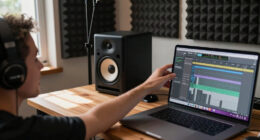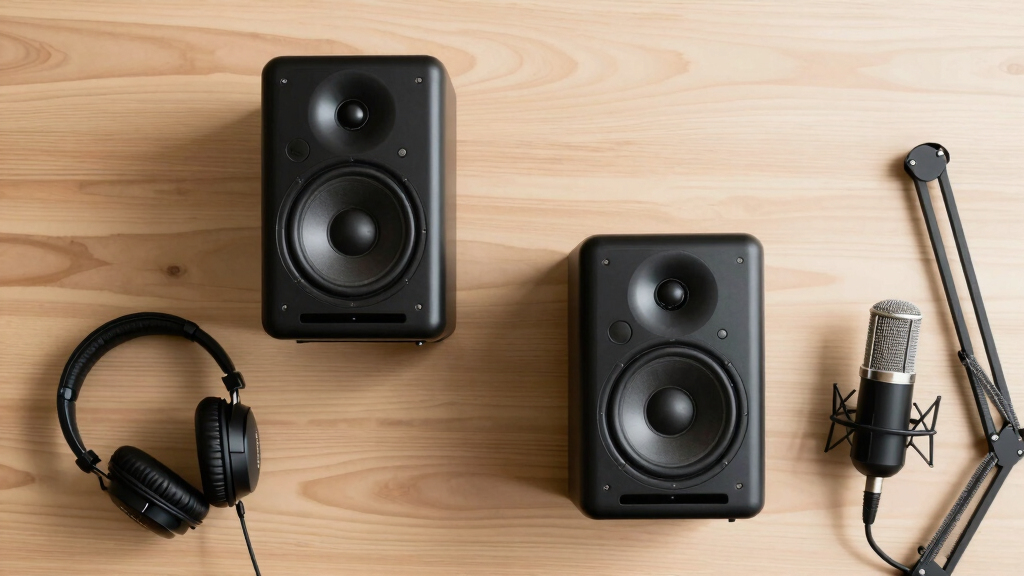

When searching for the best studio monitors for voiceover work, clarity and accuracy are paramount. The PreSonus Eris 3.5 stands out as the top overall choice, thanks to its balanced sound and compact size. For those on a tighter budget, the Mackie CR3.5 offers solid performance with useful tone controls, making it a versatile pick. The main challenge in this category is balancing affordability with fidelity, especially since voiceover work demands a neutral, detailed sound profile. Keep reading for a detailed breakdown of these options and what to consider before buying.

Get smart everyday buys delivered free with Prime
- Fast, free delivery on millions of items
- Prime Video, Amazon Music and more included
- Member-only deals all year
Key Takeaways
- Size and form factor significantly influence suitability for voiceover work, with near-field monitors preferred for close listening.
- Sound neutrality and flat frequency response are essential to accurately reproduce voice recordings without coloration.
- Build quality and durability matter less for studio use but remain important for long-term reliability.
- Additional features like tone controls can help tailor sound but may add complexity or cost.
- Budget options often deliver surprisingly good clarity but may lack some refinement found in higher-end models.






More Details on Our Top Picks
PreSonus Eris 3.5 Studio Monitors (White), Pair — 3.5″ Powered Bookshelf Speakers
This pick stands out for its balanced, studio-quality sound in a very compact form, making it ideal for small spaces like bedrooms or home offices. Compared to the M-AUDIO BX3, the Eris 3.5 offers a cleaner, more natural response with better low-end control, although it involves a slightly higher price point. The dual 25W Class AB amplification ensures sufficient volume without distortion, and the high- and low-frequency tuning controls allow room-specific calibration. Its front-panel headphone jack adds convenience for late-night work or private listening. The woven-composite woofer and silk-dome tweeter deliver articulate highs and tight bass, making it suitable for mixing, media playback, or multimedia editing. A key tradeoff is that these aren’t true active monitors, as one speaker is passive, which may concern audiophiles seeking all-in-one powered solutions.
Pros:- Studio-grade accuracy with natural sound reproduction
- Wide sweet spot for stereo imaging from nearly any angle
- Multiple input options including front-panel aux for mobile devices
Cons:- Not a fully active monitor—requires passive wiring for one speaker
- Bass response can be slightly heavy, requiring adjustments or EQ
Best for: Small home studio owners or multimedia content creators needing accurate sound in tight spaces.
Not ideal for: Large studio setups or those requiring robust, high-volume monitoring with advanced room correction.
- Woofer Diameter:3.5 Inches
- Tweeter Diameter:1 Inch
- Power Output:50 Watts
- Input Options:¼-inch TRS, RCA, ⅛-inch AUX
- Frequency Response:Not specified
- Enclosure Material:woven-composite
- Size (H x W x D):8.3″ x 5.5″ x 6″ (approx.)
- Weight:6.8 pounds
Bottom line: This monitor is best suited for users who need reliable, room-filling sound in a compact desktop setup without high-volume demands.
Mackie CR3.5 3.5″ Creative Reference Powered Studio Monitors
This model excels in offering flexible connectivity and a tone control that makes it adaptable for both casual listening and light production. It surpasses the PreSonus Eris 3.5 in its switchable desktop and bookshelf modes, which optimize sound for nearfield or distant listening. Its 50W power delivers clear, punchy audio, with a built-in tone knob to shape frequency response—ideal for adjusting to different room acoustics or personal tastes. The inclusion of a dedicated headphone output and various input options adds practical value for users who switch between music, gaming, and light mixing tasks. However, as an entry-level monitor, it may lack the nuanced accuracy that professional-grade speakers provide, and its small 3.5-inch driver limits deep bass extension for critical mixing. Still, its user-friendly features make it a top choice for multi-purpose use in smaller environments.
Pros:- Switchable desktop and bookshelf modes for optimal placement
- Built-in tone control for quick sound adjustments
- Multiple input options including RCA, TRS, and 3.5mm
Cons:- Limited driver size restricts deep bass response
- Not designed for critical studio mixing
Best for: Content creators, gamers, or beginners seeking a multi-functional speaker system with room-to-room flexibility.
Not ideal for: High-end audio engineering or professional mixing where precise frequency response is critical.
- Woofer Diameter:3.5 Inches
- Tweeter Diameter:1 Inch
- Power Output:50 Watts
- Input Options:RCA, TRS, 3.5mm
- Frequency Response:Not specified
- Enclosure Material:Plastic, metal
- Size (H x W x D):8.1″ x 5.9″ x 5.5″
- Weight:10.2 pounds
Bottom line: Ideal for users looking for adaptable, easy-to-use monitors that handle multiple entertainment and light production needs.
M-AUDIO BX3 Pair 3.5″ Studio Monitors for Recording and Multimedia
This pair offers impressive power and clarity for their size, making them excellent for small recording setups or multimedia playback. Compared with the PreSonus Eris 3.5, the BX3’s 120W output and Kevlar low-frequency drivers produce a punchier, more energetic sound, especially suited for monitoring during production. The MDF cabinet and bass reflex design contribute to a deep, extended low end, while the multiple input options (¼”, ⅛”, RCA) provide flexibility for various gear. The included cables and software make them a comprehensive starter package. However, the larger power and driver size can make them slightly bulkier and more obtrusive on a compact desk. Their energetic sound signature might be less suited for very critical mixing compared to more neutral monitors, but they’re excellent for entry-level or hobbyist use where power and clarity matter.
Pros:- High power output with clear, punchy sound
- Versatile input options for multiple devices
- Includes various cables and software for quick setup
Cons:- Heavier and larger footprint than smaller monitors
- Sound signature is more energetic, less neutral
Best for: Home studio beginners or multimedia enthusiasts seeking high volume and punch without a hefty price tag.
Not ideal for: Precise audio engineers needing ultra-flat frequency response for professional mixing.
- Power Output:120 Watts
- Woofer Diameter:3.5 Inches
- Frequency Response:Not specified
- Input Options:¼”, ⅛”, RCA
- Enclosure Material:MDF
- Size (H x W x D):5.5″ x 8.19″ x 5.51″
- Weight:8 pounds
- Connectivity:Wired, Bluetooth
Bottom line: Best suited for newcomers and hobbyists who want loud, lively sound for recording, gaming, or multimedia tasks on a budget.
PreSonus Eris 3.5 Studio Monitors, Pair — Powered, Active Monitors for Near Field
This pick makes the most sense for casual listeners and entry-level producers who want reliable, studio-quality sound in a compact form. It surpasses the M-AUDIO BX3 in clarity, with its balanced, accurate response and big low-end punch, thanks to its 50W Class AB amplification. The high- and low-frequency tuning controls give room-specific tailoring, and the silk-dome tweeters provide articulate highs from nearly any angle. Its front-panel headphone jack adds convenience for late-night or private sessions. Compared to the M-AUDIO BX3, this monitor offers a slightly more refined sound profile suitable for critical listening and multimedia applications but at a similar size and price point. However, it is less powerful than larger studio monitors, so it’s best for small spaces rather than large rooms or high-volume environments.
Pros:- Accurate, studio-quality sound with tight bass
- Adjustable high/low-frequency controls for room tuning
- Front-panel headphone output for private monitoring
Cons:- Limited power for larger rooms or high-volume use
- Size may be too small for deep bass needs
Best for: Music lovers, multimedia enthusiasts, or entry-level producers wanting accurate sound in a compact setup.
Not ideal for: Large-scale studio environments or users needing deep bass for critical mixes.
- Woofer Diameter:3.5 Inches
- Tweeter Diameter:1 Inch
- Power Output:50 Watts
- Input Options:¼-inch TRS, RCA, ⅛-inch AUX
- Frequency Response:20 KHz
- Enclosure Material:Engineered wood, Kevlar
- Size (H x W x D):8.1″ x 5.7″ x 5.5″
- Weight:6.4 pounds
Bottom line: Designed for those who want accurate, balanced sound for multimedia and light production in small spaces.
PreSonus Eris E4.5-2-Way 4.5″ Near Field Studio Monitor (Pair)
This pair of PreSonus Eris E4.5 monitors stands out for their remarkable sound quality in a compact size, making them ideal for smaller spaces where larger speakers like the Yamaha HS8 would be impractical. Compared to the Logitech Blue Yeti microphones, these monitors provide a more accurate sound stage for mixing and listening, especially with their wide stereo imaging and adjustable tone controls. They deliver a balanced frequency response suitable for both music production and multimedia use, though their bass may lack the depth of larger monitors. The built-in headphone amplifier adds convenience, and the included foam isolation pads help reduce surface resonance. Despite their impressive clarity, they are limited at very high volumes and may not handle loud mixes without distortion. The sturdy build and versatile inputs make them perfect for small studios, desktop setups, or portable production environments.
Pros:- Compact size fits well in small or desktop environments
- Accurate stereo imaging and balanced sound profile
- Multiple input options including TRS, RCA, and AUX
Cons:- Bass response is limited compared to larger monitors
- Maximum volume may be insufficient for loud environments
- Build quality is sturdy but not premium-feeling
Best for: Small-space home producers, multimedia enthusiasts, and content creators needing accurate sound in limited space
Not ideal for: Large-scale mixing or mastering engineers requiring deep bass and high SPL output
- Frequency Response:65 Hz – 20 kHz
- Power Amplifier:50 Watts
- Inputs:TRS, RCA, Aux
- Woofer Diameter:4.5 Inches
- Item Weight:2 Pounds
- Enclosure Material:Medium-Density Fiberboard
Bottom line: This monitor pair is best suited for users needing precise sound in tight spaces without demanding high SPL or deep bass.
Ortizan C7 Dual-Mode 2.0 Studio Monitors, Active Monitor Speakers for Near Field Music Production, Bluetooth 5.3 Wireless Computer PC Monitor Gaming Bookshelf Speakers(Pair, White)
The Ortizan C7 monitors excel in offering both wired and wireless connectivity options, making them perfect for users who want flexibility—ideal for those who might consider the PreSonus Eris E4.5 for their studio accuracy but need a portable setup with Bluetooth. Their 24-bit DAC and balanced inputs ensure clear audio fidelity suitable for music production, gaming, and multimedia. The 3.5-inch mid-bass and silk dome tweeters provide a surprisingly detailed sound for their size, though they won’t match the flat response of traditional studio monitors like the PreSonus Eris E4.5. They are easy to set up, look sleek, and handle moderate volumes well, but their bass lacks the depth needed for critical mixing. Overall, they deliver a versatile, all-in-one solution for casual creators and multi-use environments.
Pros:- Wireless Bluetooth 5.3 with quick pairing
- Multiple wired input options including RCA and TRS
- Good sound clarity with detailed midrange and treble
Cons:- Bass response is limited and not suitable for critical mixing
- Not as flat or neutral as dedicated studio monitors
- Build quality is decent but not premium
Best for: Content creators, gamers, and casual producers needing flexible wired/wireless monitors for multi-purpose use
Not ideal for: Professional mixing engineers requiring flat frequency response for critical work
- Frequency Response:55 Hz – 20 kHz
- Power Output:60 Watts
- Connectivity:Bluetooth 5.3, RCA, TRS
- Woofer Diameter:3.5 Inches
- Item Weight:4.1 Pounds
- Built-In DAC:24-bit
Bottom line: This monitor set offers great flexibility and good sound quality for multimedia and casual production, but not for precision mixing.
FIFINE Studio Monitor Headphones for Recording, Wired Headphones with 50mm Driver, Over Ear Headset with Detachable Cables 3.5mm or 6.35mm Jack, Black, on PC/Mixer/Amplifier-H8
The FIFINE H8 headphones excel at delivering balanced, detailed sound with their large 50mm drivers, making them a top pick for voiceover artists and producers who prioritize accurate monitoring. Compared to small monitors like the PreSonus Eris E4.5, these headphones offer an immersive listening experience with passive noise isolation, ensuring you hear all details in your recordings. Their comfort and adjustable headband allow for long sessions without fatigue, and the detachable cables provide convenience for different setups. However, their closed-back design can sometimes cause slight bass coloration, and they are not suitable for loud environments where open-back or more isolated headphones might be needed. Overall, they are a reliable, portable choice for critical voice work and detailed listening.
Pros:- Large 50mm drivers for detailed sound
- Comfortable, lightweight design for long use
- Detachable cables for versatility
Cons:- Passive noise isolation can be affected by ambient noise
- Bass may be slightly colored due to closed-back design
- Not suitable for very loud environments
Best for: Voiceover artists, home recordists, and content creators prioritizing accurate, fatigue-free monitoring
Not ideal for: Live recording environments with loud background noise or for mixing bass-heavy genres
- Frequency Range:20Hz – 20kHz
- Impedance:16 Ohms
- Driver Size:50mm
- Weight:9.35 Ounces
- Cable Type:Detachable 3.5mm / 6.35mm
- Design:Over Ear, Closed-Back
Bottom line: These headphones are ideal for voiceover and detailed studio monitoring where comfort and accuracy are paramount.
Logitech Creators Blue Yeti USB Microphone for PC, Mac, Gaming, Recording, Streaming, Podcasting, Studio and Computer Condenser Mic with Blue VO!CE effects, 4 Pickup Patterns, Plug and Play – Blackout
The Blue Yeti is renowned for its versatility, offering four pickup patterns and built-in effects that make it excellent for voiceover work, streaming, and recording. Unlike dedicated studio monitors like the PreSonus Eris E4.5, this microphone is designed primarily for clarity and flexibility in various environments, with the added benefit of Blue VO!CE effects for enhanced vocal production. Its plug-and-play setup makes it accessible to beginners, but it also satisfies advanced users who need multiple recording modes. While it excels in capturing clear, broadcast-quality voice, it lacks the physical depth and frequency accuracy of studio monitors, making it unsuitable for critical mixing. Its built-in controls and software make it a must-have for content creators needing a reliable all-in-one voice solution.
Pros:- Four versatile pickup patterns
- USB plug-and-play with easy setup
- Integrated Blue VO!CE effects for vocal enhancement
Cons:- Not suitable for critical mixing or mastering
- Built-in effects can sometimes color the natural sound
- Lacks physical room calibration features
Best for: Voiceover artists, streamers, and podcasters seeking a flexible, easy-to-use microphone with effects
Not ideal for: High-end audio production or mixing where flat frequency response is necessary
- Pickup Patterns:Cardioid, Omnidirectional, Bidirectional, Stereo
- Sample Rate:48kHz
- Frequency Response:20Hz – 20kHz
- Connectivity:USB
- Item Weight:1.2 Pounds
- Controls:Gain, Pattern, Mute, Headphone Volume
Bottom line: This microphone is perfect for versatile voice recording and streaming, especially for users valuing ease of use and effects over flat response.
MAONO Microphone with Studio Headphone Set 192kHz/24bit Vocal Condenser Cardioid Podcast Mic Compatible with Mac and Windows, YouTube, Gaming, Live Streaming, Voice-Over (AU-A04H)
The MAONO AU-A04H kit combines a high-resolution USB condenser microphone with studio headphones and accessories, making it an excellent choice for newcomers to voiceover, streaming, and podcasting. Its 192kHz/24bit sound chipset ensures clear, detailed audio reproduction, comparable to more expensive studio gear. The cardioid pattern effectively isolates voice from background noise, and the plug-and-play setup simplifies on both Mac and Windows systems. The included headphones with active noise reduction and deep bass complement the mic, providing a full monitoring experience. Compared to standalone monitors like the PreSonus Eris E4.5, this kit offers convenience and value for beginners, though it doesn’t match the flat response needed for critical mixing. The overall package is durable and versatile for content creators starting out.
Pros:- High-resolution 192kHz/24bit sampling rate
- Complete kit with headphones, stand, pop filter, and accessories
- Plug-and-play compatibility with Mac and Windows
Cons:- Sound response is not flat, suitable more for voice than mixing
- Build quality is good but not premium
- Limited control over sound tuning
Best for: Beginners, streamers, and voiceover artists looking for an affordable, comprehensive recording starter kit
Not ideal for: Professional audio engineers requiring flat response for mixing or mastering
- Sampling Rate:192kHz/24bit
- Frequency Response:30Hz – 16kHz
- Microphone Capsule:16mm Electret
- Headphone Drivers:50mm
- Hardware Platform:Mac, Windows
- Included Accessories:Mic stand, pop filter, shock mount, foam windscreen
Bottom line: Ideal for beginners and content creators seeking an all-in-one voiceover setup without the need for advanced audio calibration.

How We Picked
Products were selected based on their ability to deliver clear, detailed sound tailored for voiceover work, with a focus on affordability, build quality, and usability. We prioritized monitors that offer a flat frequency response to ensure accurate reproduction of voice recordings, avoiding overly bass-heavy or bright tones that can distort speech clarity. Ease of setup and compatibility with desktop environments also played a role, as many voiceover artists work in small, dedicated spaces. The ranking reflects a balance between performance, value, and user versatility, with top picks standing out for their overall consistency and suitability for voice work.Factors to Consider When Choosing Best Studio Monitors For Voiceover Work
Choosing the right studio monitor for voiceover work involves considering several key factors. While high fidelity is essential, other elements like size, connectivity, and adjustability can influence how well a monitor fits your specific setup. Making the wrong choice can lead to fatigue, inaccurate mixes, or a cluttered workspace. This guide highlights what to look for to ensure your monitor supports your voiceover recordings with clarity and precision, without unnecessary compromises.Size and Near-Field Design
For voiceover work, near-field monitors are generally the best choice because they allow you to sit close to the speakers, minimizing room reflections and acoustic interference. Smaller monitors, typically 3.5 to 5 inches, are more manageable in small studio spaces and offer accurate sound reproduction at close listening distances. Larger speakers may produce more bass but can overwhelm small rooms and complicate mixing, so size should match your workspace and sound needs.
Frequency Response and Flatness
Neutral, flat frequency response is vital when recording voiceovers because it ensures the monitor faithfully reproduces speech without exaggerating bass or treble. Monitors with a colorless sound allow you to make honest mixing decisions, which translates well across different playback systems. Be cautious of models that boost certain frequencies, as they can mislead your perception of the voice’s true tone and clarity.
Connectivity and Compatibility
Look for monitors with versatile input options such as XLR, TRS, or RCA, ensuring compatibility with your audio interface or mixer. Simplified connectivity reduces setup issues and allows quick adjustments. Some monitors include built-in volume controls or tone adjustments, which can be helpful but may add extra complexity. Consider your existing equipment and future expandability when making a choice.
Build Quality and Durability
While not as critical as sound quality for studio monitors, robust build quality ensures longevity and consistent performance. Look for monitors with sturdy cabinets and quality drivers, particularly if your setup involves frequent transport or adjustments. Cheaper materials might degrade over time, leading to less accurate sound or mechanical issues, so investing a bit more upfront can pay off in the long run.
Additional Features and User Adjustments
Features like tone controls, room EQ, or bass ports can help tailor the sound to your environment, but they also introduce potential complexity. For voiceover work, a straightforward, flat response is usually best, so focus on monitors that emphasize accuracy over bells and whistles. If room acoustics are a concern, consider monitors with built-in room correction or invest in some acoustic treatment for better results.
Frequently Asked Questions
Are powered studio monitors better for voiceover work than passive ones?
Powered monitors incorporate built-in amplifiers, simplifying setup and reducing the need for additional equipment, which makes them popular for voiceover work. They are generally easier to place and adjust, especially in small environments. Passive monitors, on the other hand, require external amplifiers and more complex wiring, but they can offer more customization and potentially higher sound quality if paired with high-quality equipment. For most voiceover artists, powered monitors tend to be the more convenient and user-friendly choice.
How important is the size of the monitor for voice recordings?
Size impacts how accurately a monitor reproduces bass frequencies and how well it fits your workspace. Smaller monitors, around 3.5 to 4 inches, are typically ideal for voiceover work because they prioritize high-frequency clarity and are easier to position in tight spaces. Larger monitors may produce deeper bass but can overwhelm small rooms, creating muddiness or bass boominess that distracts from speech clarity. Selecting a size that matches your space and listening distance is key to achieving accurate results.
Can I use gaming or multimedia speakers for voiceover work?
While some multimedia speakers might seem appealing due to their affordability, they often lack the flat frequency response needed for professional voice recording and mixing. Many are tuned with enhanced bass or treble, which can distort speech and lead to inaccurate mixes. For voiceover work, dedicated studio monitors designed for flat response provide a more truthful sound, helping you produce professional-quality recordings. If you must use multimedia speakers, consider adding acoustic treatment or EQ adjustments to compensate.
Is it worth investing in high-end studio monitors for voiceover work?
Investing in higher-end monitors can be worthwhile if you require the utmost accuracy and plan to do detailed editing or mixing regularly. Premium models often offer better build quality, more neutral response, and finer adjustments, which translate into clearer, more precise voice recordings. However, for casual or beginner voiceover work, mid-range monitors often provide sufficient accuracy at a more accessible price point. The decision depends on your professional needs and budget.
How much should I spend on studio monitors for voiceover work?
Budget options can deliver surprisingly good clarity, often in the $100-$200 range per pair, but might lack some refinement or durability. Mid-range monitors, around $200-$400, tend to offer a better balance of accuracy, build quality, and features suitable for professional voiceover work. Higher-end models above $500 provide the most precise sound with additional features but may be overkill unless you’re engaged in high-level production or extensive editing. Focus on your specific needs and workspace size when setting your budget.
Conclusion
For those starting out or working in small spaces, the PreSonus Eris 3.5 offers excellent clarity and a compact footprint, making it the best overall pick. Budget-conscious voiceover artists will find the Mackie CR3.5 provides solid performance at a great value. Professionals seeking top-tier accuracy should consider investing in higher-end options like the PreSonus Eris E4.5, which delivers refined sound. Beginners will benefit from simple, user-friendly models, while advanced users should prioritize monitors with flat response and precise controls for the best results. Ultimately, your choice hinges on your workspace, budget, and professional aspirations.
Halloween Picks
halloween
As an affiliate, we earn on qualifying purchases.