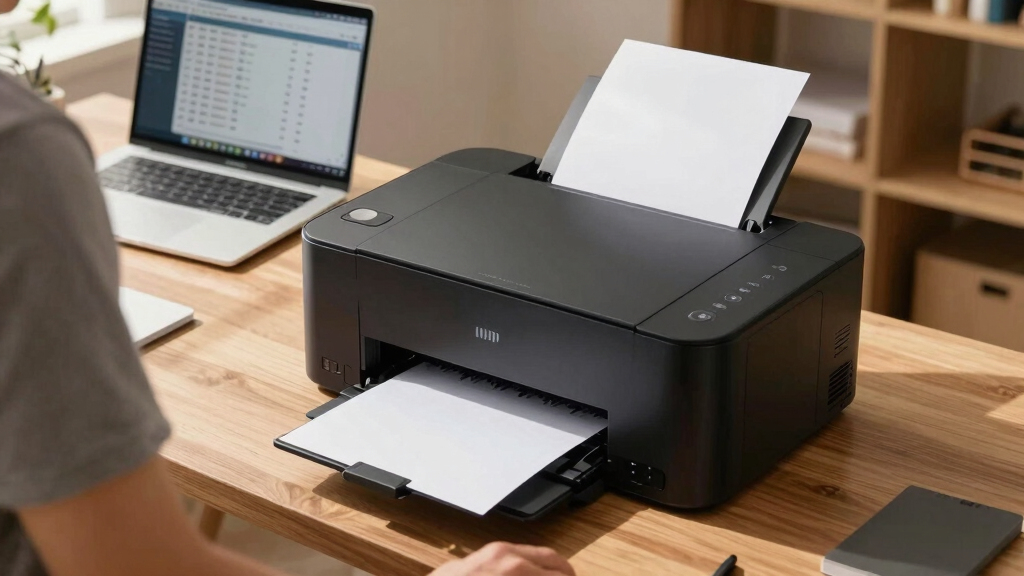

Finding the best printers for high-volume home businesses requires balancing speed, cost-efficiency, and reliability. The HP OfficeJet Pro 9730 stands out as the overall top choice for its versatility and fast printing speeds. Meanwhile, the Brother HL-L6210DWT offers impressive monochrome laser performance for those prioritizing cost per page. Other standout options like the Epson WF-7820 combine wide-format capabilities with durability, but they come with higher upfront costs. The main tradeoffs involve initial investment versus ongoing maintenance and running costs. Continue reading for a detailed breakdown of these options and what makes each one suitable for different business needs.

Get smart everyday buys delivered free with Prime
- Fast, free delivery on millions of items
- Prime Video, Amazon Music and more included
- Member-only deals all year
Key Takeaways
- The top picks excel in balancing speed, print quality, and cost-effectiveness for high-volume printing.
- Laser printers generally provide lower cost per page and faster output, making them better for large workloads.
- All-in-One models with scanning and copying features add value for businesses handling multiple document types.
- Wide-format and supertank options are ideal for specialized printing needs but often involve higher initial costs.
- Choosing between inkjet and laser depends on print volume, cost considerations, and the types of documents most frequently produced.
| HP OfficeJet Pro 9730 Wide-Format Wireless All-in-One Color Inkjet Printer |  | Best Overall for Versatile High-Volume Printing | Print Speed (Black): up to 22 ppm | Print Speed (Color): up to 18 ppm | Maximum Print Size: 11 x 17 inches | VIEW LATEST PRICE | See Our Full Breakdown |
| Epson WorkForce Pro WF-7820 Wireless All-in-One Wide-Format Inkjet Printer |  | Best for Professional-Quality Wide-Format Printing | Maximum Print Size: 13 x 19 inches | Print Speed: 25 black / 12 color ISO ppm | Paper Capacity: 250 sheets | VIEW LATEST PRICE | See Our Full Breakdown |
| Brother DCP-L2640DW Wireless Monochrome Multi-Function Printer |  | Best Compact Monochrome MFP for Small Spaces | Print Speed: up to 36 ppm | Scan Speed: up to 23.6/7.9 ipm | Auto Document Feeder: 50 pages | VIEW LATEST PRICE | See Our Full Breakdown |
| Brother HL-L6210DWT Wireless Monochrome Laser Printer with Duplex Printing and Dual Paper Trays |  | Best for High-Speed Monochrome Laser Printing | Print Speed: 50 ppm | Paper Trays: 2 x 520 sheets, expandable to 1,660 | Toner Cartridge: TN920, 3,000 pages | VIEW LATEST PRICE | See Our Full Breakdown |
| Brother MFC-L3720CDW Wireless Color Laser Printer, Scanner, Copier, Fax, Auto Duplex, 250-Sheet Capacity |  | Best for Color Versatility and Workflow Efficiency | Print Speed: up to 19 ppm | Paper Capacity: 250 sheets | Auto Document Feeder: 50 sheets | VIEW LATEST PRICE | See Our Full Breakdown |
| Brother MFC-L2820DW XL Wireless Monochrome All-in-One Laser Printer |  | Best Overall for Compact High-Volume Monochrome Printing | Print Speed: up to 36 ppm | Scan Speed: up to 23.6/7.9 ipm | Toner Yield: up to 4,200 pages | VIEW LATEST PRICE | See Our Full Breakdown |
| HP OfficeJet Pro 9125 Wireless All-in-One Color Inkjet Printer |  | Best for Versatile Color Printing and Office Features | Print Speed (Black): 22 ppm | Print Speed (Color): 18 ppm | Input Tray Capacity: 250 sheets | VIEW LATEST PRICE | See Our Full Breakdown |
| HP LaserJet Pro MFP 3101sdw Wireless Black and White All-in-One Laser Printer |  | Best for Small Teams Needing Fast Black-and-White Multifunctionality | Print Speed: up to 35 ppm | Functions: Print, Scan, Copy | Duplex: Auto 2-sided | VIEW LATEST PRICE | See Our Full Breakdown |
| Brother MFC-L6810DW Enterprise Monochrome Laser All-in-One Printer |  | Best for Large Workgroups Requiring Enterprise Security and Capacity | Print Speed: 52 ppm | Auto Document Filler Capacity: 80 pages | Maximum Scan Speed: 200 ipm | VIEW LATEST PRICE | See Our Full Breakdown |
| Brother HL-6210DW Monochrome Laser Duplex Wireless Printer |  | Best for High-Speed Monochrome Printing in Small Offices | Print Speed: 50 ppm | Main Tray Capacity: 520 sheets | Multipurpose Tray Capacity: 100 sheets | VIEW LATEST PRICE | See Our Full Breakdown |
| Brother MFC-L5915DW All-in-One Monochrome Laser Printer with Scanner and Copier |  | Best for High-Speed Monochrome Printing in Busy Environments | Print Speed: 50 pages per minute | Auto Document Feeder: 70 pages | Connectivity: Gigabit Ethernet, dual-band WiFi | VIEW LATEST PRICE | See Our Full Breakdown |
| Canon MAXIFY GX2020 Wireless MegaTank All-in-One Color Printer Bundle |  | Best Compact All-in-One for Small Office Spaces and Low Cost Per Page | Includes: Printer, Cleaning Kit, Printer Cable, Ethernet Cable | Print Technology: MegaTank Ink System | Functions: Print, Copy, Scan, Fax | VIEW LATEST PRICE | See Our Full Breakdown |
| printers for high-volume home businesse | Connectivity | Print Speed |
|---|---|---|
| HP OfficeJet Pro 9730 Wide-For | Wireless, dual-band Wi-Fi | — |
| Epson WorkForce Pro WF-7820 Wi | Wi-Fi, Bluetooth, Ethernet | 25 black / 12 color ISO ppm |
| Brother DCP-L2640DW Wireless M | Wireless, Ethernet, USB | up to 36 ppm |
| Brother HL-L6210DWT Wireless M | Gigabit Ethernet, wireless, USB | 50 ppm |
| Brother MFC-L3720CDW Wireless | Wi-Fi, Wi-Fi Direct, USB | up to 19 ppm |
| Brother MFC-L2820DW XL Wireles | Wireless (2.4GHz / 5GHz), Ethernet, USB | up to 36 ppm |
| HP OfficeJet Pro 9125 Wireless | Wireless dual-band Wi-Fi | — |
| HP LaserJet Pro MFP 3101sdw Wi | Wireless | up to 35 ppm |
| Brother MFC-L6810DW Enterprise | — | 52 ppm |
| Brother HL-6210DW Monochrome L | Gigabit Ethernet, dual band wireless | 50 ppm |
| Brother MFC-L5915DW All-in-One | Gigabit Ethernet, dual-band WiFi | 50 pages per minute |
| Canon MAXIFY GX2020 Wireless M | Wireless, Ethernet, USB | — |
More Details on Our Top Picks
HP OfficeJet Pro 9730 Wide-Format Wireless All-in-One Color Inkjet Printer
This model stands out for combining wide-format capabilities with high-quality color printing, making it a strong contender against the Epson WF-7820, which offers slightly faster speeds but lacks HP’s advanced security features. Its large paper capacity and wireless support ensure smooth handling of large jobs, though the need for a subscription after the trial can increase long-term costs. Its eco-friendly design with recycled plastic adds appeal for sustainable offices, but the higher initial price may deter small startups. Compared with laser options, it excels in color versatility, but isn’t as fast or cost-efficient for monochrome bulk printing.Pros:- High-quality wide-format color printing for diverse media
- Fast speeds and large paper capacity support high-volume workflows
- Wireless printing and mobile app integration enhance convenience
- Secure printing with HP Wolf Pro Security
Cons:- Requires subscription for Instant Ink after initial trial, increasing ongoing expenses
- Complex setup process may challenge less tech-savvy users
- Higher initial investment compared to basic printers
Best for: Small to medium home-based businesses needing versatile, high-quality wide-format printing with security features
Not ideal for: Businesses primarily printing monochrome documents, or those on tight budgets due to its higher purchase price and subscription costs
- Print Speed (Black):up to 22 ppm
- Print Speed (Color):up to 18 ppm
- Maximum Print Size:11 x 17 inches
- Paper Capacity:500 sheets
- Touchscreen:4.3-inch color touchscreen
- Connectivity:Wireless, dual-band Wi-Fi
Our verdict“This printer suits businesses that need versatile, high-quality, wide-format color printing with robust security, accepting a higher upfront cost.”
Epson WorkForce Pro WF-7820 Wireless All-in-One Wide-Format Inkjet Printer
The Epson WF-7820 offers impressive print speeds and professional-quality color output up to 13 x 19 inches, making it ideal for detailed graphics or presentations. While it surpasses the HP 9730 in print speed—25 ppm in black—it’s more expensive to replace inks, especially if genuine Epson cartridges aren’t used, which could lead to costly damage. Its automatic duplex and large paper capacity reduce refills during high-volume tasks, but the setup can be daunting for less experienced users. Compared to laser printers like the Brother HL-L6210DWT, it provides superior color detail but isn’t as fast or cost-effective for simple black-and-white documents.Pros:- High-speed, professional-quality wide-format printing
- Large paper capacity reduces refilling frequency
- Wireless and Bluetooth connectivity for flexible setup
- Durabrite Ultra pigment inks for long-lasting prints
Cons:- Genuine Epson cartridges are recommended to prevent damage, increasing ongoing costs
- Setup process can be complex for non-technical users
- Higher initial price compared to more basic models
Best for: Creative professionals or offices needing high-quality, large-format color prints on a regular basis
Not ideal for: Small businesses with primarily monochrome needs or those seeking a straightforward, low-cost printer
- Maximum Print Size:13 x 19 inches
- Print Speed:25 black / 12 color ISO ppm
- Paper Capacity:250 sheets
- Touchscreen:4.3-inch color touchscreen
- Connectivity:Wi-Fi, Bluetooth, Ethernet
- Inks:DURABrite Ultra pigment
Our verdict“This printer is best suited for businesses prioritizing high-quality, large-format color output over simplicity and initial affordability.”
Brother DCP-L2640DW Wireless Monochrome Multi-Function Printer
The Brother DCP-L2640DW excels in fast monochrome printing with speeds up to 36 ppm, making it ideal for busy offices focused on black-and-white documents. It offers automatic document feeding, wireless, and Ethernet connectivity, providing flexible options for small workspaces. Compared to laser models like the Brother HL-L6210DWT, it’s more compact and easier to fit into tight spots, but its inability to print in color limits its use for businesses needing vibrant graphics or marketing materials. Its auto document feeder and mobile app support streamline high-volume copying and scanning, but it’s not suitable for color output or heavy graphic work.Pros:- Fast printing speeds support high-volume workflows
- Compact size fits small office environments
- Wireless and Ethernet options for flexible connectivity
- Auto document feeder simplifies multi-page scanning and copying
Cons:- No color printing capability limits creative or marketing uses
- Requires genuine toner for optimal performance, which can be costly
- Limited to monochrome output, reducing versatility
Best for: Small businesses needing reliable monochrome printing, scanning, and copying in limited space
Not ideal for: Operations requiring color printing or high-quality graphics, as it only prints in black and white
- Print Speed:up to 36 ppm
- Scan Speed:up to 23.6/7.9 ipm
- Auto Document Feeder:50 pages
- Connectivity:Wireless, Ethernet, USB
- Compatible Toner:Brother TN830 or TN830XL
Our verdict“This model is a solid choice for monochrome-focused businesses with space constraints and high printing volume needs.”
Brother HL-L6210DWT Wireless Monochrome Laser Printer with Duplex Printing and Dual Paper Trays
The Brother HL-L6210DWT is built for extensive black-and-white printing with an impressive rate of 50 ppm, far surpassing the Epson or HP monochrome models. Its dual 520-sheet trays, expandable to 1,660 sheets, make it ideal for high-volume environments where refilling needs to be minimized. While its advanced security features protect sensitive documents, its bulkier size requires dedicated space, which might not suit all home offices. Compared to the Brother MFC-L3720CDW, it lacks color printing but provides much higher throughput and security, making it perfect for document-heavy workflows that don’t require color.Pros:- Outstanding print speed of 50 ppm boosts productivity
- Dual paper trays with high capacity reduce downtime
- Flexible connectivity including Ethernet and wireless
- Enhanced security features
Cons:- Primarily designed for monochrome printing, not suitable for color needs
- Size may be too large for compact home offices
- Higher cost per page due to toner expenses
Best for: Large home offices or small teams focused exclusively on monochrome, high-volume printing with security concerns
Not ideal for: Businesses needing color output or those with limited space due to its size
- Print Speed:50 ppm
- Paper Trays:2 x 520 sheets, expandable to 1,660
- Toner Cartridge:TN920, 3,000 pages
- Drum Unit:DR920, 45,000 pages
- Connectivity:Gigabit Ethernet, wireless, USB
- Security:Triple Layer Security
Our verdict“This laser printer is best for high-volume monochrome printing where speed and security outweigh color versatility.”
Brother MFC-L3720CDW Wireless Color Laser Printer, Scanner, Copier, Fax, Auto Duplex, 250-Sheet Capacity
This multifunction color laser offers fast speeds up to 19 ppm, with advanced connectivity including Wi-Fi Direct and cloud support, making it suitable for dynamic home offices. Its 3.5-inch touchscreen with shortcuts simplifies workflow management, and it’s comparable to the HP OfficeJet Pro 9730 in versatility but with a focus on color laser quality. While its size is larger, and it can be costly for small budgets, it provides sharp color output and multifunction capabilities for document-heavy environments. Compared to monochrome laser printers, the MFC-L3720CDW delivers more color at a slightly slower pace but with better workflow integration.Pros:- Fast, high-quality color laser output
- Multiple connectivity options including wireless and USB
- Intuitive touchscreen with customizable shortcuts
- Supports mobile printing and cloud services
Cons:- May be costly for small businesses on tight budgets
- Large size requires significant space
- Setup can be complex for some users
Best for: Color-driven businesses needing multifunctionality and mobile/cloud integration in a compact form
Not ideal for: Strictly monochrome operations or those with minimal color printing needs due to higher cost
- Print Speed:up to 19 ppm
- Paper Capacity:250 sheets
- Auto Document Feeder:50 sheets
- Connectivity:Wi-Fi, Wi-Fi Direct, USB
- Touchscreen:3.5-inch color with 48 shortcuts
Our verdict“This printer is ideal for color-focused offices needing multifunctional, fast, and connected printing solutions, accepting larger size and higher costs.”
Brother MFC-L2820DW XL Wireless Monochrome All-in-One Laser Printer
The Brother MFC-L2820DW XL stands out for its balance of speed, cost-efficiency, and versatility in a compact design. Compared with the Brother HL-L6210DW, it offers similar high-speed printing but adds a larger toner capacity for extended runs without frequent replacements. Its high-yield toner (up to 4,200 pages) significantly lowers ongoing costs, ideal for small businesses needing reliable, ongoing monochrome output. The touchscreen interface is basic but functional, and wireless plus Ethernet connectivity makes it flexible for various office setups. However, its monochrome-only capability limits its use for businesses requiring color. The device is best suited to small teams or solo entrepreneurs who prioritize fast, high-volume black-and-white printing in tight spaces. The main tradeoff is that it’s not suitable for color printing, which could be a drawback for businesses with diverse needs.
Pros:- High-yield toner for cost savings over long runs
- Fast print and scan speeds improve workflow
- Compact design fits small office spaces
Cons:- Limited to monochrome printing, restricting use
- Basic touchscreen may feel less intuitive
Best for: Small businesses or solo entrepreneurs needing fast, high-volume monochrome printing with limited space.
Not ideal for: Businesses requiring color printing or extensive multifunction features beyond basic scanning and copying.
- Print Speed:up to 36 ppm
- Scan Speed:up to 23.6/7.9 ipm
- Toner Yield:up to 4,200 pages
- Auto Document Feeder:50 pages
- Touchscreen:2.7 inches
- Connectivity:Wireless (2.4GHz / 5GHz), Ethernet, USB
Our verdict“This printer suits small offices focused on high-volume monochrome printing with space constraints.”
HP OfficeJet Pro 9125 Wireless All-in-One Color Inkjet Printer
The HP OfficeJet Pro 9125 excels in offering fast, vibrant color printing combined with multifunction capabilities, making it a good choice for office environments that need both quality and versatility. Compared with the Brother MFC-L2820DW XL, it provides color printing and a more intuitive user interface, along with a 2.7-inch touchscreen that simplifies operation. Its ability to print, scan, copy, and fax, combined with automatic duplexing and wireless connectivity, makes it a flexible all-in-one solution. The inclusion of 40% recycled plastic aligns with sustainable practices, appealing for eco-conscious buyers. However, the reliance on specific HP cartridges with circuitry can add to ongoing costs, and firmware updates are needed for security. Subscription ink services like Instant Ink can also incur additional expenses. This model makes the most sense for small businesses that value color output and multifunctionality over raw speed, with some flexibility on ongoing costs.
Pros:- Fast color printing and versatile all-in-one functions
- Wireless connectivity and mobile printing ease
- Eco-friendly with recycled content
Cons:- Cartridge circuitry can increase ongoing costs
- Subscription services may lead to extra expenses
Best for: Small offices that need high-quality color printing and multifunction capabilities with eco-friendly features.
Not ideal for: High-volume black-and-white document printing, as inkjet technology isn’t as cost-efficient for large monochrome runs.
- Print Speed (Black):22 ppm
- Print Speed (Color):18 ppm
- Input Tray Capacity:250 sheets
- Touchscreen:2.7-inch color
- Connectivity:Wireless dual-band Wi-Fi
- Security:HP Wolf Pro Security
Our verdict“Ideal for small teams needing vibrant, versatile color printing with eco-conscious design.”
HP LaserJet Pro MFP 3101sdw Wireless Black and White All-in-One Laser Printer
The HP LaserJet Pro 3101sdw offers reliable, fast black-and-white printing tailored for small teams or busy offices. Its 35 ppm speed outpaces many competitors like the Brother MFC-L2820DW XL, making it well-suited for environments with moderate to high print volumes. The auto duplex feature saves paper, and its 250-sheet input tray reduces the need for frequent refills—crucial for high-volume workloads. Wireless connectivity simplifies setup and allows multiple users to print and scan effortlessly. However, it only supports monochrome cartridges, limiting use for color printing. Firmware updates are sometimes necessary for continued cartridge compatibility, which can disrupt workflows. This model makes sense for small teams focused on cost-effective, fast monochrome output, especially where space is tight and security matters.
Pros:- Fast print speeds suitable for busy environments
- Automatic duplex saves time and paper
- Wireless setup and connectivity
Cons:- Limited to monochrome printing, no color options
- Firmware updates may be necessary for cartridge compatibility
Best for: Small teams or offices needing fast, reliable monochrome multifunction printing with minimal downtime.
Not ideal for: Businesses requiring color printing or advanced multifunction features like large-format printing.
- Print Speed:up to 35 ppm
- Functions:Print, Scan, Copy
- Duplex:Auto 2-sided
- Input Tray Capacity:250 sheets
- Auto Document Feeder:50 sheets
- Connectivity:Wireless
Our verdict“This printer provides fast, reliable monochrome multifunction printing for small teams with high-volume needs.”
Brother MFC-L6810DW Enterprise Monochrome Laser All-in-One Printer
The Brother MFC-L6810DW is designed for mid-to-large workgroups demanding high speed, security, and large capacity. Its impressive 52 ppm speed surpasses most competitors like the HP LaserJet Pro 3101sdw, enabling rapid output for busy offices. The 7-inch touchscreen offers advanced controls, and its expandable paper capacity—up to 1,660 sheets—reduces downtime during large print runs. Enterprise-grade security features, including NFC card reader and triple-layer security, protect sensitive documents and network access. Despite its powerful features, it’s a monochrome-only device, which limits versatility. Its size and initial cost are also considerations for smaller businesses with limited office space or tighter budgets. This model is best suited to larger teams or businesses with substantial high-volume monochrome printing needs and security concerns.
Pros:- High-speed printing and copying for productivity
- Large, expandable paper capacity reduces refills
- Advanced security features protect sensitive data
Cons:- Limited to monochrome printing, no color
- Large footprint and higher price point
Best for: Mid to large-sized workgroups needing fast, secure monochrome printing with high capacity.
Not ideal for: Small offices or businesses needing color printing or budget-friendly solutions.
- Print Speed:52 ppm
- Auto Document Filler Capacity:80 pages
- Maximum Scan Speed:200 ipm
- Paper Capacity:520 sheets (expandable to 1660)
- Touchscreen Display:7 inches
- Security Features:Triple Layer Security, NFC
Our verdict“This printer is ideal for larger teams with high-volume, security-conscious monochrome printing requirements.”
Brother HL-6210DW Monochrome Laser Duplex Wireless Printer
The Brother HL-6210DW is built for demanding office environments that prioritize speed and capacity. Its 50 ppm speed outperforms many in its class, making it suitable for heavy monochrome workloads. The expandable paper tray up to 1,660 sheets means fewer interruptions, especially for high-volume printing. Wireless and Ethernet connectivity support flexible network integration, which is key in busy office setups. Its toner cartridge yield of up to 18,000 pages keeps operational costs low. However, like most monochrome laser printers in this roundup, it cannot handle color jobs, limiting versatility. Its bulkiness could also be a concern for small offices with limited space. This model is best for offices that need fast, high-capacity monochrome printing with reliable network options.
Pros:- Excellent print speed for large workloads
- High-yield toner reduces long-term costs
- Expandable paper capacity minimizes refilling
Cons:- Limited to monochrome, no color options
- Bulkier design may not fit small spaces
Best for: Offices requiring high-volume monochrome printing with fast speeds and large capacity.
Not ideal for: Businesses needing color printing or those with limited space due to its size.
- Print Speed:50 ppm
- Main Tray Capacity:520 sheets
- Multipurpose Tray Capacity:100 sheets
- Expandable Tray Capacity:up to 1660 sheets
- Connectivity:Gigabit Ethernet, dual band wireless
- Toner Yield:up to 18,000 pages
Our verdict“This printer is great for high-volume monochrome printing where speed and capacity are priorities.”
Brother MFC-L5915DW All-in-One Monochrome Laser Printer with Scanner and Copier
Compared with the Epson EcoTank, the Brother MFC-L5915DW offers faster print and copy speeds, making it a better fit for high-volume, monochrome workflows. Its impressive 50 ppm speed significantly reduces wait times for large batches, while the 70-page auto document feeder streamlines scanning and copying tasks. The high-yield toner (up to 18,000 pages) lowers ongoing costs but limits its use to black-and-white printing, which might not suit businesses requiring color. The large size and complex setup can be barriers for smaller or less tech-savvy operations, but its robust security features and versatile connectivity appeal to more demanding office environments.
Pros:- Fast printing and copying speeds of up to 50 ppm reduce workflow bottlenecks
- High-capacity toner keeps ongoing costs low for large print runs
- Versatile scanning with a 70-page auto document feeder enhances productivity
- Flexible connectivity options including WiFi and Ethernet
Cons:- Limited to monochrome output, unsuitable for color printing needs
- Large footprint may pose space challenges in smaller offices
- Setup and configuration can be complex for less experienced users
Best for: Businesses with high-volume monochrome printing needs, especially where speed and security are priorities
Not ideal for: Creative businesses or those needing color printing, due to its monochrome-only design
- Print Speed:50 pages per minute
- Auto Document Feeder:70 pages
- Connectivity:Gigabit Ethernet, dual-band WiFi
- Toner Cartridge:TN920UXXL ultra high-yield 18,000 pages
- Display:5-inch touchscreen
- Security:Triple Layer Security
Our verdict“This printer is best suited for high-volume, monochrome work environments where speed and security matter most.”
Canon MAXIFY GX2020 Wireless MegaTank All-in-One Color Printer Bundle
The Canon MAXIFY GX2020 offers a compelling balance of high-volume printing capabilities with a compact footprint, unlike bulkier laser models like the Brother MFC-L5915DW. Its MegaTank ink system supports thousands of pages at a remarkably low cost per page, ideal for small businesses with extensive printing needs. Wireless and mobile printing support enable flexible workflows, but the initial setup can challenge less tech-savvy users. The high-yield pigment inks provide durable, vibrant prints, though monitoring ink levels is necessary to avoid running out unexpectedly. Its space-saving design makes it a smart choice for those who need serious volume without sacrificing room.
Pros:- Low cost per page thanks to high-volume MegaTank ink system
- All-in-one functions including fax, scan, and copy for comprehensive office use
- Wireless and mobile printing support for added flexibility
- Compact, space-saving design suited for small offices
Cons:- Initial setup may be complex for users unfamiliar with networked printers
- High-yield ink tanks need monitoring and refilling to avoid running out
- Larger footprint than basic small-office printers
Best for: Small business owners who need high-volume color printing in limited space and value low ongoing costs
Not ideal for: Businesses with very high-speed demands or those who prefer plug-and-play simplicity without initial configuration complexity
- Includes:Printer, Cleaning Kit, Printer Cable, Ethernet Cable
- Print Technology:MegaTank Ink System
- Functions:Print, Copy, Scan, Fax
- Connectivity:Wireless, Ethernet, USB
- Design:Compact, Space-saving
- Ink Type:High-yield pigment inks
Our verdict“This printer is ideal for small offices needing high-volume, low-cost color printing with space constraints in mind.”
How We Picked
The selection process focused on printers capable of handling high-volume workloads reliably and cost-effectively at home. We prioritized models with high page yields, fast print speeds, and durable build quality. Ease of use, maintenance costs, and connectivity options also played key roles, ensuring the devices are suitable for busy home offices. Products were ranked based on a combination of performance metrics, user reviews, and value for money, with an emphasis on long-term operational costs and versatility for various document types.Factors to Consider When Choosing Best Printers For High-volume Home Businesses
Choosing the best printer for a high-volume home business involves considering several key factors. Speed and print capacity are obvious priorities, but balancing upfront costs with ongoing expenses is equally important. Features like automatic duplexing and multiple paper trays can save time and reduce manual effort during busy periods. Connectivity options, such as Wi-Fi and Ethernet, ensure seamless integration into your home office workflow. Additionally, understanding the differences between inkjet and laser technology helps in selecting a printer that aligns with your volume and quality needs. Avoiding common pitfalls like underestimating toner or ink costs can significantly impact your long-term satisfaction.Print Speed and Capacity
For high-volume printing, speed and capacity are non-negotiable. Look for printers with high pages-per-minute (PPM) ratings and large paper trays—these reduce downtime and manual refilling. Laser models often outperform inkjets in speed, making them better suited for consistent large-scale output. However, if you need wide-format or color printing, some inkjet options can still meet demands without sacrificing quality. Prioritize models with automatic duplexing to cut down on manual double-sided printing, especially when printing large batches.
Operating Costs and Maintenance
Cost per page matters more than initial price over the long run. Laser printers tend to have higher upfront costs but lower ongoing expenses, thanks to cheaper toner cartridges and longer-lasting components. In contrast, inkjet models, especially supertank or continuous ink systems, reduce per-page costs but may require more frequent refilling or maintenance. It’s worth estimating your typical monthly volume and matching that with the toner or ink yield to avoid surprise expenses. Frequently overlooked are the costs of replacement parts and the availability of affordable supplies.
Connectivity and Ease of Use
Reliable wireless connectivity is essential for seamless operation in a home setting. Look for printers supporting Wi-Fi, Ethernet, and mobile device printing capabilities. A straightforward setup process and user-friendly interface minimize frustration during busy days. Multi-user environments benefit from printers with multiple user support and security features. Lastly, consider whether the device supports features like automatic document feeders or touchscreen controls, which can streamline workflows for frequent copying or scanning tasks.
Size, Space, and Design
High-volume printers can be bulky, so measuring your available space is crucial before choosing a model. Wide-format and all-in-one printers tend to be larger, but compact options exist that still handle significant workloads. Consider placement ease, access to paper trays, and whether the device’s footprint fits comfortably in your home office. A sturdy, well-built model can withstand frequent use without issues, whereas lightweight or poorly constructed units may struggle under heavy workloads.
Technology Choice: Inkjet vs. Laser
Laser printers generally excel in speed, durability, and lower operating costs, making them ideal for high-volume, monochrome, or color printing. Inkjet printers, especially with supertank systems, can produce vibrant color documents at a lower initial investment but might slow down under heavy workloads and incur higher ink costs over time. Your decision should depend on your typical print volume, color requirements, and whether you prioritize cost savings or color quality. Avoid choosing a model without considering these core differences, which can lead to higher expenses or slower productivity.
Frequently Asked Questions
How do I determine the best print volume capacity for my home business?
Estimating your monthly print volume involves reviewing your typical workload and calculating the average number of pages you generate each day. Then, multiply that by the number of working days per month to get an approximate monthly volume. Selecting a printer with a duty cycle that exceeds this estimate by at least 20% provides a buffer for peak periods or unexpected increases in workload. This approach helps prevent frequent refills and reduces wear on the device, ensuring consistent performance without costly downtime.
Are color printers necessary for high-volume home businesses?
Color printers are essential if your business relies on high-quality visuals, marketing materials, or client presentations. However, for routine document printing, monochrome laser printers often offer faster speeds and lower costs per page. Consider your specific needs: if color accuracy and vibrancy are critical, investing in a color laser or inkjet printer makes sense. Otherwise, a monochrome laser model can provide the speed and efficiency required for large volumes of text-based documents at a lower ongoing expense.
What features should I prioritize to reduce maintenance costs?
Features like high-yield toner or ink cartridges, automatic duplexing, and large paper trays help lower maintenance costs by reducing refill frequency and manual interventions. Choosing models with durable build quality also minimizes breakdowns and repair expenses. Additionally, look for printers with energy-saving modes and easy access to consumables, which can further reduce long-term costs. Avoid models that require frequent, costly repairs or have complicated maintenance procedures, as they can add up quickly over time.
Is it better to choose an all-in-one printer or a dedicated printer for high-volume use?
An all-in-one printer offers versatility, combining printing, scanning, copying, and sometimes faxing, which can streamline your workflow. However, dedicated printers—especially laser models—often provide higher speed and durability, making them better suited for heavy-duty printing. If you frequently need multiple functions, an all-in-one can save space and money; but if your primary need is high-volume printing with minimal downtime, a dedicated laser printer might outperform multifunction models in speed and reliability.
How important is wireless connectivity for a high-volume home business printer?
Wireless connectivity provides flexibility, allowing multiple users to print from various devices without the hassle of cables. For busy home offices, this flexibility can save time and reduce clutter. Look for printers with robust Wi-Fi, Ethernet, and mobile printing support to ensure smooth integration into your workflow. However, prioritize models with reliable wireless signals and easy setup, as connectivity issues can cause delays and frustration during peak printing periods.
Conclusion
For the busiest home-based businesses needing reliable, high-speed output, the Brother HL-L6210DWT offers exceptional value with its low cost per page and robust build. If your focus is on versatility and color quality, the HP OfficeJet Pro 9730 provides a comprehensive all-in-one solution suitable for varied tasks. Beginners or those with lighter workloads might prefer the more affordable and straightforward Brother DCP-L2640DW. For specialized needs like wide-format printing or ultra-low running costs, models like the Epson EcoTank ET-4800 or Canon MAXIFY GX2020 stand out. Ultimately, your choice should align with your volume, budget, and specific document requirements.
Halloween Picks

Vexalify 11-Inch Halloween Pumpkin Fog Machine with Bluetooth Speaker and 12-Color LED Lights

Pumpkin Halloween Fog Machine with 12-Color LEDs, Bluetooth Speaker, and Remote

Spirit Halloween 4 Ft. 6 In. Scary Sitting Scarecrow Animatronic
As an affiliate, we earn on qualifying purchases.