You can create a mobile desk setup by choosing lightweight devices like tablets or compact laptops, along with foldable stands or cases to make an ergonomic workspace. Pair these with wireless Bluetooth keyboards and mice for a clutter-free environment. Bring along portable power banks to keep your devices charged and organize everything in a sturdy backpack. With the right setup, you’ll stay flexible and productive anywhere—keep exploring to discover all the tips for a seamless mobile workspace.
Key Takeaways
- Use lightweight, portable devices like tablets or compact laptops with foldable stands for easy setup.
- Incorporate wireless peripherals such as Bluetooth keyboards and mice to eliminate cable clutter.
- Carry a high-capacity power bank to keep devices charged during extended work sessions on the go.
- Organize all essentials in a durable, compact backpack with dedicated compartments for quick access.
- Adapt your workspace with noise-canceling headphones and ergonomic accessories to suit various environments.
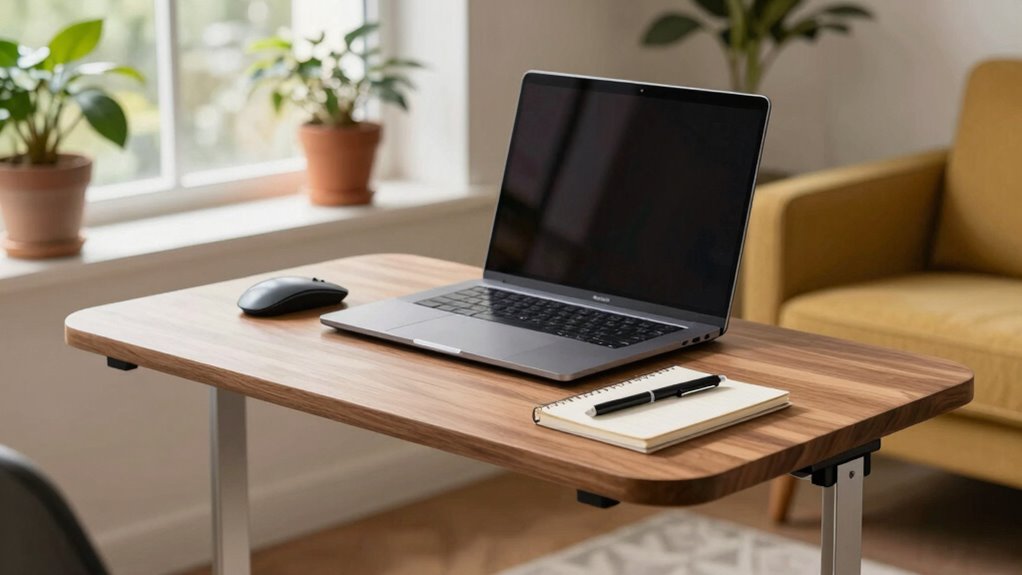
In today’s fast-paced world, working on the go is more important than ever, but carrying around a bulky desktop isn’t practical. Instead, you can create a sleek, efficient mobile desk setup that fits into your bag or backpack. The key is to focus on lightweight, portable devices paired with wireless peripherals that eliminate the clutter of cables and cords. Wireless keyboards and mice are game-changers, allowing you to set up your workspace anywhere without worrying about tangled wires. They connect effortlessly via Bluetooth, giving you a clean surface and freedom of movement. To maximize portability, choose compact, foldable stands or cases for your tablet or laptop, so you can quickly transform any space into a productive workstation.
Power is another critical aspect. Portable power banks are essential to keep your devices charged throughout the day, especially if you’re frequently on the move. Opt for high-capacity models that can charge multiple devices simultaneously, ensuring your smartphone, tablet, and even a lightweight laptop stay powered up. Some power banks come with fast-charging capabilities, saving you time and keeping your workflow uninterrupted. Keep your power bank easily accessible so you can top up whenever needed, avoiding the stress of dead batteries in the middle of important tasks. Using wireless peripherals further enhances your setup by reducing cable clutter and increasing flexibility. Incorporating portable power sources into your setup is also crucial to ensure your devices remain functional during long work sessions away from power outlets. Additionally, selecting eco-friendly and energy-efficient devices can contribute to a more sustainable mobile workspace.
To further streamline your mobile setup, invest in a versatile carrying case designed to hold all your essentials—laptop or tablet, portable power banks, wireless peripherals, and any accessories. This keeps everything organized and ready to go, reducing setup time and ensuring you’re always prepared. When selecting your equipment, prioritize lightweight and durable options to prevent added weight and damage while on the move. A sturdy, compact backpack or shoulder bag with dedicated compartments makes it easier to carry your gear comfortably over longer distances. Implementing organization techniques can help you maintain a clutter-free and efficient setup, making your mobile workspace even more effective.
Finally, consider the environment where you’ll be working. Whether at a coffee shop, library, or park, adapt your setup to suit the space. Use noise-canceling headphones if needed to minimize distractions, and choose ergonomic accessories that support comfortable, healthy working positions. By combining wireless peripherals with portable power banks and a well-organized carrying solution, you create a flexible, efficient mobile desk that lets you work effectively anywhere without the bulk of a traditional desktop. This approach guarantees you’re always ready to tackle your tasks, no matter where you are.

Logitech MK250 Bluetooth Wireless Mouse and Keyboard Combo: Fast & Easy Connectivity, Compact Wireless Keyboard, Ambidextrous Mouse, Durable Build – Windows/MacOS – Graphite
Connect in seconds: Fast, easy Bluetooth wireless technology—pair and play this Logitech Wireless Keyboard and Mouse Combo without…
As an affiliate, we earn on qualifying purchases.
As an affiliate, we earn on qualifying purchases.
Frequently Asked Questions
What Are the Best Portable Devices for a Mobile Desk Setup?
You should consider lightweight laptops like the MacBook Air or Dell XPS for portability, complemented by portable chargers to keep your devices powered on the go. Add ergonomic accessories like foldable stands and compact keyboards to guarantee comfort during long work sessions. These devices and accessories make your mobile desk setup efficient, allowing you to work smoothly anywhere without sacrificing productivity or comfort.
How Do I Ensure Stability on Uneven Surfaces?
Imagine your setup wobbling unexpectedly—frustrating, isn’t it? To prevent that, focus on surface leveling first; adjust your desk or use a portable leveling tool to stabilize uneven surfaces. Then, make sure it has anti-slip feet; these grip the ground securely, keeping your workspace steady. With these simple steps, you’ll create a reliable, stable environment wherever you work, so you can concentrate without worry or interruption.
What Security Measures Protect My Equipment During Transport?
To protect your equipment during transport, you should implement strict security protocols like locking cases and using cable locks for added theft prevention. Keep valuables close and avoid leaving them unattended in public spaces. Consider using GPS trackers on your gear for extra security. Always double-check that all items are securely stored, and opt for sturdy, padded cases to prevent damage and deter theft during transit.
How Long Does a Typical Battery Last for Portable Devices?
A typical battery lifespan for portable devices usually ranges from 8 to 12 hours, depending on usage and device type. You can extend this by practicing good power management, like dimming screens and closing unnecessary apps. Keep your device charged but avoid overcharging, and regularly calibrate your battery. These steps help guarantee your device’s battery lasts longer, making your mobile setup more reliable for work or entertainment on the go.
Can My Mobile Desk Setup Be Customized for Different Work Environments?
Your mobile desk setup can be easily customized to fit different work environments like a chameleon changing its colors. You can make ergonomic adjustments to guarantee comfort, such as adjustable stands or portable accessories. Aesthetic customization helps you match your setup to the environment, whether professional or casual. This flexibility keeps your workspace functional and stylish, making it adaptable to any setting you find yourself in.

Tonmom Laptop Stand for Desk, Adjustable Laptop Riser ABS+Silicone Foldable Portable Notebook Holder, Ventilated Cooling Notebook Mount Computer Stand for 10-15.6” Laptops,Tablets-Black
【Adjustable & Ergonomic】:The laptop holder elevates your notebook from 2.78” to 6.5” height (7 level height) for a…
As an affiliate, we earn on qualifying purchases.
As an affiliate, we earn on qualifying purchases.
Conclusion
With this setup, you’ll be able to transform any space into your personal office fortress—faster than a superhero changing into their cape! No more lugging around heavy desktops or battling tangled cords. Your mobile desk is like having a portable command center, ready to conquer work or creativity wherever you go. Say goodbye to bulky baggage and hello to effortless productivity—your new setup will make even the busiest days feel like a breeze!
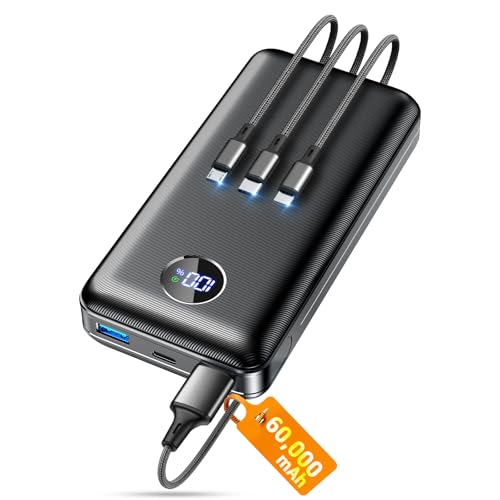
Portable Charger Power Bank, 60000mAh Battery Pack with 3 in 1 USB-C/iOS/Micro-USB Cable, 22.5W Fast Charging Portable Phone Charger, Travel Camping Essential Powerbank for iPhone 17/16 Samsung,Ebony
Huge Capacity 60000mAh Power Bank: ZZI portable charger features a new high-density polymer battery that provides 10 charges…
As an affiliate, we earn on qualifying purchases.
As an affiliate, we earn on qualifying purchases.

JanSport Laptop Backpack – Computer Bag with 2 Compartments, Ergonomic Shoulder Straps, 15” Laptop Sleeve, Haul Handle – Black
THE MOST TRUSTED NAME IN BACKPACKS – Every JanSport comes with a lifetime warranty. Carry your JanSport with…
As an affiliate, we earn on qualifying purchases.
As an affiliate, we earn on qualifying purchases.