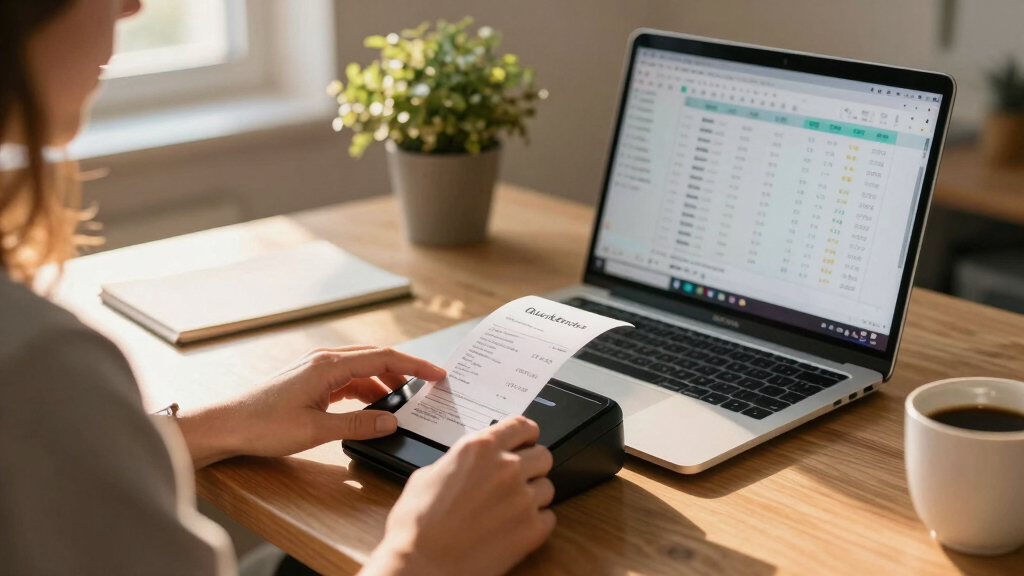

Finding the best scanner for QuickBooks users means balancing speed, accuracy, and ease of use. The ScanSnap iX1600 Receipt Edition stands out for its reliable document handling, while the Epson WorkForce ES-50 offers excellent portability for on-the-go needs. Buyers face tradeoffs between desktop models with higher speeds and compact options that excel in mobility. Continue reading to see the full breakdown of the top scanners tailored for QuickBooks workflows.
Key Takeaways
- The top scanners combine fast processing with seamless digital integration for QuickBooks.
- Portability is a key consideration for small businesses or remote work, with compact models excelling here.
- High-speed duplex scanning is essential for handling large batches efficiently, favoring desktop models.
- Affordable options often come with tradeoffs in speed or advanced features, so prioritize your primary needs.
- Compatibility with cloud storage and QuickBooks integration features significantly streamline bookkeeping workflows.
| ScanSnap iX1600 Receipt Edition Color Duplex Invoice Document Scanner |  | Best Overall for Versatile Business Finance Management | Color: Color | Duplex: Yes | Touch Screen: 4.3 inches | VIEW LATEST PRICE | See Our Full Breakdown |
| Epson WorkForce ES-50 Compact & Lightweight Mobile Document Scanner |  | Best for On-the-Go Scanning in the Field | Maximum Document Size: 8.5 x 72 inches | Scanning Speed: 5.5 seconds per page | Connectivity: USB 2.0 | VIEW LATEST PRICE | See Our Full Breakdown |
| Epson Workforce ES-C220 Compact Document Scanner Duplex 20-pg ADF |  | Best for Small Office Space with High-Speed Duplex Scanning | Auto Document Feeder: 20 pages | Scanning Speed: 30 ppm / 60 ipm | Features: Duplex, cropping, background removal | VIEW LATEST PRICE | See Our Full Breakdown |
| Epson RapidReceipt RR-620W Wireless & USB High-Speed Color Duplex Receipt & Document Scanner |  | Best for High-Volume, Smart Data Extraction | Scanning Speed: 45 ppm | Color Touchscreen: 4.3 inches | Auto Document Feeder: 100 pages | VIEW LATEST PRICE | See Our Full Breakdown |
| Canon imageFORMULA DR-C225 II Office Document Scanner |  | Best for Versatile, Space-Saving Office Scanning | Pages per minute: 25 | Automatic feeder capacity: 30 sheets | Document types: Receipts, photos, business cards, contracts | VIEW LATEST PRICE | See Our Full Breakdown |
| Epson RapidReceipt RR-70W Compact Mobile Document Scanner |  | Best for Mobile Receipt and Small Document Scanning | Scan Speed: 15 pages per minute | Weight: under 11 oz | Connectivity: USB, battery-powered, wireless | VIEW LATEST PRICE | See Our Full Breakdown |
| Brother DS-640 Compact Mobile Document Scanner |  | Best for Multi-OS Flexibility and Image Enhancement | Scan Speed: 16 ppm | Weight: 1.5 lbs | Dimensions: Less than 1 foot in length | VIEW LATEST PRICE | See Our Full Breakdown |
| Epson Workforce ES-400 II High-Speed Color Duplex Desktop Document Scanner |  | Best for High-Volume Office Use and Seamless Integration | Auto Document Feeder: 50 sheets | Duplex Scanning: Yes | OCR: Yes | VIEW LATEST PRICE | See Our Full Breakdown |
| Canon imageFORMULA R10 Portable Document Scanner |  | Best for Mobile Users Needing Speed and Versatility | Power Consumption: 2.5W or less | Suggested Daily Volume: 500 scans | Scan Speed: 12 pages per minute | VIEW LATEST PRICE | See Our Full Breakdown |
| scanners for QuickBooks user | Connectivity |
|---|---|
| ScanSnap iX1600 Receipt Editio | Wi-Fi |
| Epson WorkForce ES-50 Compact | USB 2.0 |
| Epson Workforce ES-C220 Compac | USB |
| Epson RapidReceipt RR-620W Wir | Wi-Fi, USB |
| Canon imageFORMULA DR-C225 II | Windows, Mac, TWAIN driver |
| Epson RapidReceipt RR-70W Comp | USB, battery-powered, wireless |
| Brother DS-640 Compact Mobile | — |
| Epson Workforce ES-400 II High | TWAIN, cloud services |
| Canon imageFORMULA R10 Portabl | — |
More Details on Our Top Picks
ScanSnap iX1600 Receipt Edition Color Duplex Invoice Document Scanner
The ScanSnap iX1600 Receipt Edition stands out for its combination of user-friendly features and flexible connectivity, making it ideal for small business owners who handle a mix of invoices and receipts. Its 4.3-inch touch screen simplifies operation, and Wi-Fi connectivity enables placement anywhere, unlike the Epson WorkForce ES-50, which requires a USB connection and is less flexible. The ability to create up to 30 customizable profiles streamlines repetitive tasks, but it lacks advanced OCR or AI features found in more specialized scanners like the Epson RapidReceipt RR-620W. This model is best suited for users who prioritize ease of use and versatility over high-volume throughput or advanced automation. It’s less ideal for those needing extensive integration with high-end enterprise workflows.
- Pros: User-friendly touch screen, wireless flexibility, customizable profiles
- Cons: No advanced AI or OCR beyond basic functions
Pros:- User-friendly 4.3-inch touch screen for intuitive operation
- Wireless connectivity offers flexible placement
- Supports up to 30 customizable scanning profiles
Cons:- Lacks advanced OCR or AI features for smart data extraction
- No wired or wireless high-speed scanning for bulk processing
Best for: Small business owners or office managers who need a versatile, easy-to-use scanner for receipts and invoices without complex setup.
Not ideal for: High-volume users or those requiring advanced AI-driven data extraction, as it focuses more on simplicity than automation.
- Color:Color
- Duplex:Yes
- Touch Screen:4.3 inches
- Connectivity:Wi-Fi
- Profiles:Up to 30 customizable profiles
Our verdict“This scanner is perfect for small offices that need reliable, flexible document capture with straightforward operation.”
Epson WorkForce ES-50 Compact & Lightweight Mobile Document Scanner
The Epson WorkForce ES-50 excels in portability, making it the top choice for mobile professionals who need quick scans of receipts or ID cards. Its lightweight design and USB-powered operation mean it can easily fit into a laptop bag, unlike bulkier models such as the Epson Workforce ES-C220, which is better suited for fixed office setups. The ES-50’s quick 5.5-second scan per page is ideal for single-page needs, but it’s limited to single sheets and small documents, which can be a drawback for users with larger or batch scanning tasks. Its software includes OCR, enabling searchable, editable files, but its inability to handle multi-page scans or wireless connectivity limits its scope. This pick is best for those prioritizing portability over volume.
- Pros: Extremely lightweight, fast for a portable device, includes OCR for searchable files
- Cons: Only scans one page at a time, no wireless connection, limited to small documents
Pros:- Highly portable and USB-powered for mobile use
- Fast scanning speed of 5.5 seconds per page
- Includes OCR software for searchable documents
Cons:- Limited to single-page scans, not suitable for batch jobs
- No wireless or Wi-Fi connectivity
Best for: Field agents or remote workers who need a portable scanner for quick, single-page scans on the go.
Not ideal for: Offices with high-volume scanning needs or users requiring wireless connection and batch processing.
- Maximum Document Size:8.5 x 72 inches
- Scanning Speed:5.5 seconds per page
- Connectivity:USB 2.0
- Power:USB-powered
- Software:Epson ScanSmart, Nuance OCR
Our verdict“This scanner is ideal for mobile professionals who need quick, straightforward scans without bulk or wireless features.”
Epson Workforce ES-C220 Compact Document Scanner Duplex 20-pg ADF
The Epson Workforce ES-C220 offers a compelling balance of speed and versatility for small offices needing reliable duplex scanning. Its 20-page auto document feeder and 30 pages per minute throughput make it a better fit than the Canon imageFORMULA DR-C225 II for users who regularly process multi-page documents. However, it’s limited to USB connectivity, which can restrict placement flexibility, unlike the wireless Epson RR-620W. Its intelligent image adjustments and document handling features ensure clear, professional-quality scans, but it’s less suited for high-volume or enterprise environments. This model suits users who want quick, high-quality scans in a compact footprint but don’t need wireless or extensive automation.
- Pros: Fast duplex scanning, space-saving design, handles various document types
- Cons: Only USB connection, not ideal for large-volume processing
Pros:- Fast duplex scanning at 30 pages per minute
- Compact and space-efficient design
- Versatile document handling with intelligent image adjustments
Cons:- Limited to USB connection, reducing placement flexibility
- Less suitable for very high-volume workflows
Best for: Small office teams that need rapid, reliable duplex scanning in a compact form factor.
Not ideal for: High-volume or wireless users, as it lacks Wi-Fi and is primarily designed for desktop connectivity.
- Auto Document Feeder:20 pages
- Scanning Speed:30 ppm / 60 ipm
- Features:Duplex, cropping, background removal
- Connectivity:USB
- Compatible Documents:Standard paper, cards, passports
Our verdict“This scanner is perfect for small offices seeking fast duplex scans without the need for wireless connectivity.”
Epson RapidReceipt RR-620W Wireless & USB High-Speed Color Duplex Receipt & Document Scanner
The Epson RapidReceipt RR-620W is tailored for busy environments that demand fast, high-capacity scanning with intelligent data handling. Its 45 ppm double-sided speed surpasses most in this roundup, making it ideal for high-volume receipt processing. The built-in AI technology and 100-page auto document feeder set it apart from simpler models like the Epson ES-50 or Canon DR-C225 II, which lack such automation. Its 4.3-inch color touchscreen simplifies workflow management, and Wi-Fi connectivity offers flexible placement. However, the machine’s complexity can be overwhelming for first-time users, and it relies on compatible software to access all AI features. This scanner suits accounting teams or finance departments needing rapid, automated digitization with smart data extraction.
- Pros: Extremely fast for high-volume, duplex scans; AI technology for smart data extraction; large auto document feeder; wireless and USB options
- Cons: Can be complex to operate initially; dependent on compatible software for AI features
Pros:- High-speed duplex scanning at 45 ppm
- AI-enabled data extraction for automation
- Large 100-page auto document feeder
Cons:- Complex setup for first-time users
- Dependent on specific software for AI functions
Best for: Accounting teams or finance departments handling large batches of receipts and documents requiring automation.
Not ideal for: Small offices or casual users who don’t need AI features or high speeds, as it can be overkill and complex.
- Scanning Speed:45 ppm
- Color Touchscreen:4.3 inches
- Auto Document Feeder:100 pages
- Connectivity:Wi-Fi, USB
- AI Technology:AI PRO Technology
Our verdict“This scanner is suited for high-volume environments that benefit from automation and fast throughput, with a focus on smart data processing.”
Canon imageFORMULA DR-C225 II Office Document Scanner
The Canon imageFORMULA DR-C225 II combines compact design with broad document handling capabilities, making it an excellent choice for offices that need to digitize everything from receipts to contracts. Its upright, space-saving form reduces clutter compared to larger desktop models, and its dual-sided scanning at 25 pages per minute is enough for low to moderate workloads. Unlike the Epson ES-50, which is portable but limited in document size and volume, or the Epson RR-620W, which offers higher speed and AI features, the Canon offers a balanced approach with flexible document types and bundled software for easy management. While setup can be slightly involved, its support for a wide range of document types—including photos and IDs—makes it more versatile for varied office needs.
- Pros: Fast dual-sided scanning, compact design, handles diverse document types
- Cons: Setup required for optimal use, may be over-featured for very low volume needs
Pros:- Fast dual-sided scanning at 25 pages per minute
- Supports various document types including photos and cards
- Space-saving, upright design
Cons:- Requires setup for ideal operation
- Limited speed for high-volume processing
Best for: Small offices or teams needing a compact scanner that can handle a variety of document formats efficiently.
Not ideal for: High-volume or wireless users, as it’s primarily a wired, desktop-focused device with moderate speed.
- Pages per minute:25
- Automatic feeder capacity:30 sheets
- Document types:Receipts, photos, business cards, contracts
- Connectivity:Windows, Mac, TWAIN driver
- Design:Upright, space-saving with top feed
- Support:Three-year warranty
Our verdict“This scanner is well-suited for small office environments that need versatile, reliable scanning within a compact footprint.”
Epson RapidReceipt RR-70W Compact Mobile Document Scanner
The Epson RapidReceipt RR-70W excels in portability, making it perfect for QuickBooks users who frequently scan receipts and small documents on the go. Its lightweight design under 11 ounces ensures it can be carried effortlessly, and with a scanning speed of 15 pages per minute, it handles quick turnarounds. Compared to the Canon imageFORMULA R10, which is more suited for mobile professionals, the RR-70W offers wireless connectivity and AI-powered data extraction, streamlining receipt entry into QuickBooks. However, its limited maximum document width of 8.5 inches means it’s not ideal for larger documents, and battery life can be variable with heavy use. This model makes the most sense for small business owners or freelancers needing quick, portable receipt capture without a bulky device.
Pros:- Lightweight and portable for easy mobility
- Wireless connectivity facilitates cloud and device scanning
- Creates searchable, editable PDFs for quick data entry
Cons:- Limited to scanning documents up to 8.5 inches wide
- Battery life may vary based on usage intensity
Best for: Mobile entrepreneurs or small business owners who need quick, on-the-go receipt scanning with cloud integration
Not ideal for: Users needing to scan large documents or perform high-volume scanning at a fixed office station
- Scan Speed:15 pages per minute
- Weight:under 11 oz
- Connectivity:USB, battery-powered, wireless
- Maximum Document Size:8.5 x 72 inches
- Compatibility:Windows, Mac, mobile devices
- Features:AI data extraction, cloud scanning, auto file naming, searchable PDFs
Our verdict“This is a strong choice for mobile users prioritizing quick receipt capture and cloud compatibility.”
Brother DS-640 Compact Mobile Document Scanner
The Brother DS-640 stands out for users who need versatile, portable scanning across various operating systems. Its ultra-compact design and weight of just 1.5 pounds make it suitable for professionals who require reliable scanning on the move, especially those who might find the Epson RR-70W too lightweight for handling larger tasks. Unlike the Epson model, the DS-640 is powered via micro USB and doesn’t support wireless connectivity, which could be a drawback for some. Its support for Windows, Mac, and Linux, combined with features like automatic color detection and OCR, makes it ideal for quickly digitizing receipts, invoices, and other documents for QuickBooks. The primary tradeoff is that its lack of wireless functionality may limit convenience for some mobile workflows.
Pros:- Extremely portable and lightweight design
- Supports multiple operating systems including Linux
- Includes image optimization and OCR software for efficient data conversion
Cons:- Requires a micro USB connection, not wireless
- May be bulky for very tight pockets or minimal carrying cases
Best for: Small business owners or mobile professionals needing multi-platform support and OCR capabilities
Not ideal for: Users seeking wireless scanning or those handling very large documents regularly
- Scan Speed:16 ppm
- Weight:1.5 lbs
- Dimensions:Less than 1 foot in length
- Power:Micro USB 3.0
- Compatibility:Windows, Mac, Linux
- Features:Automatic color detection, image rotation, background removal, OCR
Our verdict“Ideal for tech-savvy users who need cross-platform compatibility and OCR in a portable scanner.”
Epson Workforce ES-400 II High-Speed Color Duplex Desktop Document Scanner
The Epson Workforce ES-400 II is designed for busy office environments with high-volume scanning needs. Its 50-sheet auto document feeder and duplex scanning capabilities significantly speed up the process of digitizing invoices, receipts, and documents for QuickBooks. Unlike the portable options like the Canon R10, this model is optimized for productivity in a dedicated workspace, with features like automatic file naming, image adjustments, and ultrasonic double feed detection. While the ES-400 II offers excellent automation, it lacks wireless connectivity, which could be a downside for remote or mobile users. Its higher price reflects its enterprise-grade features, making it less suitable for casual or occasional scanning tasks. This scanner is ideal for small business offices or accounting departments handling large volumes regularly.
Pros:- Fast scanning with a 50-sheet auto feeder
- Supports duplex scanning and OCR for searchable PDFs
- Easy integration with cloud and document management platforms
Cons:- No wireless connectivity options available
- Higher cost may be prohibitive for casual users
Best for: Small businesses or accounting teams needing fast, reliable high-volume scanning with seamless software integration
Not ideal for: Individuals seeking a portable or wireless scanner for irregular use or casual purposes
- Auto Document Feeder:50 sheets
- Duplex Scanning:Yes
- OCR:Yes
- Connectivity:TWAIN, cloud services
- Double Feed Detection:Ultrasonic
- Image Adjustments:Auto crop, blank page removal, background removal
Our verdict“This scanner suits busy offices that require efficient, high-volume document processing with robust software features.”
Canon imageFORMULA R10 Portable Document Scanner
The Canon imageFORMULA R10 targets mobile professionals who need a compact yet capable scanner for everyday document digitization. Its duplex scanning speed of 12 pages per minute offers speed comparable to larger models like the Epson ES-400 II, but in a much smaller package. Built-in software simplifies operation, making it accessible for users who prefer plug-and-play functionality. Its ability to handle various media types, including receipts and business cards, makes it flexible for QuickBooks users managing diverse paperwork. However, the R10 isn’t designed for high-volume or photo scanning, and its limited capacity of 20 sheets in the automatic document feeder could slow down larger tasks. This makes it ideal for mobile users who prioritize portability over volume capacity.
Pros:- Portable and lightweight design for mobile use
- Fast duplex scanning with automatic feeder
- Built-in software with no installation needed
Cons:- Limited to 20-sheet auto feeder, less suited for bulk tasks
- Not designed for photo or high-volume scanning
Best for: On-the-go professionals who need quick, versatile document scanning with minimal setup
Not ideal for: Users with high-volume scanning needs or those requiring photo scanning capabilities
- Power Consumption:2.5W or less
- Suggested Daily Volume:500 scans
- Scan Speed:12 pages per minute
- Automatic Document Feeder:20 sheets
- Compatibility:Windows and Mac
- Energy Certification:ENERGY STAR
Our verdict“Perfect for mobile users who need reliable, fast duplex scanning in a compact form factor for quick digital conversion.”

How We Picked
In selecting the best scanners for QuickBooks users, I evaluated performance metrics such as scan speed and duplex capabilities, ensuring they can handle typical bookkeeping documents efficiently. Ease of use, especially for non-technical users, was a priority, along with build quality and reliability. Compatibility with common file formats and direct integration options with QuickBooks or cloud services influenced rankings. Cost-effectiveness and portability were also key factors, helping to identify options suitable for different business sizes and workflows.Factors to Consider When Choosing Best Scanners For QuickBooks Users
Choosing the right scanner for QuickBooks involves understanding your specific needs, such as document volume, portability, and integration features. A well-selected scanner can save time, reduce errors, and streamline your bookkeeping process. The following factors will help you make an informed decision beyond just the specs.Scanning Speed and Duplex Capabilities
If you’re processing large volumes of receipts, invoices, or statements, prioritizing high-speed scanners with duplex (double-sided) scanning becomes essential. Duplex capability reduces the time spent flipping pages and ensures your digital records are complete. For home use or light tasks, slower models may suffice, but speed matters for busy offices.
Portability and Size
Portability can make a significant difference if you frequently scan on the move or work in multiple locations. Compact, lightweight models like the Epson WorkForce ES-50 or Brother DS-640 are ideal for remote or fieldwork, but they often sacrifice some speed or features. Consider where you’ll use the scanner most to balance size against performance.
Ease of Use and Connectivity
Ease of setup and operation reduces frustration, especially if you’re not tech-savvy. Look for scanners with straightforward software, one-touch scanning, and reliable connectivity options like USB, Wi-Fi, or Ethernet. Compatibility with cloud services and direct integration with QuickBooks can streamline your workflow, minimizing manual data entry.
Document Handling and Quality
Handling different document types—receipts, invoices, thick or fragile papers—requires a versatile scanner with adjustable guides and good image quality. Higher resolution scans ensure accurate OCR and data extraction, crucial for quick and precise bookkeeping. Consider models with Automatic Document Feeder (ADF) if you process large batches regularly.
Cost and Long-term Value
Price varies widely, but a higher upfront investment can pay off through durability, faster processing, and better integration. Cheaper models might be tempting but often lack features needed for efficient QuickBooks workflows or have higher maintenance costs. Think about your volume and future needs to choose a scanner that offers good value over time.
Frequently Asked Questions
Can I connect any scanner directly to QuickBooks?
Most scanners do not connect directly to QuickBooks but instead save files in formats that can be imported into the software. Many modern scanners offer integration via cloud storage or OCR software that exports data compatible with QuickBooks. Choosing a scanner with robust software support and easy export options simplifies the process of linking scanned documents to your accounting system.
Is duplex scanning necessary for small businesses?
Duplex scanning speeds up the processing of two-sided documents, which can be a time-saver for larger batches. However, if your typical workflow involves mostly single-sided receipts or invoices, a simple simplex scanner might suffice. For most small businesses handling a moderate volume, duplex features are a worthwhile investment to improve efficiency.
Should I prioritize portability over speed?
If you frequently work outside the office, portability is a key factor, making compact models like the Epson WorkForce ES-50 appealing. However, these often have slower speeds and fewer features. For office use with high volume, a desktop scanner with faster processing might be more suitable. Balancing your mobility needs with performance is essential.
What features matter most for accurate OCR results?
High-resolution scanning (at least 300 dpi), good image clarity, and automatic deskewing help improve OCR accuracy. Scanners with integrated OCR software or compatibility with third-party OCR tools can further streamline data extraction, reducing manual entry errors. Investing in a model that prioritizes image quality will pay dividends in accurate bookkeeping.
Are expensive scanners worth the extra cost?
Higher-priced scanners often offer faster processing, better build quality, and advanced features like automatic document feeders and seamless integration. If your volume justifies it and you need reliable, long-term performance, investing more can be worthwhile. For light use, however, budget models can still handle basic scanning tasks effectively.