To create a more professional solo presenter setup, focus on balanced lighting with soft, diffused sources from eye level, using a three-point arrangement to add depth and minimize shadows. Position your camera at eye level on a sturdy tripod, ensuring a clean background and proper framing with some space above your head. Use a high-quality microphone placed close enough for clear audio but out of the shot. Continue exploring tips that can help elevate your presentation even further.

Get smart everyday buys delivered free with Prime
- Fast, free delivery on millions of items
- Prime Video, Amazon Music and more included
- Member-only deals all year
Key Takeaways
- Use soft, diffused, and well-balanced lighting at eye level to minimize shadows and create a natural, professional look.
- Position the camera at eye level with proper framing, leaving space above the head for a polished appearance.
- Implement a three-point lighting setup (key, fill, backlight) to add depth and eliminate unflattering shadows.
- Place the microphone close to the mouth, slightly below the chin, with a pop filter for clear, professional audio.
- Keep the background uncluttered and use a sturdy tripod to ensure steady, distraction-free shots.
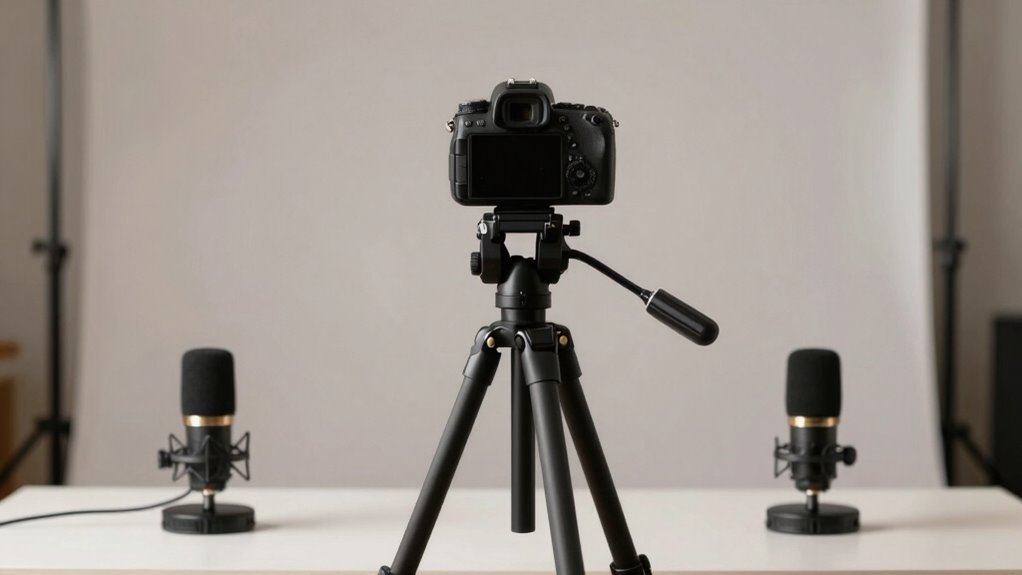
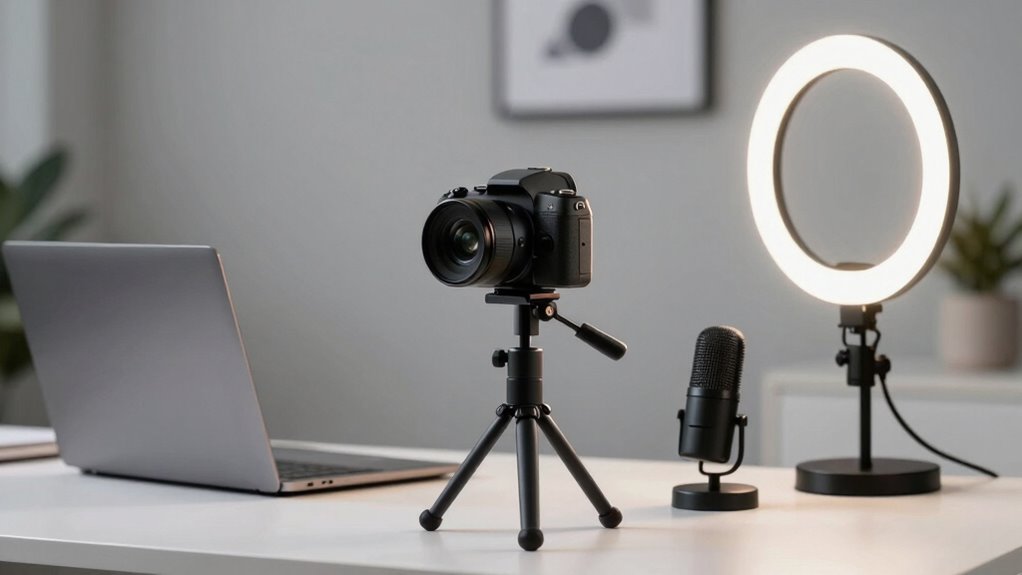
Setting up your camera for a solo presentation can seem intimidating, but with the right approach, you can achieve a professional look that engages your audience. The key lies in mastering simple yet effective lighting techniques and guaranteeing ideal microphone placement. When your lighting is well-balanced, your face appears clear and inviting, making viewers feel connected to you. Use soft, diffused light sources positioned at eye level or slightly above to minimize shadows and reduce harsh contrasts. A ring light or a combination of natural light and softboxes works great for creating even illumination. Avoid placing lights directly behind you, as this can cause silhouettes or backlighting issues. Instead, aim for a three-point lighting setup—key light, fill light, and backlight—to add depth and dimension to your face without overexposing any area. Additionally, consider the lighting angle to ensure your face is evenly lit and avoid unflattering shadows. Properly positioning your lights can also help prevent glare or hot spots that distract viewers. To further enhance your presentation, experimenting with different lighting positions can help you find the most flattering setup for your space. You might also want to adjust the light intensity to achieve a more natural, balanced look that suits your environment. Furthermore, adjusting your camera’s white balance can help maintain accurate skin tones and overall color fidelity in your video.
Equally important is microphone placement. No matter how good your camera setup looks, poor audio quality can undermine your professionalism. You should position your microphone close enough to capture clear sound without it being distracting or cluttered in the shot. If you’re using a lavalier mic, clip it just below your chin, ensuring it’s not rubbing against clothing. For desktop or shotgun mics, place them just outside the frame, pointed toward your mouth at a slight downward angle. Test your audio beforehand, adjusting the distance and sensitivity to avoid muffled or distorted sound. Good microphone placement not only enhances clarity but also reduces background noise, making your delivery more polished. Using a pop filter can further improve audio quality by reducing plosive sounds during speech.
Combining effective lighting techniques with proper microphone placement creates a seamless, professional appearance that commands attention. Keep your camera at eye level to establish a direct connection with your audience and avoid unflattering angles. Use a clean, uncluttered background, and guarantee your framing leaves some space above your head for a natural look. Invest in a sturdy tripod or mount to keep your shot steady and consistent throughout your presentation. Practice your setup a few times to identify any adjustments needed, whether it’s tweaking the light angles or repositioning your mic. With these small but vital steps, you’ll project confidence and professionalism, making your solo presentation look polished and engaging—just like a seasoned pro.
Products Worth Considering

HP Sprocket Photo Booth Machine Instant Color Photo Printer with 10.1 Touchscreen, LED Ring Light, 250+ Frames, 3×4 ZINK Paper, QR Code Shar

HP Sprocket Photo Booth Instant Color Printer Bundle

Dell UltraSharp 27 Thunderbolt Hub Monitor (U2726DER)
As an affiliate, we earn on qualifying purchases.
Frequently Asked Questions
How Do I Optimize Lighting for Solo Presentation Setups?
To optimize lighting for your solo presentation setup, use soft, even lighting techniques that eliminate harsh shadows. Adjust the color temperature to match your environment—warm tones create a welcoming feel, while cooler tones look more professional. Position your lights at eye level and use diffusers or ring lights to soften the light. Make sure your face is well-lit and balanced against the background for a polished, professional appearance.
What Are the Best Camera Angles for Professional-Looking Videos?
Think of your camera angles as your secret weapon; they can make or break your presentation. Position your camera at eye level for a confident, engaging look. Use framing techniques like the rule of thirds to keep your face prominent and avoid distracting backgrounds. Keep your shots steady and slightly close-up to connect better with your audience. These tweaks will give your videos a polished, professional feel that commands attention.
How Can I Improve Audio Quality in a Solo Setup?
You can improve audio quality by carefully choosing microphone placement—keep it close but avoid plosives, and use a shotgun or lapel mic for clarity. Also, apply soundproofing techniques like foam panels or blankets to reduce echo and background noise. Test your setup regularly, and consider using a mixer or audio interface to fine-tune sound levels. These steps help create crisp, professional audio for your solo videos.
What Background Options Enhance a Professional Appearance?
You should choose background textures and color schemes that look clean and professional. Opt for subtle textures like a smooth wall or a tasteful bookshelf, avoiding clutter or distractions. Stick to neutral or muted colors that complement your outfit and don’t overpower your presentation. This creates a polished look, keeps the focus on you, and enhances your overall professional appearance. Keep it simple, consistent, and visually appealing.
How Do I Manage Cable Clutter in a Clean Setup?
To manage cable clutter and reduce mess, use cable management solutions like clips, sleeves, or ties to keep cords organized and out of sight. Route cables behind your desk or along edges to create a tidy look. Label cables for easy identification and disconnect unnecessary ones. Regularly check and adjust your setup to prevent tangles. This approach guarantees a clean, professional appearance that boosts your confidence during presentations.
Conclusion
With the right solo presenter camera setup, you can deliver a more professional, engaging experience that keeps your audience hooked. Did you know that videos with good lighting and clear visuals can increase viewer engagement by up to 80%? By investing in simple upgrades like a quality camera and proper lighting, you’ll instantly elevate your presentation and boost credibility. Remember, your setup is your first impression—make it count and watch your audience grow!