
Choosing the right large e-ink tablet for research involves balancing display quality, versatility, and ease of use. The BOOX Tablet Note Air 4C stands out for its vibrant color display and robust app support, making it ideal for detailed reading and note-taking. However, its slower refresh rates and limited color accuracy might be a drawback for some. This guide compares it with other options to help you find the best fit for your research needs, highlighting key tradeoffs such as color versus black-and-white clarity, and device flexibility versus simplicity.

Get smart everyday buys delivered free with Prime
- Fast, free delivery on millions of items
- Prime Video, Amazon Music and more included
- Member-only deals all year
Key Takeaways
- Color e-ink displays enhance note differentiation but often have slower refresh rates compared to monochrome screens.
- Device versatility, including Android OS support, increases app compatibility but can introduce latency.
- Larger screens improve reading and annotation, yet they tend to be heavier and less portable.
- Tradeoffs between color accuracy and refresh speed are critical for research requiring high precision.
- Battery life varies significantly, with some large tablets offering extended use despite high-resolution screens.
| BOOX Tablet Note Air 4C 6G 64G E Ink Tablet Color ePaper Notebook |  | Best Overall Large E-Ink Tablet for Researchers | Display Size: 10.3 inches | Color Display: Yes, Kaleido 3 (4,096 colors) | Resolution: Black & White: 2480 x 1860, Color: 1240 x 930 | VIEW LATEST PRICE | See Our Full Breakdown |
More Details on Our Top Picks
BOOX Tablet Note Air 4C 6G 64G E Ink Tablet Color ePaper Notebook
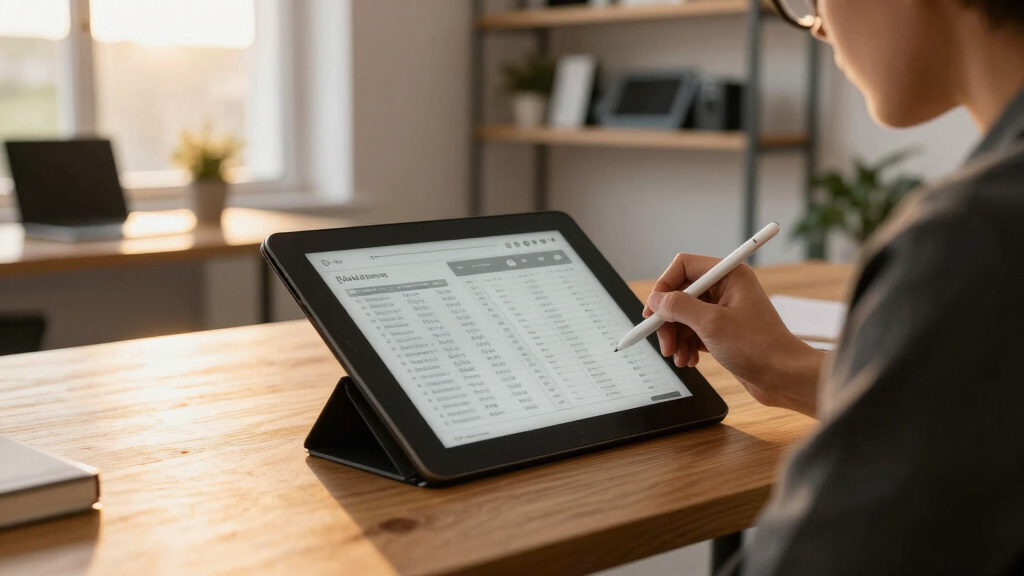
The BOOX Tablet Note Air 4C emerges as the top pick due to its vibrant 10.3-inch Kaleido 3 color display, which offers a resolution of 2480 x 1860 pixels in black-and-white and 1240 x 930 in color. Its octa-core CPU and 6GB RAM ensure smooth multitasking, while the 64GB storage supports large research files. The device’s color capabilities are a significant advantage for researchers who need to distinguish annotations or highlight different categories visually. Its Android 13 OS broadens app compatibility, although this can lead to occasional latency, especially with third-party apps optimized for LCD screens. The device’s refresh modes balance between static reading and dynamic browsing, but color rendering may still lack the precision of LCD displays. The lightweight design makes it portable, yet the device’s refresh speed in color mode can be a limitation for high-speed note-taking or scrolling through complex documents.
Pros:- Vibrant 10.3-inch color display enhances visual differentiation.
- Robust app support via Android 13 expands functionality.
- Lightweight and portable for daily research tasks.
- Multiple refresh modes optimize for static reading and browsing.
Cons:- Color refresh rates are slower, affecting dynamic note-taking.
- Color accuracy may not meet professional graphic standards.
- Latency issues with some third-party apps due to E Ink technology.
Best for: Researchers who need a versatile, color-capable device capable of handling complex PDFs and note differentiation.
Not ideal for: Those requiring ultra-fast refresh rates for dynamic content or high color accuracy for detailed image analysis.
- Display Size:10.3 inches
- Color Display:Yes, Kaleido 3 (4,096 colors)
- Resolution:Black & White: 2480 x 1860, Color: 1240 x 930
- Processor:Octa-core
- RAM:6GB
- Storage:64GB
- Connectivity:Wi-Fi, Bluetooth 5.1
- Operating System:Android 13
- Weight:Approx. 420g
Bottom line: This device offers a compelling balance of color display and app versatility, best suited for researchers prioritizing visual differentiation over speed.

How We Picked
Our selection process focused on large e-ink tablets specifically suited for research. We prioritized display quality, color capability, device performance, app support, and overall usability. We compared technical specs, user reviews, and the device’s ability to handle research tasks such as PDF annotation, note-taking, and document management. Tradeoffs like refresh rate versus color depth, weight versus screen size, and OS flexibility versus simplicity guided our choices, ensuring each device serves a distinct research role.
Factors to Consider When Choosing Best Large E-ink Tablets For Researchers
When selecting a large e-ink tablet for research, consider how display quality, color capability, performance, and portability align with your specific needs. Larger screens benefit detailed reading and annotation, but may impact weight and battery life. Color displays improve visual organization, yet often come with slower refresh rates. Compatibility with research apps and note-taking tools is essential, especially if you rely on specific software. Understanding these tradeoffs can help pinpoint which device offers the best balance for your workflow.Display Quality and Size
Size and resolution significantly impact readability and ease of annotation. Larger screens, like 10.3 inches, support extensive documents and detailed notes, but can be heavier. Higher resolution improves clarity, especially in fine print or detailed diagrams. Color displays add visual differentiation, but often at the expense of refresh speed and color accuracy, which are pivotal depending on your research focus.
Color vs. Monochrome
Color e-ink screens, such as Kaleido technology, enable researchers to categorize notes or highlight content with distinct colors, improving organization. However, these screens typically refresh more slowly than monochrome ones and may exhibit less precise color accuracy. Monochrome devices excel at fast, high-contrast reading and note-taking but lack the visual cues that color provides, which can be a limitation for some research workflows.
Performance and OS Compatibility
Device performance, including processor speed and RAM, affects responsiveness, especially when handling large PDFs or multiple apps. Android-based tablets offer broad app support, but may encounter latency issues with E Ink screens. Simpler OS options may provide faster refreshes but limit app flexibility. Consider how important app compatibility and speed are for your work.
Portability and Battery Life
While larger screens improve readability, they tend to be heavier and consume more power. A lightweight device is easier to carry around, but may sacrifice some features. Long battery life is essential for extended research sessions, especially when working offline. Evaluate how much weight and endurance matter for your daily routine.
Frequently Asked Questions
Can I use third-party apps on large e-ink tablets?
Most large e-ink tablets running Android, like the BOOX Note Air 4C, support a variety of third-party apps. However, due to the nature of E Ink screens, some apps may experience latency or reduced responsiveness, especially those designed for LCD displays. Compatibility varies, so it’s advisable to check whether your essential research tools are optimized for E Ink technology before purchase.
Is color e-ink suitable for detailed research work?
Color e-ink displays are beneficial for visual differentiation, such as highlighting categories or annotations with different colors. Yet, they often have slower refresh rates and less precise color reproduction compared to LCD screens. For tasks requiring rapid note updates or high color fidelity, monochrome devices might be more practical, but for organizational purposes, color displays can be a valuable asset.
How does refresh rate impact research tasks?
Refresh rate influences how quickly the screen updates, which is critical when scrolling through documents or making rapid annotations. E Ink displays, especially color variants, tend to refresh more slowly than traditional screens, leading to delays in dynamic tasks. For static reading and occasional note edits, this is manageable, but for intensive writing or browsing, it can be a limiting factor.
Are large e-ink tablets durable for daily research use?
Most large e-ink tablets are designed with sturdy screens and lightweight frames suitable for daily carrying. However, their durability depends on the build quality and protective features like covers or cases. For frequent travel or fieldwork, selecting a device with robust construction and added protection is advisable to prevent damage.
What should I consider regarding storage options?
Storage capacity varies among large e-ink tablets, with most offering at least 64GB. Larger storage allows for extensive research files, PDFs, and notes without external drives. Some devices support microSD cards for expanded space. Evaluate your typical file sizes and storage needs to ensure your device can handle your workload comfortably.
Conclusion
If you prioritize vibrant color displays and broad app support, the BOOX Tablet Note Air 4C is an excellent choice for researchers who need visual differentiation and flexibility. For those requiring faster refresh rates and high-precision monochrome reading, a dedicated e-ink device without color may serve better. Researchers with extensive documents and note-taking needs should weigh screen size and battery life carefully, while those in mobile environments will benefit from lightweight, durable options. Ultimately, your specific research tasks should guide your choice, balancing display quality, performance, and portability.