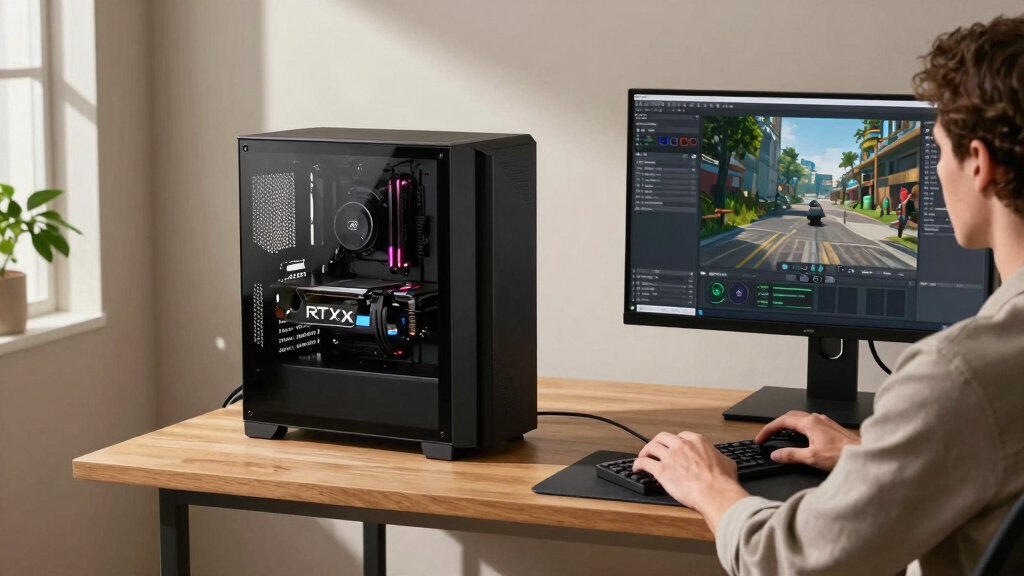

When searching for the best creator PCs with RTX graphics, the key factors are powerful performance, reliable build quality, and versatile features suited for demanding creative tasks. The GIGABYTE AORUS Gaming Desktop stands out as the overall top pick thanks to its high-end RTX 5070 Ti and AMD Ryzen 7 9700X combo, ideal for intensive rendering and editing. For those prioritizing budget-friendly options, the Gaming Desktop PC with RTX 3050 offers decent performance at a lower price point, though it may struggle with heavier workloads. The Mantis V2 with RTX 5080 and Ryzen 9 proves the best choice for professionals who need maximum power and expandability. Keep in mind, the main tradeoffs include balancing price against raw power and future-proofing. Continue reading for a detailed breakdown of each model to match your specific needs.
Key Takeaways
- High-end RTX 5080 options like the Mantis V2 and Panorama RTX 5080 deliver exceptional performance for demanding creative tasks.
- Budget-friendly models such as the RTX 3050-based desktop provide good value but are less suited to intensive editing or 3D rendering.
- Processors matter; high-core CPUs like Ryzen 9 and i7-13700F significantly boost multitasking and rendering speeds, justifying higher costs.
- Build quality and cooling systems are often overlooked but crucial for maintaining performance during long workloads.
- Future-proofing depends on expandability features like RAM slots, PCIe lanes, and support for newer connectivity standards like Wi-Fi 6E.


More Details on Our Top Picks
GIGABYTE AORUS Gaming Desktop PC, AMD Ryzen 7 9700X, RTX 5070 Ti, 32GB DDR5, 2TB SSD, Windows 11, AORUS Prime 5 AP5A7N7T-5000
This system stands out for its combination of high-end hardware and sleek design, making it ideal for creators who need both performance and style. Compared with the acer Nitro 60, it offers a more powerful cooling system and customizable RGB lighting, which appeal to gamers and streamers alike. However, it trades some storage speed for larger capacity, as the 2TB SSD is slightly slower than PCIe 4.0 options. The Ryzen 7 9700X paired with the RTX 5070 Ti ensures smooth rendering and editing, while the 32GB DDR5 RAM supports multitasking with ease. The liquid cooling keeps temperatures low during intensive workloads, but the system’s size and premium cooling come with a higher price tag. This makes it perfect for serious content creators who prioritize performance and aesthetics but are willing to pay for it.
Pros:- Powerful AMD Ryzen 7 9700X and RTX 5070 Ti GPU deliver smooth performance for editing and rendering
- Customizable RGB lighting and sleek tempered glass case enhance aesthetic appeal
- Advanced liquid cooling system maintains low temperatures during heavy workloads
- Ample 32GB DDR5 RAM for multitasking
Cons:- 2TB SSD is PCIe Gen 4 but may be slower than newer models for large file transfers
- Premium build and features result in a higher price point
- Limited upgradability due to compact chassis design
Best for: Professional content creators and streamers seeking a powerful, stylish workstation.
Not ideal for: Budget-conscious users or those needing the fastest storage speeds for large file transfers.
- Processor:AMD Ryzen 7 9700X
- Graphics Card:GeForce RTX 5070 Ti
- Memory:32GB DDR5
- Storage:2TB PCIe Gen4 SSD
- Cooling:360mm Liquid Cooler
- Case:AORUS Prime 5 Mid-Tower
- Operating System:Windows 11 Home
- Connectivity:WiFi 6
Bottom line: This is an excellent choice for creators who want top-tier performance combined with aesthetic customization, despite a higher cost.
Gaming Desktop PC – GeForce RTX 3050 8GB, Ryzen 5 5500, 16GB DDR4 RAM, 512GB NVMe SSD, Prebuilt Computer Tower PC for Gaming, Streaming, Editing, Home & Office
This entry makes the list for its balanced performance at a budget-friendly price, suited for entry-level creators and gamers. Unlike the GIGABYTE AORUS, it offers a more affordable option with slightly lower specifications, particularly a less powerful GPU and CPU, which limits heavy-duty content editing but remains capable for casual editing and streaming. The 16GB DDR4 RAM supports multitasking but may lag behind higher-tier systems during intensive multitasking. The 512GB NVMe SSD ensures quick boot times and game load speeds, yet it could fill quickly for large projects. This PC is ideal for casual creators or students, but power users should look for higher specs. The main advantage is its affordability, but it compromises on future-proofing and raw power.
Pros:- Affordable price point with decent gaming and streaming performance
- Fast NVMe SSD for quick load times
- Upgradeable PCIe support for future expansion
- Compact and easy to set up
Cons:- Limited GPU power with RTX 3050 8GB, not suitable for intensive rendering
- Lower-tier Ryzen 5 CPU may bottleneck high-demand tasks
- DDR4 RAM less future-proof than DDR5
Best for: Beginner content creators and gamers with moderate editing needs on a budget.
Not ideal for: Professional editors or streamers requiring high-performance multitasking and large storage.
- Processor:AMD Ryzen 5 5500
- Graphics Card:GeForce RTX 3050 8GB
- Memory:16GB DDR4
- Storage:512GB NVMe SSD
- Connectivity:WiFi 6
- Operating System:Windows 11 Home
Bottom line: A solid starter system for casual creators and gamers, but not suited for demanding professional workflows.
acer Nitro 60 N60-181-UR24 Gaming Desktop | AMD Ryzen 7 7700 Octa-Core Processor | NVIDIA GeForce RTX 5070 Graphics (988 AI Tops) | 32GB DDR5 | 2TB PCIe 4.0 SSD | Wi-Fi 6 802.11ax | Gigabit Ethernet
This desktop offers a compelling mix of power and style, making it ideal for serious creators who need high-end specs. Compared to the GIGABYTE PRIME 5, it provides a similar GPU but with a slightly more streamlined design and a focus on high-speed storage via PCIe 4.0. The Ryzen 7 7700 CPU and 32GB DDR5 RAM support heavy multitasking, editing, and rendering tasks with ease. The RTX 5070 GPU enhances real-time rendering and ray tracing, suitable for demanding projects. Its WiFi 6 and gigabit Ethernet ensure fast network connectivity, though the system’s price reflects its premium features. A slight downside is its standard cooling setup, which might be less advanced than custom liquid cooling solutions. This makes it an excellent choice for creators who want top-tier performance without sacrificing style.
Pros:- Powerful Ryzen 7 7700 CPU and RTX 5070 GPU handle demanding content creation tasks
- Fast PCIe 4.0 SSD ensures quick data access and project load times
- High-capacity 32GB DDR5 RAM supports multitasking and intensive editing
- Streamlined design with WiFi 6 and gigabit Ethernet for fast network access
Cons:- Price is high compared to systems with similar specs but fewer premium features
- Standard air cooling may require upgrades for overclocked workloads
- Limited upgrade options due to compact chassis design
Best for: Pro-level content creators, video editors, and streamers needing high performance.
Not ideal for: Casual users or those on a strict budget, as it offers high-end specs at a premium price.
- Processor:AMD Ryzen 7 7700
- Graphics Card:NVIDIA GeForce RTX 5070
- Memory:32GB DDR5
- Storage:2TB PCIe 4.0 SSD
- Networking:Wi-Fi 6 and Gigabit Ethernet
- Operating System:Windows 11 Home
Bottom line: An excellent high-performance workstation for creators who prioritize power and speed over cost.
MXZ Intel Core i7 13700F 5.2GHz,GeForce RTX 4070, Gaming PC 16GB DDR4, M.2 SSD 1T, B760, 6RGB Fans,Windows 11 Pro, Gamer Desktop Computer(I7 13700F| RTX 4070)
This PC provides impressive gaming and creative performance at a lower price point, making it suitable for entry-level enthusiasts. Its Intel Core i7 13700F and RTX 4070 GPU deliver capable rendering and gaming experiences, but it falls short of the high-end systems in raw power and future-proofing. The 16GB DDR4 RAM, while sufficient for many tasks, may limit multitasking during intensive editing. The 1TB NVMe SSD offers speedy load times but could fill quickly with larger projects. Compared to systems like the Mantis V2, it’s less future-proof but offers a good balance for users starting out. Its RGB fans add aesthetic appeal, though the overall cooling and expandability are more basic. This makes it a practical choice for budget-conscious creators who want decent performance without overspending.
Pros:- Solid gaming and creative performance with i7-13700F and RTX 4070
- Good value for the price with decent specs
- RGB lighting and fans add style to the build
- Pro Windows 11 Pro pre-installed
Cons:- Limited RAM (16GB DDR4) may bottleneck heavy multitasking
- 1TB SSD could be insufficient for large projects
- Less future-proof compared to higher-tier systems with DDR5
Best for: Aspiring content creators and gamers looking for good performance at a budget-friendly price.
Not ideal for: Power users or professionals needing extensive multitasking and large storage capacity.
- Processor:Intel Core i7-13700F
- Graphics Card:NVIDIA GeForce RTX 4070
- Memory:16GB DDR4
- Storage:1TB NVMe SSD
- Cooling:6 RGB PWM Fans
- Operating System:Windows 11 Pro
- Network:Wi-Fi 6
Bottom line: A well-priced option for gamers and entry-level creators, but not suited for heavy multitasking or large-scale projects.
Mantis V2 – RTX 5080, 16-Core Ryzen 9 9950X3D, 64GB DDR5 RAM, 2TB NVMe Gen4 SSD, Gaming Desktop PC w/Windows 11 Pro, 3-Year Warranty, RGB Gamer Keyboard+Mouse, Internal Wi-Fi 7, RJ45, 3X DP & HDMI
The Mantis V2 offers an exceptional blend of raw power and premium features, ideal for demanding creators and gamers. Unlike the GIGABYTE PRIME 5, it provides a Ryzen 9 9950X3D CPU with 16 cores and 32 threads, paired with an RTX 5080 GPU, making it perfect for complex rendering, streaming, and VR. The 64GB DDR5 RAM supports intensive multitasking, and the 2TB NVMe SSD ensures rapid data access. Its internal Wi-Fi 7 and advanced cooling system further elevate its premium status. The RGB lighting and sleek case design add aesthetic flair, but the high price reflects its top-tier specs. Compared to systems with less GPU power, it excels in both gaming and content creation, making it the go-to for professionals who demand maximum performance.
Pros:- Powerful Ryzen 9 9950X3D and RTX 5080 GPU for demanding workloads
- Massive 64GB DDR5 RAM supports heavy multitasking
- Fast 2TB PCIe Gen4 SSD for large projects and quick loads
- Premium cooling and Wi-Fi 7 support for stable high-performance operation
Cons:- High cost limits accessibility for casual users
- Large chassis requires ample space and may be less portable
- Limited upgrade options due to high-end integrated components
Best for: Elite content creators, streamers, and VR professionals needing top-tier processing and graphics.
Not ideal for: Casual users or those with budget constraints, as it is a premium-priced system.
- Processor:AMD Ryzen 9 9950X3D
- Graphics Card:RTX 5080 16GB GDDR7
- Memory:64GB DDR5
- Storage:2TB PCIe NVMe Gen4 SSD
- Networking:Wi-Fi 7, RJ45 Ethernet
- Operating System:Windows 11 Pro
Bottom line: This is a top-tier machine for professionals who need maximum performance and are willing to invest accordingly.
Prebuilt Gaming PC Desktop Ryzen 7 5700X, GeForce RTX 4060, 16G DDR4 RAM, 1TB NVME 3.0 SSD, Tower Computer for Work, Streaming & Every Day Home Use (Black)
This desktop stands out for offering reliable performance at an accessible price point, making it suitable for content creators who are just starting out or have moderate workloads. Compared to its higher-end counterparts like the CLX Set Gaming PC, it sacrifices some raw power but remains capable for editing, streaming, and light 3D work. The Ryzen 7 5700X ensures smooth multitasking, while the RTX 4060 delivers ray tracing for casual rendering and gaming. However, the 8 GB GDDR5 graphics memory limits heavier rendering tasks and 4K editing. Its 16GB DDR4 RAM supports multitasking but might be restrictive for complex projects. The 1TB NVMe SSD guarantees quick load times, yet expandability is limited. The air cooling may underperform in prolonged intensive sessions. This build is perfect for entry-level creators or hobbyists but less suited for professional-grade work.
Pros:- Affordable price point for entry-level content creation
- Reliable Ryzen 7 5700X performance for multitasking
- Fast 1TB NVMe SSD for quick load times
- Decent ray tracing support for casual rendering
Cons:- Limited to 8GB GDDR5 VRAM, restricting heavy rendering tasks
- Cooling may be insufficient for prolonged intensive workloads
- Upgradable RAM and GPU are limited
Best for: Beginners and hobbyist content creators on a budget who need RTX graphics for light editing and streaming.
Not ideal for: Professional video editors or 3D artists requiring extensive rendering power and higher VRAM.
- Processor:Ryzen 7 5700X 8-core, 3.4 GHz
- Graphics Card:GeForce RTX 4060 8GB GDDR5
- Memory:16GB DDR4 3200 MHz
- Storage:1TB NVMe SSD
- Cooling:Air cooling
- Ports:3x DisplayPort, 1x HDMI, 7x USB
Bottom line: This PC makes the most sense for beginner creators needing RTX for light tasks without breaking the bank.
AVGPC Max Gaming PC – AMD RYZEN 7 5700X 8-Core, GeForce RTX 5060, 32GB RAM, 1TB M.2 NVMe SSD, 212 Cooler Windows 11 Black
This model excels for creators who want a balance of power and cost-effectiveness, especially with 32GB RAM and a robust RTX 5060 GPU. Compared to the GIGABYTE AORUS Gaming Desktop, it offers more RAM and storage for multitasking and large files, making it better suited for editing and rendering workflows. The AMD Ryzen 7 5700X provides excellent efficiency and multitasking capability, while the RTX 5060 supports high-quality rendering and ray tracing. Its 32GB DDR4 RAM ensures smooth handling of heavy editing projects and multitasking. The 1TB NVMe SSD allows rapid data access, which benefits large media files. The 212mm cooler maintains stable temperatures during extended use, but the case’s airflow might be less optimized than premium cooling solutions. It’s a strong choice for creators seeking high performance without the premium price tag but less ideal for those needing ultra-low latency or overclocking headroom.
Pros:- Generous 32GB DDR4 RAM for multitasking
- Powerful RTX 5060 GPU with ray tracing support
- Fast 1TB NVMe SSD for large media files
- Efficient AMD Ryzen 7 5700X processor
Cons:- Cooling system could be more advanced for overclocking
- Limited upgrade options compared to high-end workstations
- Mid-tier GPU may struggle with the heaviest rendering tasks
Best for: Intermediate creators and streamers who need substantial RAM and GPU performance for editing and multitasking.
Not ideal for: Professional 3D rendering or heavy simulation work requiring specialized hardware and overclocking potential.
- Processor:AMD Ryzen 7 5700X 8-core, 3.4 GHz
- Graphics Card:GeForce RTX 5060 8GB GDDR7
- Memory:32GB DDR4 3200 MHz
- Storage:1TB NVMe SSD
- Cooling:212mm air cooler
- Ports:DisplayPort, HDMI, 6x USB
Bottom line: This build provides excellent value for creators needing substantial RAM and RTX 5060 graphics for editing and streaming.
CLX Set Gaming PC – AMD Ryzen 9 9900X 4.4GHz, RTX 5080, 2TB NVMe M.2 SSD, 32GB DDR5 RGB Memory, 360mm AIO, WiFi, Windows 11 Home, White
This desktop is ideal for high-end creators who need top-tier performance, with a Ryzen 9 9900X and RTX 5080 delivering exceptional rendering, editing, and 3D work capabilities. Compared with the AVGPC Max Gaming PC, it boasts a faster CPU and the latest DDR5 RAM, providing future-proof performance for demanding workloads. The RTX 5080 with 16GB GDDR7 VRAM allows for intensive rendering, real-time ray tracing, and VR content creation. The 2TB NVMe SSD ensures ample space and rapid data transfer for large projects. The 360mm AIO cooling system keeps temperatures manageable during prolonged sessions. Its premium build, including RGB accents and Wi-Fi 6, targets professional creators and serious gamers alike. The main tradeoff is the higher cost, which may be prohibitive for casual users or hobbyists. It’s perfect for those who need the best available hardware for professional-grade work.
Pros:- High-performance Ryzen 9 9900X CPU with 4.4GHz boost
- RTX 5080 GPU with 16GB GDDR7 VRAM for demanding rendering
- Fast 2TB NVMe SSD for large media files
- DDR5 RAM with RGB lighting for future-proofing
Cons:- Premium price limits accessibility for casual users
- Large and potentially bulky case for small spaces
- High power consumption and cooling needs
Best for: Professional creators and serious gamers demanding top-tier CPU, GPU, and RAM for intensive workflows.
Not ideal for: Budget-conscious hobbyists or those primarily focused on light editing and occasional gaming.
- Processor:AMD Ryzen 9 9900X 12-core, 4.4 GHz
- Graphics Card:RTX 5080 16GB GDDR7
- Memory:32GB DDR5 RGB
- Storage:2TB NVMe SSD
- Cooling:360mm AIO liquid cooling
- Ports:HDMI, Wi-Fi 6, 14x USB
Bottom line: This PC is best suited for professionals and enthusiasts who need the absolute top hardware for intensive creative tasks.
Gaming PC Desktop i7-11700F up to 4.9GHz, RTX 4060 8GB GDDR6 Graphics, 16GB DDR4 RAM, 1TB NVMe SSD, Wi-Fi 6, Bluetooth 5.4, 650W PSU, Win 11 Pro,Prebuilt Tower Computer for Streaming, Home and Office
This PC offers a strong all-around performance suitable for creators who also want gaming capabilities, especially with the i7-11700F and RTX 4060. Compared to the AVGPC Max Gaming PC, it features a slightly faster CPU for multitasking and a professional Windows 11 Pro environment, making it suitable for work and streaming. The 16GB DDR4 RAM supports moderate editing and multitasking, while the 1TB NVMe SSD provides quick access to files. The 650W PSU ensures stable power delivery for gaming or editing rigs. Its Wi-Fi 6 and Bluetooth 5.4 offer excellent connectivity options. However, the RTX 4060’s 8GB VRAM limits heavy 4K rendering or advanced 3D work, and the case’s airflow might be less optimal compared to high-end workstations. This build is a good choice for creators balancing work and gaming but less suited for intensive professional rendering projects.
Pros:- Powerful Core i7-11700F up to 4.9GHz for multitasking
- RTX 4060 8GB GDDR6 for gaming and light rendering
- Windows 11 Pro for professional environment
- Stable 650W power supply for future upgrades
Cons:- VRAM limits heavy 4K rendering and complex 3D projects
- Cooling system might be less efficient under prolonged load
- Limited expansion options for high-end upgrades
Best for: Content creators and gamers who need a versatile system for editing, streaming, and casual 3D work.
Not ideal for: Heavy 3D professionals or those doing large-scale film rendering requiring higher VRAM and CPU cores.
- Processor:Intel Core i7-11700F, up to 4.9GHz
- Graphics Card:RTX 4060 8GB GDDR6
- Memory:16GB DDR4 3200 MHz
- Storage:1TB NVMe SSD
- Cooling:Standard air cooling
- Ports:2x HDMI, 6x USB, Wi-Fi 6
Bottom line: This PC suits creators who want a balanced system for work and gaming without splurging on high-end hardware.
Gaming PC Desktop Computer – Ryzen 5 5500, Radeon RX 6500XT 4GB, 16GB DDR4 RAM, 512GB NVME SSD, Prebuilt Tower for 1080P Gaming, Streaming, School & Home Office (White)
This build is tailored for casual gamers and light content creators who prioritize cost-efficiency. The Ryzen 5 5500 provides reliable performance for everyday multitasking, while the Radeon RX 6500XT 4GB GPU is sufficient for 1080p gaming and basic editing. Compared with the WIWB Gaming PC, it offers a lower price but with reduced CPU and GPU power, limiting heavy workloads. The 16GB DDR4 RAM supports multitasking, but the storage capacity of 512GB may be restrictive for larger projects. Its cooling is standard, and expansion options are minimal, making it less ideal for heavy or prolonged use. This PC is best for casual use, schoolwork, and entry-level streaming but not for demanding professional tasks.
Pros:- Very budget-friendly for casual use
- Reliable Ryzen 5 5500 processor
- Decent 16GB DDR4 RAM for multitasking
- Fast NVMe SSD for quick boot and load times
Cons:- Limited VRAM and processing power for intensive tasks
- Small storage capacity for large files
- Basic cooling system
Best for: Students and casual gamers wanting an inexpensive system for light gaming and basic content creation.
Not ideal for: Heavy-duty video editing, 3D rendering, or professional content creation.
- Processor:AMD Ryzen 5 5500 6-core, 3.6 GHz
- Graphics Card:Radeon RX 6500XT 4GB
- Memory:16GB DDR4 3200 MHz
- Storage:512GB NVMe SSD
- Cooling:Standard air cooling
- Ports:HDMI, USB, Ethernet
Bottom line: This system is best suited for entry-level users with light gaming and creative needs on a budget.
Panorama RTX 5080, AMD Ryzen 7 9800X3D, 64GB DDR5 RAM, 2TB NVMe Gen4 SSD, HDMI, RJ45, Windows 11 Pro, 3 Year Warranty, RGB Keyboard+Mouse, WiFi 6E+BT, HDMI, Prebuilt Gaming Desktop PC
This high-performance PC stands out for its powerful AMD Ryzen 7 9800X3D CPU, which delivers excellent multitasking and content creation capabilities, especially compared to the Ryzen 7 9700X in other options. Its 16GB GDDR7 RTX 5080 GPU ensures smooth, GPU-intensive tasks like rendering and 4K gaming, making it ideal for VR and demanding workflows. The 64GB DDR5 RAM supports seamless multitasking, surpassing the 32GB found in some alternatives, though this comes with a higher price point and increased power consumption. The 2TB PCIe NVMe SSD offers lightning-fast data transfer, but the configuration leaves little room for future storage expansion. The full-tower case with tempered glass and RGB cooling fans enhances both aesthetics and thermals, yet the size might be a concern for space-constrained setups. Compared with the GIGABYTE AORUS Gaming Desktop, this model is more suited for creators needing high-end specs rather than pure gaming. This pick makes the most sense for serious content creators and streamers who prioritize raw power and future-proofing, accepting the tradeoff of higher cost and size.
Pros:- Exceptional processing power with AMD Ryzen 7 9800X3D
- High-end RTX 5080 GPU for demanding graphics tasks
- Massive 64GB DDR5 RAM supports heavy multitasking
- Fast 2TB NVMe SSD for swift data access
Cons:- Large case size may be unsuitable for small desks
- Higher power consumption and price compared to mid-range options
- Limited upgrade options for additional storage without replacing SSD
Best for: Professional content creators, streamers, and VR enthusiasts needing top-tier performance.
Not ideal for: Casual gamers or users with limited space who prefer a more compact or budget-friendly setup.
- CPU:AMD Ryzen 7 9800X3D, 4.7 GHz up to 5.2 GHz
- GPU:NVIDIA GeForce RTX 5080 16GB GDDR7
- RAM:64GB DDR5 4800 MHz
- Storage:2TB PCIe NVMe Gen4 SSD
- Operating System:Windows 11 Pro
- Form Factor:Full tower
- Connectivity:HDMI, DisplayPort, WiFi 6E, Bluetooth
- Cooling:10 ARGB PWM fans
Bottom line: This PC targets professionals who need maximum performance and are willing to invest in a premium, spacious build.

How We Picked
These PCs were selected based on performance benchmarks, build quality, and upgrade potential tailored for creative professionals. We prioritized systems with high-end RTX GPUs, strong CPUs, ample RAM, and fast storage options, as these directly impact rendering, editing, and 3D modeling workloads. Value was considered by comparing hardware specifications against price, ensuring options cater to different budgets without sacrificing essential features. The ranking reflects a balance between raw power, expandability, and reliability, helping buyers find models suited for both demanding and moderate creative tasks.Factors to Consider When Choosing Best Creator PCs With RTX Graphics
Choosing the best creator PC with RTX graphics involves more than just looking at the GPU. Consider your primary use—whether video editing, 3D rendering, or streaming—as this influences the ideal CPU, RAM, and storage needs. Future-proofing is important if you plan to keep your system for years, so look for upgrade options like additional RAM slots and PCIe expansion. Cooling systems should not be overlooked, especially for high-performance builds, to prevent thermal throttling. Finally, connectivity features like Wi-Fi 6E and multiple USB ports can enhance your workflow and compatibility with peripherals.GPU Power and Compatibility
The GPU is the centerpiece for any creator PC with RTX graphics. Higher-end RTX 5080 or 4070 models significantly speed up rendering and real-time preview tasks, but they come at a premium. Lower-tier options like the RTX 3050 are more budget-friendly but may struggle with larger projects or 4K editing. Be sure your chosen system’s power supply can support the GPU, and verify compatibility with your intended software for optimal performance.Processor Choice
A fast, multi-core CPU like the Ryzen 9 or Intel Core i7-13700F is vital for multitasking and rendering speeds. Cheaper CPUs may bottleneck your GPU, leading to slower workflows. Consider your workload—if you do heavy 3D work or video editing, investing in a higher-tier processor can save time and frustration. Balance your CPU choice with your GPU to maximize value and performance.Memory and Storage
Ample RAM—at least 16GB, with 32GB or more for professional work—is essential for smooth multitasking and large project handling. Fast SSDs, especially NVMe drives, drastically reduce load times and improve file transfer speeds. Think about future expansion: systems with extra RAM slots or additional SSD bays allow upgrades as your projects grow.Cooling and Build Quality
Intensive creative tasks generate heat, so effective cooling solutions are critical. Look for systems with quality airflow, liquid cooling options, or multiple case fans to maintain performance during long sessions. Additionally, a sturdy build and reliable components reduce maintenance costs and downtime, especially for systems that will run heavily for extended periods.Connectivity and Expandability
Having modern connectivity options like Wi-Fi 6E, multiple USB-C and Thunderbolt ports, and sufficient PCIe slots adds flexibility for peripherals, external drives, and future upgrades. These features streamline your workflow and prevent bottlenecks, especially when working with large files or multiple devices simultaneously.Frequently Asked Questions
Is it worth investing in an RTX 5080 for creative work?
Absolutely, an RTX 5080 provides the top-tier performance needed for complex rendering, 3D modeling, and real-time editing. While the cost is higher, the gains in rendering speeds and future-proofing can justify the investment for professionals and serious hobbyists who demand the best. Keep in mind, pairing it with a high-end CPU and sufficient RAM maximizes its potential, making it a worthwhile upgrade if your workflow involves intensive tasks.Can I upgrade the GPU later if I buy a system with a mid-range RTX card?
In most cases, yes, but it depends on the system’s motherboard and power supply. Many creator PCs are built with upgradeability in mind, offering extra PCIe slots and adequate wattage for future GPU upgrades. However, some prebuilt systems may have limited space or proprietary components that complicate upgrades. It’s wise to check the specifications and warranty policies before purchasing if future upgrades are a priority.How much RAM do I really need for professional creative work?
For most creative tasks like video editing, 3D rendering, and multitasking, 16GB of RAM is the minimum, but 32GB or more provides a smoother experience with large files and complex projects. High-end workflows may benefit from 64GB or additional RAM slots for future expansion. Opting for systems with higher RAM capacity ensures your workflow remains fluid as project sizes increase.Is a more expensive PC always better for creative work?
Not necessarily; a higher price often reflects better GPU, CPU, and build quality, but it’s important to match your specific needs. If your tasks are moderate, a mid-range system may suffice, saving money without sacrificing performance. Conversely, for intensive tasks like 8K editing or complex 3D work, investing in premium hardware pays off in reduced rendering times and increased productivity.What should I prioritize: GPU, CPU, or storage?
All three are important, but your primary focus should depend on your workflow. For tasks heavily reliant on rendering and real-time previews, prioritize a powerful GPU. If you do a lot of multitasking or CPU-based rendering, opt for a high-core CPU. Fast storage like NVMe SSDs dramatically cut down load and save times, so including ample, speedy storage is also essential. Balancing these components based on your workload yields the best results.Conclusion
The GIGABYTE AORUS makes the best choice for professionals seeking overall top-tier performance. The RTX 5080 systems like the Mantis V2 are ideal for those with demanding, large-scale projects. Budget-conscious buyers should consider the RTX 3050-based desktop, which offers decent capabilities for lighter tasks. Beginners or casual creators will find the lower-cost options sufficient, but should be aware of the potential for bottlenecks. For users who prioritize future-proofing and expandability, premium models with high-end CPUs and upgrade options are the safest bets. Matching your workflow with these insights will help you select the best creator PC with RTX graphics for your needs.