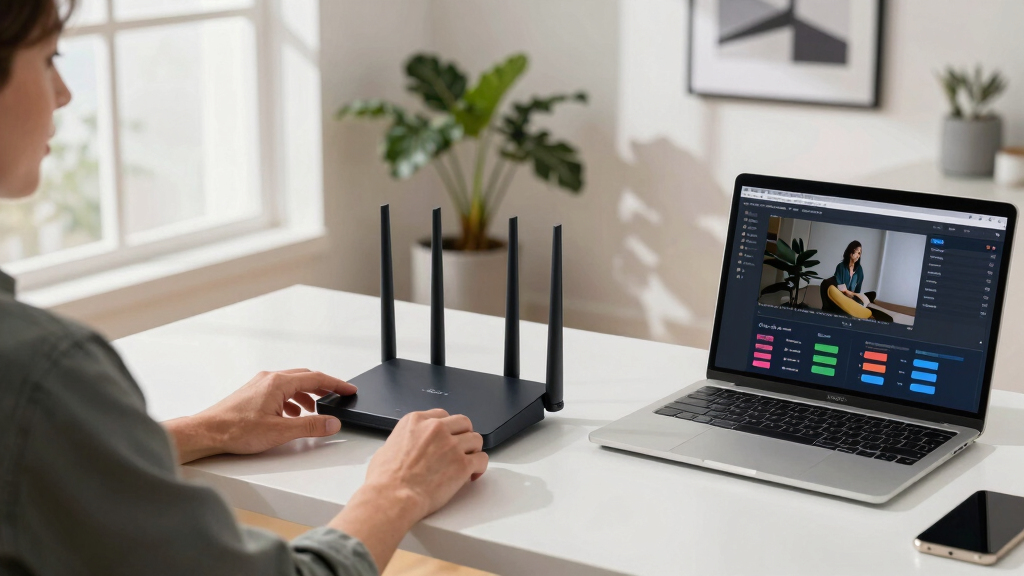
Choosing the best WiFi 7 router for livestreaming in 2026 means balancing high-speed performance, reliable coverage, and ease of use. The NETGEAR Nighthawk WiFi 7 Router stands out for its exceptional speed and large coverage, making it ideal for demanding streamers. For a more budget-friendly yet capable option, the TP-Link BE6500 offers solid performance with advanced security features. Meanwhile, the Amazon eero 7 provides a seamless mesh setup for those prioritizing simple coverage expansion. Keep in mind that tradeoffs often involve choosing between maximum speed and ease of installation. Continue reading for a detailed breakdown of these options and more to find the best fit for your streaming setup.

Get smart everyday buys delivered free with Prime
- Fast, free delivery on millions of items
- Prime Video, Amazon Music and more included
- Member-only deals all year
Key Takeaways
- The top-performing routers combine multi-gigabit speeds with extensive coverage for large streaming setups.
- Mesh systems like the Amazon eero 7 simplify coverage expansion but may sacrifice some raw speed compared to high-end tri-band options.
- Security features such as VPN support and HomeShield are increasingly vital for streamers handling sensitive data.
- Many high-end routers include multiple high-speed Ethernet ports, which are critical for wired connections and stable streaming.
- Price often correlates with advanced features; premium models deliver faster speeds and broader coverage, but mid-tier options can be more cost-effective for smaller spaces.


More Details on Our Top Picks
TP-Link Dual-Band BE3600 Wi-Fi 7 Router Archer BE230
The TP-Link Archer BE230 stands out for its impressive Wi-Fi 7 features like Multi-Link Operation and 4K-QAM, which deliver higher data capacity and lower latency—ideal for 4K/8K streaming and gaming. Unlike the NETGEAR Nighthawk BE9300, it offers a simplified dual-band setup that’s perfect for users not needing tri-band complexity. The quad-core processor manages heavy traffic smoothly, but lacking a dedicated 6 GHz band limits peak performance in dense environments. Its coverage of 2,000 sq. ft. and support for up to 60 devices make it highly versatile for most households. The easyMesh compatibility ensures seamless expansion, though advanced features like VPN are more limited compared to premium models. Overall, this pick makes the most sense for users seeking cutting-edge Wi-Fi 7 tech without paying a premium, provided they don’t require extensive tri-band coverage or ultra-high speeds.
Pros:- Supports Wi-Fi 7 Multi-Link Operation for higher speeds and lower latency
- Powerful quad-core processor handles heavy traffic smoothly
- EasyMesh compatibility enables seamless home network expansion
Cons:- Limited to dual-band without 6 GHz support, reducing peak speeds in crowded networks
- Coverage area of only 2,000 sq. ft. may be insufficient for larger homes
- Fewer advanced security features compared to higher-end models
Best for: Home users who want to adopt Wi-Fi 7 early with reliable dual-band performance for streaming and smart home devices.
Not ideal for: Gamer or tech enthusiasts needing tri-band, multi-Gig ports, or extensive mesh network expansion.
- Wi-Fi Generation:Wi-Fi 7
- Max Data Transfer Rate:3.6 Gbps
- Ports:5 (2.5G and 1G LAN ports)
- Coverage:2000 sq ft
- Antenna Count:4
- Security Protocol:WPA3
Bottom line: This router suits home users eager to experience Wi-Fi 7 with reliable dual-band coverage and ease of use, but it may fall short in ultra-dense environments or large homes.
TP-Link AX1800 WiFi 6 Router (Archer AX21 V5)
Compared to Wi-Fi 7 models like the GL.iNet Flint 3e, the Archer AX21 offers a solid Wi-Fi 6 experience with speeds up to 1.8 Gbps, making it ideal for households not yet needing Wi-Fi 7’s advanced features. It excels at connecting multiple devices via OFDMA and Beamforming, ensuring stable streaming and gaming performance. While it doesn’t support the 6 GHz band, its dual-band setup covers up to 2,400 sq. ft. and is backward compatible with older devices, offering significant savings for budget-conscious buyers. The 4 high-gain antennas and security support WPA3 provide reliable coverage and security, but it lacks the speed and future-proofing of Wi-Fi 7, limiting its suitability for the latest devices or very high-demand setups. It’s perfect for users looking to upgrade from older routers without over-investing.
Pros:- Affordable upgrade from older Wi-Fi standards
- Supports OFDMA and Beamforming for stable multi-device performance
- Wide coverage up to 2,400 sq. ft. with four high-gain antennas
Cons:- Limited to Wi-Fi 6 with no 6 GHz support, limiting peak speeds
- Speeds capped at 1.8 Gbps, less future-proof for demanding applications
- Fewer advanced security features than premium Wi-Fi 7 routers
Best for: Small to medium households looking for a cost-effective Wi-Fi 6 upgrade with reliable coverage for streaming and everyday use.
Not ideal for: High-demand gamers or future-proofers seeking Wi-Fi 7 speeds and tri-band capabilities.
- Wi-Fi Generation:Wi-Fi 6
- Max Data Transfer Rate:1.8 Gbps
- Ports:4 (Gigabit LAN)
- Coverage:2400 sq ft
- Antenna Count:4
- Security Protocol:WPA3
Bottom line: This router offers a compelling value for households upgrading from older standards, but it won’t meet the needs of future-proofed or high-performance setups requiring Wi-Fi 7.
TP-Link Tri-Band BE9300 WiFi 7 Router (Archer BE550)
The TP-Link Archer BE550 leverages Wi-Fi 7’s multi-band technology with speeds up to 9.2 Gbps across tri-bands, ideal for demanding streaming, gaming, and smart home setups. Its 6 internal antennas and 320 MHz channels ensure robust coverage of up to 2,000 sq. ft., with support for EasyMesh to expand seamlessly. Unlike dual-band options, it provides an additional 6 GHz band to minimize interference and maximize throughput in congested environments. While offering four 2.5G LAN ports for future-proof wired connections, it is bulkier and more expensive. The built-in security and VPN support make it suitable for tech-savvy users who want reliable coverage in large homes, but its higher cost and complexity may overwhelm casual users. Overall, this router is tailored for users seeking tri-band Wi-Fi 7 with extensive expansion options.
Pros:- Tri-band Wi-Fi 7 with speeds up to 9.2 Gbps for demanding applications
- Supports EasyMesh for seamless home network expansion
- Multiple 2.5G ports for high-speed wired connectivity
Cons:- Higher price point and larger size may be overkill for small homes
- Complex setup for users unfamiliar with advanced networking
- Limited availability of Wi-Fi 7 compatible devices currently
Best for: Large households or small offices needing tri-band Wi-Fi 7 with mesh expandability and multiple high-speed wired ports.
Not ideal for: Casual users or small apartments who don’t need tri-band performance or extensive mesh integration.
- Wi-Fi Generation:Wi-Fi 7
- Max Data Transfer Rate:9.2 Gbps
- Ports:4 (2.5G LAN ports)
- Coverage:2000 sq ft
- Antenna Count:6
- Security Protocol:WPA3
Bottom line: This router is best suited for large homes or offices seeking tri-band Wi-Fi 7 with future expansion, but it may be too much for casual or small-space users.
NETGEAR Nighthawk WiFi 7 Router (BE9300)
Compared with the TP-Link BE550, the NETGEAR Nighthawk BE9300 offers a sleek, compact design with blazing speeds up to 9.3 Gbps on tri-bands, making it excellent for ultra-fast gaming, 4K/8K streaming, and large device environments. Its 2.5 Gbps WAN port and support for 100 devices provide both speed and scalability, but it comes at a higher price and with a slightly smaller coverage area of 2,500 sq. ft. While its security features are robust, advanced users might find the setup less flexible than custom solutions. The router’s high performance makes it ideal for demanding households or small offices, but its premium price may deter budget-conscious buyers. Overall, it’s a top-tier choice for users prioritizing speed and capacity in a compact form factor.
Pros:- Tri-band Wi-Fi 7 with speeds up to 9.3 Gbps for ultra-fast streaming and gaming
- Supports 100 devices simultaneously with high-performance antennas
- Includes 2.5 Gbps WAN port for multi-gig internet plans
Cons:- Higher price compared to other Wi-Fi 7 routers
- Coverage of 2,500 sq. ft. may be limited for very large homes
- Requires compatible devices to fully utilize Wi-Fi 7 features
Best for: Gamers, streamers, and power users needing top Wi-Fi 7 speeds with extensive device support and reliable coverage.
Not ideal for: Casual users or those on a tight budget who don’t need maximum speeds or high device density.
- Wi-Fi Generation:Wi-Fi 7
- Max Data Transfer Rate:9.3 Gbps
- Ports:2 (2.5G WAN, 4 LAN)
- Coverage:2500 sq ft
- Antenna Count:4
- Security Protocol:WPA3
Bottom line: This router is ideal for demanding households seeking top-tier Wi-Fi 7 speeds and device support, but its premium cost limits accessibility for casual users.
GL.iNet GL-BE6500 (Flint 3e) WiFi 7 Router
The GL.iNet Flint 3e offers Wi-Fi 7 speeds up to 6.5 Gbps with 5 x 2.5G Ethernet ports, making it ideal for larger homes and small businesses requiring extensive wired and wireless connectivity. Its long-range capabilities and support for VPNs via OpenVPN and Wireguard provide both security and coverage, outperforming many dual-band routers like the TP-Link AX1800 in range and flexibility. The router’s 4K-QAM and 320 MHz channels ensure high throughput, though its speed slightly trails some premium Wi-Fi 7 models. Its 2-year warranty and multiple Ethernet ports make it perfect for fiber-based setups, but the complexity of advanced VPN configuration might be overwhelming for casual users. Overall, this router excels for users who need long-range, secure, wired, and wireless connectivity in large spaces.
Pros:- Supports Wi-Fi 7 with speeds up to 6.5 Gbps and 5 Ethernet ports
- Long-range coverage up to 2,500 sq ft suitable for large spaces
- Built-in VPN support for enhanced security
Cons:- Slightly lower max throughput compared to top-tier Wi-Fi 7 routers
- More complex setup, especially for VPN and advanced configurations
- Limited device compatibility with Wi-Fi 7 currently
Best for: Small businesses, tech-savvy homeowners, or gamers needing long-range coverage and VPN support in large homes or offices.
Not ideal for: Casual consumers or those seeking the highest Wi-Fi 7 speeds without VPN or extensive Ethernet ports.
- Wi-Fi Generation:Wi-Fi 7
- Max Data Transfer Rate:6.5 Gbps
- Ports:5 (4 Ethernet + 1 USB)
- Coverage:2500 sq ft
- Antenna Count:4
- Security Protocol:WPA3
Bottom line: This router is an excellent choice for security-conscious users needing extensive wired and wireless coverage, but it may be too complex for basic household use.
ASUS RT-BE58U WiFi 7 BE3600 AiMesh Extendable Router, 4K-QAM, MLO, AI Detection 2.5G Port, Four 1G Ports, Commercial-Grade Network Security, Parental Control, IoT Network, Kid’s Network, VPN Network
This ASUS RT-BE58U stands out for its seamless mesh capabilities, especially when paired with older routers like the TP-Link Archer BE230. It offers speeds up to 3600 Mbps on dual bands, which is enough for 4K streaming and gaming across a large home. Compared with more expensive tri-band options like the TP-Link BE9700, it’s less future-proof but easier to upgrade incrementally. The setup is straightforward via the ASUS app, and its AI detection and security features are robust. However, it’s slightly less effective as a standalone router due to its dual-band limitation and coverage may be less than tri-band systems in larger spaces. This model makes the most sense for users seeking to extend existing mesh setups or gradually upgrade their network without a huge upfront investment.
Pros:- Excellent mesh extension capabilities with AiMesh support
- Strong security features including commercial-grade AiProtection
- Easy setup with ASUS app and AI detection
Cons:- Limited to dual-band performance, less future-proof than tri-band options
- Coverage may be insufficient for very large or multi-story homes
Best for: Homeowners with existing ASUS or mesh systems wanting easy extension and strong security.
Not ideal for: Large homes requiring extensive coverage without mesh or multi-unit setups, due to limited coverage compared to tri-band systems.
- Maximum Speed:3600 Mbps
- Bands:Dual
- Ports:4x 1G, 1x 2.5G
- Coverage:2000 sq ft
- Security:AiProtection Pro
- Mesh Support:Yes
Bottom line: Ideal for users looking to extend their existing ASUS mesh network with reliable security and straightforward setup.
TP-Link BE6500 Dual-Band WiFi 7 Router (BE400) – Dual 2.5Gbps Ports, USB 3.0, Covers up to 2,400 sq. ft., 90 Devices, Quad-Core CPU, HomeShield, Private IoT, Free Expert Support
This TP-Link BE400 offers impressive performance for its price, providing speeds up to 5764 Mbps on the 5GHz band, which surpasses many other dual-band routers like the ASUS RT-BE58U. It’s designed with the latest Wi-Fi 7 features like Multi-Link Operation and 4K-QAM, making it suitable for demanding 4K streaming and gaming. Compared to the TP-Link BE9700, it’s more affordable but slightly less coverage in very large homes. The easy setup through the Tether app and robust security with HomeShield make it accessible to non-tech-savvy users. Its dual-band design means it’s less ideal for very large, multi-story homes where tri-band systems excel, but it’s a strong all-around choice for most typical households. This router makes the most sense for buyers wanting high speed and security on a budget without sacrificing Wi-Fi 7 tech.
Pros:- High-speed performance with up to 5764 Mbps on 5GHz
- Supports Wi-Fi 7 features like MLO and 4K-QAM
- Easy setup with TP-Link Tether app
Cons:- Limited to dual-band, less coverage than tri-band counterparts
- No multi-gig wired ports for ultra-fast wired connections
Best for: Small to medium homes needing fast speeds and reliable security without extensive coverage requirements.
Not ideal for: Large multi-story homes where tri-band systems or mesh setups are necessary for consistent coverage.
- Maximum Speed:5764 Mbps
- Bands:Dual
- Ports:2x 2.5G
- Coverage:2400 sq ft
- Security:HomeShield
- CPU:Quad-Core
Bottom line: Excellent for budget-conscious users seeking fast, secure Wi-Fi 7 in smaller or medium-sized homes.
TP-Link Tri-Band BE9700 WiFi 7 Router (Archer BE600) – 10G Port, 2.5G Port, 3× 2.5G LAN, 320MHz Channel, Covers up to 2,600 sq. ft., 120 Devices, VPN, HomeShield Security
The TP-Link BE9700 is a powerhouse, offering speeds up to 5765 Mbps across three bands, making it ideal for large homes with many devices, such as gamers and streamers. It’s notably more capable than dual-band options like the ASUS RT-BE58U or TP-Link BE400, with extensive coverage and multiple wired ports including a 10G port for ultra-fast wired connections. Its tri-band setup and Wi-Fi 7 features like MU-MIMO and OFDMA ensure smooth streaming and low latency, even in demanding environments. Compared to the NETGEAR BE9300, it provides slightly better wired options and coverage. The security features are also comprehensive, with VPN and HomeShield support. The tradeoff is the higher cost and complexity, making it less suitable for smaller homes or casual users. This router makes the most sense for large households or small businesses needing robust, high-speed Wi-Fi 7 coverage.
Pros:- Exceptional speeds up to 5765 Mbps across three bands
- Multiple 2.5G and 10G ports for wired high-speed connections
- Supports Wi-Fi 7 features like MU-MIMO and OFDMA
Cons:- Higher price point and more complex setup
- Overkill for small homes or basic internet activities
Best for: Large households and power users needing extensive coverage and multi-gig wired connections.
Not ideal for: Smaller homes or users with modest internet needs due to its higher price and over-spec capabilities.
- Maximum Speed:5765 Mbps
- Bands:Tri-band
- Ports:1x 10G, 1x 2.5G, 3x 2.5G LAN
- Coverage:2600 sq ft
- Security:HomeShield
- Device Capacity:120+
Bottom line: Best suited for large homes or small offices requiring top-tier Wi-Fi 7 performance and extensive wired options.
TP-Link Deco 7 BE23 Dual-Band BE3600 WiFi 7 Mesh Wi-Fi Router | 4-Stream 3.6 Gbps,160 Mhz | Covers up to 2,500 Sq.Ft | 2× 2.5G Ports Wired Backhaul | VPN, MLO, HomeShield, Free Expert Help, 1-Pack
The TP-Link Deco 7 BE23 offers great value for a mesh system, delivering speeds up to 3.6 Gbps in a dual-band setup, which is impressive for a single unit. Its self-learning AI-Roaming and mesh capabilities make it ideal for multi-floor homes, especially when compared to single-router options like the ASUS RT-BE58U. While it’s not a tri-band system, its support for Wi-Fi 7 features like MLO ensures reliable, seamless coverage, and wired backhaul options enhance stability. The setup is straightforward via the Deco app, and its security features with HomeShield add peace of mind. The main tradeoff is in coverage area—while suitable for up to 2,500 sq ft, very large or multi-story homes may require additional nodes. This router makes sense for those seeking reliable mesh coverage with Wi-Fi 7 tech at a competitive price.
Pros:- Fast speeds up to 3.6 Gbps with Wi-Fi 7 features
- Seamless mesh with AI Roaming and self-learning capabilities
- Simple setup with Deco app
Cons:- Limited coverage for very large homes without additional nodes
- Dual-band, less future-proof than tri-band systems
Best for: Medium-sized homes looking for a reliable mesh Wi-Fi 7 system with easy management.
Not ideal for: Very large or multi-story homes that need extensive coverage beyond 2,500 sq ft or tri-band performance.
- Maximum Speed:3.6 Gbps
- Bands:Dual
- Ports:2x 2.5G
- Coverage:2500 sq ft
- Security:HomeShield
- Device Capacity:150+
Bottom line: Perfect for mid-sized homes seeking reliable mesh Wi-Fi 7 coverage with simple installation and management.
TP-Link Deco 7 BE23 Dual-Band BE3600 WiFi 7 Mesh Wi-Fi Router | 4-Stream 3.6 Gbps,160 Mhz | Covers up to 2,500 Sq.Ft | 2× 2.5G Ports Wired Backhaul | VPN, MLO, HomeShield, Free Expert Help, 1-Pack
The TP-Link Deco 7 BE23 offers great value for a mesh system, delivering speeds up to 3.6 Gbps in a dual-band setup, which is impressive for a single unit. Its self-learning AI-Roaming and mesh capabilities make it ideal for multi-floor homes, especially when compared to single-router options like the ASUS RT-BE58U. While it’s not a tri-band system, its support for Wi-Fi 7 features like MLO ensures reliable, seamless coverage, and wired backhaul options enhance stability. The setup is straightforward via the Deco app, and its security features with HomeShield add peace of mind. The main tradeoff is in coverage area—while suitable for up to 2,500 sq ft, very large or multi-story homes may require additional nodes. This router makes sense for those seeking reliable mesh coverage with Wi-Fi 7 tech at a competitive price.
Pros:- Fast speeds up to 3.6 Gbps with Wi-Fi 7 features
- Seamless mesh with AI Roaming and self-learning capabilities
- Simple setup with Deco app
Cons:- Limited coverage for very large homes without additional nodes
- Dual-band, less future-proof than tri-band systems
Best for: Medium-sized homes looking for a reliable mesh Wi-Fi 7 system with easy management.
Not ideal for: Very large or multi-story homes that need extensive coverage beyond 2,500 sq ft or tri-band performance.
- Maximum Speed:3.6 Gbps
- Bands:Dual
- Ports:2x 2.5G
- Coverage:2500 sq ft
- Security:HomeShield
- Device Capacity:150+
Bottom line: Perfect for mid-sized homes seeking reliable mesh Wi-Fi 7 coverage with simple installation and management.
NETGEAR RS300-100NAR Nighthawk RS300 Tri-Band WiFi 7 Router, Wireless Speed Up to 9.3 Gbps, Covers Up to 2500 Sq. Ft., Black – Certified Refurbished
This router stands out for offering blazing speeds up to 9.3 Gbps and broad coverage of up to 2,500 sq. ft., making it ideal for demanding livestreaming setups that require stable, high-bandwidth connections. Compared with the TP-Link Archer BE230, which also supports WiFi 7, this model delivers faster wireless speeds and better device handling, though it comes with a slightly larger physical footprint. The inclusion of a 2.5 Gbps port facilitates multi-gig internet plans, ensuring future-proofing. However, as a refurbished unit, it might lack the longevity of new models, and its advanced features could be overkill for casual streamers. This pick is best suited for streamers with large homes or multiple high-demand devices. The design offers high-performance antennas, and it supports MU-MIMO, OFDMA, and WPA3 security protocols.
Pros:- Exceptional wireless speeds up to 9.3 Gbps for seamless 4K/8K streaming
- Covers large areas up to 2,500 sq. ft. reliably
- Supports multi-gig internet plans with a 2.5 Gbps port
- Built-in security features like WPA3 and automatic firmware updates
Cons:- Refurbished condition may affect long-term reliability
- Larger footprint might not suit tight spaces
- Advanced features could be complex for non-technical users
Best for: Streamers needing ultra-fast, reliable WiFi across extensive home areas with many connected devices.
Not ideal for: Users with small apartments or those on a tight budget who don’t require such high speeds or coverage.
- Wireless Speed:up to 9.3 Gbps
- Coverage:up to 2500 sq. ft.
- Number of Ports:4 (including 2.5 Gbps port)
- Frequency Band:Tri-band
- Security Protocol:WPA3
- Supported Devices:up to 100
Bottom line: This router makes the most sense for serious livestreamers in large homes who prioritize speed and coverage over initial cost.

How We Picked
Our evaluation focused on performance, coverage, and user-friendly features relevant to livestreaming. We prioritized routers with high throughput capabilities, especially those supporting WiFi 7’s multi-gigabit speeds. Reliability and ease of setup were key, so mesh systems and models with intuitive interfaces ranked higher. Security features like VPN support and robust parental controls were also considered, given their importance for streamers managing multiple devices. Price-to-performance ratio and future-proofing—such as multiple high-speed Ethernet ports—shaped our rankings. Products were compared based on how well they balance these factors for demanding streaming environments.
Factors to Consider When Choosing Best WiFi 7 Routers For Livestreaming
When selecting a WiFi 7 router for livestreaming, understanding the key features and tradeoffs can make a significant difference. Not all routers are built equally for high-bandwidth, low-latency streaming, so it’s important to consider how each factor aligns with your specific needs. The right choice depends on your home size, number of devices, and whether you prefer wired or wireless connections. Here are the main factors to keep in mind:Performance and Speed
For livestreaming, high throughput and low latency are essential. WiFi 7 offers multi-gigabit speeds, but actual performance depends on the router’s processor, antenna design, and channel width support. Look for routers with 320MHz channels and multi-stream capabilities to maximize speed. Keep in mind that real-world speeds are also limited by your internet plan, so pairing a fast router with a gigabit or multi-gigabit connection yields the best results. Investing in a model with high-speed Ethernet ports can further improve stability for wired streaming setups.
Coverage and Scalability
Large homes or multi-room setups require broad coverage. Mesh systems like the Amazon eero 7 excel here, offering seamless expansion without sacrificing speed. For smaller spaces, a single high-performance router may suffice. When choosing, consider the number of devices your network will support—more devices mean you need a router with robust handling capabilities. Additionally, look for models with multiple Ethernet ports if you plan to connect gaming consoles, streaming boxes, or other wired devices.
Security and Management Features
Security features such as built-in VPN support, HomeShield, and advanced parental controls are critical for streamers who handle sensitive data or want to manage their network tightly. Many high-end routers now include AI-based detection and automatic threat blocking. Ease of management—via mobile apps or web interfaces—also matters, especially for those who prefer quick setup and monitoring. Prioritization of traffic (QoS) features can help ensure your live streams stay smooth even when multiple devices are active.
Price and Future-Proofing
While premium routers offer cutting-edge features like multiple multi-gig ports and extensive coverage, they come at a higher cost. Mid-tier models often strike a good balance for most streamers, providing sufficient speed and security without breaking the bank. Consider how much future-proofing you need—support for WiFi 7 ensures your network remains relevant for years, but also check for firmware updates and compatibility with other smart home devices. Remember, a higher upfront investment can save money and hassle later by reducing the need for upgrades.
Frequently Asked Questions
Will a WiFi 7 router significantly improve my livestream quality?
Yes, a WiFi 7 router can substantially improve livestream quality by providing higher speeds, lower latency, and better handling of multiple devices. This technology enables more stable connections, especially in busy households or setups with many connected gadgets. However, the actual improvement also depends on your internet plan, device compatibility, and network configuration. Pairing a WiFi 7 router with a gigabit or multi-gigabit internet plan will yield the best results for high-quality streaming.
Is a mesh WiFi 7 system better than a traditional router for livestreaming?
A mesh WiFi 7 system often provides better coverage and easier scalability for larger homes or multi-room setups, which can be advantageous for livestreamers with complex environments. Mesh systems simplify expansion and reduce dead zones, maintaining consistent speeds across different areas. However, high-end traditional routers with multiple antennas and advanced features can sometimes offer higher raw speeds and better performance in smaller spaces. Your choice should depend on your home layout and whether seamless coverage or maximum speed is your priority.
How many Ethernet ports should I look for in a gaming or streaming router?
For optimal stability during livestreams, aim for a router with at least two high-speed Ethernet ports—preferably 2.5Gbps or 10Gbps if available. This allows you to connect essential devices directly, reducing lag and interference associated with WiFi connections. If you have multiple wired devices such as gaming consoles, streaming PCs, or network-attached storage, a router with more Ethernet ports becomes increasingly valuable. Consider future needs; investing in a model with extra ports can extend your setup’s longevity.
Are higher-priced WiFi 7 routers worth the investment for casual streamers?
For casual streamers with moderate bandwidth requirements, mid-range WiFi 7 routers often provide sufficient performance at a lower cost. They typically support multi-gigabit speeds and decent coverage, enough to handle streaming, gaming, and smart home devices without major issues. The premium models are more suited to professional streamers or households with demanding setups that require maximum speed, security, and coverage. Consider your specific needs and budget to determine if the extra features of high-end routers justify the investment.
What should I consider if I want a router that supports multiple simultaneous 4K streams?
To support multiple 4K streams simultaneously, look for a WiFi 7 router with high throughput capabilities, multi-stream technology, and a broad channel bandwidth (at least 320MHz). Features like MU-MIMO and OFDMA improve efficiency when multiple devices transmit data at once. Ensure the router has sufficient processing power and multiple high-speed Ethernet ports if you plan to connect devices directly. A mesh system can also help distribute bandwidth evenly across your home, reducing buffering during multiple streams.
Conclusion
For demanding streamers who need peak performance and extensive coverage, the NETGEAR Nighthawk WiFi 7 Router offers unmatched speed and reliability, making it the best overall choice. Budget-conscious users or those with smaller homes should consider the TP-Link BE6500 for great value without sacrificing core features. If you’re new to high-performance networking, the Amazon eero 7 provides a straightforward setup with reliable mesh coverage. For those seeking premium features and future-proofing, models like the TP-Link BE9700 deliver cutting-edge specs. Ultimately, your selection should align with your size, device count, and streaming demands to ensure smooth, high-quality livestreams.