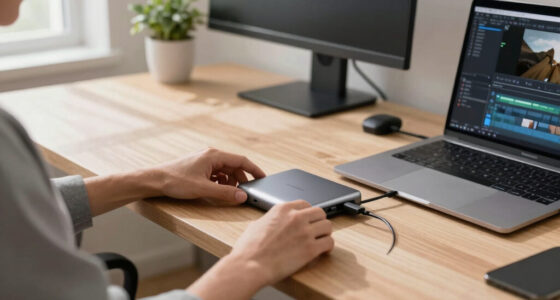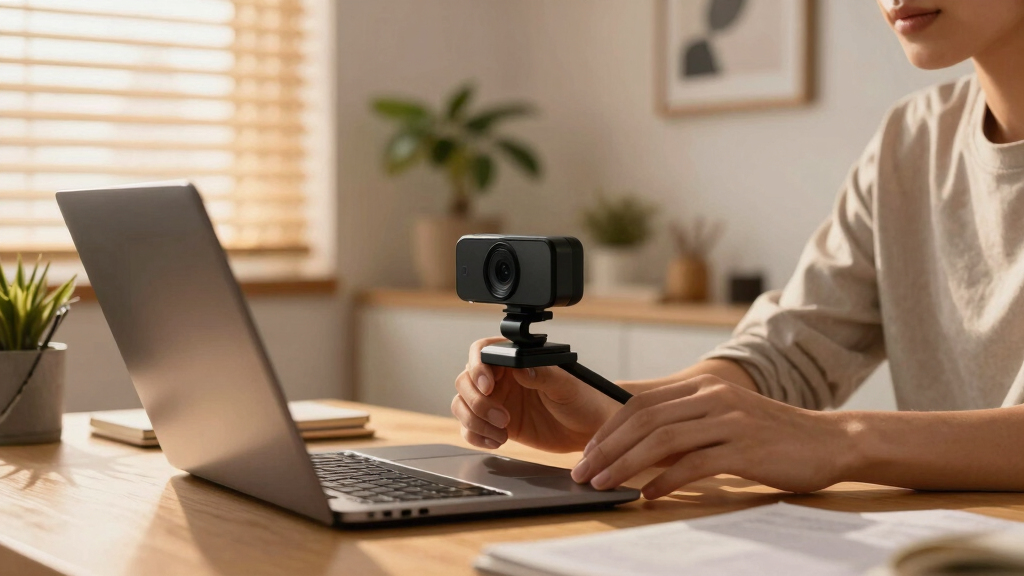
Choosing the best webcam for podcast video involves balancing video quality, ease of use, and features that support a professional appearance. The Logitech Brio 101 stands out as the overall pick thanks to its reliable full HD 1080p resolution and smooth compatibility with popular streaming and conferencing platforms. For those seeking high-end capabilities, the YOLOLIV YoloCam S3 offers DSLR-like control and cinematic effects, but at a higher price. Meanwhile, the NexiGo N60 delivers solid performance at an accessible price point, making it ideal for beginners. The main tradeoffs in this category include resolution versus price, ease of setup versus advanced features, and fixed versus adjustable shot framing. Keep reading for a detailed breakdown of these options to find the best fit for your podcast needs.
Key Takeaways
- Higher resolution webcams like the YOLOLIV YoloCam S3 and EMEET NOVA excel for professional-looking podcasts with cinematic effects.
- Built-in microphones vary significantly; models like the Logitech MX Brio include noise-canceling mics, reducing extra gear needs.
- PTZ (pan-tilt-zoom) features, found on options like EMEET PIXY Dual-Camera, are valuable for dynamic framing but add complexity and cost.
- Plug-and-play models like the NexiGo N60 are great for quick setup, but may lack advanced controls or auto-focus capabilities.
- Price often correlates with features—more expensive webcams tend to offer better auto-focus, image processing, and streaming tools.







More Details on Our Top Picks
NexiGo N60 1080P Webcam with Microphone, Software Control & Privacy Cover, USB HD Computer Web Camera, Plug and Play, for Zoom/Skype/Teams, Conferencing and Video Calling
The NexiGo N60 stands out for delivering crisp 1080p video at 30fps, making it a solid choice for those seeking dependable quality without a hefty price tag. Its fixed focus and 110-degree wide-angle lens provide a clear, natural image suitable for indoor use, especially in moderate lighting conditions. Compared to the Logitech Brio 101, it lacks 4K resolution and advanced zoom but compensates with affordability and straightforward setup. The built-in noise-canceling microphone enhances audio clarity, ideal for conference calls. However, it doesn’t offer automatic light correction, which can be a drawback in poorly lit environments, and the fixed focus may be less versatile for varying distances. This pick makes the most sense for budget-conscious podcast creators who prioritize reliable HD video over premium features.
- Full HD 1080p resolution at 30fps
- Wide 110° viewing angle
- Built-in noise-canceling microphone
- Plug and play compatibility with multiple OS
- No 4K or adjustable focus
- Lacks advanced light correction
Pros:- Affordable price point for HD quality
- Wide viewing angle captures more of the scene
- Simple plug-and-play setup compatible with various systems
Cons:- Lacks automatic light correction, which affects performance in low-light environments
- Fixed focus limits flexibility for different shooting distances
Best for: Budget-conscious podcasters and streamers who need reliable HD quality without complex features
Not ideal for: Professional streamers or content creators requiring 4K resolution and advanced camera controls
- Video Resolution:1080p
- Frame Rate:30 fps
- Viewing Angle:110 degrees
- Microphone:Built-in noise-canceling
- Connectivity:USB 2.0/3.0
- Compatibility:Windows, macOS, Linux, Android, Chrome OS
Bottom line: This webcam is perfect for beginners or budget-focused podcasters who want decent HD video without extra bells and whistles.
Logitech Brio 101 Full HD 1080p Webcam for Meetings, Streaming, Desktop, Laptop, PC – Built-in Mic, Shutter, Works with Zoom, Microsoft Teams, Nintendo Switch 2’s new GameChat Mode, USB-A,-Black
The Logitech Brio 101 excels with sharp 1080p video at 30fps and features like RightLight auto-brightness and a privacy shutter, making it highly adaptable for various lighting conditions and environments. Its compatibility with popular conferencing platforms like Zoom and Teams, along with the GameChat Mode for Nintendo Switch, broadens its appeal. Compared to the NexiGo N60, it offers better low-light performance and a physical privacy cover but at a higher price. Its sleek design and adjustable clip ensure secure mounting, and the built-in mic captures clear audio, enhancing overall stream quality. On the downside, it doesn’t support 4K resolution, which might be a limitation for those seeking ultra-high-definition output. This webcam makes the most sense for professionals and serious content creators who need flexible features and dependable performance.
- Full HD 1080p resolution at 30fps
- Auto-light adjustment and HDR
- Built-in privacy shutter
- Works with popular platforms including Switch’s GameChat Mode
- No 4K support
- Relatively higher price
Pros:- Excellent low-light and HDR performance
- Physical privacy shutter for security
- Compatible with multiple major platforms and devices
Cons:- No 4K resolution support
- Higher cost compared to basic webcams
Best for: Professionals and streamers needing versatile, high-quality video with multi-platform compatibility
Not ideal for: Budget users or those prioritizing 4K resolution for ultra-sharp content
- Video Resolution:1080p
- Frame Rate:30 fps
- Field of View:90 degrees
- Microphone:Built-in
- Connectivity:USB-A
- Compatibility:Windows, macOS, Switch
Bottom line: Ideal for users who want a reliable, feature-rich webcam suitable for professional meetings and streaming on various platforms.
EMEET PIXY Dual-Camera AI-Powered PTZ Camera 4K, AI Tracking, PDAF&AI Autofocus 0.2s, 1/2.55” Sony Sensor, 3 Mics, Presets, Gesture Control, 4K Webcam for Streaming and OBS/Twitch/Switch 2 Compatible
The EMEET PIXY offers stunning 4K video with AI-powered dual-camera system, allowing for ultra-clear visuals and smooth AI tracking that keeps subjects perfectly framed. Its advanced PDAF and autofocus ensure sharp images even with rapid movement, making it ideal for dynamic recording or live streaming. The three microphone array captures clear audio from multiple angles, and gesture control adds convenience during presentations. Compared to the Logitech Brio, PIXY’s AI tracking and dual camera setup provide a more engaging, studio-like experience, though it’s more complex and pricier. The software allows precise control, presets, and even virtual whiteboard modes, making it suitable for professional podcasts, content creators, or online teaching. Its main tradeoff is the higher cost and potential learning curve for setup and operation.
- 4K resolution with AI tracking
- Dual-camera system for seamless framing
- Fast 0.2s autofocus and PDAF
- Multiple microphones with noise reduction
- Higher price point
- Complex setup requiring software familiarity
Pros:- Ultra-clear 4K with AI tracking for professional streams
- Dual-camera system provides versatile angles
- Fast autofocus and gesture control enhance usability
Cons:- Premium price and complex setup
- Requires software for full feature access
Best for: Pro content creators or podcasters seeking studio-quality visuals with AI tracking and advanced controls
Not ideal for: Casual streamers or those on a tight budget who only need basic HD video
- Video Resolution:4K
- Frame Rate:30 fps
- Sensor Size:1/2.55 inch Sony
- Microphones:3-mic array
- Connectivity:USB-C
- Features:AI tracking, gesture control, presets
Bottom line: Best suited for high-end streamers and professionals who need AI-driven tracking and 4K quality for polished content.
Logitech C920x HD Pro PC Webcam, Full HD 1080p/30fps Video, Clear Audio, HD Light Correction, Works with Microsoft Teams, Google Meet, Zoom, Nintendo Switch 2’s new GameChat Mode, Mac/Tablet- Black
The Logitech C920x HD Pro offers consistent 1080p video at 30fps with automatic light correction, making it reliable for meetings, streaming, and content creation. Its dual microphones capture clear, natural sound, and the autofocus ensures sharp images even in varied lighting conditions. Compared to the NexiGo N60, it provides better low-light performance and a more refined design, with the added benefit of a 3-month XSplit VCam license for background editing. Its compatibility with multiple platforms including Switch’s GameChat Mode makes it highly versatile. However, it doesn’t support 4K or ultra-wide angles, which could be limiting for certain professional or cinematic applications. It’s ideal for users who want high-quality video with minimal fuss and reliable performance for professional or casual use.
- Full HD 1080p resolution at 30fps
- Auto-light correction and autofocus
- Dual stereo microphones
- Compatibility with major conferencing apps and Switch
- No 4K support
- Limited to 1080p resolution
Pros:- Reliable 1080p video with good low-light performance
- Auto light correction and autofocus for sharp images
- Dual stereo mics for clear audio
Cons:- No 4K resolution support
- Limited field of view compared to wider-angle webcams
Best for: Professional and casual users needing dependable HD video with excellent audio and platform flexibility
Not ideal for: High-end content creators or streamers requiring 4K or cinematic features
- Video Resolution:1080p
- Frame Rate:30 fps
- Autofocus:Yes
- Light Correction:Yes
- Microphone:Dual stereo
- Connectivity:USB-A
Bottom line: Excellent for daily video conferencing and streaming with dependable HD quality and audio in a straightforward setup.
YOLOLIV YoloCam S3, 4K Streaming Webcam, DSLR-Like Control, Cinematic Effects, 4X Zoom, HDR, Uncompressed Video, Optimized PD AutoFocus | USB-C for PC & Mac
The YOLOLIV YoloCam S3 provides stunning 4K footage with DSLR-like manual controls, enabling professional-level production quality. Its large 1/1.28″ sensor captures detailed, uncompressed video at 30fps, ideal for high-end streaming or recording. The AI-powered auto-focus and 4x digital zoom ensure crisp images, even during close-ups, while HDR enhances dynamic range in challenging lighting. Compared to the PIXY, it emphasizes manual control and cinematic effects, though it requires more setup and software familiarity. Its compact design and magnetic foldable mount make it portable and easy to position. The main hurdle is its higher price and the need for user knowledge to leverage full capabilities. This webcam suits advanced content creators aiming for studio-grade visuals with DSLR-like control.
- 4K uncompressed video at 30fps
- DSLR-style manual controls
- AI auto-focus with 0.2s response
- 4x digital zoom and HDR
- Premium price
- Complex setup and learning curve
Pros:- Exceptional 4K uncompressed video quality
- Manual controls for precise adjustments
- Fast AI autofocus and cinematic effects
Cons:- High price point
- Requires technical knowledge for optimal use
Best for: Professional streamers, content creators, and online producers seeking high-fidelity visuals and manual control
Not ideal for: Beginners or casual users looking for plug-and-play HD webcams
- Video Resolution:4K
- Frame Rate:30 fps
- Sensor Size:1/1.28 inch
- Zoom:4x digital
- HDR:Yes
- Connectivity:USB-C
Bottom line: Perfect for advanced users demanding DSLR-like quality and extensive control for professional streaming and recording.
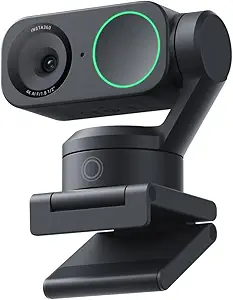
Insta360 Link 2 – PTZ 4K Webcam for PC/Mac, 1/2″ Sensor, AI Tracking, HDR, AI Noise-Canceling Mic, Gesture Control for Streaming, Video Calls, Gaming, Works with Zoom, Teams, Twitch & More
This webcam stands out for its true 4K resolution paired with a 1/2″ sensor, delivering stunning visuals in any lighting condition thanks to HDR and low-light performance. Compared to the Logitech MX Brio, it offers AI-based automatic tracking and gesture controls, making it ideal for dynamic presentations or creative streams. However, it lacks compatibility with ARM-based Windows systems, which limits its use for some users. The professional-grade audio with AI noise-canceling ensures clear communication even in noisy environments. Its specialized modes like DeskView and Whiteboard elevate it beyond basic cams, especially for creators and educators. Fully compatible with major platforms like Zoom and Twitch, and controllable via smartphone, it offers a high level of flexibility. The tradeoff is the current incompatibility with certain Windows ARM devices, which could be a dealbreaker for mobile professionals. Best for streamers, educators, and creatives needing flexible auto-framing and high-quality visuals.
Pros:- Outstanding 4K HDR image quality
- AI tracking and gesture control for dynamic content
- Professional AI noise-canceling mic
- Specialized modes like DeskView and Whiteboard
Cons:- Not compatible with ARM-based Windows systems
- Premium price point
- Large physical footprint
Best for: Content creators, educators, and professionals requiring versatile AI tracking and high-resolution visuals
Not ideal for: Windows ARM users relying on AI auto-framing, due to current compatibility issues
- Sensor Type:CMOS 1/2″
- Video Resolution:UHD 4K
- Connectivity:USB-C
- Features:AI Tracking, HDR, Gesture Control
- Audio:AI Noise-Canceling Mic
- Compatibility:Windows, Mac, with major streaming platforms
Bottom line: Ideal for creators and educators needing advanced auto-framing and high-quality video, but not suited for ARM Windows users.
EMEET PIXY Dual-Camera AI-Powered PTZ Camera 4K with Tripod, AI Tracking, PDAF&AI Autofocus 0.2s, 1/2.55” Sony Sensor, 3 Mics, Presets, 4K Webcam for Streaming, OBS/Twitch/Switch 2 Compatible
This dual-camera setup combines a main 4K sensor with a secondary AI camera for ultra-fast autofocus and seamless tracking, making it perfect for high-end live streaming and professional meetings. Compared to the Logitech Brio, it offers sophisticated AI tracking and multiple preset angles controlled via software, ideal for multi-scene presentations or fitness classes. Its tripod and flexible pan/tilt add to its versatility, but setup is more complex and may be overkill for simple calls. The 0.2s autofocus ensures sharp images even during rapid movements, and the three-mic array captures clear, ambient sound. While the device is compatible with OBS and Twitch, its advanced features come with a higher price and slightly larger form factor. The main tradeoff is the complexity of setup and higher cost, which may not appeal to casual users. Best for professionals needing multi-angle views and fast AI tracking in live broadcasts.
Pros:- Dual-camera system with ultra-fast autofocus
- Smooth AI-based tracking and preset control
- Tripod with flexible pan/tilt
- Excellent audio with 3-mic array
Cons:- Higher price point
- Complex setup process
- Larger and heavier than typical webcams
Best for: Streamers, online educators, and high-end business presenters with multi-scene needs
Not ideal for: Casual users seeking simple plug-and-play webcams due to setup complexity and price
- Sensor Type:Sony 1/2.55″ CMOS
- Video Resolution:4K UHD
- Features:AI Tracking, PDAF, Auto Focus, Presets
- Microphones:3 Mic Array
- FOV:73°
- Connectivity:USB-A
Bottom line: Perfect for professional multi-angle streaming and auto-tracking, though less suitable for casual or budget-conscious users.
Logitech Brio 4K Webcam, Video Calling, Noise-Cancelling mic, HD Auto Light Correction, Wide Field of View, Windows Hello Works with Microsoft Teams, Zoom, Google Meet, PC/Mac/Laptop/MacBook/Tablet
The Logitech Brio 4K excels at delivering sharp, detailed video, making it an excellent choice for telehealth professionals and corporate users. Its 4K resolution at 30 fps provides clear visuals, complemented by HD auto light correction that adjusts to various lighting conditions, ensuring consistent image quality. The dual omnidirectional microphones with noise-canceling technology are ideal for clear, distraction-free conversations, especially in busy or noisy environments. Compared to the Insta360 Link 2, the Brio has a more traditional, fixed framing, but its compatibility with Windows Hello enhances security for remote work. The adjustable field of view (65°, 78°, 90°) offers flexibility, yet it lacks AI tracking or gesture controls. The main tradeoff for its simplicity is the absence of advanced auto-framing features, making it less versatile for dynamic content. Best for telehealth, remote work, and professional video calls requiring excellent image clarity and easy setup.
Pros:- Sharp 4K resolution
- Auto light correction for all lighting conditions
- Works seamlessly with Windows Hello
- Multiple FOV options
Cons:- No AI tracking or gesture controls
- Fixed camera angle
- Higher cost than basic webcams
Best for: Clinicians, remote workers, and corporate users needing reliable, high-quality video without complex controls
Not ideal for: Content creators or educators needing AI auto-tracking or dynamic framing features
- Video Resolution:3840×2160 4K at 30fps
- Field of View:65°, 78°, 90°
- Connectivity:USB-C
- Features:Auto Light Correction, Windows Hello, Noise Cancelling Mic
- Compatibility:Windows, Mac, Teams, Zoom
- Built-in Mic:Dual omnidirectional
Bottom line: Ideal for professional video calls and telehealth where straightforward, high-quality visuals are paramount, but not for dynamic streaming scenarios.
Logitech MX Brio Ultra HD 4K Webcam for Collaboration and Streaming, 1080p 60 FPS, Show Mode, Works with Microsoft Teams, Zoom, Google Meet, Nintendo Switch 2, Graphite
This webcam offers 4K resolution at 30 fps and 1080p at 60 fps, making it highly versatile for both professional meetings and casual streaming. Its advanced sensor, with larger pixels, provides finer detail and better face visibility in difficult light conditions, thanks to AI-enhanced image processing. The adjustable digital zoom and multiple field-of-view presets help frame your shot perfectly, whether for work or entertainment. The Show Mode feature allows easy sharing of your desk or notes, useful for collaborative work or tutorials. Its dual microphones with noise reduction ensure clear audio, matching the quality of the video feed. Compared to the Insta360 Link 2, it lacks AI tracking but offers excellent compatibility across platforms, including Nintendo Switch 2. The main tradeoff is its fixed focus and lack of auto-framing, which might limit dynamic content creation. Best for professionals and streamers seeking high-quality visuals with flexible framing options.
Pros:- Sharp 4K at 30fps and 1080p at 60fps
- Adjustable field of view and digital zoom
- Auto White Light correction for consistent quality
- Dual noise-canceling microphones
Cons:- No AI tracking or gesture control
- Focus fixed at startup
- Price premium for high frame rate
Best for: Remote workers, educators, and streamers who need high frame rate and flexible shot framing
Not ideal for: Users requiring AI auto-tracking or gesture controls for dynamic content
- Video Resolution:4K UHD 30fps, 1080p 60fps
- FOV options:65°, 78°, 90°
- Connectivity:USB-C
- Features:Show Mode, Adjustable FOV, Noise Cancelling Mic
- Compatibility:Windows, Mac, Switch 2, Teams, Zoom
- Frame Rate:60 fps at 1080p
Bottom line: Great for high-motion content and productivity, but less suited for dynamic auto-tracking needs.
EMEET NOVA 4K Webcam for PC – Ultra 4K HD, PDAF Autofocus, Dual Omnidirectional Mics, 73° FOV, Auto Light Correction, USB-A, Privacy Cover, Ideal for High-End Business Meetings&Live Streaming
The EMEET NOVA 4K webcam delivers exceptional clarity with 4K resolution at 30FPS, featuring a CMOS sensor that captures every detail for professional-level video calls. Its PDAF autofocus ensures sharp images during motion, while automatic light correction maintains consistent brightness. The 73° field of view strikes a balance between personal and room-wide shots, ideal for business meetings or personal streaming. The dual omnidirectional mics with noise reduction make it suitable for noisy environments, such as open office spaces or busy homes. Its plug-and-play USB-A connection guarantees easy setup on most devices, including desktops and laptops. Compared to the Insta360 Link 2, it lacks AI tracking and gesture controls but offers a more straightforward, reliable experience for professional settings. The main drawback is the default 1080P video unless switched via software, which could be a hassle. Best for professionals needing high-quality, reliable video with excellent audio for meetings and streaming.
Pros:- Exceptional 4K video quality
- PDAF autofocus for sharp images
- Automatic light correction for variable lighting
- Dual noise-canceling microphones
Cons:- Default resolution is 1080P, requiring software switch for 4K
- No AI tracking or gesture controls
- Price premium for professional-grade quality
Best for: Business professionals, remote workers, and enterprise users demanding reliable, high-quality video
Not ideal for: Content creators or educators needing AI auto-tracking or dynamic framing features
- Video Resolution:4K UHD 30fps
- FOV:73°
- Connectivity:USB-A
- Features:PDAF Autofocus, Auto Light Correction
- Microphones:Dual Omnidirectional Mic
- Compatibility:Windows, Mac, Business Platforms
Bottom line: Ideal for high-end business meetings needing crisp visuals and clear audio, but not for dynamic or auto-tracking content creation.
EMEET C60E Dual-Camera 4K Webcam for Streaming, Wide-Angle and Telephoto Cameras, Max 11X Hybrid Zoom & PDAF Autofocus, Remote Control, RGB Lighting, 2 Mics, Ideal for Livestreaming and Online Meeting
This webcam stands out for its innovative dual-camera setup with a panoramic wide-angle and a telephoto lens, which allows seamless switching between full scenes and close-ups—making it ideal for engaging livestreams or detailed product demos. Compared to the EMEET S600, which offers stunning 4K quality but lacks dual perspectives, the C60E excels in versatility, though its zoom feature does not support 4K or 60FPS modes. The integration of remote control and RGB lighting adds personality and ease of use, but this complexity may be overkill for casual podcasters. The built-in 2 omnidirectional mics ensure clear sound, yet the setup’s large size might be inconvenient in tight spaces. Overall, this makes the most sense for streamers or educators who want dynamic visuals and flexible framing without sacrificing audio quality.
Pros:- Dual-camera system provides panoramic and close-up views for dynamic presentations
- Max 11X hybrid zoom with PDAF autofocus enables smooth, stable framing transitions
- Smart remote and studio control for real-time adjustments and fine-tuning
Cons:- Zoom does not support 4K or 60FPS modes, limiting some streaming options
- Large, complex setup may be cumbersome in small or cluttered spaces
Best for: Content creators or educators seeking a flexible, multi-view streaming setup with professional-quality audio.
Not ideal for: Podcasters on a tight budget or those preferring simple, plug-and-play webcams without the need for dual perspectives.
- Resolution:4K dual-camera with panoramic and telephoto lenses
- Zoom:11X hybrid zoom
- Autofocus:PDAF autofocus
- Microphones:2 omnidirectional microphones
- Lighting:RGB lighting accents
- Compatibility:Windows 10/11, macOS, OBS, Twitch
Bottom line: This webcam is best suited for streamers or professionals who need flexible angles and high-quality audio for engaging live content.
EMEET S600 4K Webcam for Streaming – Sony 1/2.55” Sensor, PDAF Autofocus, 1080P@60FPS, 2 Noise Reduction Mics, Built-in Privacy Cover, 73° FOV, Streaming Camera for Live Commerce/Gaming/Beauty
The EMEET S600 delivers exceptional 4K quality thanks to its Sony 1/2.55” sensor, making it ideal for professional content creators who prioritize crisp visuals over multiple angles. Unlike the EMEET C60E, which excels in dynamic framing, the S600 focuses on delivering consistent, high-resolution footage at 30FPS or smooth 1080P at 60FPS, satisfying streamers who need reliable clarity. Its PDAF autofocus ensures sharp images even in challenging lighting, while the built-in privacy cover adds security. However, it offers a narrower 73° FOV and lacks dual perspectives, making it less versatile for multi-scene presentations. This webcam suits streamers, gamers, or beauty influencers who want straightforward, top-tier image quality with excellent autofocus and sound clarity.
Pros:- Crisp 4K resolution with Sony sensor for professional-quality visuals
- PDAF autofocus for fast, stable focus in various lighting conditions
- 1080P@60FPS support for smooth, fluid motion during live streams
Cons:- Narrower 73° FOV limits scene coverage compared to dual-camera models
- Lacks versatile multi-angle capabilities, restricting dynamic presentation options
Best for: Content creators and streamers who value high-resolution, high-frame-rate video and reliable autofocus in a simple setup.
Not ideal for: Podcasters or educators who require multiple viewpoints or more dynamic framing options on a single device.
- Resolution:4K at 30FPS, 1080P at 60FPS
- Sensor:Sony 1/2.55”
- Autofocus:PDAF
- Field of View:73°
- Microphones:2 noise-reduction mics
- Built-in Privacy Cover:Yes
Bottom line: This webcam is best for streamers and content creators who prioritize high-resolution, steady video with dependable autofocus in a straightforward design.
How We Picked
To determine the best webcams for podcast video, I evaluated each model based on video quality, ease of use, build quality, and versatility for live streaming and recording. I prioritized webcams with at least 1080p resolution, reliable auto-focus, and good microphone quality, since audio clarity is critical for podcasts. Compatibility with popular conferencing and streaming platforms was essential, along with considerations for setup simplicity and value for money. The ranking reflects a balance between professional features and user-friendliness, ensuring options cater to a range of skill levels and budgets.Factors to Consider When Choosing Best Webcams For Podcast Video
When selecting a webcam for podcast video, several key factors influence your final choice. Understanding these will help you avoid common pitfalls and get the best value for your investment. From resolution and auto-focus to microphone quality and mounting options, each element plays a role in creating a professional, engaging podcast. Consider your recording environment, budget, and technical comfort level to prioritize the features that matter most.Resolution and Image Quality
The primary factor is resolution—aim for at least 1080p for crisp, clear video that looks professional on streaming platforms. Some premium models offer 4K, which provides even sharper images but may not be necessary unless you plan to display high-detail visuals or want future-proofing. Keep in mind that higher resolution can demand more processing power, so balance this with your computer’s capabilities.
Auto-Focus and Framing
Auto-focus is vital to keep your face sharp and centered during recording, especially if you move around or switch positions. Some webcams feature advanced tracking or PTZ controls, which are beneficial for dynamic podcasts but add complexity and cost. If you prefer simplicity, choose models with reliable fixed focus or basic auto-focus features.
Built-in Microphone Quality
Good audio is just as important as video in a podcast, so pay attention to microphone quality. Many webcams include built-in mics, but their performance varies. Noise cancellation, sensitivity, and clarity differ across models—consider whether you need an external mic for better sound, or if a webcam with a high-quality integrated mic suffices.
Compatibility and Features
Ensure the webcam works seamlessly with your preferred streaming or recording software like OBS, Twitch, Zoom, or Teams. Features such as privacy shutters, adjustable mounts, and control apps can enhance usability. Also, check compatibility with your computer’s operating system to prevent surprises at setup.
Price and Future-Proofing
Balance your budget with the features you need. Investing in a slightly more expensive model with auto-focus, better mic, and higher resolution can pay off by reducing the need for upgrades soon. Conversely, if you’re just starting out, a more affordable, straightforward webcam might be enough until you grow your podcasting setup.
Frequently Asked Questions
Do I need a 4K webcam for podcast videos?
While 4K webcams deliver sharper images, they are not strictly necessary for podcast videos, where the focus is often on voice clarity and facial expressions. 1080p webcams are sufficient for most streaming and recording needs, offering a good balance of quality and performance without demanding high-end hardware or storage. Consider 4K only if you plan to repurpose footage for high-resolution content or want the best possible image for close-up shots.
Should I buy a webcam with a built-in microphone or get an external mic?
Built-in microphones are convenient but often compromise on sound quality compared to dedicated external mics. If audio clarity is critical for your podcast, investing in a high-quality external microphone will usually provide better results. However, for casual or beginner setups, a webcam with a decent integrated mic might be enough, especially if space or budget is limited.
How important is auto-focus in a webcam for podcasting?
Auto-focus enhances video professionalism by keeping your face sharp even if you move around or adjust your position. For podcasts where you want to maintain consistent framing, auto-focus is a valuable feature. Some advanced models also offer tracking features that follow your movement, but these come at a higher price and add complexity. For stationary setups, simple auto-focus or fixed focus may suffice.
Can I use a gaming webcam for professional podcasting?
Many gaming webcams, like the Logitech C920x, are suitable for podcasting due to their good image quality, auto-focus, and ease of use. However, they might lack features like high-quality microphones or advanced controls found in dedicated streaming webcams. If you choose a gaming webcam, consider supplementing it with an external microphone for improved audio clarity.
Is it worth paying more for a premium webcam?
Paying more often delivers better auto-focus, higher resolution, improved low-light performance, and superior build quality. If you produce professional-level podcasts or stream regularly, investing in a premium webcam can enhance your production quality and reduce frustrations caused by technical limitations. For casual use or beginners, more affordable options typically provide sufficient quality to start with.
Conclusion
For most podcasters, the Logitech Brio 101 offers the best balance of quality, features, and affordability, making it the ideal overall choice. Beginners or those on a budget will benefit from the NexiGo N60 for straightforward setup and decent performance. Content creators seeking advanced controls and cinematic visuals should consider the YOLOLIV YoloCam S3, despite its higher price. For professional setups aiming for top-tier image quality, the EMEET NOVA or EMEET C60E provide excellent options, especially with dual-camera capabilities. Ultimately, your choice hinges on your recording environment, budget, and the features that will help your podcast stand out most effectively.