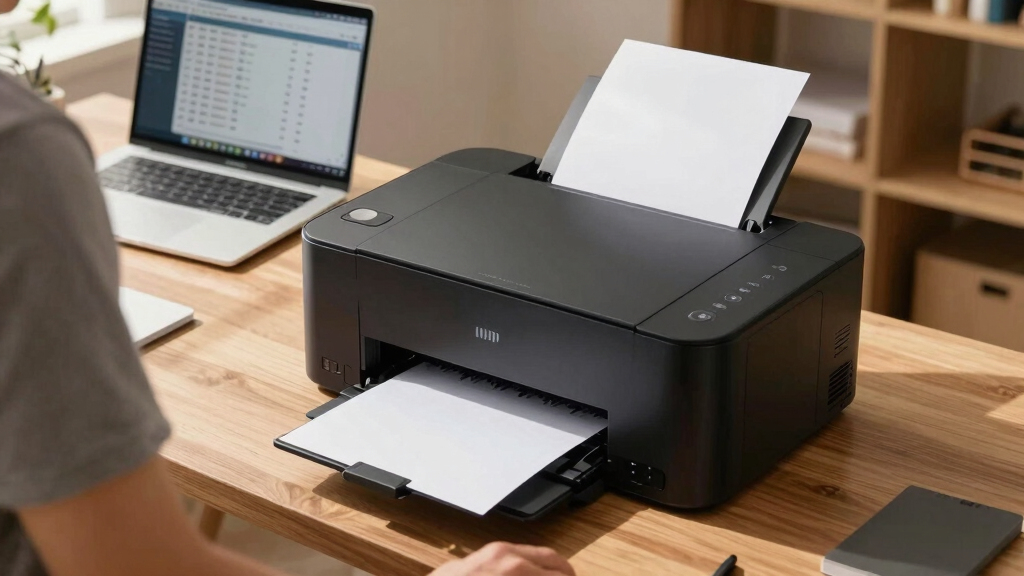
Choosing the best printer for a high-volume home business involves balancing speed, cost efficiency, and versatility. The Brother MFC-L3720CDW stands out as the best overall for its reliable color laser printing and multi-function capabilities. For those prioritizing high-speed monochrome output, the Brother MFC-L5915DW offers impressive performance. Meanwhile, the HP LaserJet Pro MFP 4101fdw provides a solid office-grade option. The main tradeoffs revolve around upfront costs versus ongoing supplies and the complexity of features—more advanced models may be pricier but save time and money long-term. Keep reading to explore each option’s strengths and tradeoffs to find your perfect match.
Key Takeaways
- Laser printers generally outperform inkjet models in speed and cost per page, making them better suited for high-volume printing.
- Multi-function models with scanning and copying features add value for small businesses that handle a variety of document tasks.
- Cost-effective toner or ink refill systems, like EcoTank or refresh subscriptions, significantly reduce ongoing expenses.
- Wireless connectivity and security features are crucial for maintaining smooth workflows and protecting sensitive business data.
- Compact designs vary widely; choosing a size-appropriate printer can optimize space without sacrificing performance.





More Details on Our Top Picks
Brother MFC-L3720CDW Wireless Color Laser Printer with Scanner, Copier and Fax
This Brother MFC-L3720CDW stands out as the best choice for high-volume home businesses needing reliable color laser output. It offers impressive print speeds up to 19 ppm and features like automatic duplexing, a 250-sheet paper tray, and seamless cloud integration, making it a true productivity powerhouse. Compared with the HP LaserJet Pro MFP 3101fdw, it provides more versatile connectivity options, including Wi-Fi Direct, making multi-device workflows smoother. However, its size and weight (44 pounds) mean it’s less suitable for tight spaces, and its color resolution, while good, may fall short for high-end marketing materials. This model suits small business owners who prioritize speed, connectivity, and security but have a dedicated workspace. Not ideal for those seeking compact or photo-centric color printing. Pros: Fast print speeds, robust connectivity, automatic duplexing, eco-friendly features. Cons: Heavy and bulky, moderate color resolution, higher energy consumption.
Verdict: Perfect for small offices needing a dependable, fast color laser printer with comprehensive features, provided space isn’t an issue.Pros:- Fast print speeds up to 19 ppm
- Automatic duplex printing reduces paper use
- Multiple cloud and mobile printing options
- Eco-friendly printer features like Toner Save Mode
Cons:- Heavy at 44 pounds, less portable
- Color resolution of 2400 x 600 dpi may not satisfy high-end marketing needs
- Higher power consumption compared to smaller models
Best for: Small business owners requiring high-volume, color laser printing with advanced connectivity features
Not ideal for: Home users with limited space or those primarily printing photos with vibrant color accuracy
- Printer Type:Laser
- Print Speed:19 ppm color and black
- Connectivity:Wi-Fi, USB 2.0, Wi-Fi Direct
- Paper Capacity:250 sheets
- Max Paper Size:8.5 x 14 inches
- Weight:44 pounds
- Print Resolution:2400 x 600 dpi
Bottom line: This Brother laser multifunction printer excels for small businesses that need fast, reliable color printing in a dedicated workspace.
Brother Professional Laser Printer All-in-One with Scanner and Copier, High-Speed 50 ppm Monochrome Printing
This Brother MFC-L5915DW is tailored for the busy home office that demands rapid monochrome output. It delivers an outstanding 50 ppm speed, making it ideal for large document batches, with a 70-page automatic document feeder for swift scanning and copying. Its high-yield toner cartridge significantly lowers cost per page, and dual-band Wi-Fi ensures stable wireless connectivity. Compared to the HP Laserjet Pro MFP 4101fdw, it offers faster printing and a larger toner capacity, but it lacks color printing, which may be a drawback for businesses requiring vibrant visuals. Its massive 18,000-page toner capacity is a clear advantage for continuous operation, although its size and power use are notable tradeoffs. Best suited for monochrome-heavy workloads in small business environments with high volume needs. Not recommended for color printing or those with limited space. Pros: Ultra-fast 50 ppm speed, high-yield toner, versatile paper handling, robust security features. Cons: Monochrome only, large footprint, higher initial cost, substantial power consumption.
Verdict: An excellent choice for monochrome document-intensive operations where speed and low running costs are priorities.Pros:- High-speed 50 ppm output
- Massive 18,000-page toner capacity
- Auto 2-sided printing and scanning
- Advanced security features
Cons:- Only monochrome printing
- Large and heavy footprint
- Higher upfront investment
Best for: Small business owners with high-volume monochrome printing needs seeking speed and efficiency
Not ideal for: Businesses requiring color printing or with limited workspace
- Printer Type:Laser
- Print Speed:50 ppm black & white
- Connectivity:Wi-Fi, Ethernet, USB
- Paper Capacity:250 sheets
- Max Paper Size:8.5 x 14 inches
- Weight:38.3 pounds
- Print Resolution:1200 x 1200 dpi
Bottom line: This monochrome laser all-in-one is perfect for fast, high-volume printing environments that can accommodate its size and monochrome focus.
HP LaserJet Pro MFP 3101fdw Wireless Black & White All-in-One Laser Printer
The HP LaserJet Pro MFP 3101fdw offers a balanced option for home businesses with moderate high-volume monochrome printing. Its speeds up to 35 ppm efficiently handle daily document tasks, with automatic duplexing and a reliable wireless connection that stays stable for multiple users. Compared with the Brother MFC-L5915DW, it’s slightly slower but more compact, making it easier to fit into smaller spaces. Its security features, including HP Wolf Pro Security, enhance data protection, a necessary feature for sensitive documents. However, its toner capacity is lower than the Brother model, leading to higher running costs over time. This printer suits small teams that need dependable, fast monochrome output without sacrificing space or security. Not ideal for color printing or very high-volume printing. Pros: Fast printing for small teams, reliable wireless connection, security features, compact size. Cons: Moderate toner capacity, monochrome only, slightly slower than high-end models.
Verdict: Well-suited for small workgroups needing fast, secure monochrome printing in a space-conscious design.Pros:- Fast speeds up to 35 ppm
- Stable wireless connectivity
- Enhanced security features
- Compact and space-efficient
Cons:- Limited toner capacity
- Monochrome only
- Slightly lower speed than some competitors
Best for: Small teams or home offices with moderate monochrome print volume and security needs
Not ideal for: Businesses requiring color printing or extremely high-volume output
- Printer Type:Laser
- Print Speed:35 ppm black & white
- Connectivity:Wi-Fi, Ethernet, USB
- Paper Capacity:250 sheets
- Max Paper Size:8.5 x 14 inches
- Weight:19.1 inches
- Print Resolution:1200 x 1200 dpi
Bottom line: This HP MFP is a reliable, space-saving monochrome solution for small teams focused on speed and security.
HP OfficeJet Pro 8125e Wireless All-in-One Color Inkjet Printer, Print, scan, Copy, ADF, Duplex
The HP OfficeJet Pro 8125e provides a versatile solution for home offices that need color printing and multifunctionality. It offers print speeds of up to 10 ppm color and 20 ppm black, ideal for occasional professional color documents, reports, and flyers. The AI-powered printing feature ensures web pages and emails are formatted precisely, saving time and paper. Its 225-sheet input tray and auto duplexing make it suitable for moderate volume tasks. Compared to the Canon PIXMA TS6520, it offers higher speed and larger capacity, but at a higher initial cost and larger footprint. Its wireless and mobile printing capabilities make it highly accessible, but ink costs may add up over time. Best for professionals who prioritize color quality and smart printing features at home. Not ideal for photo-centric or high-volume color printing. Pros: AI-enhanced printing accuracy, large input capacity, versatile connectivity, auto duplexing. Cons: Slower speed for high-volume, higher ink costs, larger size.
Verdict: An excellent all-in-one for home professionals needing smart, color-rich documents with moderate volume.Pros:- AI-enhanced print formatting
- Auto 2-sided printing
- Wireless and mobile printing support
- Large 225-sheet input tray
Cons:- Slower for high-volume work
- Higher ink costs
- Relatively large footprint
Best for: Home-based professionals requiring color printing with smart, AI-driven formatting
Not ideal for: High-volume color photo printing or users with very limited space
- Printer Type:Inkjet
- Print Speed:10 ppm color, 20 ppm black
- Connectivity:Wi-Fi, Bluetooth, Mobile Apps
- Paper Capacity:225 sheets
- Max Paper Size:8.5 x 11 inches
- Weight:15 pounds
- Print Resolution:1200 x 1200 dpi
Bottom line: Ideal for home professionals seeking high-quality color documents with smart features and moderate volume, space permitting.
Canon PIXMA TS6520 Wireless Color Inkjet Printer Duplex Printing, White
The Canon PIXMA TS6520 is a compact, affordable all-in-one inkjet printer ideal for families and hybrid workers who need reliable printing without high volume demands. Its crisp, vibrant color output and 1.42” OLED display make it user-friendly, especially for photos and documents. It offers automatic duplex printing and support for a variety of media, making it versatile for creative projects. Compared to the HP OfficeJet Pro 8125e, it’s significantly more affordable and smaller, but it lacks the high-speed capabilities and AI features, making it less suitable for demanding office environments. It’s best for occasional printing, school projects, or photo printing, not heavy-duty business use. Not recommended for high-volume or color-critical professional printing. Pros: Compact and affordable, reliable wireless connectivity, automatic duplexing, easy setup. Cons: Slower speeds, limited media handling for high-volume, no advanced security features.
Verdict: Perfect for budget-conscious home users and light-duty printing needs where space is limited.Pros:- Affordable price
- Compact size
- Automatic duplex printing
- Vivid photo and document quality
Cons:- Slower print speeds
- Limited media capacity
- No advanced security features
Best for: Families and casual home users seeking reliable, affordable, and compact printing
Not ideal for: High-volume or professional color printing environments
- Printer Type:Inkjet
- Print Speed:9 ppm color, 14 ppm black
- Connectivity:Wi-Fi, Bluetooth
- Paper Capacity:100 sheets
- Max Paper Size:8.5 x 11 inches
- Weight:15 pounds
- Print Resolution:1200 x 1200 dpi
Bottom line: Best suited for occasional, everyday printing needs where budget and space are key concerns.
Brother HL-L6210DW Monochrome Laser Printer with High-Speed 50 ppm, Advanced Security, Wireless Networking & Duplex (HL-6210DW)
This Brother model stands out for its impressive speed of 50 pages per minute, making it ideal for large print jobs in a busy home office. Compared to the HP LaserJet Pro MFP 4101fdw, it offers faster output and larger paper capacity, which translates into less downtime and higher productivity. Its large 520-sheet tray and optional expandability support substantial workloads, while the ultra high-yield toner reduces operational costs over time. The advanced Triple Layer Security safeguards sensitive documents, a feature more comprehensive than some competitors like the Canon MAXIFY GX2020. However, its monochrome-only output limits use if color printing is needed, and the size (nearly 30 pounds) demands a dedicated space. It’s best suited for professionals who need fast, reliable black-and-white printing without frequent refills, and who prioritize security and a large paper capacity.
Pros:- Exceptional print speed of 50 ppm for large jobs
- Large 520-sheet paper capacity with expandable trays
- Advanced Triple Layer Security features
Cons:- Heavy and bulky design requiring dedicated space
- Limited to monochrome printing, not suitable for color needs
Best for: High-volume small business owners needing fast, secure monochrome printing with large capacity paper trays.
Not ideal for: Home offices requiring color printing or a compact footprint, as this model is bulky and monochrome-only.
- Printer Type:Laser
- Output Type:Monochrome
- Print Speed:50 ppm
- Paper Capacity:520 sheets (expandable to 1,660)
- Connectivity:Ethernet, Wi-Fi, USB
- Security Features:Triple Layer Security
Bottom line: This Brother laser printer is perfect for high-volume monochrome printing in a dedicated home office space where speed and security are priorities.
HP Laserjet Pro MFP 4101fdw Wireless Black & White All-in-One Laser Printer with Scanner, Copier, Fax
This HP LaserJet Pro MFP 4101fdw makes a strong case for small business or home offices with its robust multifunction capabilities, including fast printing of up to 42 pages per minute and integrated scanning, copying, and faxing. Unlike the Brother HL-L6210DW, it offers the advantage of a built-in automatic document feeder and all-in-one functionality, reducing the need for multiple devices. Its 11-inch color touchscreen simplifies operation, and the wireless connectivity with dual-band Wi-Fi ensures reliable printing from various devices. While it excels in versatility, it is heavier (over 33 pounds) and has a lower maximum paper capacity than some laser models, which might limit continuous high-volume work. It’s best for professionals seeking a comprehensive, office-ready device that handles large document workflows efficiently, especially with features like duplex scanning and faxing.
Pros:- High-speed printing up to 42 ppm
- Includes fax, scanner, copier, and auto document feeder
- Large 250-sheet paper tray and intuitive touch screen
Cons:- Bulky and heavy, requiring a dedicated space
- Higher initial cost compared to single-function printers
Best for: Small business teams needing a multifunction printer with high-speed printing, scanning, copying, and faxing capabilities.
Not ideal for: Home users primarily seeking simple monochrome printing, due to its size and multifunction complexity.
- Printer Type:Laser
- Output Type:Black & White
- Print Speed:42 ppm
- Paper Capacity:250 sheets
- Connectivity:Wi-Fi, Ethernet, USB
- Additional Features:Auto duplex, fax, ADF
Bottom line: This HP all-in-one laser printer suits busy offices that need fast, multifunction performance with advanced document handling features.
Canon MAXIFY GX2020 Wireless MegaTank All-in-One Color Printer with Scan, Copy, Fax + Accessories
This Canon MAXIFY GX2020 excels at delivering sharp, vibrant color documents with remarkably low running costs thanks to its MegaTank system, which supports thousands of pages per refill. Compared to the Epson EcoTank ET-2800, it offers higher print speeds and a more comprehensive all-in-one feature set, including fax capabilities and automatic document feed. Its compact footprint makes it suitable for small home offices, and wireless connectivity supports printing from multiple devices easily. The ink replacement process is straightforward, and the high-yield ink bottles reduce waste and expense. Nonetheless, its initial purchase price is higher than basic inkjet models, and its color printing, while excellent, isn’t as fast as laser counterparts for large volumes. This pick is ideal for small businesses or home offices that need frequent, economical color printing without sacrificing quality.
Pros:- Exceptional cost efficiency with MegaTank system
- Sharp, vibrant color output
- All-in-One with scan, copy, fax, and Wi-Fi support
Cons:- Higher initial investment
- Color print speed slower than laser options for large jobs
Best for: Small business owners and home professionals needing high-volume, cost-effective color printing with multifunction features.
Not ideal for: High-speed monochrome printing or very large-volume printing where laser is more efficient, or users on a tight budget upfront.
- Printer Type:Inkjet
- Output Type:Color
- Print Speed:Up to 15 ppm color
- Paper Capacity:250 sheets
- Connectivity:Wireless, Ethernet
- Additional Features:Scan, Copy, Fax, ADF
Bottom line: This Canon MegaTank printer is an excellent choice for color-intensive, high-volume printing in a compact, cost-efficient package.
Epson EcoTank ET-2800 Wireless Color All-in-One Cartridge-Free Supertank Printer
The Epson EcoTank ET-2800 offers a compelling balance of affordability and high-volume color printing, thanks to its cartridge-free ink system that supports up to 4,500 black and 7,500 color pages per refill. Unlike the Canon MAXIFY GX2020, it emphasizes low cost per page and simplicity, making it a smart choice for small home offices with moderate high-volume needs. Its easy wireless setup and support for mobile printing add convenience, and its compact size allows placement on smaller desks or shelves. However, it’s slower in print speed (around 10 pages per minute) compared to laser options, and its multifunction features are more basic, lacking fax capabilities. This model is ideal for budget-conscious users who prioritize long-term savings and less frequent high-volume color printing.
Pros:- Very low cost per page with refillable tanks
- Supports large page yields—up to 7,500 in color
- Compact and easy to set up wirelessly
Cons:- Slower print speeds (~10 ppm)
- Limited multifunction capabilities
Best for: Home-based small businesses or individuals needing economical, high-volume color printing without large upfront costs.
Not ideal for: High-speed printing environments or those requiring advanced document management features like fax or duplex scanning.
- Printer Type:All-in-One Supertank
- Output Type:Color
- Print Speed:Approximately 10 ppm
- Paper Capacity:250 sheets
- Connectivity:Wireless, Ethernet
- Additional Features:Copy, Scan
Bottom line: This EcoTank model is perfect for budget-minded users who want large-volume color printing without the expense of traditional cartridges.
Epson EcoTank ET-2803 Wireless Color All-in-One Cartridge-Free Supertank Printer with Scan, Copy and AirPrint Support
This Epson EcoTank ET-2803 stands out for its impressive savings on ink, making it ideal for high-volume home businesses where ongoing costs matter. Unlike traditional cartridge printers, it uses refillable high-capacity tanks, which can print thousands of pages before needing a refill, significantly reducing per-page costs compared to models like the Brother DCP-L2640DW. While it offers excellent print quality for text and graphics, its slower print speed of 5 ppm in color may be a limitation for very fast-paced environments. The compact design and wireless connectivity, including AirPrint support, make it easy to operate from multiple devices. However, the small LCD screen can be a drawback for users who prefer more straightforward navigation. This pick makes the most sense for small business owners who prioritize long-term savings and ease of use over high-speed output.
Pros:- Exceptional ink cost savings with refillable supertank technology
- High print quality suitable for documents and graphics
- Wireless connectivity with AirPrint support for easy device printing
- Eco-friendly with zero cartridge waste
Cons:- Relatively slow print speed of 5 ppm in color
- Small LCD screen may hinder navigation for some users
- Initial setup requires careful handling of ink bottles
Best for: Small business owners who need affordable, high-volume color printing with minimal ongoing ink costs
Not ideal for: Businesses requiring rapid multi-page printing or high-speed document production
- Printer Type:Inkjet
- Built-In Media:EcoTank
- Scan, Copy:Yes
- Wireless:Yes
- Maximum Print Resolution:5760 x 1440 dpi
- Item Weight:11 Pounds
- Controller Type:Android
- Maximum Media Size:8.5 x 14 inch
- Number of Trays:1
Bottom line: This printer is best suited for small businesses that value cost efficiency and eco-conscious features over rapid output.
Brother DCP-L2640DW Wireless Monochrome Multi-Function Laser Printer with Copy and Scan, Duplex, Mobile, Black & White | Includes Refresh Subscription Trial(1), Works with Alexa
The Brother DCP-L2640DW is a powerful monochrome laser option that excels in fast, high-volume printing with speeds up to 36 ppm, making it a strong choice for busy home-based offices that mainly need black-and-white output. Compared to the Epson EcoTank ET-2803, it doesn’t offer color printing but surpasses it in speed and paper capacity, with a 250-sheet tray and auto-duplexing, reducing refills and increasing efficiency. Its network connectivity and mobile app support facilitate easy printing from multiple devices, while the optional subscription for toner supplies offers ongoing cost management. A notable tradeoff is the higher upfront cost and larger footprint, which may not suit very small spaces. This model makes the most sense for users needing high-speed, bulk monochrome printing combined with scanning and copying capabilities.
Pros:- High print speed of up to 36 ppm for fast output
- Large 250-sheet paper tray minimizes refilling
- Auto duplex printing reduces paper waste
- Includes a trial for toner subscription to lower ongoing costs
Cons:- No color printing capability
- Larger physical size may be unsuitable for small spaces
- Higher initial purchase price compared to inkjet options
Best for: Home-based small businesses that predominantly print in black and white and require high speed and large paper capacity
Not ideal for: Businesses that need frequent color printing or limited space for larger printers
- Printer Type:Laser
- Print Speed:36 ppm
- Duplex Printing:Yes
- Connectivity:Wi-Fi, Ethernet, USB
- Maximum Copy Resolution:1200 x 1200 dpi
- Item Weight:25 Pounds
- Maximum Media Size:8.5 x 14 inch
- Number of Trays:1
- Warranty:1 Year
Bottom line: Ideal for monochrome-heavy workflows demanding speed and capacity, especially in a home office setting.
Epson EcoTank ET-4800 Wireless All-in-One Cartridge-Free Supertank Printer with Scanner, Copier, Fax, ADF and Ethernet – Ideal-for Your Home Office, White
This Epson EcoTank ET-4800 offers a comprehensive feature set that makes it a versatile choice for home offices with high-volume needs, including fax, an auto document feeder, and Ethernet connectivity. Its refillable ink tanks provide a cost-effective solution for frequent printing, especially for mixed color and monochrome tasks, outperforming inkjet models like the Canon MAXIFY GX2020 in ongoing costs. The addition of fax and a high-capacity flatbed scanner broadens its functionality. However, its slower print speed of 5 ppm in color can be a bottleneck for quick turnaround needs, and its bulkier size may not fit in smaller spaces. The unit’s impressive resolution and all-in-one capabilities make it well-suited for varied office tasks, especially where multiple functions are needed in one device.
Pros:- All-in-one functionality including fax, scanner, and copier
- Cost-efficient refillable ink tanks for high-volume printing
- Auto document feeder for multi-page scans and copies
- Ethernet and wireless connectivity for flexible setup
Cons:- Slower print speed of 5 ppm for color documents
- Larger footprint may be unsuitable for tight spaces
- Higher initial investment compared to basic inkjet models
Best for: Home offices needing multifunction capabilities, including fax, and high-volume color and black-and-white printing
Not ideal for: Very space-constrained environments or users prioritizing ultra-fast output
- Printer Type:Inkjet
- Print Speed:5 ppm
- Maximum Print Resolution:5760 x 1440 dpi
- Scan, Copy, Fax:Yes
- Auto Document Feeder:Yes
- Connectivity:Wi-Fi, Ethernet
- Item Weight:16.8 Pounds
- Maximum Media Size:8.5 x 14 inch
- Number of Trays:2
Bottom line: Best suited for busy home offices requiring multifunctional printing with ongoing cost savings.
Brother Work Smart 1360 Wireless Color Inkjet All-in-One Printer with Automatic Duplex Printing and 1.8” Color Display | Includes Refresh Subscription Trial(1) (MFC-J1360DW)
The Brother MFC-J1360DW is a well-rounded inkjet all-in-one that combines ease of use with cloud app connectivity, making it a good fit for home-based businesses that need straightforward multifunctionality. Its 1.8-inch color display and compatibility with popular cloud services like Google Drive and Dropbox simplify workflow management. While it offers decent print speeds of 9 ppm in black and 6 ppm in color, it doesn’t match the speed of laser options like the Brother DCP-L2640DW but compensates with its compact size and versatile features. The automatic duplex feature helps save paper, though the initial ink cartridges are starter units, which may require early replacement for high-volume use. This makes it suitable for users who value ease of use and cloud integration over raw speed or maximum capacity.
Pros:- Easy-to-use 1.8” color display with cloud app support
- Automatic duplex printing to save paper
- Wireless connectivity with mobile device support
- Includes a free trial for Refresh subscription
Cons:- Slower print speeds compared to laser printers
- Limited initial ink capacity, requiring early replacements
- Small display may be limiting for some users
Best for: Home or small home-office setups needing easy cloud printing and scanning with moderate volume
Not ideal for: High-volume or fast-paced environments where speed and large paper capacity are critical
- Printer Type:Inkjet
- Print Speed:9 ppm
- Maximum Print Resolution:1200 x 6000 dpi
- Scan, Copy:Yes
- Auto Duplex:Yes
- Connectivity:Wi-Fi, Cloud
- Item Weight:16.8 Pounds
- Maximum Media Size:8.5 x 14 inch
- Number of Trays:1
Bottom line: This printer is best for home users who prioritize cloud connectivity and ease of use over ultra-fast output.

How We Picked
The printers in this roundup were selected based on their ability to handle high-volume workloads reliably and efficiently. Key evaluation criteria included print speed (pages per minute), cost per page, durability, and ease of maintenance. We also prioritized models with multi-function capabilities because most home businesses need to print, scan, and copy. Additional factors such as connectivity options, security features, and upfront cost were considered to ensure each option offers genuine value for different types of small business setups. The ranking reflects a balance between performance, total cost of ownership, and suitability for high-volume operations.Factors to Consider When Choosing Best Printers For High-volume Home Businesses
When choosing a printer for high-volume home business use, it’s essential to consider several factors that influence cost, efficiency, and ease of use. The right model depends on your specific workload, budget, and space constraints. This guide highlights the most important considerations to help you avoid common pitfalls and make a smart purchase.Print Speed and Volume Capacity
For frequent printing needs, speed and capacity are non-negotiable. Laser printers typically deliver higher pages-per-minute rates and larger paper trays, reducing downtime and refills. Choosing a model with at least 25-30 ppm ensures you won’t be held back during busy periods. Also, check the maximum paper capacity; larger trays mean fewer interruptions, saving you time and effort over the long run.
Cost of Consumables
Ongoing costs for toner or ink can quickly overshadow initial purchase prices. EcoTank-style supertank printers or models with subscription services often provide lower cost per page, which benefits high-volume users. Be wary of printers with expensive toner cartridges or frequent replacement cycles, as these can make even affordable models costly over time. Calculating total cost of ownership is key to selecting a model that remains economical in the long term.
Multi-Function Capabilities
Having a printer that also scans, copies, and faxes adds versatility, especially when managing multiple document types. For home businesses, a combined device reduces space and simplifies workflow. However, more features can sometimes lead to increased complexity or higher initial costs, so consider whether you truly need all functions or if a simpler model would suffice.
Connectivity and Security Features
Wireless connectivity, including Wi-Fi and Ethernet, enables seamless printing from multiple devices. Security features such as encrypted printing and user authentication help protect sensitive business data. For remote work or shared spaces, these features prevent unauthorized access and ensure smooth, secure operation, making them worth prioritizing in your decision.
Size and Placement
High-volume printers come in various sizes, so measure your available space carefully. Compact models save room but may sacrifice capacity or speed. Larger, industrial-style printers handle more pages but require dedicated space. Balance your spatial constraints with your workload needs to avoid overcrowding or underpowered setups, which can hamper productivity.
Frequently Asked Questions
How much should I expect to spend on a high-volume home business printer?
High-volume home business printers typically range from around $300 for basic monochrome models to over $1,000 for advanced color laser multifunctions. The initial investment varies based on speed, capacity, and features. Remember, the most expensive option isn’t always best; focus on total cost of ownership, including consumables and maintenance, to determine true value.
Are laser printers really more cost-effective than inkjets for high-volume printing?
Yes, laser printers generally have a lower cost per page due to the efficiency of toner use and higher speeds. Inkjet printers tend to be cheaper upfront but often have higher ongoing costs because ink cartridges need frequent replacement, making them less suitable for large volumes. For consistent high-volume output, laser models are usually the better long-term investment.
Should I prioritize speed or print quality for my home business printer?
Speed is critical for high-volume tasks, so prioritize models with higher pages-per-minute ratings. However, if your business also involves printing marketing materials or high-quality graphics, look for a color laser or inkjet with good resolution. Balancing speed and quality depends on your specific needs—often, a fast laser printer with decent quality suffices for most tasks.
How important are security features on a home office printer?
Security features are increasingly vital as more devices connect wirelessly. Features like encrypted printing, user authentication, and secure network protocols help protect sensitive client or business data. Even in a home setup, if you handle confidential documents, choosing a model with these capabilities adds peace of mind and safeguards your business.
Can I use a small, compact printer for high-volume work?
While compact printers are convenient for limited space, they often lack the capacity and speed needed for high-volume printing. If your workload exceeds a few hundred pages per week, investing in a larger, more robust model is advisable. Otherwise, you risk frequent refills and slower turnaround times, which can hinder your business operations.