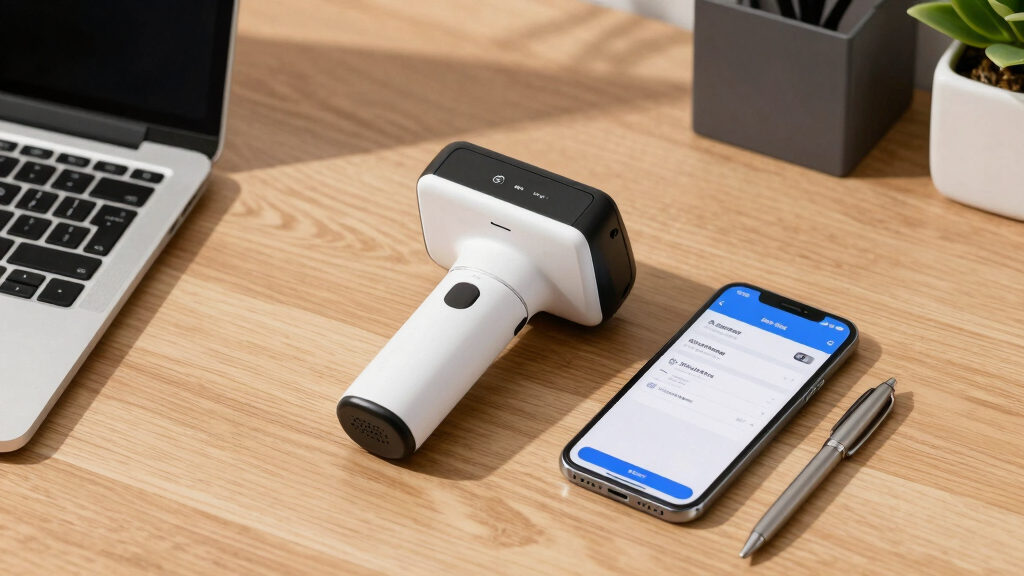

When searching for the best scanners for bookkeeping and receipts, the key considerations are speed, portability, and data management features. The Epson RapidReceipt RR-70W stands out for its wireless convenience and efficient scanning, making it ideal for busy professionals. For those who prioritize portability, the Epson WorkForce ES-50 offers a compact design perfect for on-the-go needs. However, choosing the right scanner involves balancing factors like connectivity options, document handling capacity, and software compatibility. Keep reading to see how the top models compare and find the best fit for your bookkeeping workflow.
Key Takeaways
- Wireless models like the Epson RR-70W significantly improve flexibility for mobile bookkeeping tasks.
- Auto document feeders with high capacity, such as the ScanSnap iX2500, save time during bulk scans.
- Portability is a major factor, with compact scanners like Brother DS-640 offering excellent mobility but fewer features.
- Software integration, especially with accounting tools like QuickBooks, can streamline bookkeeping processes.
- Price varies widely; premium models offer advanced features but may be overkill for casual users.


More Details on Our Top Picks
Epson RapidReceipt RR-60 Mobile Tax Receipt and Color Document Scanner with Complimentary Data Management Software for PC & Mac
This compact scanner stands out for its AI-powered data extraction capabilities, making it ideal for small business owners who need quick, organized digital copies of receipts and invoices. Compared with the Epson WorkForce ES-50, the RR-60 offers AI integration that automatically categorizes documents, saving time on manual data entry. However, its small sheet capacity and reliance on USB power mean it’s best suited for light, mobile use rather than heavy daily scanning. It produces high-resolution scans with features like auto cropping and background removal, ensuring clear digital copies. While its portability is a major plus, the tradeoff is slower speed—up to 10 pages per minute—making it less ideal for large batches. This pick makes the most sense for freelancers or small business owners who prioritize mobility and AI data processing over high-volume throughput.
Pros:- Extremely lightweight and portable, weighing under 10 oz
- AI-driven automatic categorization and file naming
- Creates searchable, editable PDFs with auto cropping and background removal
Cons:- Limited to single-sheet scanning, unsuitable for large batches
- Slower scan speed of 10 pages per minute
Best for: Traveling professionals and small business owners needing quick, organized scans on the move
Not ideal for: Large offices requiring high-volume, multi-page scanning with fast throughput
- Scanner Type:Receipt
- Connection Type:USB
- Resolution:600 dpi
- Color Depth:24 bpp
- Sheet Capacity:60
- Item Dimensions:13″D x 5.5″W x 2.5″H
- Item Weight:1.19 pounds
- Media Type:Paper
Bottom line: Ideal for mobile users who need AI-organized receipt scans without bulk processing capabilities.
Epson WorkForce ES-50 Portable Sheet-Fed Document Scanner for PC and Mac
This ultra-lightweight scanner is a favorite for its speed—scanning a single page in just 5.5 seconds—and its compatibility with both Windows and Mac, making it perfect for on-the-go professionals. Unlike the Epson RapidReceipt RR-60, it handles slightly longer documents, up to 8.5 inches by 72 inches, and includes a TWAIN driver for flexible software integration. Its small size and USB-powered design make it an excellent choice for travelers or remote workers who need quick scans without the bulk. The main tradeoff is its limited sheet capacity and absence of advanced AI features; it’s more a fast scanner than a tool for automated data organization. For those needing rapid, straightforward document capture, this makes a compelling case, especially at a lower price point.
Pros:- Extremely portable and lightweight, ideal for travel
- Fast scan speed—about 5.5 seconds per page
- Supports long documents up to 72 inches and includes OCR for searchable PDFs
Cons:- Limited to single-sheet scans, not suitable for bulk processing
- Lacks AI data categorization features present in higher-end models
Best for: Freelancers or remote workers needing quick, lightweight scans of receipts and documents
Not ideal for: Offices requiring high-volume, multi-page scanning or integrated AI categorization
- Scanner Type:Document, Receipt
- Connection Type:USB
- Resolution:600 dpi
- Wattage:3.1 watts
- Sheet Capacity:1
- Item Dimensions:5.6″D x 13″W x 2.8″H
- Item Weight:0.66 pounds
- Media Type:Paper
Bottom line: A great budget option for quick, on-the-spot document scanning when portability is a priority.
Epson RapidReceipt RR-70W Wireless Mobile Tax Receipt and Color Document Scanner with Complimentary Data Management Software for PC & Mac
This model improves on portability and speed, scanning up to 15 pages per minute wirelessly, making it suitable for busy entrepreneurs or field agents. Compared to the Epson RR-60, the RR-70W offers wireless connectivity and a higher scan rate, plus AI-powered categorization that simplifies organizing large stacks of receipts and invoices. Its weight under 11 oz and battery-powered option make it perfect for remote work environments. The downside is that its sheet capacity remains at 60, similar to the RR-60, so it’s not optimized for high-volume batch scanning. Its robust wireless features and AI data extraction make it more versatile for mobile business workflows, but it might be overkill for small-scale, infrequent scanning needs.
Pros:- Wireless connectivity for flexibility in various locations
- Fast scanning—up to 15 pages per minute
- Lightweight and battery-powered for portability
Cons:- Limited sheet capacity for bulk scanning
- Still designed for single-sheet scans, not multi-page batch processing
Best for: Small business owners or field workers needing fast, wireless, AI-enabled receipt scanning
Not ideal for: High-volume office environments that require multi-page automatic feeders
- Scanner Type:Receipt, Color Document
- Connection Type:Wi-Fi
- Resolution:600 dpi
- Color Depth:24 bits
- Sheet Capacity:60
- Item Dimensions:14.25″D x 10.25″W x 12.38″H
- Item Weight:8.2 pounds
- Media Type:Paper
Bottom line: Best suited for mobile professionals who need quick, wireless, AI-organized receipt scans on the go.
Epson RapidReceipt RR-600W Wireless Desktop Color 2-Sided Document & Tax Receipt Scanner with ScanSmart AI PRO Data Management Software for PC & Mac
This robust scanner combines high-speed duplex scanning—up to 35 pages per minute—with a 100-page auto feeder, making it ideal for busy offices or accounting teams. The ScanSmart AI PRO software enhances its data organization, automatically converting receipts and invoices into categorized digital formats compatible with QuickBooks and TurboTax. Compared to the ScanSnap iX2500, it offers faster throughput and a larger capacity, at the expense of being less portable and more expensive. Its large touchscreen facilitates PC-free operations, and the paper skew and staple protection support heavy daily use. The tradeoffs are its weight and size, making it less suitable for mobile use, but for a dedicated desktop setup, it’s a top choice for efficiency and automation.
Pros:- Fast duplex scanning at 35 pages per minute
- 100-page automatic document feeder for bulk processing
- Smart AI software for automatic data categorization
Cons:- Relatively heavy and bulky, less portable
- Higher price point suited for office environments
Best for: Accounting departments or small offices needing fast, duplex, high-capacity scanning with AI data extraction
Not ideal for: Mobile professionals or home users with limited space or infrequent scanning needs
- Scanner Type:Document, Receipt
- Connection Type:Wi-Fi
- Resolution:600 dpi
- Color Depth:24 bpp
- Sheet Capacity:100
- Item Dimensions:14″D x 10″W x 12″H
- Item Weight:8.2 pounds
- Media Type:Paper
Bottom line: Designed for high-volume, efficient scanning in a fixed office setting with AI data processing capabilities.
Epson RapidReceipt RR-600W Wireless Desktop Color 2-Sided Document & Tax Receipt Scanner with ScanSmart AI PRO Data Management Software for PC & Mac
This powerful scanner excels in high-speed, duplex document and receipt processing, making it perfect for small to medium-sized offices handling large stacks of paperwork daily. Its 100-page auto document feeder and scan speed of 35 ppm deliver rapid throughput. The integration of ScanSmart AI PRO software automates data extraction, categorization, and export to financial software like QuickBooks, streamlining bookkeeping tasks. Its large 4.3-inch touchscreen allows for PC-free operation, and the advanced paper handling reduces jams and damage. The main tradeoff is its size and weight, which limit portability, but it offers unparalleled efficiency for dedicated desktop setups needing fast, organized digital workflows.
Pros:- High-speed duplex scanning at 35 ppm
- Robust 100-page auto feeder minimizes manual interventions
- AI-powered data extraction simplifies workflow
Cons:- Large and less portable, suited for permanent office use
- Higher cost compared to simpler single-sheet scanners
Best for: Bookkeepers and small office teams requiring reliable, fast, duplex scans with AI data extraction
Not ideal for: Traveling professionals or those needing a portable, lightweight device
- Scanner Type:Document, Receipt
- Connection Type:Wi-Fi
- Resolution:600 dpi
- Color Depth:24 bits
- Sheet Capacity:100
- Item Dimensions:14″D x 10″W x 12″H
- Item Weight:8.2 pounds
- Media Type:Paper
Bottom line: Best suited for offices that demand high volume, fast duplex scans with automated data categorization.
ScanSnap iX2500 Wireless or USB High-Speed Cloud Enabled Document, Photo & Receipt Scanner with Large 5″ Touchscreen and 100 Page Auto Document Feeder for Mac or PC, Black
The ScanSnap iX2500 stands out for its combination of high-speed, flexibility, and smart features. Its rapid 45ppm double-sided scanning surpasses many competitors like the Brother DS-640, making it ideal for larger volumes. The large 5″ touchscreen offers intuitive control, and the 100-page auto feeder minimizes interruptions. Unlike the smaller Brother, it supports cloud integration directly, which streamlines digital workflows for bookkeeping. However, its size and price are higher, which might deter casual users. The built-in Wi-Fi 6 ensures quick, secure wireless operation, and automatic optimizations reduce manual editing. Yet, its complexity could be overkill for very light or infrequent scanning needs. This model is best suited for busy offices or pros handling many receipts and documents regularly, who need fast, reliable, and connected scanning.
Pros:- Fast 45 pages per minute double-sided scanning
- Large 5-inch touch screen for easy operation
- Supports Wi-Fi 6 for quick, secure wireless connection
- Automatic optimizations and cloud support
Cons:- Higher price point compared to simpler scanners
- Bulkier size may be less ideal for tight spaces
Best for: Small to medium-sized business owners, bookkeepers, and professionals needing high-volume, fast, cloud-connected scanning.
Not ideal for: Casual users or those with minimal scanning needs, as its cost and features exceed basic requirements.
- Scanning Speed:45ppm double-sided
- Connectivity:Wi-Fi 6, USB-C
- Touchscreen:5-inch
- Document Capacity:100 pages
- Supported OS:Mac, Windows
- Auto Document Feeder:Yes
Bottom line: This is an excellent choice for users who need a fast, feature-rich scanner with cloud connectivity and are willing to invest in advanced capabilities.
Brother DS-640 Compact Mobile Document Scanner, (Model: DS640)
The Brother DS-640 excels in portability, making it perfect for users who need to scan receipts and documents while traveling or outside the office. Its ultra-compact size, weighing just about 1.5 pounds, easily fits into a bag or pocket, unlike the bulkier ScanSnap iX2500. While it doesn’t match the speed of larger models, its 16ppm still handles receipts efficiently and supports both color and black-and-white scans without slowing down. Its USB-powered setup allows use without external power sources, ideal for fieldwork or remote locations. The included software offers automatic color detection, OCR, and image enhancement, but it lacks wireless connectivity, which could be a dealbreaker for users wishing to scan directly to cloud services without a PC. This scanner is best suited for mobile professionals or small businesses needing quick, reliable scans on the road.
Pros:- Extremely lightweight and compact design
- Powered via micro USB, no external power needed
- Supports both color and black-and-white scans
- Includes OCR and image enhancement software
Cons:- No wireless or cloud connectivity options
- Lower scanning speed may be slow for large batches
Best for: Frequent travelers, mobile professionals, or small business owners who need compact, portable scanning solutions.
Not ideal for: High-volume office environments or users who require wireless or networked scanning, as it lacks Wi-Fi capability.
- Scanning Speed:16ppm
- Connectivity:USB 3.0
- Weight:1.5 lbs
- Color Support:Yes
- Power:Micro USB
- Document Size:Up to 8.5 x 14 inches
Bottom line: This scanner is ideal for mobile users prioritizing portability over bulk processing speed or wireless features.
How We Picked
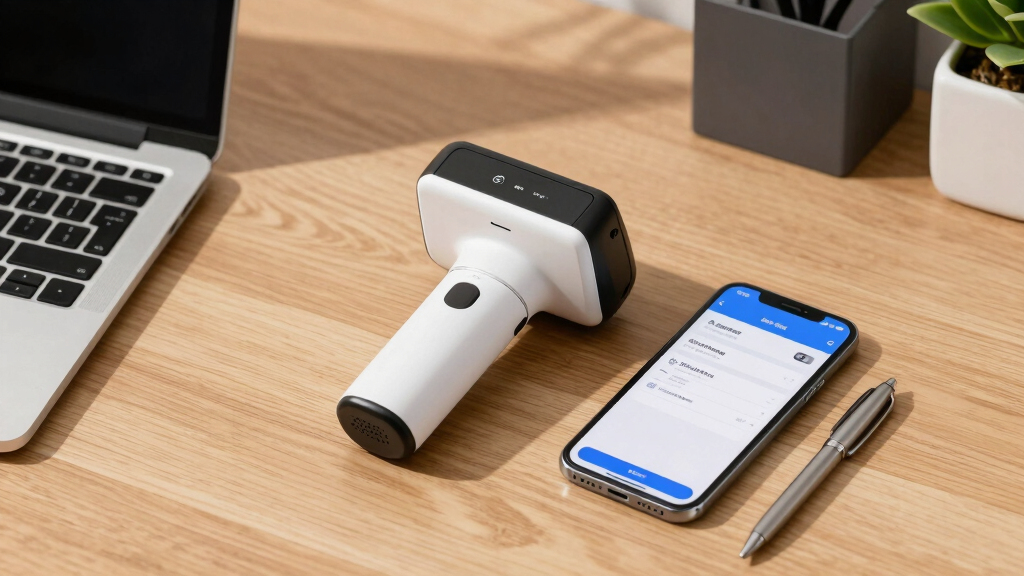
To create this list, I evaluated each scanner based on performance, ease of use, build quality, software compatibility, and value for money. Priority was given to how well the device handles receipts and small documents efficiently, as well as its ability to integrate with common bookkeeping software. Portability and connectivity options were key factors, along with user interface and maintenance requirements. The ranking reflects a balance of these criteria, aiming to recommend options for different types of users—from casual bookkeepers to professionals needing high-volume capacity.Factors to Consider When Choosing Best Scanners For Bookkeeping And Receipts
Choosing the best scanner for bookkeeping and receipts involves understanding your specific workflow needs. Not all scanners are equal—some excel at portability, others at handling large batches, and some at seamless software integration. By considering these factors carefully, you can avoid common pitfalls like overpaying for unnecessary features or selecting a device incompatible with your existing systems. Here are the key considerations to keep in mind:Portability and Size
If you often work on the move, a compact, lightweight scanner is essential. Portable models like the Epson ES-50 or Brother DS-640 are designed for easy carrying and quick setup. However, these may lack high-capacity feeders or advanced features found in desktop models. Consider your typical environment—if you mostly scan at a desk, a larger, more robust scanner could offer faster throughput and better ergonomics.
Connectivity Options
Wireless connectivity adds flexibility, especially for mobile or shared office environments, while USB-only models tend to be more straightforward and reliable. Evaluate whether your workflow benefits from Wi-Fi, Bluetooth, or Ethernet connections. Keep in mind that wireless scanners often come with additional setup complexity but can eliminate clutter from cables.
Document Handling Capacity
If you process large volumes of receipts or documents regularly, a scanner with a high-capacity auto document feeder (ADF) is a smart investment. Models like the ScanSnap iX2500 can handle up to 100 pages, reducing the time spent on manual feeding. For sporadic use, a simpler model might suffice, but frequent users should prioritize speed and capacity to prevent bottlenecks.
Software Compatibility and Features
Integrating your scanner with bookkeeping software like QuickBooks or cloud storage platforms can streamline data entry and archiving. Look for models that come with dedicated software or support third-party apps. Also, consider whether the scanner offers features like automatic text recognition (OCR), which can make your digital records more searchable and organized.
Price and Long-Term Value
While budget options might seem attractive initially, they often lack durability or advanced features needed for regular bookkeeping. Conversely, premium models offer speed, higher capacity, and better software integration but come at a higher cost. Determine your volume and specific needs to find a balance between upfront investment and long-term efficiency.
Frequently Asked Questions
Will a portable scanner be sufficient for high-volume receipt scanning?
For high-volume scanning, a portable scanner like the Epson ES-50 might not be the best choice because it has a limited document capacity and slower throughput compared to desktop models. If you regularly process large batches, a scanner with an auto document feeder and higher capacity, such as the ScanSnap iX2500, will save time and reduce manual intervention. However, for occasional or mobile use, portable scanners are convenient and capable enough.
Is wireless connectivity worth the extra cost?
Wireless connectivity offers significant convenience, especially if you need to scan from multiple devices or work in a shared space. It eliminates cable clutter and allows scanning from smartphones, tablets, or laptops. However, it can increase the price and sometimes complicate setup. If your workflow relies heavily on mobile or flexible scanning, paying extra for wireless features is a worthwhile investment.
Can these scanners handle both receipts and larger documents like invoices?
Most of the models listed are versatile enough to handle receipts, invoices, and small documents, thanks to their adjustable paper guides and document sizes. However, their primary strength is scanning small, flat items. If you need to scan larger documents frequently, look for a scanner with an adjustable or larger scanning bed. Be aware that scanners optimized for receipts may not perform as well with larger or thicker documents.
How important is software compatibility with bookkeeping programs?
Software compatibility is critical if you want to streamline your bookkeeping workflow. Scanners that come with dedicated software optimized for OCR, data categorization, or direct integration with platforms like QuickBooks or cloud services can significantly reduce manual data entry. Incompatible software can create extra steps, so choose a scanner that aligns with your existing systems to maximize efficiency.
Is it worth investing in a premium scanner for personal use?
For personal or infrequent use, premium scanners may be more than necessary, and a budget-friendly model could suffice. However, if you require speed, durability, and seamless integration for regular bookkeeping, investing in a higher-end model can pay off in saving time and reducing frustration. Consider your volume and how often you’ll use the scanner before deciding whether the investment aligns with your needs.
Conclusion
The best overall choice for most users is the Epson RapidReceipt RR-70W due to its wireless convenience and high-speed scanning, making it ideal for busy professionals. If you prioritize affordability and portability, the Epson WorkForce ES-50 offers excellent value for light use. For those who handle large volumes and need advanced features, the ScanSnap iX2500 provides a robust solution with high capacity and software integration. Beginners or infrequent users might find the Brother DS-640 a simple, effective option, while professionals seeking a premium experience should consider models with advanced automation and connectivity. This lineup ensures there’s a tailored solution for every bookkeeping need in 2026.