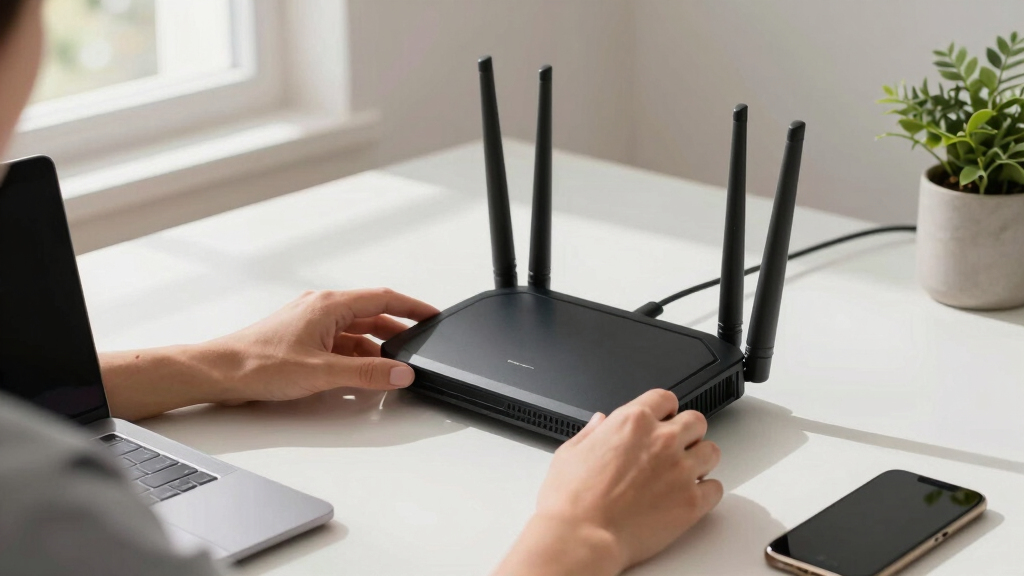
Choosing the best router for a multi-device home office means balancing speed, coverage, and stability to support numerous devices simultaneously. The NETGEAR Nighthawk WiFi 7 Router (BE9300) stands out for its ultra-fast WiFi 7 speeds and extensive coverage, ideal for large homes and demanding tasks. Meanwhile, the TP-Link BE6500 offers a solid mix of affordability and robust performance for everyday multi-device use. However, tradeoffs exist: higher speeds often come with increased cost, and coverage can vary based on home layout. Continue reading for a detailed breakdown of these options and what makes each suited to different needs.

Get smart everyday buys delivered free with Prime
- Fast, free delivery on millions of items
- Prime Video, Amazon Music and more included
- Member-only deals all year
Key Takeaways
- WiFi 7 routers like the NETGEAR Nighthawk offer unmatched speed and device capacity, but come with a higher price tag.
- Choosing between wired and wireless solutions depends on the need for stability versus convenience—wired options like the TP-Link ER605 excel in reliability.
- Mesh and portable routers provide flexibility for specific spaces or mobile work setups, though they may lack the raw throughput of high-end models.
- Security features such as VPN support and advanced firewalls are crucial for home offices handling sensitive data.
- Higher-end routers tend to support more simultaneous devices and advanced features, but budget models can perform well with proper placement and minimal congestion.


More Details on Our Top Picks
NETGEAR Nighthawk WiFi 7 Router (BE9300) – Router Only, 9.3Gbps Wireless Speed, 2.5 Gigabit Internet Port, Tri-Band for Gaming, Covers 2,500 sq. ft., 100 Devices, VPN – Free Expert Help
This router stands out for its blazing-fast WiFi 7 speeds up to 9.3Gbps, making it ideal for multi-device homes with heavy streaming, gaming, and video conferencing. Compared with the TP-Link BE230, the BE9300 offers significantly higher speeds and broader coverage, but it’s also bulkier and more expensive. Its tri-band setup with a dedicated 6 GHz band minimizes interference, ensuring stable connections across 100 devices—perfect for busy households. The 2.5Gbps Ethernet port supports multi-gig internet plans, and security features like NETGEAR Armor bolster online safety. However, it does require a separate modem, adding to setup complexity. This pick makes the most sense for tech-savvy users seeking top-tier performance without sacrificing coverage or device capacity.
Pros:- Extremely fast WiFi 7 speeds up to 9.3Gbps
- Supports up to 100 devices with stable connections
- Includes a 2.5Gbps multi-gig Ethernet port for future-proofing
- Tri-band setup reduces interference for optimal performance
Cons:- Higher cost compared to dual-band or WiFi 6 routers
- Larger footprint may not fit small spaces
- Requires separate modem for internet connection
Best for: Homeowners with multiple high-demand devices, including gamers and streamers, needing fast, reliable WiFi coverage.
Not ideal for: Users with modest internet needs or small spaces, as its price and features may be excessive for basic browsing.
- Wireless Speed:up to 9.3Gbps
- Coverage:2500 sq. ft.
- Device Capacity:100 devices
- Internet Port:2.5Gbps Ethernet
- Wi-Fi Bands:Tri-band (including 6 GHz)
- Security:NETGEAR Armor
Bottom line: Best suited for multi-device households that demand premium speed, coverage, and security without budget constraints.
TP-Link Dual-Band BE3600 Wi-Fi 7 Router Archer BE230 | 4-Stream | 2×2.5G + 3×1G Ports, USB 3.0, 2.0 GHz Quad Core, 4 Antennas | VPN, EasyMesh, HomeShield, MLO, Private IOT | Free Expert Support
This model offers a compelling blend of Wi-Fi 7 technology at a more affordable price point, making it ideal for households looking for faster speeds and reliable coverage without the premium cost. Unlike the NETGEAR BE9300, the BE230 has a more compact design and a simplified setup suited for users with moderate device counts. Its dual-band operation with 2.5Gbps ports supports streaming, gaming, and smart devices across up to 60 devices within approximately 2,000 sq. ft. The quad-core processor and MU-MIMO technology ensure smooth multitasking, and HomeShield adds security. Still, its maximum coverage and device capacity are less than the high-end BE9300, and it lacks the 6 GHz band. This makes the BE230 an excellent choice for families seeking a future-ready network that balances performance and budget.
Pros:- Supports Wi-Fi 7 with advanced features like Multi-Link Operation
- Affordable compared to high-end Wi-Fi 7 routers
- Compact, sleek design suitable for most home setups
- Dual-band with 2×2.5Gbps ports for fast wired connections
Cons:- Covers only around 2,000 sq. ft., less than premium models
- Supports up to 60 devices, fewer than top-tier options
- Limited to dual-band, no 6 GHz band
Best for: Families with multiple smart devices and streaming needs who want Wi-Fi 7 without overspending.
Not ideal for: Large households with extensive smart home systems or gaming setups requiring broader coverage and higher device limits.
- Wi-Fi Speed:up to 3.6Gbps
- Coverage:2000 sq. ft.
- Device Limit:60 devices
- Ports:3×1G, 2×2.5G ports
- Processor:Quad-Core 2.0 GHz
- Features:HomeShield, MLO, VPN
Bottom line: Ideal for mid-sized homes seeking Wi-Fi 7 speeds and future-proofing at a reasonable price.
TP-Link BE6500 Dual-Band WiFi 7 Router (BE400) – Dual 2.5Gbps Ports, USB 3.0, Covers up to 2,400 sq. ft., 90 Devices, Quad-Core CPU, HomeShield, Private IoT, Free Expert Support
The BE400 provides solid Wi-Fi 7 features at a competitive price, making it suitable for households that need reliable speed and coverage without all the bells and whistles of higher-end models. It supports Wi-Fi 7 innovations like Multi-Link Operation and MU-MIMO, ensuring efficient performance for streaming and gaming across about 90 devices within roughly 2,400 sq. ft. Its dual 2.5Gbps ports allow for fast wired connections, and the quad-core CPU handles multitasking well. While it lacks the coverage and device capacity of premium models like the NETGEAR BE9300, it includes essential security features with HomeShield. Its slightly lower speed ceiling and coverage area make it less suitable for very large homes or heavy-duty gaming, but for most average households, it hits the right balance of value and performance.
Pros:- Affordable Wi-Fi 7 with advanced features like Multi-Link Operation
- Supports up to 90 devices with stable performance
- Dual 2.5Gbps ports for fast wired connections
- Includes HomeShield security
Cons:- Coverage limited to around 2,400 sq. ft.
- Supports fewer devices than higher-end models
- No 6 GHz band, limiting future device compatibility
Best for: Budget-minded families looking for reliable Wi-Fi 7 coverage for everyday multi-device use.
Not ideal for: Large households with extensive smart home or gaming setups requiring broader coverage and higher device limits.
- Wi-Fi Speed:up to 3.6Gbps
- Coverage:2400 sq. ft.
- Device Capacity:90 devices
- Ports:2×2.5Gbps, USB 3.0
- CPU:Quad-Core
- Features:HomeShield, MU-MIMO
Bottom line: Great for budget-conscious homes wanting Wi-Fi 7 speed and security without overpaying.
TP-Link ER605 V2 Wired Gigabit VPN Router, Up to 3 WAN Ethernet Ports + 1 USB WAN, SPI Firewall SMB Router, Omada SDN Integrated, Load Balance, Lightning Protection
The ER605 V2 is tailored for users who need robust wired connectivity and advanced security, making it suitable for small businesses or tech-savvy home offices. Unlike Wi-Fi-focused routers, it emphasizes wired connections with multiple WAN ports and VPN support, capable of handling complex network setups for several devices simultaneously. Its load balancing and Omada SDN integration ensure efficient traffic management and remote management capabilities. While it doesn’t support Wi-Fi, it excels in security and stability, especially for wired devices or networks that require VPN tunnels. Its cons include limited wireless features and a focus on wired connections, so it’s less suitable for homes relying heavily on Wi-Fi. This router is a strong choice for users prioritizing secure, stable, and scalable wired networks.
Pros:- Multiple Gigabit WAN and LAN ports for flexible connectivity
- Supports VPN with up to 20 LAN-to-LAN IPsec connections
- Omada SDN for centralized management
- Lightning protection for reliability
Cons:- No built-in Wi-Fi, limiting wireless coverage
- More complex setup suited for experienced users
- Design focused on wired networks, not ideal for wireless-only homes
Best for: Small businesses or advanced home offices needing secure, stable wired connections with VPN support.
Not ideal for: Homes primarily seeking Wi-Fi coverage or simple multi-device setups without complex network requirements.
- WAN Ports:3× Gigabit
- VPN Support:Up to 20 IPsec connections
- Firewall:SPI
- Load Balance:Yes
- Coverage:Wired only
- Security:Advanced firewall, lightning protection
Bottom line: Perfect for users needing secure, scalable wired networks with VPN capabilities in small business or tech-heavy environments.
TP-Link Roam 6 AX1500 Portable Wi-Fi 6 Travel Router | Easy Public WiFi Sharing | Hotel/RV/Travel Approved | Phone WiFi Tether | USB C Powered | Multi-Mode | Tether App | Durable Design | TL-WR1502X
The Roam 6 AX1500 is an excellent compact device for those needing reliable Wi-Fi on the go, supporting up to 1100 Mbps on Wi-Fi 6. Unlike larger routers, its portable size and multi-mode functionality allow it to serve as a secure hotspot, extend existing Wi-Fi, or connect wired devices wirelessly at hotels, RV parks, or airports. Its USB-C power and Tether app simplify setup and management, making it ideal for travel or small homes. While it doesn’t match the high device capacity or coverage of Wi-Fi 7 models like the BE9300, it excels in ease of use and mobility. The main tradeoff is its limited range and speed compared to full-sized routers, but for travelers or small households, its convenience outweighs these drawbacks.
Pros:- Compact, portable design ideal for travel
- Supports Wi-Fi 6 with speeds up to 1201 Mbps
- Multiple modes including hotspot, extender, and wired connection
- Easy setup with the Tether app
Cons:- Limited coverage area and device capacity
- No Wi-Fi 7 support or 6 GHz band
- Maximum speed of 1201 Mbps may be insufficient for heavy streaming or gaming
Best for: Travelers and small households needing portable, secure Wi-Fi in varied environments.
Not ideal for: Large homes or households with high-speed, high-capacity demands that exceed Wi-Fi 6 capabilities.
- Wi-Fi Speed:up to 1201 Mbps (Wi-Fi 6)
- Coverage:Small spaces, travel
- Device Capacity:Limited
- Power:USB Type-C
- Modes:Hotspot, Extender, Wired
- Security:WPA3
Bottom line: Best for travel or small homes needing portable, secure Wi-Fi without the bulk of traditional routers.
GL.iNet GL-MT6000 (Flint 2) WiFi 6 High Speed Gaming Routers for Wireless Internet, 2 x 2.5G Ethernet Ports for Fiber Optic Modem, Long Range Computer VPN WiFi Router, Home & Business
The GL.iNet GL-MT6000 (Flint 2) stands out for its combination of WiFi 6 speeds up to 6 Gbps and dual 2.5G Ethernet ports, making it highly suitable for homes with fiber connections and multiple devices. Compared to the TP-Link AX1800, it offers higher bandwidth and more robust gaming features, but it comes with a larger footprint and a steeper learning curve for advanced settings. Its VPN and AdGuard Home support provide added privacy and security for a busy home office or gaming setup. The device’s ability to connect over a hundred devices with reliable performance makes it perfect for power users. However, its setup process, while straightforward with tutorials, may be intimidating for non-technical users. This router makes the most sense for tech-savvy households needing extreme speed, stability, and security without sacrificing multi-device performance.
Pros:- Blazing WiFi 6 speeds up to 6 Gbps
- Two 2.5G Ethernet ports for fiber connections
- Supports over a hundred devices simultaneously
- Built-in VPN and ad-blocking features
Cons:- Larger size may require more space
- Initial setup and configuration can be challenging for novices
- Higher price point compared to basic routers
Best for: Tech-savvy home users seeking maximum speed, gaming stability, and extensive device support.
Not ideal for: Users who prefer simple plug-and-play routers or have limited technical skills, as setup can be complex.
- Wi-Fi standard:Wi-Fi 6 (802.11ax)
- Maximum throughput:6 Gbps
- Ports:2 x 2.5G Ethernet, 4 x 1G Ethernet
- RAM:1 GB
- Coverage:Wide coverage with long-range capabilities
- Security Protocol:WPA3
Bottom line: Best suited for tech-savvy households needing high-speed, multi-device, and secure connectivity.
TP-Link AX1800 WiFi 6 Router (Archer AX21 V5) – Dual Band Wireless Internet, Gigabit, Easy Mesh, Works with Alexa – A Certified for Humans Device, Free Expert Support
The TP-Link AX1800 (Archer AX21 V5) offers a compelling balance of WiFi 6 speeds up to 1.8 Gbps and broad coverage ideal for most home offices with multiple smart devices. Compared to the GL.iNet Flint 2, it is more straightforward to set up and manage, especially with the dedicated app and Alexa compatibility, but it delivers less bandwidth overall and fewer advanced customization options. Its dual-band support with Beamforming technology helps provide stable connections across a typical home environment, handling several devices like laptops, smart home gadgets, and streaming devices with ease. The device’s support for mesh networking extends coverage without complicated wiring. While it doesn’t support the 6 GHz band or multi-gigabit speeds, it’s a cost-effective choice for most users who prioritize ease of use and consistent performance. This makes it an excellent fit for small to medium households aiming for reliable, secure, and simple multi-device connectivity.
Pros:- Easy setup with dedicated app and voice control
- Supports mesh for expanded coverage
- Good WiFi 6 performance for multiple devices
- Built-in security features with HomeShield
Cons:- Limited to 1.8 Gbps total throughput
- No 6 GHz band support
- Less advanced customization options
Best for: Home users wanting a reliable, easy-to-manage WiFi 6 router for everyday multi-device use.
Not ideal for: Power users or gamers needing ultra-high speeds or advanced customization, as performance caps at 1.8 Gbps.
- Wi-Fi standard:Wi-Fi 6 (802.11ax)
- Maximum throughput:1.8 Gbps
- Ports:Gigabit Ethernet
- Coverage:Good for medium-sized homes
- Security Protocol:WPA2/WPA3
- Mesh Support:Yes
Bottom line: Ideal for households seeking straightforward, dependable WiFi 6 performance for multiple devices without complex configurations.
TP-Link Dual-Band AX3000 Wi-Fi 6 Router Archer AX55 | Wireless Gigabit Internet Router for Home | EasyMesh Compatible | VPN Clients & Server | HomeShield, OFDMA, MU-MIMO | USB 3.0 | Secure by Design
The TP-Link AX3000 Archer AX55 combines WiFi 6 speeds up to 2.4 Gbps with extensive security and management features, making it a strong contender for secure, multi-device home offices. Compared with the Archer AX21, it offers faster overall speeds, MU-MIMO, and OFDMA for better handling of multiple simultaneous connections, plus a USB 3.0 port for network storage or printers. Its support for EasyMesh and HomeShield security provides an adaptable and protected environment for work and entertainment. While it lacks the multi-gigabit ports of the Flint 2, it compensates with a more comprehensive feature set, including VPN support and parental controls. Its coverage is suitable for larger homes, and its security features make it ideal for work-from-home setups with sensitive data. The AX55 is perfect for users who want a balanced blend of speed, security, and future-proofing in a home office router.
Pros:- Strong WiFi 6 speeds up to 2.4 Gbps
- Supports MU-MIMO and OFDMA for multiple devices
- Enhanced security with HomeShield
- USB 3.0 port for network storage
Cons:- No multi-gigabit Ethernet ports
- Lacks WiFi 7 support
- Larger size may require dedicated space
Best for: Home office users prioritizing security, VPN capability, and future-proof WiFi performance.
Not ideal for: Gamers or tech enthusiasts needing ultra-high throughput or multi-gigabit ports for demanding setups.
- Wi-Fi standard:Wi-Fi 6 (802.11ax)
- Maximum throughput:2.4 Gbps
- Ports:4 x Gigabit Ethernet, 1 x USB 3.0
- Coverage:Large homes
- Security:HomeShield, WPA3
- Mesh Support:Yes
Bottom line: Best for security-conscious home offices needing reliable, fast WiFi with advanced management features.
GL.iNet MT5000 (Brume 3) High-Speed Wired VPN Security Gateway for Home Office and Remote Work – Up to 1100 Mbps, 3× 2.5G Multi-WAN, DPI Security, VPN Obfuscation, OpenWrt, NO Wi-Fi
The GL.iNet MT5000 (Brume 3) is designed specifically for wired, VPN-secured home office environments. Its up to 1100 Mbps VPN throughput via hardware acceleration makes it ideal for remote work with high security needs. The three 2.5G multi-WAN ports support flexible multi-gigabit wired setups, making it a standout for small office or remote workers requiring failover and load balancing. Unlike wireless routers, it offers enhanced privacy and DPI security features that block malicious sites and restrict content. Its OpenWrt support allows for extensive customization, but it does not include Wi-Fi, so it’s best paired with a wireless access point for multi-device home use. The device is perfect for wired offices needing robust VPN and security features, but not suitable for wireless-centric households.
Pros:- High VPN throughput up to 1100 Mbps
- Supports multi-WAN with 3× 2.5G ports
- OpenWrt customization
- DPI security for content filtering
Cons:- No built-in Wi-Fi
- Complex setup for non-technical users
- Primarily wired, less suitable for wireless homes
Best for: Remote workers needing a secure, wired VPN gateway for multi-Gigabit connections.
Not ideal for: Home users seeking integrated Wi-Fi for multi-device wireless connectivity, as it lacks Wi-Fi capabilities.
- VPN throughput:up to 1100 Mbps
- Ports:3 x 2.5G Multi-WAN
- Security:DPI, VPN obfuscation
- Connectivity:Wired only
- OpenWrt support:Yes
- Maximum speed:1100 Mbps
Bottom line: Best suited for remote workers or small offices requiring secure, high-speed wired VPN connections with multi-WAN support.

How We Picked
The products were selected based on a combination of performance, coverage, device capacity, security features, and user-friendliness. Priority was given to routers that can handle multiple devices effectively without lag or disconnects, especially in busy home office environments. We also considered build quality, ease of setup, and additional features like VPN support or mesh compatibility. The ranking reflects a balance of value and advanced capabilities, ensuring options for different budgets and technical needs. Devices with proven reliability and broad compatibility earned higher placement, while tradeoffs like cost and complexity were factored into the overall assessments.Factors to Consider When Choosing Best Routers For Multi-device Home Offices
When selecting a router for a multi-device home office, it’s essential to weigh several factors that impact daily productivity and network stability. A router’s maximum speed should match or exceed your internet plan to prevent bottlenecks. Coverage is equally important—consider your home size and layout to ensure consistent WiFi throughout. Security features like VPN support and firewalls protect sensitive work data, especially if you handle confidential information. Compatibility with mesh systems or wired options can enhance flexibility, while user-friendliness helps avoid setup frustrations. Understanding these factors can help you avoid common pitfalls and make a smarter purchase for your specific needs.Speed and Device Capacity
High speeds are vital for smoothly supporting multiple high-bandwidth activities, such as video conferencing, large file transfers, and streaming. Look for routers that advertise multi-gigabit throughput and support for technologies like WiFi 6 or WiFi 7, which handle many devices simultaneously. Keep in mind, however, that actual performance depends on your internet plan and home environment. Overestimating your needs can lead to unnecessary costs, while underestimating can cause congestion and lag during peak usage times.
Coverage and Home Layout
Assess your home’s size and construction materials to determine the coverage area needed. Larger homes may require mesh systems or multiple access points, while smaller spaces can often be handled by a single high-performance router. Placement is also key—central locations away from thick walls or interference sources improve coverage. Remember, a router’s advertised range is often idealized; real-world coverage can vary, so consider models with adjustable antennas or mesh compatibility for larger spaces.
Security and Management Features
Security features like VPN support, firewalls, and automatic updates protect your sensitive work data and connected devices. For those managing multiple users, parental controls and device management tools add convenience. Advanced security options often come with higher-end routers, but even budget models should include WPA3 encryption and firmware updates. Investing in a router with strong security features helps prevent breaches and unauthorized access, especially important if your work involves confidential information.
Ease of Use and Future-Proofing
A user-friendly setup process, mobile app management, and clear firmware updates make ongoing maintenance easier. Consider future-proofing by choosing routers compatible with upcoming standards like WiFi 6E or WiFi 7, which extend device capacity and speed. This is particularly beneficial if your device ecosystem expands or your internet speeds increase. Although premium models often offer more features and better longevity, even budget options can suffice if they meet current needs and are simple to configure.
Wired vs Wireless Options
Wired connections provide maximum stability and speed, reducing latency for video calls and large data transfers. They are ideal for stationary devices like desktops or network-attached storage. Wireless options, including mesh systems and portable routers, offer greater flexibility and ease of setup, especially in multi-floor homes or temporary setups. The tradeoff is often a slight reduction in maximum throughput and potential interference. Balancing wired and wireless solutions based on your device placement and mobility needs can deliver the best overall experience.
Frequently Asked Questions
How do I determine the right WiFi speed for my multi-device home office?
To choose the right WiFi speed, consider your internet plan and the types of activities you perform. For typical work-from-home tasks like video conferencing, email, and browsing, a router supporting at least WiFi 6 with speeds over 1 Gbps is sufficient. If you handle large files, streaming in 4K, or multiple devices simultaneously, opting for WiFi 6 or WiFi 7 routers with multi-gigabit support ensures smooth performance. Remember, actual speeds also depend on your internet provider, so match your router’s capabilities to your plan for optimal results.
Is a mesh system better than a traditional router for a large home office?
Mesh systems excel in providing consistent coverage across large or multi-floor homes, making them a good choice if your current router struggles with dead zones. They distribute WiFi signals through multiple nodes, reducing congestion and improving reliability. However, mesh systems tend to be more expensive and may offer slightly lower maximum throughput compared to high-end traditional routers. For smaller spaces or simpler setups, a powerful single router might suffice, but for extensive coverage, a mesh setup often proves more effective.
Should I prioritize security features over raw speed?
In a home office setting, security features should often take precedence, especially if you’re handling sensitive or confidential information. Routers with VPN support, robust firewalls, and automatic firmware updates protect against cyber threats. While high speeds are desirable, they are less useful if your network is vulnerable. Balancing speed with security ensures a reliable, protected environment for remote work, so choose a model that offers both strong performance and comprehensive security features.
Are portable or travel routers a good option for a multi-device home office?
Portable routers like the GL.iNet GL-MT6000 provide flexibility for remote work in different locations, supporting multiple devices on the go. They are particularly useful if you frequently travel or need a backup connection. However, they typically lack the raw speed and coverage of larger, dedicated home routers, which can limit their effectiveness for heavy data use or large home coverage. For a dedicated home office, a high-performance router is usually preferable, but portable options are great for mobility and backup purposes.
How important is MU-MIMO and OFDMA support in a multi-device router?
MU-MIMO and OFDMA are essential technologies for managing multiple devices efficiently. MU-MIMO allows routers to communicate with several devices simultaneously, reducing wait times and buffering. OFDMA further improves network efficiency by dividing channels into smaller sub-channels, supporting more devices without slowing down the network. If your home office involves many simultaneous connections, choosing a router with these features ensures smoother performance and minimizes lag during busy periods.
Conclusion
For most multi-device home offices, the NETGEAR Nighthawk WiFi 7 Router (BE9300) offers the best overall performance, especially for users needing ultra-fast speeds and extensive device capacity. The TP-Link BE6500 strikes a great balance for those seeking reliable performance without a premium price. Budget-conscious buyers or smaller setups might find the TP-Link AX1800 WiFi 6 Router (Archer AX21) to be a solid choice. For larger homes or complex layouts, a mesh system or wired solution like the TP-Link ER605 VPN Router can provide the coverage and stability needed. Ultimately, your decision should align with your specific device load, security needs, and budget constraints.