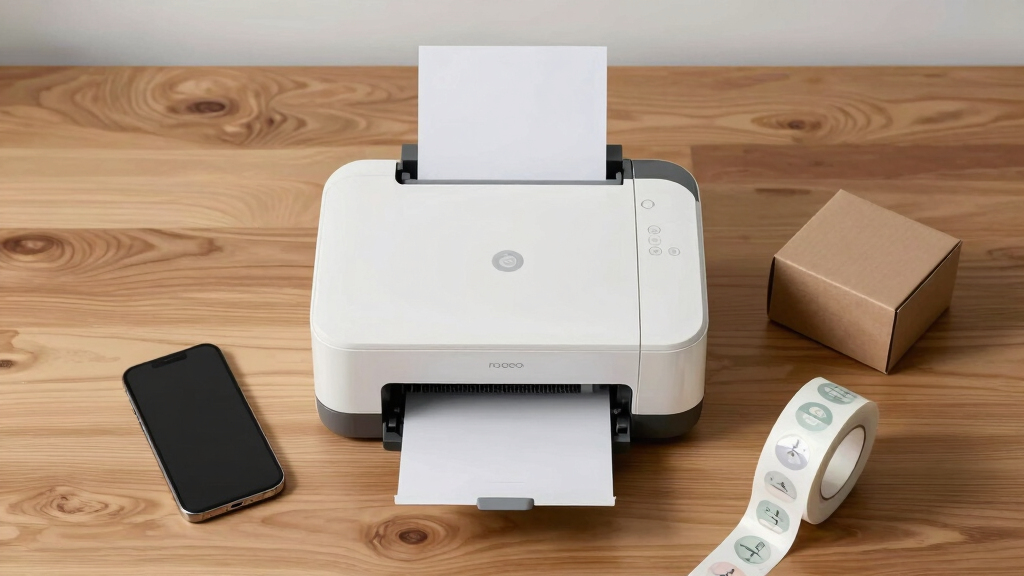

Choosing the best desktop label printer for scaling online stores involves balancing speed, connectivity, and cost. The Brother QL-820NWB stands out as the overall top pick, thanks to its versatile connectivity and reliable performance. For budget-conscious sellers, the Rollo USB Shipping Label Printer offers fast printing at a lower price point, while the Brother QL-1110NWB provides wide-format labels for larger shipping needs. Buyers often face tradeoffs between speed, ease of use, and upfront costs—this guide breaks down the top options to help you find the best fit. Continue reading for detailed insights into each product’s strengths and weaknesses.

Get smart everyday buys delivered free with Prime
- Fast, free delivery on millions of items
- Prime Video, Amazon Music and more included
- Member-only deals all year
Key Takeaways
- The top printers balance fast, reliable printing with seamless connectivity options like Bluetooth and Wi-Fi.
- Price varies significantly, with premium models offering wider formats and higher speeds, but lower-cost options still deliver solid core functions.
- Ease of setup and use is a common differentiator, especially for small businesses without dedicated IT support.
- Compatibility with major shipping platforms like USPS, FedEx, and Shopify influences long-term value and convenience.
- Tradeoffs often involve speed versus cost, with premium models offering faster output but at higher prices.
| Brother QL-820NWB Professional Monochrome Label Printer with Multiple Connectivity |  | Best Overall for Versatile Connectivity and Speed | Connectivity: Bluetooth, Ethernet, Wi-Fi (802.11B/g/N), USB | Print Speed: 110 labels per minute | Maximum Label Length: 3 feet | VIEW LATEST PRICE | See Our Full Breakdown |
| Thermal Shipping Label Printer 4×6 Bluetooth Label Maker for Small Business |  | Best for Wireless High-Resolution Thermal Printing | Resolution: 203 DPI | Print Speed: 72 labels per minute | Supported Label Sizes: 1.57″ to 4.3″ | VIEW LATEST PRICE | See Our Full Breakdown |
| MUNBYN Bluetooth Thermal Label Printer, Wireless 4×6 Shipping Label Printer |  | Best for Multi-Platform Compatibility and Customization | Compatibility: iOS, Android, Windows | Supported Label Sizes: 1.57″ to 4.3″ | Resolution: 203 DPI | VIEW LATEST PRICE | See Our Full Breakdown |
| Rollo USB Shipping Label Printer – Commercial Grade 4×6 Thermal Printer |  | Best for High-Speed, Cost-Efficient Shipping Labels | Print Speed: 150mm/s | Resolution: 203 DPI | Supported Media Size: 4″ x 6″ | VIEW LATEST PRICE | See Our Full Breakdown |
| Westinghouse Thermal Shipping Label Printer USB, 4×6 Label, Commercial Grade |  | Best for Reliable, Multi-Platform Shipping with USB | Printer Type: Thermal | Print Size: 4 x 6 inches | Print Speed: 6 inches per second | VIEW LATEST PRICE | See Our Full Breakdown |
| Brother QL-800 High-Speed Professional Label Printer |  | Best Overall for High-Volume Professional Labeling | Print Speed: 93 labels per minute | Resolution: 300 dpi | Color Printing: Black & Red | VIEW LATEST PRICE | See Our Full Breakdown |
| Brother QL-1110NWB Wide Format Postage and Barcode Thermal Label Printer |  | Best for Wireless, Wide-Format Shipping Labels | Maximum Label Width: 4 inches | Maximum Label Length: 9.8 feet | Connectivity: Bluetooth, Ethernet, Wi-Fi | VIEW LATEST PRICE | See Our Full Breakdown |
| Brother QL-600 Desktop Monochrome Label Printer Bundle with 3 Rolls of DK Label Tapes |  | Best for Small-Scale or Office Labeling with Bundled Supplies | Label Width: up to 2.4 inches | Print Speed: 44 labels per minute | Label Length: up to 3 feet (banner) | VIEW LATEST PRICE | See Our Full Breakdown |
| JADENS Bluetooth Thermal Shipping Label Printer, Wireless 4×6 Label Printer |  | Best for Wireless, Compact Shipping Labels | Print Resolution: 203 DPI | Label Width Range: 1.57″ to 4.1″ | Connectivity: Bluetooth, USB | VIEW LATEST PRICE | See Our Full Breakdown |
| Brother P-Touch PT-D610BT Business Professional Connected Label Maker with Bluetooth |  | Best for Customization and Extensive Label Design | Connectivity: Bluetooth, USB | Fonts: 17 | Styles: 17 | VIEW LATEST PRICE | See Our Full Breakdown |
| Nelko Bluetooth Thermal Shipping Label Printer, 4×6 |  | Best for Wireless Flexibility and Small Spaces | Printer Type: Thermal | Print Resolution: 203 x 203 DPI | Maximum Print Speed: 72 pages per minute | VIEW LATEST PRICE | See Our Full Breakdown |
| Brother PT-P900WC Industrial Desktop Label Printer Wi-Fi |  | Best for Advanced Customization and Larger Labels | Label Sizes: 3.5mm to 36mm | Connectivity: Wi-Fi, PC, optional Bluetooth | Cutting Mechanism: Half-cut automatic cutter | VIEW LATEST PRICE | See Our Full Breakdown |
| DYMO LabelWriter 450 Direct Thermal Label Printer |  | Best for Small-Scale, Cost-Effective Labeling | Printer Type: Thermal | Output Type: Monochrome | Item Weight: 2.2 pounds | VIEW LATEST PRICE | See Our Full Breakdown |
| desktop label printers for scaling online store | Connectivity |
|---|---|
| Brother QL-820NWB Professional | Bluetooth, Ethernet, Wi-Fi (802.11B/g/N), USB |
| Thermal Shipping Label Printer | Bluetooth & USB |
| MUNBYN Bluetooth Thermal Label | Bluetooth, USB |
| Rollo USB Shipping Label Print | USB |
| Westinghouse Thermal Shipping | USB |
| Brother QL-800 High-Speed Prof | USB, Windows and Mac compatible |
| Brother QL-1110NWB Wide Format | Bluetooth, Ethernet, Wi-Fi |
| Brother QL-600 Desktop Monochr | USB |
| JADENS Bluetooth Thermal Shipp | Bluetooth, USB |
| Brother P-Touch PT-D610BT Busi | Bluetooth, USB |
| Nelko Bluetooth Thermal Shippi | Bluetooth, USB |
| Brother PT-P900WC Industrial D | Wi-Fi, PC, optional Bluetooth |
| DYMO LabelWriter 450 Direct Th | — |
More Details on Our Top Picks
Brother QL-820NWB Professional Monochrome Label Printer with Multiple Connectivity
The Brother QL-820NWB stands out as the best choice for scaling online stores that require flexible connectivity options and rapid throughput. Its multiple connection methods—Bluetooth, Ethernet, Wi-Fi, and USB—make it adaptable to various setups, surpassing models like the Rollo USB which relies solely on USB. With a blazing speed of 110 labels per minute, it accelerates order fulfillment, though it’s limited to monochrome printing, which might be a drawback for brands needing color labels. The LCD screen enables standalone operation, reducing dependence on a computer, but it doesn’t support mobile app printing, unlike some Bluetooth-only alternatives. This pick is ideal for busy warehouses or storefronts prioritizing speed and network versatility, but those needing colorful labels or mobile printing should consider other options.
Pros:- Multiple connectivity options for flexible setup
- High print speed of 110 labels per minute
- Supports long labels up to 3 feet
Cons:- Limited to monochrome printing; no color support
- No mention of dedicated mobile app compatibility
- Requires specific label supplies (DK 2251)
Best for: Ecommerce businesses that need fast, reliable, multi-device printing with a focus on monochrome labels.
Not ideal for: Stores requiring color labels or mobile app integration, as this model supports only monochrome printing and has limited mobile features.
- Connectivity:Bluetooth, Ethernet, Wi-Fi (802.11B/g/N), USB
- Print Speed:110 labels per minute
- Maximum Label Length:3 feet
- Display:Monochrome LCD
Our verdict“This printer is best suited for high-volume online stores that prioritize speed and connectivity over color printing.”
Thermal Shipping Label Printer 4×6 Bluetooth Label Maker for Small Business
The Thermal Shipping Label Printer 4×6 stands out for its high-resolution, ink-free thermal printing, making it a reliable choice for small online stores needing crisp, professional labels. Its Bluetooth and USB connectivity offer wireless convenience, unlike the Rollo USB which is wired-only, but it only prints in black & white, limiting visual options for branded packaging. The ability to handle label sizes from 1.57″ to 4.3″ makes it flexible for different shipping needs, though it relies heavily on app-based customization, which might add setup complexity. This model is perfect for stores that prioritize image clarity and wireless operation but are okay with monochrome labels and limited size flexibility.
Pros:- High-resolution printing with sharp labels
- Wireless Bluetooth connectivity for convenience
- Supports a variety of label sizes (1.57″ to 4.3″)
Cons:- Prints only in black & white
- Dependent on app for full functionality
- Limited label size flexibility compared to larger models
Best for: Small online sellers seeking high-quality thermal labels with wireless setup and customizable templates.
Not ideal for: Businesses needing color labels or more extensive label size options, as it supports only black & white printing and limited widths.
- Resolution:203 DPI
- Print Speed:72 labels per minute
- Supported Label Sizes:1.57″ to 4.3″
- Connectivity:Bluetooth & USB
Our verdict“Ideal for small operations that need crisp thermal labels with wireless ease, but not for those requiring color or larger labels.”
MUNBYN Bluetooth Thermal Label Printer, Wireless 4×6 Shipping Label Printer
The MUNBYN Bluetooth Thermal Label Printer offers excellent versatility with compatibility across iOS, Android, and Windows, making it suitable for entrepreneurs who need flexible device support. Its support for a wide range of label sizes, including customizable templates, surpasses the more rigid specifications of the Rollo or Brother QL-820NWB, and it includes multi-language options for broader accessibility. The wireless and USB options provide a flexible setup, but it’s not compatible with UPS thermal paper, which could limit use cases. Easy setup via mobile app and web editor makes it a strong choice for growing online stores that value customization and multi-device use.
Pros:- Wireless Bluetooth and USB connectivity
- Supports a wide range of label sizes with templates
- Compatible with major shipping platforms and marketplaces
Cons:- May not be compatible with UPS thermal paper
- Limited color support—only monochrome
- Some setup complexity for new users
Best for: Entrepreneurs and small businesses needing multi-platform support with customizable templates and wireless flexibility.
Not ideal for: Stores requiring compatibility with UPS thermal paper or expecting color labels, as it supports only monochrome and has some media restrictions.
- Compatibility:iOS, Android, Windows
- Supported Label Sizes:1.57″ to 4.3″
- Resolution:203 DPI
- Connectivity:Bluetooth, USB
Our verdict“This printer is best for online sellers seeking flexible device support and customization options, with a focus on multi-platform compatibility.”
Rollo USB Shipping Label Printer – Commercial Grade 4×6 Thermal Printer
The Rollo USB excels in high-speed printing, making it a favorite for online stores with large order volumes. Its 150mm/s speed allows printing one 4×6 label per second, outperforming many competitors like the Westinghouse in raw speed, though it trades off some connectivity versatility as it relies solely on USB. Its compatibility with nearly all major ecommerce platforms and support for various media types make it a flexible choice for daily shipping needs. However, the need for driver setup and absence of Bluetooth or Wi-Fi limits its mobility, which could be a drawback for stores that want wireless operation on the go. It’s ideal for high-volume, cost-conscious sellers focused on speed and broad platform support.
Pros:- High print speed of 150mm/s for efficiency
- Compatible with all major ecommerce platforms
- Supports a variety of media sizes and types
Cons:- Limited to USB connectivity; no wireless options
- Requires driver installation and setup
- Cables sold separately
Best for: Large-scale online retailers seeking fast, reliable, and cost-effective label printing via USB connection.
Not ideal for: Stores that require wireless printing or mobile setup, as it depends on wired connections and drivers.
- Print Speed:150mm/s
- Resolution:203 DPI
- Supported Media Size:4″ x 6″
- Connectivity:USB
Our verdict“Perfect for high-volume shippers prioritizing speed and platform compatibility over wireless convenience.”
Westinghouse Thermal Shipping Label Printer USB, 4×6 Label, Commercial Grade
The Westinghouse Thermal Shipping Label Printer offers a solid balance of reliability and compatibility, supporting Windows, macOS, and Linux. Its USB connection ensures stable, high-speed printing of 4×6 labels, making it suitable for small to medium online stores. Unlike models like the MUNBYN, it doesn’t specify wireless capabilities, but its durable design and support for various media sizes make it a dependable workhorse. The need for driver setup and the absence of wireless features mean it’s less flexible for mobile or wireless environments, but it remains a strong choice for shops that prioritize consistent, high-quality labels across multiple operating systems.
Pros:- Reliable, high-speed USB connection
- Compatible with Windows, macOS, and Linux
- Supports various media sizes up to 4.6″
Cons:- No wireless connectivity options
- Driver setup required for first use
- Limited to USB connection only
Best for: Small to medium-sized online sellers needing consistent, reliable label printing across multiple platforms via USB.
Not ideal for: Stores looking for wireless or mobile printing solutions, as it relies solely on USB connection.
- Printer Type:Thermal
- Print Size:4 x 6 inches
- Print Speed:6 inches per second
- Connectivity:USB
Our verdict“Ideal for small to medium online stores that want dependable, multi-platform USB label printing without wireless features.”
Brother QL-800 High-Speed Professional Label Printer
The Brother QL-800 stands out as the top choice for scaling online stores that need rapid, high-quality labels. Its ability to print up to 93 labels per minute makes it ideal for busy operations, and its dual-color printing (black and red) adds a professional touch for branding or highlighting important information. Compared with the Brother QL-600, which is more suited for small-scale or home use, the QL-800 offers higher speed and color options at the expense of requiring specific DK labels and lacking wireless connectivity. This machine is best for businesses where speed and professional presentation are priorities, but it’s less suitable for those needing wireless or mobile printing. The auto-cutter ensures clean, professional labels without manual trimming, and compatibility with both Windows and Mac simplifies setup across different systems.
Pros:- Exceptional printing speed for high-volume needs
- Dual-color printing enhances label visibility and branding
- Compatible with multiple operating systems and label types
- Includes auto-cutter for professional finishing
Cons:- Requires specific Brother DK labels and tapes, limiting flexibility
- No wireless connectivity, tethering to USB
Best for: High-volume online retailers needing fast, professional-grade labels and consistent output
Not ideal for: Small businesses or home users who want wireless or mobile setup without dedicated label supplies
- Print Speed:93 labels per minute
- Resolution:300 dpi
- Color Printing:Black & Red
- Connectivity:USB, Windows and Mac compatible
- Label Compatibility:Brother DK pre-sized labels and continuous tapes up to 3 ft
Our verdict“This label printer is best suited for busy online stores that prioritize speed and professional presentation over wireless features.”
Brother QL-1110NWB Wide Format Postage and Barcode Thermal Label Printer
The Brother QL-1110NWB is tailored for online stores that require wide-format labels for shipping and barcode applications. Its ability to print up to 4 inches wide makes it more versatile than the Brother QL-600 or other compact models, especially for shipping labels that need barcode cropping or longer formats. Its wireless options—Bluetooth, Wi-Fi, and Ethernet—outperform the QL-600’s wired-only setup, making it suitable for flexible warehouse or office environments. However, some features, like complex setup and software requirements, might be challenging for users unfamiliar with network printers. While it doesn’t specify print speeds, its support for multiple file formats and network management tools make it a strong choice for scalable shipping operations that need reliable, wide-format labels.
Pros:- Prints wide-format labels up to 4 inches
- Wireless connectivity for flexible placement and mobile printing
- Supports barcode cropping and label templates
- Compatible with multiple operating systems and network management tools
Cons:- Some advanced features require Windows-only software
- Setup complexity may be high for less tech-savvy users
- Print speed details are not specified
Best for: Small to medium-sized online stores that need wireless, wide-format shipping labels and barcode flexibility
Not ideal for: Solo entrepreneurs or those with minimal shipping needs who prefer simple, straightforward printers without network features
- Maximum Label Width:4 inches
- Maximum Label Length:9.8 feet
- Connectivity:Bluetooth, Ethernet, Wi-Fi
- Supported OS:Windows Vista/7/8/8.1/10, Mac OS X 10.11-10.13
- Supported File Formats:CSV, TXT, MDB, XLS, SQL
Our verdict“Ideal for growing online stores that need flexible, wireless, wide-format shipping labels with barcode support.”
Brother QL-600 Desktop Monochrome Label Printer Bundle with 3 Rolls of DK Label Tapes
The Brother QL-600 offers a compact, high-resolution, monochrome solution for small online store operations or office labeling. Its ability to print labels up to 2.4 inches wide, at speeds of 44 labels per minute, makes it suitable for organizing inventory or packaging labels. The included bundle of three DK-2205 tapes provides ready-to-use supplies, making it cost-effective. However, compared with the QL-800 or QL-1110NWB, it lacks color options and wireless connectivity, limiting flexibility in busy or mobile environments. Its reliance on a direct USB connection means it’s less adaptable for remote or multi-device setups, but for straightforward, small-scale labeling, it’s a dependable choice with high-quality output.
Pros:- High-resolution monochrome printing for clear labels
- Fast speed for small batches
- Includes three rolls of durable DK label tapes
- Automatic cutter for banners and continuous labels
Cons:- Limited to monochrome printing, reducing visual impact
- No wireless or mobile printing options
- Requires connection to a computer, reducing flexibility
Best for: Small online stores or home-based entrepreneurs needing reliable monochrome labels and bundled supplies
Not ideal for: Businesses requiring color or wireless printing capabilities for larger or more dynamic workflows
- Label Width:up to 2.4 inches
- Print Speed:44 labels per minute
- Label Length:up to 3 feet (banner)
- Included Tapes:3 rolls of DK-2205
- Connectivity:USB
Our verdict“This bundle suits small-scale online sellers or offices seeking dependable monochrome labels without wireless features.”
JADENS Bluetooth Thermal Shipping Label Printer, Wireless 4×6 Label Printer
The JADENS Bluetooth Thermal Shipping Label Printer is designed for online stores that need reliable, ink-free shipping labels. Its high-tech Japanese print head delivers crisp 4×6 labels at 203 DPI, comparable to Rollo or MUNBYN models but with added wireless Bluetooth capability. Compared to the Brother QL-1110NWB, this printer offers a more straightforward, compact design that fits neatly into small workspaces. While it excels at printing standard shipping labels without ink or toner, calibration before each label size change can be a minor hassle, and Bluetooth printing on iOS/Android phones requires the app. Its versatility with USB and Bluetooth makes it suitable for small warehouses or home-based sellers who prioritize simplicity and cost-effective, high-quality label output.
Pros:- High-quality thermal printing with no ink or toner needed
- Wireless Bluetooth and USB connectivity for versatile use
- Compact and easy to set up
- Produces clear, consistent 4×6 shipping labels
Cons:- Bluetooth printing on iOS and Android phones requires the app, adding complexity
- Calibration needed when changing label sizes
- Limited to labels up to 4.1 inches wide
Best for: Small online stores or home-based shippers needing compact, wireless 4×6 labels for shipping and warehouse labels
Not ideal for: Larger businesses or those requiring frequent label size changes without calibration, or advanced connectivity options
- Print Resolution:203 DPI
- Label Width Range:1.57″ to 4.1″
- Connectivity:Bluetooth, USB
- Compatibility:Windows 8+, Mac OS 10.9+, Android & iOS (via app)
Our verdict“This printer is ideal for small online sellers needing reliable, wireless shipping labels in a compact form factor.”
Brother P-Touch PT-D610BT Business Professional Connected Label Maker with Bluetooth
The Brother P-Touch PT-D610BT offers a high level of customization for online store owners who want personalized, professional-looking labels. Its extensive library of fonts, styles, frames, and symbols—plus a large color LCD—makes it ideal for creating branding labels, product tags, or organizational labels. Compared to simpler models like the QL-600, this device provides more design options and a larger preview screen, but it is more complex and overkill for basic labeling needs. It supports Bluetooth and USB, making it flexible for printing from computers and mobile devices, although the learning curve may be steep for casual users. It’s best for those who value detailed customization over straightforward, quick-label printing.
Pros:- Extensive library of fonts, styles, and symbols
- Large color LCD for easy label preview
- Wireless and USB connectivity for flexible printing
- Built-in memory and pre-loaded templates for efficiency
Cons:- More complex setup and operation for casual users
- Limited to 1-inch wide labels, restricting size options
- Requires compatible software for full features
Best for: Medium to large online stores requiring branded, detailed labels with extensive design options
Not ideal for: Casual sellers or small operations that need quick, simple labels without extensive customization
- Connectivity:Bluetooth, USB
- Fonts:17
- Styles:17
- Frames:160
- Symbols:900
- Label Width:up to 1 inch
Our verdict“This device fits online stores that need detailed, branded labels and are willing to handle a learning curve for customization.”
Nelko Bluetooth Thermal Shipping Label Printer, 4×6
The Nelko Bluetooth Thermal Shipping Label Printer stands out for its wireless versatility and compact design, making it ideal for small businesses that need quick, on-the-go label printing. Unlike the Brother PT-P900WC, which supports a wider range of label sizes and more complex design features, Nelko focuses on straightforward shipping labels with a high-speed output of 72 labels per minute. However, its reliance on an app for Bluetooth connections can be a hassle for users seeking seamless pairing, and it only supports monochrome printing, limiting customization. Still, its no-ink thermal technology and dual connectivity options make it a cost-effective, space-saving choice for those prioritizing quick, wireless label printing without sophisticated design needs.
Pros:- Wireless Bluetooth and USB connectivity for flexible setup
- High-speed printing up to 72 labels per minute
- No ink or toner needed, reducing ongoing costs
- Compact size fits small workspaces
Cons:- Requires an app for Bluetooth connection, which might be inconvenient
- Limited to monochrome printing, restricting label design options
Best for: Small online store owners who need a compact, wireless printer for shipping labels in limited space.
Not ideal for: Large warehouses requiring advanced label customization and bulk printing capabilities, where the Brother PT-P900WC is better suited.
- Printer Type:Thermal
- Print Resolution:203 x 203 DPI
- Maximum Print Speed:72 pages per minute
- Supported Label Sizes:1.54″ to 4.1″ width
- Connectivity:Bluetooth, USB
- Item Weight:1.4 kg
Our verdict“This printer is best for small-scale shipping needs where wireless convenience and space-saving design are priorities.”
Brother PT-P900WC Industrial Desktop Label Printer Wi-Fi
The Brother PT-P900WC is designed for users who need versatility and professional-grade labeling, supporting a wide range of label sizes and sophisticated design options. Compared to the Nelko, which is simple and fast, the PT-P900WC offers more customization, barcode, and QR code capabilities, making it ideal for detailed product or shipping labels. Its support for multiple software options and optional accessories like a lithium-ion battery provide flexibility, but this added complexity can be overwhelming for casual users or small operations seeking straightforward printing. Still, for businesses requiring high-quality, diverse labels and wireless connectivity, this model delivers a comprehensive solution, albeit at the cost of a steeper learning curve.
Pros:- Supports a wide range of label sizes and easy-peel strips
- Wireless connectivity for flexible placement
- Compatible with multiple design and database software
- Supports barcode and QR code creation
Cons:- Requires optional accessories for full functionality
- More complex setup may be intimidating for casual users
Best for: Medium to large online stores that need customizable, professional labels with flexible design options.
Not ideal for: Small businesses or hobbyists who prefer simple, plug-and-play solutions without the need for advanced software setup.
- Label Sizes:3.5mm to 36mm
- Connectivity:Wi-Fi, PC, optional Bluetooth
- Cutting Mechanism:Half-cut automatic cutter
- Software Compatibility:P-touch Editor, Pro Label Tool, Transfer Express, iPrint&Label
- Optional Accessories:Li-ion battery, Bluetooth
Our verdict“This printer is ideal for scaling online stores that demand professional, customizable labels and are prepared for a more involved setup process.”
DYMO LabelWriter 450 Direct Thermal Label Printer
The DYMO LabelWriter 450 is a compact, reliable choice for small businesses that focus on mailing, filing, and basic labeling tasks. Its direct thermal printing eliminates the need for ink or toner, similar to the Nelko, but with a slightly lower maximum speed of 51 labels per minute—still sufficient for moderate daily volume. Compared to the Brother PT-P900WC, it offers less customization but excels in simplicity and speed for straightforward labeling. Its compatibility with popular software makes it a practical choice for those who need quick, clean labels without fuss. However, its monochrome limitation and dependency on Dymo labels may be drawbacks for users seeking more advanced or colorful labels.
Pros:- No ink or toner costs with direct thermal printing
- Fast printing speeds up to 51 labels per minute
- Compatible with many popular software platforms
- Compact and lightweight design
Cons:- Limited to monochrome labels, reducing design versatility
- Requires authentic Dymo labels for best results
Best for: Small online businesses or home offices requiring fast, reliable, and affordable label printing for mailing and filing.
Not ideal for: Growing stores needing highly customizable or multi-sized labels, where the Brother PT-P900WC offers more options.
- Printer Type:Thermal
- Output Type:Monochrome
- Item Weight:2.2 pounds
- Item Dimensions:4.87 x 7.25 x 5.75 inches
- Maximum Copy Speed:51 pages per minute
- Compatible Devices:PC, Mac
Our verdict“This model suits small-scale printing needs where speed, simplicity, and cost savings are key priorities.”

How We Picked
These products were evaluated based on key factors including printing speed, connectivity options, build quality, and overall value for scaling online stores. We prioritized models that support high-volume printing with minimal maintenance and easy integration into existing workflows. Cost-effectiveness was also a major consideration, especially for growing businesses that need reliable performance without overspending. The ranking reflects a balance between professional-grade features and accessibility for a range of budget levels, ensuring that each product serves a specific buyer need effectively.Factors to Consider When Choosing Best Desktop Label Printers For Scaling Online Stores
When selecting a desktop label printer for a scaling online store, several factors should influence your decision. Speed is critical for handling large volumes efficiently, but not at the expense of connectivity options that keep your workflow smooth. Compatibility with shipping platforms and label sizes can reduce setup headaches and future-proof your investment. Ease of use, maintenance requirements, and upfront costs are also vital considerations to avoid bottlenecks as your business grows. This guide explores the key aspects to help you make an informed choice.Print Speed and Volume Capacity
For scaling online stores, the ability to print labels quickly and handle high volumes without delays is essential. Look for printers with higher pages per minute (PPM) ratings and the capacity to load multiple labels at once. Faster printers reduce bottlenecks during busy periods, especially during peak shipping seasons. However, extremely high speeds may come with higher costs or increased maintenance, so balance speed with your typical order volume and budget.
Connectivity and Compatibility
Wireless options like Bluetooth and Wi-Fi are vital for seamless integration into your existing workflow, particularly if you move between workstations or need to print from mobile devices. Compatibility with major e-commerce platforms and shipping carriers ensures smooth label generation without manual adjustments. A printer with multiple connectivity options offers redundancy, so if one connection fails, others are available, reducing downtime.
Label Size and Format Flexibility
Different online stores and shipping carriers require various label sizes, with 4×6 inches being most common for shipping labels. Some printers support wider formats or additional label types, which can be beneficial for large packages or specialty shipping. Choosing a model with flexible label support prevents future limitations and minimizes the need for additional hardware upgrades. However, more versatile printers may come at a higher initial cost or complexity.
Ease of Use and Maintenance
As your business scales, ease of setup and ongoing maintenance become increasingly important. Look for printers with straightforward installation, clear user interfaces, and minimal consumable replacements. Automated cleaning features or long-lasting label rolls reduce downtime. Overly complex machines can slow your operations and increase support costs, so prioritize models praised for reliability and user-friendly design.
Price and Long-term Value
Balancing initial investment with long-term operational costs is key. Cheaper models may save money upfront but could lack durability or speed, leading to higher costs over time. Premium models often deliver faster printing, wider formats, and better build quality, which might justify their higher prices for high-volume sellers. Consider total cost of ownership, including consumables, maintenance, and potential upgrades, to choose a printer that offers the best value for your business size and growth trajectory.
Frequently Asked Questions
Can I use a regular desktop printer for shipping labels?
While a standard desktop inkjet or laser printer can print labels, they are generally not optimized for high-volume shipping label printing. Specialized label printers like those in this list are designed for thermal printing, which is faster, more cost-effective, and produces more durable labels. Using a regular printer may work for occasional use but could lead to slower throughput, higher ongoing costs, and less durable labels that are prone to smudging or fading.
What connectivity options should I prioritize for a growing online store?
Prioritizing wireless connectivity options like Bluetooth and Wi-Fi is advisable for flexibility and ease of integration, especially if you work across multiple stations or need mobile printing. USB connections are reliable but less convenient for dynamic workflows. A printer with multiple connectivity options offers redundancy and ensures you can switch between different devices or platforms without hassle, which is vital for scaling operations.
Are wide-format label printers necessary for small businesses?
For most small to medium online stores, standard 4×6-inch labels are sufficient, making narrower printers more appropriate. Wide-format printers are better suited for larger packages or specialty shipping needs, such as pallet labels or custom barcodes. Investing in wide-format models only makes sense if your shipping volume includes a significant portion of large or irregularly shaped labels, otherwise, they may add unnecessary complexity and cost.
How often will I need to replace consumables like labels and ribbons?
Thermal label printers typically use self-adhesive labels, which are relatively inexpensive and last longer without fading. The frequency of replacement depends on your order volume; high-volume sellers might need to refill daily, while smaller stores may only do so weekly. Choosing a model with large label rolls or easy refill mechanisms can reduce downtime and operational hassle, especially during busy periods.
Is it worth investing in a premium label printer for my online store?
If your store is experiencing rapid growth with a high volume of shipments, investing in a premium label printer can significantly improve efficiency and reduce labor costs. Faster print speeds, wider label support, and better build quality translate into smoother operations and fewer breakdowns. However, for smaller or emerging sellers, a mid-range or budget model may be sufficient until your volume justifies a higher investment.
Conclusion
For the most comprehensive solution, the Brother QL-820NWB offers a robust combination of speed, connectivity, and ease of use, making it ideal for scaling online businesses of all sizes. Budget-conscious sellers will find the Rollo USB Shipping Label Printer delivers excellent value with fast, reliable thermal printing. Those seeking premium features or wider label formats should consider the Brother QL-1110NWB or Brother PT-P900WC, especially if handling larger or more complex shipments. Beginners or small startups should prioritize models with simple setup and low maintenance, while larger operations may benefit from investing in faster, feature-rich options for maximum efficiency.
Fall Picks
fall essentials
As an affiliate, we earn on qualifying purchases.