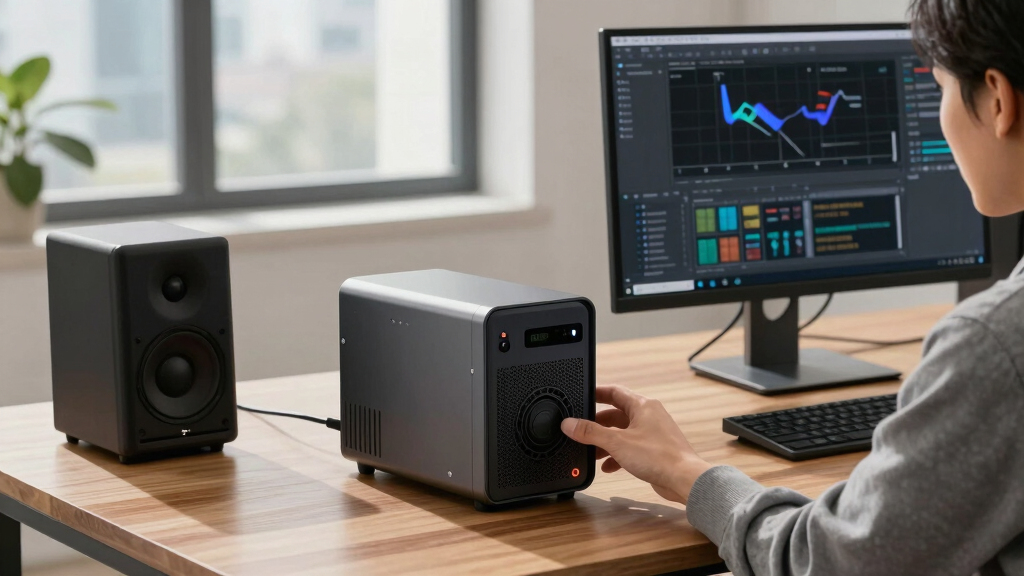
Choosing the best UPS system for editing workstations involves balancing power capacity, reliability, and ease of use. The CyberPower CP1500AVRLCD3 stands out as the overall top pick thanks to its robust power output and intuitive LCD interface. For those seeking a compact, budget-friendly option, the CyberPower AVRG750U offers reliable surge protection in a smaller size. Meanwhile, creators with high power demands will appreciate the CyberPower OR2200PFCRT2U for its large capacity and advanced sinewave output. The main tradeoffs in this category often revolve around size, price, and feature complexity. Keep reading for a detailed breakdown of these options and how to choose the best UPS for your editing setup.

Get smart everyday buys delivered free with Prime
- Fast, free delivery on millions of items
- Prime Video, Amazon Music and more included
- Member-only deals all year
Key Takeaways
- Large capacity UPS systems like the OR2200PFCRT2U are ideal for heavy editing workloads but come at a higher cost and size.
- Features such as LCD displays and multiple outlets improve usability, especially for complex editing setups.
- Compact models like the AVRG750U offer good value but may lack the power headroom needed for high-end workstations.
- Sinewave output is critical for sensitive editing equipment, making PFC models a better long-term investment.
- Budget options can protect against surges but might not provide enough runtime during power outages for extended editing sessions.


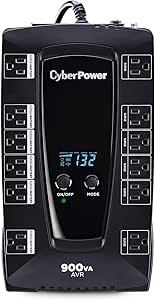


More Details on Our Top Picks
CyberPower SL700U Standby UPS Battery Backup and Surge Protector, 700VA/370W, 8 Outlets, Slim Profile, UL Certified
This UPS stands out for its slim profile and ease of installation, making it ideal for discreet setups where space is limited, especially compared to larger models like the CyberPower CP1500AVRLCD3. Its simulated sine wave output provides sufficient protection for home computers, gaming consoles, and routers. The 8 outlets, including five with battery backup, cover essential devices, and the two USB charging ports add convenience. While its 2-minute runtime may limit extended outages, this tradeoff favors its compactness and efficiency. The unit’s GreenPower UPS design reduces power consumption, which benefits energy-conscious users. Compared to bulkier models, it’s less suited for high-demand editing workstations requiring longer backup times or higher wattage capacity. This pick makes the most sense for users with lighter equipment loads or limited space, who prioritize simplicity and reliability.
Pros:- Slim, space-saving profile suitable for discreet installations
- UL Certified surge and backup protection
- Two USB charging ports for mobile device power
Cons:- Limited runtime of around 2 minutes during outages
- Only 700VA capacity may be insufficient for high-demand editing setups
- Simulated sine wave output not ideal for very sensitive audio or professional editing hardware
Best for: Home users with limited space and moderate backup needs for computers, networking, and entertainment devices.
Not ideal for: Professional editors with high-power workstations or those needing extended runtime for critical editing projects.
- Voltage:120 Volts
- Maximum Power:370 Watts
- Outlets:8
- Runtime:about 2 minutes
- Battery Type:Lead Acid
- Form Factor:Slim Profile
Bottom line: This UPS is best for users who need compact, reliable backup for low-to-moderate power devices in space-constrained environments.
CyberPower CP1500AVRLCD3 Intelligent LCD UPS System, 1500VA/900W, 12 Outlets, 2 USB Ports, AVR, Mini Tower, Black
This model makes the list for its high capacity and advanced features, surpassing smaller units like the CyberPower SL700U in runtime and wattage, ideal for editing workstations. Its 1500VA/900W power rating supports multiple high-end devices, with 12 outlets—including six with battery backup—and a multifunction color LCD panel that displays detailed real-time info on power and battery status. The inclusion of Automatic Voltage Regulation (AVR) extends battery life by stabilizing minor fluctuations without switching to backup, a key advantage over simpler models. Its three-year warranty and $500,000 connected equipment guarantee add peace of mind. Compared to the CyberPower AVRG750U, it offers longer runtime but at a higher price point. It is best suited for professionals needing dependable power for editing, rendering, and multiple peripherals, but less ideal for those with limited space or lower power needs.
Pros:- Supports high wattage and multiple devices simultaneously
- Color LCD for detailed real-time monitoring
- Automatic Voltage Regulation extends battery life
Cons:- Higher cost compared to simpler models like the SL700U
- Larger size may not fit in tight spaces
- Runtime of about 3 minutes at full load may be limiting during outages
Best for: Professional editors and power users with high-demand workstations and multiple connected devices.
Not ideal for: Budget-conscious users or those with minimal equipment who do not need extended runtime or high wattage support.
- Voltage:120 Volts
- Maximum Power:900 Watts
- Outlets:12
- Runtime:about 3 minutes at full load
- Battery Type:Sealed Lead Acid
- Display:Color LCD
Bottom line: This UPS is ideal for professionals requiring robust, feature-rich power protection for high-end editing and workstation setups.
CyberPower AVRG750U AVR UPS System, 750VA/450W, 12 Outlets, Compact
This UPS offers a compact design with line-interactive topology, making it suitable for users who need basic protection without the bulk of larger models like the CyberPower CP1500AVRLCD3. Its 750VA/450W capacity provides enough backup for smaller editing setups or essential peripherals, with 12 outlets—half battery-backed—and Automatic Voltage Regulation (AVR) to stabilize minor power fluctuations. Its 3-year warranty and $150,000 connected equipment guarantee make it a cost-effective choice for home offices or small studios. However, its lower wattage and short runtime of approximately 2 minutes mean it isn’t suitable for high-power editing workstations or prolonged outages. It’s best for those who want reliable, affordable protection for light to moderate equipment but not heavy editing rigs.
Pros:- Compact, lightweight design
- Affordable price point
- Line-interactive topology with AVR for stability
Cons:- Limited to 450W capacity, insufficient for high-demand setups
- Short runtime of about 2 minutes at full load
- Not suitable for sensitive or professional-grade editing hardware
Best for: Home-based editors with modest equipment loads and limited space requirements.
Not ideal for: High-end or professional editing workstations requiring longer backup times or higher wattage support.
- Voltage:120 Volts
- Maximum Power:450 Watts
- Outlets:12
- Runtime:about 2 minutes
- Battery Type:Lead Acid
- Form Factor:Mini Tower
Bottom line: This UPS is a good choice for budget-conscious users with small, low-power editing setups needing basic surge and power protection.
CyberPower PR1500LCD Smart App Sinewave UPS System, 1500VA/1500W, 8 Outlets, AVR, Mini-Tower
This model earns its spot for supporting active PFC power supplies and high wattage, making it the ideal choice for editing workstations and servers that demand clean, sine wave power. Its 1500VA/1500W capacity and 8 outlets—including battery backup and surge protection—allow for backup of multiple high-power devices. The multifunction LCD panel provides detailed real-time info, giving users insight into battery health and power conditions. The AVR feature stabilizes power without switching to battery, which extends battery life during minor fluctuations. Its 3-year warranty and $375,000 connected equipment guarantee add reliability. Although its rackmount option makes it less suitable for small spaces, for editing or server environments with active PFC supplies, this is a top-tier choice. It’s less ideal for lightweight setups or where space is limited.
Pros:- Supports active PFC power supplies with sine wave output
- Large capacity for multiple high-demand devices
- Removable, relocatable LCD panel for flexible placement
Cons:- Rackmount design limits use in small spaces
- Higher cost compared to simpler models
- Short runtime (~3 minutes at full load) for extended outages
Best for: Professional editing stations and server environments needing pure sine wave power and real-time monitoring.
Not ideal for: Casual or home users with minimal equipment and space constraints.
- Voltage:120 Volts
- Maximum Power:1500 Watts
- Outlets:8
- Runtime:about 3 minutes at full load
- Battery Type:Sealed Lead Acid
- Display:Color LCD
Bottom line: This UPS is perfect for critical editing and server setups that require stable, noise-free sine wave power and advanced monitoring.
CyberPower CP1500PFCRM2U PFC Sinewave UPS Battery Backup and Surge Protector, 1500VA/1000W, 8 Outlets, AVR, Short Depth 2U Rackmount, UL Certified
This UPS excels in short-depth rackmount applications, offering robust power protection with sine wave output suitable for active PFC power supplies, making it a top choice for professional editing environments with space constraints. Its 1500VA/1000W capacity supports high-power workstations and networking gear, with 8 outlets—half with battery backup—and a multifunction LCD panel for real-time status updates. The AVR ensures stable power during minor fluctuations, reducing wear on connected equipment. Its 2U rackmount form factor and 10.5-inch depth make it perfect for short-depth racks, unlike bulkier models like the CyberPower CP1500AVRLCD3. The 3-year warranty and $500,000 connected equipment guarantee reinforce its reliability. It’s less suited for very high-demand editing rigs requiring longer backup times, but ideal where space is limited.
Pros:- Short 10.5-inch depth fits in tight rack spaces
- Supports active PFC supplies with sine wave output
- Color LCD for detailed real-time info
Cons:- Limited to 1000W, not suitable for the highest power setups
- Runtime is approximately 3 minutes at full load
- Rackmount installation required, less flexible for home use
Best for: Professionals with space-restricted rack environments needing reliable sine wave power for editing workstations.
Not ideal for: Heavy editing setups with large power demands or users needing prolonged backup durations.
- Voltage:120 Volts
- Maximum Power:1000 Watts
- Outlets:8
- Runtime:about 3 minutes at full load
- Battery Type:Sealed Lead Acid
- Form Factor:2U Rackmount
Bottom line: This rackmount UPS is ideal for space-conscious professionals seeking reliable, sine wave power for demanding editing environments.
CyberPower AVRG900LCD Intelligent LCD UPS System, 900VA/480W, 12 Outlets, AVR, Compact
This CyberPower AVRG900LCD stands out for its combination of compact size and reliable power delivery, making it an ideal choice for editing workstations with limited space. Unlike the larger CyberPower OR2200PFCRT2U, it offers a more manageable footprint without sacrificing essential features like Automatic Voltage Regulation (AVR) and surge protection. Its simulated sine wave output ensures compatibility with most desktop components, though it lacks the pure sine wave that high-end systems or very sensitive equipment might require. Compared with the CP1500AVRLCD, this model provides slightly less wattage capacity but is more suited to compact setups. The main tradeoff involves a lower power reserve (480W vs. 900W), which limits it for very power-hungry editing stations. This pick makes the most sense for professionals needing reliable backup without the bulk.
Pros:- Compact and space-efficient design
- Reliable AVR and surge protection
- Includes a 3-year warranty with battery coverage
- Easy-to-read LCD for real-time monitoring
Cons:- Limited to 480W capacity, not suitable for high-power setups
- Simulated sine wave output may be less ideal for very sensitive equipment
- Relatively shorter runtime at full load
Best for: Small to medium editing workstations that prioritize space-saving design and reliable power backup.
Not ideal for: Enthusiasts with larger or high-power editing rigs that require more wattage and longer runtime, or those needing pure sine wave output.
- VA/Wattage:900VA/480W
- Outlets:12 (6 backup + surge, 6 surge only)
- Power Plug:NEMA 5-15R right angle
- Automatic Voltage Regulation:Yes
- Run Time:Approximately 3 minutes at full load
- Warranty:3 years including battery
Bottom line: This UPS is perfect for editing workstations that need dependable power in a small footprint, but not for high-wattage or highly sensitive systems.
CyberPower OR500LCDRM1U Smart App LCD UPS Battery Backup and Surge Protector, 500VA/300W, 6 Outlets, AVR, 1U Rackmount, UL Certified
This CyberPower OR500LCDRM1U is tailored for rackmount setups, offering a space-saving 1U form factor while still providing essential backup and surge protection. Compared to the AVRG900LCD, it offers less wattage (300W) but excels in fitting into tight racks, making it ideal for professional editing environments with limited space. Its line-interactive topology with AVR ensures stability during minor fluctuations, though it’s less suitable for power-hungry or highly sensitive high-end editing systems that demand pure sine wave output. Its 6 outlets are sufficient for a typical small editing setup, with remote management options requiring an additional card. The main tradeoff involves lower power capacity and runtime, which means it’s better for short-term backup and protection rather than extended power support.
Pros:- Compact 1U rackmount design
- Automatic Voltage Regulation for stability
- Includes a 3-year warranty with battery coverage
- Easy integration into rack setups
Cons:- Limited to 300W capacity, not suitable for high-power systems
- Shorter runtime at full load
- Requires optional remote management card for full control
Best for: Small professional editing stations in rackmount configurations seeking reliable power in a compact form.
Not ideal for: High-power editing workstations or those requiring extended runtime or pure sine wave output for sensitive equipment.
- VA/Wattage:500VA/300W
- Outlets:6
- Form Factor:1U Rackmount
- Automatic Voltage Regulation:Yes
- Runtime:About 3 minutes at full load
- Warranty:3 years including battery
Bottom line: Ideal for rack-mounted editing setups that need dependable short-term backup in a small footprint but not for high-wattage or highly sensitive equipment.
CyberPower CP1500PFCLCD PFC Sinewave UPS Battery Backup and Surge Protector, 1500VA/1000W, 12 Outlets, AVR, Mini Tower, UL Certified
This CyberPower CP1500PFCLCD makes a strong case for editing setups with high power demands and active PFC components, thanks to its 1500VA/1000W capacity and pure sine wave output. It’s a step up from the AVRG900LCD in wattage, offering more resilience for demanding editing stations, especially when paired with multiple monitors, external drives, and high-end workstations. Its multifunction LCD provides detailed real-time data, making it easier to manage complex setups. The AVR feature stabilizes power fluctuations, and the USB ports add convenience for charging devices. The main tradeoff is its larger size and higher cost, which might be overkill for smaller or less demanding editing configurations. It’s best suited for users who need robust, reliable backup for power-hungry editing systems.
Pros:- High wattage capacity (1000W)
- Pure sine wave output for sensitive equipment
- Detailed LCD display for real-time monitoring
- Includes 8 outlets and USB charging ports
Cons:- Larger footprint, less ideal for tight spaces
- Higher price point
- Heavier and less portable
Best for: Power-intensive editing workstations with multiple peripherals requiring stable, clean power and longer runtimes.
Not ideal for: Smaller or budget-conscious editing setups that do not require high wattage or pure sine wave output.
- VA/Wattage:1500VA/1000W
- Outlets:12
- Output Power:Pure sine wave
- Automatic Voltage Regulation:Yes
- Run Time:Approx. 4 minutes at full load
- Warranty:3 years including batteries
Bottom line: Best suited for professional editing stations with high power needs that require clean, stable power and longer backup times.
CyberPower OR2200PFCRT2U PFC Sinewave UPS Battery Backup and Surge Protector, 2000VA/1540W, 8 Outlets, AVR, 2U Rack/Tower, UL Certified
The CyberPower OR2200PFCRT2U offers the highest power capacity of this lineup, ideal for large editing setups with multiple high-end components. Its 2000VA/1540W output, combined with pure sine wave output, ensures clean, stable power suitable for sensitive, power-hungry equipment. The 8 outlets provide ample room for multiple monitors, external drives, and peripherals, while the LCD display offers comprehensive real-time data on load, runtime, and battery status. Its rack/tower flexibility makes it perfect for professional environments needing maximum uptime and reliability. The main tradeoff involves its size and weight, which might be less practical for smaller spaces or portable setups. It’s the best fit for editing environments where power stability and capacity are non-negotiable.
Pros:- High capacity (1540W)
- Pure sine wave output for sensitive gear
- 8 outlets with surge protection
- Comprehensive LCD for detailed monitoring
Cons:- Large and heavy, less portable
- Higher cost
- Overkill for small or moderate setups
Best for: Large editing suites or servers that require maximum power and clean sine wave output for multiple sensitive devices.
Not ideal for: Small or budget-conscious editing setups that do not need such high capacity, or for portable needs.
- VA/Wattage:2000VA/1540W
- Outlets:8
- Output Type:Pure sine wave
- Automatic Voltage Regulation:Yes
- Runtime:Approximately 4 minutes at full load
- Warranty:3 years including batteries
Bottom line: This UPS is the top choice for large, high-performance editing environments where maximum power and stability are essential.

How We Picked
To identify the best UPS systems for editing workstations, I evaluated each model based on power capacity, reliability, build quality, and usability features. I prioritized systems with sufficient wattage to support high-end editing hardware, along with features like LCD displays for real-time status updates. Durability and UL certification were also key factors, ensuring long-term dependability. The final rankings balance these technical specs with value, aiming to recommend options suitable for different budgets and editing needs. This approach ensures that each pick addresses specific user priorities, whether for professional editing or budget-conscious setups.Factors to Consider When Choosing Best UPS Systems For Editing Workstations
When selecting a UPS system for an editing workstation, it’s essential to consider several factors beyond raw power. These systems need to provide reliable backup power, protect sensitive equipment, and fit within your workspace. Making the right choice involves understanding your power demands, the importance of sinewave output, and how user-friendly the system is. A well-chosen UPS can save your work during outages and prolong your hardware’s lifespan, but choosing incorrectly can lead to insufficient runtime or hardware damage. Here are key considerations to guide your decision.Power Capacity and Runtime
Assess your workstation’s total power draw before selecting a UPS. High-performance editing setups often require at least 1000W capacity to ensure smooth operation during outages. Additionally, consider the runtime—how long the UPS can keep your equipment running during a blackout. For editing, aim for a system that provides at least 10-15 minutes of backup, giving you enough time to save work and shut down properly. Oversizing can be costly, but undersizing risks losing unsaved work or damaging hardware.
Pure Sinewave vs. Simulated Sinewave
For sensitive editing equipment, a pure sinewave UPS is generally better because it provides cleaner power that mimics utility supply. This reduces noise and prevents potential issues with high-end components or audio/video gear. Simulated sinewave models are more affordable but might cause interference or hardware malfunctions over time. If your editing setup includes professional-grade monitors, audio interfaces, or GPUs, prioritize sinewave output to ensure stability and longevity.
Number of Outlets and Expandability
Consider how many devices you’ll connect and whether you might need to add more in the future. A typical editing workstation involves multiple peripherals—monitors, external drives, audio gear, and networking equipment. A UPS with enough outlets and optional expansion capabilities can save you from having to upgrade prematurely. Also, check if the outlets are battery-backed or surge-only, as this affects how protected each device will be during outages.
Usability and Monitoring Features
Ease of use plays a big role, especially if you need to monitor your UPS frequently. Features like LCD displays, mobile app connectivity, and automatic shutdown software help manage power events smoothly. Clear status indicators and simple controls prevent confusion during outages. For professional workflows, investing in models with reliable monitoring can prevent surprises and help plan maintenance or upgrades effectively.
Build Quality and Certification
Durability and safety certifications like UL approval are non-negotiable for long-term use. High-quality materials and solid construction reduce the risk of failure over time. Look for models with good reviews on reliability and brand reputation, as poorly made units can pose fire hazards or damage your equipment. While premium models cost more, they often include better protection and longer warranties, saving money in the long run.
Frequently Asked Questions
How much backup time do I need for editing workstations?
The ideal backup time depends on your workflow, but generally, 10-15 minutes is enough to save your work and shut down safely during a power outage. High-end editing setups with multiple monitors and powerful hardware may require even more runtime, especially if you work in locations prone to outages. To determine your exact needs, calculate your system’s total wattage and consider UPS models that offer a suitable capacity and runtime for your typical power interruptions.
Is a pure sinewave UPS necessary for editing workstations?
For most professional editing setups, a pure sinewave UPS is advisable because it provides cleaner, more stable power. This reduces noise, prevents hardware glitches, and extends the lifespan of sensitive components like audio interfaces and high-refresh-rate monitors. While simulated sinewave models are cheaper, they might cause issues over time with high-end gear. Investing in a pure sinewave system offers peace of mind and better protection for your equipment.
Can I connect multiple devices to a single UPS?
Yes, most UPS units feature multiple outlets designed for connecting various devices. However, it’s important to ensure the total wattage of connected equipment does not exceed the UPS’s capacity. Using outlets designated as battery-backed ensures your critical hardware remains powered during outages, while surge-only outlets protect peripherals from power surges. Proper planning helps prevent overloads and ensures your entire editing setup remains protected and operational during blackouts.
How often should I replace my UPS?
Typically, a UPS should be replaced every 3-5 years, depending on usage and environmental conditions. Batteries degrade over time, reducing runtime and protection. Many models have indicators or software alerts that notify you when the battery needs replacement. Regular testing and maintenance can prolong the lifespan, but plan for eventual replacement to maintain reliable protection for your editing workstation.
Is it worth investing in an UPS with network management features?
For professional editing environments, network management features can be highly beneficial. They allow remote monitoring, automatic shutdowns, and detailed status reports, reducing the risk of data loss. These features are especially useful for multi-device setups or when the workstation is part of a larger network. While they add to the cost, the peace of mind and operational control they provide often justify the investment, particularly in critical editing workflows.
Conclusion
The best overall choice for most professional editors is the CyberPower CP1500AVRLCD3 due to its balance of power, features, and usability. If you’re new to UPS systems or have a smaller setup, the CyberPower AVRG750U offers a reliable, budget-friendly option. For high-demand, large-scale editing stations or professional environments, the CyberPower OR2200PFCRT2U provides ample capacity and robust protection. Budget-conscious users should prioritize surge protection, while those with sensitive equipment should opt for sinewave models. Matching your specific needs with these options will help safeguard your work and ensure uninterrupted productivity in 2026.