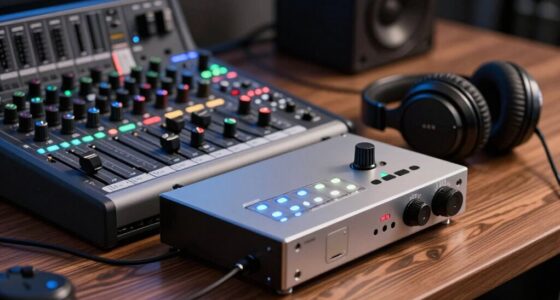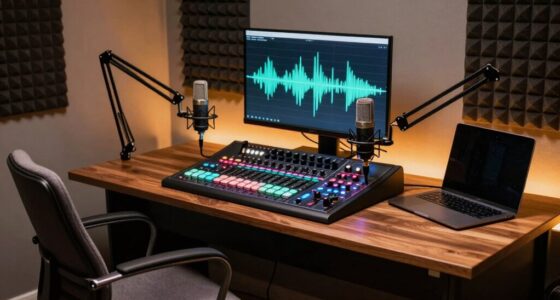
To optimize your RSS imports for the YouTube Podcast tab and attract visual listeners, focus on including high-quality, relevant thumbnails in your metadata. This creates a cohesive visual identity and makes your episodes stand out in search results. Organize your content with clear playlists by topic or series to improve discoverability and engagement. Keep visual elements consistent across episodes, and you’ll enhance your podcast’s appeal—if you keep exploring, you’ll discover even more ways to boost your visual presence.
Key Takeaways
- Use high-quality, relevant images in your RSS feed to create attractive thumbnails for the Podcast tab.
- Organize episodes into structured playlists by topic or series to enhance discoverability.
- Ensure consistent visual branding across all episodes to build recognition and professionalism.
- Optimize RSS metadata with clear, compelling descriptions and visuals for better presentation and search visibility.
- Leverage visual elements to engage viewers and encourage longer listening sessions within the YouTube Podcast tab.

Have you noticed the new Podcast tab on YouTube? It’s a game-changer for visual listeners who prefer consuming content through audio, while still engaging with the platform’s familiar interface. To make the most of it, you’ll want to optimize your RSS imports so your podcasts look appealing and are easy to navigate. This starts with understanding how to craft compelling video thumbnails and organize your playlists effectively. When your podcast appears with a striking video thumbnail, it instantly grabs viewers’ attention, encouraging clicks even if they’re just browsing through a sea of videos. A good thumbnail acts as a visual hook, giving potential listeners a glimpse of your podcast’s theme or tone. Keep your thumbnails clear, relevant, and consistent in style to build recognition and professionalism. When importing episodes via RSS feeds, guarantee your metadata includes high-quality images that will serve as these thumbnails. This consistency helps in creating a cohesive visual identity across your podcast episodes, making your content more recognizable in the Podcast tab. Additionally, understanding the importance of consistent branding can significantly enhance your podcast’s visibility and appeal.
Next, playlist organization becomes vital. Since YouTube allows you to arrange episodes into playlists, you should plan your playlist structure carefully. Group related episodes together—whether by topic, guest, or series—to make it easier for listeners to find similar content. Proper playlist organization not only improves user experience but also boosts engagement, as viewers are more likely to listen to multiple episodes if they’re neatly categorized. When importing your podcast episodes, double-check that each one is placed in the correct playlist. This way, your content appears structured and professional, reducing confusion and making it easier for listeners to follow along. Additionally, organizing playlists logically supports YouTube’s algorithm, increasing the chances of your podcast being recommended to new audiences.

PooLin EOC06 Embroidery Machine,11"x7.9",7.9"x7.9",5.5"x5.5" Embroidery Area,Computerized Embroidery Machine for Beginners Gifts,7" Touchscreen,200 Built-in Designs,USB & Wireless
- Embroidery Area: 11x7.9 inches maximum size
- Included Hoops: Multiple hoops for various projects
- Design Transfer: USB and wireless connectivity
As an affiliate, we earn on qualifying purchases.
Frequently Asked Questions
How Do I Troubleshoot RSS Import Errors?
When troubleshooting RSS import errors, start by checking your RSS feed validation to guarantee your feed adheres to standards. Review error logging details to identify specific issues causing the errors. Make sure your feed is correctly formatted, with valid URLs and proper tags. Fix any errors found during validation, then re-import. Regularly monitoring error logs helps you catch issues early and maintain smooth RSS imports for your listeners.
Can I Customize the Podcast Display on the Tab?
You might think customization options are limited, but you can actually tailor your podcast display preferences to suit your style. You can adjust how episodes appear, reorder content, and choose which details to highlight. This way, your visual experience becomes more engaging and personalized. Don’t settle for a generic look—explore these display preferences to make your podcast tab reflect your taste and make navigation easier.
What Analytics Are Available for Podcast Performance?
You can access analytics to track your podcast’s performance, including audience demographics and engagement metrics. These insights help you understand who’s listening, how they interact with your content, and which episodes resonate most. By analyzing this data, you can refine your content strategy, boost listener retention, and grow your audience. Regularly reviewing these analytics guarantees you stay aligned with your listeners’ preferences and improve overall podcast success.
How to Update or Change RSS Feed Links?
Think of updating your RSS feed links like tuning an instrument—you want everything to stay in harmony. To do this, you need to guarantee proper RSS feed synchronization. Simply go to your podcast hosting platform, find the feed URL customization options, and update your feed URL. Once saved, the new link will automatically sync across directories, keeping your listeners connected without missing a beat.
Is There a Way to Schedule Automatic RSS Updates?
You’re wondering if you can set up automatic scheduling for RSS updates. The good news is, yes, feed automation tools and podcast hosting platforms often support automatic scheduling, which allows your RSS feed to refresh at regular intervals without manual intervention. You can configure these settings within your hosting dashboard or use third-party automation services, ensuring your listeners always get the latest episodes seamlessly and consistently.

Poolin EOC05 Embroidery Machine for Beginners, 4" x 9.25" Embroidery Area
- Beginner Friendly: Designed for beginners and DIY users
- Embroidery Area: 4 x 9.25 inch embroidery space
- Embroidery Only: Dedicated embroidery machine, no sewing function
As an affiliate, we earn on qualifying purchases.
Conclusion
By optimizing your RSS imports, you seamlessly connect with visual listeners, turning coincidence into opportunity. As you refine your podcast feed, you’ll notice more engaged viewers, more consistent listens, and a smoother experience. It’s no accident—your efforts align with your audience’s habits, creating a natural flow. Keep tweaking, stay attentive, and watch how these small adjustments lead to bigger connections. Ultimately, it’s all about making the right moves at just the right time.

Poolin EOC07 Embroidery Machine,15"x 7.9" Large Embroidery Area with 4 Hoops,200 Built-in Designs,7" Touchscreen,Wi-Fi &USB Transfer,Ideal for Home Business & DIY Clothing,Includes Starter Accessories
- Large Embroidery Area: Supports multiple large design sizes
- Ideal for Business: Suitable for complex, high-value projects
- Includes Multiple Hoops: Various sizes for versatile embroidery
As an affiliate, we earn on qualifying purchases.

Brother PE545 Wireless Embroidery Machine 4x4 Hoop LCD
- Wireless File Transfer: Transmit files via Wi-Fi or USB
- Artspira Mobile App: Create and download patterns wirelessly
- 4x4 Inch Embroidery Area: Includes a 4x4 inch hoop
As an affiliate, we earn on qualifying purchases.