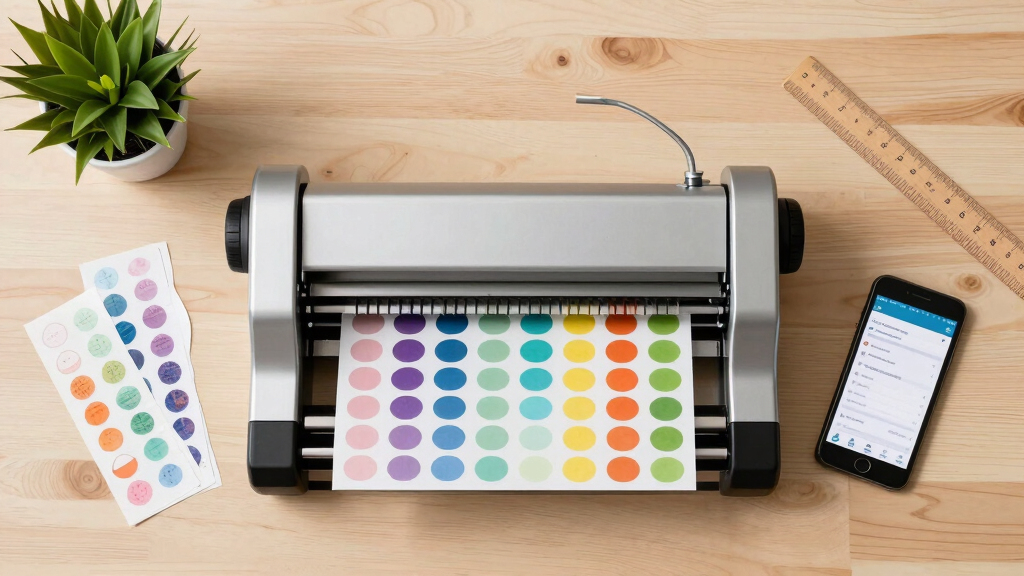

Choosing the best cutting machine for a sticker business involves balancing precision, ease of use, and versatility. The Cricut Maker 4 stands out as the overall top pick due to its robust cutting capabilities and extensive design options, ideal for small businesses. For those seeking a budget-friendly but capable alternative, the Likcut S41 offers great value with print-then-cut features. Meanwhile, the Brother ScanNCut SDX125EGY excels for users who want built-in scanning and a wide pattern library. The main tradeoffs involve balancing advanced features against ease of use and price—more sophisticated models tend to be more expensive and complex, while simpler machines may lack certain customization options. Continue reading for a detailed breakdown of each option and which might work best for your specific needs.
Key Takeaways
- The Cricut Maker 4 offers unmatched versatility with print-then-cut capabilities, making it the top overall choice for sticker businesses.
- The Likcut S41 is a standout for budget-conscious crafters who want reliable print and cut functions without sacrificing too much precision.
- Built-in scanners, like in the Brother ScanNCut SDX125EGY, add value for those designing highly detailed or unique stickers.
- Ease of use and software compatibility vary greatly; simpler models may save time but limit advanced customization.
- Size and portability are important considerations—compact models suit small spaces or mobile setups, while larger machines excel for high-volume production.





More Details on Our Top Picks
Cricut Maker 4 Sticker Making Bundle – Print Then Cut Machine with Waterproof Sticker Paper, Vinyl & Tools for Custom Stickers & Small Business
This comprehensive bundle stands out for its print-then-cut functionality, making it ideal for small business owners who want professional-quality stickers at home. Compared to the Brother ScanNCut SDX125EGY, which offers a built-in scanner, the Cricut Maker 4 relies on your printer to produce detailed designs, allowing for more vibrant and complex images. The bundle includes waterproof sticker paper and vinyl, perfect for products meant to last outdoors or in water. The main tradeoff is the higher cost and the need for external printing, which might be a hurdle for absolute beginners. Still, its user-friendly interface and extensive material options make it a top pick for entrepreneurs ready to start selling.
Pros:- Includes everything needed to start a small business (materials, tools, guidance).
- Print then cut functionality yields high-quality, waterproof stickers.
- Compatible with various materials like waterproof sticker paper and vinyl.
Cons:- Requires a compatible inkjet printer for printing designs, adding extra cost.
- Higher price point compared to basic sticker cutters, which might be a barrier for hobbyists.
Best for: Small business owners and Etsy sellers seeking a versatile, all-in-one sticker maker with professional results.
Not ideal for: Hobbyists who prefer built-in scanners or those with limited space or budget, since this bundle is more expensive and larger.
- Operation Mode:Semi-Automatic
- Print media:Waterproof sticker paper, Vinyl
- Measurements:8.4″D x 20.9″W x 6.8″H
- Item Weight:18.2 Pounds
Bottom line: This model suits entrepreneurs who want a reliable, all-in-one system for producing durable stickers for sale or branding.
Brother ScanNCut SDX125EGY Electronic DIY Cutting Machine with Scanner, Make Custom Stickers, Vinyl Wall Art, Greeting Cards and More with 682 Included Patterns, Grey
This advanced hobbyist machine excels with its built-in scanner, allowing users to digitize hand-drawn designs directly into cut files, a feature missing in the Cricut Maker 4. Its 682 built-in patterns and 76 SVG files provide a vast library for creative projects, making it ideal for craft enthusiasts who want to customize without external design software. Compared to the VEVOR Cutting Machine, which offers high precision but fewer pre-loaded designs, the Brother SDX125EGY prioritizes ease of use and versatility for personal projects. The tradeoff is a somewhat steeper learning curve and a higher price for the scanner feature. For dedicated hobbyists or small craft businesses, this offers outstanding flexibility.
Pros:- Built-in scanner allows direct digitization of hand-drawn designs.
- Large design library and compatibility with SVG, EPS, AI formats.
- Automatic material sensing simplifies setup for diverse materials.
Cons:- Higher cost due to advanced features like the scanner.
- Slightly larger footprint, requiring more workspace.
Best for: Hobbyists, crafters, and small-scale creators who want to scan, digitize, and produce intricate designs easily.
Not ideal for: Beginners seeking simple, plug-and-play cutters or those on a strict budget, as its features come with a higher price and complexity.
- Operation Mode:Automatic
- Cut size:12″ x 12″
- Material Thickness:Up to 3mm
- Item Weight:16.4 Pounds
Bottom line: Ideal for craft enthusiasts who need scanning and customization capabilities to produce unique stickers and wall art.
VEVOR Cutting Machine, Automatic Edge Detection Vinyl Cutter Machine with Design Software and Materials, Compatible with Multiple File Formats, for Creating Customized DIY Crafts, Cards, Stickers
This professional-grade cutter offers ±0.1mm accuracy and automatic edge detection, making it well-suited for detailed and complex sticker designs. Unlike the Xyron Create-a-Sticker, which is manual and limited to small projects, the VEVOR machine supports a max cut width of 13 inches and a maximum feed width of 17 inches, perfect for larger or more intricate works. Its compatibility with over 100 materials and multiple file formats (SVG, EPS, AI, etc.) makes it flexible for both hobbyists and small businesses aiming for precision. However, it is more complex to operate and requires software setup, which could be a barrier for absolute beginners. Still, it’s the choice for those prioritizing accuracy and material variety.
Pros:- High-precision ±0.1mm cuts for detailed stickers and decals.
- Supports a broad variety of over 100 materials and formats.
- Automatic edge detection enhances accuracy and efficiency.
Cons:- Requires software setup and learning curve for optimal use.
- Heavier and less portable than smaller models.
Best for: Small businesses and serious hobbyists needing precise cuts with support for a wide range of materials and formats.
Not ideal for: Complete beginners or hobbyists seeking an easy, plug-and-play device, as this requires software familiarity and setup.
- Operation Mode:Automatic
- Max Cut Size:13 inches
- Cutting Speed:20-400mm/sec
- Item Weight:16.4 Kilograms
Bottom line: Best suited for users needing industrial-level accuracy and versatility for commercial or detailed craft projects.
Xyron Create-a-Sticker, 5″ Sticker and Label Maker Machine for Small Business and DIY Crafts, Includes Permanent Adhesive, Pre-Loaded (0501-05-10A)
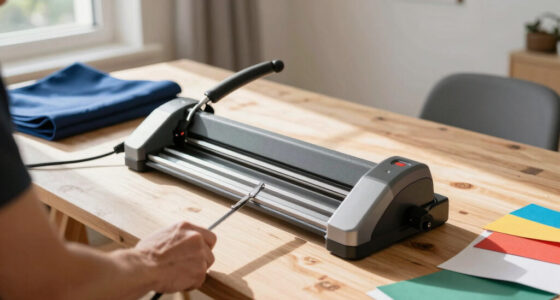
The Xyron Create-a-Sticker offers a manual, no-electric approach to sticker making, perfect for quick, small projects without any setup or fuss. Its simple knob operation feeds material up to 5 inches wide, applying acid-free adhesive in seconds—ideal for labels, embellishments, or small batch crafts. Unlike digital cutters, it’s entirely manual, which means no power or software is needed, making it accessible for beginners and educational settings. Its main advantage is mess-free, instant results, but it’s limited in size and complexity, making it less suitable for production or intricate designs. Still, it’s a reliable choice for quick, on-the-spot sticker creation.
Pros:- No electricity or heat required, instant and mess-free.
- Pre-loaded with 10 feet of permanent adhesive for immediate use.
- Compact and portable, fits into small workspaces.
Cons:- Limited to 5-inch wide projects, not suitable for large stickers.
- Manual operation can be tiring for frequent use or large batches.
Best for: Small business owners, teachers, and DIYers needing fast, portable, and mess-free sticker making for labels and embellishments.
Not ideal for: Users aiming for large-scale production, intricate designs, or digital design integration, as this is a manual, size-limited device.
- Operation Mode:Manual
- Print media:Paper, Photos, Labels
- Item Weight:2.65 Kilograms
- Measurement:5 inches wide
Bottom line: This machine is perfect for quick, small-scale sticker projects, especially in educational or craft settings.
Likcut Vinyl Cutter Machine S501 – Smart Compact Sticker Maker for Vinyl & Paper Crafts, Portable Plotter DIY Cutting Machine for Sticker Joy Craft & Party Supplies, Gifts for Crafters
This compact and feature-rich cutter supports Bluetooth 5.0 and USB 2.0, providing quick and stable connectivity—ideal for crafters who need portability and ease of use. Its speed of up to 3.2 inches per second and a blade capable of cutting over 4,610 meters makes it suitable for batch production and long projects. Unlike the VEVOR Cutting Machine, which emphasizes precision and industrial compatibility, the Likcut S501 focuses on versatility and extensive design options, with over 1 million designs and 1,200 fonts available via its design store. The dual cutting and drawing modes add creative flexibility but may require some software proficiency. It’s a strong choice for hobbyists and small business owners wanting a portable, connected device with vast design options.
Pros:- Fast Bluetooth and USB connection for quick setup.
- Supports both cutting and drawing functions with adjustable pressure.
- Massive design library with over 1 million designs and 1,200 fonts.
Cons:- Requires familiarity with design software and online store.
- Some users may find software setup and operation complex initially.
Best for: Crafters and small business owners needing portable, versatile cutters with a massive library of designs and easy connectivity.
Not ideal for: Users seeking high-precision industrial-grade cuts or those uncomfortable with software and design store navigation.
- Operation Mode:Bluetooth & USB
- Cut Speed:Up to 3.2 inches/sec
- Design Library:Over 1 million designs
- Item Weight:2.65 Kilograms
Bottom line: Perfect for creative crafters who want a portable, connected cutter with extensive design resources and dual modes.
Liene PixCut S1 Color Sticker Printer & Cutting Machine – All-in-One Sticker Maker for DIY Crafts, Custom Labels & Gifts
This all-in-one device stands out for combining high-resolution dye-sublimation printing with AI-guided precision cutting, eliminating the need for multiple machines. Compared with the Cricut Joy Xtra, which excels at small decals and offers print-then-cut capabilities, the PixCut S1 provides superior print quality and waterproof durability thanks to its dye-sublimation tech. Its streamlined workflow, controllable via a mobile app, simplifies creating professional-looking stickers and labels in minutes. However, the PixCut S1’s bulkier design and higher price point could be a barrier for casual hobbyists. This pick makes the most sense for small businesses or serious crafters seeking high-quality, durable stickers without juggling separate printer and cutter equipment.
Pros:- Combines high-res dye-sublimation printing with AI auto-cutting for seamless workflows
- Vivid 300 dpi prints with waterproof, scratch-resistant durability
- Bluetooth connectivity allows printing and cutting from smartphones or tablets
Cons:- Relatively heavy at 6.2 pounds, less portable for mobile setups
- Higher price compared to standalone cutters or printers
Best for: Small-scale sticker businesses and DIY crafters who prioritize vibrant, waterproof prints and automated precision cutting.
Not ideal for: Beginners or hobbyists with limited space or budget, as the device’s complexity and cost may be overwhelming.
- Printer Type:Thermal Dye-Sublimation
- Print Resolution:300 dpi
- Connectivity:Bluetooth
- Material Compatibility:Photo Paper, Labels
- Item Weight:6.2 Pounds
- Dimensions:11″D x 7.7″W x 4.1″H
Bottom line: Ideal for small businesses and DIYers wanting professional-quality, durable stickers with minimal equipment switching.
Likcut Vinyl Cutter Machine, Upgrade Cutting Machine Glee S501 for DIY Joy, Portable Smart Cutting Tool for Crafter, Sticker Decal Maker Printing for Resin Charms, Arts, Crafts & Party Supplies
The Likcut Glee S501 makes a compelling choice for newcomers with its straightforward setup, compact A5 design, and user-friendly interface. Unlike the larger VEVOR Vinyl Cutter, which offers wide-format cutting, the S501’s 4.5-inch width is perfect for small stickers and decals, especially for personal projects or small batches. Its AI-enhanced precision ensures clean cuts on various materials like vinyl, HTV, and cardstock, while the portable size makes it easy to store and transport. The main tradeoff is its limited cutting width, which isn’t suitable for large designs, and it lacks print-then-cut features like the Cricut Joy Xtra. This device suits hobbyists, hobbyist small businesses, and crafters just starting out with sticker projects.
Pros:- Compact and lightweight, ideal for small spaces and portability
- AI-enhanced precision for clean, accurate cuts on various materials
- Supports multiple materials like vinyl, cardstock, and HTV
Cons:- Limited cutting width of 4.5 inches, restricting large designs
- No print-then-cut or advanced design software included
Best for: Beginners, hobbyists, and crafters needing a compact, easy-to-use cutter for small stickers and decals.
Not ideal for: Large-scale production or projects requiring print-and-cut capabilities, as its size and features are limited.
- Cutting Width:4.5 inches
- Connectivity:Wired and Wireless
- Precision:0.2mm
- Included Components:Adater, USB Cable
- Item Weight:A5 size, lightweight
- Supported Materials:Vinyl, Cardstock, HTV
Bottom line: Best suited for beginner crafters making small stickers and decals in a portable, user-friendly package.
VEVOR Vinyl Cutter 34 Inch Bundle, Vinyl Cutter Machine Manual Vinyl Plotter Cutter with Signmaster Software for Design and Cut, with Supplies and Tools
The VEVOR 34-inch vinyl cutter offers considerable cutting width for larger sticker designs, banners, and signs, making it ideal for small businesses or serious hobbyists. Its strong stability features, including a D-type motherboard and double spring pinch rollers, ensure long-distance accuracy on thick or layered vinyl. Compared with the Likcut S41, which is more compact and geared toward small crafts, the VEVOR excels at handling larger projects, though it’s less portable. Its compatibility with Signmaster software and various file formats broadens creative possibilities, but it requires more setup and has a steeper learning curve. This model is perfect for those needing larger, more durable stickers or signs and willing to manage a more complex device.
Pros:- Large cutting width of 34 inches supports big projects
- High precision with 1200 x 1200 dpi resolution
- Compatible with Signmaster software and multiple file formats
Cons:- Heavier at 1.1 pounds—less portable for mobile use
- Requires more technical setup and learning curve
Best for: Small business owners and experienced crafters requiring wide-format vinyl cutting and professional software compatibility.
Not ideal for: Beginners or crafters with limited space, as the larger footprint and setup complexity may be daunting.
- Maximum Cutting Width:34 inches
- Cutting Resolution:1200 x 1200 dpi
- Connectivity:USB
- Item Weight:1.1 Pounds
- Supported Materials:Vinyl, Paper
- Software Compatibility:Signmaster
Bottom line: Best for established small businesses or advanced hobbyists needing wide, accurate vinyl cuts for larger stickers or signage.
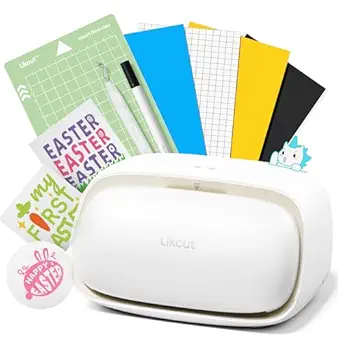
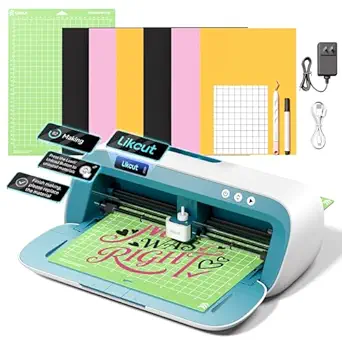
Likcut S41 Vinyl Cutter Machine with Print Then Cut – Essential Starter Bundle for DIY Crafts | Smart Sticker Maker Machine for Room Decor, HTV, Cardstock, Paper Crafts and School Supplies
The Likcut S41 is designed as a straightforward, beginner-friendly cutter with an increased cutting width of 8.5 inches, making it suitable for small decals, stickers, and paper crafts. Unlike the Glee S501, which is more portable and limited to small designs, the S41 supports print-then-cut operations, compatible with your inkjet printer, making it versatile for colorful stickers and room decor. Its 0.2mm precision and real-time status display facilitate easy operation, but it’s limited to smaller projects—no large-format cuts are possible. While the S41 simplifies workflow for DIYers and students, it lacks the advanced software options of larger professional cutters. This device fits hobbyists or small businesses needing reliable, print-capable stickers for personal use or small batch production.
Pros:- Supports print-then-cut with inkjet printers for full-color stickers
- Increased cutting width of 8.5 inches for versatile small projects
- User-friendly interface with real-time status and simple controls
Cons:- Limited to small projects; not suitable for large decals
- No advanced design software included
Best for: Beginners, students, and small-scale sticker makers seeking a print-then-cut device with easy operation and moderate size.
Not ideal for: Large-scale production or complex sign projects, due to its limited width and feature set.
- Cutting Width:8.5 inches
- Connectivity:USB
- Workflow:Print-then-Cut
- Precision:0.2mm
- Included Components:Starter bundle with tools
- Item Weight:Lightweight
Bottom line: Best for hobbyists and small businesses focused on colorful, print-capable stickers and decals for personal or small batch use.
Cricut Joy Xtra Machine with Printable Sticker Paper and Vinyl Sampler Bundle – Ultimate Sticker and Decal Making Kit with Cutting Machine for Beginners -DIY Water Bottle Stickers and Laptop Decals
The Cricut Joy Xtra offers a compact, Bluetooth-enabled solution perfect for beginners interested in personalized stickers, decals, and small crafts. Unlike the VEVOR 34-inch cutter, which targets larger projects, the Joy Xtra’s size (roughly the size of a loaf of bread) makes it ideal for small, detailed work like water bottle stickers or laptop decals. Its compatibility with Print-then-Cut full-color designs using inkjet printers broadens creative options, and its ability to write and foil adds versatility. However, the small cutting width limits larger decals, and it’s primarily designed for hobby use rather than high-volume production. This machine is perfect for DIY enthusiasts and crafters starting out with sticker projects or small decals for parties, gifts, or personal use.
Pros:- Compact size fits easily in small spaces
- Supports print-then-cut for full-color stickers
- Includes starter bundle with printable sticker paper and vinyl
Cons:- Limited to small decals and projects
- No wide-format or large-scale cutting capabilities
Best for: Beginners, hobby crafters, and small-scale sticker makers focused on detailed, colorful decals for personal projects.
Not ideal for: Large batch production or large decals, as its size and cutting width are limited.
- Size:12.5″ x 6″ x 5.5″
- Connectivity:Bluetooth
- Supported Materials:Printable Sticker Paper, Vinyl
- Compatible Software:Cricut Design Space
- Includes:Sampler bundle
- Warranty:1 year
Bottom line: Perfect for beginners and hobbyists making colorful decals and small stickers with minimal setup.
How We Picked
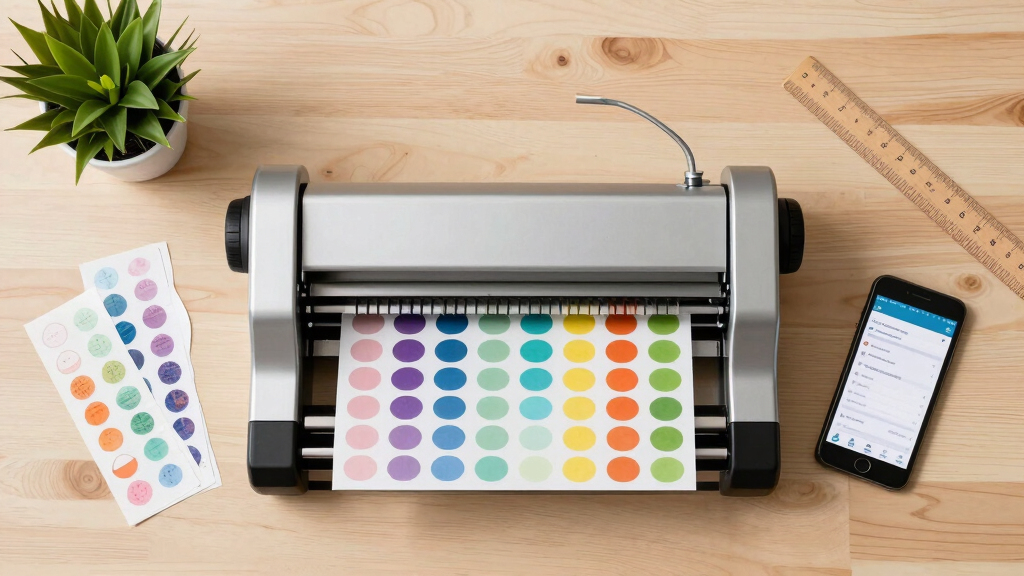
Our evaluation focused on key factors that influence practical use in a sticker business. Performance was assessed through precision, cutting speed, and reliability. Usability considered how intuitive the interface and setup process are for daily work. Build quality and durability were also important, especially for small business environments. We examined software compatibility, flexibility in design formats, and the range of features offered for customization. Finally, value was evaluated by balancing features against price, ensuring each recommendation offers a solid return on investment for different types of sticker businesses.Factors to Consider When Choosing Best Cutting Machines For Sticker Businesses
When selecting a cutting machine for your sticker business, considering a few core factors can help you find the best fit. The right machine depends on your production volume, design complexity, and budget. Understanding these elements ensures you avoid common pitfalls like overpaying for unnecessary features or opting for too simple a model that limits growth. Striking a balance between functionality and affordability is key, especially for small businesses or hobbyists looking to scale. Carefully weighing your needs against the machine’s capabilities will lead to a more satisfying purchase and smoother workflow.Performance and Precision
For sticker businesses, the ability to produce clean, accurate cuts is essential. High-performance machines with advanced blade systems and precise sensors minimize errors and material waste. Consider whether the machine offers features like auto-adjusting blades or registration marks for print-then-cut workflows. Cheaper models might struggle with intricate designs or thicker materials, so assess your typical design complexity before making a choice.
Ease of Use and Software Compatibility
Intuitive interfaces and reliable software are critical for maintaining productivity. Some machines come with proprietary design platforms, while others support popular software like Silhouette Studio or Cricut Design Space. Compatibility affects your workflow quality and learning curve; beginners should favor models with straightforward setup and clear instructions. More advanced users might prefer machines that integrate with professional design tools, even if that means a steeper learning curve.
Size, Portability, and Space Requirements
Size matters depending on your workspace and production volume. Compact models are easier to store and move, ideal for small studios or mobile setups. Larger, professional-grade cutters support high-volume output but require dedicated space. Think about your current workspace and future growth plans—buying a machine that fits comfortably now but can scale with your business helps avoid costly upgrades later.
Material Compatibility and Versatility
Your chosen machine should support a range of materials—vinyl, sticker paper, HTV, and more—to maximize creative options. Check the maximum material thickness and the types of blades or tools available. Machines with multiple tool options may incur higher upfront costs but offer greater flexibility, enabling you to diversify your product offerings without switching equipment.
Price, Value, and Long-Term Investment
Investing in a high-quality cutter can save money over time by reducing material waste and minimizing downtime. While cheaper models may seem appealing initially, they might lack durability or advanced features necessary for growing a business. Consider your budget carefully, but prioritize machines that deliver reliable performance and room for expansion, ensuring your investment supports your future growth.
Frequently Asked Questions
Can I use a regular printer with these cutting machines?
Many of these cutting machines support print-then-cut workflows, which require a compatible printer. For example, models like the Cricut Maker 4 and the Liene PixCut S1 integrate seamlessly with standard printers for creating detailed, custom stickers. Always verify that the machine supports the file formats your printer uses and check software compatibility to ensure smooth operation. Using a dedicated photo or color printer can improve print quality and help you achieve professional results.
Are these machines suitable for high-volume sticker production?
Some models like the Cricut Maker 4 and VEVOR Vinyl Cutter 34 Inch Bundle are better suited to higher production volumes thanks to their faster cutting speeds and larger cutting areas. However, smaller or more affordable models may require more time and effort to produce the same quantity. If high-volume output is your goal, prioritize machines with robust build quality, larger working areas, and reliable automation features to streamline your workflow.
How difficult is it to learn to use these machines?
Ease of learning varies significantly among models. Entry-level options like the Cricut Joy Xtra are designed with beginners in mind, offering user-friendly interfaces and straightforward setup. More advanced machines, such as the Brother ScanNCut or the VEVOR cutter, may have steeper learning curves but offer more powerful features. Consider your familiarity with design software and willingness to invest time in training when choosing a machine.
Can I switch between different materials easily?
Most modern cutting machines support multiple materials, but the ease of switching depends on the model. Machines with adjustable blades and multiple tool holders, like the Cricut Maker 4 and Likcut S501, make changing materials straightforward. Cheaper or simpler models might require manual adjustments or limited material support, which can slow down your workflow. Ensuring compatibility with your typical materials is key to maintaining efficiency.
Is safety a concern with these cutting machines?
Safety features vary, but generally, reputable brands include blade guards, auto-shutdown, and safety switches to prevent accidents. Always follow manufacturer instructions, especially when working with sharp blades or heated tools like in the Liene PixCut S1. Proper training and protective gear can further mitigate risks, particularly in a busy workshop environment.