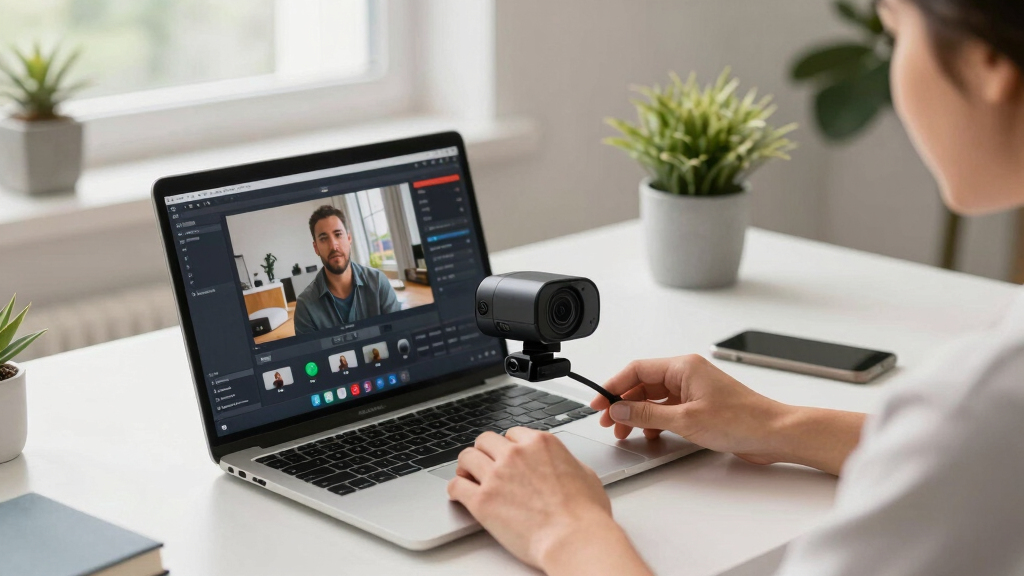

Choosing the best webcam for YouTube livestreams involves balancing video quality, ease of use, and budget. The Logitech MX Brio Ultra HD 4K stands out for professional-level resolution, ideal for creators demanding crystal-clear visuals. Meanwhile, the EMEET NOVA 4K Webcam offers impressive features at a slightly lower price, making it a versatile choice for high-end streaming. On the other hand, budget-friendly options like the NexiGo N60 provide solid performance for beginners or casual streamers. The main tradeoffs involve resolution, autofocus capabilities, and price, which influence how well each webcam suits different user needs. Keep reading for a detailed breakdown of each option and what to consider when upgrading your streaming setup.
Key Takeaways
- The highest resolution webcams like the Logitech Brio 4K deliver exceptional image clarity but come with a premium price tag.
- Autofocus and light correction features significantly improve video quality in variable lighting conditions, making them essential for live streaming.
- Multiple camera options with wide-angle or dual-camera setups cater to streamers who want more dynamic or versatile shots.
- Entry-level webcams can be sufficient for casual use but often lack advanced features like 4K or AI tracking.
- Price often correlates with features; investing in higher-end models provides future-proofing and better overall streaming quality.



More Details on Our Top Picks
Logitech MX Brio Ultra HD 4K Webcam for Collaboration and Streaming, 1080p 60 FPS, Show Mode, Works with Microsoft Teams, Zoom, Google Meet, Nintendo Switch 2, Graphite
The Logitech MX Brio stands out for its ability to deliver stunning 4K resolution at 30fps, making it ideal for creators who want professional-grade video. Compared to the Logitech C920x, which offers reliable Full HD at 30fps, the Brio’s 4K output provides significantly sharper detail, although it demands more powerful hardware and higher bandwidth. Its AI-enhanced features, auto white balance, and noise reduction microphones ensure clear visuals and audio even in less-than-ideal lighting. A notable advantage is the adjustable field of view and fine manual controls, perfect for customizing your stream setup. However, its higher price and larger size may deter budget-conscious streamers or those with limited desk space. Best for creators prioritizing top-tier image quality and professional features.
Pros:- Ultra HD 4K resolution at 30fps for exceptional clarity
- AI-enhanced face visibility and fine control over image settings
- Dual noise-reducing microphones for clear audio
Cons:- Expensive compared to standard 1080p webcams
- Require higher processing power and bandwidth
- Larger footprint may not suit small desks
Best for: Professional content creators and serious streamers who want the highest quality visuals and advanced controls.
Not ideal for: Beginners or casual users with limited budgets, as the premium price may be prohibitive.
- Resolution:4K UHD at 30fps
- Field of View:Adjustable
- Microphones:Dual noise-reducing
- Connectivity:USB-C
- Sensor Type:CMOS
- Compatibility:Windows, Mac, Chrome OS, Linux
Bottom line: This webcam is best suited for creators who demand top-tier quality and advanced customization, and are willing to invest accordingly.
NexiGo N60 1080P Webcam with Microphone, Software Control & Privacy Cover, USB HD Computer Web Camera, Plug and Play, for Zoom/Skype/Teams, Conferencing and Video Calling
The NexiGo N60 offers dependable Full HD 1080p video at 30fps with a straightforward plug-and-play setup, making it an excellent choice for budget-conscious streamers. Unlike the Logitech C920x, which is slightly more feature-rich, the N60’s simplicity and affordability make it appealing for users who prioritize basic, high-quality video without complex controls. Its built-in noise-canceling microphone and privacy cover add to its practical appeal, especially for casual streamers or small conference calls. While its fixed focus and limited manual controls mean it can’t match the flexibility of higher-end models, it still performs well in typical indoor lighting. Ideal for beginners or those needing a straightforward, affordable webcam for YouTube or meetings.
Pros:- Full HD 1080p video at 30fps for crisp image quality
- Built-in noise-canceling microphone and privacy cover
- Plug-and-play compatibility with multiple OS
Cons:- Fixed focus limits flexibility in framing
- Lack of manual controls for exposure and white balance
- No 60fps support for smoother motion
Best for: Casual streamers, online educators, and small business users seeking an affordable, reliable webcam.
Not ideal for: Advanced streamers or professionals needing 4K or extensive customization options.
- Resolution:1080p at 30fps
- Microphone:Built-in noise-canceling
- Focus:Fixed
- Connectivity:USB 2.0/3.0
- Sensor Type:CMOS
- Compatibility:Windows, Mac, Linux, Chrome OS
Bottom line: This webcam delivers solid 1080p quality at an attractive price, perfect for entry-level YouTubers and remote workers.
Logitech C920x HD Pro PC Webcam, Full HD 1080p/30fps Video, Clear Audio, HD Light Correction, Works with Microsoft Teams, Google Meet, Zoom, Nintendo Switch 2’s new GameChat Mode, Mac/Tablet- Black
The Logitech C920x is a favorite among streamers for its reliable 1080p output and straightforward setup. Compared to the MX Brio, which offers 4K and advanced AI features, the C920x provides excellent HD quality with consistent performance at a more accessible price. Its automatic light correction and dual stereo microphones ensure clear visuals and audio in typical indoor environments. The 78° wide-angle lens captures more of your background, making it suitable for both streaming and conferencing. While it lacks the 4K resolution and premium controls of higher models, its broad compatibility and proven durability make it a versatile choice. Great for creators who want dependable HD quality across multiple platforms.
Pros:- Full HD 1080p at 30fps with good low-light correction
- Reliable plug-and-play setup with broad OS compatibility
- Built-in privacy shutter and dual microphones for clear audio
Cons:- No 4K or higher frame rate options
- Limited manual adjustments for exposure or white balance
- Fixed focus may require repositioning
Best for: Content creators and professionals seeking a reliable, easy-to-use webcam compatible with a variety of applications.
Not ideal for: Streamers who require ultra-high-definition video or extensive manual controls.
- Resolution:1080p at 30fps
- Field of View:78°
- Microphone:Dual omnidirectional
- Focus:Fixed
- Connectivity:USB-A & A-to-C
- Compatibility:Windows, Mac, Android TV
Bottom line: This webcam offers dependable HD performance with broad compatibility—ideal for everyday streaming and video calls.
EMEET C960 1080P Webcam with Microphone, 2 Mics, 90° FOV, USB Type-A & A-to-C Adapter, Fixed Focus, Plug&Play Computer Camera for Zoom/Teams/Facetime/YouTube/Google Meet/Switch 2 Camera, 2025 Version
The EMEET C960 excels as a compact, reliable webcam that balances quality and affordability. Its 1080p resolution at 30fps ensures sharp video, while the 90° wide-angle lens captures more background, making it suitable for group calls or dynamic content. The dual omnidirectional microphones enhance audio clarity, comparable to the Logitech C920x, but with a smaller footprint and easy USB plug-and-play setup. Its fixed focus and automatic light adjustment keep things simple, though it lacks manual controls or 4K support. The included privacy cover adds security for private use. Perfect for streamers and remote workers looking for a versatile, portable option.
Pros:- 1080p resolution at 30fps with sharp clarity
- Wide 90° FOV for group calls or dual-camera setups
- Dual microphones for natural sound pickup
Cons:- Fixed focus limits flexibility in framing
- No 4K option or high frame rate support
- Basic software controls only
Best for: Small-scale streamers, educators, and professionals needing a compact, high-quality webcam for regular streaming or meetings.
Not ideal for: High-end content creators or users demanding 4K resolution and extensive manual controls.
- Resolution:1080p at 30fps
- Field of View:90°
- Microphones:2 omnidirectional
- Focus:Fixed
- Connectivity:USB-A & A-to-C
- Compatibility:Windows, macOS, Android TV
Bottom line: This camera offers reliable 1080p video and wide-angle coverage in a compact design, ideal for everyday use.
EMEET C60E Dual-Camera 4K Webcam for Streaming, Wide-Angle and Telephoto Cameras, Max 11X Hybrid Zoom & PDAF Autofocus, Remote Control, RGB Lighting, 2 Mics, Ideal for Livestreaming and Online Meeting
The EMEET C60E stands out for its groundbreaking dual-camera system, combining a wide-angle and telephoto lens sharing a 4K sensor for crisp, detailed streaming. Compared to single-camera options like the Logitech Brio, it offers seamless switching between full scenes and close-ups without additional hardware, perfect for engaging presentations or online teaching. Its 11X hybrid zoom and PDAF autofocus ensure stability and clarity at various zoom levels, although zoom isn’t supported in 4K at high frame rates. The smart control via remote and dedicated software gives flexible framing, while RGB lighting adds personality. The two omnidirectional mics capture natural sound, making it ideal for interactive online sessions. The major tradeoff is the complexity of setup and slightly higher price, but the benefits of dynamic shot transitions justify it for content creators. Best suited for streamers, educators, or product demonstrators who want cinematic versatility in a compact setup.
Pros:- Unique dual-camera system for panoramic and close-up shots
- Seamless switching with remote and software control
- High-quality 4K sensor with detailed image clarity
- Vibrant RGB lighting for visual impact
Cons:- Zoom functionality limited in 4K mode
- More complex setup compared to single-lens webcams
- Higher price point may not suit casual users
Best for: Content creators and educators needing versatile camera angles and easy control
Not ideal for: Casual users or those with limited space, as the dual-camera setup requires additional tripod space and handling
- Sensor Type:1/2.8” CMOS
- Connectivity:USB 2.0
- Video Resolution:4K
- Zoom:11X Hybrid
- Autofocus:PDAF
- Microphones:2 omnidirectional
Bottom line: Ideal for streamers and educators seeking cinematic flexibility and dynamic presentation tools.
EMEET S600 4K Webcam for Streaming – Sony 1/2.55” Sensor, PDAF Autofocus, 1080P@60FPS, 2 Noise Reduction Mics, Built-in Privacy Cover, 73° FOV, Streaming Camera for Live Commerce/Gaming/Beauty
The EMEET S600 elevates streaming with its Sony 1/2.55” sensor delivering vibrant 4K visuals at 30FPS or ultra-smooth 1080P at 60FPS, making it ideal for gamers and live performers. Unlike the NexiGo N930AF, which targets basic conference calls, the S600’s advanced sensor provides richer detail and better color accuracy, especially in fast-paced scenes. Its PDAF autofocus and automatic light adjustment keep images sharp even in challenging lighting. The noise-canceling microphones enhance voice clarity, suitable for professional streaming or podcasting. Setup is straightforward with plug-and-play compatibility across platforms, and the privacy cover offers peace of mind. A minor drawback is the fixed FOV at 73°, which may limit wider shots for some users. Overall, this camera is best for streamers demanding high resolution and fluid motion without sacrificing ease of use.
Pros:- Crisp 4K and 1080P@60FPS for smooth, detailed video
- Sony sensor with superior color accuracy
- Noise-reduction microphones for clear audio
- Built-in privacy cover
Cons:- Fixed 73° field of view may be restrictive for wide scenes
- Higher cost compared to basic 1080p webcams
- No optical zoom
Best for: Streamers, gamers, and content creators prioritizing high frame rate and vivid image quality
Not ideal for: Casual users or those needing wide-angle shots for group conferencing
- Sensor Type:Sony 1/2.55”
- Resolution:4K at 30FPS / 1080P at 60FPS
- Field of View:73°
- Microphones:2 noise-canceling
- Connectivity:USB
Bottom line: Best suited for high-end streamers and professionals seeking sharp visuals and fluid motion.
EMEET PIXY Dual-Camera AI-Powered PTZ Camera 4K, AI Tracking, PDAF&AI Autofocus 0.2s, 1/2.55” Sony Sensor, 3 Mics, Presets, Gesture Control, 4K Webcam for Streaming and OBS/Twitch/Switch 2 Compatible
The EMEET PIXY brings a new level of automation with its dual-camera AI-powered PTZ system that tracks movement and adjusts framing in real-time, making it perfect for hosts, teachers, and fitness instructors. Its 4K main sensor combined with AI face detection ensures consistent, studio-grade image quality. Unlike static webcams like the Logitech Brio, PIXY’s gesture control and preset positions allow hands-free operation, which is invaluable during live demonstrations or interviews. The 0.2s autofocus and AI exposure optimization keep skin tones natural and faces sharp, even in dynamic environments. The downside is the learning curve for the software and the higher price, but the automation and professional features make it a top choice for serious streamers or conference hosts.
Pros:- AI-powered auto tracking and framing
- 4K image quality with PDAF autofocus
- Gesture control for touchless operation
- Preset camera positions for quick transitions
Cons:- Higher price and complex setup
- Requires compatible software and learning curve
- Limited wide-angle coverage compared to fixed cameras
Best for: Professional streamers, online teachers, and event hosts seeking automatic framing and AI tracking
Not ideal for: Casual users or those with simple, static streaming needs
- Sensor Type:1/2.55” Sony
- Resolution:4K
- Auto Focus:AI & PDAF
- Field of View:Variable (73° in 4K)
- Microphones:3 noise-reduction
Bottom line: Ideal for professional broadcasters and educators needing automated framing and high-quality visuals.
Logitech Brio 101 Full HD 1080p Webcam for Meetings, Streaming, Desktop, Laptop, PC – Built-in Mic, Shutter, Works with Zoom, Microsoft Teams, Nintendo Switch 2’s new GameChat Mode, USB-A,-Black
The Logitech Brio 101 is a dependable choice for everyday video calls and streaming, offering Full HD 1080p resolution with excellent color correction thanks to its RightLight technology. Compared to premium cams like EMEET C60E, it focuses on straightforward reliability rather than cinematic versatility. Its built-in mic provides clear audio, suitable for meetings or casual streams, while the physical privacy shutter offers peace of mind. The device is simple to set up with plug-and-play USB-A connection and compatible across major conferencing platforms, including Zoom and Teams. Its modest price and user-friendly features make it ideal for home offices and small businesses. The main tradeoff is the absence of 4K or advanced AI features, limiting its appeal to high-end content creators.
Pros:- Reliable 1080p resolution with good color correction
- Built-in privacy shutter
- Works seamlessly with major platforms
- Affordable and easy to set up
Cons:- Limited to 1080p, no 4K option
- No AI tracking or advanced features
- Fixed focus may reduce flexibility in framing
Best for: Business users and home office workers needing a reliable, easy-to-use webcam
Not ideal for: High-end streamers or creators requiring cinematic quality or AI tracking
- Resolution:1080p
- Focus:Fixed
- Microphone:Built-in mono
- Field of View:60°
- Connectivity:USB-A
- Privacy Cover:Yes
Bottom line: Best suited for professionals and casual users seeking dependable performance without complexity.
AOC 4k Webcam for PC with Microphone, Computer Camera with Noise Cancellation, Privacy Cover, 99° FOV, Plug & Play USB Webcam for Streaming, Conferencing, Zoom, Skype, Facetime, Laptop, PC, Skype
The AOC 4k Webcam stands out for delivering stunning crystal-clear 4K resolution, making your YouTube livestreams look professional and sharp. Its wide 90° field of view and 360° swivel offer flexible framing, surpassing many 1080p models like the NexiGo N60, which lack ultra high-definition clarity. Unlike the Logitech C920x, this camera includes a physical privacy cover, providing peace of mind for uninterrupted streams. Its plug-and-play USB compatibility ensures quick setup across platforms like Zoom and Skype, making it ideal for users who value simplicity. The built-in noise-canceling mic and automatic light correction enhance audio and video quality in variable lighting. However, the 4K resolution demands more processing power and bandwidth, which could be a drawback for lower-spec devices. Additionally, its lightweight design, while portable, may require a sturdy mount for stable positioning. This webcam is best suited for streamers and professionals who want top-tier video quality without complex setup.
Pros:- Stunning 4K Ultra HD resolution for sharp video quality
- Wide 90° field of view with 360° swivel for flexible framing
- Includes physical privacy cover for security and peace of mind
- Plug-and-play USB compatibility with all major platforms
Cons:- High resolution can strain lower-end computers and networks
- Lightweight build may require additional mounting for stability
Best for: Content creators and professionals seeking high-resolution, versatile webcam performance.
Not ideal for: Gamers or casual users with limited bandwidth or processing capacity, due to 4K demands.
- Video Resolution:4K (3840×2160)
- Field of View:90°
- Mounting:Monitor, desk, tripod
- Connectivity:USB-C & USB-A
- Built-in Microphone:Yes, noise-canceling
- Privacy Cover:Yes
Bottom line: This webcam is ideal for streamers and professionals who prioritize high-quality visuals and flexible framing without complex setup.
EMEET C950 1080P Webcam – USB Webcam with Microphone & Physical Privacy Cover, Auto Light Correction, Fixed Focus, USB Plug & Play, Ultra Web Cam w/ 70°View for Meeting/Online Classes/Zoom/YouTube
The EMEET C950 offers reliable 1080p video with a 70° field of view, perfect for those who want decent YouTube livestream quality without breaking the bank. Its auto light correction ensures clear visuals in various lighting conditions, outperforming basic webcams like the NexiGo N60 that lack advanced auto-exposure features. The physical privacy cover adds security, a feature many find essential for home use. Its plug-and-play USB connection makes setup straightforward, compatible with Zoom, Teams, and more. The built-in omnidirectional mic captures voice clearly, suitable for online classes or casual streaming. Yet, its fixed focus may limit sharpness in close-up shots, and the narrower 70° view could restrict framing options for more dynamic content. The webcam’s compact design makes it portable, but it might not suit high-action streams that need wider angles. This webcam is best for educators and casual streamers who need a simple, reliable camera.
Pros:- Sharp 1080p video with 30FPS for clear streams
- Auto light correction adapts to various lighting environments
- Physical privacy cover for security and peace of mind
- Easy USB plug-and-play setup
Cons:- Fixed focus limits versatility for close-up shots
- 70° view may be too narrow for some content types
Best for: Online educators and casual streamers prioritizing clarity and security at an affordable price.
Not ideal for: Professional streamers or gamers who require wider angles and adjustable focus for dynamic content.
- Video Resolution:1080P (1920×1080)
- Field of View:70°
- Focus:Fixed
- Lighting Correction:Auto
- Built-in Microphone:Yes, omnidirectional
- Privacy Cover:Yes
Bottom line: This webcam is perfect for educators and casual users who need straightforward, decent-quality video with privacy features.
Logitech Brio 4K Webcam, Video Calling, Noise-Cancelling mic, HD Auto Light Correction, Wide Field of View, Windows Hello Works with Microsoft Teams, Zoom, Google Meet, PC/Mac/Laptop/MacBook/Tablet
The Logitech Brio 4K Webcam excels in delivering superb 4K resolution with rich color and detail, making it ideal for high-end YouTube livestreams and professional use. Its auto light correction with RightLight 3 technology automatically adjusts to lighting conditions, outperforming many budget webcams like the OBSBOT Tiny SE, which lack such advanced features. The wide 78° field of view can be customized with three preset options, giving you flexibility in framing. Its dual noise-canceling mics ensure clear audio, even in noisy environments, perfect for engaging your audience. The built-in privacy shutter adds security, while Windows Hello support allows fast login. The webcam works seamlessly with Windows, Mac, and popular streaming platforms, simplifying setup. However, its premium price can be a barrier for casual users, and the bulkier design might require additional mounting options. This webcam is best for professionals who demand top-tier image quality and security features.
Pros:- Sharp 4K Ultra HD resolution for professional-quality streams
- Auto light correction with RightLight 3 for consistent visuals
- Wide 78° field of view with three preset options
- Built-in noise-canceling microphones for clear audio
Cons:- Higher cost compared to basic webcams
- Larger size requiring extra mounting considerations
Best for: Streamers, content creators, and professionals needing high-resolution, reliable performance.
Not ideal for: Casual users or those on a tight budget who can settle for 1080p quality.
- Video Resolution:4K (3840×2160)
- Field of View:78°
- Microphone:Dual noise-canceling
- Auto Light Correction:Yes
- Windows Hello:Yes
- Compatibility:Windows, Mac, Zoom, Teams
Bottom line: This webcam is ideal for professionals and serious streamers who want premium quality and security in one package.
OBSBOT Tiny SE 1080P 100FPS Webcam for PC, AI Tracking PTZ Streaming Camera with 1/2.8″ Sensor, Gesture Control, Dual ISO, Staggered HDR, Web Camera for Desktop Computer, Laptop, Meeting, Video Calls
The OBSBOT Tiny SE is tailored for streamers and professionals who want advanced AI tracking and smooth motion capture. Supporting an impressive 1080p at 100FPS, it outperforms most webcams like the NexiGo N60, which max out at lower frame rates, ensuring ultra-smooth video. Its AI-powered PTZ and gesture control allow for effortless scene changes and tracking, making it perfect for live gaming, interactive streams, or presentations. The dual native ISO and staggered HDR provide excellent low-light performance, even in challenging conditions. Customizable presets enable quick scene switching, ideal for content creators who need versatility. Despite its high-end features, the webcam’s complexity might be overkill for casual users, and the AI tracking can sometimes misidentify subjects in cluttered backgrounds. It’s best suited for streamers who prioritize dynamic, professional-quality broadcasts over simple setups.
Pros:- Supports 1080p at 100FPS for ultra-smooth motion
- AI tracking and gesture control for dynamic scene management
- Excellent low-light performance with Dual ISO and HDR
- Customizable presets for scene switching
Cons:- Complex setup may be challenging for beginners
- AI tracking can occasionally misfire in cluttered backgrounds
Best for: Streamers, esports players, and content creators aiming for high-quality, AI-enhanced live streaming.
Not ideal for: Casual users or those with limited technical knowledge who prefer plug-and-play webcams.
- Video Resolution:1080P @ 100FPS
- Sensor Size:1/2.8″
- AI Features:Tracking, gesture control
- HDR:Staggered HDR
- Low Light Performance:Dual ISO
- Compatibility:PC, streaming platforms
Bottom line: This webcam is perfect for high-end streamers and professionals who need advanced AI features and smooth motion capture.
How We Picked
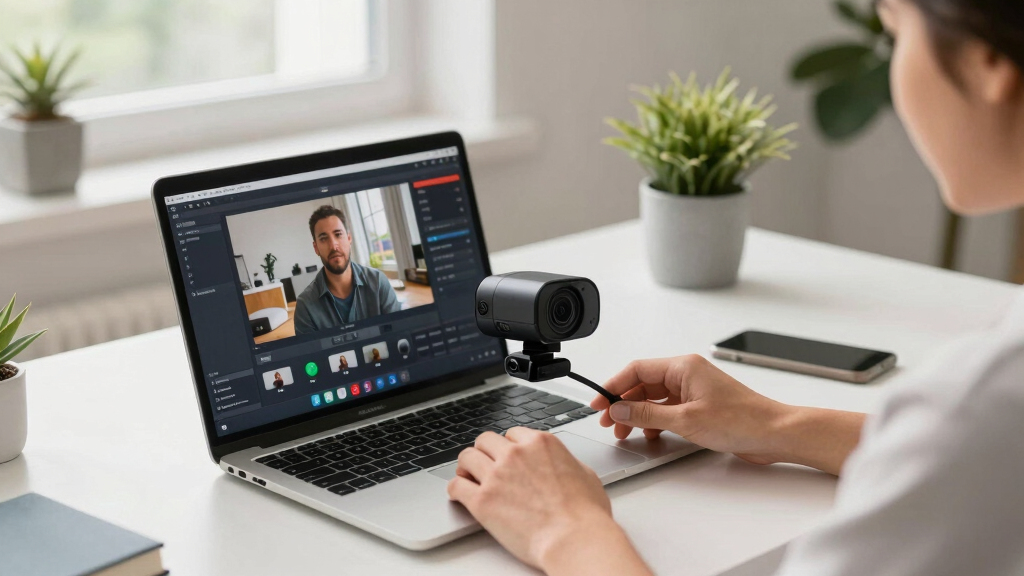
Our evaluation focused on performance, usability, build quality, and value. We prioritized webcams with high video resolution, reliable autofocus, and good low-light performance, as these directly impact stream quality. Ease of setup and compatibility with popular streaming platforms like OBS, Twitch, and YouTube were also key criteria. We considered user reviews and expert insights to identify products that balance features with cost, ensuring each pick serves a specific type of streamer—from beginners to professionals. The ranking reflects a combination of these factors to offer a clear hierarchy based on overall utility and value for YouTube livestreaming.Factors to Consider When Choosing Best Webcams For YouTube Livestreams
When selecting a webcam for YouTube livestreams, it’s important to consider several factors that influence your streaming quality and experience. The right choice depends on your budget, technical setup, and content style. Understanding these factors helps avoid common pitfalls like overspending on unnecessary features or underestimating lighting needs. This guide highlights key considerations to help you make an informed decision and find a webcam that truly elevates your streams.Video Resolution and Frame Rate
Higher resolution webcams, such as 4K models, provide sharper images that improve viewer engagement, especially for detailed content like tutorials or gaming. However, 4K streaming requires a robust internet connection and powerful hardware, which might not be necessary for all creators. For most YouTubers, 1080p at 60fps strikes a good balance between quality and performance, ensuring smooth motion without excessive bandwidth demands. Consider your target audience and technical capacity before opting for ultra-high-definition options, as they can also increase hardware costs.
Autofocus and Light Correction
Autofocus ensures your face remains sharp even if you move around during a stream, reducing distractions and improving professionalism. Light correction features automatically adjust the image in varying lighting conditions, preventing your video from looking dull or washed out. These features are especially valuable for streamers who record in different locations or have inconsistent lighting setups. Skipping these can result in blurry or poorly lit videos, diminishing viewer retention and engagement.
Field of View (FOV) and Camera Angles
The FOV determines how much of your environment is captured, which is critical for streamers who want to include more background or multiple angles. Wide-angle lenses are ideal for gaming or creative content, providing a more immersive experience. Dual-camera setups or PTZ (pan-tilt-zoom) features offer dynamic shot options, but they tend to be more complex and costly. Match your FOV to your content type; a narrow FOV can make your setup look cramped, while an overly wide shot might include distracting background elements.
Compatibility and Ease of Use
Most webcams are plug-and-play on Windows and Mac, but some advanced features require specific software or drivers. Check that your chosen model works seamlessly with your streaming platform and editing tools. Ease of setup is crucial for beginners or those who frequently change locations, so look for models with simple installation and straightforward controls. A webcam with good driver support and minimal setup hassle can save time and frustration during live sessions.
Price and Future-Proofing
Balancing your budget against future needs is key. Investing a bit more in a higher-quality webcam can extend its usefulness as your channel grows, supporting higher resolutions and better features. Cheaper models may suffice initially but often lack durability or advanced functions, requiring replacement sooner. Consider long-term value, especially if you plan to upgrade your streaming quality or expand your content offerings in the future.
Frequently Asked Questions
Is 4K streaming necessary for YouTube livestreams?
While 4K streaming offers maximum detail and clarity, it’s not strictly necessary for most YouTubers. Many viewers watch in 1080p, and streaming in 4K demands higher bandwidth, more powerful hardware, and a faster internet connection. If your content benefits from ultra-high resolution and you have the technical setup to support it, then 4K can be a worthwhile investment. Otherwise, a 1080p webcam at 60fps usually provides excellent quality for most streaming scenarios.
How important is autofocus for live streaming?
Autofocus is highly valuable for live streams, especially if you tend to move around or shift your position frequently. It keeps your face sharp and centered, ensuring viewers see clear visuals without constant manual adjustments. Without autofocus, your video might appear blurry or out of focus when you move, which can distract or frustrate your audience. Many premium webcams include fast and reliable autofocus to enhance the overall streaming experience.
Should I prioritize built-in microphones or use separate audio equipment?
While many webcams include built-in microphones, their quality often varies and may not meet the standards needed for professional streaming. For clearer audio, investing in a dedicated microphone is advisable, especially if sound quality is critical for your content. Using a separate mic allows you to position it optimally and reduces background noise more effectively. However, for basic streams or casual content, a webcam with decent built-in microphones can suffice temporarily.
What features are most important for gaming livestreams?
For gaming streams, a wide field of view, high frame rate, and low latency are essential. Features like 1080p at 60fps or higher ensure smooth motion, while wide-angle lenses can help capture more of your setup. Autofocus and good low-light performance are also beneficial, especially if your room lighting varies. Dual microphones or noise suppression can improve audio clarity amid game sounds or background noise, ensuring viewers stay engaged.
Is it better to buy a dedicated webcam or a camcorder for streaming?
Dedicated webcams are designed for streaming, offering plug-and-play convenience, compact size, and optimized features like autofocus and low-light correction. Camcorders can deliver superior video quality but often require additional capture cards and complex setup, making them less practical for most streamers. Unless you need very high production values and are comfortable with technical setup, a high-quality webcam is usually the more straightforward and cost-effective choice for YouTube livestreams.
Conclusion
For most streamers starting out or on a limited budget, the NexiGo N60 offers reliable 1080p quality with easy setup. Content creators seeking professional-grade visuals should consider the Logitech MX Brio Ultra HD 4K for sharp, detailed streams, while the EMEET NOVA 4K Webcam strikes a balance between features and affordability. Beginners will benefit from models with simple controls, whereas advanced users may prioritize multi-camera setups like the EMEET C60E Dual-Camera 4K for more dynamic streams. Ultimately, your choice depends on your content style, technical needs, and budget—use this guide to match the right webcam to your YouTube channel’s growth trajectory.