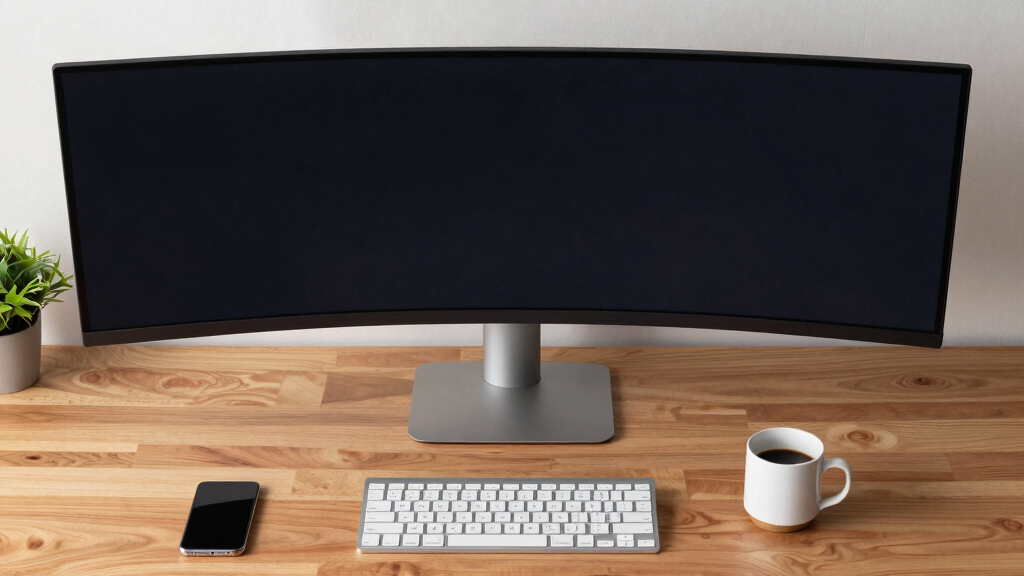

Choosing the best 49-inch ultrawide monitor means balancing size, performance, and your specific use case. The Samsung Odyssey G9 stands out for gamers with its high refresh rate and immersive curvature, while the Samsung Business Curved Ultrawide offers versatile connectivity for professionals. Other options like the INNOCN models deliver excellent value with solid performance at a lower price point. The main tradeoffs often involve balancing price against features like refresh rate, resolution, and build quality. Keep reading to see how these options compare and which one fits your needs best.
Key Takeaways
- The Samsung Odyssey G9 remains a top choice for gamers due to its high refresh rate and immersive display, but it comes at a premium price.
- Innocn models offer strong performance and value, making them suitable for budget-conscious users without sacrificing core features.
- Professional users should prioritize monitors with extensive connectivity options, like the Samsung Business Curved Ultrawide, for seamless multi-device setups.
- Curvature and resolution vary across models, impacting immersion and productivity; higher curvature generally enhances gaming experience.
- Tradeoffs often involve balancing refresh rate and resolution with price, as premium models tend to offer higher specs but at a steeper cost.


| 49-inch ultrawide monitor | Resolution | Refresh Rate | Size | HDR |
|---|---|---|---|---|
| Samsung 49-inch Odyssey G9 | DQHD | 144Hz | 49 inches | DisplayHDR 600 |
| INNOCN 49-Inch Curved Ultrawid | 5120×1440 | 120Hz | 49 inches | HDR 400 |
| Samsung 49-Inch Business Curve | Dual QHD | 120Hz | 49 inches | DisplayHDR 400 |
| CRUA 49" DQHD Ultrawide Curved | 5120×1440 | 120Hz | 49 inches | FreeSync |
| Samsung 49" Odyssey OLED G9 | 5120 x 1440 (Dual QHD) | 144Hz | 49 inches | VESA DisplayHDR True Black 400 |
| Acer Nitro 49-Inch Curved DQHD | 5120 x 1440 DQHD | 120Hz | — | — |
| INNOCN 49-Inch Curved Ultrawid | 3840 x 1080 (UWHD) | 144Hz | 49 inches | HDR400 |
| INNOCN 49-Inch Curved Ultrawid | 3840 x 1080 | 144Hz | — | HDR400 |
| CRUA 49" DQHD Ultrawide Curved | 5120×1440 DQHD | 165Hz | 49 inches | — |
More Details on Our Top Picks
The Samsung Odyssey G9 stands out for its ultra-wide 32:9 curvature and 144Hz refresh rate, making it ideal for gamers who crave immersive visuals. Its 1000R curvature creates a panoramic experience that surpasses many competitors like the INNOCN 49-inch, which offers a slightly lower refresh rate and lacks the same curvature depth. While the Odyssey G9’s premium features—like DisplayHDR 600 and FreeSync Premium Pro—deliver stunning visuals, they come with a higher price tag and require a spacious desk. The 1ms response time ensures minimal lag during fast-paced play, but the large size may not fit in smaller setups. This monitor is perfect for serious gamers and multitaskers willing to invest in a top-tier experience, though less suitable for those with limited space or a tighter budget.
Pros:- Immersive 32:9 curved display for panoramic gaming and multitasking
- High 144Hz refresh rate with 1ms response for smooth gameplay
- DisplayHDR 600 and FreeSync Premium Pro for vibrant, tear-free visuals
- Multiple multitasking features like split screen and picture-in-picture
Cons:- Large size may not fit in all gaming setups
- High price point limits accessibility for budget-conscious users
- Requires significant desk space and high-end graphics hardware
Best for: High-end gamers and multitasking professionals seeking immersive, smooth visuals in spacious setups
Not ideal for: Users with limited desk space or budget constraints, as its size and premium features come at a premium cost
- Size:49 inches
- Resolution:DQHD
- Refresh Rate:144Hz
- Response Time:1ms
- Screen Curvature:1000R
- HDR:DisplayHDR 600
Our verdict“This monitor is best suited for serious gamers and professionals with ample space and a desire for top-tier visual performance.”
INNOCN 49-Inch Curved Ultrawide Gaming Monitor 5120×1440 120Hz HDR400
The INNOCN 49-inch curved monitor offers a compelling balance of resolution and price, with a 5120×1440 display that rivals the dual QHD setup of the Samsung Business model but at a more affordable rate. Its 120Hz refresh rate provides smooth visuals, though not quite as fast as the Samsung Odyssey G9, making it a solid choice for both gaming and content creation. The monitor’s 178-degree viewing angle and HDR 400 support enhance color vibrancy, but its size may pose challenges for smaller desks. Compared to the Samsung Business model, it lacks built-in speakers but compensates with higher resolution and adjustable stand. This model makes sense for users who want high resolution and wide workspace without the steep cost of premium gaming features.
Pros:- High 5120×1440 resolution for detailed multitasking
- Wide 32:9 aspect ratio for immersive workspaces
- Adjustable stand for ergonomic comfort
- Multiple connectivity options including USB-C, HDMI, and DisplayPort
Cons:- Lacks the ultra-fast response times of gaming-focused monitors
- No built-in speakers, requiring external audio solutions
- Size may be too large for compact desks
Best for: Content creators and multitaskers needing high resolution at a reasonable price
Not ideal for: Gamers seeking ultra-fast response times or HDR 600 support, as the INNOCN’s features are slightly lower-end
- Size:49 inches
- Resolution:5120×1440
- Refresh Rate:120Hz
- HDR:HDR 400
- Viewing Angle:178 degrees
- Curvature:1800R
Our verdict“This monitor delivers high-resolution productivity at a more accessible price, suitable for content creators and multitaskers willing to compromise on response time speed.”
Samsung 49-Inch Business Curved Ultrawide Dual QHD Monitor with USB-C, HDMI, DisplayPort, 120Hz, HDR 400, Built-in Speakers, Height Adjustable Stand
The Samsung Business Curved Ultrawide combines large-scale multitasking with versatile connectivity, making it ideal for professional use. Its Dual QHD resolution and 120Hz refresh rate ensure crisp visuals and smooth operation, comparable to the INNOCN model but with added focus on office workflows. The inclusion of a 90W USB-C charging port and a height adjustable stand reduces clutter and promotes ergonomic comfort, differentiating it from gaming-centric options like the Odyssey G9. However, the monitor’s size still demands a spacious desk, and its color accuracy for detailed editing isn’t explicitly specified. This pick aligns well with users who prioritize multitasking, connectivity, and ergonomic features over gaming performance.
Pros:- Large 49-inch curved display for enhanced multitasking
- Multiple connectivity options with USB-C charging
- Height adjustable stand for ergonomic comfort
- Built-in speakers reduce peripheral clutter
Cons:- Size may require significant desk space
- Limited info on color accuracy for professional editing
- Premium features may come with a higher price
Best for: Professionals needing a large, flexible workspace with robust connectivity options
Not ideal for: Dedicated gamers seeking ultra-fast response times or high HDR levels for intense gaming sessions
- Size:49 inches
- Resolution:Dual QHD
- Refresh Rate:120Hz
- HDR:DisplayHDR 400
- Connectivity:USB-C (90W), HDMI, DisplayPort
- Stand:Height Adjustable
Our verdict“This monitor is best for professionals who need a large, versatile display with strong connectivity and ergonomic features for multitasking and office work.”
CRUA 49″ DQHD Ultrawide Curved Gaming Monitor, 120Hz, FreeSync, White
The CRUA 49-inch DQHD monitor offers a compelling mix of size and features at a more accessible price point. Its 5120×1440 resolution and 120Hz refresh rate deliver smooth visuals suitable for gaming and multitasking, though it lacks some of the advanced HDR support seen in pricier models like the Odyssey G9. Its 1500R curvature enhances immersion without overwhelming smaller desks, and the inclusion of FreeSync ensures tear-free gameplay. However, the absence of built-in speakers and the potential for higher power consumption should be considered. This monitor makes a strong case for gamers and users wanting a large, curved display without the premium price, though it may not satisfy those seeking top-tier HDR or professional color accuracy.
Pros:- Affordable large curved display for gaming and multitasking
- 120Hz refresh rate with FreeSync for smooth gameplay
- Adjustable stand with tilt and height options
- Supports wall mounting for flexible setups
Cons:- No built-in speakers, requiring external audio
- Limited HDR support compared to premium models
- Potentially higher power use due to size
Best for: Budget-conscious gamers and casual users wanting a large, curved display
Not ideal for: Professional content creators or users needing high HDR and precise color accuracy
- Size:49 inches
- Resolution:5120×1440
- Refresh Rate:120Hz
- HDR:FreeSync
- Curvature:1500R
- Response Time:1ms
Our verdict“This monitor offers good value for casual gamers and multitaskers seeking a large, curved display on a budget, but falls short on advanced HDR and professional features.”
Samsung 49″ Odyssey OLED G9 (G91SD) Dual QHD Curved Gaming Monitor
The Samsung Odyssey OLED G9 elevates the ultrawide gaming experience with its QD-OLED panel, delivering stunning contrast, deep blacks, and vibrant colors that surpass LED-based monitors like the Odyssey G9. Its 0.03ms response time and 144Hz refresh rate ensure ultra-smooth gameplay, making it ideal for competitive gamers. The inclusion of G-Sync and FreeSync support, combined with ergonomic adjustments, enhances user comfort and visual fidelity. However, the high cost and the large size require a significant investment and spacious desk. While it excels in visual quality and response speed, users should be prepared for a steeper price and possibly complex setup. This monitor is best for enthusiasts who prioritize the finest picture quality and gaming responsiveness.
Pros:- Vivid, deep blacks with wide color spectrum thanks to QD-OLED technology
- Ultra-fast 0.03ms response time with 144Hz refresh rate
- Supports G-Sync and FreeSync for tear-free gaming
- Adjustable stand for ergonomic comfort
Cons:- High price point may limit accessibility
- Large size demands significant desk space
- Complex features may require learning curve for new users
Best for: High-end gamers and content creators seeking the best visual and response performance
Not ideal for: Budget buyers or those with limited desk space, as the premium price and size can be restrictive
- Size:49 inches
- Resolution:5120 x 1440 (Dual QHD)
- Panel Technology:QD-OLED
- Response Time:0.03ms
- Refresh Rate:144Hz
- HDR:VESA DisplayHDR True Black 400
Our verdict“This monitor is ideal for enthusiasts seeking top-tier image quality and responsiveness, willing to invest in premium OLED technology.”
Acer Nitro 49-Inch Curved DQHD Office Monitor EI491CUR
The Acer Nitro EI491CUR stands out as the best overall choice due to its combination of high resolution, large curved display, and flexible ergonomics. Its 5120×1440 DQHD resolution provides crisp visuals, surpassing alternatives like the INNOCN 49-inch with lower resolution, making it ideal for multitasking and detailed work. The 120Hz refresh rate and 3ms response time ensure smooth visuals, suitable for gaming and fast-paced editing. However, its large size might be challenging for smaller desks, and the specs don’t specify color accuracy, which could matter for creative tasks. This monitor suits users needing an immersive, all-around display with ergonomic adjustments. Best for professionals, gamers, and power users who prioritize a balanced mix of performance and versatility.
Pros:- Immersive 49-inch curved VA display for wide viewing angles
- High resolution with sharp, vibrant images
- Fast 120Hz refresh rate and 3ms response for smooth gameplay
- Adjustable tilt and height for ergonomic comfort
Cons:- Large size may not fit in smaller workspaces
- Limited details on color accuracy
- No built-in speakers or USB ports
Best for: Creative professionals, serious multitaskers, and gamers seeking an all-in-one large display.
Not ideal for: Users with limited space or those who need precise color accuracy for professional photo or video editing.
- Display Size:49 inches
- Resolution:5120 x 1440 DQHD
- Aspect Ratio:32:9
- Display Technology:VA LCD
- Brightness:1027.8 nits
- Contrast Ratio:100,000,000:1
- Refresh Rate:120Hz
- Response Time:3ms
- Curvature:1000R
Our verdict“This monitor is best suited for users who want a versatile, immersive display without sacrificing performance or ergonomics.”
INNOCN 49-Inch Curved Ultrawide Gaming Monitor 144Hz, 32:9, HDR400, USB-C, DisplayPort, HDMI, Built-in Speakers, Height/Tilt Adjustable
The INNOCN 49-inch curved monitor is tailored for gamers and creators who value high refresh rates and connectivity options. Its 3840 x 1080 resolution is lower than the DQHD options, but the 144Hz refresh rate and 1ms response time deliver smooth gameplay, especially when compared to the 120Hz Acer. Its HDR400 support and 99% sRGB coverage ensure vibrant visuals, making it suitable for multimedia work. The adjustable stand and multiple ports, including USB-C with power delivery, add flexibility. However, the lower resolution might be a drawback for users needing ultra-fine detail, and the large size could be cumbersome in smaller spaces. This monitor appeals to gamers and creatives who prioritize fluid visuals and connectivity over ultra-high resolution. Best for gamers and content creators who want a fast, flexible display with good color vibrancy.
Pros:- High 144Hz refresh rate and 1ms response for smooth gaming
- Vibrant visuals with HDR400 and 99% sRGB coverage
- Multiple connectivity options including USB-C with power delivery
- Adjustable height, tilt, and swivel for ergonomic comfort
Cons:- Lower resolution may limit detail for some professional tasks
- Large size may require significant desk space
- No mention of built-in speakers
Best for: Gamers, streamers, and content creators who need fast performance and versatile connectivity.
Not ideal for: Users requiring 4K resolution or detailed photo editing, due to its lower pixel count.
- Size:49 inches
- Resolution:3840 x 1080 (UWHD)
- Refresh Rate:144Hz
- Panel Type:VA
- HDR:HDR400
- Color Gamut:99% sRGB
- Connectivity:USB Type C, HDMI, DisplayPort
- Adjustments:Height, Tilt, Swivel
- Curvature:1800R
Our verdict“This monitor is ideal for gamers and creators seeking speed, connectivity, and vibrant visuals over ultra-high resolution.”
INNOCN 49-Inch Curved Ultrawide Monitor, 3840 x 1080P, 144Hz, HDR400, USB-C, DisplayPort, HDMI, Speakers, Adjustable, Black
The INNOCN 49-inch curved ultrawide is a solid choice for gamers and multitaskers who want high performance and flexible ergonomics. Its 3840×1080 resolution is similar to the previous INNOCN model but with a slightly different port selection, including HDMI and USB-C with adjustable stand options. The 144Hz refresh rate and 1ms response time make it well-suited for fast-paced gaming, while the HDR400 support enhances visual vibrancy. Its 178-degree viewing angles ensure consistent image quality from different positions. However, with only one USB 3.0 port, it may limit peripheral connections, and the size could be overwhelming for smaller setups. This monitor fits users who prioritize speed and connectivity but are okay with a slightly lower resolution. Best for gamers and multitaskers who want a fast, adjustable display with good visual quality.
Pros:- High 144Hz refresh rate and 1ms response time for smooth gameplay
- Wide 178-degree viewing angles for consistent visuals
- Adjustable height and tilt for ergonomic flexibility
- Vibrant HDR400 support for enhanced visuals
Cons:- Limited USB ports may restrict peripheral options
- Size may be large for small desks
- Lower resolution for detailed professional work
Best for: Gamers and multitaskers who need a fast, adjustable ultrawide with decent color reproduction.
Not ideal for: Professional photographers or video editors requiring high resolution and precise color accuracy.
- Screen Size:49 inches
- Resolution:3840 x 1080
- Refresh Rate:144Hz
- Contrast Ratio:3000:1
- HDR:HDR400
- Ports:HDMI, USB-C, USB 3.0
- Viewing Angle:178 degrees
- Stand Adjustments:Height and tilt
Our verdict“This monitor is best suited for gamers and multitaskers who value speed, flexibility, and immersive visuals over resolution detail.”
CRUA 49″ DQHD Ultrawide Curved Gaming Monitor, 1500R, FreeSync, Black
The CRUA 49-inch DQHD curved monitor offers a compelling option for gamers who prioritize immersive visuals and high refresh rates. Its 5120×1440 resolution delivers crisp, detailed images, especially when compared to the lower-res INNOCN models, while the 165Hz refresh rate with FreeSync ensures smooth gameplay. The 1500R curvature enhances immersion for gaming and multimedia consumption. Its wide color coverage and high contrast ratio make visuals pop, yet it lacks built-in speakers, requiring external audio. The stand’s adjustable height and tilt improve ergonomics, but the large footprint can be a challenge in compact spaces. This model is perfect for gamers who want a high-performance, immersive experience without extra frills. Best for serious gamers seeking a high-refresh-rate, immersive display with detailed visuals.
Pros:- High 165Hz refresh rate with FreeSync for smooth, tear-free gaming
- Crisp 5120×1440 resolution for detailed visuals
- Wide 1500R curvature for immersive experience
- Adjustable stand with height, tilt, and lift options
Cons:- No built-in speakers, requiring external audio setup
- Large size may be difficult in small spaces
- No mention of USB ports or hub functionality
Best for: Dedicated gamers who need a high-refresh-rate, immersive curved display with excellent color coverage.
Not ideal for: Professionals who need precise color accuracy or built-in audio features for creative work.
- Size:49 inches
- Resolution:5120×1440 DQHD
- Refresh Rate:165Hz
- Curvature:1500R
- Color Coverage:120% sRGB
- Contrast Ratio:3000:1
- Ports:HDMI 2.1, DisplayPort 1.4
- Stand Adjustments:Height, Tilt, Lift
Our verdict“This monitor is ideal for gamers who want immersive, high-refresh-rate gameplay with excellent visual detail in a curved format.”

How We Picked
I evaluated these monitors based on key factors that matter most to potential buyers: performance, build quality, usability, and value. Performance criteria included refresh rate, resolution, and HDR support, which directly influence gaming and productivity experiences. Build quality encompassed factors like durability, adjustability, and connectivity options, ensuring the monitors are versatile and long-lasting. To rank these options, I considered how well each balances these aspects against their price, aiming to highlight models that serve specific needs while offering the best overall package. The ranking reflects a combination of performance, user flexibility, and value for different types of users.| 49-inch ultrawide monitor | HDR |
|---|---|
| Samsung 49-inch Odyssey G9 | DisplayHDR 600 |
| INNOCN 49-Inch Curved Ultrawid | HDR 400 |
| Samsung 49-Inch Business Curve | DisplayHDR 400 |
| CRUA 49" DQHD Ultrawide Curved | FreeSync |
| Samsung 49" Odyssey OLED G9 | VESA DisplayHDR True Black 400 |
| Acer Nitro 49-Inch Curved DQHD | — |
| INNOCN 49-Inch Curved Ultrawid | HDR400 |
| INNOCN 49-Inch Curved Ultrawid | HDR400 |
| CRUA 49" DQHD Ultrawide Curved | — |
Factors to Consider When Choosing Best 49-inch Ultrawide Monitors
When selecting a 49-inch ultrawide monitor, it’s important to consider several factors that go beyond just size and resolution. A well-chosen monitor can significantly boost your productivity, gaming experience, or professional work. Understanding these key aspects can help you avoid common pitfalls like overspending on unnecessary features or buying a model that doesn’t fit your workspace or workflow. Here are the main points to keep in mind.Performance and Refresh Rate
For gaming and fast-paced tasks, a higher refresh rate—ideally 120Hz or above—delivers smoother motion and reduces blur. If you primarily use your monitor for productivity or media consumption, a standard 60Hz to 100Hz refresh rate may suffice. Keep in mind that higher refresh rates often come with a higher price and may require more powerful hardware to fully utilize. Balancing your performance needs with your budget helps you choose a monitor that performs well in your main use cases without overspending.
Resolution and Screen Curvature
The resolution of 3840×1080 (Dual QHD) or higher offers sharper images and more workspace, especially for multitasking. Curvature improves immersion and reduces eye strain, particularly on large screens. However, excessive curvature can distort some content or be distracting for non-gaming tasks. Consider your primary use: gamers often prefer more pronounced curves, while professionals may favor flatter screens for accuracy. Matching resolution and curvature to your workflow enhances both comfort and productivity.
Connectivity and Ergonomics
Multiple ports like USB-C, HDMI, and DisplayPort provide flexibility for connecting various devices—crucial for professionals or multi-device setups. Ergonomics—including height adjustment, tilt, and swivel—ensures comfortable viewing over long periods. A monitor with good ergonomic options helps prevent strain and allows customization to your workspace. Overlooking these features can lead to discomfort and limited versatility, especially if you frequently switch devices or work in different environments.
Build Quality and Additional Features
Durability, build materials, and additional features like built-in speakers or USB hubs add convenience, but can also increase cost. Consider whether these extras are worthwhile for your setup or if a more straightforward model offers better value. A sturdy, well-designed stand enhances usability, especially for large monitors that need stable placement. Sometimes, investing in higher-quality materials leads to a longer-lasting product that maintains its appearance and functionality over time.
Price and Value
Price varies significantly across models, often reflecting features like HDR support, higher refresh rates, or premium build quality. Focus on what features deliver real value for your use case—gaming, professional work, or general use—and avoid paying extra for bells and whistles that don’t benefit your workflow. Sometimes, a slightly lower resolution or refresh rate can save money without sacrificing your core needs, making it a smarter buy for budget-conscious shoppers.
Frequently Asked Questions
Is a 49-inch ultrawide monitor suitable for multitasking?
Absolutely. The expansive screen real estate of a 49-inch ultrawide allows you to run multiple windows side-by-side comfortably, enhancing productivity. Many models include split-screen or picture-in-picture modes to organize your workspace efficiently. However, ensure your graphics card can support the resolution and performance demands, especially if you plan to run demanding applications or games. Proper setup and calibration maximize the benefits of such a large display for multitasking.
Are ultrawide monitors good for gaming?
Many 49-inch ultrawide monitors excel in gaming thanks to high refresh rates and immersive curves, creating a more engaging experience. Features like FreeSync or G-Sync reduce screen tearing, further improving gameplay fluidity. However, not all games support ultrawide resolutions, which can lead to black bars or stretching. Check game compatibility before investing, and consider models with adaptive sync features for the best gaming performance.
Do I need a powerful PC to run a 49-inch ultrawide monitor?
In most cases, yes. Larger resolutions demand more from your graphics card, especially if you aim to play modern, graphics-intensive games or run multiple applications smoothly. For standard tasks like browsing, office work, or media consumption, mid-range hardware may suffice. If you plan to use the monitor for gaming or professional editing, ensure your system has a capable GPU and enough processing power to handle the high resolution without lag or stutter.
Which connectivity options should I prioritize?
Look for monitors with a variety of ports like USB-C, HDMI, and DisplayPort. USB-C is especially useful for connecting laptops with one cable for power, video, and data. Multiple HDMI or DisplayPort inputs allow easy switching between devices, such as a PC and a gaming console. The right combination of ports offers flexibility and future-proofing, preventing the need for additional adapters or docks.
Is HDR important on a 49-inch ultrawide monitor?
HDR enhances contrast and color, making images more vibrant and realistic, which benefits gaming, media, and professional photo editing. However, not all HDR implementations are equal; look for at least DisplayHDR 600 or HDR400 for noticeable improvements. Keep in mind that HDR performance also depends on your content and the monitor’s panel quality. If you mainly use your monitor for work or casual browsing, HDR may be less critical, but it adds a visual edge if you value image quality highly.
Conclusion
For gamers, the Samsung Odyssey G9 offers unrivaled immersion with its high refresh rate and curvature, making it the best overall choice in 2026. Professionals seeking versatile connectivity and ergonomic features should consider the Samsung Business Curved Ultrawide for its practical design and port options. Budget-conscious users will find excellent value with the INNOCN 49-Inch Models, which deliver solid performance without breaking the bank. For those new to ultrawide setups, a model with straightforward features and good ergonomics will ease the transition. Ultimately, your ideal monitor depends on your primary use—gaming, work, or casual media—so choose accordingly to get the best experience.