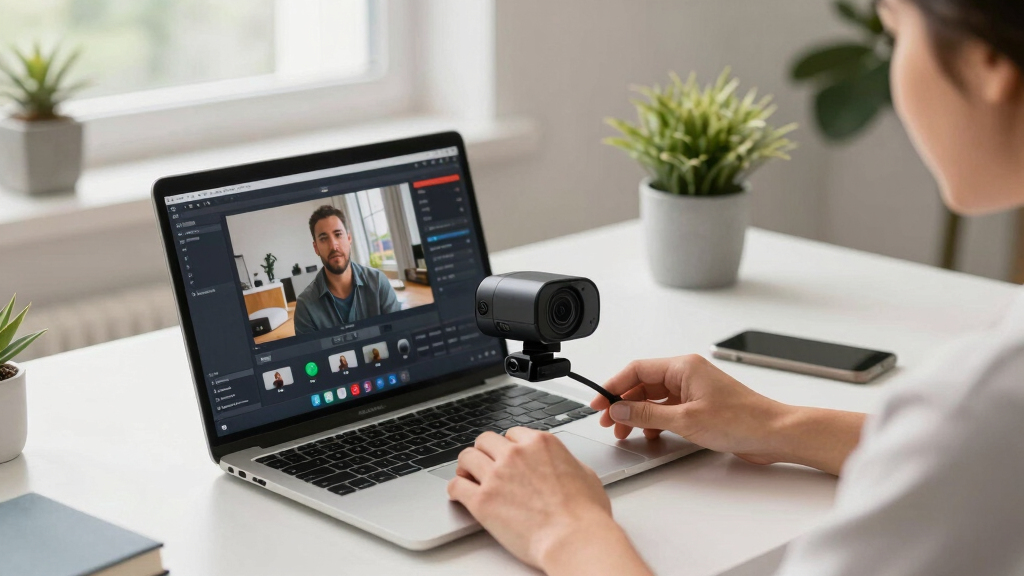
Choosing the best webcam for YouTube livestreams involves balancing video quality, usability, and features. The Logitech Brio 101 stands out as the overall top choice for its reliable 1080p streaming and affordability. The Insta360 Link 2C Pro offers advanced features like AI tracking and HDR, making it ideal for more dynamic streams. Meanwhile, the Elgato Facecam 4K appeals to those seeking high-quality, professional-grade footage. However, the main tradeoffs involve balancing budget versus feature set, as premium webcams tend to include more sophisticated tech but at a higher price. Continue reading for a detailed breakdown of each option and how to choose the best fit for your streaming needs.

Get smart everyday buys delivered free with Prime
- Fast, free delivery on millions of items
- Prime Video, Amazon Music and more included
- Member-only deals all year
Key Takeaways
- Top-tier webcams like the Insta360 Link 2C Pro excel with AI tracking and HDR for dynamic streams.
- Budget-friendly options such as the Logitech C922x still deliver solid 1080p quality suitable for most YouTubers.
- 4K resolution webcams are increasingly affordable but require higher-end PCs for seamless streaming.
- Features like auto-framing, noise-canceling mics, and gesture control can elevate stream quality but add complexity and cost.
- The best webcam depends heavily on your streaming setup, content style, and budget constraints.
| Logitech Brio 101 Full HD 1080p Webcam for Streaming and Meetings – Black |  | Best Overall for Budget-Conscious Streamers | Resolution: Full HD 1080p | Brightness Boost: RightLight up to 50% | Privacy Shutter: Yes | VIEW LATEST PRICE | See Our Full Breakdown |
| YOLOLIV YoloCam S3 4K Streaming Webcam for PC & Mac |  | Best for 4K Cinematic Content Creation | Sensor Type: CMOS | Sensor Size: 1/1.3″ | Video Resolution: 4K | VIEW LATEST PRICE | See Our Full Breakdown |
| Insta360 Link 2C Pro 4K Webcam for PC/Mac |  | Best for Auto Framing and Professional Video | Sensor: 1/1.3” CMOS | Video Resolution: 4K | Media Type: Universal Flash Storage | VIEW LATEST PRICE | See Our Full Breakdown |
| Logitech MX Brio Ultra HD 4K Webcam – Graphite |  | Best for Premium Quality and Advanced Controls | Resolution: 4K at 30fps, 1080p at 60fps | Sensor: Large pixels with advanced sensor | Microphones: Dual beamforming noise-reducing | VIEW LATEST PRICE | See Our Full Breakdown |
| Insta360 Link 2C 4K Webcam for PC/Mac with Auto Framing, HDR, AI Noise-Canceling Mic, Gesture Control |  | Best for Versatile Features and Creative Control | Sensor Type: CMOS | Sensor Size: 1/2-inch | Video Resolution: UHD 4K | VIEW LATEST PRICE | See Our Full Breakdown |
| EMEET C60E Dual-Camera 4K Webcam for Streaming, Wide-Angle & Telephoto |  | Best for Versatile Streaming and Content Creation | Sensor Type: CMOS | Connectivity Technology: USB | Color: Black | VIEW LATEST PRICE | See Our Full Breakdown |
| Insta360 Link 2 – PTZ 4K Webcam for PC/Mac with AI Tracking, HDR, Noise-Canceling Mic, Gesture Control |  | Best for AI-Powered Tracking and Professional Features | Sensor Type: CMOS | Connectivity Technology: USB | Color: Graphite Black | VIEW LATEST PRICE | See Our Full Breakdown |
| AOC 4K Webcam for PC, Streaming Computer Camera with Noise-Canceling Mic |  | Best for Easy, High-Quality Indoor Streaming | Resolution: 4K Ultra HD | Field of View: 80° | Connectivity: USB-C & USB-A Adapter | VIEW LATEST PRICE | See Our Full Breakdown |
| Logitech C922x HD Pro Webcam | 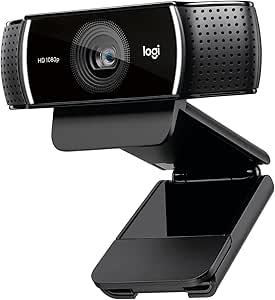 | Best for Versatile, High-Quality Streaming | Resolution: Full HD 1080p at 30fps, 720p at 60fps | Autofocus: Yes | Light Correction: Yes | VIEW LATEST PRICE | See Our Full Breakdown |
| Elgato Facecam 4K Studio Webcam |  | Best for 4K Streaming with Studio-Quality Output | Sensor Type: CMOS | Resolution: 4K (UHD) | Frame Rate: 60 FPS | VIEW LATEST PRICE | See Our Full Breakdown |
| Insta360 Link 2 Pro 4K PTZ Webcam for PC/Mac |  | Best Overall for Professional-Grade Streaming and Content Creation | Sensor Type: CMOS | Sensor Size: 1/1.3″ | Connectivity Technology: USB | VIEW LATEST PRICE | See Our Full Breakdown |
| EMEET S600 4K Webcam for Streaming with Sony Sensor and PDAF Autofocus |  | Best for Versatile, High-Resolution Streaming with Easy Setup | Sensor Type: CMOS | Sensor Size: 1/2.55 inch | Connectivity Technology: USB | VIEW LATEST PRICE | See Our Full Breakdown |
| webcams for YouTube livestream | Special Features | Sensor Type |
|---|---|---|
| Logitech Brio 101 Full HD 1080 | — | — |
| YOLOLIV YoloCam S3 4K Streamin | — | CMOS |
| Insta360 Link 2C Pro 4K Webcam | — | — |
| Logitech MX Brio Ultra HD 4K W | Show Mode, adjustable lighting/white balance | — |
| Insta360 Link 2C 4K Webcam for | Auto Framing, HDR, Gesture Control | CMOS |
| EMEET C60E Dual-Camera 4K Webc | 2 Mics, RGB Lighting, Remote Control, Dual Cameras | CMOS |
| Insta360 Link 2 | AI Tracking, HDR, Gesture Control | CMOS |
| AOC 4K Webcam for PC | Privacy Cover | — |
| Logitech C922x HD Pro Webcam | — | — |
| Elgato Facecam 4K Studio Webca | HDR Support, DSLR-Like Image Quality, Creative Control | CMOS |
| Insta360 Link 2 Pro 4K PTZ Web | AI Tracking, Low-Light Performance, Professional Audio, Natural Bokeh | CMOS |
| EMEET S600 4K Webcam for Strea | PDAF Autofocus, Auto Light Adjustment | CMOS |
More Details on Our Top Picks
Logitech Brio 101 Full HD 1080p Webcam for Streaming and Meetings – Black
The Logitech Brio 101 stands out for delivering sharp 1080p video with improved brightness and shadow reduction, making it a reliable choice for YouTubers on a budget who prioritize clarity without complex features. Unlike the more advanced Insta360 Link 2C, it doesn’t include AI tracking or HDR but offers broad platform compatibility and a privacy shutter, which are critical for secure streaming. Its limited to USB A connection can be a drawback for users with newer ports, and the absence of built-in lighting means low-light environments could still pose a challenge. This webcam is perfect for creators who need a straightforward, high-quality camera for regular streaming or recording, without the need for advanced controls or cinematic features.
Pros:- Clear 1080p video quality suitable for most streaming needs
- Integrated privacy shutter enhances security when not in use
- Compatible with popular platforms like Zoom, Teams, and Meet
- Made with 77% recycled plastic, supporting environmental goals
Cons:- Limited to USB A, which may require adapters for modern laptops
- Lacks built-in lighting, reducing performance in low-light conditions
Best for: YouTubers seeking a dependable, affordable webcam for consistent HD streaming and meetings
Not ideal for: Content creators who require 4K resolution, advanced AI features, or low-light performance in professional settings
- Resolution:Full HD 1080p
- Brightness Boost:RightLight up to 50%
- Privacy Shutter:Yes
- Microphone:Built-in
- Compatibility:Microsoft Teams, Zoom, Google Meet, Mac
- Connection:USB A
- Made with recycled plastic:77%
Our verdict“This webcam is ideal for budget-minded streamers who want reliable HD quality without extra frills.”
YOLOLIV YoloCam S3 4K Streaming Webcam for PC & Mac
The YOLOLIV YoloCam S3 excels with uncompressed 4K/30fps and 1080p/60fps video, making it ideal for creators aiming for cinematic quality. Its large 1/1.3″ sensor and AI-enhanced imaging produce sharp, vibrant footage, especially in well-lit environments. Compared with the Insta360 Link 2C, it offers manual controls and a versatile magnetic mount, but is limited to Windows for some color grading features, which could limit flexibility. The lack of water resistance makes it unsuitable for outdoor use, and some setup complexity might deter beginners. This camera is best suited for professional streamers and content creators who prioritize high-resolution video and cinematic control over portability or outdoor versatility.
Pros:- Uncompressed 4K video for maximum detail and clarity
- Fast autofocus and AI-enhanced imaging for sharpness
- Magnetic mount and manual controls for customization
- Supports cinematic color grading for professional editing
Cons:- Limited Windows-only software for some features
- No water resistance, unsuitable for outdoor use
Best for: Professional streamers and filmmakers who need high-end 4K video with manual and cinematic controls
Not ideal for: Casual streamers or those working primarily on Mac without Windows, due to limited software support
- Sensor Type:CMOS
- Sensor Size:1/1.3″
- Video Resolution:4K
- Frame Rate:30fps (4K), 60fps (1080p)
- Connectivity Technology:USB
- Lens Focal Length:24mm
- Focus Type:Auto Focus
- Color:Black
Our verdict“This webcam suits creators who prioritize 4K cinematic quality and manual control, accepting some setup complexity and software limitations.”
Insta360 Link 2C Pro 4K Webcam for PC/Mac
The Insta360 Link 2C Pro delivers exceptional 4K quality with a large sensor that enhances low-light performance, making it a top choice for dynamic streaming. Features like auto framing and AI tracking provide professional-level adjustments that are difficult to match, though it’s not compatible with ARM-based Windows systems, which could limit some users. Its versatile modes, including Whiteboard and DeskView, cater to educators and professionals needing multiple perspectives. Compared to the Logitech MX Brio, it offers more advanced AI features but at a higher price point and with some setup complexity. This webcam is particularly suitable for creators who want intelligent framing and versatile modes for engaging content.
Pros:- Excellent low-light performance with a large sensor
- Auto framing and AI tracking for dynamic content
- Includes Whiteboard and DeskView modes for diverse applications
- Professional directional noise-canceling microphones
Cons:- Not compatible with ARM-based Windows systems
- Requires USB connection and setup for full features
Best for: Educators, professional streamers, and content creators needing auto framing and multiple modes
Not ideal for: Users with ARM-based Windows devices or those seeking plug-and-play simplicity without setup fuss
- Sensor:1/1.3” CMOS
- Video Resolution:4K
- Media Type:Universal Flash Storage
- Focus:Autofocus
- Zoom:Digital 4x
- Connectivity:USB
- Weight:113.5g
Our verdict“This webcam is perfect for creators seeking intelligent framing and versatile modes, provided their system supports its requirements.”
Logitech MX Brio Ultra HD 4K Webcam – Graphite
The Logitech MX Brio offers 4K resolution with AI-driven face enhancement, making it ideal for streamers who want cinematic quality and professional polish. Its adjustable controls and noise-canceling dual microphones support a refined streaming experience, surpassing the basic HD options. However, its reliance on USB-C may limit compatibility with older devices, and the premium price makes it less accessible for casual users. Compared to the Logitech Brio 101, it adds more control and AI features but at a higher cost. This webcam makes sense for serious streamers and professionals who need the best possible image and audio quality for their audience.
Pros:- Sharp 4K resolution with AI-enhanced face visibility
- Adjustable controls for optimal image settings
- Dual noise-reducing microphones for clear audio
- Includes privacy cover for security
Cons:- Requires USB-C port, possibly needing adapters
- Higher price point may be prohibitive for casual users
Best for: High-end streamers and professionals demanding 4K quality with customizable controls
Not ideal for: Budget-conscious creators or those with older devices lacking USB-C ports
- Resolution:4K at 30fps, 1080p at 60fps
- Sensor:Large pixels with advanced sensor
- Microphones:Dual beamforming noise-reducing
- Compatibility:Windows, macOS, Chrome OS, Linux
- Connectivity:USB-C
- Special Features:Show Mode, adjustable lighting/white balance
Our verdict“This webcam is best suited for creators who prioritize premium 4K quality and professional features, accepting its higher cost and port requirements.”
Insta360 Link 2C 4K Webcam for PC/Mac with Auto Framing, HDR, AI Noise-Canceling Mic, Gesture Control
The Insta360 Link 2C combines 4K video with HDR and advanced AI noise-canceling microphones, making it a versatile choice for streamers and creative professionals. Its auto framing and gesture controls add a layer of interactivity, while its compact design and low-light performance make it suitable for both indoor and casual outdoor use. Compared with the YOLOLIV YoloCam S3, it offers more AI-driven features like gesture control and HDR, but it is not water-resistant, limiting outdoor applications. Some features may require dedicated software and setup, which could be a hurdle for less tech-savvy users. This pick is ideal for streamers who want a feature-rich, adaptable webcam for engaging content and flexible use cases.
Pros:- High-quality 4K video with HDR for vibrant visuals
- AI noise-canceling microphone for clear audio
- Auto framing and gesture controls for interactive streaming
- Compact, versatile design suitable for various environments
Cons:- Not water-resistant, not ideal for outdoor use
- Some features may require software setup and calibration
Best for: Creative streamers and professionals needing auto framing, HDR, and gesture controls
Not ideal for: Users seeking outdoor or water-resistant webcams or those with limited setup capacity
- Sensor Type:CMOS
- Sensor Size:1/2-inch
- Video Resolution:UHD 4K
- Special Features:Auto Framing, HDR, Gesture Control
- Audio:AI Noise-Canceling Mic
- Connectivity:USB
- Display Size:2 inches
Our verdict“This webcam is perfect for creators seeking an all-in-one, feature-rich device for dynamic and interactive content, provided they can handle some setup.”
EMEET C60E Dual-Camera 4K Webcam for Streaming, Wide-Angle & Telephoto
The EMEET C60E stands out for its dual-camera setup, offering both wide-angle and telephoto views, which makes it ideal for creators who want dynamic shots without switching devices. The ability to zoom up to 11X with hybrid zoom and PDAF autofocus provides close-up clarity that surpasses single-camera models like the Logitech C922x, which lacks dual perspectives. However, the zoom feature isn’t supported in 4K or 60FPS modes, which can be limiting for high-quality streaming. Its customizable RGB lighting not only adds aesthetic flair but also improves visibility in dim environments, unlike many basic webcams. Compatibility across Windows and macOS provides broad usability, but the limited water resistance means outdoor or rugged use isn’t suitable.
Pros:- Dual-camera setup offers versatile wide-angle and telephoto views
- Supports up to 11X hybrid zoom with PDAF autofocus for sharp close-ups
- Customizable RGB lighting enhances visibility and aesthetics
Cons:- Zoom isn’t supported in 4K or 60FPS modes, limiting high-quality zooming
- Incompatible with Windows Hello for facial recognition
Best for: Streamers and educators who need flexible framing options and high-quality zoom for engaging presentations.
Not ideal for: Outdoor streamers or those needing water-resistant equipment, as this webcam isn’t designed for rugged environments.
- Sensor Type:CMOS
- Connectivity Technology:USB
- Color:Black
- Special Features:2 Mics, RGB Lighting, Remote Control, Dual Cameras
- Zoom:Optical 11x, Digital 11x
- Display Resolution:UHD
- Viewing Angle:73 degrees
- Item Weight:270 g
Our verdict“This webcam is best for creators who value flexible framing and zoom capabilities over rugged outdoor use.”
Insta360 Link 2 – PTZ 4K Webcam for PC/Mac with AI Tracking, HDR, Noise-Canceling Mic, Gesture Control
The Insta360 Link 2 excels in delivering high-quality 4K video with HDR support, making it perfect for streamers who want sharp visuals even in challenging lighting. Its AI tracking and gesture control set it apart from models like the Elgato Facecam 4K, which emphasizes raw resolution but lacks intelligent auto-framing. The built-in noise-canceling microphone and professional audio enhance overall production quality, although it requires a 9V battery and some features demand software calibration, adding complexity. Its versatility in modes like DeskView and Whiteboard makes it suitable for educational or professional content, but it’s incompatible with ARM-based Windows systems, limiting usability for some users.
Pros:- High-quality 4K video with HDR and low-light performance
- AI tracking and gesture control enable hands-free operation
- Professional noise-canceling microphone improves audio clarity
Cons:- Requires a 9V battery for operation, adding to setup complexity
- Not compatible with ARM-based Windows systems
Best for: Content creators and educators who need auto-tracking, gesture control, and high-quality audio for dynamic presentations.
Not ideal for: Users on ARM-based Windows PCs or those seeking a simple plug-and-play device without extra calibration steps.
- Sensor Type:CMOS
- Connectivity Technology:USB
- Color:Graphite Black
- Special Features:AI Tracking, HDR, Gesture Control
- Maximum Focal Length:108 centimeters
- Display Resolution:Maximum UHD
- Focus Type:Auto Focus
- Item Dimensions:2.06″D x 2.72″W x 1.62″H
Our verdict“Ideal for streamers and educators seeking advanced AI features and high-quality visuals in a professional setup.”
AOC 4K Webcam for PC, Streaming Computer Camera with Noise-Canceling Mic
The AOC 4K Webcam offers sharp 4K video with an 80° wide field of view, making it suitable for indoor streaming where framing flexibility is key. Its plug-and-play setup and compatibility with popular platforms like Zoom and Skype make it accessible for casual streamers and remote workers. The physical privacy cover adds security when not in use, and the built-in noise-canceling microphone helps maintain clear audio. However, it lacks adjustable lighting or brightness controls, which can be a drawback in poorly lit rooms. Its limited water resistance and indoor-only design mean it isn’t suited for outdoor or rugged environments. Overall, it balances ease of use with high-quality visuals, but with some compromises on lighting adjustments.
Pros:- High-quality 4K video with sharp detail
- Wide 80° field of view for flexible framing
- Easy plug-and-play setup with broad platform compatibility
Cons:- No built-in adjustable lighting or brightness controls
- Limited microphone quality details in reviews
Best for: Remote workers and casual streamers who want simple, high-resolution video without complex setup or extra features.
Not ideal for: Professional streamers needing advanced lighting control or outdoor streaming capabilities.
- Resolution:4K Ultra HD
- Field of View:80°
- Connectivity:USB-C & USB-A Adapter
- Focus Type:Auto Focus
- Viewing Angle:90 degrees
- Special Features:Privacy Cover
- Weight:0.16 kg
- Dimensions:2.5″D x 2.5″W x 3.5″H
Our verdict“This webcam suits users seeking straightforward, high-resolution indoor streaming with minimal fuss.”
Logitech C922x HD Pro Webcam
The Logitech C922x delivers reliable Full HD 1080p video at 30fps and smooth 720p at 60fps, making it a dependable choice for streamers who need consistent quality across platforms. Its autofocus and automatic light correction ensure clear images in varying lighting conditions, outperforming basic webcams like the Elgato Facecam in adaptability. The stereo microphones provide natural, balanced sound, although the absence of a privacy shutter could be a concern for privacy-conscious users. Its compatibility with a wide array of platforms, including gaming consoles, makes it versatile, but its size may be less convenient for portable or space-constrained setups. This webcam strikes a balance between performance and usability for most content creators.
Pros:- High-quality 1080p video with autofocus and light correction
- Stereo microphones for natural audio
- Broad platform compatibility including gaming consoles
Cons:- No privacy shutter included
- Limited to 3 months of background editing license
Best for: Streamers and remote workers who prioritize reliable 1080p quality with good audio and broad platform compatibility.
Not ideal for: Streamers seeking 4K resolution or those needing a privacy shutter for security reasons.
- Resolution:Full HD 1080p at 30fps, 720p at 60fps
- Autofocus:Yes
- Light Correction:Yes
- Microphones:Stereo dual mics
- Compatibility:Microsoft Teams, Google Meet, Zoom, Nintendo Switch, Mac, Tablet
- Privacy Shutter:No
- License:3-month XSplit VCam
- Item Dimensions:Not specified
Our verdict“This webcam is ideal for users who want dependable 1080p streaming without extra bells and whistles.”
Elgato Facecam 4K Studio Webcam
The Elgato Facecam 4K provides ultra HD 4K resolution at 60 FPS, serving content creators who demand crisp, smooth visuals with a professional touch. Its DSLR-like image quality, combined with customizable settings and support for lens filters, makes it a favorite among streamers aiming for cinematic quality. Compared to the AOC 4K Webcam, which offers straightforward plug-and-play simplicity, the Facecam offers more control for advanced users willing to fine-tune their setup. However, its reliance on a USB connection and lack of water resistance restricts outdoor or rugged use. The absence of a water-resistant design means it’s best kept indoors, where lighting and environment can be controlled for optimal results.
Pros:- Ultra HD 4K resolution at 60 FPS delivers stunning, smooth video
- DSLR-like image quality with customizable settings
- Supports lens filters for creative effects
Cons:- Requires a compatible USB connection and additional accessories for filters
- Not water-resistant, unsuitable for outdoor use
Best for: Professional streamers and high-end content creators seeking 4K resolution at 60 FPS with customizable image settings.
Not ideal for: Casual users or those who need a portable or outdoor webcam, as it’s designed primarily for indoor studio use.
- Sensor Type:CMOS
- Resolution:4K (UHD)
- Frame Rate:60 FPS
- Connectivity:USB
- Special Features:HDR Support, DSLR-Like Image Quality, Creative Control
- Sensor Size:1/1.8-inch
- Weight:0.12 kg
- Lens Type:Prime
Our verdict“This webcam suits professional content creators who prioritize 4K quality and fine control over their streaming visuals.”
Insta360 Link 2 Pro 4K PTZ Webcam for PC/Mac
The Insta360 Link 2 Pro stands out for its exceptional 4K video quality, thanks to a large 1/1.3″ CMOS sensor that delivers impressive low-light performance—superior to the smaller sensors in many competitors like the EMEET S600. Its AI tracking and gesture controls enable dynamic framing, making it ideal for creators who want hands-free operation and engaging visuals. Additionally, professional audio with noise-canceling microphones enhances the overall stream quality. Compared with the EMEET S600, this model offers more advanced features like natural bokeh and versatile modes (Whiteboard, DeskView), but it is more complex to set up and isn’t water-resistant for outdoor use. If you prioritize cinematic quality and smart tracking, this is the top choice, though it might be overkill for casual streamers.
Pros:- Excellent 4K video with superior low-light performance
- Advanced AI tracking and gesture controls for dynamic framing
- Professional-grade directional microphones for clear audio
Cons:- Complex setup due to multiple features and controls
- Not water-resistant, unsuitable for outdoor use
Best for: Pro content creators and streamers who need high-quality 4K video, advanced AI tracking, and professional audio to elevate their streams.
Not ideal for: Beginners or casual streamers who prefer simple plug-and-play solutions without complex setup or high-end features.
- Sensor Type:CMOS
- Sensor Size:1/1.3″
- Connectivity Technology:USB
- Maximum Resolution:UHD 4K
- Special Features:AI Tracking, Low-Light Performance, Professional Audio, Natural Bokeh
- Weight:167.5 g
Our verdict“This webcam is perfect for serious streamers and creators seeking cinematic quality and smart features, despite its complexity.”
EMEET S600 4K Webcam for Streaming with Sony Sensor and PDAF Autofocus
The EMEET S600 offers a compelling balance between high-quality 4K resolution and straightforward usability. Its Sony 1/2.55” sensor ensures crisp images, comparable to the Insta360 Link 2 Pro, but with a wider field of view that suits streamers needing a broad shot. The fast PDAF autofocus keeps the image sharp even with movement, and auto light adjustment adapts to different lighting conditions—beneficial for streamers with varied setups. While it lacks some of the advanced AI tracking of the Insta360 Link 2 Pro, the S600 excels in simplicity and compatibility across multiple systems, including Android TV. Its limited water resistance and absence of internal storage are tradeoffs, but the plug-and-play design makes it accessible for newcomers and intermediate users alike.
Pros:- Sharp 4K resolution with crisp detail
- Fast PDAF autofocus for stable images during movement
- Auto light adjustment for consistent image quality
Cons:- Limited water resistance, not suitable outdoors
- No internal storage or advanced AI tracking
Best for: Content creators and streamers who want excellent 4K clarity with autofocus and auto-lighting in an easy-to-use package.
Not ideal for: Streamers seeking advanced AI features or outdoor use, as it lacks water resistance and some smart tracking capabilities found in higher-end models.
- Sensor Type:CMOS
- Sensor Size:1/2.55 inch
- Connectivity Technology:USB
- Maximum Resolution:4K (3840×2160)
- Special Features:PDAF Autofocus, Auto Light Adjustment
- Weight:3.52 ounces
Our verdict“This webcam provides high-quality 4K streaming with user-friendly features, suited for those who prioritize clarity and ease of setup.”
How We Picked
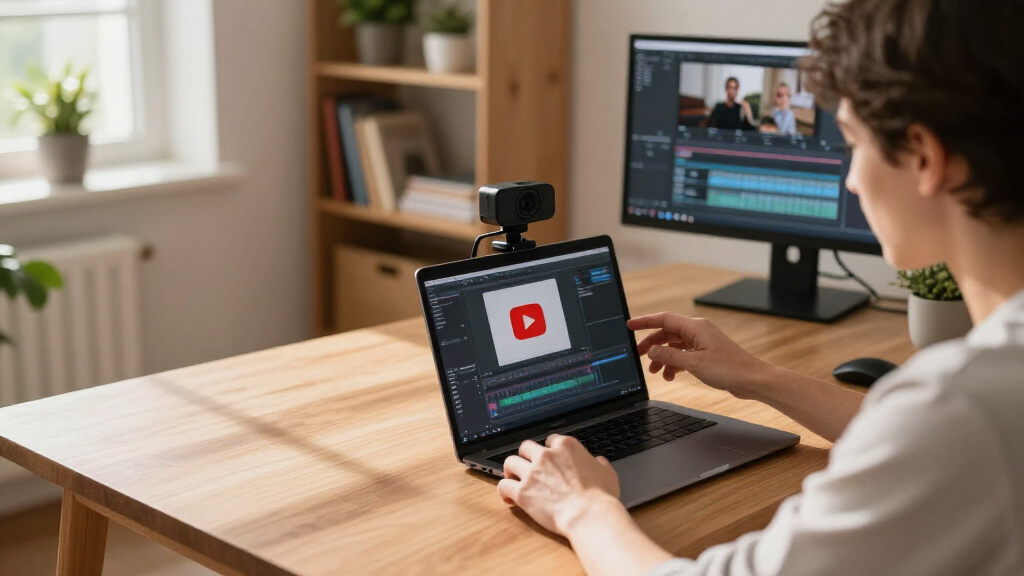
Webcams were evaluated based on video quality, ease of use, build quality, compatibility with streaming platforms, and additional features like auto-framing, noise cancellation, and AI tracking. We prioritized models that balance practical performance with value, focusing on how well they support YouTube livestreams specifically. Higher resolution and advanced tech were weighted more heavily for streamers seeking professional-grade output, while affordability and simplicity benefited beginner streamers. The ranking reflects the overall combination of these factors, aiming to guide different user profiles from casual to professional broadcasters.Factors to Consider When Choosing Best Webcams For YouTube Livestreams
When selecting a webcam for YouTube livestreaming, it’s important to consider not just the resolution but also usability, features, and compatibility. A higher resolution camera isn’t always necessary if your setup isn’t capable of supporting it, so understanding your PC’s processing power is key. Features like auto-framing and noise-canceling microphones can significantly improve your stream but often come at a premium. Additionally, consider the mounting options and whether the webcam’s design suits your streaming environment. Avoid webcams with poor low-light performance or those that lack software support, as these can hinder stream quality. Budget accordingly, balancing these factors against your streaming needs and future growth plans.Video Quality and Resolution
Video clarity is the cornerstone of engaging livestreams. While 1080p webcams are sufficient for most viewers, higher resolutions like 4K can provide sharper images and more detail, especially on larger screens. However, 4K webcams demand more processing power and bandwidth, which can cause issues if your setup isn’t equipped for it. Consider your internet upload speed and streaming platform limits when choosing resolution. For most casual YouTubers, a high-quality 1080p camera offers a good balance of performance and affordability, while professionals or high-production streamers might prefer 4K options.
Ease of Use and Compatibility
Streamers benefit from webcams that are straightforward to set up and compatible with popular streaming software like OBS, Streamlabs, or XSplit. USB connectivity is standard and usually plug-and-play, but some models offer additional features via dedicated software—ensure these are compatible with your operating system. Intuitive controls and minimal calibration requirements save time and frustration. Additionally, consider if the webcam supports mounting options that suit your setup—clip-on, tripod, or built-in stands—so you can position it optimally without hassle.
Additional Features and Tech
Features like auto-framing, AI tracking, HDR support, and gesture controls can dramatically enhance your streaming experience. Auto-framing and AI tracking keep you centered as you move, making your streams more engaging and professional-looking. HDR improves image quality in challenging lighting, while noise-canceling microphones eliminate background distractions. However, these features often come with a higher price tag and may require more powerful hardware or specific software. Decide which features genuinely improve your content quality versus those that are nice-to-have extras.
Build Quality and Durability
A well-built webcam withstands regular use and is easier to position securely. Consider models with sturdy mounting options and quality materials, especially if you plan to adjust your setup frequently. Cheaper webcams may feel flimsy or lack reliable mounts, leading to stability issues during live streams. Also, check for features like dust resistance or easy cleaning to maintain clarity over time. A durable webcam can save money in the long run by avoiding frequent replacements or repairs.
Budget and Future Proofing
While it’s tempting to opt for the cheapest option, investing in a slightly more expensive webcam can yield significant benefits in image quality and features. Think about where you see your channel heading—whether you’ll need 4K support, AI tracking, or multiple camera inputs. Paying more upfront for a versatile, high-quality model can future-proof your setup, especially if you plan to upgrade your streaming gear gradually. Conversely, if you’re just starting out or streaming casually, a reliable 1080p webcam may suffice until your channel grows.
Frequently Asked Questions
Is 4K streaming necessary for YouTube livestreams?
While 4K streaming offers sharper visuals and can make your content look more professional, it’s not a strict necessity for most YouTubers. Many viewers are content with 1080p, and streaming in 4K requires a high upload speed, a powerful PC, and often higher-end webcams. If your setup can support it, 4K can add a competitive edge, but for most content creators, 1080p remains a practical and high-quality choice that balances performance and cost.
How important is autofocus in a webcam for livestreams?
Autofocus ensures your face stays sharp even if you move slightly during your stream, which is important for maintaining professional quality. Many webcams now include autofocus features that are fast and reliable, reducing the need for manual adjustments. Without autofocus, you might need to manually adjust the camera frequently, which can disrupt your flow. For casual streamers, autofocus is a convenient feature, but serious content creators should verify its speed and accuracy to avoid blurry footage.
Should I prioritize built-in microphones or buy an external mic?
Built-in microphones on webcams are generally sufficient for casual streaming, but they often lack the clarity and noise cancellation of dedicated microphones. To achieve broadcast-quality audio, investing in an external mic—like a condenser or dynamic microphone—usually offers better sound quality and flexibility. Combining a good external mic with a reliable webcam can significantly elevate your stream’s professionalism. However, for beginners or those on a tight budget, a webcam with a decent built-in mic can be a good starting point.
What features are most beneficial for a beginner streamer?
For newcomers, simplicity and reliability are key. A plug-and-play 1080p webcam with decent low-light performance and a built-in microphone usually suffices. Features like auto-focus and easy mounting options help streamline setup. As you gain experience, you can consider advanced features such as auto-framing or higher resolutions. Starting with a straightforward, user-friendly model reduces frustration and allows you to focus on content creation rather than technical troubleshooting.
Are higher-priced webcams worth the investment?
Higher-priced webcams often include advanced features like 4K resolution, AI tracking, HDR, and better build quality, which can improve your stream’s professionalism. If you plan to grow your channel or need top-tier image quality, investing in a premium model makes sense. However, if you’re just starting or streaming casually, a mid-range or budget-friendly webcam will typically meet your needs without unnecessary expense. Weigh the features against your current setup and future goals before spending more.
Conclusion
For most casual YouTubers or beginners, the Logitech C922x offers a reliable, affordable entry point with excellent 1080p quality. If you seek professional production values and have a more advanced setup, the Elgato Facecam 4K provides crisp 4K footage and superior build quality. Streamers aiming for dynamic, high-tech streams should consider the Insta360 Link 2C Pro with AI tracking and HDR. Budget-conscious creators can stick with solid 1080p models, while those planning long-term growth should look at models with future-proof features like 4K and auto-framing. Ultimately, the best choice aligns with your current setup, content style, and aspirations.
Fall Picks
fall essentials
As an affiliate, we earn on qualifying purchases.