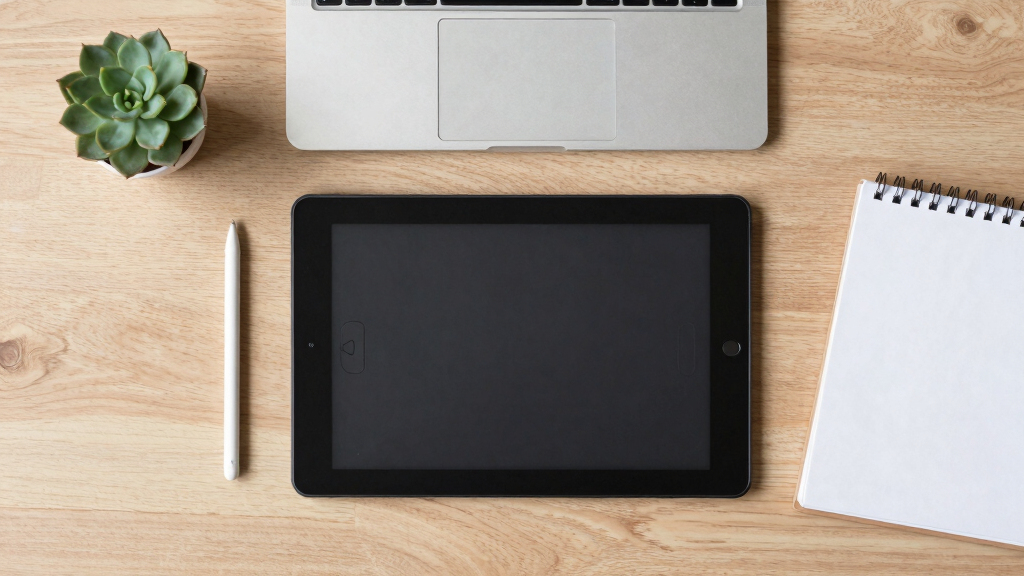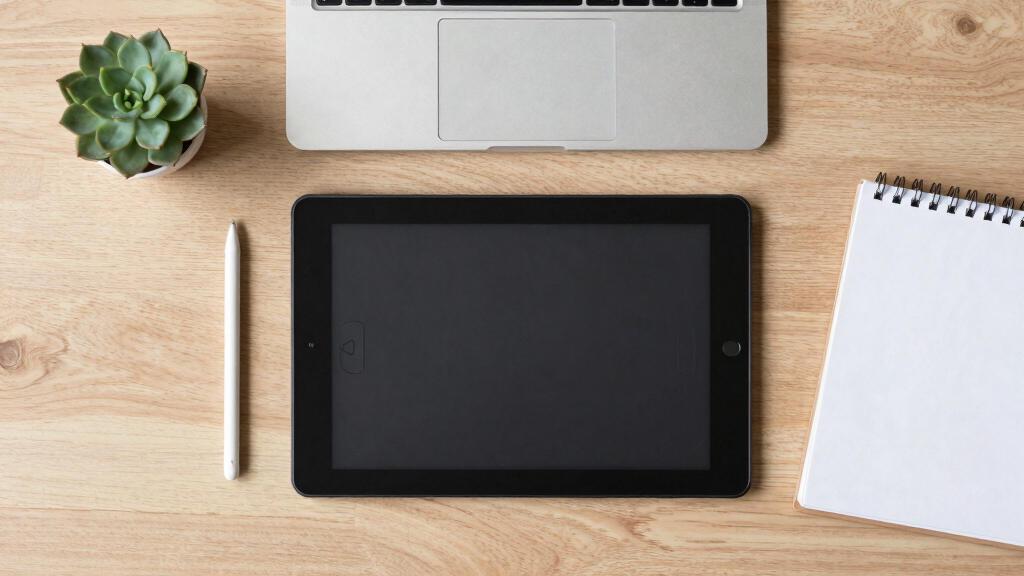

When selecting the best drawing tablets for logo design, it’s essential to balance precision, ease of use, and affordability. The Wacom Intuos Small stands out for its reliable performance and user-friendly features, making it ideal for beginners. For more advanced needs, the XPPen Artist13.3 Pro offers a vibrant screen and high pressure sensitivity, perfect for detailed logo work. Meanwhile, the HUION Inspiroy H1060P provides a versatile option with customizable keys at a competitive price. Buyers often face tradeoffs between screen quality, stylus responsiveness, and budget constraints. Continue reading to see how these options compare across key factors to help you pick the best tool for your logo design projects.
Key Takeaways
- High-pressure sensitivity (around 8192 levels) is critical for detailed line work in logo design.
- Screen quality, including color accuracy and resolution, can significantly impact the precision of digital logo creation.
- Stylus responsiveness and tilt support enhance control, especially for intricate logo details.
- Price differences often reflect build quality, screen features, and included software, influencing long-term value.
- Hotkeys and customizable buttons streamline workflow, making some tablets more efficient for professional use.


More Details on Our Top Picks
XPPen Drawing Tablet with Screen Full-Laminated Graphics Drawing Monitor Artist13.3 Pro Graphics Tablet with Adjustable Stand and 8 Shortcut Keys (8192 Levels Pen Pressure, 123% sRGB)
This XPPen Artist 13.3 Pro stands out for its full-laminated 13.3-inch display, which virtually eliminates parallax and offers a natural drawing experience—key for logo design that demands precision. Compared with the Wacom Intuos Small, it provides a larger, color-rich screen with 123% sRGB coverage, making color matching more straightforward. The tilt function and 8 customizable shortcut keys further streamline workflow, essential for complex logo projects. The main tradeoff involves the need to connect to a computer, which makes it less portable than standalone options like the XP-Pen Deco 01 V3. This pick makes the most sense for logo designers seeking pro-level accuracy and vivid color detail while willing to manage a more substantial device setup.
Pros:- Full-laminated screen reduces parallax for precise line work
- Supports tilt up to 60 degrees for shading and natural strokes
- Rich color accuracy with 123% sRGB coverage
Cons:- Requires connection to a computer, limiting portability
- Relatively larger and heavier than compact tablets
Best for: Professional logo designers who require high color accuracy and a large, fully-laminated screen for detailed work.
Not ideal for: Beginners or those seeking a portable, standalone device for quick sketches and on-the-go logo ideas.
- Display Size:13.3 Inches
- Color Gamut:123% sRGB
- Pen Pressure Levels:8192
- Tilt Support:60 degrees
- Connectivity:USB-C, 3-in-1 cable
- Compatibility:Windows, Mac, Linux
Bottom line: Ideal for professional logo designers prioritizing color fidelity and detailed control in a semi-portable setup.
XPPen Updated Deco 01 V3 Drawing Tablet-16384 Levels of Pressure Battery-Free Stylus, 10×6 Inch OSU Graphic Tablet, 8 Hotkeys for Digital Art, Teaching, Gaming
Compared with premium options like the Wacom Intuos Small, the XPPen Deco 01 V3 offers a generous 10×6 inch active area with 16,384 pressure levels and battery-free stylus, making it a versatile choice for logo design at a budget. Its large workspace allows for more comfortable sketching and detailed logo elements without feeling cramped. The 8 hotkeys can be customized for quick access to tools, streamlining the creative process. While it lacks a built-in display, it compensates with excellent responsiveness and compatibility across Windows, Mac, and Android devices—excellent for digital logo work on different platforms. The main tradeoff is the lack of a screen, which might hinder those who prefer direct feedback or color matching visually. This makes it a solid pick for amateurs or small studios starting logo projects with a limited budget.
Pros:- Large 10×6 inch active drawing area for detailed sketches
- High 16,384 pressure levels for nuanced strokes
- Battery-free stylus for effortless long sessions
Cons:- No built-in display or screen feedback
- Requires connection to a computer or device for use
Best for: Beginners or hobbyists looking for a large, responsive drawing surface for logo sketching without added cost.
Not ideal for: Professional logo designers needing a display for detailed color work or direct visual feedback.
- Active Surface Area:10×6 inches
- Pressure Sensitivity:16,384 levels
- Stylus:Battery-free
- Hotkeys:8 customizable
- Connectivity:USB-C, USB-A
- Compatibility:Windows, Mac, Android
Bottom line: A budget-friendly, large workspace tablet ideal for logo design beginners focused on control and versatility.
Wacom Intuos Small Graphics Drawing Tablet, Includes Training & Software; 4 Customizable ExpressKeys Compatible with Chromebook Mac Android & Windows, Black
The Wacom Intuos Small offers a classic, reliable pen-on-paper feel with its EMR technology, making it a strong choice for logo designers new to digital work. Its compact size and four customizable ExpressKeys provide quick tool access, improving efficiency for basic logo sketches. While it lacks a display, the high-precision pen and adjustable sensitivity make fine detail control possible. The included software and tutorials support beginners in developing their skills, and its compatibility across Windows, Mac, and Chrome OS makes it versatile for various devices. The main drawback is the smaller active area compared to larger models like Huion H1060P or XP-Pen Deco 01 V3, which may limit detailed logo work. This device is perfect for those starting out or working within tight space constraints.
Pros:- High-precision EMR technology mimics pen on paper
- Compact and portable for on-the-go logo work
- Includes software and training resources
Cons:- Small active drawing area may limit detailed logo work
- No built-in display for visual color adjustments
Best for: Beginners and students who need an affordable, portable device for logo concepting and refinement.
Not ideal for: Experienced logo designers requiring a larger workspace or a screen for detailed color matching.
- Size:Small (6.5×4.1 inches)
- Express Keys:4 customizable
- Pen Technology:EMR, battery-free
- Compatibility:Windows, Mac, Chrome OS, Android
- Connectivity:USB-A
- Color:Black
Bottom line: A dependable, entry-level tablet suited for beginners focusing on control and learning in logo design.
HUION Inspiroy H1060P Graphics Drawing Tablet with 8192 Pressure Sensitivity Battery-Free Stylus and 12 Customized Hot Keys, 10 x 6.25 inches Digital Art Tablet for Mac, Windows PC and Android
The Huion Inspiroy H1060P combines a large 10×6.25-inch active area with 8,192 pressure levels and 12 hotkeys, providing a flexible platform for logo designers who need space and customization. Its tilt support and battery-free stylus allow for nuanced line work, essential for intricate logo detailing. Its compatibility across Windows, Mac, and Android expands its usability, making it suitable for various working environments—whether at home, in a studio, or on a mobile device. The device’s slim profile and minimalist design make it easy to integrate into any workspace. The main tradeoff is that it lacks a built-in screen, which could slow the color matching process for vivid logos. This makes it a balanced choice for designers seeking control, space, and adaptability.
Pros:- Spacious 10×6.25 inch active area for detailed sketching
- 12 programmable hotkeys for workflow efficiency
- Tilt support and high pressure sensitivity for nuanced strokes
Cons:- No built-in display or visual feedback
- Requires connection to a compatible device
Best for: Logo designers who value a large workspace with extensive shortcut customization and device compatibility.
Not ideal for: Logo artists who need visual feedback directly on the device or prefer a smaller, more portable tablet.
- Active Surface Area:10×6.25 inches
- Pressure Levels:8192
- Hot Keys:12 programmable
- Tilt Support:±60°
- Connectivity:USB-C, adapters
- Compatibility:Windows, Mac, Android
Bottom line: A versatile, spacious tablet perfect for logo designers who need control and customization without a built-in screen.
HUION Inspiroy H640P Drawing Tablet, 6×4 inch Digital Art with Battery-Free Stylus, 8192 Pen Pressure, 6 Hot Keys, Graphics Tablet for Drawing, Writing, Design, Teaching, Work with Mac, PC & Mobile
The HUION Inspiroy H640P is a compact 6×4 inch device with 8,192 pressure levels and 6 customizable hotkeys, making it ideal for quick logo sketching and editing on limited desk space. Its battery-free stylus provides a natural feel, and the small size allows for portability—perfect for on-the-go logo development. Despite its size, it offers precise control suitable for detailed logo elements. The device supports Mac, Windows, and Android, broadening its use across platforms. The main tradeoff involves the limited active area, which might restrict complex logo compositions or detailed color work. This tablet is best for those who prioritize portability and quick sketching over a large workspace.
Pros:- Highly portable and compact size
- High 8192 pressure sensitivity for control
- Supports multiple OS including Android
Cons:- Small active drawing area limits detailed work
- Lacks a display for visual feedback
Best for: Logo designers who need a portable, space-efficient device for quick sketches and concepting.
Not ideal for: Professionals requiring extensive workspace or detailed color matching in their logo design process.
- Active Area:6×4 inches
- Pressure Levels:8192
- Stylus:Battery-free
- Hot Keys:6
- Connectivity:USB, USB-C, Android
- Compatibility:Mac, Windows, Android
Bottom line: A portable, precise tablet perfect for logo sketching on the move with limited space.
Drawing Tablet, UGEE M708 10 x 6 inch Large Drawing Tablet with 8 Hot Keys, Passive Stylus of 16384 Levels Pressure, Digital Graphics Art Tablet for PC Paint, Design, Art Creation Sketch
The UGEE M708 stands out for offering a large 10 x 6 inch active drawing area with a textured surface that mimics paper, making it ideal for logo design requiring detailed sketches. Compared with the GAOMON PD1161 which has a smaller 11.6-inch screen, the M708’s larger working space provides more freedom for intricate logo work. Its passive stylus with 16,384 pressure levels delivers precise line control, comparable to more expensive Wacom options, but at a fraction of the cost. However, the lack of a built-in display means you need to look at your monitor while drawing, which could be a drawback for those seeking on-screen editing. The 8 customizable shortcut keys help boost productivity, especially for repetitive tasks. The USB-C connectivity ensures broad compatibility, making setup straightforward for beginners. Despite some ergonomic limitations and button placement quirks, this tablet offers excellent value for logo designers on a budget.
Pros:- Large active drawing area with papery texture surface
- High pressure sensitivity of 16,384 levels for precise lines
- Broad compatibility with PC, Mac, and Android systems
- Eight customizable shortcut keys for efficiency
Cons:- No built-in display, requiring external monitor for drawing
- Button placement and power toggle can be inconvenient
- Display matching and color calibration require extra effort
Best for: Budget-conscious logo designers who want a large, responsive drawing surface without a screen.
Not ideal for: Professional logo artists who prefer on-screen drawing for faster workflow and real-time visual feedback.
- Active Surface Area:10 x 6 inches
- Stylus Pressure Levels:16384
- Connectivity:USB-C
- Compatibility:Windows, Mac, Android
- Surface Texture:Papery textured
- Shortcut Keys:8 customizable
Bottom line: This tablet is best suited for beginners or hobbyists needing a large, affordable drawing surface for logo design.
GAOMON PD1161 Drawing Tablet with Screen, Digital Art Tablet with Battery-Free Stylus, Tilt, 8 Shortcut Keys for Paint, Design, Illustration, Editing, 11.6-inch Graphics Tablet for Mac, Windows PC
The GAOMON PD1161 earns its place for providing a full HD 11.6-inch IPS screen, enabling direct on-screen sketching, which accelerates the logo creation process. Unlike the UGEE M708, which lacks a display, the PD1161’s screen offers immediate visual feedback, making it easier to match colors and see design details in real time. Its battery-free stylus with 8192 pressure levels and tilt support mimics traditional pencils, providing fine control over logo lines and curves. The pre-installed matte film reduces glare, enhancing drawing comfort. However, the need for a compatible PC or Mac limits portability compared to stand-alone tablets, and setup can be less straightforward for beginners unfamiliar with driver installation. The 8 shortcut keys streamline workflow, and its compatibility with popular software makes it versatile for logo design. Despite its higher price point, the on-screen feature significantly benefits precise logo work.
Pros:- Full HD IPS screen with vivid colors and sharp detail
- Battery-free stylus with tilt for nuanced control
- Pre-installed matte film reduces glare during long sessions
- Supports a wide range of creative software
Cons:- Requires connection to a PC or Mac, reducing portability
- Setup and driver installation may be complex for beginners
- Higher price compared to non-display tablets
Best for: Artists and designers who prefer direct on-screen drawing for detailed logo concepts on a 11.6-inch display.
Not ideal for: Those seeking an ultra-portable, standalone device or on-the-go logo designers without a dedicated computer.
- Screen Size:11.6 inches
- Resolution:1920×1080
- Pressure Levels:8192
- Tilt Support:Yes
- Compatibility:Windows, Mac
- Display Type:IPS
Bottom line: This tablet is ideal for logo designers who value on-screen precision and color accuracy in a larger display.
HUION Drawing Tablet HS610 Graphic Tablet with Battery-Free Stylus 8192 Pen Pressure Tilt Function, 10×6.25 Inches Digital Art for Animation & Design, Compatible with Windows/Mac/Android
The HUION HS610 combines portability with versatility, featuring a 10 x 6.25 inch active area and compatibility with Windows, Mac, and Android devices, making it perfect for designers on the move. Its battery-free stylus with 8192 pressure levels offers smooth, precise lines for logo sketches that require fine detail. The touch ring adds convenience for zooming and brush adjustments, streamlining workflow. Unlike larger, non-portable options, the HS610’s lightweight design (600g) and support for Android OS via OTG make it highly adaptable for on-location logo work or quick edits. However, the smaller screen on some comparable models might be less suitable for detailed work, and the absence of an integrated display means you still need to look at your monitor. The device’s compact size and multi-device compatibility make it a solid choice for logo designers needing flexibility.
Pros:- Lightweight and portable design (600g)
- Supports Android, Windows, and Mac with OTG
- 8192 pressure levels with tilt support for detailed lines
- Includes multifunctional touch ring for easy adjustments
Cons:- No built-in display, so external monitor is necessary
- Small active surface area compared to larger tablets
- Setup on Android devices can be more involved
Best for: Logo designers who need a portable, multi-platform device for quick sketching and editing on the go.
Not ideal for: Artists requiring a large, dedicated screen for detailed, on-screen logo work at a fixed station.
- Active Surface Area:10 x 6.25 inches
- Pressure Levels:8192
- Connectivity:USB
- Compatibility:Windows, Mac, Android
- Weight:600 grams
- Stylus:Battery-free
Bottom line: This tablet suits logo designers who prioritize mobility and multi-device compatibility over a large display.
2023 HUION Inspiroy 2 Large Drawing Tablet, 10x6inch Art Tablet with Scroll Wheel 3-Set 8 Customized Keys Battery-Free Stylus, Graphics Tablet for Drawing, Design, Work with Mac, PC & Mobile, Black
The HUION Inspiroy 2 offers a balanced 10 x 6 inch drawing surface with a sleek, slim profile, making it a versatile choice for logo designers who need a reliable, mid-sized tablet. Its upgraded PenTech 3.0 stylus with 8192 pressure levels provides smooth, natural strokes suitable for detailed logo sketches. The programmable 8 keys and the scroll wheel enhance workflow efficiency, particularly when switching between tools. Its compatibility across Mac, Windows, and mobile devices ensures flexible working environments, whether at a desk or on the move. While it doesn’t have a display, its responsive surface and intuitive controls make it a strong contender for consistent logo design tasks. Some users might prefer a larger active area, but this size strikes a good compromise between portability and workspace.
Pros:- Balanced 10×6 inch active surface
- Advanced PenTech 3.0 stylus with 8192 levels
- Programmable keys and scroll wheel for workflow speed
- Compatible with Mac, Windows, and Android
Cons:- No built-in display, external monitor required
- Larger than compact tablets, less portable than smaller models
- Limited to connected use, not standalone
Best for: Logo designers seeking a dependable, mid-sized tablet with customizable controls across multiple platforms.
Not ideal for: On-the-go artists needing a fully portable, compact device or those requiring on-screen drawing.
- Active Surface Area:10 x 6 inches
- Pressure Levels:8192
- Connectivity:USB
- Compatibility:Mac, Windows, Android
- Stylus:Battery-free
- Additional Features:Scroll wheel, 8 programmable keys
Bottom line: This tablet offers a reliable mid-size active area with customizable features for consistent logo design on multiple platforms.
GAOMON M10K Drawing Tablet, 10×6 inch Large Graphics Tablet with Touch Ring, 8192 Levels Battery-Free Stylus, 10 Hot Keys, Art Tablet for Design, Writing, Editing, Work with Mac, Windows, Android
The GAOMON M10K excels for those needing a large 10 x 6 inch active area at an affordable price, making it ideal for logo designers starting out or working within a budget. Its battery-free stylus with 8192 pressure levels delivers precise lines, comparable to more expensive models like the HUION Inspiroy 2. The inclusion of a touch ring and 10 hotkeys streamlines common tasks, boosting efficiency. Its compatibility with Mac, Windows, and Android devices offers versatility, particularly for remote or on-location logo projects. However, the absence of a display means you are working with external screens, which can slow down process for some. Its straightforward setup and reliable performance make it an excellent choice for beginners or casual logo designers who want a large surface without high costs.
Pros:- Large 10×6 inch active surface for detailed sketches
- 8192 pressure levels with precise control
- Supports multiple OS including Android
- Includes touch ring and 10 hotkeys for efficiency
Cons:- No built-in screen, external monitor required
- Design is less portable due to size
- Button placement may be less ergonomic
Best for: Budget-conscious logo designers who want a large, responsive drawing surface for sketching and editing.
Not ideal for: Artists needing an integrated display or professional-level features for detailed on-screen work.
- Active Surface Area:10 x 6 inches
- Pressure Levels:8192
- Connectivity:USB
- Compatibility:Mac, Windows, Android
- Stylus:Battery-free
- Additional Features:Touch ring, 10 hotkeys
Bottom line: This tablet provides a large, cost-effective drawing area suitable for logo sketching and editing on a budget.
Drawing Tablet HUION H420X Graphics Drawing Tablet with 8192 Level Pressure Battery-Free Stylus, 4.17×2.6 inch Digital Art Tablet for OSU Game, Design, Teaching, Work with PC, Mac, Linux & Mobile
This HUION H420X stands out for its ultra-slim profile and small active area, making it ideal for users with tight desk space or those who need portability. Compared to the XOPPOX with its larger 10×6 inch surface, this model sacrifices size for convenience, which is perfect for quick sketches or on-the-go logo work. Its 8192 pressure levels and battery-free stylus ensure smooth, precise lines without the hassle of charging, though the smaller surface might limit detailed logo design work for some. It’s a great starter or travel companion but less suited for large, detailed projects. The plug-and-play design adds to its ease of use, especially for beginners or mobile professionals.
Pros:- Extremely slim and lightweight for portability
- 8192 pressure sensitivity offers precise control
- Plug-and-play with no driver installation needed
- Compatible with Windows, Mac, Linux, Android
Cons:- Limited active drawing area of 4.17 x 2.6 inches
- Not compatible with iOS devices
- Lacks customizable shortcut keys
Best for: Designers who prioritize portability and limited desktop space, such as students or mobile logo artists.
Not ideal for: Professionals needing a larger drawing surface for detailed logo work or multitasking with extensive toolbars.
- Connectivity Technology:USB-C
- Pressure Sensitivity:8192 Levels
- Operating System:Android 6.0+, Mac OS 10.12+, Windows 7+
- Additional Features:60° tilt support, battery-free stylus
- Display Type:Tablet
- Active Surface Area:4.17 x 2.6 inches
Bottom line: This option makes the most sense for logo designers who need a compact, easy-to-carry device for quick sketches or mobile work.
XOPPOX Graphics Drawing Tablet, 10×6 Inch Large Active Area with Battery-Free Stylus, 8192 Levels of Pen Pressure and 12 Hot Keys, Compatible with PC/Mac/Android for Painting, Design & Online Teaching
The XOPPOX 10×6 inch drawing tablet offers a significantly larger workspace, making it a better choice for logo designers who prefer more room for detailed sketches or multiple tool palettes. Its 12 hotkeys and multimedia keys boost productivity, especially when working on complex logo projects that benefit from quick access to shortcuts. Unlike the HUION H420X, which is limited by size, this model provides a comfortable drawing surface that can handle more intricate logo designs with ease. Its 8192 pressure levels and battery-free pen ensure smooth, natural strokes, but the larger size means it’s less portable and more suited to a dedicated workspace. The setup requires driver installation and some configuration, but the enhanced surface and shortcut keys justify the effort for professional use.
Pros:- Large 10×6 inch active area ideal for detailed work
- 12 customizable hotkeys for workflow efficiency
- 8192 pressure sensitivity for smooth lines
- Compatible with Windows, Mac, Android
Cons:- Requires driver installation and setup time
- Larger size reduces portability
- No built-in display, so it’s a passive drawing surface
Best for: Experienced logo designers who need a spacious drawing area and customizable shortcut keys for efficiency.
Not ideal for: Mobile artists or those with limited desk space, as its larger size may be cumbersome for travel or compact setups.
- Native Resolution:5080 LPI
- Pressure Sensitivity:8192 Levels
- Active Surface Area:10 x 6 inches
- Additional Features:12 Hot Keys, Battery-Free Stylus
- Connectivity Technology:USB
- Operating System:Windows XP/7/8/10/11, macOS 11+, Android 4.4+
Bottom line: This tablet is perfect for professional logo artists who value workspace comfort and shortcut customization over portability.